
16 Best AI Knowledge Management Software Reviewed in 2026

10 Best AI Knowledge Management Software Shortlist
Here's my pick of the 10 best software from the 16 tools reviewed.


Organizations generate more information than ever, and keeping it organized, accessible, and useful is a challenge for teams of all sizes. When documents are scattered, search is slow, or knowledge lives in silos, productivity suffers. AI knowledge management software helps solve this by organizing information, improving search accuracy, and making it easier for teams to find what they need when they need it.
After testing a wide range of platforms, I’ve put together an unbiased review of the tools that stand out. Each one uses AI to support tasks like content discovery, smart search, auto-tagging, and knowledge retrieval, helping teams work more effectively with the information they rely on.
In this article, you’ll find detailed insights into each tool’s capabilities, strengths, and potential limitations so you can choose the right solution for your workflow. Let’s take a look at the AI tools that can improve how your team captures, shares, and uses knowledge.
Why Trust Our Software Reviews
Best AI Knowledge Management Software Summary
This comparison chart summarizes pricing details for my top AI knowledge management software selections to help you find the best one for your budget and business needs.
| Tool | Best For | Trial Info | Price | ||
|---|---|---|---|---|---|
| 1 | Best for global HR knowledge centralization | Free demo available | From $5/employee/month | Website | |
| 2 | Best for intelligent search capabilities | Free plan available | From $9/user/month (billed annually) | Website | |
| 3 | Best for AI-driven search capabilities | Free demo available | Pricing upon request | Website | |
| 4 | Best for employee onboarding | Free demo available | Pricing upon request | Website | |
| 5 | Best for collaborative editing | Free demo available | From $8/user/month (billed annually) | Website | |
| 6 | Best for internal wikis | Free demo available | From $8/user/month | Website | |
| 7 | Best for customer support AI | Free demo available | Pricing upon request | Website | |
| 8 | Best for task management AI | Free plan + 14-day free trial + free demo available | From $7/user/month (billed annually) | Website | |
| 9 | Best for AI-powered search | Free demo available | Pricing upon request | Website | |
| 10 | Best for document collaboration | Free plan available | From $8/user/month | Website |

-

Checkr
Visit WebsiteThis is an aggregated rating for this tool including ratings from Crozdesk users and ratings from other sites.4.5 -
Kudoboard
Visit WebsiteThis is an aggregated rating for this tool including ratings from Crozdesk users and ratings from other sites.4.8 -
Native Teams
Visit WebsiteThis is an aggregated rating for this tool including ratings from Crozdesk users and ratings from other sites.4.9





Best AI Knowledge Management Software Review
Below are my detailed summaries of the best AI knowledge management software that made it onto my shortlist. My reviews offer a detailed look at the key features, pros & cons, integrations, and ideal use cases of each tool to help you find the best one for you.

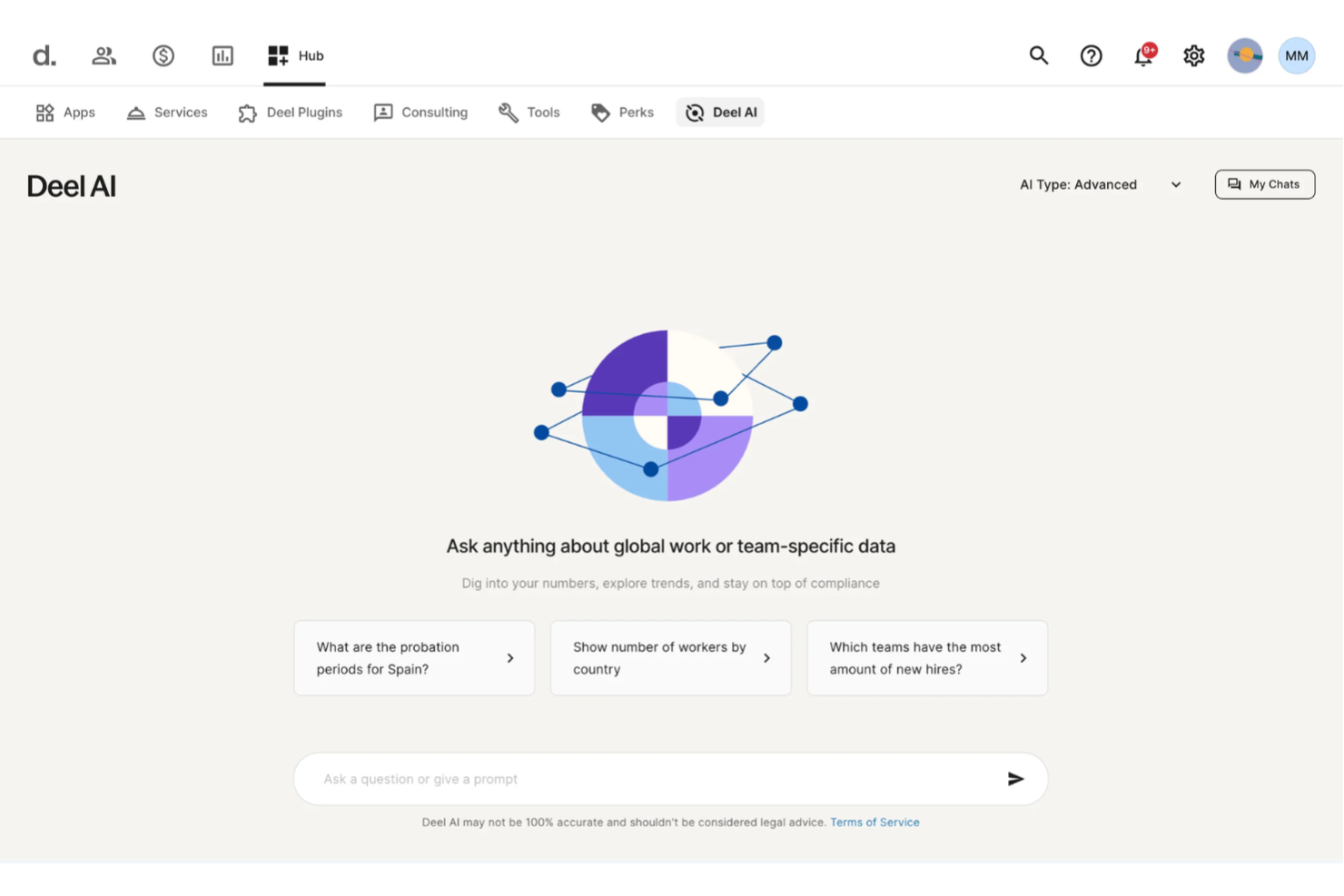
You get a centralized way to access HR and legal knowledge with Deel AI, which blends expert guidance with your team’s real-time data so you can move through complex questions without searching multiple sources. If you manage distributed teams or oversee HR operations across different regions, you can quickly surface the information you need—whether it’s compliance rules, policy details, or org insights—right when you need it.
Why I Picked Deel
I picked Deel because it functions as an always-available knowledge layer built directly into your HR ecosystem, giving you precise answers sourced from expert-verified content across 150+ countries. You get contextual insights that adapt to whatever part of the platform you’re working in, so you can pull up summaries, data points, or compliance details without digging through documentation. I also appreciate how Deel AI leverages your internal people data to generate organization-specific insights, turning scattered HR information into actionable knowledge. For teams needing an AI knowledge management system that evolves with their workforce, this approach offers a distinct advantage.
Deel Key Features
In addition to the contextual, expert-backed knowledge capabilities mentioned earlier, Deel offers:
- Unified Payroll Processing: This feature allows you to manage payroll for employees and contractors in over 150 countries, ensuring compliance with local regulations.
- Localized Contract Generation: Generate contracts tailored to local laws and languages, simplifying the onboarding process.
- Employee Self-Service Access: Provides employees with access to their payment and contract information, enhancing transparency and reducing HR workload.
- Reporting and Analytics: Offers insights into payroll and workforce data, helping you make informed decisions about your global team.
Deel Integrations
Integrations include SAP SuccessFactors, NetSuite, Slack, Google Workspace, QuickBooks, Xero, Workday, BambooHR, Greenhouse, and Carta.
Pros and Cons
Pros:
- AI answers talent and workforce questions using expert-sourced data
- Surfaces org insights and summaries directly from your team data
- Delivers guidance across 150+ country employment contexts
Cons:
- Heavy dependence on proprietary Knowledge Hub for accuracy
- AI guidance may require human review for complex legal scenarios
New Product Updates from Deel HR

Deel HR Introduces AI-Powered ATS for Hiring
Deel HR introduces an AI-powered ATS built into its platform. This update enhances hiring efficiency by automating sourcing, screening, and workflows across the recruitment process. For more information, visit Deel HR’s official site.
 .
.
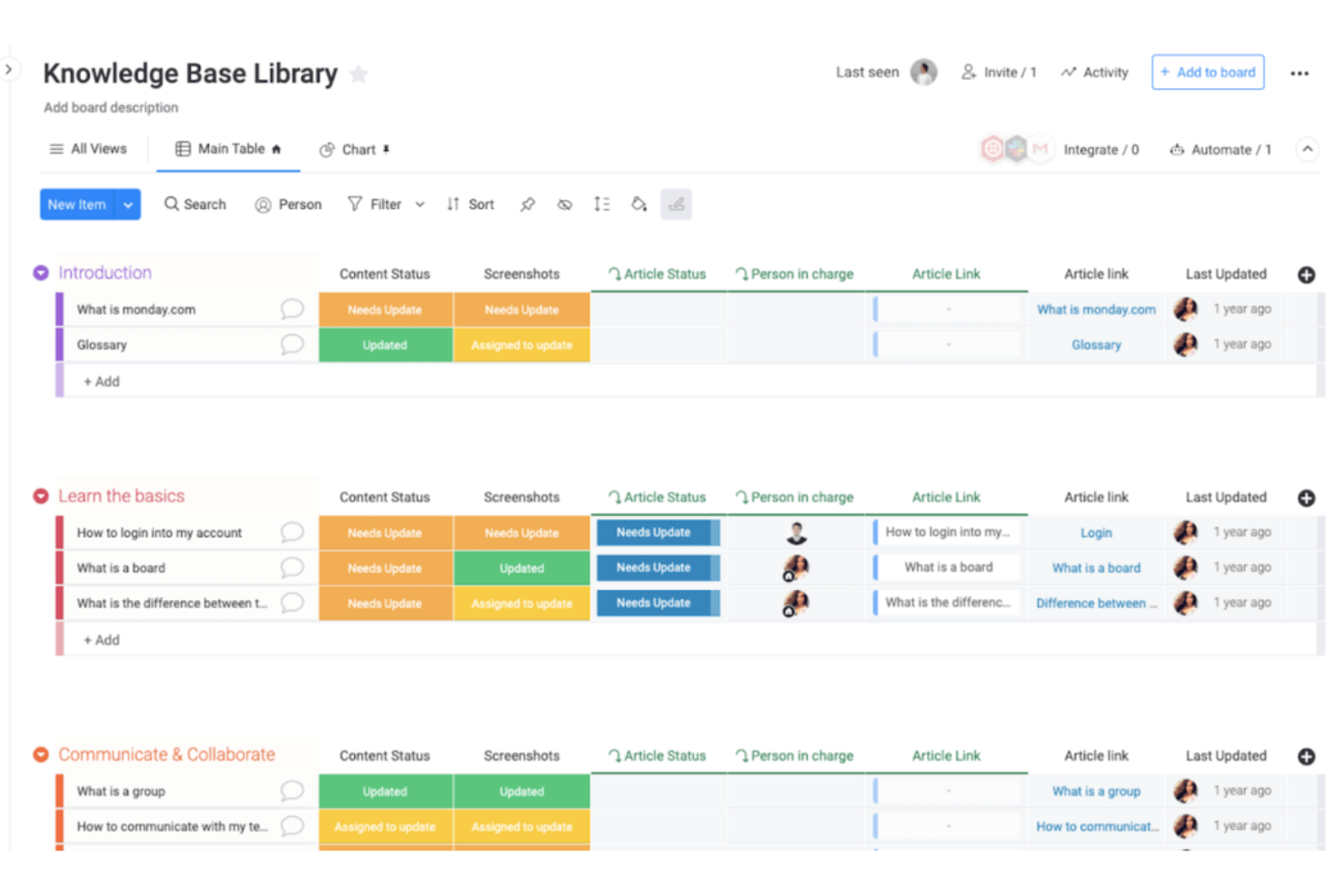
For teams looking to use AI to manage their organizational knowledge, monday.com offers an option. This platform supports professionals across industries, including marketing, IT, and finance, who need a more organized way to manage knowledge. By adding AI features, monday.com helps address scattered information and inefficient workflows, making it easier for teams to access, organize, and use shared knowledge.
Why I Picked monday.com
I picked monday.com because of its AI features that support knowledge management. The platform offers intelligent search capabilities that help your team quickly locate relevant documents and information. It also provides AI recommendations that surface related content based on your team's activity. These features can help teams reduce information silos and make it easier to find and use shared knowledge.
monday.com Key Features
In addition to its intelligent search and AI-powered recommendations, monday.com offers:
- Automated Document Classification: This feature helps your team automatically categorize and organize documents, reducing manual effort.
- Content Summarization: AI-driven content summarization provides concise overviews of lengthy documents, making it easier to digest information quickly.
- Real-Time Analytics: With real-time analytics, your team can identify knowledge gaps and areas for improvement, leading to more informed decision-making.
- Role-Based Permissions: This feature ensures that sensitive information is accessible only to authorized personnel, maintaining data security and compliance.
monday.com Integrations
Integrations include Slack, Microsoft Teams, Zoom, Google Calendar, Outlook, Salesforce, Dropbox, Trello, Zendesk, and Shopify. monday.com also provides an API for building custom integrations.
Pros and Cons
Pros:
- AI features assist with task summaries, automation, and content generation
- Automation capabilities help streamline repetitive workflows
- Versatile platform suitable for various business functions
Cons:
- Performance may slow down when handling large boards or datasets
- Some users report delays in customer support response times
New Product Updates from monday.com

monday.com Adds Microsoft Teams Messaging In Workflows
monday.com introduces Microsoft Teams messaging within workflows. This update allows users to send messages to specific individuals directly from workflows, improving collaboration and communication. For more information, visit monday.com’s official site.

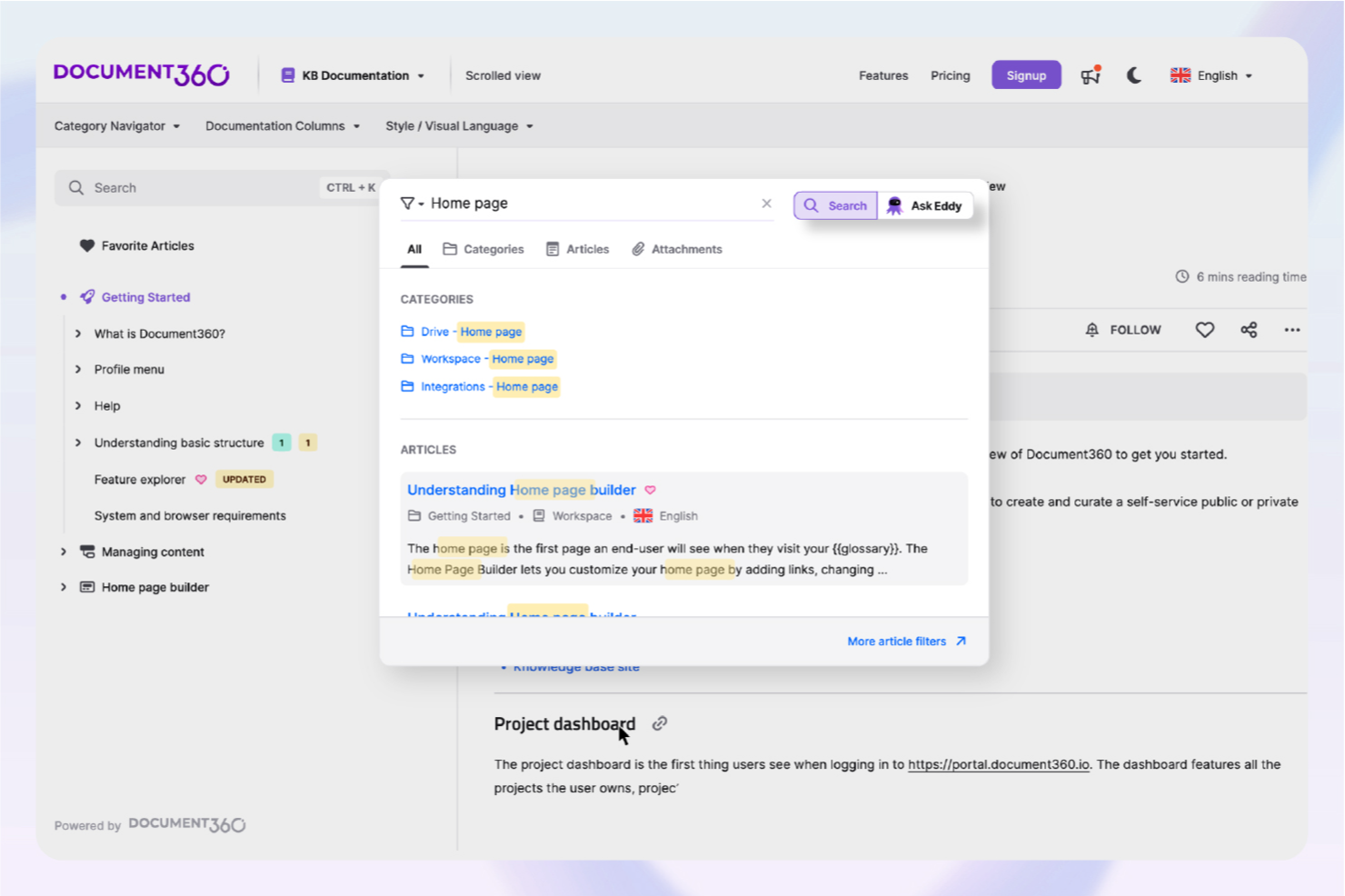
For businesses looking to revolutionize their documentation processes, Document360 offers an advanced AI knowledge management solution that is particularly beneficial for industries like SaaS, IT, and healthcare. By centralizing your documentation, it helps enhance self-service capabilities and lighten the load on support teams. Whether you're in customer support or product management, Document360 addresses the challenges of organizing and accessing critical information, making it an invaluable tool for professionals aiming to refine their knowledge management systems.
Why I Picked Document360
I picked Document360 for its exceptional AI-driven features that distinguish it in the realm of knowledge management software. The AI Search function instantly retrieves relevant information, saving your team time and boosting productivity. Additionally, the AI Writing Agent simplifies content creation, ensuring your documentation is both comprehensive and consistently updated. These features directly address the needs of organizations striving to optimize their knowledge management without overburdening their teams with manual updates.
Document360 Key Features
In addition to these standout features, I also found other functionalities that make Document360 a compelling choice:
- Pro Analytics: Provides in-depth insights into user engagement and article performance, enabling data-driven decision-making.
- Custom Workflow Builder: Allows you to create tailored workflows that align with your specific business processes, enhancing operational efficiency.
- Support Ticket Deflector: Reduces the number of incoming support tickets by providing users with instant access to relevant information.
- AI Chatbot: Offers round-the-clock support, ensuring users receive immediate assistance without requiring human intervention.
Document360 Integrations
Integrations include Freshdesk, Salesforce, Zendesk, Intercom, Microsoft Teams, Slack, Google Analytics, Olark, Disqus, and Segment.
Pros and Cons
Pros:
- Built-in AI chatbot support
- Article summarization can save time
- Custom documentation workflow builder
Cons:
- Advanced features require learning
- Native integrations somewhat limited
New Product Updates from Document360

Document360 Improves Article Review Workflows
Document360 introduces enhancements to article review reminders, improving review governance with new interactive features. For more information, visit Document360's official site.
 .
.

Trainual simplifies employee onboarding and process documentation. It serves as a structured knowledge management solution for documenting workflows, policies, and training materials. Teams use it to maintain consistent onboarding and operational guidelines.
Why I picked Trainual: Trainual offers AI-driven content suggestions that help teams build onboarding and SOP materials faster. Its step-by-step guides and checklists help standardize recurring procedures, reducing confusion and improving team alignment. AI analytics help measure completion rates and engagement so you can adjust training based on real usage. These functions make Trainual effective for teams that rely on repeatable, well-documented processes.
Standout features & integrations:
Features include customizable templates, step-by-step process creation, and role-based access controls to ensure the right employees have access to the right information. These features support organized, consistent onboarding workflows.
Integrations include Slack, Google Workspace, Zapier, QuickBooks, BambooHR, Gusto, Asana, monday.com, Box, and Microsoft Teams.
Pros and Cons
Pros:
- Keeps procedures consistent
- Tracks team training progress
- Centralizes onboarding materials
Cons:
- Needs planned content structure
- Lacks offline functionality


Slite is an AI-powered knowledge base designed to improve team collaboration and documentation management. It’s useful for teams that need a centralized knowledge management system to organize company knowledge and improve access to information.
Why I picked Slite: Slite excels in collaborative editing because it enables real-time co-editing across shared docs, supporting teams that work heavily in shared documentation apps. Its Ask feature uses AI to surface the right information quickly, reducing repeated questions and improving operational efficiency. The template library and simple editor help teams maintain consistent documentation practices, making Slite suitable for collaborative, day-to-day knowledge work.
Standout features & integrations:
Features include real-time collaborative editing, a template library for structuring docs, and AI-driven intelligent search through the Ask feature. These help teams create, update, and retrieve internal docs efficiently.
Integrations include Slack, Google Drive, Dropbox, Trello, Asana, Microsoft Teams, GitHub, Jira, Notion, and Zapier.
Pros and Cons
Pros:
- Easy for quick collaboration
- Finds info through AI search
- Enables real-time co-editing
Cons:
- Struggles with long documents
- Limited offline access for remote work

Tettra helps teams organize and update internal knowledge. It functions as a knowledge management system built for structured internal wikis and company knowledge documentation. Its AI features support better navigation and maintenance of internal content.
Why I picked Tettra: Tettra excels in managing internal wikis by providing AI-driven content suggestions that help your team keep information accurate and up-to-date. Its AI-driven content suggestions help identify knowledge gaps and prompt updates without relying on manual tracking. The built-in Q&A system uses artificial intelligence to surface existing answers, reducing repetitive questions and improving user experience. These AI functionalities make Tettra a top choice for teams focused on maintaining a full-scope internal knowledge base.
Standout features & integrations:
Features include a Q&A system with AI suggestions, content verification workflows, and an AI-driven search to help employees find the right information quickly. These support teams maintain structured internal wikis.
Integrations include Slack, Google Drive, Microsoft Teams, GitHub, Asana, Trello, Jira, Zapier, Confluence, and Notion.
Pros and Cons
Pros:
- Cuts repeated team questions
- Suggests content updates fast
- Keeps internal wikis clean
Cons:
- Onboarding takes early effort
- Needs regular content review


Knowmax boosts customer support with faster information access. It serves as an AI-guided knowledge management system designed to help contact center and customer support teams access accurate information quickly across channels. Its tools support structured workflows and a consistent customer experience.
Why I picked Knowmax: Knowmax excels in customer support because its AI-powered decision trees guide agents through complex troubleshooting steps with clear next-best actions. The platform’s centralized content management helps maintain consistent, up-to-date knowledge across touchpoints, reducing errors and knowledge gaps. AI-driven analytics also highlight patterns in customer issues, helping teams refine self-service and support processes.
Standout features & integrations:
Features include AI-powered decision trees, a content management system for structured knowledge, and analytics that surface trends from customer interactions. These support consistent answers and improved agent performance.
Integrations include Salesforce, Zendesk, Freshdesk, Zoho Desk, Microsoft Dynamics, Genesys, NICE inContact, ServiceNow, Avaya, and Cisco.
Pros and Cons
Pros:
- Improves support accuracy
- Keeps answers consistent
- Guides agents step by step
Cons:
- Interface feels dated sometimes
- Workflow setup needs tuning


ClickUp helps teams automate and manage tasks efficiently. It’s a project and task management platform that uses generative AI to support task creation, summaries, and operational workflows. It suits teams handling varied project types and documentation apps.
Why I picked ClickUp: ClickUp’s AI capabilities support task management by automating routine work, generating summaries, and helping teams categorize tasks more quickly. Its custom dashboards and task dependencies provide flexibility for complex projects or multi-team coordination. Because it adapts to different workflows, it works well for teams managing both simple and multi-layered projects.
Standout features & integrations:
Features include custom dashboards, task dependencies, and time tracking, which support organized project execution. ClickUp AI can draft task descriptions, summarize docs, and speed up planning workflows across use cases.
Integrations include Slack, Google Drive, Dropbox, GitHub, Microsoft Teams, Zoom, Trello, Asana, Salesforce, and Zapier.
Pros and Cons
Pros:
- Tracks progress efficiently
- Custom dashboards fit goals
- Automates daily team tasks
Cons:
- Takes time to configure
- Features overwhelm new users


Glean boosts workplace productivity through smarter search. It functions as an AI-driven knowledge management platform designed to help teams find information across apps, documents, and unstructured data. It’s suited for enterprises that need intelligent search and analysis across company knowledge.
Why I picked Glean: Glean stands out for its AI-powered intelligent search, which helps teams retrieve the right information from multiple tools quickly. Its personal AI assistants provide context-aware summaries, suggestions, and insights that support complex use cases, including research, onboarding, and data-heavy workflows. Its focus on secure data handling makes it suitable for organizations with strict compliance needs. Glean's ability to integrate with over 100 applications makes it a versatile tool for enterprises aiming to optimize their data management strategies.
Standout features & integrations:
Features include personal AI assistants, enterprise-level intelligent search, and AI-driven data analysis that summarizes content from various sources. These capabilities help teams organize, retrieve, and understand large volumes of company knowledge more efficiently.
Integrations include Slack, Microsoft Teams, Zoom, Google Drive, Dropbox, Salesforce, Jira, Confluence, GitHub, and Asana.
Pros and Cons
Pros:
- Improves data discovery speed
- Delivers context-aware results
- Finds info across tools
Cons:
- Reindexing slows after updates
- AI sometimes misses context


Bit.ai is a document collaboration platform designed for teams to create, manage, and share knowledge efficiently. It's perfect for businesses that need a centralized space for content creation and team collaboration, leveraging AI to improve document management.
Why I picked Bit.ai: Bit.ai is suited for document collaboration because its real-time editor supports interactive content, including embedded media, technical docs, and internal knowledge pages. The platform’s AI-driven document tracking and analytics help teams understand engagement and content usage, which is helpful when maintaining company knowledge at scale.
Standout features & integrations:
Features include a smart editor with rich media support, automated document tracking, and engagement analytics. These tools help teams manage shared docs, measure usage, and maintain clear documentation workflows.
Integrations include Google Drive, OneDrive, Dropbox, Box, Slack, Trello, Asana, GitHub, Microsoft Teams, and Zapier.
Pros and Cons
Pros:
- Embeds rich media content
- Tracks reader engagement easily
- Allows live document editing
Cons:
- Limited offline document editing access
- Large files may load slowly
Other AI Knowledge Management Software
Here are some additional AI knowledge management software options that didn’t make it onto my shortlist, but are still worth checking out:
- Lucidworks Fusion
For AI-driven insights
- Sinequa
For enterprise search AI
- Kipwise
For team knowledge sharing
- Confluence
For team collaboration spaces
- Zoho Learn
For integrated learning management
- Stonly
For interactive guides


AI Knowledge Management Software Selection Criteria
When selecting the best AI knowledge management software to include in this list, I considered common buyer needs and pain points like improving information retrieval and enhancing collaboration efficiency. I also used the following framework to keep my evaluation structured and fair:
Core Functionality (25% of total score)
To be considered for inclusion in this list, each solution had to fulfill these common use cases:
- Centralized knowledge repository
- Advanced search capabilities
- Collaboration tools
- Content management
- Data security
Additional Standout Features (25% of total score)
To help further narrow down the competition, I also looked for unique features, such as:
- AI-driven insights
- Natural language processing
- Customizable workflows
- Integration with other AI tools
- Real-time analytics
Usability (10% of total score)
To get a sense of the usability of each system, I considered the following:
- Intuitive interface design
- Ease of navigation
- Clear layout and organization
- Customizable user settings
- Accessibility features
Onboarding (10% of total score)
To evaluate the onboarding experience for each platform, I considered the following:
- Availability of training videos
- Interactive product tours
- Extensive help documentation
- Access to webinars and tutorials
- Support from onboarding specialists
Customer Support (10% of total score)
To assess each software provider’s customer support services, I considered the following:
- 24/7 support availability
- Response time to inquiries
- Availability of live chat and phone support
- Quality of support resources
- Access to a dedicated account manager
Value For Money (10% of total score)
To evaluate the value for money of each platform, I considered the following:
- Pricing compared to features offered
- Flexibility of pricing plans
- Availability of free trials or demos
- Discounts for long-term commitments
- Customer feedback on pricing fairness
Customer Reviews (10% of total score)
To get a sense of overall customer satisfaction, I considered the following when reading customer reviews:
- Overall satisfaction ratings
- Commonly mentioned pros and cons
- Feedback on feature effectiveness
- User experiences with customer support
- Recurring themes in user feedback
How to Choose AI Knowledge Management Software
It’s easy to get bogged down in long feature lists and complex pricing structures. To help you stay focused as you work through your unique software selection process, here’s a checklist of factors to keep in mind:
| Factor | What to Consider |
| Scalability | Can the software grow with your team? Check if it supports increasing data volumes and user numbers without compromising performance. Consider future needs like expanding into new departments or regions. |
| Integrations | Does it connect with your current tools? Ensure it integrates with existing systems like CRM, ERP, or communication platforms to streamline workflows. Look for API support for custom integrations if needed. |
| Customizability | Can you tailor the software to your needs? Assess if it allows adjustments to workflows, dashboards, and user roles. Consider if you can add custom fields or modify templates to fit your processes. |
| Ease of use | Is the interface intuitive? Evaluate if your team can navigate and use the software with minimal training. Check for a clean design, straightforward navigation, and helpful tooltips or guides. |
| Implementation and onboarding | How quickly can you get started? Look for solutions with clear onboarding processes, training resources, and dedicated support. Consider the time and resources needed to migrate existing data and train users. |
| Cost | Does it fit your budget? Compare pricing plans and consider total cost of ownership, including setup fees, support charges, and any hidden costs. Look for flexible plans that match your usage level and growth forecasts. |
| Security safeguards | Is your data protected? Verify if the software complies with industry standards like GDPR or HIPAA. Check for encryption, data backup, and user access controls. Consider the vendor's track record on data breaches. |
| Support availability | Can you get help when needed? Evaluate if the provider offers 24/7 support, multiple contact methods, and quick response times. Consider the quality of their help resources, like FAQs, forums, and user communities. |
What Is AI Knowledge Management Software?
AI knowledge management software is a tool that uses artificial intelligence to organize, retrieve, and manage information within an organization. Professionals like HR managers, customer support teams, and project managers use these tools to improve collaboration and decision-making. Features like AI-driven search, natural language processing, and analytics support efficient information retrieval and provide valuable insights. Overall, these tools help teams access the right information quickly, improving productivity and communication.
Features of AI Knowledge Management Software
When selecting AI knowledge management software, keep an eye out for the following key features:
- AI-driven search: Quickly retrieves relevant information by using advanced algorithms to understand and process user queries.
- Natural language processing: Allows users to interact with the software using conversational language, making data retrieval more intuitive.
- Machine learning models: Personalizes content and search results by learning from user behavior and preferences.
- Analytics: Provides insights into content usage and user interactions, helping teams refine their strategies and improve efficiency.
- Content management: Organizes and maintains a centralized repository of knowledge, ensuring information is up-to-date and easily accessible.
- Collaboration tools: Facilitates teamwork by allowing multiple users to edit, share, and discuss documents in real time.
- Customizable workflows: Enables teams to tailor processes and approvals to fit their specific needs, enhancing productivity.
- Data security: Protects sensitive information through encryption and access controls, ensuring compliance with industry regulations.
- Integration capabilities: Connects with existing tools and platforms, allowing for smooth data exchange and workflow continuity.
- Interactive guides: Provides step-by-step assistance and tutorials to help users navigate the software and complete tasks efficiently.
Benefits of AI Knowledge Management Software
Implementing AI knowledge management software provides several benefits for your team and your business. Here are a few you can look forward to:
- Improved information access: AI-driven search capabilities allow your team to quickly find relevant information, reducing time spent on manual searches.
- Optimized decision-making: Analytics and machine learning models provide insights into data usage, helping your team make informed decisions based on real-time information.
- Increased collaboration: Collaboration tools and customizable workflows enable teams to work together efficiently, enhancing productivity and communication.
- Personalized content delivery: Machine learning personalizes content recommendations, ensuring users receive the most relevant information for their needs.
- Efficient onboarding: Interactive guides and tutorials offer step-by-step assistance, helping new users learn the software quickly and effectively.
- Better data security: Advanced security features protect sensitive information, ensuring compliance with industry standards and safeguarding your business data.
Costs and Pricing of AI Knowledge Management Software
Selecting AI knowledge management software requires an understanding of the various pricing models and plans available. Costs vary based on features, team size, add-ons, and more. The table below summarizes common plans, their average prices, and typical features included in AI knowledge management software solutions:
Plan Comparison Table for AI Knowledge Management Software
| Plan Type | Average Price | Common Features |
| Free Plan | $0 | Basic search, limited storage, and basic collaboration tools. |
| Personal Plan | $5-$249/user/month | Advanced search, personalized content, and basic analytics. |
| Business Plan | $25-$600/user/month | Customizable workflows, integration capabilities, and improved security features. |
| Enterprise Plan | $50+/user/month | Full analytics suite, AI-driven insights, and dedicated customer support. |
AI Knowledge Management Software FAQs
Here are some answers to common questions about AI knowledge management software:
How can I gauge how well my knowledge base is actually being used?
You should look beyond just user log-ins. Check metrics like how many searches returned no results, which articles get edited the most, and how often users ask for repeats of the same info. This gives you a clearer picture of whether the system is actively helping your team.
What happens if the AI starts surfacing outdated or incorrect information?
Even AI tools can pull up information that’s stale or wrong. Make sure your team sets up review workflows where subject-matter experts flag outdated content and the AI learns from those corrections. That way you avoid misleading your users.
Can I use AI knowledge software for both internal team knowledge and customer-facing content?
Yes—but it’s not always automatic. You’ll need to set permissions, tags and contexts so the right audience gets the right content. Otherwise, you risk exposing internal procedures to customers or keeping user-facing info locked in your private system.
What kind of governance should I build around the knowledge management system?
You’ll need rules around who creates, edits, and approves content, how metadata is handled, and how outdated info is archived. Without governance, your knowledge base becomes messy and trust drops. Set up clear roles and regular audits.
Will my team actually adopt the new system, or ignore it and stick with old habits?
Adoption isn’t automatic. Create a launch plan that includes training, champions within teams, and incentives for using the new system—like “first answer” time reduction or fewer repeated questions. Track usage and follow up to drive change.
What’s Next:
If you're in the process of researching AI knowledge management software, connect with a SoftwareSelect advisor for free recommendations.
You fill out a form and have a quick chat where they get into the specifics of your needs. Then you'll get a shortlist of software to review. They'll even support you through the entire buying process, including price negotiations.