
20 Best AI Tools Reviewed in 2026

10 Best AI Tools Shortlist
Here's my pick of the 10 best software from the 20 tools reviewed.


AI is no longer a nice-to-have. It’s becoming a core part of how teams innovate, make decisions, and stay competitive. I’ve been testing and reviewing modern software, and I’ve seen which AI tools truly make an impact and which ones fall short.
This article explores the best AI tools across categories like writing, automation, analytics, and collaboration, giving you a clear look at what’s available and which tools are worth adopting. Let’s take a look at the AI capabilities that can help you stay ahead.
Why Trust Our Software Reviews
Best AI Tools Summary
This comparison chart summarizes pricing details for my top AI tools selections to help you find the best one for your budget and business needs.
| Tool | Best For | Trial Info | Price | ||
|---|---|---|---|---|---|
| 1 | Best for integrating AI into creative workflows | 14-day free trial available | From $9.99/month | Website | |
| 2 | Best for global HR compliance | Free demo available | Pricing upon request | Website | |
| 3 | Best for AI-based human-like, unscripted answers | 7-day free trial + free plan available | From $25/user/month | Website | |
| 4 | Best for transforming communication into events | Free plan available | From $19/month | Website | |
| 5 | Best for office document assistance | Free plan available | From $21/user/month (billed annually) | Website | |
| 6 | Best for natural language insights | Free plan available | From $17/month (billed annually) | Website | |
| 7 | Best for conversational AI | Free plan available | From $8/month | Website | |
| 8 | Best for AI-driven search | Free plan available | From $19.99/month | Website | |
| 9 | Best for AI-powered questioning | Free demo available | From $20/month | Website | |
| 10 | Best for talent matching AI | Free demo available | Pricing upon request | Website |
-

Checkr
Visit WebsiteThis is an aggregated rating for this tool including ratings from Crozdesk users and ratings from other sites.4.5 -
Kudoboard
Visit WebsiteThis is an aggregated rating for this tool including ratings from Crozdesk users and ratings from other sites.4.8 -
Native Teams
Visit WebsiteThis is an aggregated rating for this tool including ratings from Crozdesk users and ratings from other sites.4.9





Best AI Tools Review
Below are my detailed summaries of the best AI tools that made it onto my shortlist. My reviews offer a detailed look at the key features, pros & cons, integrations, and ideal use cases of each tool to help you find the best one for you.


For businesses seeking to enhance their creative workflows, Adobe Firefly offers a compelling solution. Designed to streamline content production, Firefly is particularly appealing to enterprises aiming to scale their creative output without sacrificing quality or brand compliance. By leveraging generative AI, it addresses challenges in ideation, editing, and bulk production, making it a valuable tool for marketing, HR, and sales teams.
Why I Picked Adobe Firefly
I picked Adobe Firefly for its unique ability to integrate generative AI directly into existing creative workflows, particularly through tools like Adobe Photoshop and Illustrator. This integration allows your team to accelerate content production by automating ideation and bulk editing tasks while maintaining brand consistency using custom AI models. Firefly's seamless integration with Adobe's ecosystem ensures that your creative team can focus on strategic work, enhancing both productivity and creativity.
Adobe Firefly Key Features
In addition to its integration with Adobe's ecosystem, Firefly offers several key features:
- Content Production: Streamlines ideation and bulk editing, ensuring high-quality, brand-compliant content.
- Custom Models: Enables businesses to train AI on their brand assets, maintaining a consistent visual identity.
- Administrative Controls: Provides tools for managing user access and ensuring compliance with brand policies.
- Subscription-Based Licensing: Offers flexible licensing options that include IP indemnification and full rights to generated content.
Adobe Firefly Integrations
Integrations include Adobe Photoshop, Adobe Illustrator, Adobe Express, Adobe Creative Cloud, Adobe Experience Manager, Adobe Stock, Adobe Acrobat, Adobe Premiere Pro, Adobe After Effects, and Adobe InDesign.
Pros and Cons
Pros:
- AI-powered background replacement
- Camera motion control tools
- Prompt-based generative video editing
Cons:
- Subscription required for full features
- Limited five-second video outputs

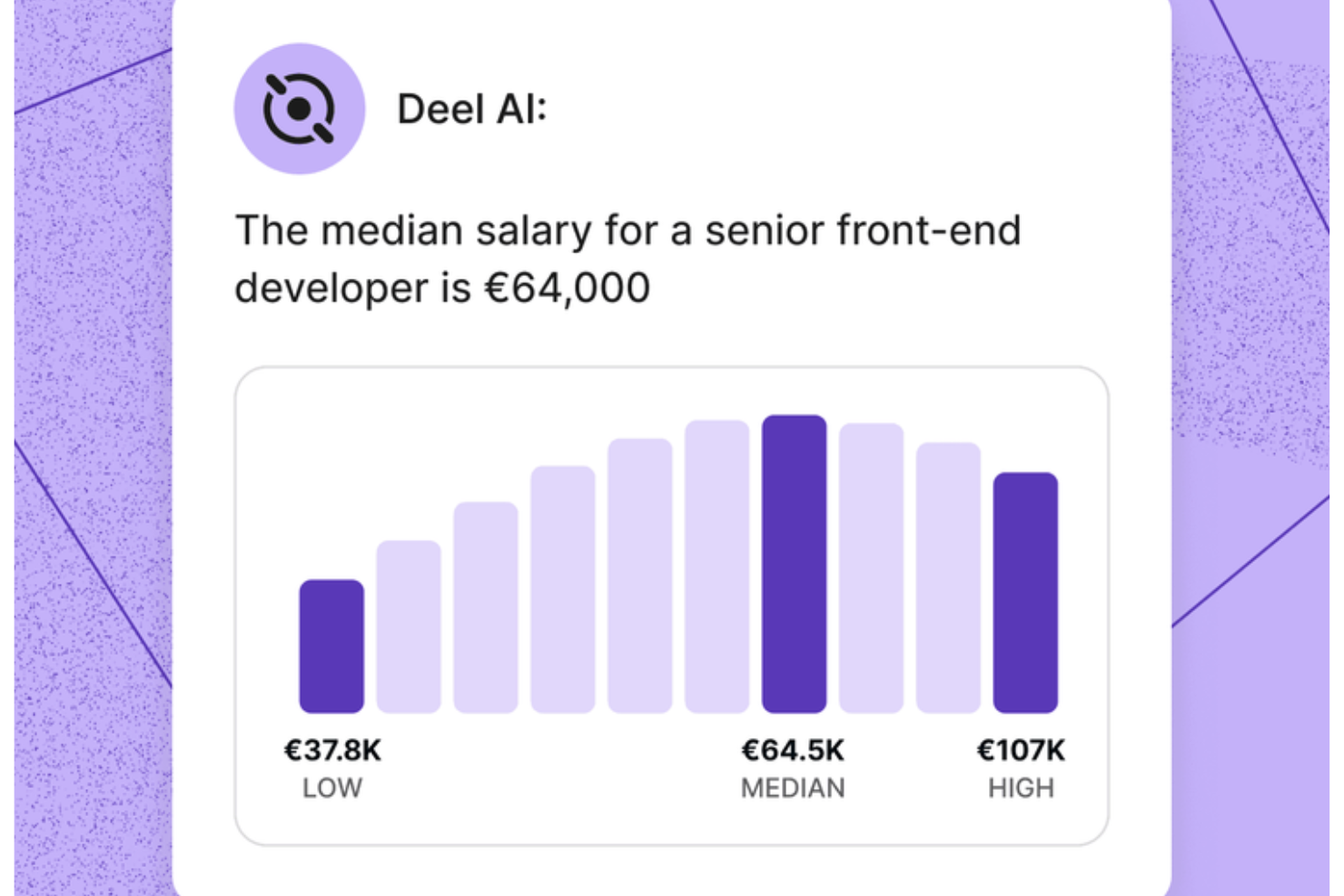
Your HR team gets an always-available expert when you use Deel AI, giving you instant clarity on workforce questions and global compliance without slowing down your workflows. If you manage a distributed or fast-growing team, the tool helps you navigate HR complexity by combining your internal data with guidance from experts across 150+ countries.
Why I Picked Deel
I picked Deel because it gives you an AI tool that responds with actionable HR and legal guidance grounded in your actual workforce data. The contextual AI layer recognizes where you are in the platform and surfaces summaries, key details, or compliance considerations without extra searching. I also appreciate that the tool draws from Deel’s globally vetted Knowledge Hub, allowing you to ask about payroll, regulations, policies, or team insights and get immediate answers. For teams that want an AI tool that can handle domain-specific HR and global compliance questions with reliable accuracy, this stands out.
Deel Key Features
In addition to the AI guidance I mentioned above, Deel offers several other key features:
- Automated Payroll Processing: This feature allows your team to manage payroll across multiple countries with automated calculations for salaries and taxes.
- Localized Contract Generation: You can create contracts tailored to local laws, ensuring compliance with regional employment standards.
- Employee Self-Service Portals: Employees can access their payroll information and manage their personal details, enhancing transparency and engagement.
- Contractor Onboarding: Deel provides customizable onboarding workflows, streamlining the hiring process and ensuring compliance with local regulations.
Deel Integrations
Deel integrates with popular platforms including QuickBooks, Xero, Greenhouse, BambooHR, NetSuite, Workday, Gusto, Lever, Slack, and SAP SuccessFactors.
Pros and Cons
Pros:
- AI answers talent and workforce questions using expert-sourced data
- Surfaces org insights and summaries directly from your team data
- Delivers guidance across 150+ country employment contexts
Cons:
- Heavy dependence on proprietary Knowledge Hub for accuracy
- AI guidance may require human review for complex legal scenarios
New Product Updates from Deel HR

Deel Expands Workplace Integrations With Microsoft Teams and Slack Alerts
Deel introduces Microsoft Teams HR approvals and consolidated Slack alerts for payouts, security, and compliance notifications. These updates help teams act faster and stay informed without leaving their communication tools. For more information, visit Deel’s official site.
 .
.
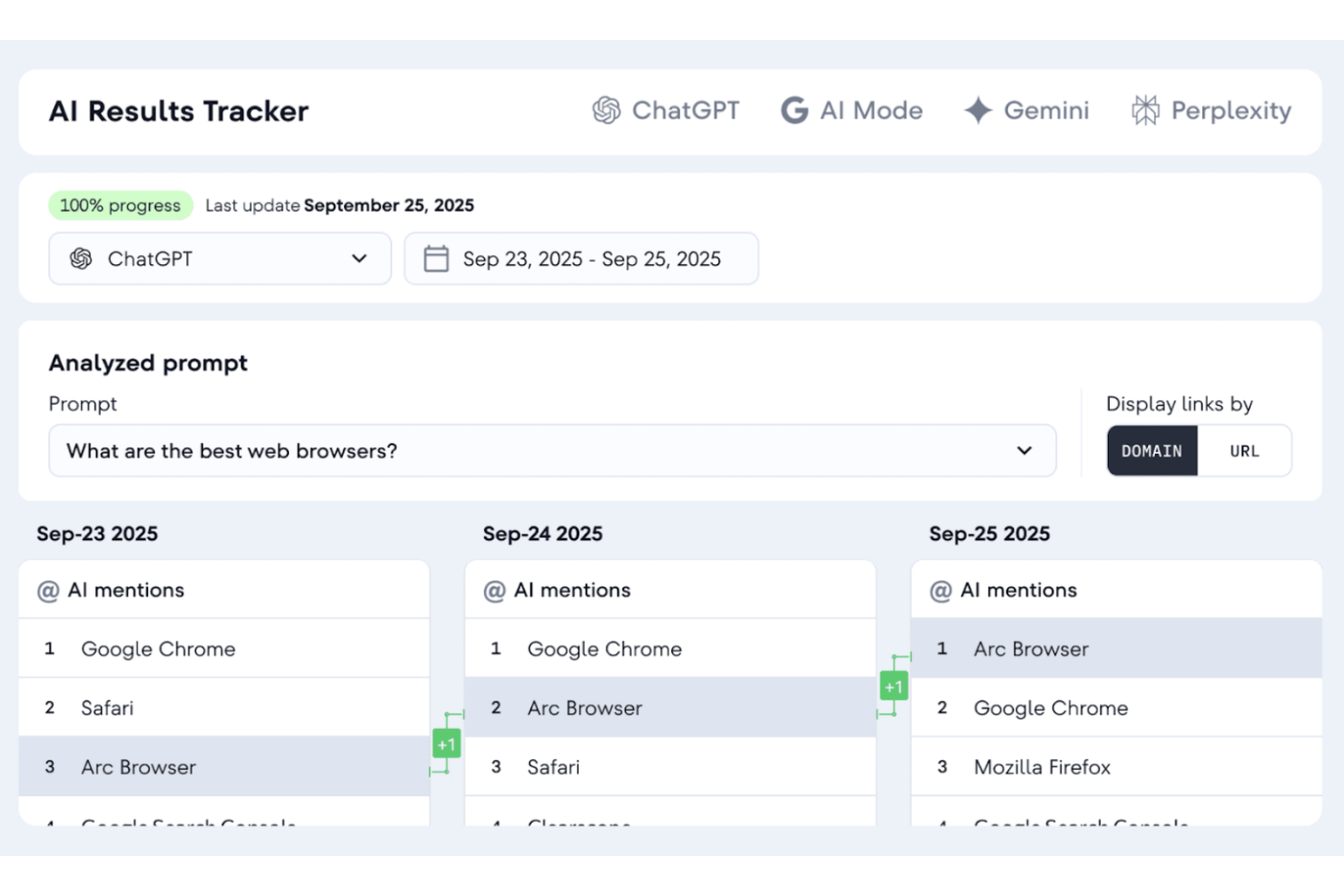
Tidio is a versatile AI-powered customer service platform designed to enhance your team's interaction with clients. It caters to small to medium-sized businesses across industries like eCommerce and finance, helping you automate customer interactions and streamline support processes. By integrating AI-driven chatbots and live chat functionalities, Tidio enables your business to handle customer inquiries effectively, reduce low-level support tasks, and improve overall customer satisfaction.
Why I Picked Tidio
I picked Tidio because of its unique ability to automate customer service interactions through its Lyro AI Agent. This feature provides human-like, unscripted answers to common customer queries, which helps reduce the workload on your support team. Additionally, Tidio's AI tools like Flows allow for the automation of structured tasks, such as lead qualification and cart abandonment reminders, further enhancing your customer engagement efforts. These features make Tidio a valuable tool for businesses looking to optimize their customer service with AI-driven solutions.
Tidio Key Features
Aside from its AI-driven automation capabilities, Tidio offers several other features that can benefit your team:
- Live Chat: Engage with customers in real-time to provide immediate assistance and improve user experience.
- Ticketing System: Manage and prioritize customer inquiries efficiently through a structured support process.
- Proactive Automation Tools: Automate follow-up messages and interactions to keep your audience engaged and informed.
- Analytics and Tracking: Gain insights into customer interactions and support performance to make data-driven decisions.
Tidio Integrations
Integrations include Salesforce, Zendesk, Shopify, WhatsApp, WordPress, Instagram, Messenger, Zapier, and Intercom.
Pros and Cons
Pros:
- Multichannel inbox centralizes chat, email, and social
- Supports 120+ integrations including Shopify and HubSpot
- AI chatbot resolves routine inquiries automatically
Cons:
- Free tier lacks effectiveness due to feature restrictions
- AI usage limits apply on lower-tier plans

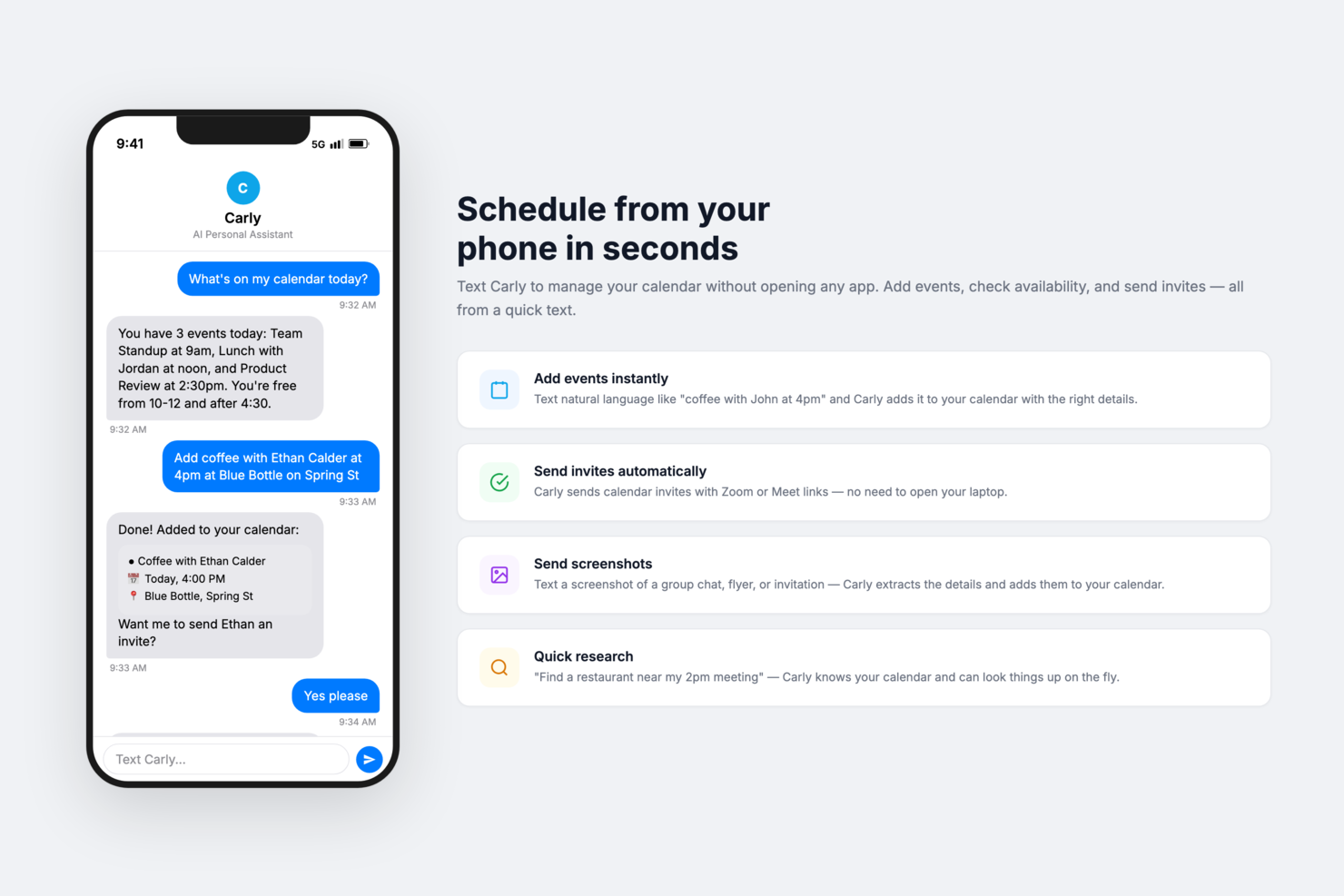
Carly AI is an AI scheduling assistant that helps you manage your calendar directly from your inbox or phone. It converts emails, texts, and screenshots into calendar events, reducing the need for manual entry. For busy professionals who handle scheduling across multiple channels, Carly AI can help keep appointments organized without switching between apps.
Why I Picked Carly AI
I picked Carly AI because it turns everyday communication into confirmed calendar events, which can significantly reduce back-and-forth scheduling. You can interact with it through email, SMS, or chat, so it fits naturally into how you already communicate. I also like that it generates human-like email replies, helping you maintain a professional tone without drafting every response yourself. Over time, it learns your preferred meeting hours, buffers, and trusted contacts, which can make scheduling feel more personalized and less repetitive.
Carly AI Key Features
In addition to its standout features, I also found the following useful:
- Text Command Scheduling: Allows you to add events to your calendar by texting Carly, making scheduling as simple as sending a message.
- Automated Location Details: Automatically includes location details for events, so you never have to input them manually.
- Group Scheduling Tool: Facilitates coordination for meetings with multiple participants, streamlining the process of finding mutually convenient times.
- Calendar Integration: Seamlessly integrates with Google Calendar, ensuring all your events are up-to-date and accessible in one place.
Carly AI Integrations
Native integrations include Google Calendar.
Pros and Cons
Pros:
- Learns preferences for personalization
- Supports email, SMS, chat
- Automates scheduling from inbound messages
Cons:
- Manual intervention may still be required for complex scheduling
- Limited integrations beyond Google Calendar


Microsoft Copilot is an AI assistant integrated into Microsoft 365, designed to help users with document creation, editing, and data analysis. It helps professionals and teams in their daily office tasks.
Why I picked Microsoft Copilot: It's tailored for office document assistance, providing features like smart text suggestions and automated data insights. These AI functionalities help you draft documents and analyze spreadsheets faster. Copilot's integration with Microsoft 365 apps makes it a natural fit for businesses already using these tools. You can rely on it to streamline your workflow and reduce manual tasks.
Standout features & integrations:
Features include real-time collaboration, advanced grammar checking, and task automation. You can work with your team on documents simultaneously, and the tool also helps you automate repetitive tasks.
Integrations include Microsoft Word, Microsoft Excel, Microsoft PowerPoint, Microsoft Outlook, Microsoft Teams, OneDrive, SharePoint, Dynamics 365, Azure, and Power BI.
Pros and Cons
Pros:
- Provides smart text suggestions
- Automates repetitive office tasks
- Full integration with Microsoft 365
Cons:
- May lack deep insight and nuance for complex tasks
- Limited to the Microsoft ecosystem


Claude is an AI-driven tool for natural language processing and caters to businesses seeking insights from text data. Its primary users include data analysts and researchers who need to extract meaningful patterns and trends from large volumes of text.
Why I picked Claude: It provides natural language insights, making it a valuable asset for data analysis. Claude offers advanced text analysis features such as sentiment analysis and entity recognition. These capabilities help you understand customer feedback and market trends better. Its ability to process complex language data efficiently sets it apart from other AI solutions.
Standout features & integrations:
Features include real-time sentiment analysis, customizable dashboards, and multilingual support. You can quickly gauge public opinion on your products or services. The tool's ability to handle multiple languages makes it versatile for global businesses.
Integrations include Google Analytics, Microsoft Power BI, Tableau, Slack, Salesforce, HubSpot, AWS, Zapier, Dropbox, and Asana.
Pros and Cons
Pros:
- Efficient complex data processing
- Customizable dashboards for data visualization
- Multilingual capabilities for global reach
Cons:
- Limited usage for free plan
- Requires initial setup for accuracy


ChatGPT by OpenAI is an AI-powered tool used for generating human-like text responses, making it ideal for customer service, content creation, and more. It's popular among businesses of all sizes looking to automate and add to their communication processes.
Why I picked ChatGPT: It works well in conversational AI, offering features like context understanding and real-time language translation. These capabilities make it suitable for diverse applications, from chatbots to virtual assistants. You can also customize its responses to align with your brand's voice. Its adaptability in various industries sets it apart from other AI tools.
Standout features & integrations:
Features include advanced language processing, multi-turn dialogue management, and the ability to learn from interactions to improve over time. You can use it to create engaging content or automate repetitive communication tasks. Its AI capabilities can help you provide a more personalized experience for your customers.
Integrations include Slack, Microsoft Teams, Zendesk, Salesforce, HubSpot, Shopify, WordPress, Mailchimp, Trello, and Asana.
Pros and Cons
Pros:
- Learns from interactions
- Customizable to fit brand voice
- Versatile for various industries
Cons:
- Limited offline capabilities
- May require fine-tuning for accuracy


Gemini is an AI assistant by Google, designed for users who need video and image generation, deep research capabilities, and personalized assistance. It's tailored for individuals and businesses seeking to enhance productivity through AI-driven solutions.
Why I picked Gemini: It specializes in AI-driven search, providing features like deep research capabilities and personalized assistance. Gemini allows you to create videos and images effortlessly, using AI to bring your ideas to life. Its integration with Google apps aids productivity by managing tasks with efficiency. You can leverage its AI tools for writing assistance and study planning, making it versatile for various needs.
Standout features & integrations:
Features include video and image generation, deep research capabilities, and personalized assistance. You can use these features to work on your creative projects or manage tasks. The tool also offers writing assistance and study planning resources to support your productivity.
Integrations include Gmail, Google Calendar, Google Drive, Google Docs, Google Sheets, Google Slides, Google Meet, YouTube, Google Photos, and Google Maps.
Pros and Cons
Pros:
- Integrates well with Google apps
- Personalized assistance for tasks
- Advanced AI-led searches
Cons:
- Limited availability of some features
- Storage limited by plan


Perplexity is an AI tool that enhances information retrieval and provides precise answers to complex queries. It’s designed for researchers and analysts needing quick, reliable information through AI-driven solutions.
Why I picked Perplexity: It excels in AI-powered questioning, offering features that refine search queries and provide accurate answers. You can leverage its advanced natural language processing to get precise information quickly. The tool's ability to understand context ensures the answers are relevant and useful. Its focus on delivering concise and accurate responses distinguishes it from other AI solutions.
Standout features & integrations:
Features include intuitive search query refinement, context-aware results, and detailed answer explanations. You can use these features to enhance your research accuracy and efficiency. The tool also provides a user-friendly interface that simplifies information retrieval.
Integrations include Google Search, Bing, Wolfram Alpha, Wikipedia, PubMed, ArXiv, Stack Overflow, Twitter, Reddit, and DuckDuckGo.
Pros and Cons
Pros:
- Intuitive interface for easy use
- Context-aware answer generation
- Precise information retrieval
Cons:
- May require fine-tuning for niche queries
- Limited offline capabilities


Eightfold AI is a talent intelligence platform that helps HR teams and recruiters find, engage, and retain top talent. It uses AI with recruitment processes by providing insights into candidate skills and potential.
Why I picked Eightfold AI: It's focused on talent matching AI, offering features like candidate skill assessments and predictive analytics. These tools help you identify the best fits for your open roles by analyzing skills and experiences. Eightfold AI's predictive capabilities allow you to anticipate future talent needs and plan accordingly. You can leverage its AI to optimize your talent acquisition strategy and improve retention rates.
Standout features & integrations:
Features include AI-driven talent analytics, personalized candidate recommendations, and automated sourcing. You can gain insights into talent pools and make data-driven hiring decisions. The platform also helps you personalize candidate experiences.
Integrations include Workday, SAP SuccessFactors, Oracle HCM Cloud, ADP, Lever, Greenhouse, SmartRecruiters, Jobvite, iCIMS, and BambooHR.
Pros and Cons
Pros:
- AI-driven talent analytics
- Personalized candidate recommendations
- Predictive analytics for future talent needs
Cons:
- Too many mobility options
- Requires data integration for full functionality
Other AI Tools
Here are some additional AI tool options that didn’t make it onto my shortlist, but are still worth checking out:
- HireVue
For video interview AI
- Paradox
For recruitment chatbots
- Degreed
For AI learning pathways
- Leapsome
For performance management AI
- TruPeer
For AI-powered script generation
- Lindy
For AI-driven personal assistants
- Leena AI
For HR chatbot automation
- Synthesia
For AI video creation
- Lattice AI
For employee feedback analysis
- Nexos AI
For predictive customer insights


AI Tools Selection Criteria
When selecting the best AI tools to include in this list, I considered common buyer needs and pain points like data accuracy and automation efficiency. I also used the following framework to keep my evaluation structured and fair:
Core Functionality (25% of total score)
To be considered for inclusion in this list, each solution had to fulfill these common use cases:
- Automating repetitive tasks
- Analyzing large data sets
- Enhancing decision-making processes
- Improving customer interactions
- Providing real-time insights
Additional Standout Features (25% of total score)
To help further narrow down the competition, I also looked for unique features, such as:
- Natural language processing capabilities
- Predictive analytics
- Customizable AI models
- Integration with multiple platforms
- Advanced data visualization
Usability (10% of total score)
To get a sense of the usability of each system, I considered the following:
- Intuitive interface design
- Ease of navigation
- User-friendly experience
- Minimal learning curve
- Accessibility of features
Onboarding (10% of total score)
To evaluate the onboarding experience for each platform, I considered the following:
- Availability of interactive product tours
- Access to training videos and tutorials
- Comprehensive onboarding guides
- Supportive chatbots
- Regular webinars for new users
Customer Support (10% of total score)
To assess each software provider’s customer support services, I considered the following:
- 24/7 support availability
- Responsiveness to inquiries
- Access to a knowledge base
- Availability of live chat support
- Quality of technical assistance
Value For Money (10% of total score)
To evaluate the value for money of each platform, I considered the following:
- Competitive pricing structure
- Range of features offered
- Cost-effectiveness of plans
- Transparency in pricing
- Flexibility of payment options
Customer Reviews (10% of total score)
To get a sense of overall customer satisfaction, I considered the following when reading customer reviews:
- User satisfaction ratings
- Feedback on feature effectiveness
- Comments on ease of use
- Reports on customer service experience
- Testimonials on ROI and value
How to Choose AI Tools
It’s easy to get bogged down in long feature lists and complex pricing structures. To help you stay focused as you work through your unique software selection process, here’s a checklist of factors to keep in mind:
| Factor | What to Consider |
| Scalability | Can the tool grow with your needs? Look for solutions that handle increased data and users without performance drops. Check for scalability options. |
| Integrations | Does it work with your existing systems? Ensure compatibility with your current tools to avoid disruptions and maximize efficiency. |
| Customizability | Can you tailor it to fit your processes? Look for flexibility in settings and configurations to match your specific workflows. |
| Ease of use | Is it user-friendly for your team? Test the interface and navigation. A steep learning curve can hinder adoption. |
| Implementation and onboarding | How quickly can you get started? Evaluate the resources and support available for a smooth transition, such as training and setup assistance. |
| Cost | Does it fit your budget? Compare pricing plans against your budget and consider the total cost, including potential hidden fees. |
| Security safeguards | Are data protection measures in place? Check for encryption, access controls, and compliance with data regulations to protect sensitive information. |
| Support availability | Will you have reliable help when needed? Look for 24/7 support options and assess the quality of customer service provided. |
What Are AI Tools?
AI tools are software applications that use artificial intelligence, including machine learning, natural language processing, predictive analytics, and automation, to perform tasks that normally require human effort. They help teams analyze data, generate content, make decisions, and complete routine work faster and more accurately.
Unlike traditional software, which follows fixed rules, AI tools learn from data. This allows them to adapt over time, identify patterns, and improve the quality of their recommendations or outputs. They’re used by a wide range of professionals across HR, marketing, engineering, operations, customer support, and executive leadership because they unlock efficiency gains and surface insights that would be hard to spot manually.
Common types of AI tools include:
- Generative AI tools (e.g., ChatGPT, Claude) that create text, images, or video
- AI assistants (e.g., Copilot, Gemini) that help with writing, research, and office tasks
- Analytics and insight tools that uncover patterns in large datasets
- Recruitment and HR AI tools that assess candidates and support performance management
- Automation and workflow tools that handle repetitive tasks or trigger actions across systems
Together, these tools help organizations streamline operations, personalize experiences, improve decision-making, and scale work that traditionally required large amounts of time and manual effort. As AI becomes more embedded in everyday software, these tools are increasingly viewed as essential components of modern workplace tech stacks.
Features of AI Tools
When selecting AI tools, keep an eye out for the following key features:
- Natural language processing: Enables tools to understand and respond to human language, making conversations with an AI bot or writing tool more intuitive and helpful.
- Predictive analytics: Uses data and machine learning to forecast trends, improve planning, and support decision-making across content, marketing, and operations.
- Machine learning capabilities: Allows AI to improve accuracy and performance as it processes more data, whether that’s text, audio, or images.
- Automated task handling: AI can handle actions like transcription, transcribe notes, or generate summaries from podcasts and AI meeting recordings, which helps teams save time.
- Data visualization: Creates visual reports and charts that help users interpret results faster without digging through raw data or text documents.
- Sentiment analysis: Helps identify emotional tone in customer feedback, reviews, or social content, allowing teams to react quickly and appropriately.
- Customizable AI models: Give businesses flexibility to adapt features for specific uses, whether they need high-quality image editing, text-to-speech, or automated content generation.
- Real-time insights: Provides immediate feedback during tasks like live transcription, performance tracking, or meeting assistant summaries.
- Integration support: Ensures tools work well with platforms like Google AI, Google Gemini, Adobe, or other services your team already uses to manage workflows or publish web pages.
- Security safeguards: Protects private information and meeting data through encryption, access control, and compliance standards.
- Creative capabilities: Some AI tools include extras like AI image generators, video editing, or the ability to generate images using platforms, which are helpful for teams producing visual content alongside their text-based work.
Benefits of AI Tools
Implementing AI tools provides several benefits for your team and your business. Here are a few you can look forward to:
- Increased efficiency: Powerful AI can automate repetitive tasks, helping your team save time and focus on higher-value work. Productivity tools and task management features make everyday workflows faster and more effective.
- Improved decision-making: AI systems powered by real-time data and predictive analysis help you make smarter decisions with greater accuracy. Whether you're evaluating campaigns or optimizing operations, AI gives you clearer insights.
- Enhanced communication: AI writing and natural language technology assist with customer support, content creation, and automated responses. This makes communication faster and more consistent across social media, chat interfaces, and internal messaging.
- Personalized experiences: AI content generation and customizable models allow you to tailor messages, offers, and user journeys based on individual preferences. This leads to more relevant interactions and higher engagement.
- Better data understanding: Visualization tools turn complex information into clear reports and dashboards, allowing teams to interpret performance, trends, and search engine data without extensive analysis.
- Reduced bias: AI-based decision processes can help reduce subjective human judgment in tasks like hiring, customer service, or content moderation, promoting fairer outcomes.
- Cost savings: Automating workflows, content production, and routine processes helps cut labor costs and improves output quality. The latest AI advancements, such as image editing and AI video generators, also reduce the need for external tools or creative outsourcing.
Costs and Pricing of AI Tools
Selecting AI tools requires an understanding of the various pricing models and plans available. Costs vary based on features, team size, add-ons, and more. The table below summarizes common plans, their average prices, and typical features included in AI tools solutions:
Plan Comparison Table for AI Tools
| Plan Type | Average Price | Common Features |
| Free Plan | $0 | Basic automation, limited data analysis, and essential integrations. |
| Personal Plan | $5-$300/user/month | Advanced analytics, customizable settings, and priority support. |
| Business Plan | $30-$600/user/month | Comprehensive reporting, team collaboration tools, and enhanced security options. |
| Enterprise Plan | Custom Pricing | Full customization, dedicated account management, and enterprise-grade security. |
AI Tools FAQs
Here are some answers to common questions about AI tools:
What compatibility issues can AI tools have with my tech stack?
When introducing AI tools into your workflow, it’s important to confirm they work with your current systems and automations. Some AI apps and AI platforms connect easily through APIs, but older software or custom setups may require more technical effort. Before adopting an AI product, review integration requirements, data formats, and whether the tool supports no-code connections or requires developer support. This is especially important for teams using AI agents, LLMs, or large language models across multiple platforms.
Can AI tools handle sensitive data securely?
Yes, many AI platforms include security features to protect sensitive information, including encryption, access controls, and compliance standards like GDPR. When evaluating generative AI or AI chatbot solutions, request documentation on data retention, privacy policies, and certification. Always confirm whether any free AI tier or cloud-based service meets your organization’s security needs before deployment.
What should I consider when evaluating the ROI of AI tools?
To measure ROI, look at the value gained from automating repetitive work and improving productivity. Track how AI reduces manual tasks, speeds up writing or content workflows, and supports areas like SEO, research, and decision-making. Consider both time savings and output quality. Case studies and customer feedback can help you understand how similar teams are using AI tools to improve performance and lower operational costs.
What are the common concerns or limitations of AI tools?
AI tools are powerful, but they do come with limitations that buyers should understand before adopting them. The biggest challenges include accuracy issues, where AI may generate incorrect or incomplete results and still present them confidently. Many tools also raise data privacy and security considerations, especially when they require access to internal files, messages, or customer information. Organizations must confirm how data is stored, processed, and protected.
You may also encounter integration gaps, bias in outputs, and ongoing oversight needs, since teams must regularly review AI-generated work for quality and fairness. Additionally, AI tools can introduce hidden costs through usage-based pricing or add-ons. Understanding these limitations helps you evaluate where AI fits into your workflow and what safeguards you may need in place.
What’s Next:
If you're in the process of researching AI tools, connect with a SoftwareSelect advisor for free recommendations.
You fill out a form and have a quick chat where they get into the specifics of your needs. Then you'll get a shortlist of software to review. They'll even support you through the entire buying process, including price negotiations.