
19 Best Employee Record Management Software Reviewed in 2026

Best Employee Record Management Software Shortlist
Here’s my shortlist of the best employee record management software:


Managing employee records isn’t easy when files, documents, and data are spread across different systems. If you’re looking to centralize information and keep your employee files accurate, secure, and easy to access, dedicated record management software can help. These tools bring documents, profiles, and HR workflows into one organized place so your team can spend less time searching for information and more time supporting employees.
A good employee record management system improves consistency, reduces manual work, and helps HR stay compliant as teams grow or regulations change. From small businesses building their first structured HR processes to larger organizations managing multiple departments, the right tool can provide a clearer view of your workforce.
In this guide, I’ve reviewed a selection of tools for storing, organizing, and managing employee records. Each option offers distinct strengths so that you can choose the best fit for your team’s needs.
Why Trust Our Software Reviews
Best Employee Record Management Software Summary
This comparison chart summarizes pricing details for my top picks for employee record management software, helping you find the best one for your budget and business needs.
| Tool | Best For | Trial Info | Price | ||
|---|---|---|---|---|---|
| 1 | Best for handling country-specific contracts | Free demo available | Pricing upon request | Website | |
| 2 | Best for attendance tracking | Free trial available | From $125/month (billed annually) | Website | |
| 3 | Best for hiring and onboarding | Free demo available | From $8/employee/month + $49 base fee/month | Website | |
| 4 | Best for digital document storage | Free demo available | Pricing upon request | Website | |
| 5 | Best for small business HR needs | Free demo available | From $104/month (billed annually) | Website | |
| 6 | Best for cloud storage integration | Free plan + free demo + 14-day free trial available | From $7/user/month | Website | |
| 7 | Best for HR workflows with built-in record organization | Free demo available | Pricing upon request | Website | |
| 8 | Best for user-friendly interface | Free demo available | From $10/employee/month | Website | |
| 9 | Best for payroll services | Free account setup + free demo available | From $49/month + $6/person/month | Website | |
| 10 | Best for integration with IT systems | Free demo available | Pricing upon request | Website |
-

Checkr
Visit WebsiteThis is an aggregated rating for this tool including ratings from Crozdesk users and ratings from other sites.4.5 -
Kudoboard
Visit WebsiteThis is an aggregated rating for this tool including ratings from Crozdesk users and ratings from other sites.4.8 -
Native Teams
Visit WebsiteThis is an aggregated rating for this tool including ratings from Crozdesk users and ratings from other sites.4.9





Best Employee Record Management Software Review
Below are my detailed summaries of the best employee record management software on my shortlist. My reviews offer a thorough look at the key features, pros & cons, integrations, and ideal use cases for each tool, helping you find the best one for you.

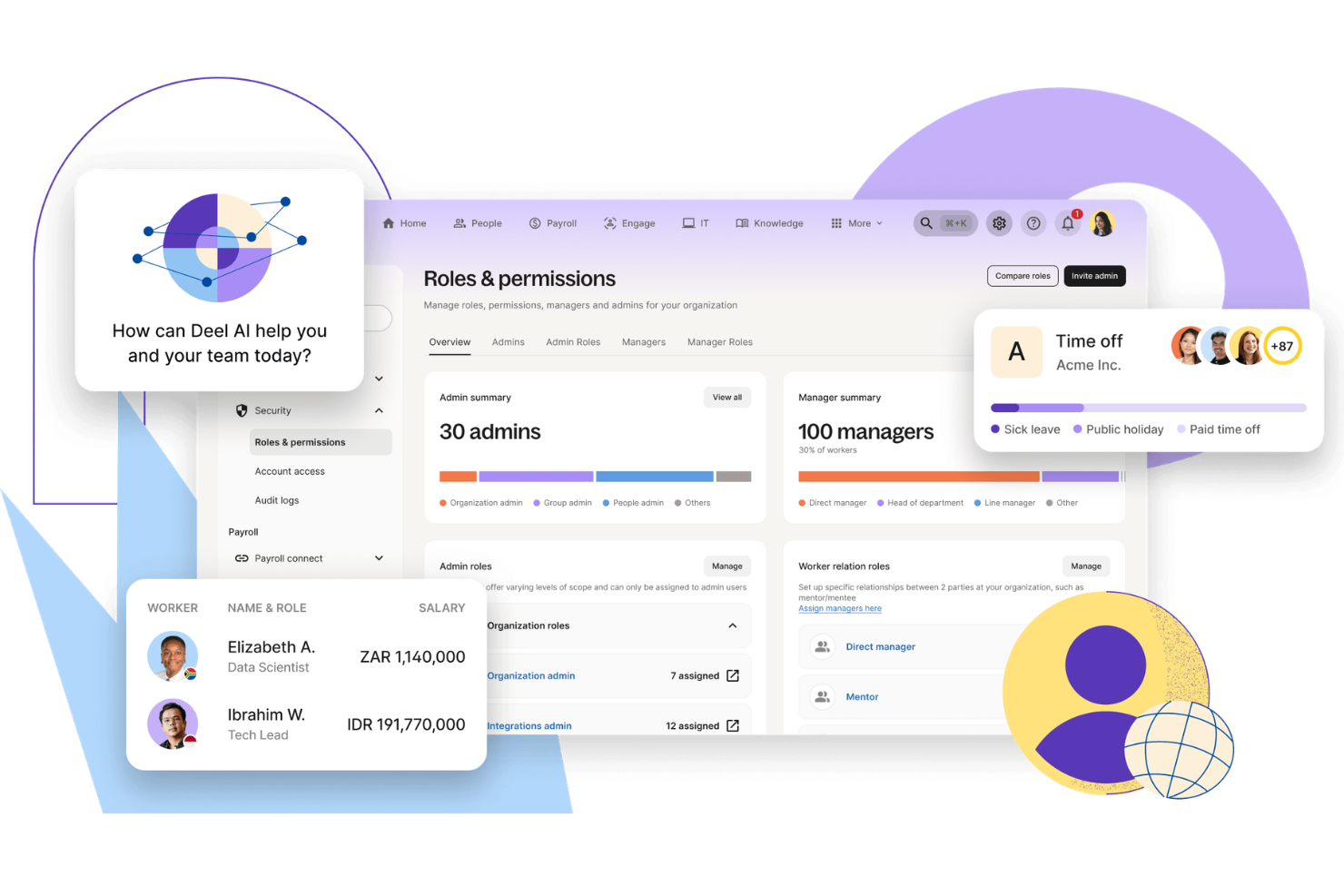
Deel is a global platform built to help companies hire, manage, and pay employees across multiple countries. It supports businesses that need to handle onboarding, payroll, and workforce documentation while navigating local labor laws. By centralizing employee data and compliance processes, Deel helps teams maintain accurate records across jurisdictions.
Why I Picked Deel
I picked Deel because it’s designed specifically for managing employee records in a global workforce. If you’re operating across borders, you’re not just tracking basic employee data, you’re also handling country-specific contracts, tax forms, and compliance requirements. Deel can help you manage those records in one system while automating payroll calculations and tracking local regulatory changes. This reduces manual admin work and may lower the risk of compliance gaps as your international team grows.
Deel Key Features
In addition to its payroll and compliance capabilities, I also found the following useful:
- Employee Onboarding: Deel provides a streamlined onboarding process that facilitates the integration of new hires into the company.
- Document Management: Securely store and manage employee documents with ease, ensuring compliance and accessibility.
- Time Off Management: Track and manage employee leave requests and balances effortlessly within the platform.
- Employee Analytics: Gain insights into workforce performance and productivity through in-depth analytics.
Deel Integrations
Integrations include QuickBooks, Xero, BambooHR, Greenhouse, HiBob, Rippling, Workday, Gusto, Namely, and Slack.
Pros and Cons
Pros:
- Integrates with major HR systems
- Built-in compliance and contract management
- Global payroll across 150 countries
Cons:
- Limited directory customization options
- Reporting features lack advanced filtering
New Product Updates from Deel HR

Deel Expands Workplace Integrations With Microsoft Teams and Slack Alerts
Deel introduces Microsoft Teams HR approvals and consolidated Slack alerts for payouts, security, and compliance notifications. These updates help teams act faster and stay informed without leaving their communication tools. For more information, visit Deel’s official site.
 .
.
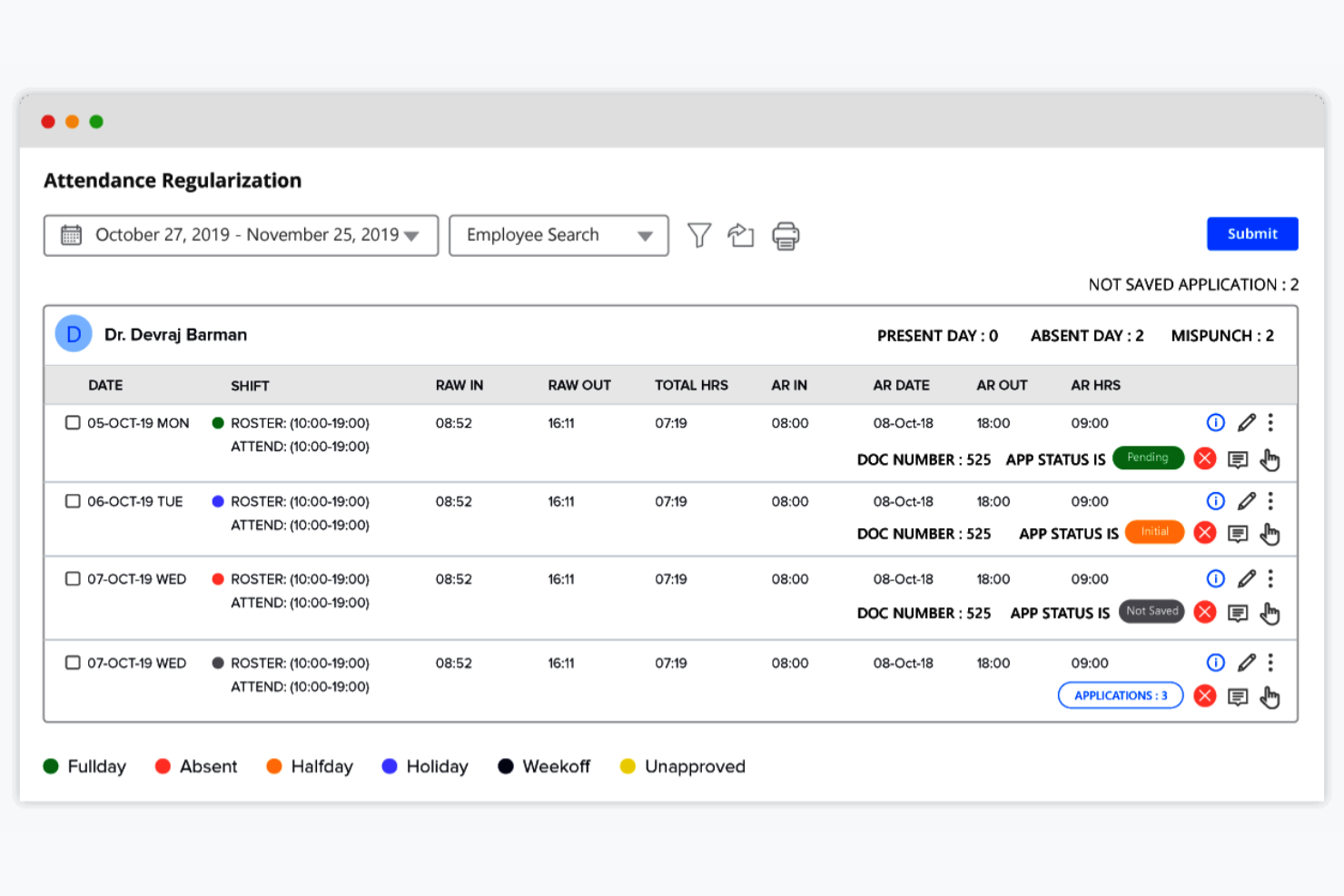
factoHR is an HR and payroll management solution designed for businesses that need efficient attendance tracking. It serves a wide range of industries by providing tools for managing employee records, payroll, and performance evaluations.
Why I picked factoHR: factoHR centralizes employee records while tying attendance and payroll to a single workflow. I chose it because its attendance and biometric tools feed into each employee’s record, making it easier to maintain accurate records and support payroll processing. This makes it useful for companies that depend on precise time-based records.
Standout features & integrations:
Features include performance management, payroll processing, and leave management. The platform’s mobile app allows employees to check in and out from their phones. Customizable reports provide insights into attendance and productivity trends.
Integrations include QuickBooks, Zoho, Tally, SAP, Oracle, Microsoft Dynamics, ADP, Google Workspace, Slack, and Dropbox.
Pros and Cons
Pros:
- Mobile app for time management
- Biometric integration options
- Accurate attendance tracking
Cons:
- Requires consistent internet access
- Initial setup can be complex


Eddy is an HR software solution tailored for small to medium-sized businesses. It focuses on simplifying hiring and onboarding processes, making it ideal for companies looking to make key HR functions easy.
Why I picked Eddy: Eddy combines employee record management with hiring and onboarding tools to support small businesses transitioning away from manual HR processes. I chose it for its ability to manage key documents, employee details, and new-hire materials in one place, making it easier for HR teams to maintain organized records while also coordinating recruitment and onboarding tasks from the same system.
Standout features & integrations:
Features include time tracking, document storage, and performance management. The platform’s employee directory keeps your team organized. Customizable forms make it easy to gather and manage employee information.
Integrations include QuickBooks, Gusto, BambooHR, Xero, Slack, Google Workspace, Microsoft 365, Zoom, ADP, and Paychex.
Pros and Cons
Pros:
- Customizable employee forms
- Simplifies the hiring process
- Effective onboarding workflows
Cons:
- Limited advanced HR functionalities
- Basic reporting features

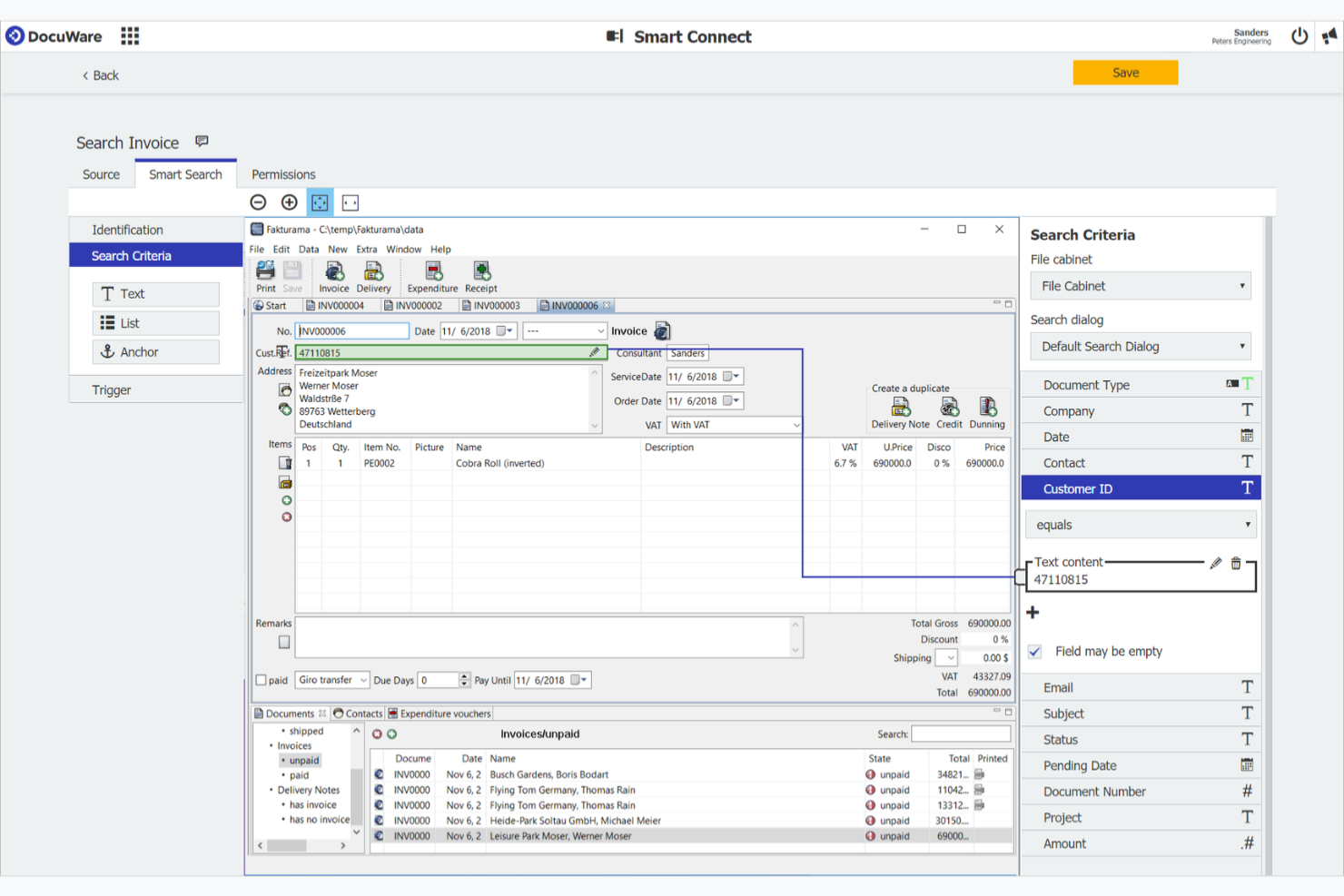
DocuWare is a document management solution designed for businesses of all sizes. It helps manage, store, and retrieve digital documents efficiently, catering to organizations that need reliable digital storage and access.
Why I picked DocuWare: It helps HR teams eliminate paper processes, simplify approvals, and maintain complete employee files while ensuring documents remain easy to find and securely stored. Its scalable design works well for teams that want long-term reliability in their document systems.
Standout features & integrations:
Features include automated document indexing, mobile access, and customizable workflows. The platform’s search functionality helps you find documents quickly, saving time. Document versioning ensures you always have access to the latest files.
Integrations include Microsoft Office 365, SAP, Sage, QuickBooks, Oracle, Salesforce, Google Workspace, Microsoft Dynamics, Dropbox, and Outlook.
Pros and Cons
Pros:
- Flexible workflow automation
- Efficient document retrieval
- Reliable cloud-based storage
Cons:
- Can be resource-intensive
- Not ideal for small businesses


HR Partner is an HR software tailored for small to medium-sized businesses. It manages employee records, leave requests, onboarding, and performance reviews. You’ll find it offers an employee portal and integrates with payroll systems, making HR tasks easier.
Why I picked HR Partner: HR Partner offers a well-rounded HR toolkit for smaller teams that need organized employee files. Its record-keeping features make it easy to centralize documents, maintain accurate employee histories, and manage key HR workflows in one place. This balance of simplicity and breadth makes it a strong choice for small businesses upgrading from spreadsheets or disconnected tools.
Standout features & integrations:
Features include a user-friendly interface, structured onboarding checklists, and performance appraisal tracking. The leave management system simplifies requests, and the employee portal reduces HR queries.
Integrations include Xero, QuickBooks, MYOB, Gusto, Slack, Zapier, Google Calendar, Microsoft Outlook, BambooHR, and Workday.
Pros and Cons
Pros:
- Simple onboarding process
- Great for small teams
- Easy to navigate
Cons:
- Basic reporting tools
- Limited advanced features

Box is a cloud-based content management and file sharing service designed for businesses of all sizes. It provides secure storage, access, and collaboration tools, making it ideal for teams needing reliable cloud integration.
Why I picked Box: Box works well for HR teams that need a dependable, cloud-based space to store and manage large volumes of employee documents. Its secure permissions, collaboration tools, and structured folders help HR maintain organized records while giving teams controlled access to files from anywhere. It’s an adaptable option for organizations already using cloud systems for cross-department collaboration.
Standout features & integrations:
Features include document versioning, granular permissions, and collaboration tools. The platform’s mobile access keeps your team connected on the go. Built-in workflow automation simplifies document processes.
Integrations include Microsoft 365, Google Workspace, Salesforce, Slack, Adobe Sign, Docusign, Zoom, Okta, IBM, and ServiceNow.
Pros and Cons
Pros:
- Supports remote collaboration
- Secure file sharing options
- Excellent cloud storage capabilities
Cons:
- May need additional security configurations
- Limited offline access
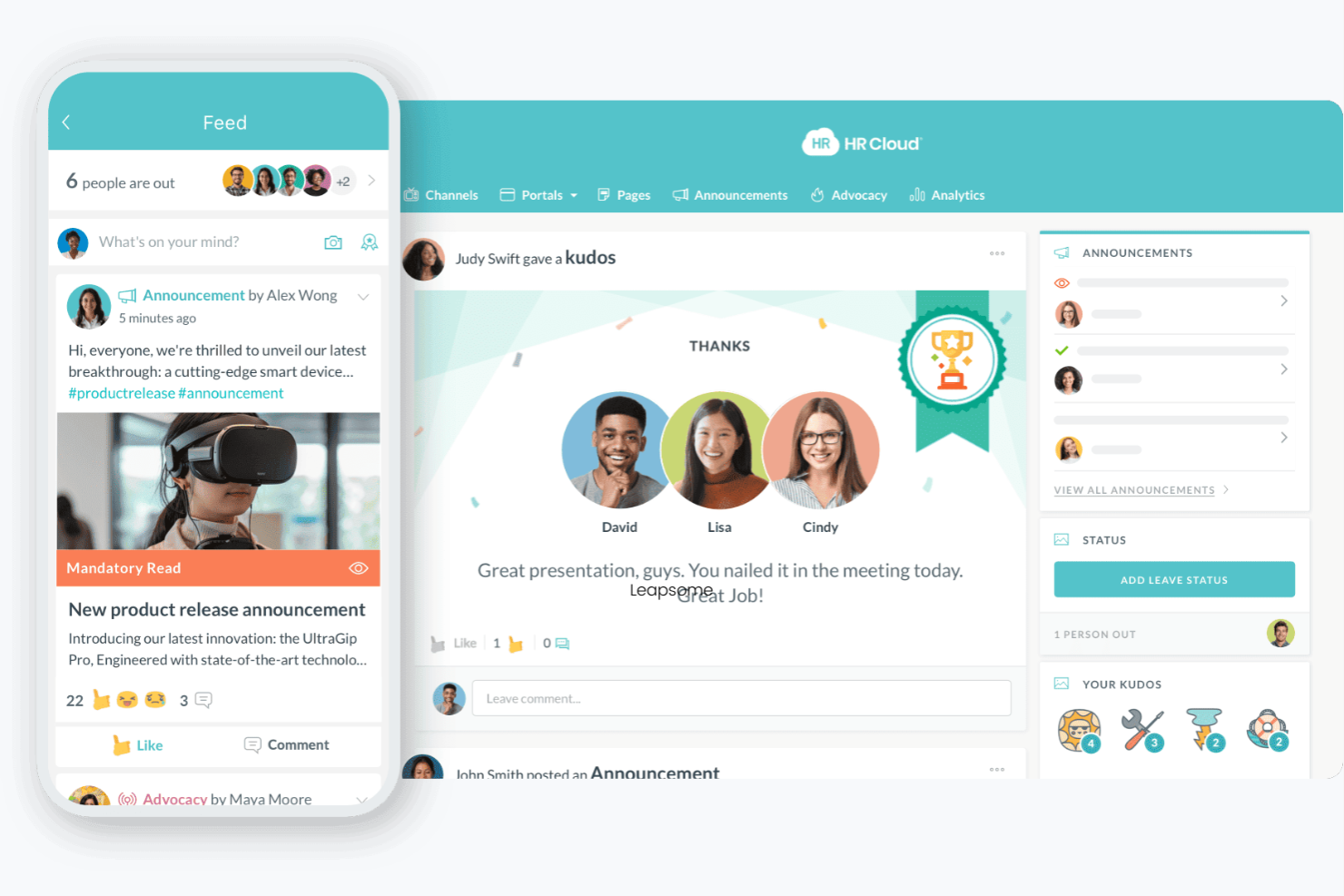
HR Cloud is an HR software solution that enhances employee engagement and HR processes. It serves businesses of various sizes, offering tools for onboarding, employee communication, and performance management.
Why I picked HR Cloud: HR Cloud supports HR teams by organizing employee documents, forms, and profiles in one secure platform. I chose it because it combines record storage with onboarding and workflow tools, helping teams maintain accurate files while automating routine document tasks. This makes HR Cloud a practical choice for organizations seeking accessible employee records.
Standout features & integrations:
Features include onboarding checklists, task management, and document storage. The platform’s communication tools help your team stay connected through direct messaging and announcements. Performance tracking features provide insights into employee development and goals.
Integrations include Slack, Microsoft Teams, Google Workspace, Zoom, Salesforce, ADP, BambooHR, QuickBooks, Xero, and Workday.
Pros and Cons
Pros:
- Encourages social recognition
- Customizable communication tools
- Strong focus on employee engagement
Cons:
- Basic reporting features
- Limited advanced analytics


BambooHR is an HR software solution designed for small to medium-sized businesses. It helps manage employee records, performance, and recruitment, offering an easy-to-use interface that simplifies HR tasks.
Why I picked BambooHR: BambooHR brings all core HR records, such as employee profiles, documents, time-off data, and performance details, into a clean, intuitive system. Its design helps HR stay organized and ensures employee data is easy to access and maintain, making it ideal for companies that want reliable record management with a minimal learning curve.
Standout features & integrations:
Features include customizable workflows, employee self-service portals, and detailed reporting. The time-off tracking feature allows for simple requests and approval processes. Customizable alerts keep you informed about essential HR tasks.
Integrations include QuickBooks, Xero, Slack, G Suite, Microsoft 365, ADP, Okta, Zapier, TSheets, and OneLogin.
Pros and Cons
Pros:
- Focus on employee self-service
- Great for small to medium teams
- Intuitive design for new users
Cons:
- Limited international payroll support
- Basic performance management tools


Gusto is an all-in-one HR platform primarily serving small to medium-sized businesses. It focuses on payroll, benefits, and employee management, offering a solution for handling employee-related tasks.
Why I picked Gusto: Gusto is a strong choice for small businesses that want payroll, benefits, and employee records managed in the same system. It consolidates key employee documents like tax forms, onboarding files, and payroll histories into accessible profiles. This makes it easier for HR to keep accurate records while automating many of the administrative tasks tied to employee data.
Standout features & integrations:
Features include automated payroll tax filing, direct deposit, and employee self-service portals. The software’s benefits management allows you to offer a range of perks to your team. Time tracking and PTO management are also integrated, ensuring accurate payroll calculations.
Integrations include QuickBooks, Xero, FreshBooks, Clover, Deputy, TSheets, Trainual, Expensify, HubSpot, and Zapier.
Pros and Cons
Pros:
- Integrated time tracking
- Easy benefits management
- Great payroll automation
Cons:
- May need additional training
- Limited scalability for large companies

Rippling is an all-in-one HR and IT platform designed for businesses of various sizes. It helps manage employee data, payroll, and IT resources, making it a versatile tool for workforce management.
Why I picked Rippling: Its ability to integrate HR with IT systems makes it ideal for businesses looking to manage both areas efficiently. The platform provides automated device management, ensuring your team’s tech needs are met from day one. Payroll integration with IT resources simplifies administrative tasks. These features align with its USP, making it easy to integrate with IT systems.
Standout features & integrations:
Features include automated onboarding, benefits administration, and time tracking. The platform’s workflow automation helps you manage HR tasks efficiently. Customizable reporting gives you insights into your team’s performance and operations.
Integrations include Slack, QuickBooks, G Suite, Microsoft 365, Zoom, Salesforce, Dropbox, GitHub, Trello, and Asana.
Pros and Cons
Pros:
- Simplifies payroll administration
- Automated device management
- Strong IT and HR integration
Cons:
- Initial setup can be challenging
- May require technical expertise
Other Employee Record Management Software
Here are some additional employee record management software options that didn’t make it onto my shortlist, but are still worth checking out:
- CartaHR
For document security
- Document Locator
For compliance tracking
- Connecteam
For deskless workforce
- Leapsome
For structured performance records
- Workday
For financial management
- Omni HR
For small business HR needs
- UKG Pro
For global workforce management
- Lanteria HR
For SharePoint integration
- SAP SuccessFactors
For large enterprises


Employee Record Management Software Selection Criteria
When selecting the best employee record management software to include in this list, I considered common buyer needs and pain points like managing compliance and ensuring data security. I also used the following framework to keep my evaluation structured and fair:
Core Functionality (25% of total score)
To be considered for inclusion in this list, each solution had to fulfill these common use cases:
- Store employee records
- Track employee attendance
- Manage leave requests
- Ensure compliance with regulations
- Secure sensitive employee data
Additional Standout Features (25% of total score)
To help further narrow down the competition, I also looked for unique features, such as:
- Customizable workflow automation
- Advanced analytics and reporting
- Mobile access for remote management
- Biometric integration for attendance
- Employee self-service portals
Usability (10% of total score)
To get a sense of the usability of each system, I considered the following:
- Intuitive user interface design
- Easy navigation and accessibility
- Minimal learning curve
- Responsive design for mobile use
- Clear and concise instructions
Onboarding (10% of total score)
To evaluate the onboarding experience for each platform, I considered the following:
- Availability of training videos
- Interactive product tours
- Access to templates for setup
- Webinars and live training sessions
- Supportive chatbots for guidance
Customer Support (10% of total score)
To assess each software provider’s customer support services, I considered the following:
- Availability of 24/7 support
- Multiple support channels
- Responsiveness to inquiries
- Access to a comprehensive knowledge base
- Personalized support options
Value For Money (10% of total score)
To evaluate the value for money of each platform, I considered the following:
- Competitive pricing compared to features
- Transparent pricing structure
- Availability of different pricing tiers
- Cost-effectiveness for the features provided
- Return on investment potential
Customer Reviews (10% of total score)
To get a sense of overall customer satisfaction, I considered the following when reading customer reviews:
- Positive feedback on core functionalities
- User satisfaction with support services
- Comments on ease of use
- Feedback on implementation experience
- Overall value perception by users
How to Choose Employee Record Management Software
It’s easy to get bogged down in long feature lists and complex pricing structures. To help you stay focused as you work through your unique software selection process, here’s a checklist of factors to keep in mind:
| Factor | What to Consider |
|---|---|
| Scalability | Can the software grow with your business? Consider future employee growth and whether the tool can handle an increasing number of records and users. |
| Integrations | Does it connect with your existing systems? Check compatibility with payroll, HR, and communication tools you already use to ensure a smooth workflow. |
| Customizability | Can you tailor it to fit your processes? Look for options to customize fields, forms, and workflows to match your specific business needs. |
| Ease of use | Is it user-friendly for all team members? Evaluate the interface and navigation to ensure it won't require extensive training for everyday tasks. |
| Implementation and onboarding | How long will it take to get started? Consider the time and resources needed for setup, data migration, and initial training for your team. |
| Cost | Does it fit your budget? Analyze pricing tiers, hidden fees, and whether it offers good value for the features you need. |
| Security safeguards | How does it protect your data? Investigate encryption, access controls, and compliance with data protection regulations to ensure your records are secure. |
What Is Employee Record Management Software?
Employee record management software is a tool for organizing and managing employee data, including personal details, employment history, and performance records. HR professionals and managers typically use these tools to streamline administrative tasks and maintain accurate records. Features such as data storage, compliance tracking, and reporting capabilities support efficient record-keeping and regulatory compliance. Overall, these tools simplify HR processes and enhance data accuracy.
Features
When selecting employee record management software, keep an eye out for the following key features:
- Data storage: Securely store and organize employee information, ensuring easy access and retrieval when needed.
- Compliance tracking: Monitor and ensure adherence to legal and regulatory requirements, reducing the risk of penalties.
- Reporting capabilities: Generate detailed reports to gain insights into employee data and support decision-making processes.
- Customizable workflows: Tailor processes to fit your business needs, allowing for more efficient operations.
- Performance management: Track and evaluate employee performance to support development and goal alignment.
- Time and attendance tracking: Accurately record employee work hours and attendance, simplifying payroll processes.
- Employee self-service: Allow employees to update their own information and submit requests, reducing HR workload.
- Integration options: Connect with existing systems like payroll and communication tools for an efficient workflow.
- Security safeguards: Protect sensitive data with encryption and access controls to ensure confidentiality.
- Mobile access: Enable employees and managers to access the system from anywhere, providing flexibility and convenience.
Benefits
Implementing employee record management software provides several benefits for your team and your business. Here are a few you can look forward to:
- More consistent employee files: Centralized records reduce discrepancies and make it easier to maintain complete, accurate documentation across the employee lifecycle.
- Faster HR responses: With all documents in one place, HR teams can answer employee and manager questions without having to dig through multiple systems.
- Reduced administrative load: Automating routine updates and document handling frees HR to focus on policy, planning, and people-related initiatives.
- Improved employee visibility: Consolidated profiles give HR and managers a clearer view of each employee’s work history, development, and key milestones.
- Stronger audit readiness: Standardized documentation practices make preparing for internal or external audits more predictable and less time-intensive.
- Better alignment across teams: Consistent employee information helps HR, payroll, and leadership operate from the same source of truth, reducing miscommunication.
- Support for remote and hybrid work: Digital records eliminate the need for paper files and ensure that HR processes remain accessible regardless of location.
Costs & Pricing
Selecting employee record management software requires an understanding of the various pricing models and plans available. Costs vary based on features, team size, add-ons, and more. The table below summarizes common plans, their average prices, and typical features included in employee record management software solutions:
Plan Comparison Table for Employee Record Management Software
| Plan Type | Average Price | Common Features |
|---|---|---|
| Small/SMB (≤ 25–50 employees) | Free-$300/month (base flat-fee or free tier) | Basic employee record storage, basic user permissions, simple compliance tracking, and onboarding docs. |
| Growing/ Mid-market (50–250 employees) | $500-$2,000/month (variable per-employee or seat-based pricing) | Document management, audit logs, customizable permissions, onboarding/offboarding modules, and basic reporting. |
| Enterprise (250+ employees, compliance-heavy) | $2,000-$8,000+/month (volume pricing + add-ons) | Advanced compliance, workflows, integrations with payroll/benefits/IT systems, global data controls, and enterprise-level support. |
Employee Record Management Software FAQs
Here are some answers to common questions about employee record management software:
What is the primary purpose of employee record management software?
The primary purpose is to store and manage employee information. This software centralizes data such as personal details, employment history, and personnel files, making it easier for human resources teams to access and update information. It also helps ensure compliance with regulations by maintaining accurate and up-to-date records and reducing time-consuming manual work. Many systems support structured file management, keeping records organized throughout the employee lifecycle.
Can employee record management software integrate with other HR tools?
Yes, most employee record management software can integrate with other HR tools. Integrations with payroll systems, time-tracking tools, and communication platforms enable a more cohesive HRIS or a broader HR department setup. Some platforms also sync performance data or employee benefits, helping teams optimize their workflows. When choosing software, check its compatibility with the tools your team already uses to ensure smooth operation and data flow.
How secure is employee record management software?
Employee record management software typically includes security features like encryption, access controls, and notifications for sensitive changes. These safeguards protect employee information from unauthorized access and support strong retention and compliance practices. When evaluating software, inquire about its security measures, including whether any AI-powered scanning or monitoring is used to strengthen protection, and confirm alignment with data protection regulations.
How do I choose the right employee record management software for my business?
To choose the right software, consider your team’s specific needs, such as your company’s size and the complexity of your HR processes. Evaluate factors such as scalability, user experience, and integration capabilities, and assess whether the platform provides clear dashboards to help you quickly track information. Trial versions or demos can help you assess how well the software fits your workflows before committing, especially if you’re upgrading from basic systems to something more robust.
What’s Next:
If you're in the process of researching employee record management software, connect with a SoftwareSelect advisor for free recommendations.
You fill out a form and have a quick chat where they get into the specifics of your needs. Then you'll get a shortlist of software to review. They'll even support you through the entire buying process, including price negotiations.