

10 Best HR Case Management Software: Reviewed in 2026

10 Best HR Case Management Software


Finding the best HR case management software can feel overwhelming with so many options on the market. You need a system that not only tracks and documents employee requests, complaints, and investigations but also ensures timely, consistent, and compliant case resolution. The right tool can help HR teams reduce manual effort, improve response times, and maintain accurate records—but how do you choose the best fit for your organization?
As an HR specialist with hands-on experience using various case management tools, I’ve evaluated the top solutions to help you make an informed decision. In this article, I’ll break down the best HR case management software based on key factors like ease of use, automation capabilities, compliance features, and integrations. Whether you’re a small business or a large enterprise, you’ll find a solution that meets your HR needs.
Why Trust Our Software Recommendations
Our team has been testing and reviewing software since 2012. As HR experts ourselves, we know how difficult—and important—it is to choose the right software.
For this guide, we evaluated tools using hands-on testing and independent research, scoring tools using our selection criteria. We also draw on insights from industry thought leaders and practicing HR experts.
Our reviews reflect our human editorial judgment, not a sales pitch.
Expert reviewers:
HR Case Management Software Comparison Table
This comparison table summarizes pricing details for my top HR case management software selections:
| Tool | Best For | Trial Info | Price | ||
|---|---|---|---|---|---|
| 1 | Best for investigations and preventing misconduct | Free demo available | Pricing upon request | Website | |
| 2 | Best for end-to-end HR case management | Free demo available | Pricing upon request | Website | |
| 3 | Best for complete caseload visibility | Free demo available | Pricing upon request | Website | |
| 4 | Best for standardizing employee documentation | Free demo available | Pricing upon request | Website | |
| 5 | Best for multi-channel case intake | Free demo available | Pricing upon request | Website | |
| 6 | Best for automatic case routing | Free demo available | Pricing upon request | Website | |
| 7 | Best for high volumes of employee issues | Free demo available | From £7/user/month | Website | |
| 8 | Best for automated self-service | Not available | Pricing upon request | Website | |
| 9 | Best for conversational AI functionality | Free demo available | Pricing upon request | Website | |
| 10 | Best for quick answers to queries | Not available | Pricing upon request | Website |

Best HR Case Management Software Reviews
Here are my detailed summaries of the best HR case management software that made it into my top 10 list, including their key features, integrations, and ideal use cases for each system to help you find the best tool for you.

Best for investigations and preventing misconduct
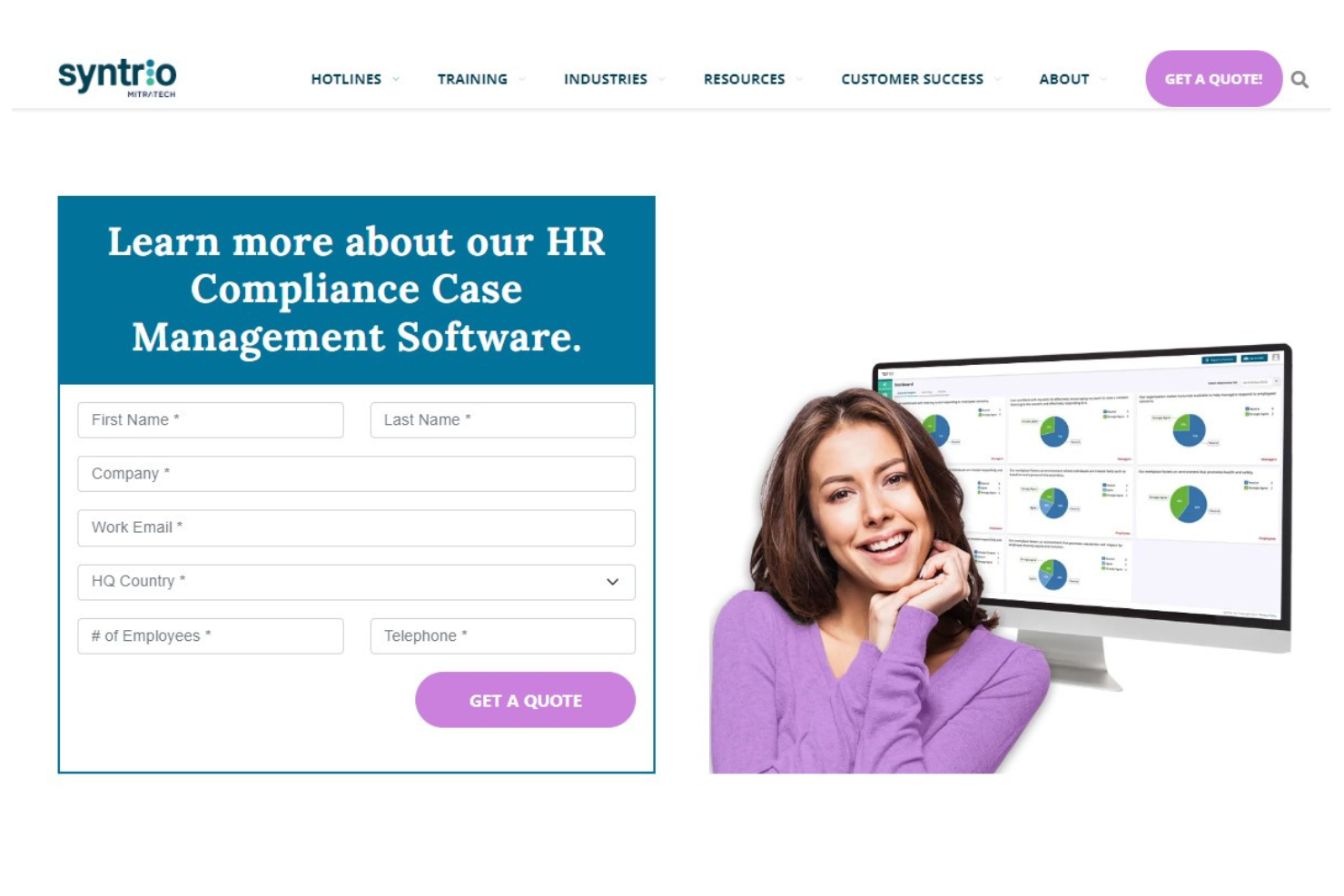
Mitratech gives HR teams and compliance professionals a platform to manage workplace incidents, track investigations, and address risk and misconduct issues across organizations of all sizes.
Who Is Mitratech Best For?
Mitratech is a strong fit for compliance-focused organizations that need structured workflows for handling employee misconduct, ethics violations, and workplace investigations.
Why I Picked Mitratech
Mitratech is one of the top choices on my shortlist because its case management system tightly links anonymous reporting to structured investigation workflows. When an employee submits a concern through the ethics hotline—whether by phone, web, or chat—the report lands directly in a secure case management system (CMS) where it can be tracked from intake to resolution. Mitratech pairs this with Hotline Learning for Investigations, a training module that equips managers and investigators with best practices for conducting fair, legally sound investigations. That combination of intake, case tracking, and investigator training in one place makes it particularly useful for teams aiming to stop misconduct before it escalates.
Mitratech Key Features
- Two-way anonymous communication: Reporters and investigators can exchange messages and attach supporting materials without revealing identities.
- Risk and priority management: Assign risk levels, priority status, and case ownership directly within the case management system.
- Audit trail creation: Automatically log case activity to build a documented record for internal control and compliance reviews.
- Multilingual hotline access: Submit reports in 140+ languages via toll-free phone or localized web forms at no extra cost.
Mitratech Integrations
Native integrations are not currently listed.
Pros and Cons
Pros:
- Supports multiple languages
- Extensive training libraries
- Integrated ethics hotlines and case management
Cons:
- Limited native integrations
- Could offer more robust document management features

Best for end-to-end HR case management
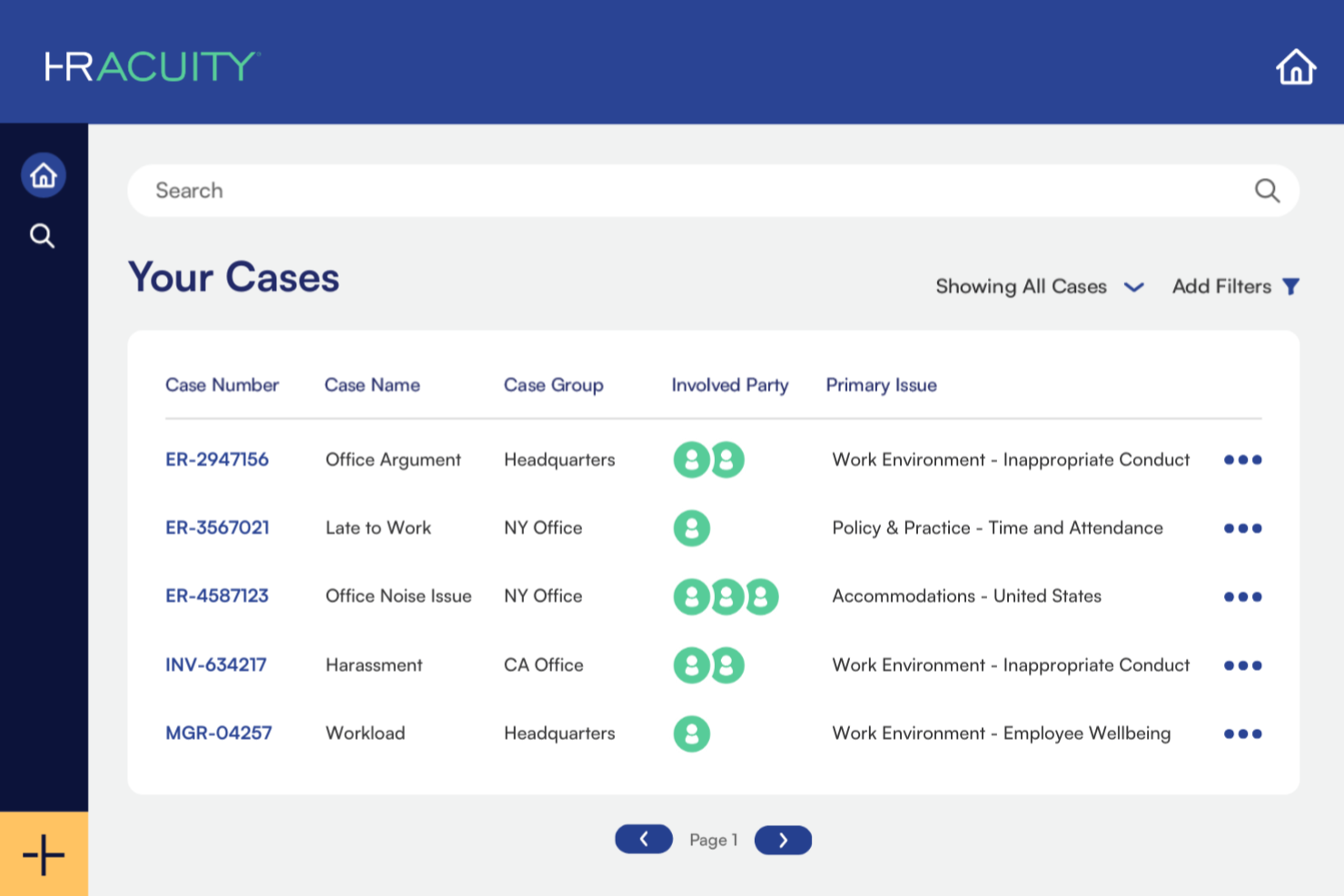
HR Acuity gives HR teams in mid-sized and large organizations a dedicated platform to document, track, and resolve employee relations issues while maintaining compliance and reducing organizational risk.
Who Is HR Acuity Best For?
HR Acuity is a strong fit for employee relations teams at mid-to-large enterprises that need a structured, auditable system for managing workplace investigations and sensitive HR cases.
Why I Picked HR Acuity
HR Acuity earns its spot as one of the best on my shortlist because it covers the full lifecycle of an employee relations case—from the moment an issue is reported to post-resolution aftercare. I particularly like the built-in investigation methodology, which walks investigators through each step using configurable interview guides and auto-generates court-ready case reports. My team is also able to use the olivER AI companion to flag risk patterns and suggest next steps mid-case, which cuts down on the back-and-forth that typically slows investigations. The benchmarking feature is something I haven't seen done as well elsewhere—it lets you compare your organization's case metrics against similarly situated companies, which adds real context to your internal data.
HR Acuity Key Features
- Anonymous employee intake hotline: Employees can report workplace concerns via a guided phone hotline or online portal, with the option to remain anonymous.
- managER for people leaders: Gives managers direct access to company policies, coaching prompts, and step-by-step guidance for documenting and responding to employee issues.
- Legal hold and attorney-client privilege controls: Lets you apply a legal hold to specific cases, profiles, or locations to prevent data from being edited or deleted, and flag communications for attorney-client privilege review.
- Two-way case messaging: Allows HR teams to communicate with employees directly within a case file, keeping all correspondence out of personal inboxes and tied to the relevant record.
HR Acuity Integrations
Integrations include Workday, UKG, SAP SuccessFactors, ServiceNow, ADP, Oracle, Microsoft Teams, and an API is available for custom integrations.
Pros and Cons
Pros:
- Robust analytics and reporting tools
- Built-in templates and standardized processes
- Comprehensive case management capabilities
Cons:
- Could be enhanced with exit interview functionalities
- Some users may find the initial setup complex

Best for complete caseload visibility
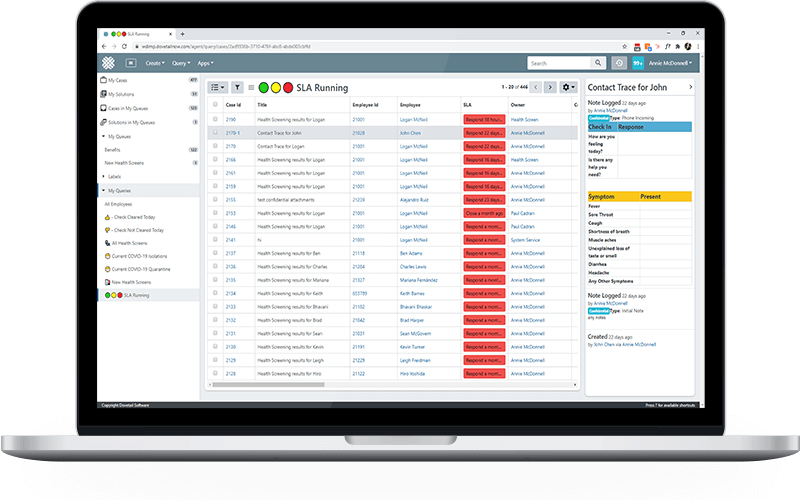
Dovetail Software gives HR teams in mid-sized and large organizations a centralized platform to track, manage, and resolve employee issues while maintaining compliance and improving case resolution processes.
Who Is Dovetail Software Best For?
Dovetail Software is a strong fit for HR teams in mid-sized to enterprise organizations that need structured, auditable processes for managing employee relations cases and workplace investigations.
Why I Picked Dovetail Software
Dovetail Software earns its spot on my shortlist because its HR Home Console delivers complete caseload visibility across the entire HR team. Case data is automatically segmented by HR profile and case lifecycle stage, so team leaders can see at a glance which cases are open, escalated, or approaching SLA breach—without digging through shared inboxes or spreadsheets. The SLA prioritization feature is particularly useful: cases auto-rank themselves on the console based on your team's KPIs, so HR members work top-down instead of guessing what to tackle first. Additionally, the audit timeline logs every interaction chronologically—who did what, when, and what changed—which gives HR leaders a clear, defensible record when cases get disputed.
Dovetail Software Key Features
- Workflow automation: Configure automated notification and escalation workflows that trigger at defined points in the case lifecycle.
- Employee relations case tracking: Document and manage workplace conflicts, grievances, disciplinary actions, and harassment cases in a centralized database.
- HCM integration: Pull employee data directly from your HRIS into the case screen, so HR members have full context without switching between systems.
- Reporting and analytics: Run real-time smart dashboards and ad hoc reports to identify case trends by department, issue type, or line manager.
Dovetail Software Integrations
Integrations include Workday and XpertHR; an API is available for custom integrations.
Pros and Cons
Pros:
- Comprehensive caseload visibility
- Full audit trail and GDPR compliance
- Customizable workflows and templates
Cons:
- Mobile experience is less robust compared to the desktop version
- No free trial available for testing the platform

Best for standardizing employee documentation

ServiceNow gives HR teams in large organizations a centralized platform to manage employee cases, automate workflows, and track compliance, helping you resolve workplace issues and risks with greater consistency and transparency.
Who Is ServiceNow Best For?
ServiceNow is a strong fit for enterprise HR teams that need a scalable, structured system for managing high volumes of employee cases across multiple departments or locations.
Why I Picked ServiceNow
ServiceNow earns its spot on my shortlist because of how well its Case and Knowledge Management feature handles the documentation side of HR case work. I like that it standardizes the way HR interactions are recorded and fulfilled—every case follows a consistent structure, which means my team isn't reinventing the wheel each time a sensitive issue comes in. The Employee Document Management add-on takes this further by giving HR a secure, unified view of employee documents from hire to retire, so nothing gets buried in email threads or shared drives. I also rely on the Employee Relations feature to manage sensitive cases with the kind of care and consistency that protects both the employee and the organization.
ServiceNow Key Features
- Now Assist for HRSD: A generative AI layer built into the platform that helps HR agents draft responses, summarize cases, and surface relevant knowledge articles during live case work.
- Virtual Agent: An AI-powered chatbot that handles routine employee requests and questions in natural language, without routing them to an HR agent.
- Employee Journey Management: A workflow builder that maps and automates multi-step employee lifecycle events, like onboarding or role transitions, across departments.
- Performance Analytics: A real-time reporting tool that tracks case volumes, SLA compliance, and HR service trends to help teams identify gaps and prioritize resources.
ServiceNow Integrations
Integrations include Microsoft Teams, Workday, SAP, Salesforce, Slack, Okta, Active Directory, Google Workspace, Jira, and Docusign.
Pros and Cons
Pros:
- Self-service portal reduces HR workload
- Customizable workflows to fit organizational needs
- Centralized knowledge base for HR information
Cons:
- Some integrations can be challenging to set up
- Customization may require technical expertise

Case IQ
Best for multi-channel case intake
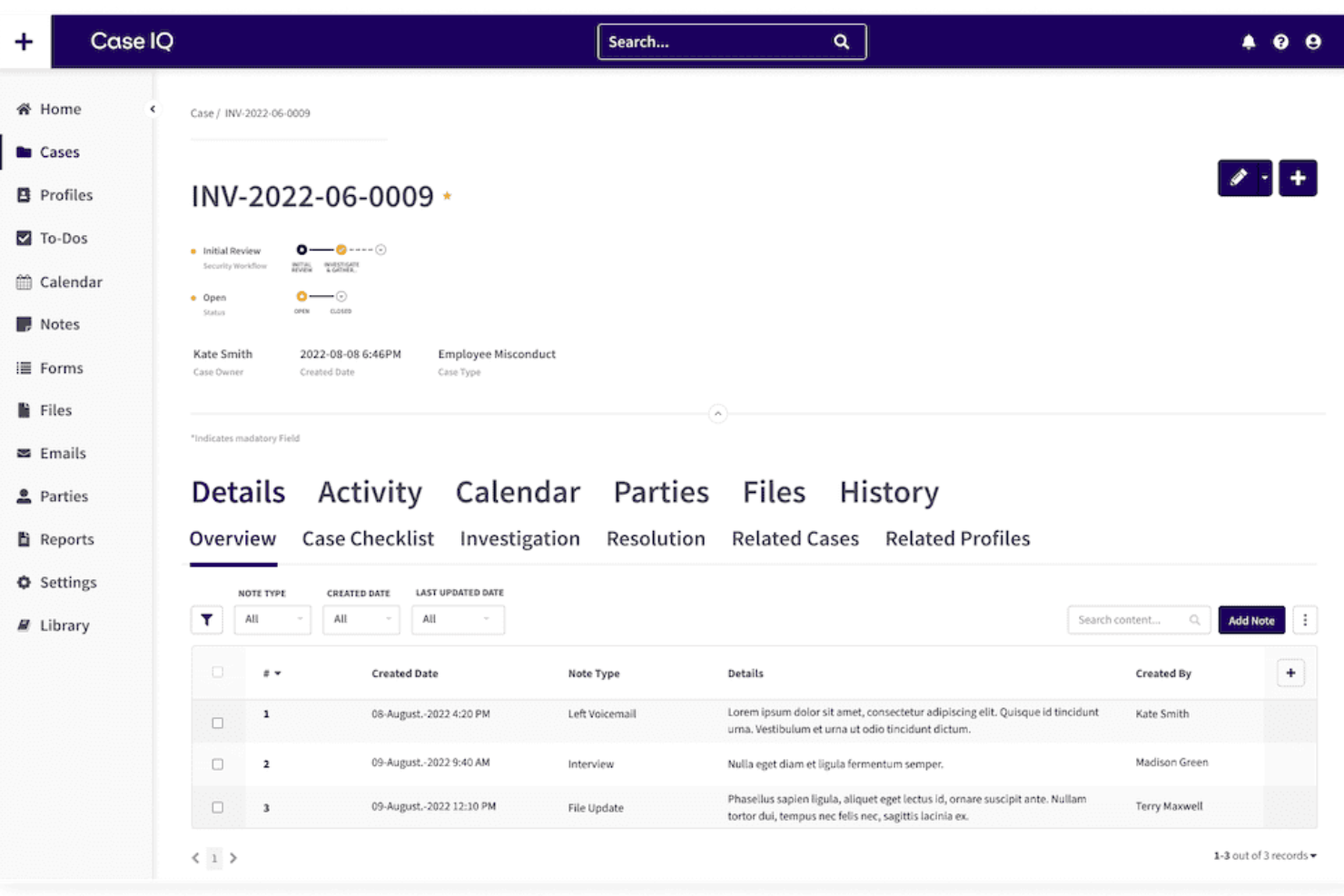
Case IQ is an HR case management platform for organizations that investigate, track, and resolve workplace issues while maintaining compliance and confidentiality.
Who Is Case IQ Best For?
Case IQ is a strong fit for mid-size to enterprise organizations in regulated industries that need a structured, auditable system for managing workplace investigations and employee relations cases.
Why I Picked Case IQ
I picked Case IQ as one of the best because of how it handles case intake across multiple channels without losing the structure required for a proper investigation. Employees can submit reports via web form, email, phone, or an anonymous hotline, and every submission lands in the same centralized case queue with consistent data capture. I also like the configurable intake forms, which let you tailor the fields and questions based on case type—so an HR misconduct report collects different information than a safety incident from the start. This intake precision reduces back-and-forth and results in cleaner case files when investigations get underway.
Case IQ Key Features
- Clairia AI assistant: A built-in AI chat tool that surfaces case-relevant insights by referencing your organization's policies and existing case details during an investigation.
- Case linking flags: Automatically flags connections between cases, so investigators can spot patterns or related incidents across separate reports.
- Access Control Lists (ACL): Lets you assign individualized permissions, roles, and case-level access flags so each user only sees the data relevant to their role.
- Real-time reporting dashboards: Personalized dashboards with over 75 chart types for monitoring case workloads, KPIs, and emerging incident trends.
Case IQ Integrations
Integrations include Workday, SAP SuccessFactors, BambooHR, Okta, and Azure Active Directory; an API supports custom integrations.
Pros and Cons
Pros:
- Customizable workflows streamline case management
- Advanced analytics provide actionable insights
- Multi-channel intake options enhance reporting flexibility
Cons:
- Lacks native integrations
- Users report occasional slow loading times

Best for automatic case routing
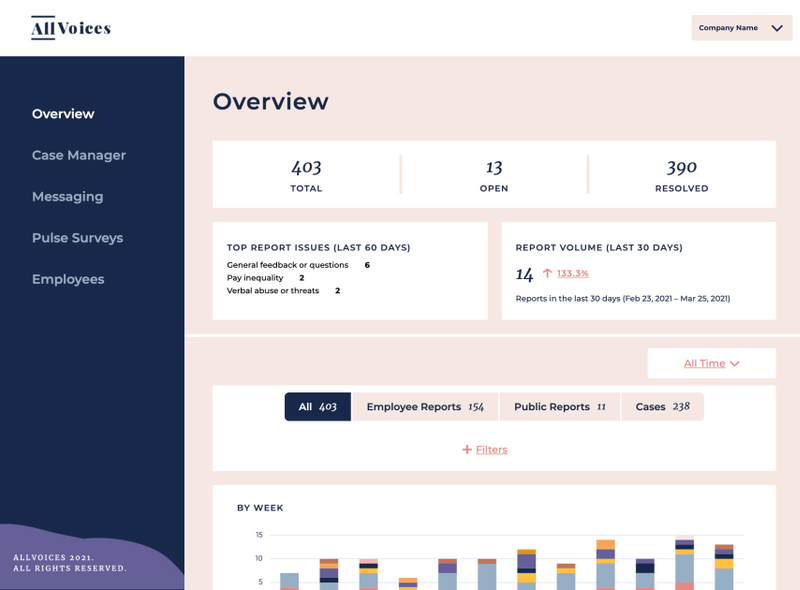
AllVoices is a case management platform designed for HR teams and people leaders who need to track, investigate, and resolve workplace issues while supporting anonymous employee reporting and compliance.
Who Is AllVoices Best For?
AllVoices is a good fit for mid-size to enterprise HR teams that handle a high volume of employee relations cases and need structured workflows for intake, investigation, and resolution.
Why I Picked AllVoices
AllVoices earns its spot on my shortlist because of how it handles automatic case routing—something that genuinely changes how fast HR teams can respond to incoming reports. When a case comes in, AllVoices routes it to the right investigator or team based on case type, category, or other configurable rules, so nothing sits in a queue waiting for manual triage. I also like the anonymous two-way messaging feature, which lets employees follow up on their reports without revealing their identity, keeping communication open throughout the investigation. That combination of smart routing and protected communication makes it one of the more thoughtful tools I've seen for managing sensitive workplace issues.
AllVoices Key Features
- Centralized case documentation: Stores all case notes, timelines, decisions, and outcomes in one secure location for audit-ready recordkeeping.
- Trend detection and reporting: Surfaces patterns across case data, such as repeated issues within a department or a spike in specific claim types.
- Customizable intake forms: Lets HR teams control the questions asked during case intake to capture consistent, structured information from the start.
- Investigation templates: Provides pre-built templates for investigations and performance improvement processes to guide teams through each step.
AllVoices Integrations
Integrations include Workday, BambooHR, Zenefits, Namely, and Rippling.
Pros and Cons
Pros:
- Built-in templates and workflows simplify the intake process
- Two-way messaging maintains communication with reporters
- Visual, centralized dashboard makes it easy to track cases
Cons:
- Occasional lag in dashboard load times
- Could have deeper customization for categories

Ciphr
Best for high volumes of employee issues
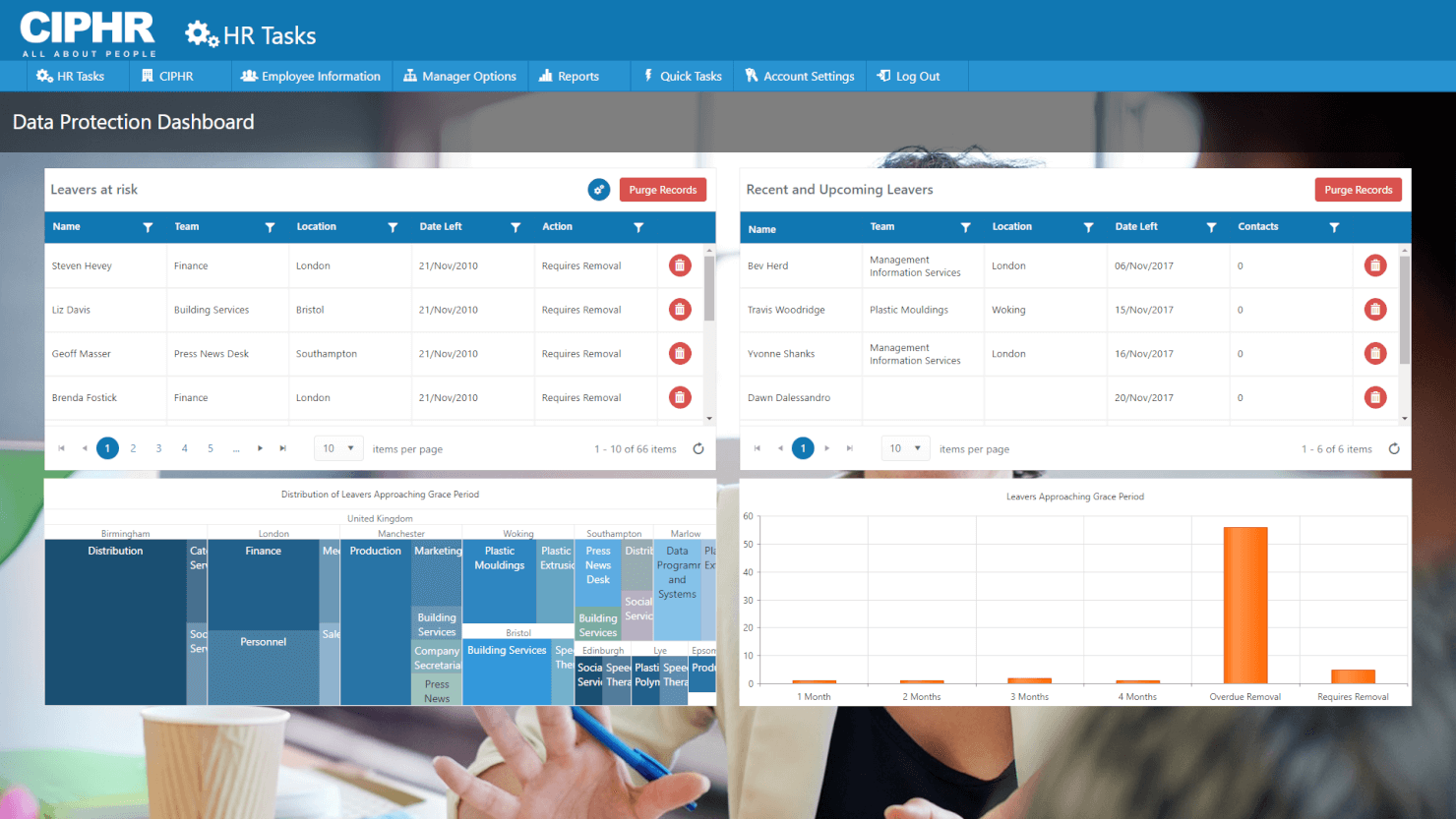
CIPHR is an HR software platform for organizations that manage, track, and resolve employee issues, helping HR teams in mid-sized and large businesses handle complex case management and compliance challenges.
Who Is CIPHR Best For?
CIPHR is a strong fit for mid-sized to large organizations with HR teams that regularly handle a high volume of employee relations cases and need structured workflows to manage them.
Why I Picked CIPHR
I picked CIPHR as one of the best because it handles high volumes of complex employee relations cases without things slipping through the cracks. What I like most is the defined workflow system—each case type follows a structured path with automated alerts and reminders, so HR users, managers, and employees all know exactly where a case stands and what needs to happen next. I also find the role-based access controls useful: you can set default case owners, assign contributors, and restrict visibility on sensitive cases, which matters a lot when you're managing grievances or disciplinaries at scale. On top of that, every case builds a searchable, auditable history with stored correspondence and documents, which is a real asset if a case escalates to a tribunal.
CIPHR Key Features
- Configurable workflows: Build case-specific workflow paths with automated reminders and verification steps to keep HR processes on track.
- Pre-built analytics dashboards: Access ready-to-use dashboards covering absence, DEI, and organization data, with customizable filters for targeted reporting.
- Employee self-service portal: Let employees and managers view, request, and manage their own HR information directly, reducing admin back-and-forth.
- AI-generated summaries: Auto-generate case summaries and run analyses on HR data to cut time spent on manual documentation.
CIPHR Integrations
Integrations include Microsoft, AWS, HMRC, Marshalls, and Ciphr LMS. An API is also available for custom integrations.
Pros and Cons
Pros:
- Manages high-volume, complex cases
- Supports compliance with GDPR through detailed record-keeping
- Secure and centralized storage of case document
Cons:
- Lacks anonymous incident reporting features
- Lacks native integrations

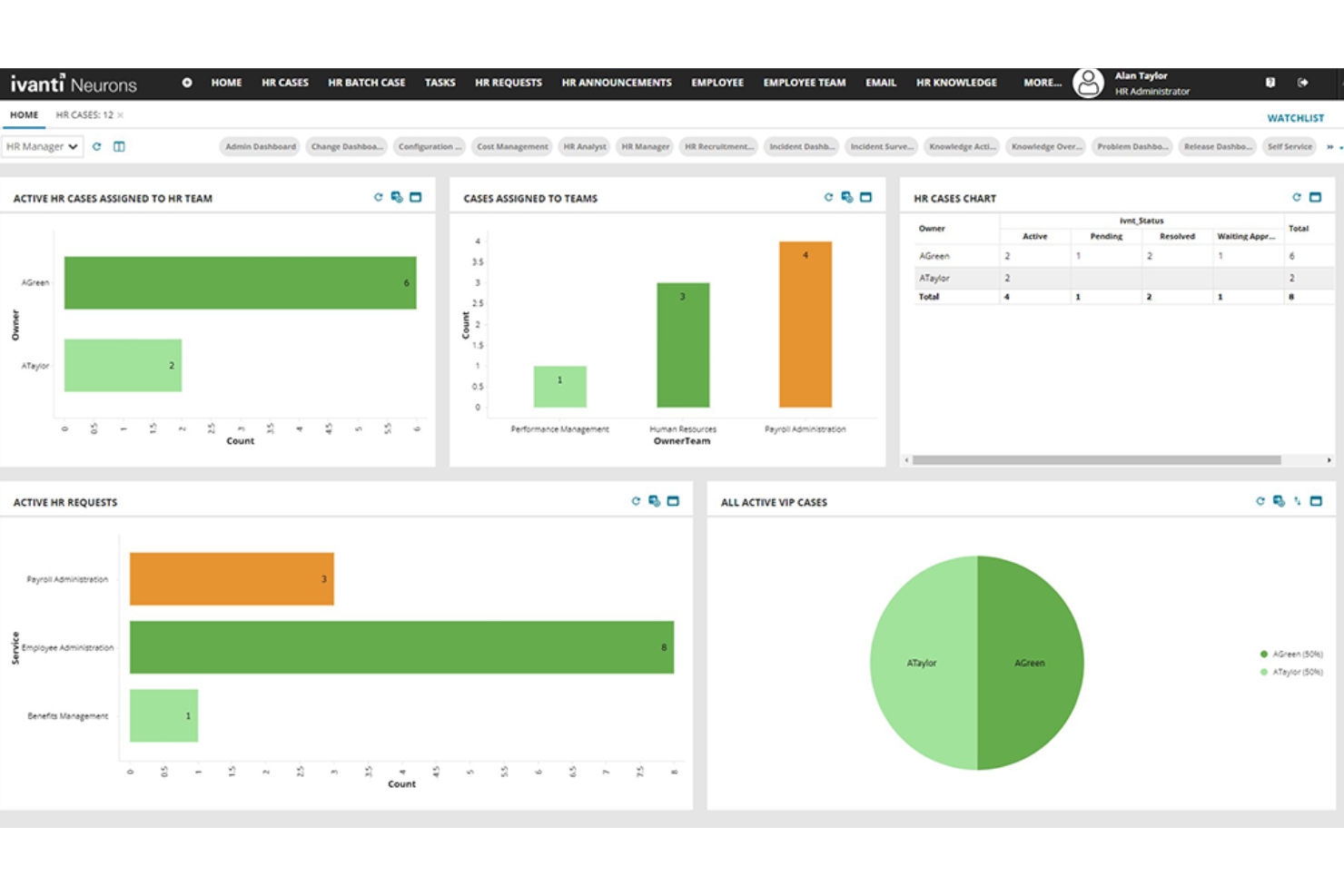
Ivanti Neurons for HR targets HR teams in mid-sized to large organizations that manage employee issues, track cases, and reduce risk with automated workflows and secure case documentation.
Who Is Ivanti Neurons for HR Best For?
Ivanti Neurons for HR is a strong fit for enterprise HR teams that need a structured, scalable way to handle high volumes of employee requests and cases.
Why I Picked Ivanti Neurons for HR
Ivanti Neurons for HR earns its spot on my shortlist because of how well it handles automated self-service for HR case management. I like that employees can resolve most requests on their own through the self-service portal, which cuts down the volume of cases HR staff need to touch directly. The knowledge base filters content by employee status, geography, and role, so employees aren't wading through irrelevant information to find answers. I also use the one-click Limited Access feature to lock down sensitive cases, which I haven't seen handled this cleanly in other HR case management tools.
Ivanti Neurons for HR Key Features
- Case routing and assignment: Automatically routes incoming HR cases to the right team or individual based on predefined rules.
- Secure document management: Attach and store sensitive HR documents directly within a case record with access controls.
- Audit trail logging: Tracks every action taken on a case, creating a timestamped record for compliance and review.
- HR analytics dashboard: Displays case volume, resolution times, and trends to help HR teams monitor workload and performance.
Ivanti Neurons for HR Integrations
Integrations are not listed.
Pros and Cons
Pros:
- Solid reporting features for tracking case resolution times
- Flexible configuration options
- Strong role-based access controls for privacy
Cons:
- Performance issues when handling large datasets
- UI feels dated and cluttered


Leena AI is an HR case management platform for HR teams and organizations, automating employee issue resolution, centralizing case tracking, and improving response times for workplace concerns.
Who Is Leena AI Best For?
Leena AI is a strong fit for mid-to-large enterprises with high volumes of employee queries that need AI-driven automation to handle HR case intake and resolution at scale.
Why I Picked Leena AI
I picked Leena AI as one of the best because its conversational AI is genuinely central to how HR case management works in the platform, not just a bolt-on feature. The virtual assistant understands natural employee language and automatically resolves most of the incoming queries before they ever reach an HR agent. I also like the smart comments feature, where agents can flag specific answers during case resolution, and those responses are automatically added to the knowledge base, so the AI improves with every interaction.
Leena AI Key Features
- Multi-channel ticket submission: Employees can raise HR cases directly from Microsoft Teams, Slack, or WhatsApp without switching platforms.
- Unified agent dashboard: HR agents manage all incoming cases from every channel in a centralized helpdesk view.
- Analytics and KPI tracking: Monitor case volumes, average resolution time, agent performance, and ticket deflection rates from one reporting view.
- Role-based ticket routing: Cases are automatically assigned to the correct HR agent or department based on predefined rules and case type.
Leena AI Integrations
Integrations include Workday, UKG Pro, SAP SuccessFactors, BambooHR, ServiceNow, Jira, Salesforce, Slack, Microsoft Teams, and Google Workspace.
Pros and Cons
Pros:
- The platform is highly customizable
- Helps employees resolve issues quickly
- Operates across multiple platforms
Cons:
- Not ideal for complex HR cases related to compliance and misconduct
- Initial setup can take time
UKG People Assist is designed for HR teams in organizations that need to manage employee requests, track HR cases, and provide consistent answers while reducing compliance risks and administrative workload.
Who Is UKG People Assist Best For?
UKG People Assist is a good fit for mid-to-large enterprises with high volumes of employee HR inquiries that need a structured, scalable way to manage and resolve them.
Why I Picked UKG People Assist
I picked UKG People Assist as one of the best because of how it handles the "quick answers" problem at scale. The personalized knowledge base is what I find most impressive—it surfaces articles and forms based on each employee's specific profile data, like their role, location, and department. That means employees aren't wading through irrelevant policies to find what applies to them. When a question does need HR involvement, the automatic request routing sends it to the right team or person without any manual triage. I also like that HR agents get predefined answer templates tied directly to the knowledge base, so responses stay consistent even when different team members are handling similar cases.
UKG People Assist Key Features
- No-code workflow automation: Build automated HR workflows triggered by employee requests or events, personalized by region, role, or department, without any developer involvement.
- HR service analytics: Track SLA performance, resolution times, and request volume by category using custom dashboards to spot process gaps.
- Automated document management: Create, route, and sign documents digitally, with role-based access controls and automatic filing into employee records.
- HR regulatory compliance tools: Apply document retention rules by country, maintain full audit trails, and monitor compliance across 40+ countries.
UKG People Assist Integrations
Native integrations are not currently listed.
Pros and Cons
Pros:
- Configurable workflows accommodate various HR processes
- Automated request routing
- Personalized knowledge base
Cons:
- Could offer more HR case management-specific features
- Initial setup and configuration can be time-consuming
Other HR Case Management Software
Here are a few more HR case management systems that didn’t make it into my top 10 shortlist, but are still worth checking out:
- Workpro
For structured case workflows
- Deel HR
For managing HR cases across global teams
- Zoho People
For streamlined employee case management that connects employees to the right person
- Workday
For ease of use
- UltiPro
For creating a searchable knowledge base for employees
- Neocase HR
For case tracking and collaborative case management
- ERTrack
For employee relations case management


Related HR Software Reviews
If you still haven't found what you're looking for here, check out these other related tools that we've tested and evaluated:
- HR Software
- Payroll Software
- Recruiting Software
- Employer of Record Services
- Applicant Tracking Systems
- Workforce Management Software
How I Evaluate HR Case Management Software
I split my evaluation into baseline must-haves—case intake, audit trails, access controls—and differentiators that matter when teams manage investigations and employee complaints at scale.
Core Functionality (Table Stakes For This List)
When I'm selecting tools for my list, I rank each one on a scale from 0 (does not offer the functionality) to 5 (excels in this area) for each core functionality listed below. Then, I calculate the tool's total score into a percentage. Each tool needs to achieve a minimum total score of 65% to be considered for inclusion.
- Case Intake & Tracking: I look for multiple intake channels and check whether cases can be categorized by type—grievance, accommodation request, policy violation—and tracked through every stage to resolution.
- Confidentiality & Access Controls: Sensitive cases like harassment complaints need restricted visibility, so I evaluate how granularly a tool handles role-based permissions and case-level access restrictions.
- Case Routing & Workflow Automation: I check whether a tool can auto-assign cases based on type or region, trigger escalations when SLAs are approaching, and move cases through multi-step approval workflows.
- Audit Trail & Documentation: Every action on a case—reassignment, note added, status change—should be logged with timestamps, which matters when HR teams need defensible records during legal proceedings or compliance audits.
- Employee Self-Service Portal: I evaluate whether employees can submit cases, attach documents, and check resolution status on their own rather than chasing HR through email or chat.
- Reporting & Analytics: Dashboards should surface case volume, average resolution time, and category trends so HR operations managers can spot recurring issues across departments or locations.
Once I have a list of tools that meet the criteria, I consider what sets each platform apart.
Differentiating Factors (What Sets Vendors Apart)
Here's how I compare and contrast different vendors:
Standout Features
Anonymous reporting matters when employees need to raise concerns about harassment or retaliation without exposing their identity. I look for platforms that offer truly anonymous channels, not just confidential ones. Investigation management tools are another differentiator, especially when HR teams handle formal cases requiring evidence tracking, witness interviews, and structured findings. I also evaluate whether a tool uses AI to flag patterns, like repeat complaints tied to a specific manager, which helps employee relations teams act proactively.
Beyond Features
HRIS integrations are a big one. If a tool can't sync with your existing platform—Workday, SAP SuccessFactors, BambooHR—your team ends up manually cross-referencing employee records during active cases. I also evaluate compliance certifications like SOC 2 Type II and data residency options, since HR case data often includes protected information that's subject to regional regulations. Industry fit matters too. A platform built for regulated sectors like healthcare or finance will typically ship with pre-built workflows and case taxonomies that general-purpose tools lack.
How to Choose HR Case Management Software
HR case management software can help you organize your HR requests and service delivery to make sure nothing slips through the cracks. To help you figure out the best HR case management software for your needs, you need to pinpoint your key users and document their specific challenges first.
As you work through your own unique software selection process, keep the following points in mind:
- What problem are you trying to solve - Start by identifying the challenges you're trying to overcome. This will help you clarify the features and functionalities the HR case management software needs to provide.
- Who will need to use it - To evaluate cost and requirements, consider who will use the software and how many licenses you'll need. You'll need to evaluate if it'll just be your senior HR professionals who need access or your entire department. Once that's clear, it's also useful to rank the needs of your different users to identify your key priorities for your HR software power users, managers, and employees, to ensure they're all met.
- What other tools it needs to work with - Clarify what tools you're replacing, what tools are staying, and the tools you'll need to integrate with, such as your HR management system or IT software. You'll need to decide if the tools should integrate together, or alternatively, if you can replace multiple tools with an all-in-one HR case management platform.
- What outcomes are important - Review the capabilities you want to gain or improve, and how you will measure success. For example, you may want to gain the ability to prioritize HR tickets based on urgency, or the ability to route requests to different members of your HR team. You could compare HR case management software until you’re blue in the face but if you aren’t thinking about the outcomes you want to achieve, you could waste a lot of valuable time.
- How it would work within your organization - Consider the software selection alongside your existing workflows and systems. Evaluate what's working well, and any problem areas that need to be addressed.
Remember, every business is different — don’t assume that an HR case management system will work for your organization just because it's popular.
Features of HR Case Management Software
To help me compare each case management system to the next, I created this list of key features I expect each system to include:
- Dashboards: An easy-to-use overview that keeps executives focused on the most urgent cases, as well as enabling an employee self-service portal.
- Case management tools: Features that allow agents to track and manage progress toward case resolution, including escalation.
- Knowledge base: A resource that provides information based on employee data, integrated with case management tools.
- Personalization: Content that’s highly relevant to individuals to increase employee engagement within the organization.
- Reporting: Insightful and actionable reports that suggest the actions needed to achieve improvements.
- SLA management: Automated notifications in real-time, plus color-coding to ensure that cases stay on schedule.
- Business process management: Automating manual case management processes to reduce the executive time spent on each case.
- Email management: The ability to easily configure templates for standard email messages for common employee requests.
- Survey analytics: Insights into how successful the system is in resolving cases effectively.
- Confidential collaboration: The ability to collaborate with other departments to gather information while still respecting employees’ privacy.
What is HR Case Management Software?
HR case management software is a specialized tool designed for handling and resolving employee-related issues within organizations. It streamlines the process of managing various HR cases, such as inquiries, complaints, and requests, by providing a centralized platform for tracking, documenting, and addressing these issues.
HR case management tools facilitate efficient workflow automation, and prioritization of cases, and maintain a comprehensive record of all HR interactions. Its purpose is to enhance HR operational efficiency, ensure timely and consistent responses to employee needs, and maintain compliance with organizational policies and legal standards.
Frequently Asked Questions about HR Case Management Software
Still wondering about HR case management software and how it works? Take a look at these answers to popular FAQs on this topic:
What is HR case management?
HR case management (or employee case management) is the process of managing requests and questions from employees or dealing with any employee issues that may arise. Requests may come from existing employees, new hires, managers, and HR partners.
Nowadays, HR case management is typically handled using tailored HR solutions. These may offer features such as dashboards, service level agreements, collaboration tools, workflow, and automation to help resolve cases.
What does HR case management software do?
HR case management software helps human resources managers resolve complex issues relating to individual employees. These tools assist in the submission, review, and response to specific requests, as well as supporting the resolution of more challenging employee matters.
A good human resources case management system delivers a consistent, repeatable process that ensures every employee is treated correctly and fairly, no matter how complex the issues involved.
Other HR Software Reviews
Here are some other types of human resources software that can help provide better services to your employees: