
14 Best Training Scheduling Software for 2026

Best Training Scheduling Software Shortlist
Here's my pick of the 10 best software from the 14 tools reviewed.


Training scheduling software helps your team organize, assign, and track training sessions, resources, and participants in one place. If you’re searching for ways to reduce manual scheduling, avoid double-bookings, and keep training programs running smoothly, the right tool can make a real difference.
This list will help you compare leading booking software options, so you can find software that fits your organization’s needs—whether you manage in-person sessions, virtual classes, or blended learning.
Why Trust Our Software Reviews
We’ve been testing and reviewing HR software systems since 2019. As HR experts ourselves, we know how critical and difficult it is to make the right decision when selecting software.
We invest in deep research to help our audience make better software purchasing decisions. We’ve tested more than 2,000 tools for different HR management use cases and written over 1,000 comprehensive software reviews. Learn how we stay transparent & our software review methodology.
Best Training Scheduling Software Summary
This comparison chart summarizes pricing details for my top training scheduling software selections to help you find the best one for your budget and business needs.
| Tool | Best For | Trial Info | Price | ||
|---|---|---|---|---|---|
| 1 | Best for rapid course assignment and tracking | 30-day free trial available | From $3.97/user/month | Website | |
| 2 | Best for blended learning session coordination | Free demo available | Pricing upon request | Website | |
| 3 | Best for real-time calendar synchronization | Free plan available | From €25.00/month/location | Website | |
| 4 | Best for managing complex multi-resource bookings | Free trial available | From $16/user/month (minimum 3 users) | Website | |
| 5 | Best for self-service participant registration | 30-day free trial available | From $14.95/month | Website | |
| 6 | Best for automating instructor-led session logistics | Free trial available | From $121/month (billed annually) | Website | |
| 7 | Best for integrating with existing HR systems | Free demo available | Pricing upon request | Website | |
| 8 | Best for customizable scheduling templates | 30-day free trial available | From $5.38/resource/month (billed annually) | Website | |
| 9 | Best for large-scale enterprise training operations | Free demo available | Pricing upon request | Website | |
| 10 | Best for mobile-first staff scheduling | 14-day free trial and free plan available | From $29/month for up to 30 users | Website |

-

Checkr
Visit WebsiteThis is an aggregated rating for this tool including ratings from Crozdesk users and ratings from other sites.4.5 -
Kudoboard
Visit WebsiteThis is an aggregated rating for this tool including ratings from Crozdesk users and ratings from other sites.4.8 -
Native Teams
Visit WebsiteThis is an aggregated rating for this tool including ratings from Crozdesk users and ratings from other sites.4.6





Best Training Scheduling Software Reviews
Below are my detailed summaries of the training scheduling software that made it onto my shortlist. My reviews offer a detailed look at the features, best use cases, and integrations of each platform to help you find the best one for you.

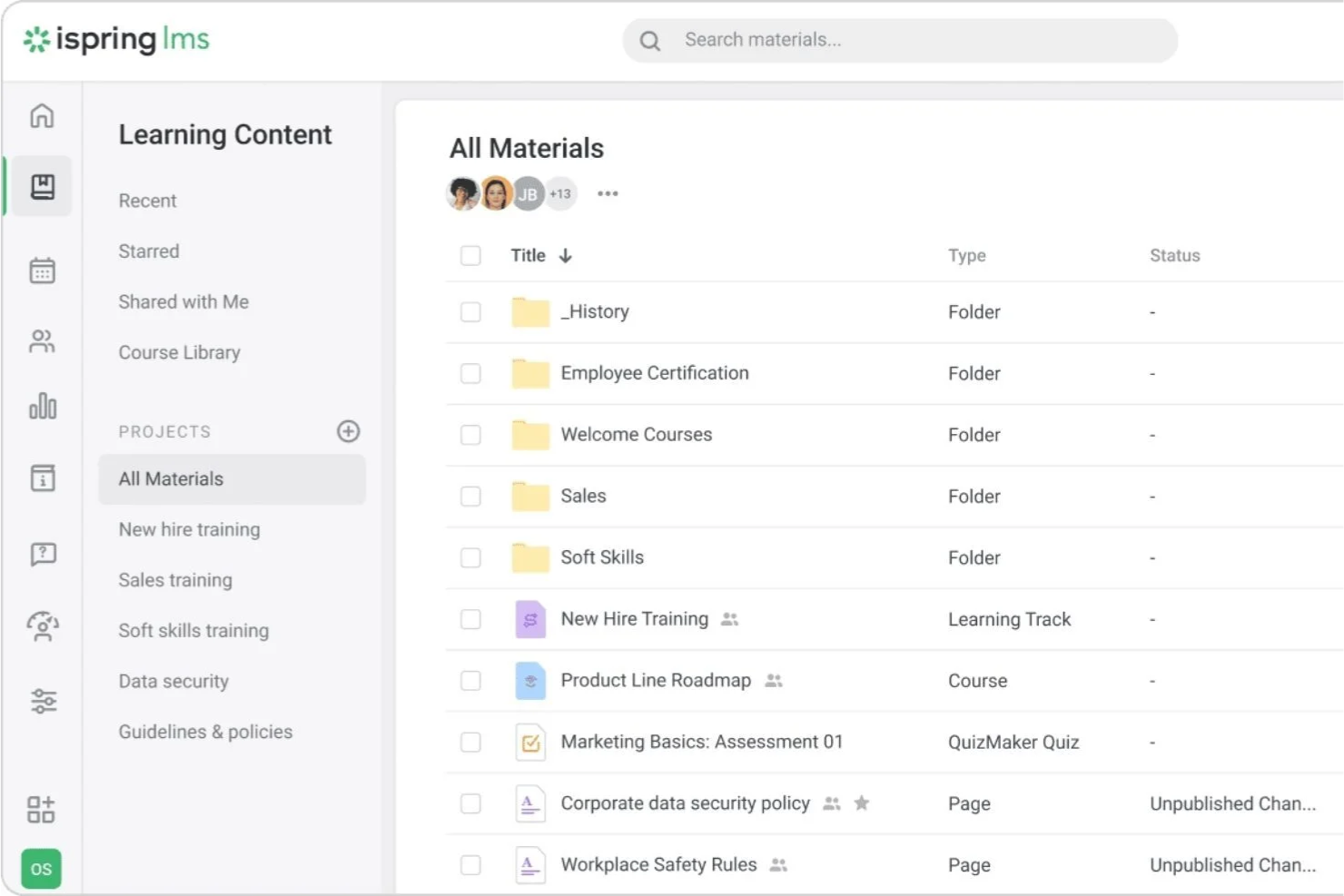
If you need to quickly assign and track training modules, iSpring LMS is designed for fast-paced organizations and HR teams. It’s especially useful for businesses that want to automate course enrollment and monitor learner progress in real time. iSpring LMS helps you keep training on schedule with instant notifications, deadline tracking, and detailed completion reports.
Why I Picked iSpring LMS
When you need to assign courses to employees quickly and keep tabs on their progress, iSpring stands out for its rapid course assignment and tracking capabilities. The platform lets you set up automated enrollment rules, so new hires or specific teams get the right training at the right time. I appreciate how the system sends instant notifications and reminders to keep learners on schedule. You can also monitor completion rates and overdue assignments in real time, which helps you stay proactive about training compliance.
iSpring LMS Key Features
Some other features that make iSpring useful for training scheduling include:
- Built-In Authoring Tool: Create interactive courses, quizzes, and assessments directly within the platform.
- Learning Tracks: Organize multiple courses into structured learning paths for different roles or departments.
- Mobile App Access: Allow learners to complete training and receive notifications on iOS and Android devices.
- Certificate Management: Issue and track digital certificates for completed courses and programs.
iSpring LMS Integrations
Integrations include Salesforce, Microsoft Azure, Microsoft Exchange, BambooHR, Udemy, Go1, and LinkedIn Learning.
Pros and Cons
Pros:
- Bulk import for scheduling large learner groups
- Real-time tracking of overdue training deadlines
- Automated course assignment by group or role
Cons:
- Cannot schedule instructor-led sessions natively
- No built-in calendar view for sessions

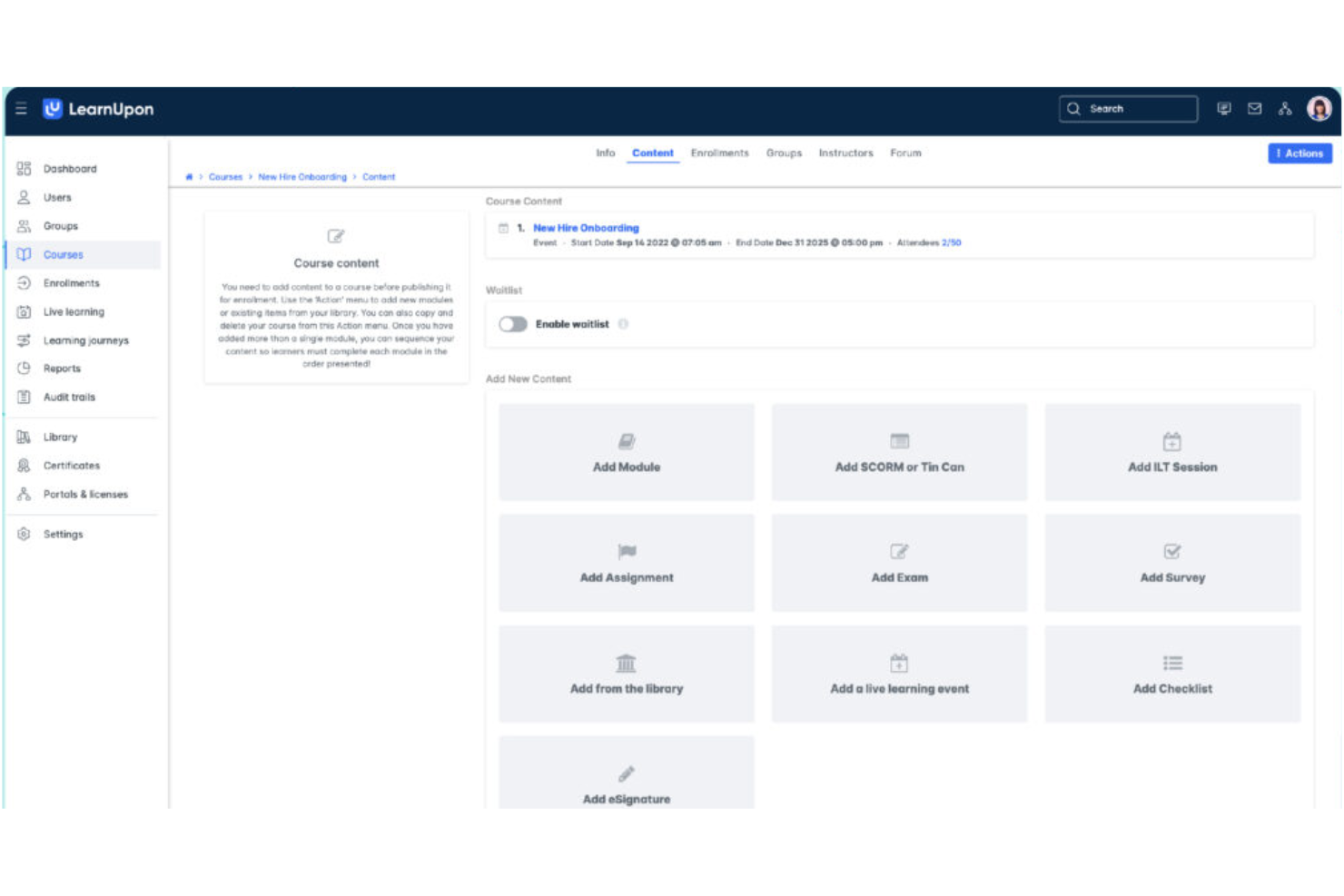
If you’re looking to coordinate both in-person and online training sessions, LearnUpon is built for blended learning environments. It’s a strong fit for HR teams and L&D professionals who need to manage instructor-led sessions, self-paced courses, and virtual classrooms in one place. LearnUpon helps you centralize scheduling, track attendance, and automate reminders for every type of training format.
Why I Picked LearnUpon
Coordinating blended learning sessions can be complex, and LearnUpon is designed to simplify that process for HR and L&D teams. The platform lets you schedule, manage, and track both instructor-led and self-paced training from a single dashboard. I like that you can automate invitations and reminders for live sessions, while also tracking attendance and completion for every training type. This makes LearnUpon a strong choice if you need to bring together virtual, in-person, and on-demand learning in one place.
LearnUpon Key Features
Some other features that make LearnUpon useful for training scheduling include:
- Course Catalog Management: Organize and publish a searchable library of training courses for learners.
- Custom Learning Paths: Build structured sequences of courses to guide learners through required training.
- Assessment and Quiz Builder: Create quizzes and assessments to measure knowledge retention after sessions.
- SCORM and xAPI Support: Upload and deliver interactive e-learning content using industry-standard formats.
LearnUpon Integrations
Integrations include HubSpot, BambooHR, Salesforce, Zoom, Microsoft Teams, LinkedIn Learning, Go1, Okta, Slack, and PayPal.
Pros and Cons
Pros:
- Integrates with Zoom for live training delivery
- Tracks attendance for instructor-led training events
- Supports both virtual and in-person session scheduling
Cons:
- Cannot assign multiple trainers to one session
- No built-in calendar sync with Outlook

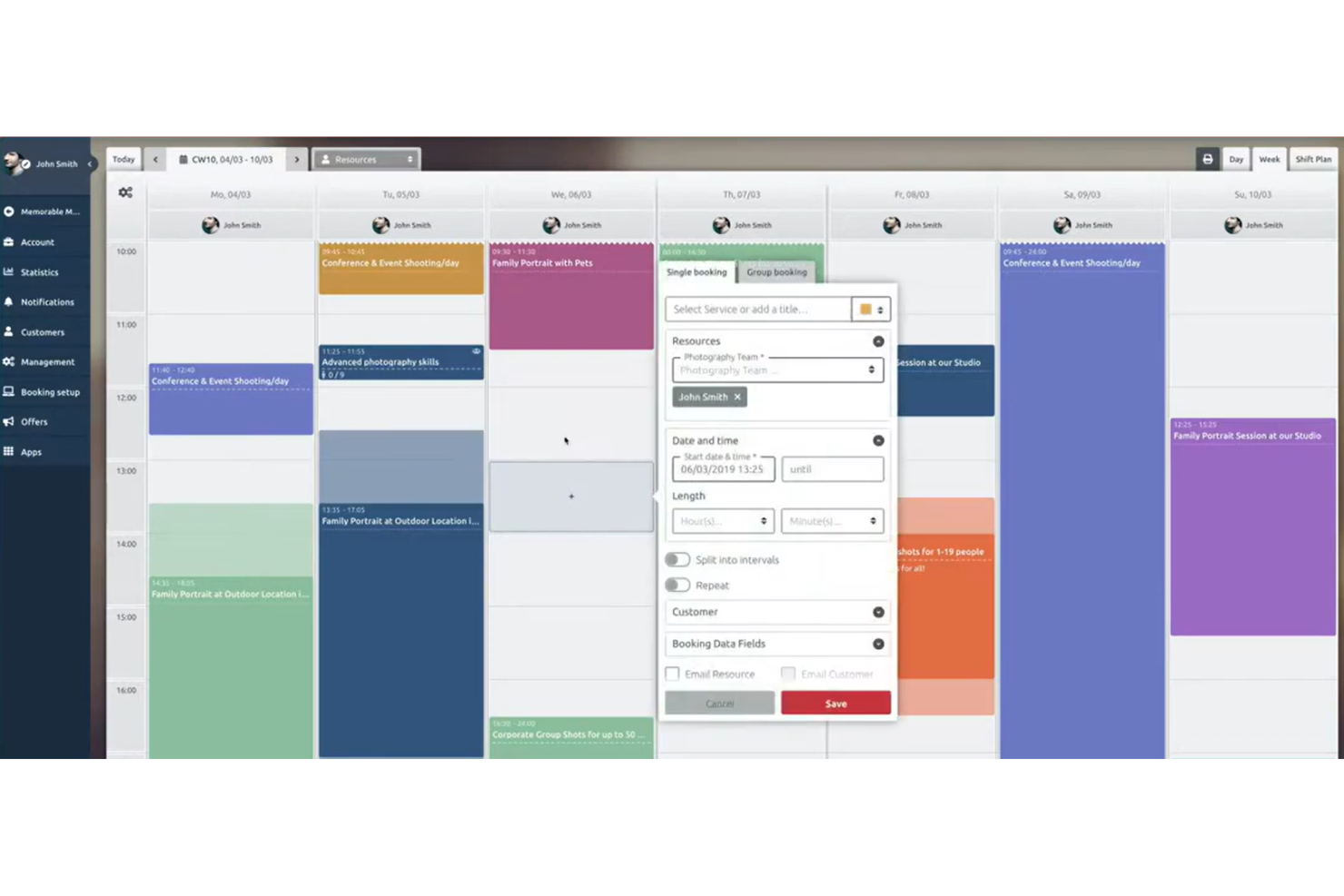
If you need course scheduling software that keeps calendars perfectly in sync, TIMIFY is worth a look. It’s built for teams and organizations that rely on real-time updates across multiple calendars, making it a strong fit for HR departments, training coordinators, and distributed teams. TIMIFY helps you avoid double bookings and missed sessions by connecting directly with popular calendar platforms and updating schedules instantly.
Why I Picked TIMIFY
For organizations where real-time calendar synchronization is essential, TIMIFY stands out as a practical choice for training scheduling. The platform’s two-way sync with Google Calendar, Microsoft Outlook, and other major calendar tools means that any changes to training sessions are instantly reflected across all connected calendars. I appreciate how TIMIFY’s live updates help prevent double bookings and scheduling conflicts, which is especially important for teams managing multiple trainers or locations. This focus on real-time accuracy makes it a strong fit for HR teams and training coordinators who need to keep everyone on the same page.
TIMIFY Key Features
Some other features that make TIMIFY useful for training scheduling include:
- Booking Widget: Add a customizable booking widget to your website for direct session sign-ups.
- Resource Management: Assign rooms, trainers, and equipment to each training event.
- Automated Reminders: Send email and SMS reminders to participants before sessions.
- Group Booking Support: Schedule and manage group training sessions with multiple attendees.
TIMIFY Integrations
Integrations include Google Calendar, Microsoft Office 365, Microsoft Exchange, Zoom, HubSpot, Intercom, and Meta.
Pros and Cons
Pros:
- Customizable booking widget for websites
- Automated SMS and email reminders for sessions
- Real-time sync with Google and Outlook calendars
Cons:
- Lacks native certificate management
- No built-in attendance tracking feature

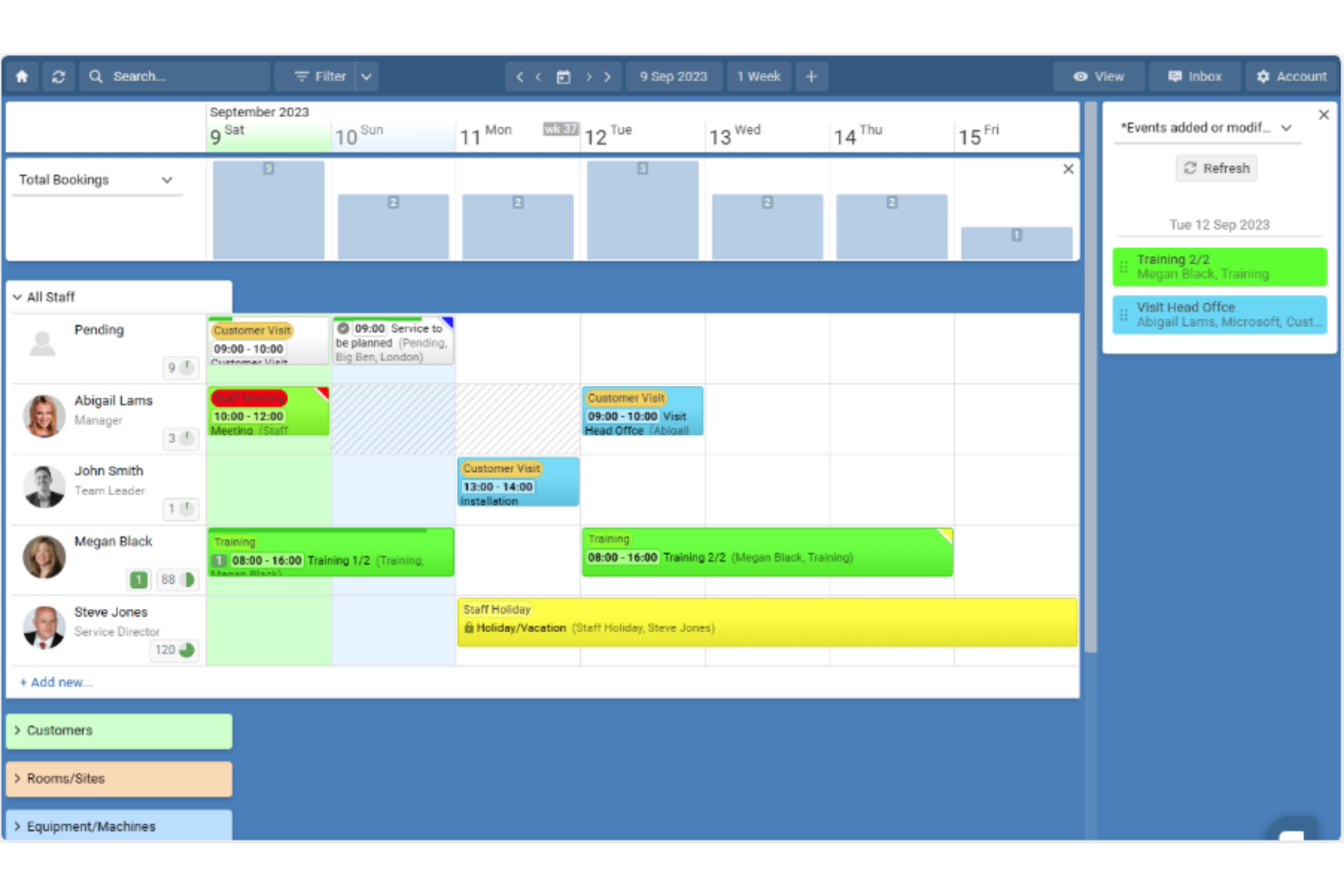
Schedule it is designed for organizations that need to coordinate multiple trainers, rooms, and resources across complex training schedules. This tool suits training managers in larger businesses or educational institutions who juggle overlapping sessions and shared assets. Its resource-centric approach helps prevent double-bookings and keeps every detail organized.
Why I Picked Schedule it
I chose Schedule it because it handles the challenge of managing multiple trainers, rooms, and equipment in one unified view. Its drag-and-drop scheduling board lets you assign resources to sessions without overlap, which is essential for organizations with complex training logistics. I also like that you can set rules for resource availability, so you avoid double-booking trainers or spaces. The visual calendar and conflict alerts make it easier to keep every training session on track.
Schedule it Key Features
Some other features that make Schedule it useful for training scheduling include:
- Automated Reminders: Send automatic email or SMS reminders to trainers and participants to reduce no-shows before each session.
- Resource Utilization Reports: Generate reports that show how often each trainer, room, or asset is booked.
- Customizable Booking Forms: Create tailored booking forms to capture specific information for each training session.
- Access Permissions: Set different access levels for team members, so only authorized users can edit or view certain schedules.
Schedule it Integrations
Integrations include Outlook, Office 365, Google Calendar, Salesforce, Slack, Gmail, MailChimp, Trello, Asana, and Google Sheets.
Pros and Cons
Pros:
- Supports customizable booking forms
- Provides detailed resource utilization reporting
- Handles multi-resource and multi-location bookings
Cons:
- Lacks built-in video conferencing integration
- Mobile experience is limited

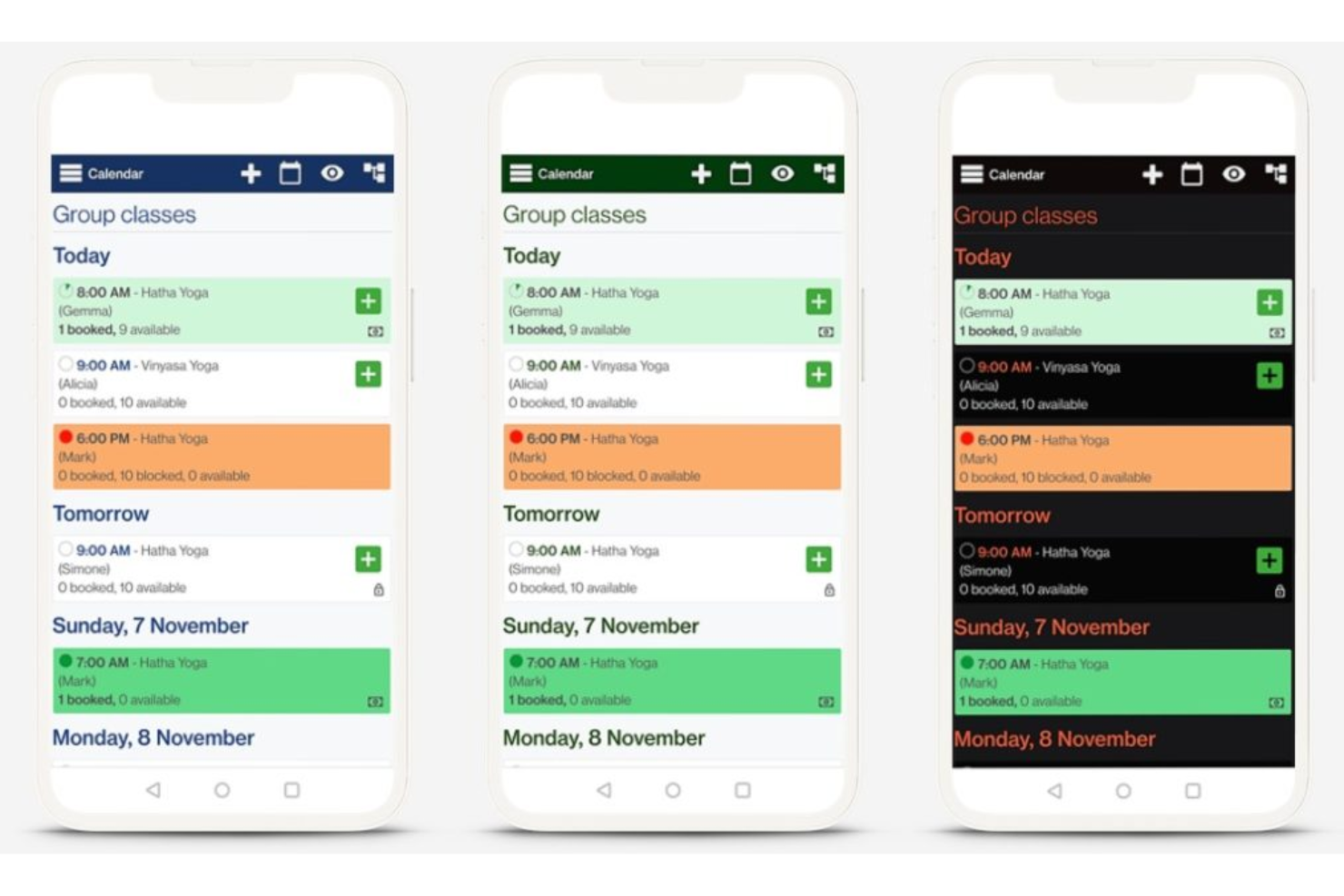
Bookeo gives training providers and organizations a way to let participants handle their own registrations through a dedicated booking page. It’s a strong fit for teams that want to reduce manual admin and offer flexible, self-service scheduling for classes, workshops, or courses. With automated confirmations and real-time availability, Bookeo helps you keep participant management simple and efficient.
Why I Picked Bookeo
Bookeo stands out for its focus on letting participants register themselves for training sessions, which is a key need for many training teams. The platform allows you to publish real-time class availability and automate confirmations, so participants can book and manage their own spots without back-and-forth emails. I appreciate that Bookeo also supports waitlists and group bookings, which helps you handle fluctuating demand and larger cohorts. These features make it a practical choice if you want to minimize manual scheduling and give participants more control over their registration experience.
Bookeo Key Features
Some other features that make Bookeo useful for training scheduling include:
- Customizable Booking Widgets: Add branded booking forms directly to your website.
- Automated Reminders: Send scheduled email or SMS reminders to participants.
- Online Payment Processing: Accept online credit card payments through integrated gateways like Stripe and PayPal.
- Resource Allocation: Assign instructors, rooms, or equipment to each session automatically.
Bookeo Integrations
Integrations include PayPal, Square, Stripe, Xero, WordPress, Wix, Shopify, Google Calendar, Zoom, and Mailchimp. Bookeo also offers an API for custom integrations.
Pros and Cons
Pros:
- Enables group and individual participant bookings
- Offers waitlist management for sessions
- Allows branded booking forms on your website
Cons:
- Cannot bulk import participant lists for sessions
- No built-in certificate or credential tracking

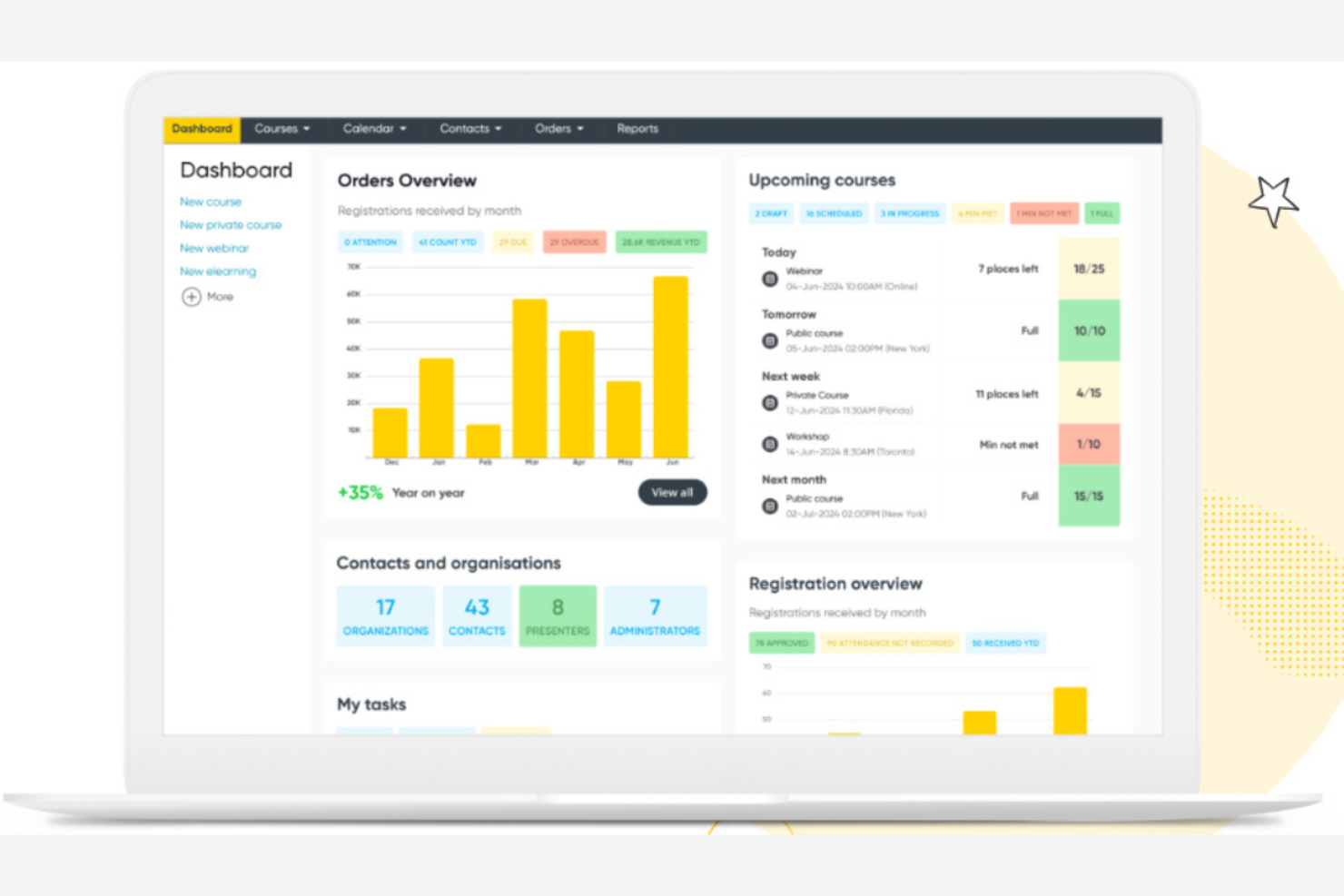
Arlo is designed for training providers and organizations that need to automate the logistics of instructor-led sessions, both in-person and online. It’s especially useful for teams managing recurring courses, complex schedules, and high volumes of registrations. With features for automated communication, resource allocation, and attendee management, Arlo helps reduce manual administrative tasks and keeps training operations organized.
Why I Picked Arlo
What makes Arlo a strong choice is its focus on automating the logistics behind instructor-led training sessions. The platform handles scheduling, venue management, and automated communications, which helps reduce manual coordination for training teams. I like that Arlo also supports recurring courses and complex session structures, making it easier to manage multi-session programs. These features are especially valuable for organizations that run frequent or large-scale instructor-led training and want to minimize administrative overhead.
Arlo Key Features
In addition to its automation of session logistics, Arlo offers several other features worth noting:
- Customizable Registration Forms: Collect specific attendee information with tailored registration fields.
- Payment Processing: Accept online payments for courses directly through the platform.
- Marketing Tools: Promote courses with built-in email and social media campaigns.
- Reporting Dashboard: Access real-time data on registrations, attendance, and revenue.
Arlo Integrations
Integrations include Zoom, WordPress, Salesforce, Xero, PayPal, Stripe, GoToWebinar, Moodle, and CourseCheck.
Pros and Cons
Pros:
- Provides real-time reporting on course performance
- Supports branded registration and event pages
- Automates recurring course and session scheduling
Cons:
- Limited options for automated emails
- No built-in content authoring or LMS features
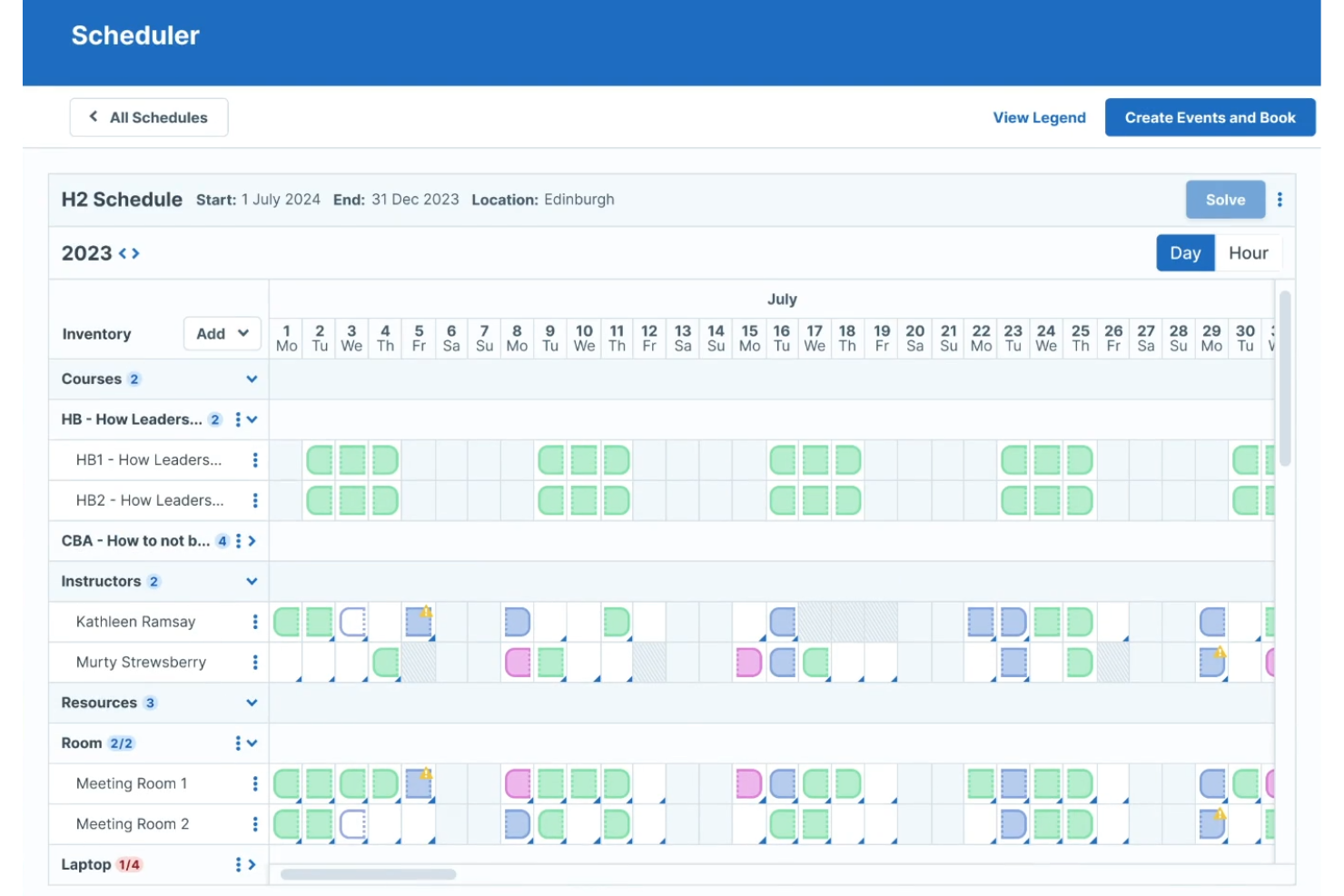
Administrate is designed for organizations that need their training operations to connect with existing HR systems and business tools. It’s especially useful for HR teams and learning departments managing complex, multi-location training programs. With its focus on integration and data flow, Administrate helps you centralize scheduling, automate reporting, and keep training aligned with broader HR processes.
Why I Picked Administrate
What sets Administrate apart is its ability to connect training scheduling directly with your existing HR systems and business platforms. The platform offers a flexible API and pre-built connectors, so you can sync training data with HRIS, payroll, or performance management tools. I like that Administrate also supports automated data flows, which helps reduce manual entry and keeps your records consistent across systems. This makes it a strong choice if you need your training operations to fit tightly within your broader HR and business processes.
Administrate Key Features
Some other features that make Administrate valuable for training scheduling include:
- Course Template Library: Build and reuse templates for recurring training sessions.
- Resource Management: Assign instructors, rooms, and equipment to each event.
- Automated Communication Tools: Send scheduled emails and notifications to learners and trainers.
- Customizable Reporting Dashboards: Create and share real-time reports on attendance, completion, and scheduling.
Administrate Integrations
Integrations include Docebo, Salesforce, SAP SuccessFactors, Cornerstone, Workday, Google Suite, and Microsoft Office.
Pros and Cons
Pros:
- Includes resource allocation for trainers and rooms
- Offers granular permission controls for user roles
- Supports multi-location and multi-currency scheduling
Cons:
- Limited self-service options for learners
- No built-in mobile app for scheduling

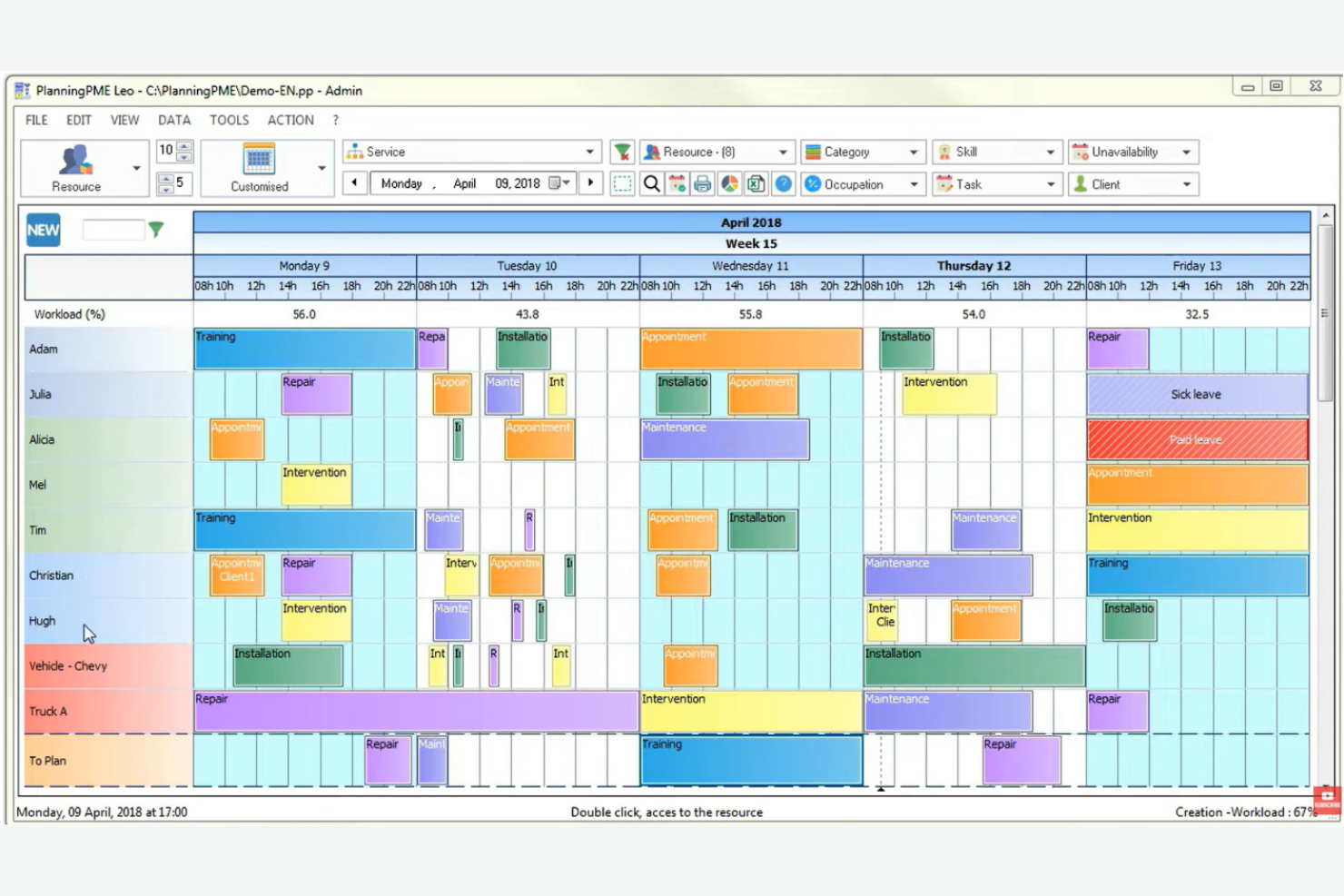
PlanningPME is designed for organizations that need flexible, customizable scheduling templates for managing training sessions. It’s especially useful for HR teams, training managers, and coordinators who want to tailor schedules to fit unique workflows or complex resource needs. With PlanningPME, you can adapt templates to match your training formats, making it easier to organize sessions, trainers, and resources in one place.
Why I Picked PlanningPME
What sets PlanningPME apart is its focus on customizable scheduling templates, which are especially valuable for training teams with unique or evolving requirements. You can build and modify templates to match different training formats, session types, or resource allocations, making it easy to adapt as your programs change. I like that you can set up recurring sessions, assign trainers, and manage room bookings all within these templates. This flexibility helps HR professionals and training coordinators keep their scheduling process organized and tailored to their specific needs.
PlanningPME Key Features
Some other features that make PlanningPME useful for training scheduling include:
- Multi-User Access: Multiple team members can view and update schedules simultaneously.
- Absence and Leave Management: Track trainer and participant absences directly within the platform.
- Color-Coded Calendar Views: Use color coding to quickly distinguish between different training types or resources.
- Email Notifications: Automatically send schedule updates and reminders to trainers and participants.
PlanningPME Integrations
Integrations include Outlook Exchange, Power BI, Microsoft Excel, Google Calendar, PlanningConnect, Lucca, Microsoft Dynamics NAV, Sage, and Arxivar.
Pros and Cons
Pros:
- Native integration with Power BI for reporting
- Color-coded calendar for quick visual reference
- Custom templates for different training formats
Cons:
- Interface can feel dated
- No built-in online payment processing
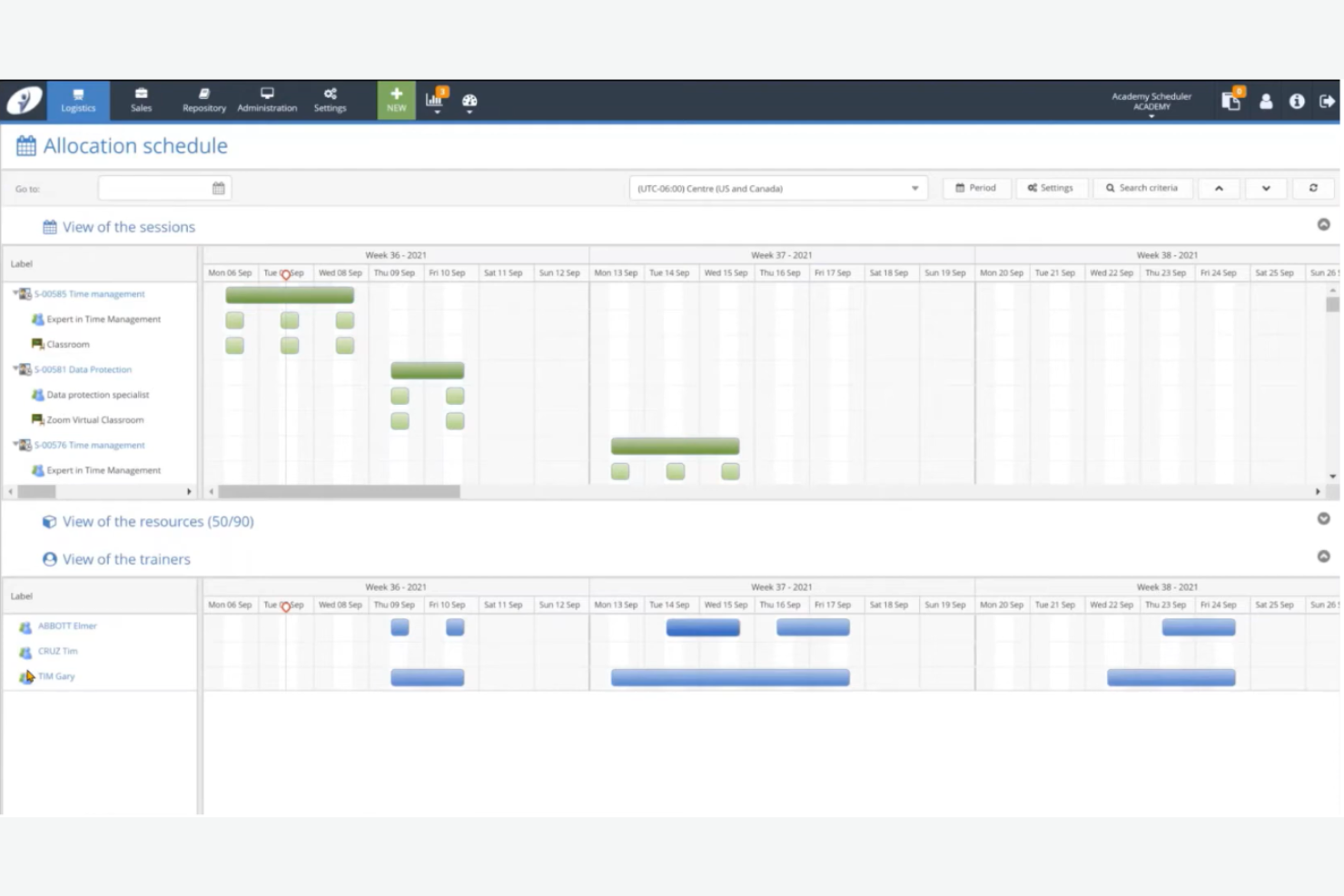
Training Orchestra is built for organizations that need to coordinate large-scale, instructor-led training across multiple locations and business units. This platform is a strong fit for enterprise L&D teams and training departments managing high volumes of face-to-face sessions, resources, and compliance requirements. Its centralized scheduling and resource management help reduce administrative overhead and keep complex training operations running smoothly.
Why I Picked Training Orchestra
What sets Training Orchestra apart is its ability to handle the scale and complexity of enterprise training operations. The platform supports centralized scheduling for thousands of sessions, trainers, and locations, which is essential for large organizations with distributed teams. I appreciate how it automates resource allocation and compliance tracking, helping L&D teams avoid scheduling conflicts and regulatory gaps. Its focus on optimizing instructor-led training logistics makes it a strong choice for enterprises managing high training volumes.
Training Orchestra Key Features
Some other features that make Training Orchestra valuable for training scheduling include:
- Budget and Cost Tracking: Monitor training budgets and track costs for each session or program.
- Waitlist Management: Automatically manage cancellations and notify participants when spots become available.
- Trainer Portal: Give trainers access to schedules, materials, and session details through a dedicated portal.
- Multi-Language Support: Offer scheduling and communications in multiple languages for global teams.
Training Orchestra Integrations
Integrations include Docebo, Rise Up, Workday, and Brightspace. An API is available for custom integrations.
Pros and Cons
Pros:
- Includes a dedicated portal for trainers
- Tracks training budgets and session costs
- Centralizes scheduling for global training teams
Cons:
- No built-in virtual classroom functionality
- Reporting customization options are limited

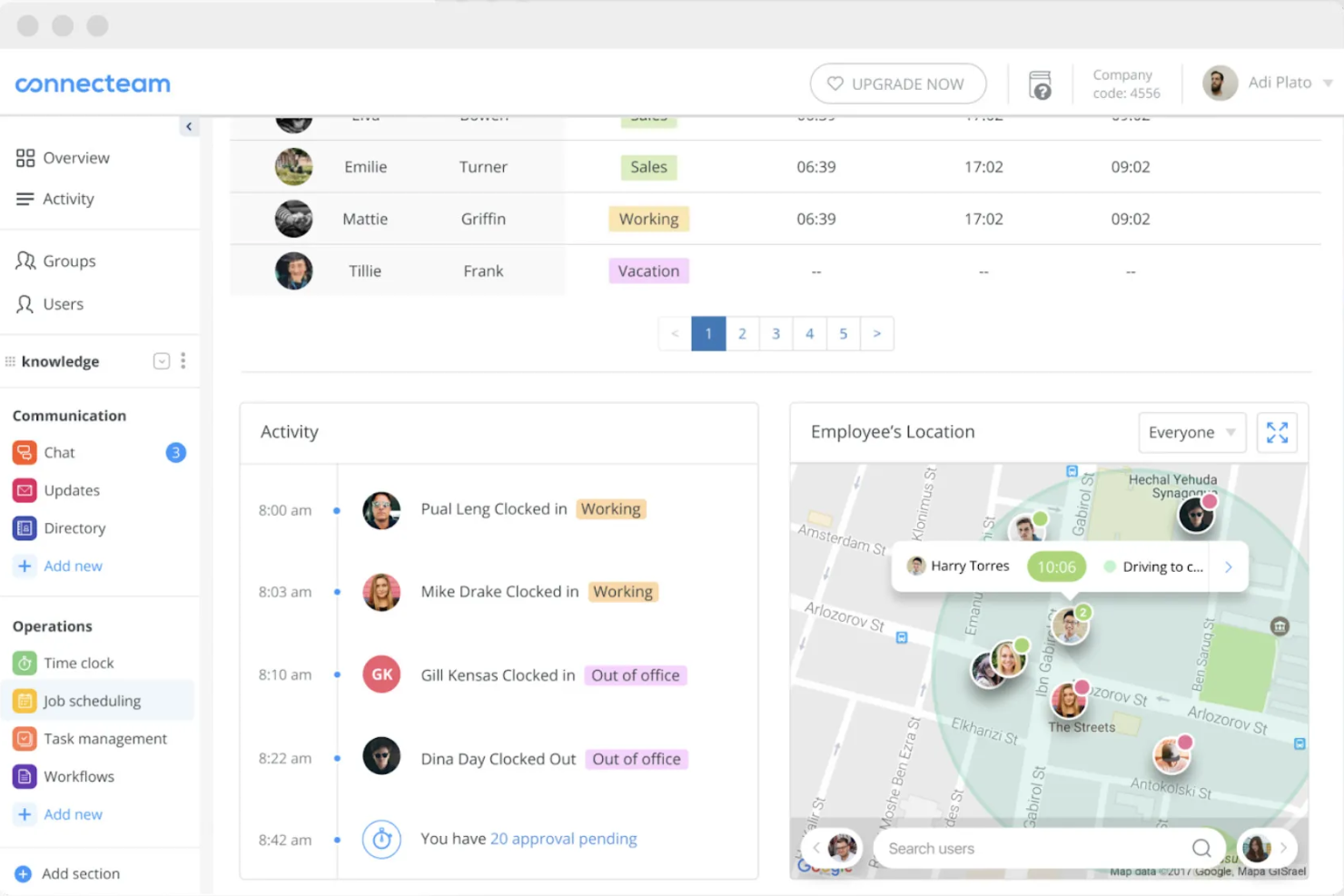
Designed for teams that need to manage training and staff schedules on the go, Connecteam puts mobile-first scheduling and communication at the center of its management software. It’s especially useful for HR professionals and managers in industries with deskless or distributed workforces, like retail, hospitality, or field services. Connecteam helps you assign training sessions, track attendance, and share resources directly through employees’ smartphones.
Why I Picked Connecteam
When mobile access is a top priority for training and staff scheduling, Connecteam delivers a dedicated app experience that’s hard to match. The platform lets you assign training sessions, send push notifications, and track completion—all from employees’ smartphones. I appreciate how Connecteam’s mobile-first approach supports real-time updates and shift changes, which is especially helpful for teams that aren’t tied to desks. This makes it a strong fit for industries where training and scheduling need to happen on the move.
Connecteam Key Features
Some other features that make Connecteam useful for training scheduling include:
- Drag-and-Drop Shift Scheduling: Build and adjust training schedules quickly with a visual calendar interface.
- Document Sharing: Upload and distribute training materials, guides, or policies directly to employees’ devices.
- Quiz and Survey Tools: Create quizzes to assess training comprehension or gather feedback after sessions.
- Automated Reminders: Set up notifications to remind staff about upcoming training or required tasks.
Connecteam Integrations
Integrations include Gusto, QuickBooks, Paychex, Xero, Wix Bookings, Lightspeed, PrismHR, Square, BambooHR, and Accu-Time Systems.
Pros and Cons
Pros:
- Automated reminders for training sessions
- Quiz builder tracks training comprehension instantly
- In-app chat enables direct trainer-trainee communication
Cons:
- No certificate issuance after course completion
- Limited analytics for training progress tracking
Other Training Scheduling Software
Here are some additional training scheduling software options that didn’t make it onto my shortlist, but are still worth checking out:
- Saviom
For resource optimization in training delivery
- TalentLMS
For tracking instructor-led session attendance
- 360Learning
For collaborative session planning
- Employee Training Manager
For managing employee certification renewals


Training Scheduling Software Selection Criteria
When selecting the best training scheduling software to include in this list, I considered common buyer needs and pain points like automating course assignments and tracking training completion across teams. I also used the following framework to keep my evaluation structured and fair:
Core Functionality (25% of total score)
To be considered for inclusion in this list, each solution had to fulfill these common use cases:
- Schedule training sessions for individuals or groups
- Assign courses based on roles or departments
- Track attendance and completion status
- Send automated reminders and notifications
- Generate training reports and analytics
Additional Standout Features (25% of total score)
To help further narrow down the competition, I also looked for unique features, such as:
- Built-in course authoring tools
- Learning path or track creation
- Certificate management and issuance
- Mobile app for learners and admins
- Integration with HR or payroll systems
Usability (10% of total score)
To get a sense of the usability of each scheduling system, I considered the following:
- Simple and intuitive navigation
- Clean and modern interface design
- Customizable dashboards or views
- Minimal steps to schedule or assign training
- Accessibility for users with different needs
Onboarding (10% of total score)
To evaluate the onboarding experience for each platform, I considered the following:
- Availability of step-by-step product tours
- Access to training videos and tutorials
- Pre-built templates for common workflows
- Live webinars or onboarding sessions
- In-app chatbots or guided help
Customer Support (10% of total score)
To assess each software provider’s customer support services, I considered the following:
- 24/7 live chat or phone support
- Detailed online knowledge base
- Fast response times to inquiries
- Dedicated account managers for onboarding
- Community forums or user groups
Value For Money (10% of total score)
To evaluate the value for money of each platform, I considered the following:
- Transparent and predictable pricing
- Flexible plans for different business sizes
- No hidden fees or surprise charges
- Features included at each pricing tier
- Free trial or demo availability
Customer Reviews (10% of total score)
To get a sense of overall customer satisfaction, I considered the following when reading customer reviews:
- Positive feedback on scheduling features
- Reports of reliable customer support
- Comments on ease of implementation
- User satisfaction with reporting tools
- Feedback on integration capabilities
How to Choose Training Scheduling Software
It’s easy to get bogged down in long feature lists and complex pricing structures. To help you stay focused as you work through your unique software selection process, here’s a checklist of factors to keep in mind:
| Factor | What to Consider |
| Scalability | Will the software handle your current and future headcount, locations, and training volume? Check for user or course limits. |
| Integrations | Does it connect natively with your HRIS, payroll, or learning content providers? Confirm compatibility with your existing tech stack. |
| Customizability | Can you tailor workflows, notifications, and reporting to match your organization’s processes and branding? |
| Ease of use | Will admins and learners find the interface intuitive? Test with a small group to spot friction points before rollout. |
| Implementation and onboarding | How long will setup take, and what resources are required? Ask about migration support, training, and typical go-live timelines. |
| Cost | Are pricing tiers clear and predictable as you scale? Watch for extra charges for users, integrations, or support. |
| Security safeguards | Does the vendor meet your data privacy, access control, and compliance needs? Request documentation on certifications and audit trails. |
| Support availability | What support channels and response times are offered? Consider if you need 24/7 help or a dedicated account manager. |
What Is Training Scheduling Software?
Training scheduling software is a digital tool that helps organizations plan, assign, and track employee training sessions and courses. It centralizes scheduling, automates reminders, and monitors completion status for both in-person and online learning. HR teams and managers use it to ensure training requirements are met, deadlines are tracked, and compliance is maintained across the workforce.
Features of Training Scheduling Software
When selecting training scheduling software, keep an eye out for the following key features:
- Course assignment: Assign specific training sessions or courses to individuals, teams, or departments based on roles or requirements.
- Automated reminders: Send scheduled notifications to learners and managers about upcoming sessions, deadlines, or overdue training.
- Attendance tracking: Record and monitor participation in both in-person and virtual training sessions for compliance and reporting.
- Calendar integration: Sync training schedules with external calendars to help learners and managers avoid conflicts and stay organized.
- Learning paths: Structure multiple courses into sequenced learning journeys tailored to different job roles or development goals.
- Reporting and analytics: Generate detailed reports on training completion, attendance, and progress to support audits and decision-making.
- Certificate management: Issue, track, and manage digital certificates for completed courses or compliance requirements.
- Bulk scheduling: Schedule sessions or assign courses to large groups at once to save time for HR and training coordinators.
- Mobile access: Allow learners and managers to view schedules, complete training, and receive notifications from any device.
- User permissions: Control access to scheduling, reporting, and administrative functions based on user roles within the organization.
Benefits of Training Scheduling Software
Implementing training scheduling software provides several benefits for your team and your business. Here are a few you can look forward to:
- Centralized training management: Manage all training sessions, assignments, and records from a single platform, reducing manual tracking and administrative overhead.
- Improved compliance: Track completion and attendance for required training, making it easier to meet regulatory and internal compliance standards.
- Automated notifications: Reduce missed sessions and overdue training by sending timely reminders and alerts to learners and managers.
- Data-driven insights: Use built-in reporting and analytics to identify training gaps, monitor progress, and support strategic workforce planning.
- Flexible scheduling: Assign courses and sessions to individuals or groups, and adapt schedules as business needs or team structures change.
- Enhanced learner experience: Provide employees with clear learning paths, mobile access, and digital certificates, making training more accessible and engaging.
- Scalable processes: Easily accommodate growth by scheduling and tracking training for new hires, remote teams, or multiple locations without extra manual effort.
Costs and Pricing of Training Scheduling Software
Selecting training scheduling software requires an understanding of the various pricing models and plans available. Costs vary based on features, team size, add-ons, and more. The table below summarizes common plans, their average prices, and typical features included in training scheduling software solutions:
Plan Comparison Table for Training Scheduling Software
| Plan Type | Average Price | Common Features |
| Free Plan | $0 | Basic course assignment, limited user seats, simple reporting, and email notifications. |
| Personal Plan | $5-$15/user/month | Individual scheduling, attendance tracking, calendar integration, and basic analytics. |
| Business Plan | $20-$40/user/month | Group scheduling, automated reminders, advanced reporting, certificate management, and integrations. |
| Enterprise Plan | $40-$80/user/month | Custom workflows, bulk scheduling, API access, dedicated support, and advanced security controls. |
Training Scheduling Software FAQs
Here are some answers to common questions about training scheduling software:
Can training scheduling software handle both in-person and online sessions?
Yes, most training scheduling software supports both in-person and online sessions. You can assign locations, add virtual meeting links, and track attendance for each type, making it easier to manage blended learning programs.
How does training scheduling software help with compliance tracking?
Training scheduling software tracks course completion, attendance, and certification status. This helps HR teams monitor compliance with regulatory or internal training requirements and generate reports for audits or inspections.
What integrations should I look for in training scheduling software?
Look for integrations with your HRIS, payroll, learning management system, and calendar tools. These connections help automate user provisioning, sync training data, and keep schedules aligned across platforms.
Is it possible to automate reminders and notifications for training sessions?
Yes, most solutions let you set up automated reminders and notifications for upcoming sessions, overdue training, or expiring certifications. This reduces manual follow-up and helps keep learners on track.
How do I evaluate the ease of use of a training scheduling tool?
Test the software with a small group of admins and learners. Look for intuitive navigation, clear scheduling workflows, and accessible help resources. User feedback during a trial can reveal potential friction points before a full rollout.