

10 Best Cloud-Based HRIS Reviewed in 2026

10 Best Cloud-Based HRIS Shortlist


The best cloud-based HRIS platforms bring all your HR processes into one secure, accessible system—so you can manage payroll, benefits, and employee data from anywhere.
When you’re juggling multiple tools and manual workflows, HR tasks can quickly become time-consuming and error-prone. A cloud-based HRIS automates these processes, giving you real-time visibility, improved accuracy, and the flexibility to support both in-office and remote teams.
After testing and reviewing leading systems, I’ve identified the top cloud-based HRIS solutions that are intuitive, scalable, and built for growing organizations. In this guide, you’ll find platforms that simplify HR management, strengthen compliance, and make it easier to support your people—no matter where they work.
Why Trust Our Software Reviews
Our team has been testing and reviewing software since 2012. As HR experts ourselves, we know how difficult—and important—it is to choose the right software.
For this guide, we evaluated tools using hands-on testing and independent research, scoring tools using our selection criteria. We also draw on insights from industry thought leaders and practicing HR experts.
Our reviews reflect our human editorial judgment, not a sales pitch.
Expert reviewers:
Cloud-Based HRIS Comparison Table
The table below compares pricing details for my top cloud-based HRIS selections.
| Tool | Best For | Trial Info | Price | ||
|---|---|---|---|---|---|
| 1 | Best cloud HRIS with built-in global payroll | Free demo available | From $5/employee/month | Website | |
| 2 | Best for compliance assistance | Not available | From $599/employee/month | Website | |
| 3 | Best with collaborative workforce planning tools | Free demo available | Pricing upon request | Website | |
| 4 | Best for aligned HRIS-employee development flow | Free demo available | Pricing upon request | Website | |
| 5 | Best with optional AI tools for HR automation | Free plan + free demo available | From $2/user/month (billed annually) | Website | |
| 6 | Best for simplified HR administration | Free demo available | Pricing upon request | Website | |
| 7 | Best for payroll integration | Free demo available | From $49/month + $6/month/user | Website | |
| 8 | Best for integrated performance evaluation | 14-day free trial | Pricing upon request | Website | |
| 9 | Best for geolocated employee time tracking | Free 21-day trial + free demo available | From $2.93/user/month (billed annually) | Website | |
| 10 | Best for employee self-service | Free demo available | From $8/user/month | Website |


Best Cloud-Based HRIS Review
Below are my detailed summaries of the best cloud-based HRIS that made it onto my shortlist. My reviews offer a detailed look at the key features, pros & cons, integrations, and ideal use cases of each tool to help you find the best one for you.

Deel HR
Best cloud HRIS with built-in global payroll

Deel is built for companies hiring and paying people across multiple countries. It helps your team manage international payroll, handle local compliance, and pay workers in different currencies through one platform. If you employ distributed talent or want a single system to run global HR operations, Deel is designed for you.
Why I Picked Deel
I picked Deel because it gives your team a reliable way to hire and pay international employees without needing in-country entities. You can generate compliant contracts, manage worker classifications, and run payroll in 100+ countries using one dashboard.
I like that Deel automates local tax calculations and ensures payments meet each country’s legal requirements, which helps reduce admin risk for global teams. Its built-in document collection and compliance alerts make cross-border onboarding much easier, and the ability to pay teams in multiple currencies from a centralized system also makes it a strong fit for businesses scaling internationally.
Deel Key Features
Here are some key features worth highlighting:
- Global Payroll Engine: Processes multi-country payroll with automated tax calculations and local compliance checks.
- Multi-Currency Payments: Sends payments to employees or contractors worldwide in their preferred currency.
- Localized Contract Templates: Provides country-specific agreements that match local employment and contractor laws.
- Compliance Alerts: Flags expiring documents, classification risks, or changing legal requirements across markets.
Deel Integrations
Integrations include QuickBooks, Xero, BambooHR, Rippling, Greenhouse, Lever, Workable, Gusto, Slack, and Zapier.
Pros and Cons
Pros:
- Provides multi-currency payment options through one system
- Offers localized contract templates for global teams
- Automates multi-country payroll tax calculations accurately
Cons:
- Time-tracking tools are somewhat basic
- Reporting customization narrower than some HRIS platforms
New Product Updates from Deel HR

Deel Expands Stablecoin Wallet to 80+ Countries
Deel expands its Stablecoin Wallet to 80+ countries with dollar-backed balances and optional rewards. This gives eligible contractors more ways to hold and manage earnings inside Deel. For more information, visit Deel’s official site.
 .
.
Best for compliance assistance
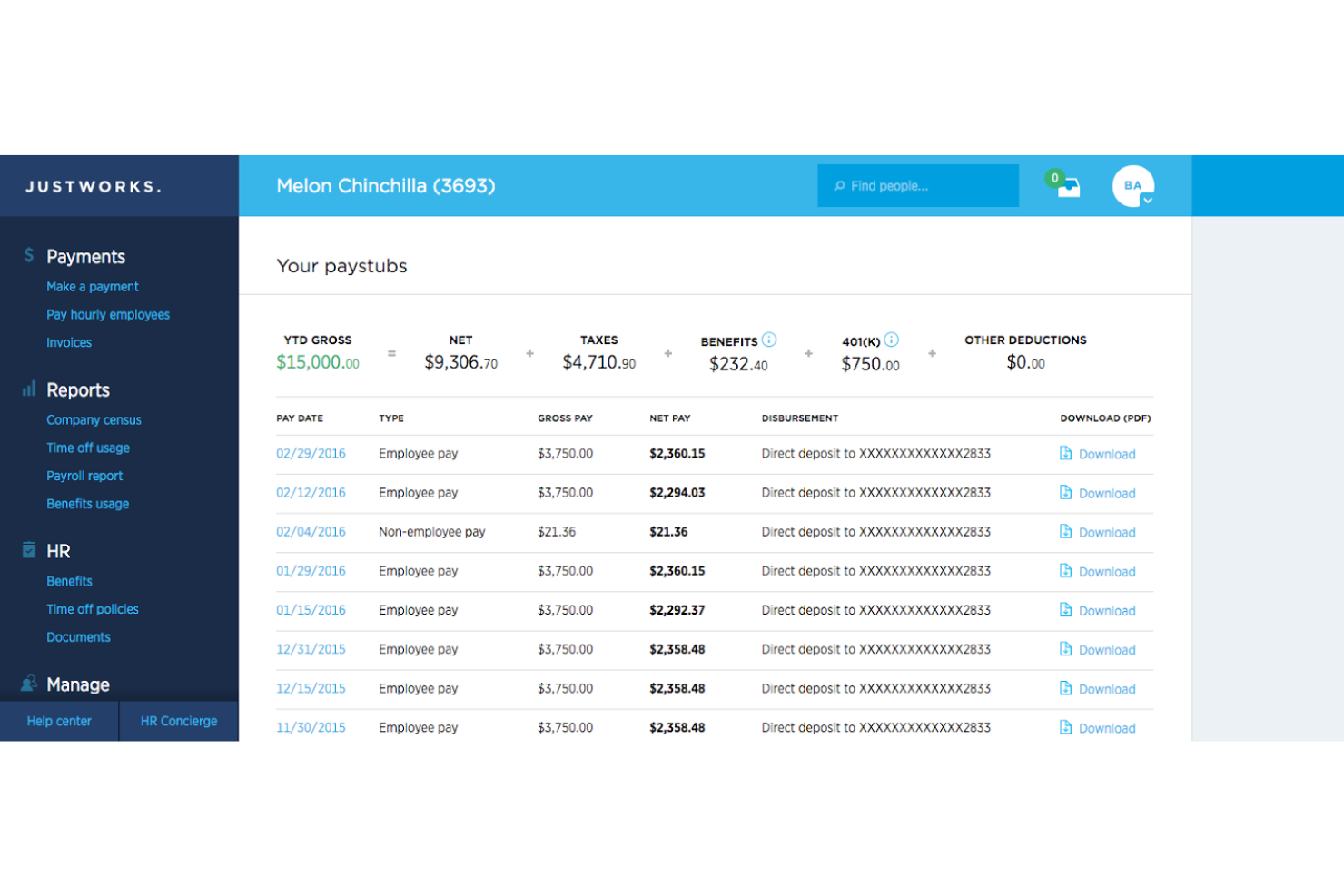
Justworks is a cloud-based HR platform that combines payroll, benefits administration, compliance support, and employee management tools in a single system built around a professional employer organization (PEO) model.
Who Is Justworks Best For?
Justworks is a strong fit for small to mid-sized businesses that need PEO-backed HR, payroll, and benefits support without a large in-house HR team.
Why I Picked Justworks
Justworks earns its spot on my shortlist because it handles multi-state payroll tax filings, W-2s, 1099s, and ACA filings (1094-C and 1095-C) automatically, which removes a real burden from my team. I also appreciate that the platform includes built-in DEIB and sexual harassment prevention training with employee progress tracking, so I can meet state and city training mandates without sourcing a separate tool. When new regulations come up, Justworks members also get access to HR compliance consultants directly.
Justworks Key Features
- Automated payroll processing: Run payroll for full-time employees, contractors, and part-time staff, with automatic tax filings across multiple states.
- Employee onboarding: New hires complete paperwork, benefits enrollment, and direct deposit setup through a self-service online portal.
- PTO management: Set custom PTO policies, let employees submit requests, and give managers a dashboard to approve or track time off.
- Workforce reporting: Pull pre-built and custom reports on headcount, payroll spend, and employee data across your organization.
Justworks Integrations
Justworks offers native integrations with QuickBooks, Xero, NetSuite, Sage Intacct, Greenhouse Recruiting, JazzHR, Lever, 15Five, Culture Amp, Leapsome, Carta, Brex, Ramp, Trainual, Vanta, Electric AI, and allwhere.
Pros and Cons
Pros:
- Single-dashboard contractor payment processing
- Upfront public subscription tier pricing
- Access to large-group health insurance plans
Cons:
- Lacks performance management module
- No built-in shift scheduling tools

HiBob
Best with collaborative workforce planning tools
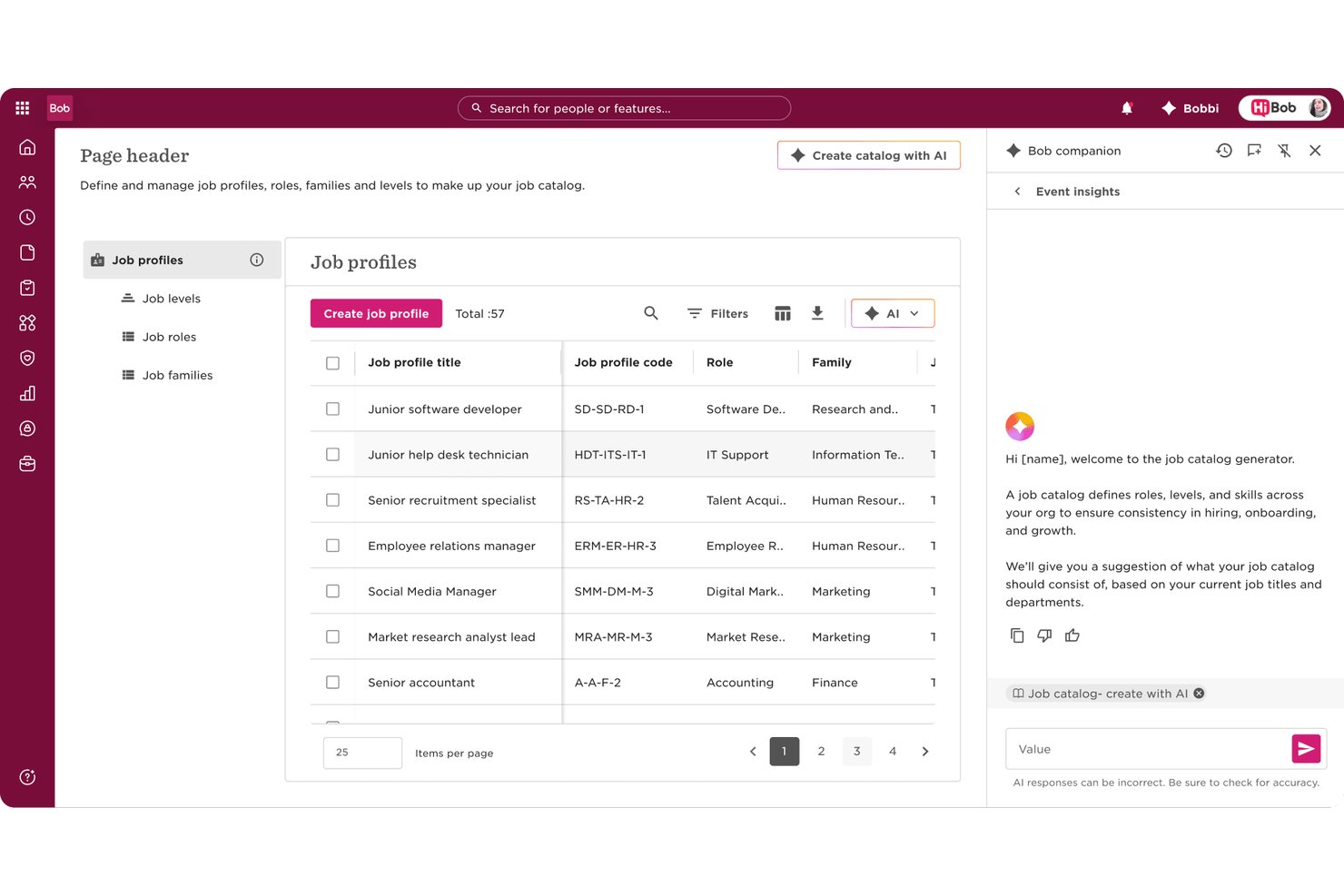
HiBob is a cloud-based HRIS built for mid-market and global teams, combining core HR, talent management, payroll, workforce planning, and people analytics in a single configurable platform.
Who Is HiBob Best For?
HiBob suits HR and people ops teams at scaling mid-size companies who need more structure and automation than a basic HRIS but aren't ready for a full enterprise HCM suite.
Why I Picked HiBob
HiBob earns its spot on my shortlist because of how genuinely collaborative its workforce planning tools are. In Bob's planning module, I can model headcount scenarios, adjust reporting structures, and share those drafts with Finance and business leaders before a single hire is approved. The Sandbox environment lets my team test configuration changes and planning scenarios without touching live data, which removes a lot of the risk from making structural decisions at speed.
HiBob Key Features
- AI-powered people analytics: Surfaces workforce trends, attrition risk, and predictive insights directly from your HRIS data.
- Customizable workflow automation: Lets HR admins design and launch hiring, onboarding, and PTO approval flows without IT support.
- Embedded DEI dashboards: Tracks diversity, equity, and inclusion metrics including representation, pay equity, and hiring rates.
- Global HR compliance tools: Supports local rules, data residency, and audit trails across multiple countries and regions.
HiBob Integrations
HiBob offers 100+ native integrations, including ADP Workforce Now, Gusto, Paylocity, Xero, Slack, Microsoft 365, Google Workspace, DocuSign, Greenhouse, and Namely. An open API is available for custom integrations.
Pros and Cons
Pros:
- Mobile app supports full employee self-service
- Visual org charts update in real time
- Performance reviews and goal-setting built in
Cons:
- Advanced reporting requires significant setup time
- No native payroll module for most regions

Leapsome
Best for aligned HRIS-employee development flow

Leapsome is built for organizations that want a connected HRIS that also supports performance, engagement, and employee development in one system. It centralizes your people data and daily HR workflows so your team can manage operations while keeping growth and culture in focus.
Why I Picked Leapsome
I picked Leapsome because it links core HR data with goal-setting, performance reviews, and development workflows, giving you a single source of truth for the employee lifecycle.
Its unified employee profile helps your team keep records, updates, and development history aligned across tools. I also like how its AI assistant, Leapy, can draft policies, surface insights, and suggest actions based on your HR data.
These features make it a strong fit if you want an HRIS that handles operations while supporting continuous people development. Plus, automated checks during payroll syncs reduce manual errors, which is especially helpful for growing teams.
Leapsome Key Features
Here are some key features worth highlighting:
- Time tracking & absence management: Built-in tools to track work hours, leave requests, and attendance without spreadsheets.
- Secure document storage: Centralized, permission-controlled storage for employee files, signatures, and key records.
- Onboarding & pre-boarding workflows: Automated task sequences that help new hires start with consistency and clarity.
- Automated payroll validations: Flags missing or inconsistent data before payroll runs to help reduce correction work.
Leapsome Integrations
Integrations include Slack, Microsoft Teams, Personio, BambooHR, Google Workspace, Azure Active Directory, Okta, Workday, Asana, and Jira.
Pros and Cons
Pros:
- Engagement surveys include benchmarks and actionable recommended next steps
- Automates onboarding, time tracking, and payroll syncs to reduce manual tasks
- Connects HRIS data directly with goals, reviews, and development workflows
Cons:
- Limited customization for niche business requirements
- Mobile experience is less polished than the desktop environment
TalentHR
Best with optional AI tools for HR automation
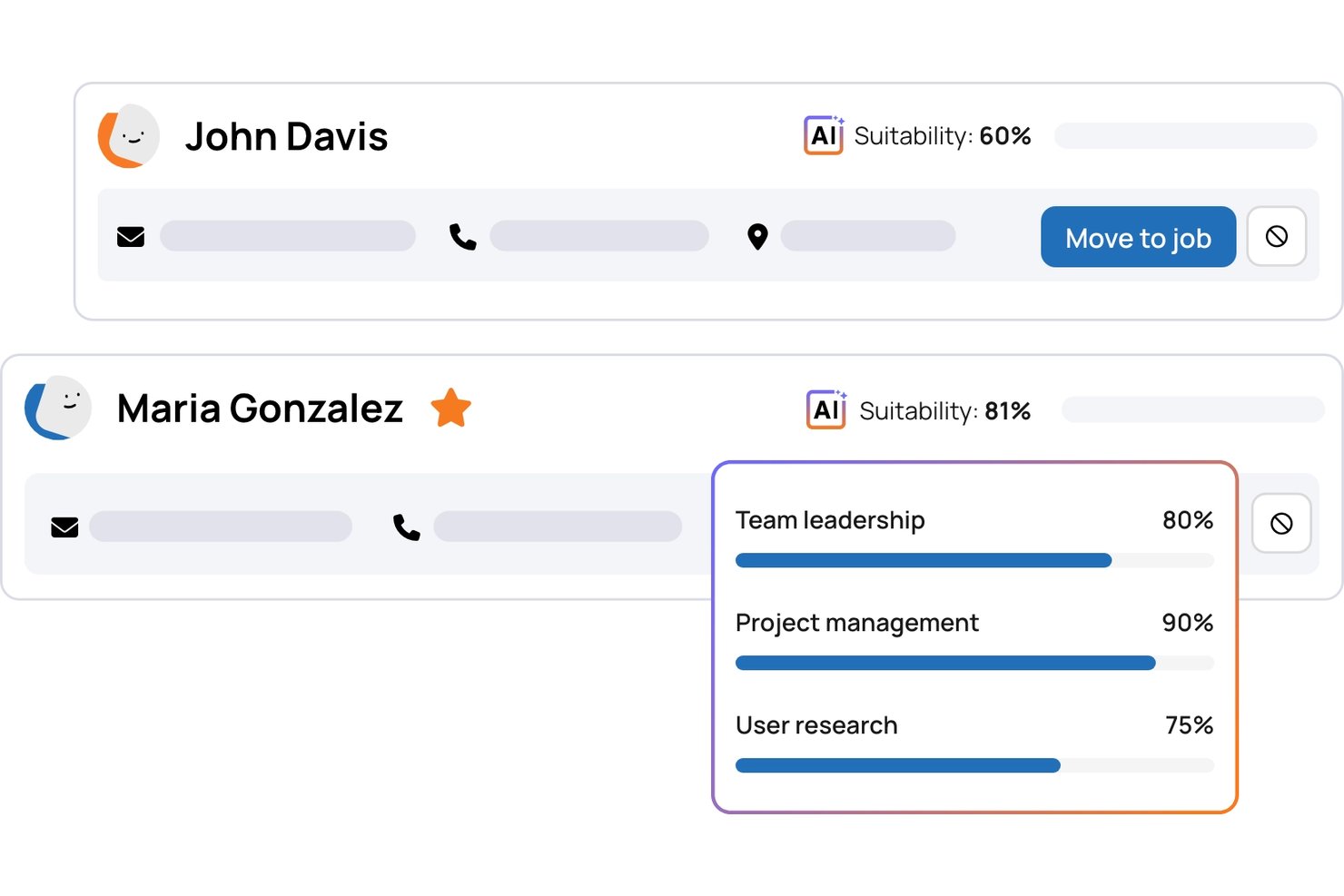
TalentHR is a cloud-based HRIS platform designed for teams seeking centralized employee records, automated onboarding, simple time-off tracking, and configurable workflows in one system.
Who Is TalentHR Best For?
TalentHR suits growing small and midsize businesses that need intuitive HR management without heavy IT resources or enterprise complexity.
Why I Picked TalentHR
I picked TalentHR as one of the best because the platform lets me layer in optional AI tools to automate HR admin without disrupting existing processes. I quickly generate onboarding documents and automate recurring HR tasks while keeping core employee data and workflows connected in the same cloud system.
TalentHR Key Features
- Self-service employee portal: Employees can update personal info, request leave, and access HR documents online.
- Org chart builder: Visualize team structure with automated organization charts.
- Asset tracking: Assign and monitor company equipment or devices to specific team members.
- Document e-signature: Collect digital signatures for contracts and policy acknowledgments directly within the platform.
TalentHR Integrations
TalentHR offers native integrations with Google Calendar, Slack, and Microsoft 365. An API is available for custom integrations.
Pros and Cons
Pros:
- Responsive customer support with fast turnaround
- Customizable onboarding workflows and document templates
- Optional AI tools automate repetitive HR tasks
Cons:
- Limited advanced workflow branching options
- No native payroll processing module

Best for simplified HR administration
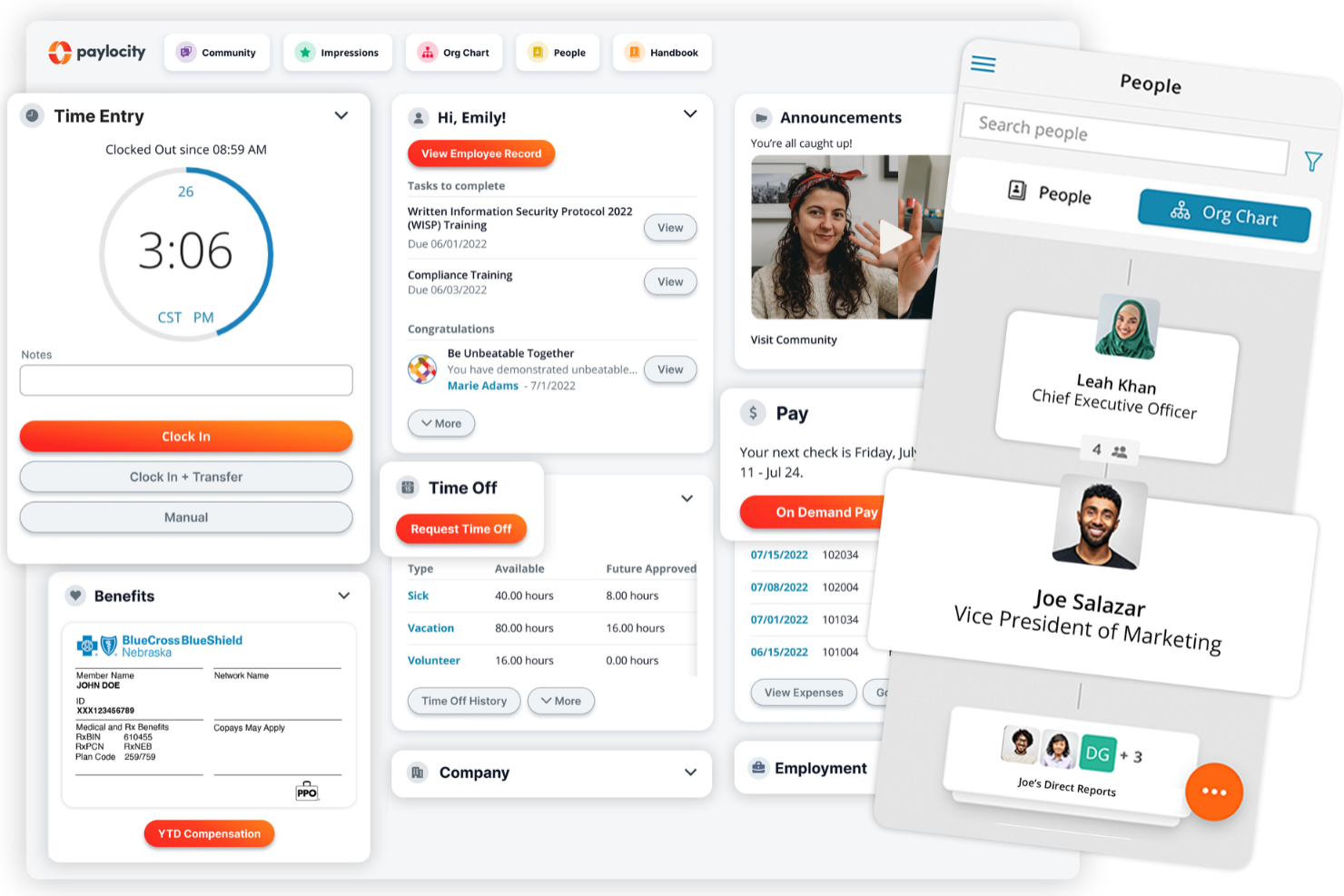
Paylocity is cloud-based HR software designed to simplify core HR, payroll, and workforce management processes for businesses of all sizes. With its intuitive interface and mobile accessibility, it helps teams manage day-to-day operations while enhancing the employee experience.
Why I picked Paylocity: I chose Paylocity for its self-service capabilities that give employees direct access to their payroll, benefits, and time-off data. This not only empowers your workforce but also reduces administrative overhead. Additionally, its real-time analytics and AI-powered dashboards provide actionable insights into metrics like turnover risk and compensation trends, helping you make smarter workforce decisions.
Standout features & integrations:
Features include payroll automation, compliance tracking, and tools to manage the full talent lifecycle—from recruiting and onboarding to performance reviews and learning. Its mobile app supports HR functions on the go, and the platform integrates seamlessly with existing systems through its open API and 350+ marketplace connections.
Integrations include Criteria Corp, eSkill, HighMatch, PARiM, Plum, The Predictive Index, Sage Intacct, NetSuite, Microsoft Teams, Salesforce, Greenhouse, and BambooHR.
Pros and Cons
Pros:
- Tailored workflows and reports
- On demand payment options
- Includes tax compliance services
Cons:
- Limited customization options in certain modules
- Setup can be time consuming
New Product Updates from Paylocity

Paylocity Expands Expense and Purchase Request Tools
Paylocity adds connected personal cards, smarter expense categorization, and a streamlined purchase request experience. This reduces manual entry and helps finance teams manage expenses and approvals more efficiently. For more information, visit Paylocity’s official site.
 .
.
Gusto
Best for payroll integration

Gusto is a cloud-based HRIS platform for small and midsize businesses' payroll, benefits, and HR management. It supports day-to-day HR tasks, from hiring and onboarding to compliance and employee recordkeeping.
Why I picked Gusto: Gusto excels in payroll integration, making it ideal for businesses needing reliable payroll solutions. Its automatic payroll tax filing saves time and reduces errors. Employee benefits management also makes it easy to offer competitive packages. Gusto's compliance support helps your team stay up-to-date with the latest regulations.
Standout features & integrations:
Features include employee self-service, time tracking, and document management. Employee self-service empowers your team to manage their own information. Time tracking helps you monitor hours worked accurately. Document management ensures you can effortlessly store and organize important files.
Integrations include QuickBooks, Xero, TSheets, Clover, FreshBooks, Expensify, Deputy, When I Work, Trainual, and Zapier.
Pros and Cons
Pros:
- Customizable payroll settings
- Strong compliance support
- User-friendly interface
- Simple benefits administration
- Automatic tax filing feature
Cons:
- No mobile app for employees
- Limited international payroll options
- Occasional customer support delays
- Basic reporting tools
- Limited advanced HR features
New Product Updates from Gusto
Gusto Adds Solo Advisory Tools and Mobile Money Features
Gusto adds Solo S-Corp Advisory Tools and Gusto Money on Mobile for tax guidance, invoicing, and bill payments. These updates help accountants advise solopreneurs and let users manage business finances from their phones. For more information, visit Gusto’s official site.

Sloneek
Best for integrated performance evaluation
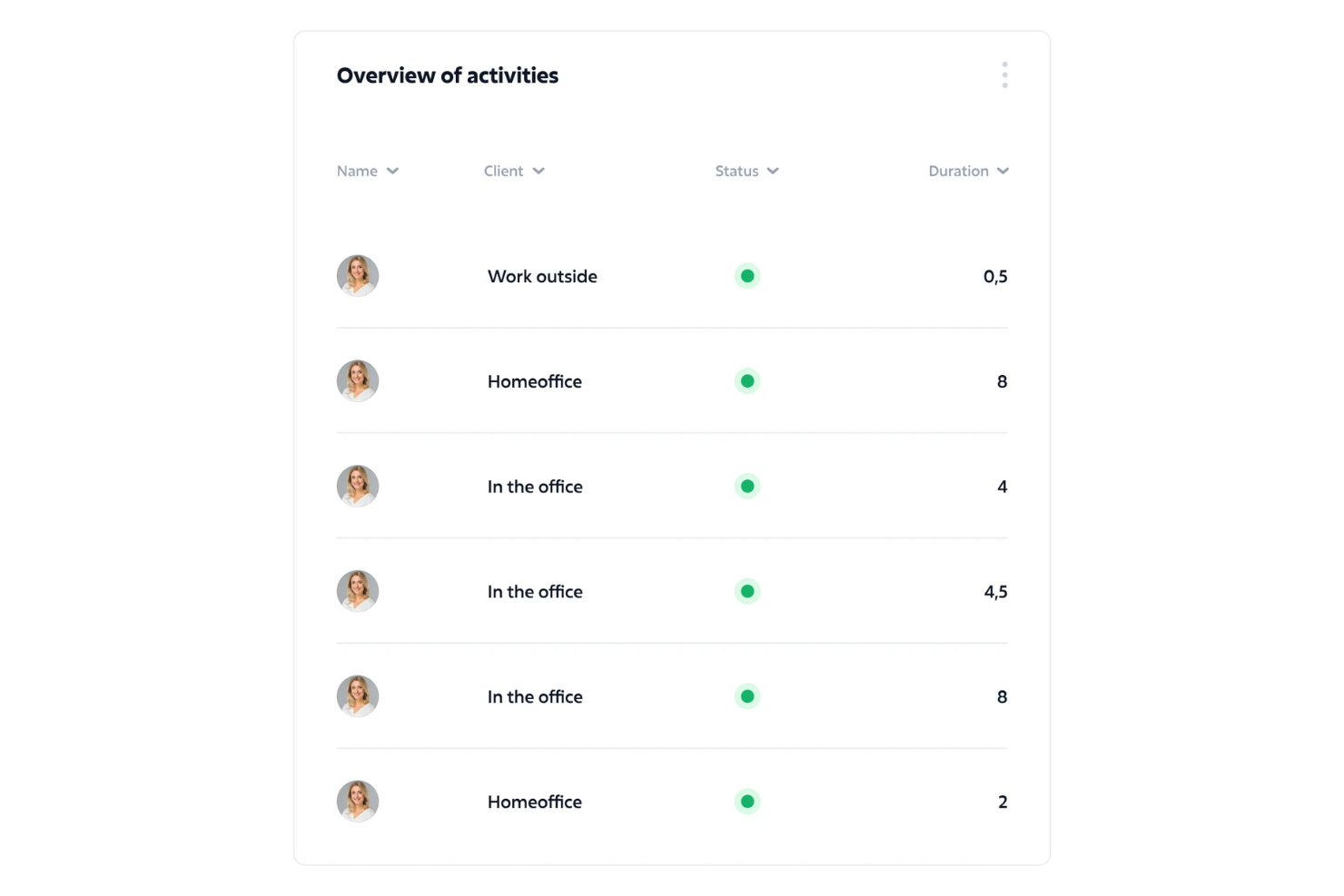
Sloneek is built for HR teams that want a single place to manage time tracking, performance evaluations, and core HR operations. It’s especially useful for organizations with hybrid or distributed teams that need clear visibility into attendance, productivity, and employee development.
Why I Picked Sloneek
I picked Sloneek because it gives you clear oversight of your team’s time, attendance, and availability through its combined time tracking and absence-management tools.
You can monitor attendance, approve leave, and review productivity without switching between systems, and I also like how its performance management tools let you run 360° reviews, track KPIs, and create structured evaluations.
These tools pair well with its employee-engagement surveys, which surface sentiment data so you can act on feedback earlier. For organizations juggling both HR operations and performance oversight, Sloneek keeps everything connected in one platform.
Sloneek Key Features
Here are some key features worth highlighting:
- Electronic document management: Store contracts and HR files in one place with secure e-signatures.
- Whistleblowing tool: Provide employees a confidential channel to report concerns safely.
- Competency evaluation: Map skills and track employee growth across defined competency frameworks.
- HR automation: Build automated workflows for onboarding, offboarding, and internal processes.
Sloneek Integrations
Integrations include Google Calendar, Google Workspace, Microsoft Active Directory, Jira, Outlook, Azure AD, Slack, Zapier, Okta, and MS Teams.
Pros and Cons
Pros:
- Built-in document management and secure electronic signatures
- Performance management with 360 degree feedback & KPI/OKR tracking
- Robust time management with tracking, absence, and attendance tools
Cons:
- Advanced analytics may require additional configuration for full use
- Payroll functionality is limited compared to dedicated payroll platforms

Agendrix
Best for geolocated employee time tracking
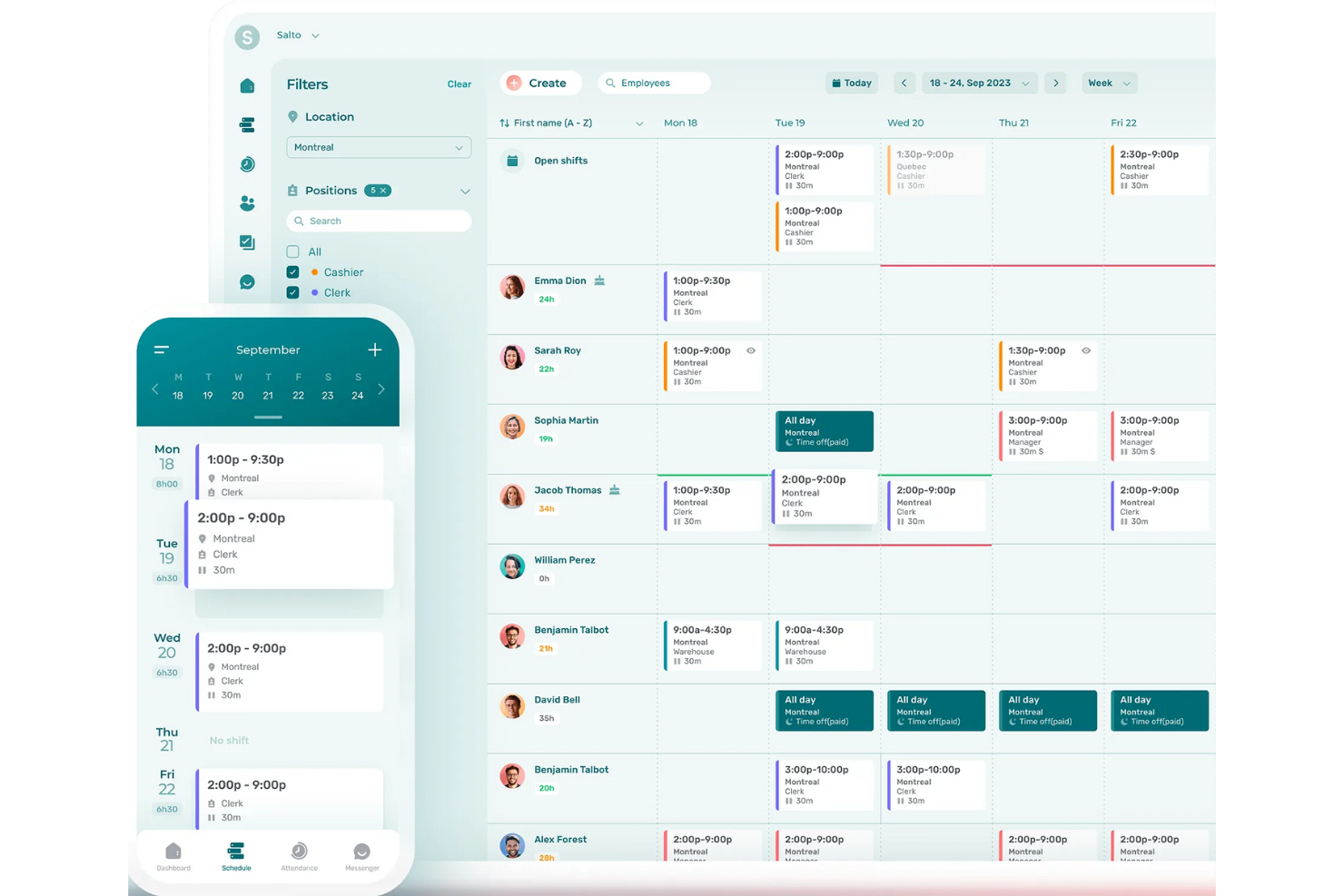
Agendrix is a cloud-based HRIS built for shift-based teams that need accurate time tracking and clear scheduling. It's especially useful for small and mid-sized businesses in fields like retail, hospitality, and healthcare that rely on geolocated clock-ins and mobile-first workforce coordination.
Why I Picked Agendrix
I picked Agendrix because it helps you manage hourly teams more reliably with tools that prevent attendance errors and scheduling conflicts. You can assign shifts, approve time-off requests, and publish schedules from a single dashboard, giving your team real-time clarity on where they need to be.
Its geolocated and biometric clock-in options help ensure accurate attendance records, reducing payroll discrepancies. I also like that it auto-generates timesheets you can export directly to payroll. For teams in Canada, the bilingual interface and strong local payroll connections offer an added advantage.
Agendrix Key Features
Here are some key features worth highlighting:
- Geolocated Clock-Ins: Ensures employees clock in from approved locations for accurate attendance.
- Automated Timesheets: Converts time entries into payroll-ready exports with minimal admin effort.
- Shift Request Management: Lets employees request swaps or time off and gives managers instant approval tools.
- Document Storage: Keeps onboarding forms, policies, and employee files organized in one place.
Agendrix Integrations
Integrations include EmployerD, Nethris, Sage 50, Acomba, QuickBooks, Ceridian Powerpay, ADP Workforce Now, Payworks, Lightspeed, Azur, Easypay, BeLocum, Hopem, and Folks HR.
Pros and Cons
Pros:
- Bilingual interface supports English and French teams
- Mobile app supports quick schedule updates for hourly workers
- Geofenced clock-ins reduce inaccurate or off-site punches
Cons:
- Limited customization options for reports and analytics
- Certain integrations may require manual setup

Factorial
Best for employee self-service
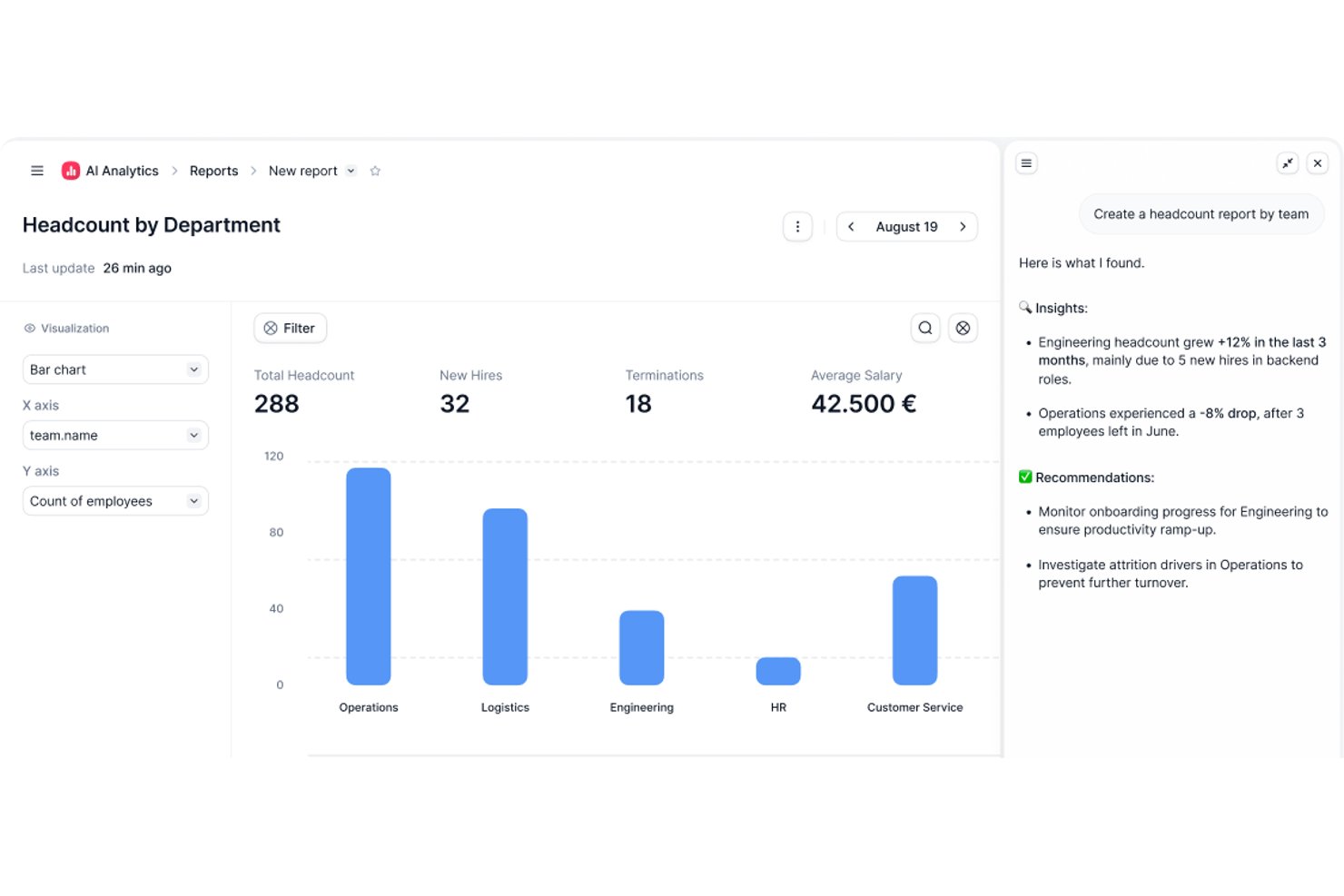
Factorial is an HR management tool that caters to businesses looking to enhance employee autonomy. It provides solutions for time tracking, document management, and performance reviews, empowering employees to manage their own HR-related tasks.
Why I picked Factorial: It offers a user-friendly self-service portal where employees can update personal information and request time off without needing HR intervention. The document management feature organizes and stores important files securely. Factorial's time tracking helps monitor work hours effectively, making it easier for your team to manage their schedules. This focus on self-service makes it ideal for companies looking to reduce administrative workload.
Standout features & integrations:
Features include customizable performance review tools that allow you to adapt evaluation criteria to fit your team's goals. The reporting feature provides insights into HR metrics, helping you make informed decisions. Payroll management ensures accurate and timely salary processing for your team.
Integrations include Slack, Google Calendar, Microsoft Teams, Zapier, BambooHR, QuickBooks, Xero, Trello, Asana, and Dropbox.
Pros and Cons
Pros:
- Customizable performance reviews
- Secure document storage
- Easy self-service portal
Cons:
- May not suit very large companies
- Requires some onboarding time
Other Cloud-Based HRIS
Here are some additional cloud-based HRIS options that didn’t make it onto my shortlist but are still worth checking out:
- HR Cloud
For employee engagement
- GoCo
For customizable workflows
- Oracle
For global operations
- ChartHop
For customizable people data views
- Workday
For large enterprises
- Personio
For small to mid-sized companies
- UKG Pro
For workforce analytics
- SAP SuccessFactors
For talent management
- Frappe
For open-source flexibility
- Rippling
For IT and HR integration
- BambooHR®
For small businesses
- Cezanne
For multi-country operations
- Paycor
For payroll features
- Kissflow
For customizable workflows


How I Evaluate Cloud-Based HRIS
I evaluate cloud-based HRIS in two layers—core functionality any tool must have (think: employee records, self-service, and compliance reporting) and differentiators that set the right fit apart.
Core Functionality (Table Stakes For This List)
When I'm selecting tools for my list, I rank each one on a scale from 0 (does not offer the functionality) to 5 (excels in this area) for each core functionality listed below. Then, I calculate the tool's total score into a percentage. Each tool needs to achieve a minimum total score of 75% to be considered for inclusion.
- Employee Database Management: I look for a centralized system of record where HR teams can store job histories, compensation data, and org structures without toggling between spreadsheets.
- Self-Service Portals: Employees and managers should be able to update addresses, submit PTO requests, and approve workflows from both desktop and mobile browsers.
- Onboarding & Lifecycle Management: I evaluate whether a platform handles the full hire-to-exit journey, including offer letter e-signatures, task assignments, and IT provisioning triggers.
- Benefits & Time-Off Administration: This covers PTO accrual policies, leave request approvals, and benefits enrollment—I check whether the tool connects to carriers or requires manual entry.
- Compliance & Reporting: I look for custom report builders that let HR teams pull EEO, headcount, or turnover reports on demand rather than relying on IT or pre-built templates alone.
- Integrations & API Access: A cloud HRIS needs to fit into your existing stack, so I check for native connectors to major payroll and ATS platforms plus a documented API for custom builds.
Once I have a list of tools that meet this criteria, I consider what sets each platform apart.
Differentiating Factors (What Sets Vendors Apart)
Here's how I compare and contrast different vendors:
Standout Features
Global payroll support matters when your workforce spans multiple countries—I check whether a platform handles localized tax rules natively or through certified partners. Configurable workflows are another differentiator I evaluate closely, since no-code approval chains save HR teams real time during open enrollment or org restructures. I also look for built-in performance and engagement tools like review cycles and pulse surveys that tie directly to the employee record rather than requiring a separate platform.
Beyond Features
Scalability is a big factor—I check whether a platform fits your current headcount and can grow with you as you add entities or expand into new regions. Compliance and data security also carry real weight here, since your HRIS holds sensitive employee data. Certifications like SOC 2 Type II and role-based access controls help me gauge how seriously a vendor treats data protection. Total cost of ownership rounds out my evaluation, because implementation fees and add-on module pricing can shift the value equation quickly.
How to Choose Cloud-Based HRIS
It’s easy to get bogged down in long feature lists and complex pricing structures. To help you stay focused as you work through your unique software selection process, here’s a checklist of factors to keep in mind:
| Factor | What to Consider |
|---|---|
| Scalability | Ensure the system can grow with your team. You'll want a solution that can handle increasing data and user counts without performance issues. |
| Integrations | Check for compatibility with your existing tools. Smooth data flow between systems can save time and reduce errors. |
| Customizability | Look for features that allow you to tailor the system to your specific needs. Custom workflows and fields can make the software fit your processes better. |
| Ease of Use | Consider the learning curve for your team. An intuitive interface can reduce training time and improve adoption rates. |
| Budget | Align the software's cost with your financial plan. Look for a pricing model that fits your budget without hidden fees. |
| Security Safeguards | Prioritize data protection with strong security measures. Ensure the vendor offers encryption, regular backups, and compliance with data regulations. |
| Support | Evaluate the quality and availability of customer support. Quick, effective help can be crucial when issues arise. |
| Mobile Access | Determine if the software offers a mobile app or responsive design. Your team may need to access the system on the go. |
Trends in Cloud-Based HRIS
In my research, I sourced countless product updates, press releases, and release logs from different cloud-based HRIS vendors. Here are some of the emerging trends I’m keeping an eye on:
- AI-driven analytics: AI is being used to provide deeper insights into workforce data, helping you make informed decisions faster. AI HRIS vendors like Workday use AI to predict employee turnover and optimize workforce planning.
- Employee wellness programs: More HRIS systems integrate wellness features to support employee health. These include mental health resources and fitness tracking. SAP SuccessFactors, for example, offers tools to promote employee well-being.
- Remote work support: As remote work becomes the norm, HRIS tools enhance features for managing distributed teams. This includes virtual onboarding and remote performance tracking. Deel, a global HRIS provider, offers solutions specifically designed for international remote teams.
- Skill development platforms: HRIS vendors incorporate skill-building tools to foster continuous learning. These platforms help employees upskill and stay competitive. TalentHR integrates learning management to support ongoing employee development.
- Personalized employee experiences: HRIS customization is growing to cater to individual employee needs and preferences. This trend enhances engagement by offering tailored user experiences. Oracle HCM Cloud allows the personalization of dashboards and workflows.
What Is Cloud-Based HRIS?
Cloud-based HRIS is a software solution that helps manage various HR tasks and data through an online platform. HR professionals, managers, and business owners typically use these tools to manage employee records as well as payroll, benefits, and other processes.
Features like AI-driven analytics, employee wellness programs, and remote work support help with decision-making, employee health, and managing distributed teams. Overall, these tools offer efficient management of HR processes and improve workforce productivity.
Features
When selecting cloud-based HRIS, keep an eye out for the following key features:
- AI-driven analytics: Provides insights into workforce data for informed decision-making.
- Employee wellness programs: Support employee health with mental health resources and fitness tracking.
- Remote work support: Facilitates managing distributed teams with virtual onboarding and performance tracking.
- Skill development platforms: Help employees upskill and stay competitive with continuous learning tools.
- Personalized employee experiences: Enhance engagement by offering tailored user experiences.
- Time-off tracking: Automates leave requests and updates schedules efficiently.
- Performance management: Facilitates regular feedback and employee reviews.
- Customizable workflows: Allows you to tailor processes to fit your specific business needs.
- Compliance management: Ensures adherence to local laws and regulations across different regions.
- Mobile access: Enables access to HR tools on the go, supporting remote work environments.
Benefits
Implementing cloud-based HRIS provides several benefits for your team and your business. Here are a few you can look forward to:
- Improved decision-making: AI-driven analytics provide insights to help you make informed choices.
- Enhanced employee engagement: Personalized experiences and wellness programs boost morale and productivity.
- Efficient remote management: Remote work support features make managing distributed teams easier.
- Streamlined compliance: Compliance management ensures you meet local and international regulations.
- Continuous learning: Skill development platforms keep your team competitive and motivated.
- Time savings: Automated processes like time-off tracking and payroll reduce administrative tasks.
- Flexibility and scalability: Customizable workflows and scalable solutions grow with your business needs (something SaaS-managment tools can help with too)
Costs & Pricing
Selecting cloud-based HRIS requires an understanding of the various pricing models and plans available. Costs vary based on features, team size, add-ons, and more. The table below summarizes common plans, their average prices, and typical features included in cloud-based HRIS solutions:
Plan Comparison Table for Cloud-Based HRIS
| Plan Type | Average Price | Common Features |
|---|---|---|
| Free Plan | $0 | Basic employee records, simple time tracking, and limited reporting. |
| Personal Plan | $5-$25/user/month | Employee self-service, basic payroll processing, and standard compliance tools. |
| Business Plan | $30-$60/user/month | Advanced analytics, performance management, and customizable workflows. |
| Enterprise Plan | $70-$120/user/month | Global payroll support, personalized employee experiences, and AI-driven insights. |
Cloud-Based HRIS FAQs
Here are some answers to common questions about cloud-based HRIS:
What are the limitations of the HRIS system?
HRIS systems can be expensive to implement, with high initial investment and maintenance costs. You might need to budget for software licensing and training expenses. These systems can also require significant time and resources to set up and customize. Additionally, some users find that certain features are limited or not as flexible as desired.
What are the three types of HRIS?
There are three main types of HRIS systems: operational, tactical, and strategic. Operational HRIS focuses on daily HR activities like payroll and employee records. Tactical HRIS supports mid-term HR tasks such as recruitment and training. Strategic HRIS aids in long-term planning and decision-making, aligning HR goals with business objectives.
How does a cloud-based HRIS improve data security?
Cloud-based HRIS systems enhance data security by offering features like data encryption and regular backups. These measures protect sensitive employee information from unauthorized access. Cloud providers often comply with industry standards and regulations, ensuring your data is secure and meets legal requirements.
Can cloud-based HRIS support remote work?
Yes, cloud-based HRIS systems are well-suited for remote work environments. They provide access to HR tools and data from anywhere with an internet connection. This flexibility helps your team manage HR tasks, like time tracking and performance reviews, even when working from different locations.
What should I consider when migrating to a cloud-based HRIS?
When migrating to a cloud-based HRIS, evaluate the system’s compatibility with your existing tools. Assess the training resources available to help your team transition smoothly. Look for a provider that offers support during the migration process to address any technical challenges that may arise.
How does a cloud-based HRIS handle system updates?
Most cloud-based HRIS platforms handle updates automatically in the background. You don’t need to install anything or schedule downtime. Updates usually include security patches, new features, or performance improvements. Your team just logs in and continues working without disruption.