TriNet Test 2026: Vorteile, Nachteile, Funktionen und Preise



TriNet is a professional employer organization for small and mid-sized businesses that need to outsource payroll, benefits administration, and HR compliance under a co-employment model. I'd consider it when your team is too small to build a full HR function in-house but still needs access to competitive benefits and multi-state compliance support. Compared to Justworks, TriNet offers deeper industry-specific HR expertise, making it a stronger fit for businesses in sectors like tech, life sciences, or professional services.
TriNet Evaluation Summary
- Pricing upon request
- Free demo available
Warum Sie unseren Software-Bewertungen vertrauen können
Unser Team testet und bewertet Software seit 2012. Als HR-Experten wissen wir selbst, wie schwierig – und wichtig – es ist, die richtige Software auszuwählen.
Für diesen Leitfaden haben wir Tools mithilfe von praktischen Tests und unabhängiger Recherche bewertet und dabei unsere Bewertungskriterien angewendet. Zudem greifen wir auf Erkenntnisse von Branchenvordenkern und praktizierenden HR-Experten zurück.
Unsere Bewertungen spiegeln unser menschliches redaktionelles Urteilsvermögen wider, keine Verkaufsstrategie.
Expertenprüfer:
TriNet Overview
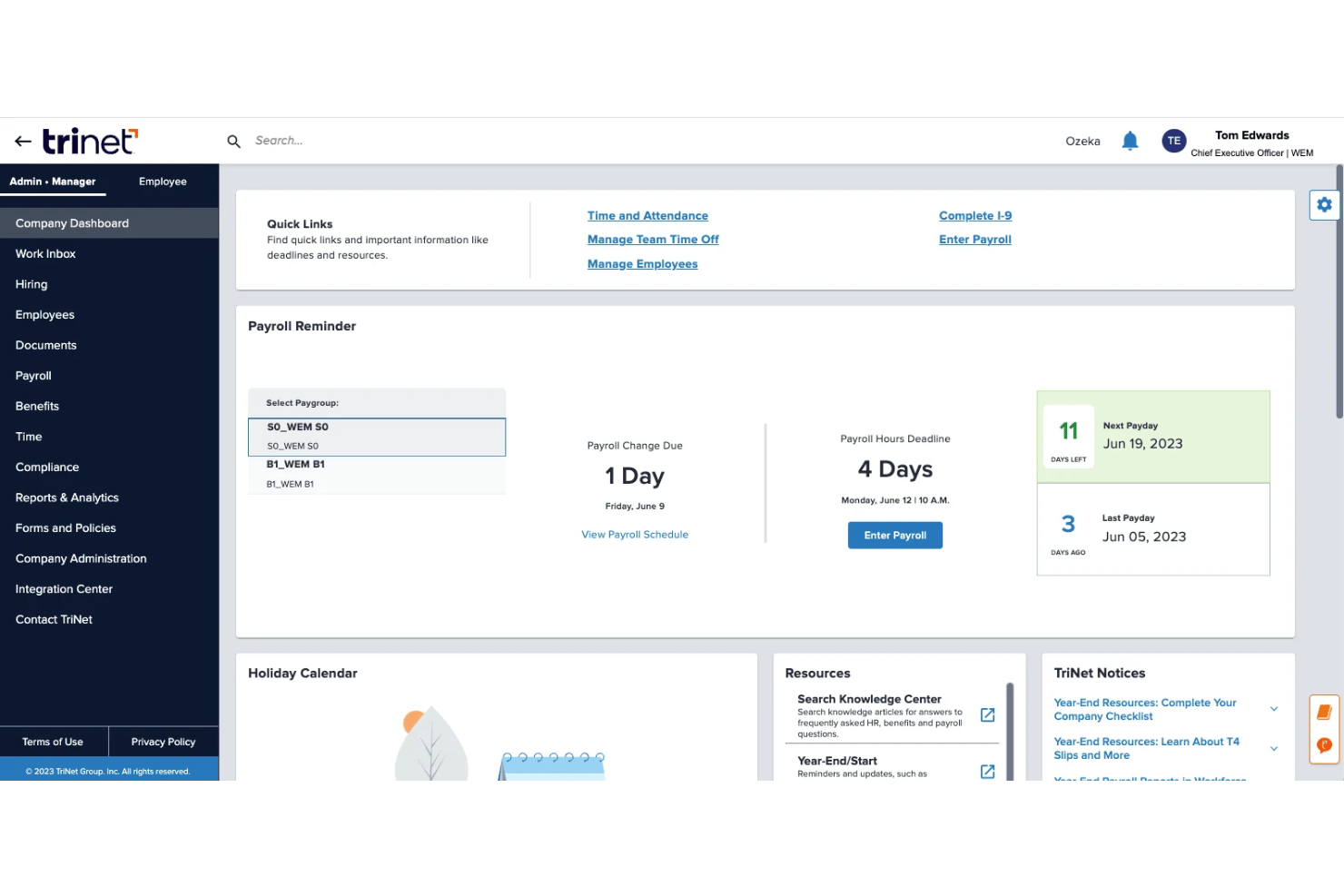
If you’re judging TriNet against the broader PEO software market, I think its industry-specific support and compliance guidance give it an edge, especially for regulated sectors like healthcare or finance. The onboarding is smoother than most, and the platform’s user interface feels approachable. Pricing can be higher than some options, and integration depth isn’t always as customizable.
Still, I’d pick TriNet for midsize businesses needing hands-on service and built-in legal insight—especially if you want to avoid one-size-fits-all providers.
pros
-
Industry-focused HR support for healthcare, tech, and nonprofits
-
Dedicated account managers give personalized compliance guidance
-
Comprehensive benefits packages include medical, dental, vision, and 401(k)
cons
-
Some users find the platform's interface to be less intuitive compared to other PEOs.
-
Customer support response times can be inconsistent
-
Contract obligations can feel rigid for fast-changing teams
-

Justworks
Visit WebsiteThis rating combines scores from multiple user review sites to reflect overall customer sentiment about the product.4.6 -
Small Improvements
Visit WebsiteThis rating combines scores from multiple user review sites to reflect overall customer sentiment about the product.4.3 -
HiBob
Visit WebsiteThis rating combines scores from multiple user review sites to reflect overall customer sentiment about the product.4.5





Wie wir unsere Tools testen und bewerten
Wir haben jahrelang unser System zur Überprüfung und Bewertung von Software aufgebaut, verfeinert und verbessert. Das Bewertungsschema ist darauf ausgelegt, die Nuancen der Softwareauswahl und die Wirksamkeit eines Tools abzubilden, wobei der Fokus auf wesentlichen Aspekten des Entscheidungsprozesses liegt. Unten sehen Sie genau, wie unsere Tests und Bewertungen anhand von sieben Kriterien funktionieren. Damit können wir eine unvoreingenommene Bewertung der Software hinsichtlich zentraler Funktionen, herausragender Merkmale, Benutzerfreundlichkeit, Onboarding, Kundensupport, Integrationen, Kundenrezensionen und Preis-Leistungs-Verhältnis bieten.
Kernfunktionen (25% der Endnote)
Der Ausgangspunkt unserer Beurteilung ist immer die Kernfunktionalität des Tools. Verfügt es über die grundlegenden Funktionen, die ein Benutzer erwarten würde? Sind einige dieser Funktionen in teureren Tarifen eingeschlossen? Im Kern erwarten wir, dass ein Tool den grundlegenden Fähigkeiten seiner Mitbewerber standhält.
Herausragende Funktionen (25% der Endnote)
Danach bewerten wir außergewöhnliche Funktionen, die über das Übliche hinausgehen, das normalerweise in ähnlicher Software zu finden ist. Eine hohe Punktzahl spiegelt spezialisierte oder einzigartige Funktionen wider, die das Produkt schneller, effizienter oder für den Benutzer wertvoller machen. Wir bewerten auch, wie einfach es ist, sich mit anderen im technischen Ökosystem üblichen Tools zu integrieren, um die Funktionalität und Nützlichkeit der Software zu erweitern. Tools mit vielen nativen Integrationen, Drittanbieter-Anbindungen und API-Zugängen für individuelle Integrationen erhalten die beste Bewertung.
Benutzerfreundlichkeit (10% der Endnote)
Wir betrachten, wie schnell und einfach die Aufgaben im Bereich der Kernfunktionen mit dem Tool erledigt werden können. Hoch bewertete Software ist gut designt, intuitiv zu bedienen, bietet mobile Apps, Vorlagen und macht komplexe Aufgaben einfach.
Onboarding (10% der Endnote)
Uns ist bewusst, wie wichtig eine schnelle Einführung eines neuen Systems im Team ist. Deshalb bewerten wir, wie leicht ein Tool mit minimalem Training erlernt und genutzt werden kann. Wir prüfen, wie schnell ein Teammitglied ohne Vorerfahrung mit dem Tool starten kann. Lösungen mit hoher Bewertung erfordern wenig bis keine Unterstützung.
Kundensupport (10% der Endnote)
Wir überprüfen, wie schnell und einfach Hilfe telefonisch, per Live-Chat oder Wissensdatenbank erhalten werden kann. Tools und Unternehmen, die Echtzeit-Support bieten, schneiden am besten ab – Chatbots am schlechtesten.
Kundenrezensionen (10% der Endnote)
Zusätzlich zu unseren eigenen Tests berücksichtigen wir den Net Promoter Score aktueller und ehemaliger Kunden. Wir prüfen, wie wahrscheinlich sie, falls es zur Wahl käme, das Tool für die Kernfunktionen erneut wählen würden. Eine hohe Bewertung der Software spiegelt einen hohen Net Promoter Score wider.
Preis-Leistungs-Verhältnis (10% der Endnote)
Abschließend berücksichtigen wir unter Einbeziehung aller anderen Kriterien den durchschnittlichen Preis der Einstiegstarife im Vergleich zu den Kernfunktionen und zum Wert der anderen Bewertungskriterien. Software, die mehr für weniger bietet, erhält höhere Bewertungen.
Core Features
Payroll Processing
TriNet automates tax calculations, deductions, and direct deposits for every employee. You can access real-time payroll reports and stay updated on every pay cycle.
Employee Benefits Administration
Manage health, dental, vision, and 401(k) plans through one portal. TriNet negotiates large-group rates, giving your team broader coverage options.
HR Compliance and Risk Management
TriNet monitors state and federal law changes and alerts you to new requirements. It provides policy templates and real-time HR guidance for complex scenarios like terminations.
Talent and Performance Management
Track employee performance reviews, goals, and development plans right in the platform. TriNet helps set up feedback cycles and offers resources for skill growth.
Time and Attendance Tracking
Collect, approve, and store time-off requests and hours worked, all in one place. This helps reduce errors and prevent compliance issues with hourly employees.
Onboarding and Offboarding Workflows
Digital onboarding collects tax forms, direct deposit info, and e-signatures. Offboarding checklists guide you through exit interviews and benefits termination.
Ease of Use
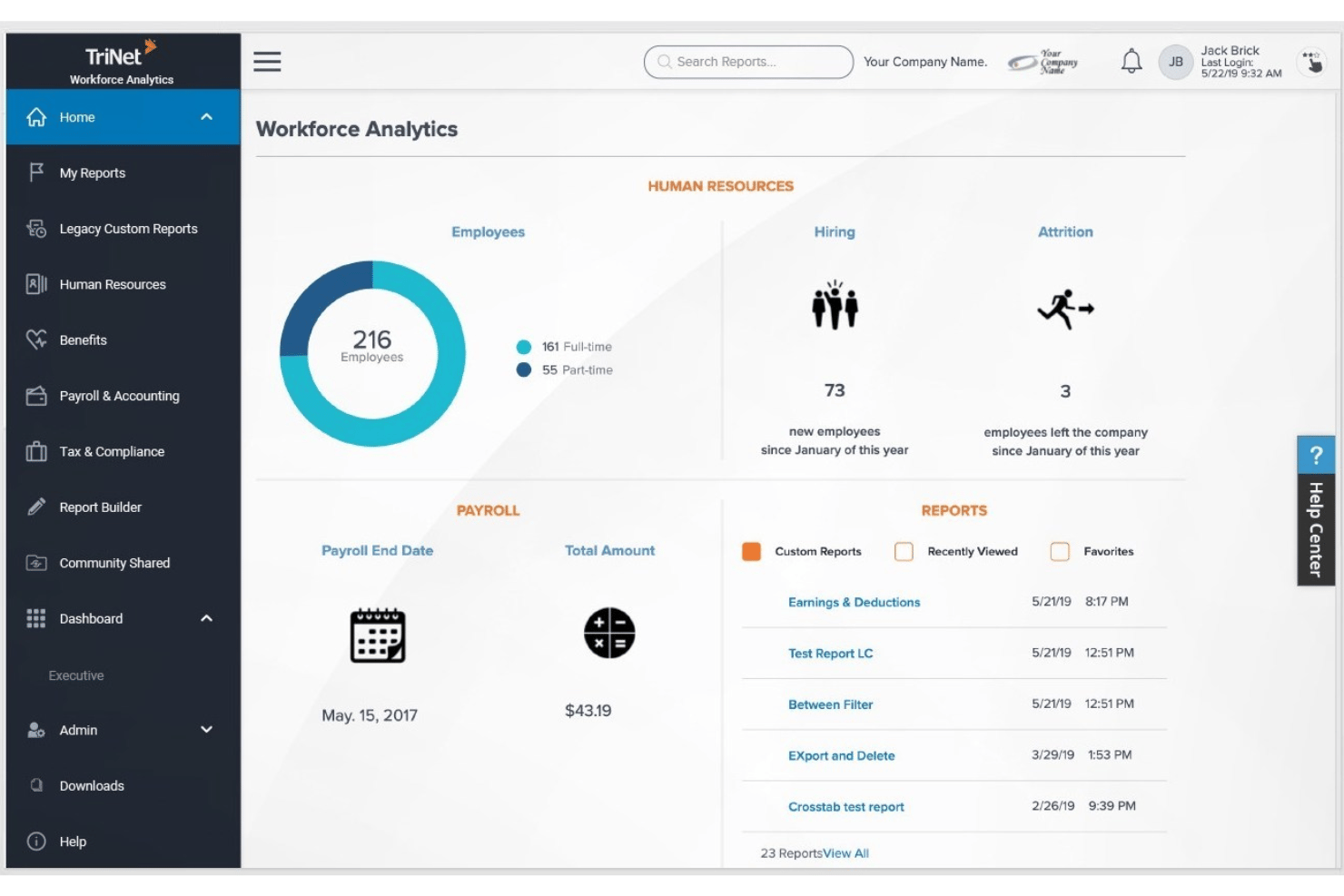
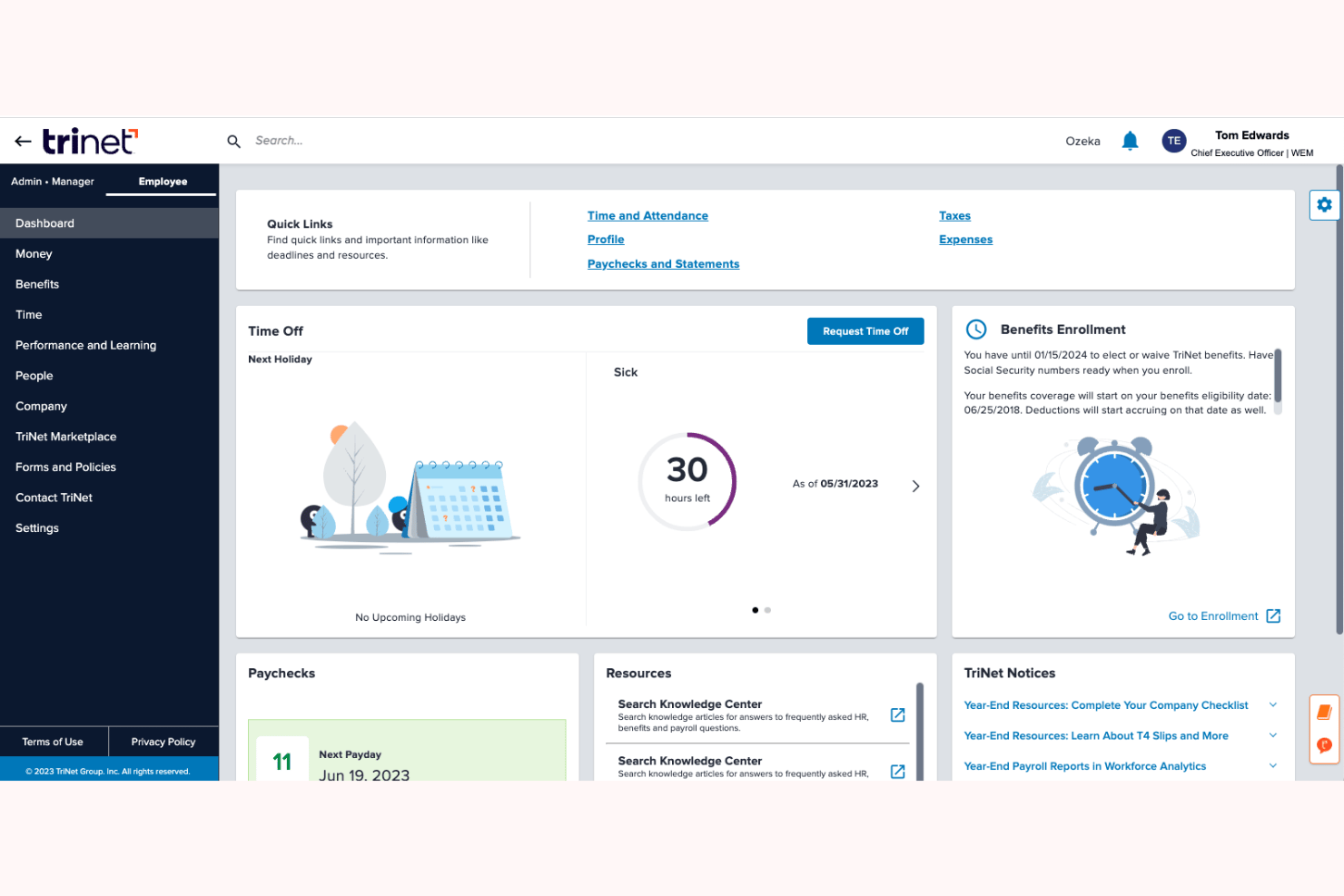
TriNet’s clean dashboard and guided workflows make complex HR tasks feel approachable, even for busy managers. I find its onboarding and payroll tools intuitive, with clear directions and built-in help at each step.
Users say customer support isn’t always instant, but most agree that the platform itself reduces headaches around compliance and daily HR processes.
Integrations
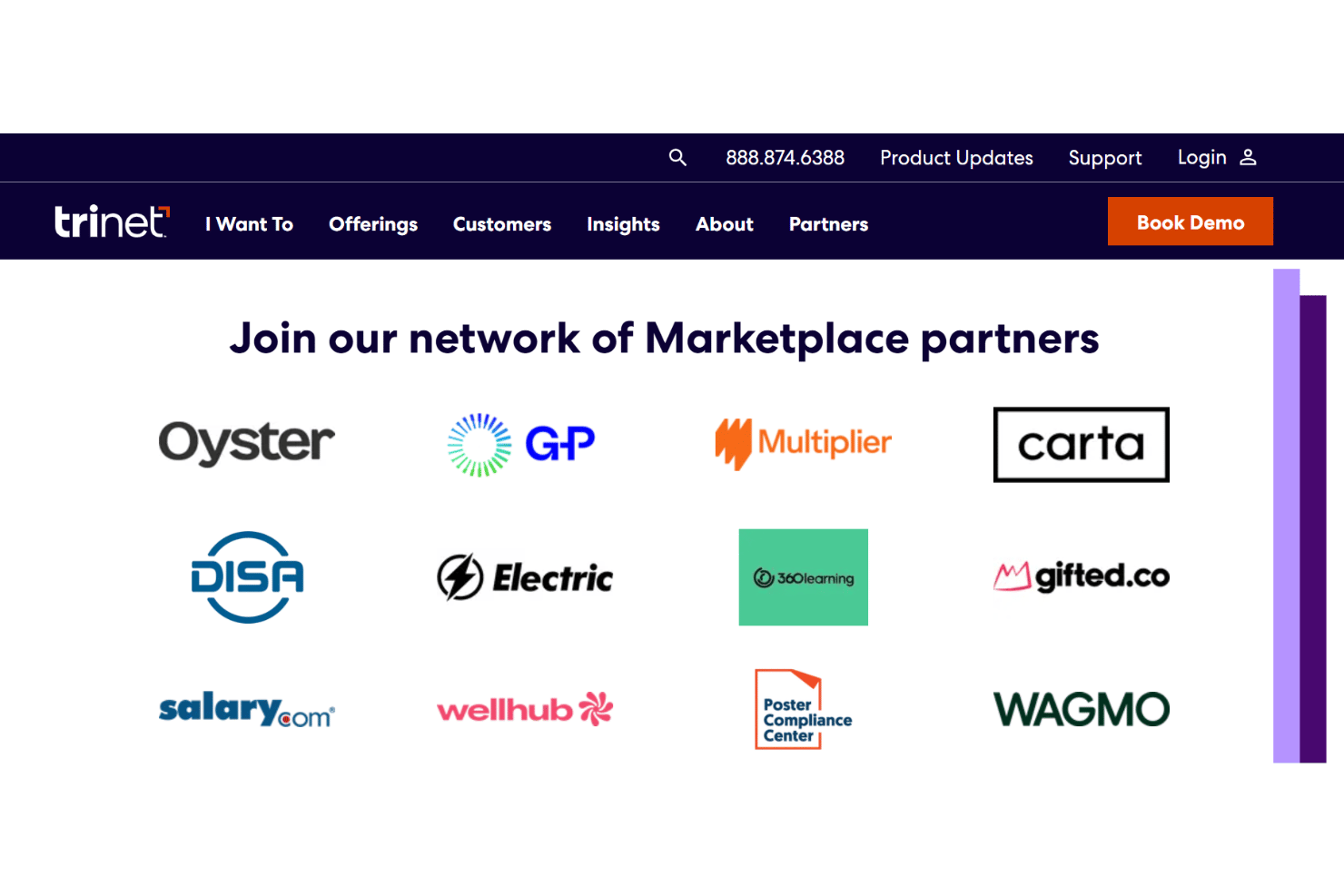
TriNet integrates with QuickBooks Online, NetSuite, Xero, Intacct, Greenhouse Recruiting, Okta, OneLogin, Google Workspace, Microsoft 365, and Ramp, among others.
TriNet also offers APIs for custom integrations and supports connections with many third-party applications through its marketplace.
TriNet Specs
- 2-Factor Authentication
- 360 Degree Feedback
- API
- Application Tracking
- Attendance Tracking
- Batch Permissions & Access
- Compliance Tracking
- Dashboard
- Data Export
- Data Import
- Data Visualization
- Employee Database
- Employee Engagement
- Employee Incentive Management
- Employee Onboarding
- Employee Training
- Expense Tracking
- External Integrations
- Feedback Management
- Multi-User
- Notifications
- Payroll
- Performance Appraisal
- Scheduling
- Time Management
- Timesheets
- Travel Management
- Vacation & Absence Calendar