

I 10 migliori software per la gestione delle buste paga per piccole imprese nel 2026

10 Miglior software paghe per piccole imprese: selezione


Trovare un software per le paghe non significa soltanto confrontare le funzionalità: significa scegliere un sistema adatto al modo in cui la tua azienda opera oggi e che possa continuare a supportarti mentre il tuo team cresce. Alcune piattaforme si concentrano sull'elaborazione semplice delle paghe, mentre altre combinano paghe, risorse umane, gestione dei benefit e monitoraggio delle ore. In questa guida analizzerò le opzioni principali, spiegherò in cosa eccelle ciascuna e ti aiuterò a determinare quale soluzione sia più adatta alla tua piccola impresa.
Perché fidarsi delle nostre recensioni sui software
Il nostro team testa e recensisce software dal 2012. In quanto esperti HR noi stessi, sappiamo quanto sia difficile — e importante — scegliere il software giusto.
Per questa guida, abbiamo valutato gli strumenti attraverso test pratici e ricerche indipendenti, assegnando un punteggio agli strumenti in base ai nostri criteri di selezione. Ci basiamo inoltre sulle competenze di leader di pensiero del settore e di professionisti HR attivi.
Le nostre recensioni riflettono il nostro giudizio editoriale umano, non un discorso di vendita.
Revisori esperti:
Tabella comparativa dei software paghe per piccole imprese
Questa tabella comparativa riassume i dettagli dei prezzi della mia selezione dei migliori software paghe per piccole imprese:
| Tool | Best For | Trial Info | Price | ||
|---|---|---|---|---|---|
| 1 | Ideale per pagamenti globali e conformità | Demo gratuita disponibile | Prezzi fissi su richiesta | Website | |
| 2 | Ideale per la rilevazione delle presenze integrata | Demo gratuita disponibile | A partire da $8/utente/mese + $50/mese di quota base | Website | |
| 3 | Ideale per le piccole imprese in oltre 170 paesi | Piano gratuito + demo gratuita disponibili | Da $199/utente/mese | Website | |
| 4 | Ideale per corse paghe illimitate | 30 giorni di prova gratuita | A partire da $39/mese | Website | |
| 5 | Ideale per aggiornamenti delle buste paga in tempo reale | Demo gratuita disponibile | Prezzo su richiesta | Website | |
| 6 | Ideale per la gestione delle buste paga senza personale HR | Demo gratuita disponibile | Prezzo su richiesta | Website | |
| 7 | Ideale per chi cerca paghe e supporto HR integrati | Demo gratuita disponibile | Prezzi su richiesta | Website | |
| 8 | Ideale per opzioni di pagamento multiple | Offre demo dal vivo | Da $99/mese | Website | |
| 9 | Homebase Ideale per gestire team orari su un'unica piattaforma | Piano gratuito + prova gratuita di 14 giorni disponibile | Da $24/località/mese (fatturazione annuale) | Website | |
| 10 | Ideale per il calcolo automatico delle detrazioni | Demo gratuita disponibile | Prezzi su richiesta | Website |


Recensioni dei migliori software paghe per piccole imprese
Di seguito trovi i miei riepiloghi dettagliati dei migliori software paghe per piccole imprese inclusi nella mia selezione. Le mie recensioni offrono un’analisi approfondita delle funzionalità principali, dei pro e dei contro, delle integrazioni e dei casi d’uso ideali di ogni strumento, per aiutarti a trovare quello più adatto a te.

Ideale per pagamenti globali e conformità
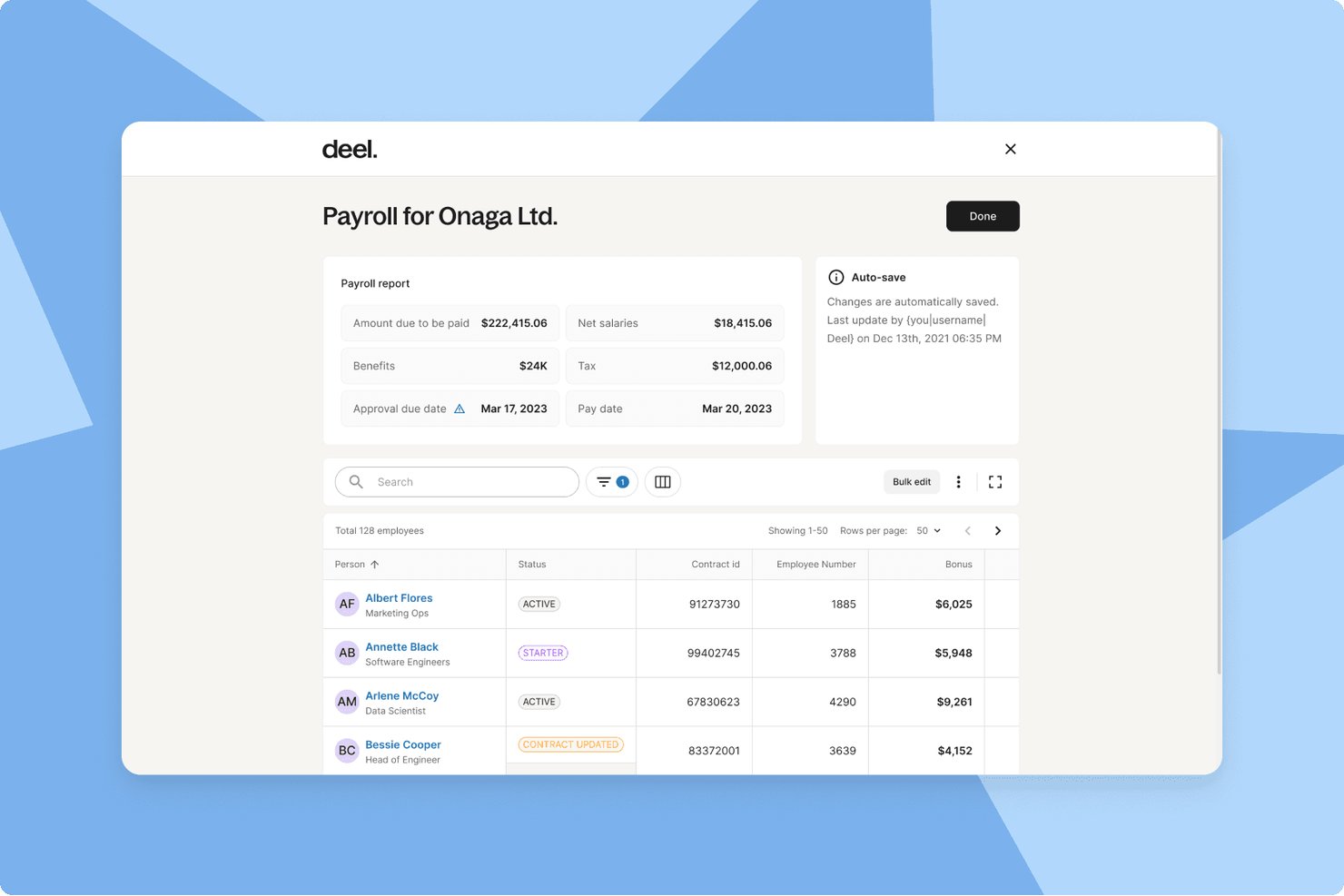
Deel Payroll è una piattaforma di gestione pagamenti globale che si occupa dell’elaborazione degli stipendi in diversi Paesi, della dichiarazione fiscale automatizzata e dei pagamenti sia per dipendenti che collaboratori in oltre 150 Paesi, tutto all’interno di un unico sistema.
Per chi è ideale Deel Payroll?
Deel Payroll è adatto alle piccole aziende che assumono personale all’estero e necessitano di un sistema unificato per pagare dipendenti e collaboratori in vari Paesi senza dover creare entità legali locali.
Perché ho scelto Deel Payroll
Deel Payroll merita di essere nella mia lista di migliori scelte per il modo in cui gestisce la compliance internazionale senza renderla un progetto legale complicato. Apprezzo il fatto che applichi automaticamente le regole fiscali e gli obblighi specifici di ogni Paese prima di ogni ciclo paghe, rimuovendo la necessità di ricerche manuali quando bisogna compensare lavoratori in diverse nazioni. Inoltre, il suo sistema di rilevamento anomalie tramite IA segnala dati mancanti o rischi di non conformità prima dell’approvazione, aggiungendo davvero un ulteriore livello di sicurezza nella gestione delle retribuzioni in più giurisdizioni.
Funzionalità principali di Deel Payroll
- Motore di payroll multivaluta: Gestisci le paghe e i pagamenti in oltre 120 valute, incluse le criptovalute dove supportate.
- Strumenti HRIS integrati: Amministra i profili dei lavoratori, le ferie, la documentazione e le analisi delle prestazioni direttamente dalla piattaforma.
- Portale self-service per i dipendenti: Dipendenti e collaboratori possono consultare buste paga, documenti fiscali e aggiornare i propri dati personali tramite una dashboard dedicata.
- Integrazioni native con i software di contabilità: Sincronizza i dati delle paghe con sistemi di contabilità come QuickBooks, Xero, NetSuite e Sage per una registrazione precisa.
Integrazioni di Deel Payroll
Deel Payroll offre integrazioni native con QuickBooks, Xero, NetSuite, Sage, BambooHR, HiBob, Greenhouse, Ashby, Okta e Azure Active Directory, con una API disponibile anche per personalizzazioni.
Pros and Cons
Pros:
- Gestisce pagamenti internazionali e compensi a collaboratori
- Automatizza la conformità fiscale in più Paesi
- Offre strumenti HRIS globali integrati
Cons:
- Costoso per le piccole imprese solo domestiche
- Benefit limitati negli USA senza piano PEO

Ideale per la rilevazione delle presenze integrata
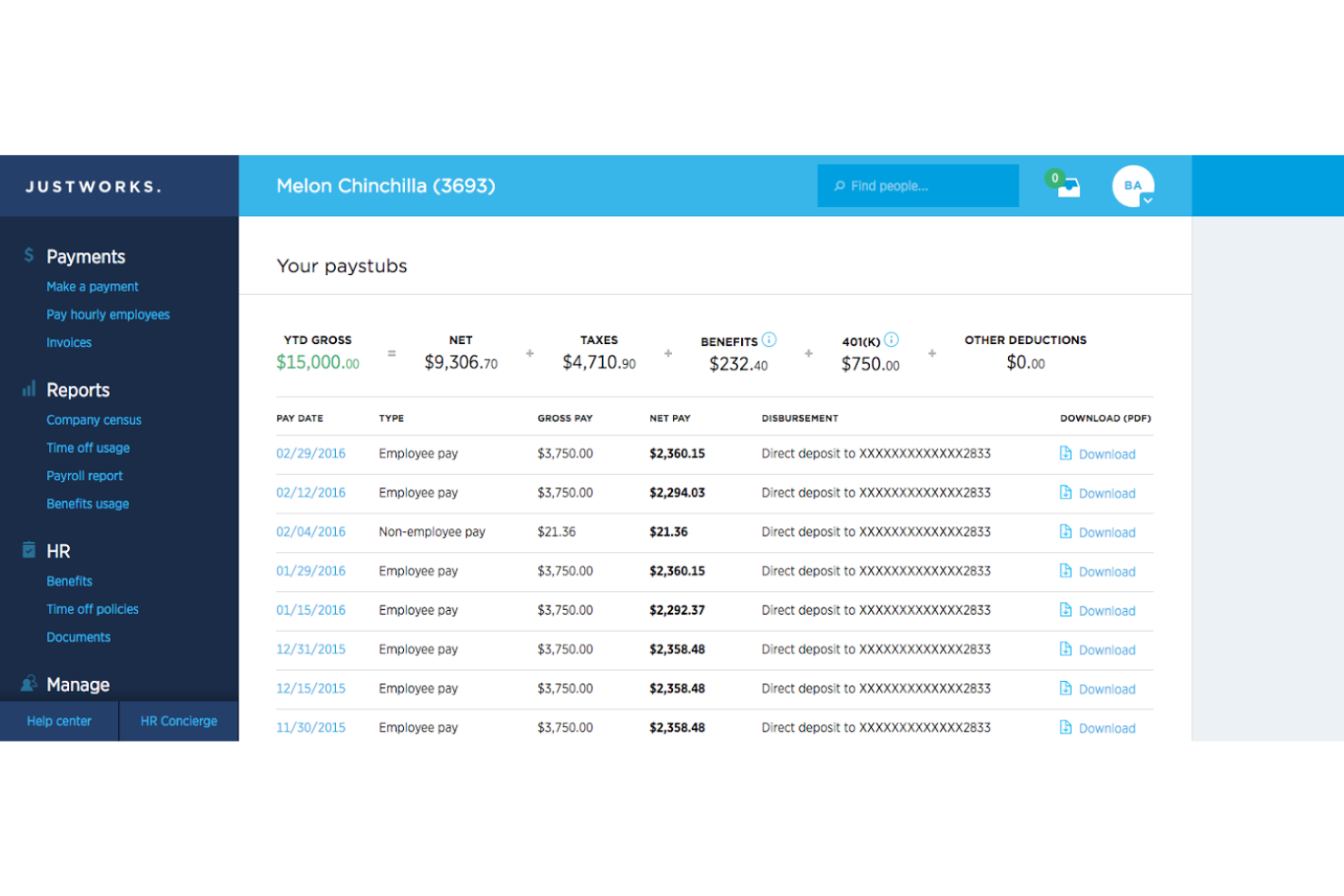
Justworks è una piattaforma software per la gestione delle retribuzioni pensata per le piccole imprese che combina elaborazione delle buste paga, amministrazione dei benefit, supporto per la conformità normativa e strumenti HR in un unico sistema.
Per chi è più adatto Justworks?
Justworks è una buona soluzione per piccole imprese e startup che desiderano gestire paghe, risorse umane e conformità normativa tramite un'unica piattaforma.
Perché ho scelto Justworks
Ho scelto Justworks tra i migliori perché integra la rilevazione delle presenze direttamente nella piattaforma paghe. Il mio team può tracciare le ore lavorate dai dipendenti e sincronizzarle direttamente con le paghe senza dover gestire sistemi separati. Apprezzo questa configurazione perché riduce l'inserimento manuale dei dati e ci aiuta a mantenere accurate le elaborazioni salariali.
Servizi principali di Justworks
- Dichiarazioni fiscali automatiche: Gestisce le dichiarazioni dei contributi fiscali federali, statali e locali per la tua azienda.
- Portale self-service per i dipendenti: Permette ai dipendenti di accedere online a cedolini, moduli fiscali e informazioni sui benefit.
- Gestione dei benefit: Amministra assicurazione sanitaria, 401(k) e altri benefit aziendali da un'unica interfaccia.
- Supporto per la conformità: Fornisce strumenti e risorse per aiutarti a rispettare le normative sul lavoro e le leggi vigenti.
Integrazioni di Justworks
Justworks offre integrazioni con QuickBooks Online, Xero, NetSuite, Sage Intacct, JazzHR, Lever, Culture Amp, 15Five, Leapsome, Carta, Brex, Ramp e altri.
Pros and Cons
Pros:
- Rilevazione presenze integrata per i dipendenti orari
- Offre opzioni di gestione integrata dei benefit
- Fornisce supporto HR e gestione della documentazione
Cons:
- La gestione dei benefit richiede un numero minimo di dipendenti
- Mancano opzioni avanzate di personalizzazione dei report

Ideale per le piccole imprese in oltre 170 paesi
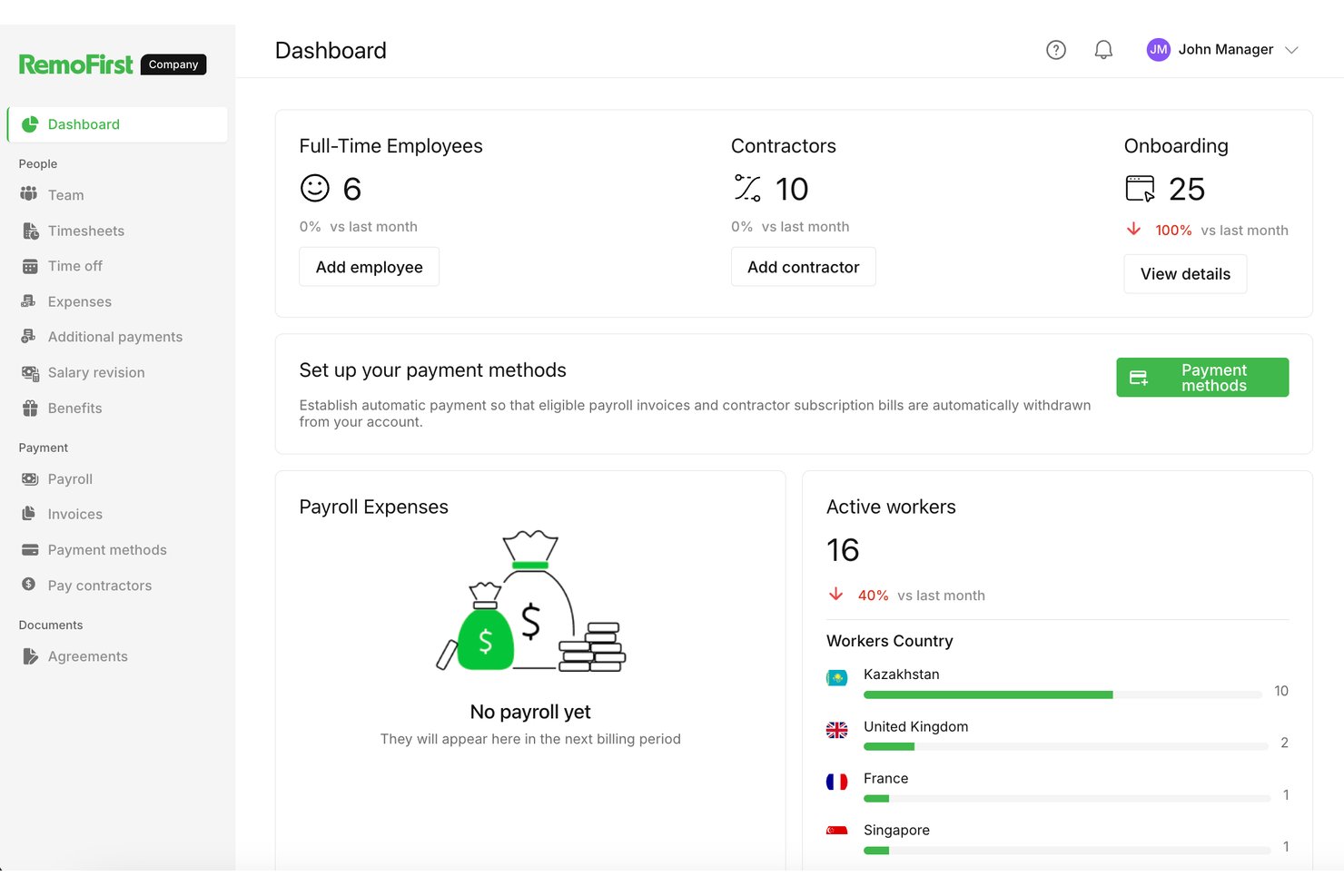
RemoFirst è un datore di lavoro di riferimento globale e una piattaforma internazionale per la gestione delle buste paga che consente di assumere dipendenti a tempo pieno in oltre 185 paesi e pagare i collaboratori in più di 150 paesi da un'unica dashboard.
Per chi è più indicato RemoFirst?
RemoFirst è l'ideale per startup e piccole imprese che stanno assumendo i primi dipendenti internazionali senza il budget o le risorse per costituire entità legali locali.
Perché ho scelto RemoFirst
Ho scelto RemoFirst tra i migliori perché include la sponsorizzazione di visti e permessi di lavoro in oltre 85 paesi, eliminando un importante ostacolo nel momento in cui una piccola impresa vuole trasferire una risorsa chiave o assumere talenti in un nuovo mercato. Apprezzo anche che la fornitura dell'attrezzatura sia integrata, così posso spedire un laptop a un nuovo assunto nel Sud-Est asiatico senza dover coordinare un fornitore separato. In pratica, il mio team può passare dall'offerta firmata all'attivazione completa di un dipendente remoto senza mai uscire dalla piattaforma.
Caratteristiche principali di RemoFirst
- Piattaforma Employer of Record (EOR): Assumi e gestisci dipendenti a tempo pieno in oltre 185 paesi senza creare un'entità legale locale.
- Gestione globale dei collaboratori: Inserisci, paga e genera contratti per collaboratori in oltre 150 paesi tramite un'unica dashboard.
- Buste paga in multivaluta: Gestisci le buste paga e i pagamenti in più valute locali con la conformità integrata nelle aree supportate.
- Portale self-service per i dipendenti: I dipendenti possono accedere a cedolini, contratti e informazioni personali tramite un portale dedicato.
Integrazioni RemoFirst
RemoFirst offre integrazioni dirette con BambooHR, ADP Workforce Now e GoCardless.
Pros and Cons
Pros:
- Assunzione semplificata di personale a tempo pieno a livello internazionale
- Gestisce i pagamenti dei collaboratori in oltre 150 paesi
- Gestisce la conformità globale e le normative sul lavoro
Cons:
- Non supporta la gestione delle buste paga per dipendenti solo negli Stati Uniti
- Nessuna integrazione nativa con sistemi di contabilità

Gusto
Ideale per corse paghe illimitate
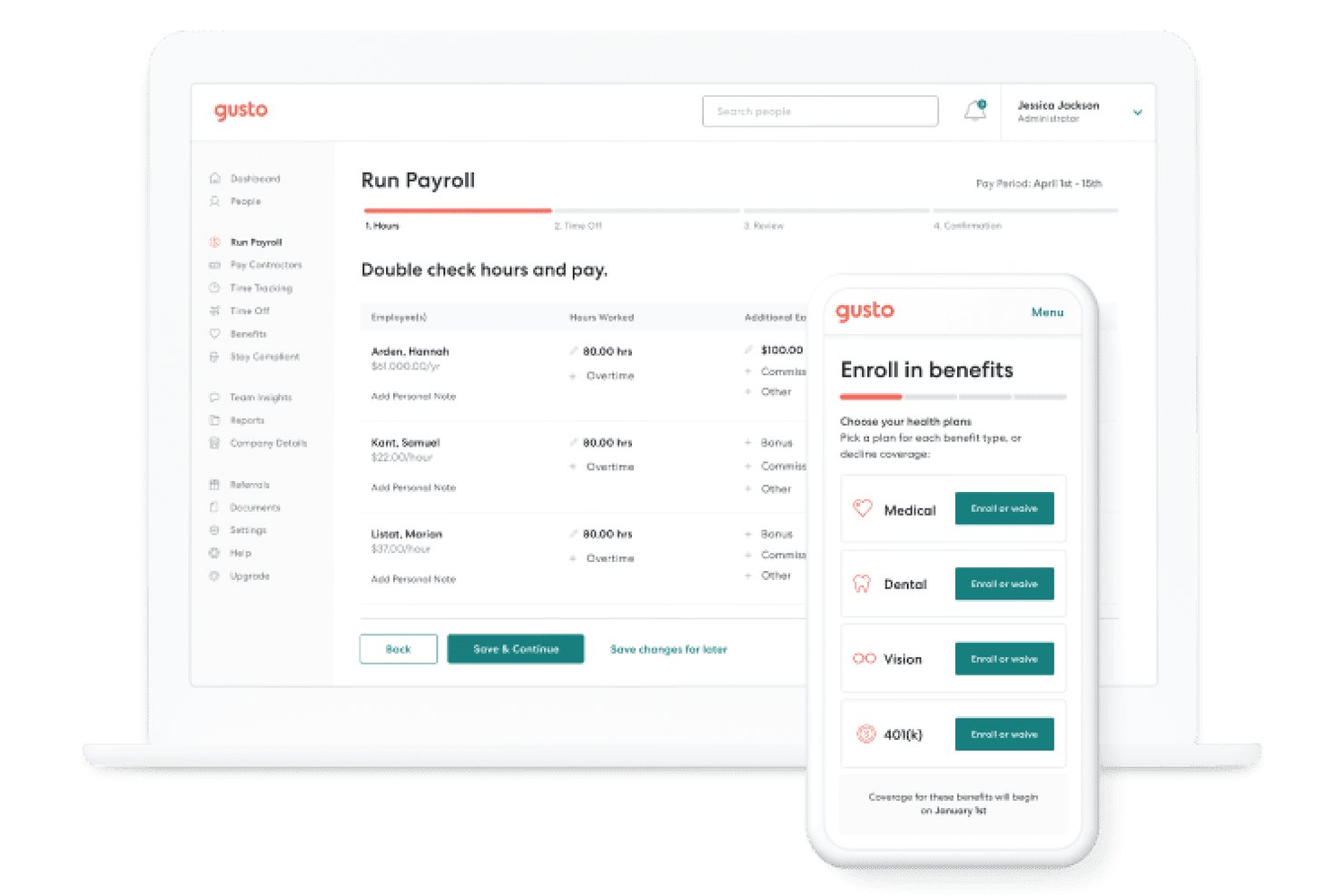
Gusto è una piattaforma di gestione paghe e risorse umane pensata per le piccole imprese, che copre pagamenti automatizzati degli stipendi, dichiarazioni fiscali, pagamenti ai collaboratori, gestione dei benefit e self-service per i dipendenti in un unico sistema.
Per chi è ideale Gusto?
Gusto è particolarmente adatto a proprietari e fondatori di piccole aziende che gestiscono in autonomia le paghe, specialmente se hanno una combinazione di dipendenti con stipendio fisso, personale a ore e collaboratori esterni.
Perché ho scelto Gusto
Gusto si guadagna un posto nella mia lista perché ogni piano include corse illimitate delle paghe senza costi aggiuntivi. Adoro AutoPilot per le paghe ricorrenti automatiche, e quando si presenta qualcosa di imprevisto a metà mese, eseguire una corsa fuori ciclo richiede solo pochi clic senza costi extra. Anche la dichiarazione delle tasse è inclusa in ogni elaborazione, quindi non ci sono costi per singola corsa indipendentemente da quanto spesso paghi il team.
Funzionalità chiave di Gusto
- Rilevamento orario integrato: I dipendenti possono timbrare l'entrata e l'uscita, con le ore inviate direttamente alle paghe.
- Gestione paghe in più stati: Paga il personale in diversi stati con calcoli e reportistica fiscale automatica.
- Integrazioni di contabilità native: Si collega direttamente a QuickBooks, Xero e FreshBooks per una sincronizzazione dei libri contabili senza interruzioni.
- Strumenti di conformità HR: Offre generatori di manuali aziendali, avvisi di conformità e modelli preimpostati per le attività HR essenziali.
Integrazioni di Gusto
Gusto offre integrazioni native con QuickBooks, Xero, FreshBooks, Expensify, 7Shifts, Homebase, Asana, Box e altri ancora. È disponibile un'API per integrazioni personalizzate.
Pros and Cons
Pros:
- Corse paghe illimitate incluse in tutti i piani
- Dichiarazione fiscale automatica locale, statale e federale
- Paghe unificate per dipendenti e collaboratori
Cons:
- Nessuna app mobile dedicata per l'amministratore
- La gestione paghe in più stati ha un costo aggiuntivo per il piano base
New Product Updates from Gusto
Gusto Adds Solo Advisory Tools and Mobile Money Features
Gusto adds Solo S-Corp Advisory Tools and Gusto Money on Mobile for tax guidance, invoicing, and bill payments. These updates help accountants advise solopreneurs and let users manage business finances from their phones. For more information, visit Gusto’s official site.

HiBob
Ideale per aggiornamenti delle buste paga in tempo reale

HiBob è un software per la gestione delle risorse umane e delle buste paga progettato per le aziende moderne. Si concentra sulla gestione delle risorse umane, l'elaborazione delle buste paga e il coinvolgimento dei dipendenti, offrendo un approccio innovativo alla gestione del team.
Perché ho scelto HiBob: Presenta un'interfaccia utente moderna che migliora l'esperienza d'uso, rendendola intuitiva per il team. HiBob offre reportistica dinamica, consentendo di monitorare facilmente le prestazioni dei dipendenti.
Le sue funzionalità ispirate ai social media promuovono l'engagement e la collaborazione tra i membri del team. La piattaforma supporta inoltre le buste paga a livello globale, adattandosi alle aziende con attività internazionali.
Funzionalità distintive & integrazioni:
Funzionalità includono strumenti avanzati di reportistica, dashboard personalizzabili e funzionalità di coinvolgimento dei dipendenti. HiBob offre strumenti per la gestione delle prestazioni che aiutano a monitorare e migliorare le performance dei dipendenti. La piattaforma fornisce supporto alla conformità normativa per garantire che il team rispetti le regolamentazioni.
Integrazioni includono QuickBooks, Xero, BambooHR, Workday, Slack, Microsoft Teams, G Suite, Okta, Greenhouse e Lever.
Pros and Cons
Pros:
- Potenti strumenti per il coinvolgimento dei dipendenti
- Supporta operazioni globali sulle buste paga
- Dashboard personalizzabili
Cons:
- Alcune funzionalità necessitano miglioramenti
- Funzionalità avanzate di analisi limitate

Ideale per la gestione delle buste paga senza personale HR
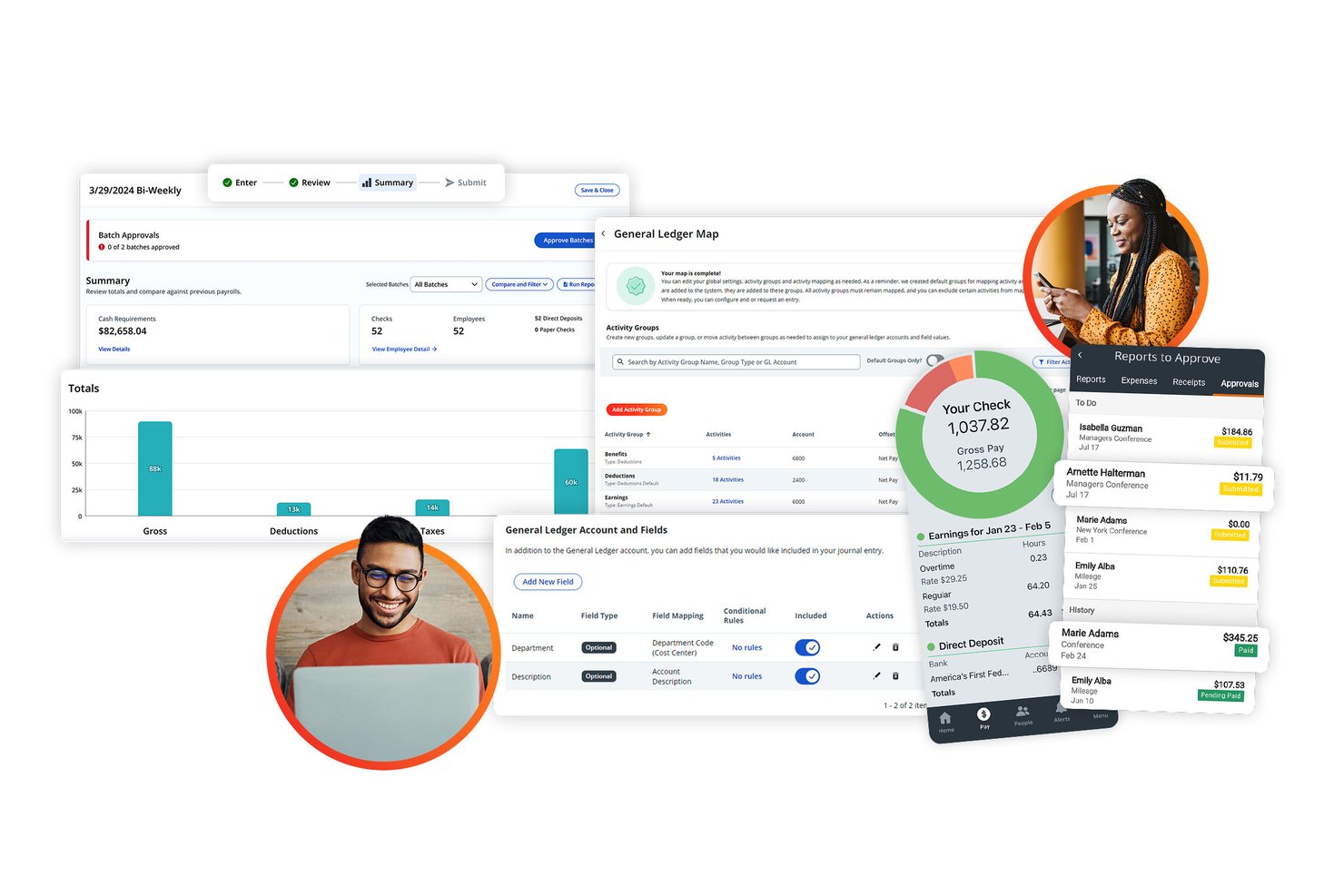
Paylocity è una piattaforma cloud per la gestione di payroll e risorse umane che gestisce buste paga automatiche, dichiarazioni fiscali, amministrazione dei benefit, gestione della forza lavoro e self-service per i dipendenti, tutto in un unico sistema.
Per chi è ideale Paylocity?
Paylocity è adatto alle piccole aziende in crescita (circa 30–100+ dipendenti) che devono elaborare le buste paga e rimanere conformi senza avere un team HR dedicato.
Perché ho scelto Paylocity
Ho incluso Paylocity tra le mie migliori scelte perché le sue oltre 30 verifiche automatiche delle buste paga segnalano le discrepanze prima che vengano finalizzate, eliminando la necessità di una revisione manuale da parte delle risorse umane. Mi piacciono anche i servizi gestiti per le trattenute sul salario, dove Paylocity si occupa interamente dei calcoli legali e delle rimissioni per tuo conto. Grazie a queste due funzionalità, penso che tu possa gestire le buste paga in tutta tranquillità senza dover dipendere da uno specialista HR per i controlli di conformità.
Caratteristiche principali di Paylocity
- Payroll globale: Gestione delle buste paga per dipendenti e collaboratori in oltre 100 paesi da una dashboard unificata.
- Amministrazione integrata dei benefit: Gestione di assicurazione sanitaria, pensione e benefit volontari con invio di file agli enti e monitoraggio della conformità.
- Dashboard di reportistica personalizzata: Crea e personalizza analytics di payroll e HR con strumenti di reportistica drag-and-drop.
- App mobile per i dipendenti: Permette ai dipendenti di accedere a cedolini, documenti fiscali e richieste di ferie da dispositivi mobili.
Integrazioni Paylocity
Paylocity offre integrazioni native con QuickBooks, BSWIFT, Blue Marble, TalentReef, Teamtailor e Airbase. È disponibile un'API per integrazioni personalizzate.
Pros and Cons
Pros:
- Verifiche automatiche delle buste paga prima di ogni emissione
- Supporta l'elaborazione delle buste paga multi-stato e globale
- Gestione completa delle trattenute salariali inclusa
Cons:
- I dettagli sui prezzi non sono trasparenti e richiedono una quotazione
- Il processo di implementazione può richiedere diverse settimane
New Product Updates from Paylocity

Paylocity Expands Expense and Purchase Request Tools
Paylocity adds connected personal cards, smarter expense categorization, and a streamlined purchase request experience. This reduces manual entry and helps finance teams manage expenses and approvals more efficiently. For more information, visit Paylocity’s official site.
 .
.
TriNet
Ideale per chi cerca paghe e supporto HR integrati
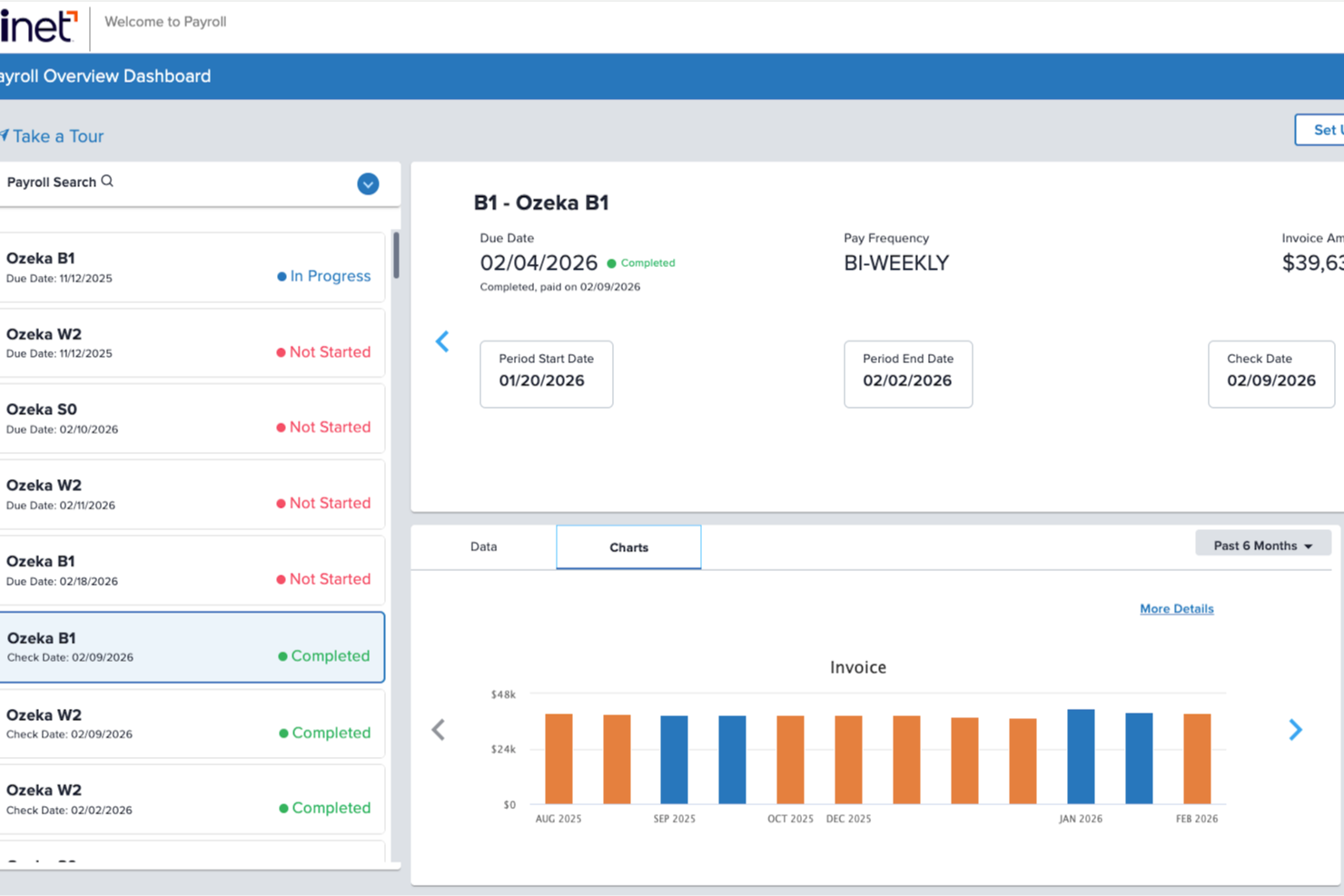
TriNet è una società di servizi per datori di lavoro professionali (PEO) e una piattaforma HR che combina elaborazione delle paghe, dichiarazione automatica delle imposte, amministrazione dei benefit e strumenti di conformità normativa per la forza lavoro in un unico sistema dedicato a piccole e medie imprese.
Per chi è ideale TriNet?
TriNet è particolarmente adatto alle piccole imprese attive nei settori della tecnologia, dei servizi finanziari e delle scienze della vita che desiderano esternalizzare la gestione HR e la conformità insieme alle paghe.
Perché ho scelto TriNet
Ho selezionato TriNet perché unisce la gestione paghe con l’outsourcing completo delle risorse umane in una modalità che la maggior parte dei software di payroll standalone non offre. Grazie al modello PEO, le piccole aziende possono accedere a benefit di livello Fortune 500 (assistenza medica, odontoiatrica, oculistica e 401(k)), che non riuscirebbero a negoziare autonomamente. Apprezzo anche l’add-on opzionale Payroll Pro, che offre l’affiancamento di un Professionista Certificato delle Paghe che verifica ogni ciclo di pagamento e gestisce l’impostazione degli account fiscali multi-giurisdizionali.
Funzionalità principali di TriNet
- Automazione dichiarazione tasse sul lavoro: Calcola e invia le tasse sul lavoro a livello federale, statale e locale per ogni dipendente e collaboratore.
- App mobile self-service per dipendenti: I dipendenti possono accedere a cedolini, documenti fiscali e aggiornare le proprie informazioni direttamente dal proprio smartphone.
- Rilevazione orari integrata: Sincronizza le ore lavorate e le ferie con il sistema paghe per elaborazioni puntuali e senza errori.
- Integrazione con software di contabilità: Connessione diretta con QuickBooks, NetSuite e altri noti strumenti di contabilità.
Integrazioni TriNet
TriNet offre integrazioni native con QuickBooks, NetSuite, Intacct, Okta, G-P, Box, Carta, Lattice, 360Learning e Gifted. È disponibile un’API per integrazioni personalizzate.
Pros and Cons
Pros:
- Competenze HR e payroll dedicate incluse
- Accesso a piani di benefit gruppali a livello nazionale
- Gestisce paghe e conformità in più stati
Cons:
- Prezzi poco trasparenti e solo su preventivo
- Contratti annuali con penali per terminazione anticipata

Paycor
Ideale per opzioni di pagamento multiple
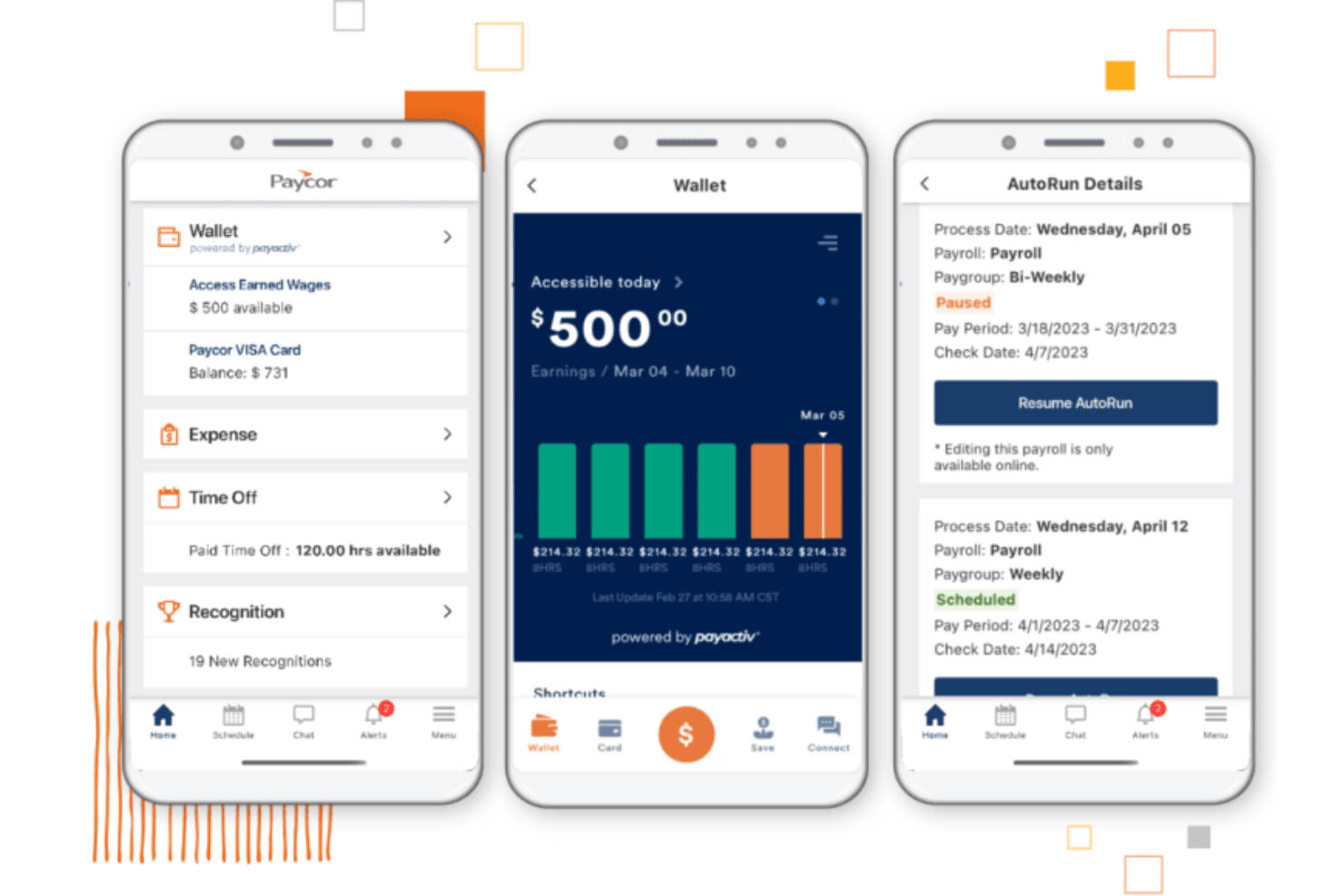
Paycor è una piattaforma cloud per la gestione di buste paga e risorse umane che si occupa di elaborazione automatica delle paghe, dichiarazione delle imposte, rilevazione delle presenze, amministrazione dei benefit e pagamenti ai collaboratori per piccole e medie imprese.
Per chi è ideale Paycor?
Paycor è particolarmente adatto alle piccole imprese con 20–50 dipendenti che gestiscono una combinazione di lavoratori a ore e salariati su più calendari di pagamento.
Perché ho scelto Paycor
Paycor si guadagna un posto nella mia selezione perché nessun'altra piattaforma per la gestione delle paghe per piccole imprese offre questa varietà di opzioni di pagamento integrate. Mi piace in particolare che sia possibile pagare i lavoratori tramite bonifico diretto, assegno cartaceo, Paycor Visa® paycard o OnDemand Pay, tutto dal piano base. OnDemand Pay è davvero notevole: i dipendenti possono ricevere salari già maturati prima della data di pagamento senza alcuna operazione manuale da parte tua.
Funzionalità principali di Paycor
- Paghe AutoRun: Programma l'elaborazione automatica delle paghe per dipendenti a ore e salariati senza inserimento manuale.
- Centro assistenza HR integrato: Accedi a guide, checklist e modelli HR direttamente all'interno della piattaforma per il supporto alla conformità normativa.
- Reportistica e analisi personalizzate: Crea, pianifica ed esporta report personalizzati su paghe e HR da una dashboard unificata.
- App mobile self-service per dipendenti: I dipendenti possono aggiornare i propri dati, richiedere permessi e visualizzare documenti fiscali da mobile.
Integrazioni Paycor
Paycor offre oltre 300 integrazioni con marketplace, tra cui QuickBooks, Xero, Indeed, Glassdoor, ADP, SAP Concur, Slack, Paychex, Microsoft 365 e Google Workspace. È disponibile un’API per integrazioni personalizzate.
Pros and Cons
Pros:
- Numerose opzioni di pagamento per dipendenti e collaboratori
- Gestione incorporata delle trattenute salariali
- Potente app mobile self-service per il personale
Cons:
- Ritardi segnalati nelle risposte del supporto clienti
- Aumenti di prezzo annuali dopo il primo anno di contratto

Homebase
Homebase Ideale per gestire team orari su un'unica piattaforma
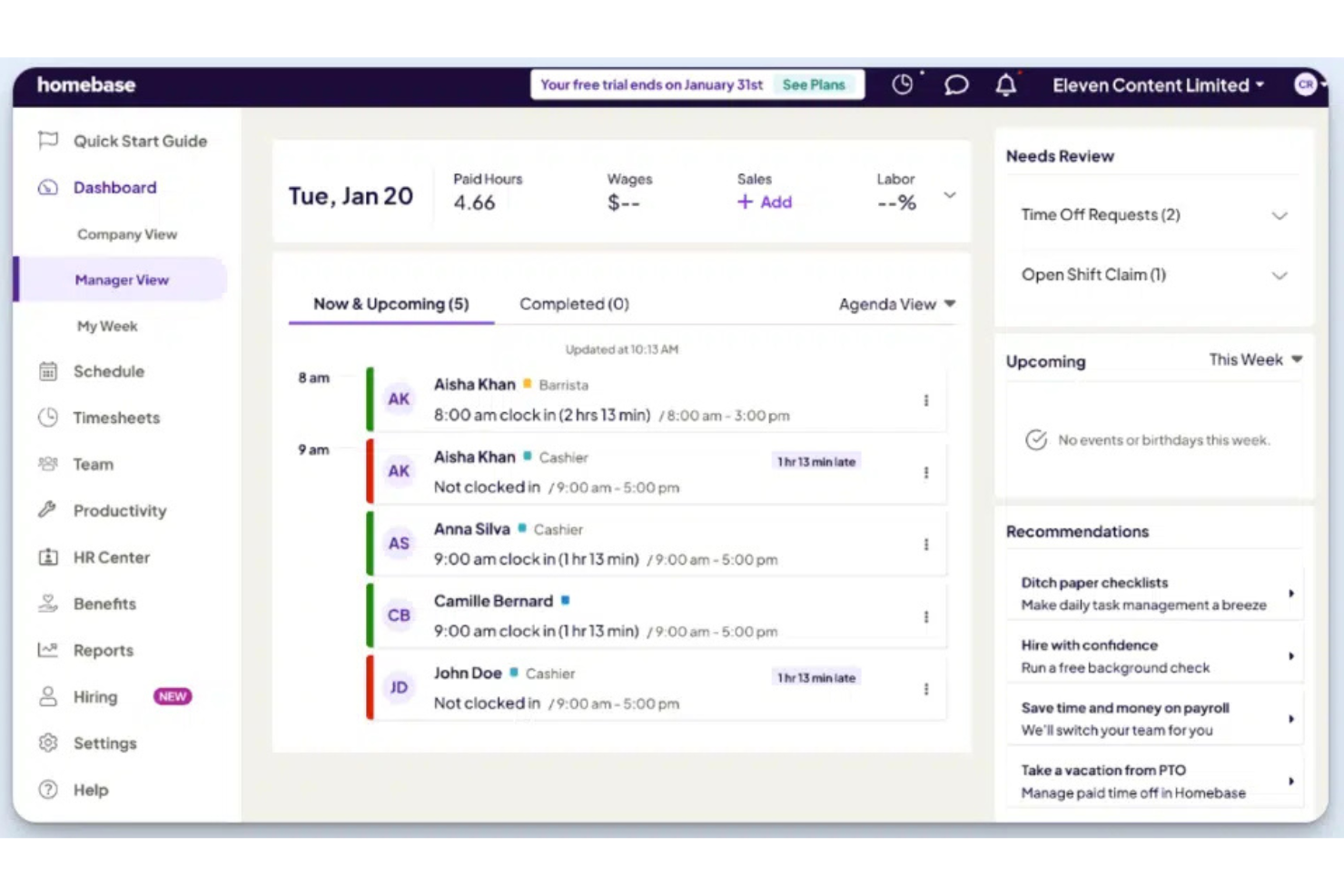
Homebase è una piattaforma per la gestione delle retribuzioni e della forza lavoro creata per le piccole imprese con dipendenti orari. Combina strumenti per la programmazione dei turni, il monitoraggio delle presenze, le buste paga, l'assunzione, l'onboarding e la comunicazione del team in un unico sistema.
Per chi è ideale Homebase?
Homebase è particolarmente adatto alle piccole aziende nel settore retail, dell'ospitalità, della ristorazione e in altri settori che si affidano a lavoratori orari e desiderano gestire le operazioni quotidiane della forza lavoro da una sola piattaforma.
Perché ho scelto Homebase
Ho scelto Homebase perché aiuta le piccole imprese a gestire molto più che le paghe. Programmazione dei turni, monitoraggio orario, assunzioni, onboarding e paghe lavorano tutti insieme, riducendo la necessità di strumenti separati. Mi piace soprattutto il fatto che le ore dei dipendenti confluiscano direttamente nel calcolo delle paghe, aiutando a ridurre il lavoro manuale e gli errori. La gestione integrata delle mance e la visibilità sui costi del lavoro permettono inoltre ai gestori di monitorare le spese relative al personale senza aggiungere carico amministrativo.
Caratteristiche principali
- Bonifico diretto: Pagamento dei dipendenti tramite bonifico diretto con opzioni flessibili di elaborazione delle buste paga.
- Portale self-service per i dipendenti: Permette ai dipendenti di accedere a cedolini, moduli fiscali e informazioni sulle paghe senza l'intervento del responsabile.
- Segnalazione nuove assunzioni: Invio automatico delle segnalazioni richieste per i nuovi assunti agli enti statali competenti.
- Più livelli retributivi: Supporta tariffe diverse per i dipendenti che svolgono più ruoli o tipi di turno.
Integrazioni
Homebase si integra con Square, Clover, Toast, Shopify, Lightspeed, GoDaddy, Gusto, QuickBooks, ADP, Paychex e SurePayroll. Offre inoltre accesso API per reportistica personalizzata e recupero dati.
Pros and Cons
Pros:
- Strumenti integrati per assunzione e onboarding
- Visibilità sui costi del lavoro per team orari
- Retribuzioni, turni e monitoraggio presenze in un'unica piattaforma
Cons:
- Reportistica avanzata sulle paghe limitata
- Alcune funzionalità di gestione della forza lavoro richiedono piani di livello superiore
Ideale per il calcolo automatico delle detrazioni
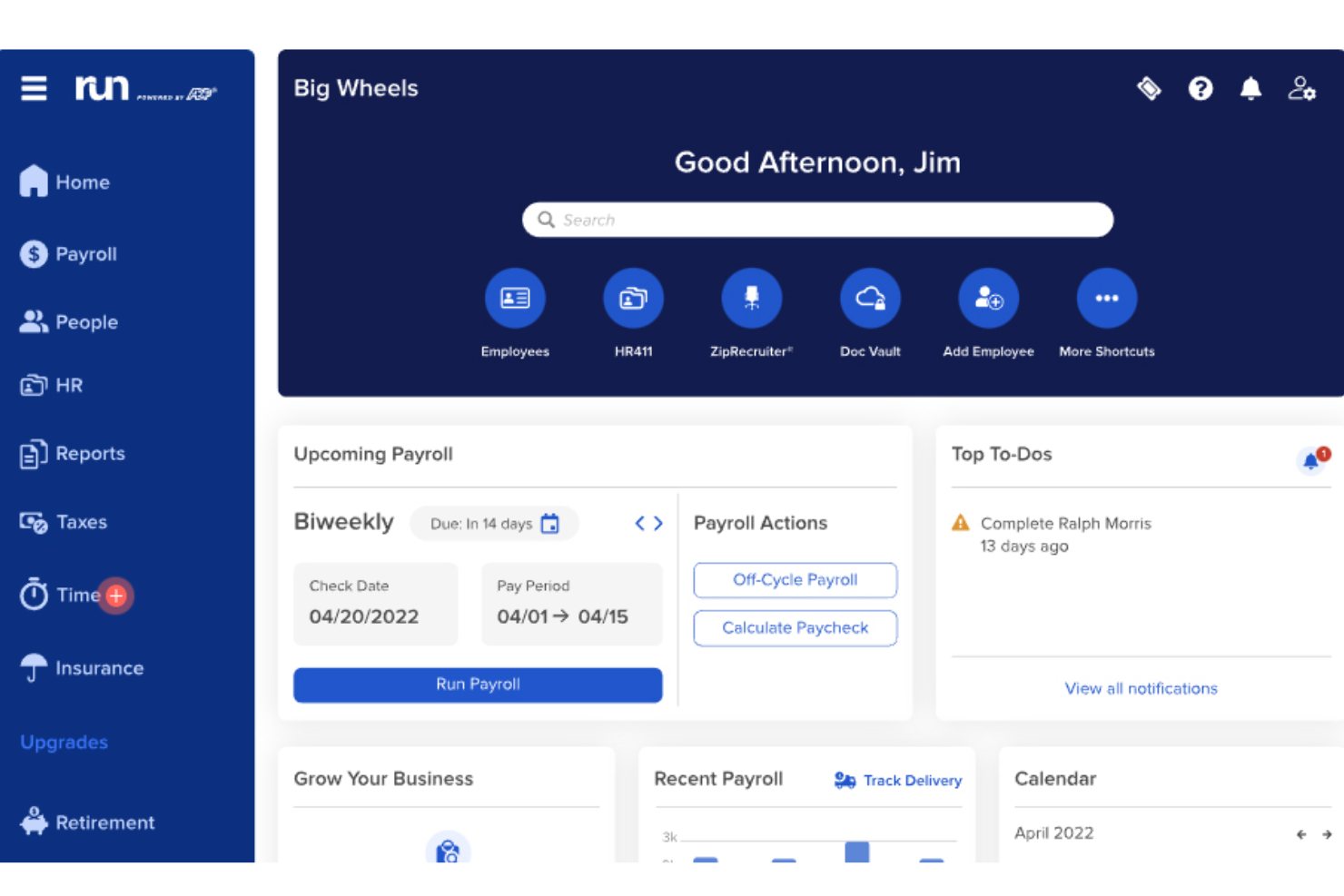
RUN Powered by ADP® è una piattaforma per la gestione delle paghe destinata alle piccole imprese, che gestisce in un unico luogo l'elaborazione automatizzata delle paghe, la presentazione delle dichiarazioni fiscali federali e statali, i pagamenti ai collaboratori, l'amministrazione dei benefit e strumenti HR come assunzioni e inserimento dei nuovi dipendenti.
Per chi è più indicato RUN Powered by ADP®?
RUN Powered by ADP® è particolarmente adatto ai titolari di piccole imprese e ai responsabili d'ufficio che gestiscono team con meno di 50 dipendenti e hanno bisogno di un servizio paghe completo senza disporre di un reparto HR dedicato.
Perché ho scelto RUN Powered by ADP®
RUN Powered by ADP® è entrato nella mia rosa dei preferiti per la completezza con cui gestisce la complessità delle detrazioni. Apprezzo molto il fatto che calcoli e presenti automaticamente le imposte federali, statali e locali in tutti i 50 stati, inclusi i pignoramenti, che sono notoriamente facili da calcolare in modo errato. La funzionalità Ispettore delle paghe segnala i potenziali errori prima dell'esecuzione dell'elaborazione, così non devo occuparmi delle correzioni dopo che i pagamenti sono già stati effettuati.
Funzionalità principali di RUN Powered by ADP®
- Elaborazione delle paghe in più stati: Elabora le paghe dei dipendenti in più stati senza strumenti o componenti aggiuntivi.
- Monitoraggio integrato di ore e presenze: Sincronizza direttamente nella gestione delle paghe le ore dei dipendenti retribuiti a ore grazie alla rilevazione nativa delle presenze.
- App mobile per la gestione delle paghe: Elabora le paghe e accedi agli strumenti HR ovunque ti trovi utilizzando l'app mobile dedicata.
- Risorse per HR e conformità: Accedi su richiesta a strumenti per la creazione di manuali, modelli di policy e avvisi di conformità.
Integrazioni di RUN Powered by ADP®
RUN Powered by ADP® offre integrazioni native con QuickBooks Online, Xero, Sage, Clover POS e ZipRecruiter. Sono disponibili ulteriori integrazioni tramite ADP Marketplace ed è disponibile un'API per le integrazioni personalizzate.
Pros and Cons
Pros:
- Gestisce automaticamente le paghe complesse in più stati
- Protezione integrata dalle sanzioni fiscali in caso di errori
- Elabora paghe illimitate senza costi aggiuntivi
Cons:
- Il modello di prezzi non trasparente richiede di contattare il reparto vendite
- Le opzioni di personalizzazione dei report sono limitate
Altri software paghe per piccole imprese
Ecco alcune opzioni aggiuntive di software paghe per piccole imprese che non sono entrate nella mia selezione, ma che vale comunque la pena considerare:
- TopSource
Ideale per supporto dedicato 24/5
- OnPay
Miglior software paghe full-service
- Paychex Flex
Ideale per i calcoli fiscali automatizzati
- Bambee
Ideale per una guida HR personalizzata
- QuickBooks Online
Ideale per un portale online sicuro
- TimeTrex
Ideale per automatizzare processi di gestione paghe complessi
- Patriot Payroll
Ideale per aziende statunitensi
- GoCo
Ideale per soluzioni paghe flessibili
- TriNet HR Plus
Ideale per la documentazione delle dichiarazioni fiscali
- PrimePay
Ideale per la gestione paghe scalabile
- Wave Payroll
Ideale per pagare dipendenti e collaboratori
- Knit People
Ideale per startup
- Rippling
Ideale per pagamenti locali e internazionali
- Buddy Punch
Ideale per la rilevazione delle presenze
- BambooHR®
Ideale per il self-service dei dipendenti
- Papaya Global
Ideale per l'espansione globale
- Oyster HR
Miglior combinazione di buste paga globali e benefit
- QuickBooks Payroll
Ideale per contabilità e buste paga in un'unica soluzione
- Employment Hero
Ideale per le piccole imprese canadesi
- Heartland
Ideale per l'elaborazione rapida delle paghe e per i prestiti aziendali


Come valuto i software paghe per le piccole imprese
Valuto gli strumenti per le paghe su due livelli: le funzionalità essenziali di cui ogni piccola impresa ha bisogno, come la presentazione automatizzata delle dichiarazioni fiscali e il supporto per i moduli W-2/1099, e gli elementi distintivi che separano le opzioni migliori dalle altre.
Funzionalità essenziali (requisiti di base per questa selezione)
Quando seleziono gli strumenti per la mia lista, assegno a ciascuno un punteggio da 0 (non offre la funzionalità) a 5 (eccelle in quest'area) per ogni funzionalità essenziale elencata di seguito. Poi converto il punteggio totale dello strumento in una percentuale. Ogni strumento deve raggiungere un punteggio totale minimo del 65% per essere preso in considerazione.
- Elaborazione automatizzata delle paghe: verifico se ogni strumento è in grado di gestire elaborazioni ricorrenti programmate con deposito diretto, coprendo paghe orarie, stipendi fissi e programmi di pagamento misti senza ricalcoli manuali a ogni ciclo.
- Presentazione delle dichiarazioni fiscali e conformità: ogni piattaforma dovrebbe calcolare, trattenere e versare le imposte sulle paghe nelle giurisdizioni pertinenti, oltre a generare automaticamente i moduli di fine anno come W-2 e 1099.
- Pagamenti a dipendenti e collaboratori: cerco un supporto unificato per dipendenti W-2 e collaboratori 1099 in un unico sistema, poiché la maggior parte delle piccole imprese si affida a una combinazione di entrambi.
- Gestione delle detrazioni e dei benefit: lo strumento dovrebbe gestire le detrazioni ante e post imposte, i pignoramenti e sincronizzarsi con benefit come l'assicurazione sanitaria o i piani pensionistici.
- Portale self-service per i dipendenti: i dipendenti dovrebbero poter accedere ai cedolini, scaricare i documenti fiscali e aggiornare autonomamente i propri dati personali, senza dover passare dall'ufficio risorse umane.
- Prezzi e scalabilità per le piccole imprese: valuto se i prezzi siano trasparenti, calcolati per dipendente o organizzati per fasce, e realisticamente pensati per team con meno di 100 persone.
Dopo aver stilato un elenco di strumenti che soddisfano questi criteri, considero ciò che distingue ciascuna piattaforma.
Fattori distintivi (ciò che differenzia i fornitori)
Ecco come confronto i diversi fornitori:
Caratteristiche distintive
Il supporto per le buste paga multi-statali è importante quando il tuo team lavora anche solo parzialmente da remoto. Cerco piattaforme che gestiscano automaticamente le registrazioni statali e le regole di reciprocità fiscale. Il monitoraggio integrato delle ore è un'altra caratteristica a cui do grande importanza per le aziende con dipendenti pagati a ore: strumenti come Gusto e Paychex consentono di trasferire direttamente le ore nella busta paga senza importazioni manuali. Verifico inoltre la disponibilità di opzioni di deposito diretto nello stesso giorno o il giorno successivo, che offrono alle piccole imprese maggiore flessibilità nella gestione dei flussi di cassa.
Oltre le caratteristiche
Una garanzia sull'accuratezza fiscale è una delle prime cose che verifico. Fornitori come Gusto e ADP coprono le loro dichiarazioni con una protezione dalle sanzioni, un aspetto importante quando il tuo team non include uno specialista fiscale. Le integrazioni contabili sono altrettanto importanti: valuto quanto bene ogni strumento si sincronizzi con piattaforme come QuickBooks o Xero per mantenere accurati i tuoi registri senza inserimenti manuali nel libro giornale. Considero anche l'esperienza di inserimento, soprattutto il supporto per il passaggio durante l'anno, poiché la maggior parte delle piccole imprese non programma le modifiche alle buste paga per gennaio.
Perché la gestione delle buste paga diventa più difficile con la crescita di una piccola impresa
La gestione delle buste paga diventa più difficile con la crescita dell'azienda perché ogni nuovo livello di complessità della forza lavoro crea più regole da gestire. Assumere dipendenti in più stati, aggiungere lavoratori pagati a ore, pagare collaboratori esterni o introdurre bonus e benefit può cambiare il modo in cui le buste paga devono essere calcolate e dichiarate.
Il numero di dipendenti non è sempre il miglior indicatore della complessità delle buste paga. Un'azienda di 15 persone con lavoratori pagati a ore in diversi stati può avere una gestione delle buste paga più complessa rispetto a un'azienda di 50 persone con dipendenti stipendiati in un'unica sede. Valuterei il numero di regole ed eccezioni relative alle buste paga che il tuo team gestisce a ogni ciclo di pagamento.
I costi nascosti della gestione manuale delle buste paga
La gestione manuale delle buste paga può sembrare più economica perché non prevede un abbonamento software. Tuttavia, con l'aumentare della complessità, il costo nascosto è spesso rappresentato dal tempo e dai rischi necessari per mantenerla operativa.
- Più tempo per le attività amministrative: Ogni nuovo dipendente, tipo di pagamento, detrazione o eccezione aggiunge lavoro a ogni elaborazione delle buste paga.
- Più rielaborazioni: Ore, detrazioni o dati dei dipendenti errati possono richiedere ricalcoli e correzioni dei pagamenti.
- Più attività fiscali: Il calcolo delle passività, il monitoraggio delle scadenze, la presentazione delle dichiarazioni e la conservazione dei registri richiedono tutti un'attenzione costante.
- Riconciliazioni più lunghe: I dati delle buste paga devono comunque corrispondere ai tuoi registri contabili, creando ulteriore lavoro a fine mese.
- Maggiore esposizione ai rischi di non conformità: Scadenze non rispettate o calcoli errati possono comportare sanzioni e costose correzioni.
Il confronto reale non è tra il costo del software e l'assenza di costi software. È tra il costo del software per la gestione delle buste paga e il tempo, le rielaborazioni e i rischi della gestione manuale.
Come scegliere un software per la gestione delle buste paga per le piccole imprese
È facile perdersi in lunghi elenchi di funzionalità e strutture tariffarie complesse. Per aiutarti a rimanere concentrato mentre affronti il tuo esclusivo processo di selezione del software per la gestione delle buste paga, ecco una lista di fattori da tenere a mente:
| Fattore | Cosa considerare |
|---|---|
| Scalabilità | Il software crescerà insieme alla tua azienda? Verifica se può gestire più dipendenti o filiali senza difficoltà. |
| Integrazioni | Si collega agli strumenti che già utilizzi? Assicurati che si sincronizzi con i tuoi sistemi contabili e HR per garantire un flusso di dati uniforme. |
| Personalizzazione | Puoi adattare il software ai tuoi flussi di lavoro? Cerca opzioni che consentano di modificare le impostazioni in base alle tue esigenze specifiche. |
| Facilità d'uso | È intuitivo per il tuo team? Prova l'interfaccia per verificare che sia intuitiva e facile da navigare. |
| Implementazione e inserimento | Quanto tempo occorrerà per essere operativi? Verifica la disponibilità di guide alla configurazione, materiali di formazione e opzioni di assistenza per facilitare la transizione. |
| Costo | Rientra nel tuo budget? Confronta i piani tariffari e fai attenzione ai costi nascosti. Assicurati che il costo sia proporzionato al valore offerto. |
| Misure di sicurezza | I tuoi dati e le tue transazioni sono protetti? Cerca crittografia, aggiornamenti regolari e conformità a standard di sicurezza come GDPR o CCPA. |
| Disponibilità dell'assistenza | Puoi ricevere aiuto quando ne hai bisogno? Verifica se l'assistenza è disponibile 24 ore su 24, 7 giorni su 7 e attraverso più canali, come chat, e-mail o telefono. |
Quale software per la gestione delle buste paga è adatto alla tua azienda?
Il software per la gestione delle buste paga più adatto dipende dalla struttura della tua forza lavoro, non solo dal numero di persone che impieghi. Parti dal requisito più complesso relativo alle tue buste paga, quindi verifica se il software è in grado di supportare il resto del tuo flusso di lavoro.
| Se la tua azienda… | Dai priorità a | Funzionalità aggiuntive da considerare | Strumenti da valutare |
| Ha un piccolo team stipendiato | Elaborazione automatizzata delle buste paga e presentazione delle dichiarazioni fiscali | Accredito diretto, self-service per i dipendenti, assistenza clienti | Gusto, Patriot Payroll |
| Impiega lavoratori pagati a ore | Integrazione di presenze e orari | Calcolo degli straordinari, ferie retribuite, pianificazione dei turni | Paychex Flex, Rippling |
| Paga dipendenti e collaboratori | Supporto per più tipologie di lavoratori | Rendicontazione 1099, pagamenti ai collaboratori, calendari di pagamento separati | Gusto, Deel |
| Opera in più stati | Gestione paghe e imposte per più stati | Registrazioni statali, imposte locali, rendicontazione della conformità | ADP, Rippling |
| È una startup in crescita | Amministrazione flessibile delle paghe | Benefit, onboarding, rimborsi spese, reportistica | Gusto, Rippling |
| Ha dipendenti internazionali | Supporto per le paghe in più Paesi | Conformità fiscale locale, più valute, reportistica globale | Deel, Remote |
| Dispone di risorse limitate per le paghe | Automazione delle paghe e flussi di lavoro guidati | Supporto per la presentazione delle dichiarazioni fiscali, avvisi di errore, accesso a specialisti delle paghe | Gusto, Paychex Flex |
| Gestisce le paghe lontano dalla scrivania | Amministrazione mobile delle paghe | Approvazione delle paghe, revisione dei cartellini delle ore, self-service per i dipendenti | Paychex Flex, ADP |
Altre opzioni per la gestione delle paghe che le piccole imprese possono considerare
Non tutte le piccole imprese hanno bisogno di un software autonomo e conoscere le diverse configurazioni dei software per le paghe disponibili può aiutarti a confrontare le opzioni. Potrebbe valere la pena considerare altre due configurazioni:
- Piattaforme per la gestione delle paghe aziendali: Strumenti come ADP possono funzionare anche per le piccole imprese, soprattutto quando, con la crescita, hai bisogno di funzionalità HR più avanzate, gestione dei benefit, reportistica o supporto per più sedi. Tuttavia, possono anche offrire più funzionalità, complessità e costi di quanto richieda una piccola impresa con esigenze di gestione delle paghe semplici.
- Software di contabilità con gestione delle paghe: Se gestisci già le tue finanze in QuickBooks, utilizzare QuickBooks Payroll può mantenere i dati delle paghe e della contabilità all'interno dello stesso ecosistema e ridurre la necessità di spostare dati tra sistemi.
Perché la semplicità è importante nella gestione delle paghe delle piccole imprese
Un software semplice per la gestione delle paghe dovrebbe ridurre il numero di passaggi tra la raccolta dei dati sulle paghe e il pagamento del team. Per una piccola impresa con risorse limitate per le paghe, approvazioni superflue, inserimento duplicato dei dati e sistemi non collegati possono trasformare ogni ciclo di pagamento in un lavoro aggiuntivo.
Semplicità non significa scegliere un software con meno funzionalità. Significa scegliere un sistema che gestisca i requisiti relativi alle tue paghe senza costringere il tuo team a creare processi manuali per adattarvisi.
Cosa cercare in un software facile per la gestione delle paghe
Un software per la gestione delle paghe “facile” dovrebbe ridurre il lavoro manuale necessario per completare una normale elaborazione delle paghe. Usa questa lista di controllo per verificare se una piattaforma renderà davvero più semplice la gestione delle paghe.
| ✓ | Prima di scegliere un software facile per la gestione delle paghe, verifica che… |
| ☐ | Tu possa elaborare una busta paga standard senza calcolare manualmente imposte, detrazioni o straordinari. |
| ☐ | Le ore lavorate, le ferie retribuite e gli altri dati relativi al tempo possano confluire direttamente nelle paghe senza essere reinseriti. |
| ☐ | Gli errori nelle paghe, le variazioni insolite e le informazioni mancanti vengano segnalati prima dell'approvazione. |
| ☐ | I dipendenti possano aggiornare le proprie informazioni e accedere autonomamente ai cedolini e ai documenti fiscali. |
| ☐ | Le correzioni alle paghe possano essere effettuate senza soluzioni alternative complicate. |
| ☐ | Il software si colleghi agli strumenti di contabilità, HR, gestione dei benefit e rilevazione delle ore che già utilizzi. |
| ☐ | Tu possa vedere chiaramente cosa è cambiato e cosa stai approvando prima di inviare le paghe. |
| ☐ | Un altro membro del tuo team possa elaborare le paghe senza una formazione approfondita. |
Software economico per la gestione delle paghe vs. gestione autonoma delle paghe
Gestire autonomamente le paghe può sembrare più economico che pagare un software, soprattutto quando hai solo pochi dipendenti. Ma il vero confronto non è semplicemente $0 vs. un abbonamento mensile: è il costo del software rispetto al tempo e al lavoro amministrativo necessari per calcolare le paghe, gestire gli adempimenti fiscali, conservare i registri e correggere autonomamente gli errori.
Un software paghe economico può rappresentare la soluzione intermedia migliore quando la gestione delle paghe è semplice, ma si desidera comunque l’automazione. Prima di scegliere in base al prezzo, verifica cosa include effettivamente il piano base; la presentazione delle dichiarazioni fiscali, le elaborazioni paghe aggiuntive, i pagamenti ai collaboratori e l’assistenza possono trasformare un prezzo pubblicizzato basso in un costo totale più elevato.
Cosa dovrebbero privilegiare le startup nel software per la gestione delle paghe
Le startup dovrebbero privilegiare la flessibilità rispetto alla quantità di funzionalità. Le esigenze relative alle paghe possono cambiare rapidamente quando si fanno le prime assunzioni, si introducono benefit, si aggiungono collaboratori o si inizia ad assumere in diversi stati.
Cerca un software che offra:
- Costi iniziali contenuti senza funzionalità costose di cui non hai ancora bisogno.
- Presentazione automatizzata delle dichiarazioni fiscali per evitare che la conformità diventi un altro processo manuale.
- Supporto per dipendenti e collaboratori se il modello della tua forza lavoro è ancora in evoluzione.
- Integrazioni semplici con gli strumenti di contabilità, risorse umane, gestione delle spese e rilevazione delle ore che già utilizzi.
- Piani scalabili che consentano di aggiungere dipendenti e funzionalità senza dover cambiare immediatamente piattaforma.
Cos’è il software per la gestione delle paghe per le piccole imprese?
Il software per la gestione delle paghe per le piccole imprese è uno strumento che automatizza i processi di pagamento dei dipendenti, inclusi il calcolo degli stipendi, le ritenute fiscali e la gestione della conformità. Viene generalmente utilizzato da professionisti delle risorse umane, commercialisti e titolari di piccole imprese per semplificare la gestione delle paghe. I calcoli automatizzati, la presentazione delle dichiarazioni fiscali e le funzionalità di accredito diretto favoriscono accuratezza, efficienza e conformità. Questi strumenti fanno risparmiare tempo e riducono gli errori, consentendo agli utenti di concentrarsi su altre attività aziendali.
Funzionalità del software per la gestione delle paghe per le piccole imprese
Quando valuti una piattaforma per la gestione delle paghe per la tua piccola impresa, presta attenzione a queste funzionalità chiave del software per la gestione delle paghe:
- Presentazione automatizzata delle dichiarazioni fiscali: Calcola e presenta automaticamente le dichiarazioni fiscali per garantire la conformità e ridurre gli errori.
- Accredito diretto: Consente il pagamento elettronico degli stipendi direttamente sui conti bancari dei dipendenti, risparmiando tempo e risorse.
- Accesso autonomo dei dipendenti: Consente ai dipendenti di accedere ai propri cedolini e moduli fiscali, riducendo il carico di lavoro amministrativo.
- Integrazione con la rilevazione delle ore: Si collega agli strumenti di rilevazione delle ore per garantire calcoli accurati delle paghe in base alle ore lavorate.
- Gestione della conformità: Mantiene la tua impresa allineata alle leggi e alle normative sul lavoro, riducendo al minimo i rischi legali.
- Report personalizzabili: Genera report su misura per offrire informazioni sui dati delle paghe e sulla situazione finanziaria.
- Accesso da dispositivi mobili: Offre la possibilità di gestire le attività relative alle paghe anche in movimento, migliorando flessibilità e praticità.
- Supporto per più valute: Gestisce le paghe in valute diverse, una soluzione ideale per le imprese con dipendenti internazionali.
- Gestione delle prestazioni: Monitora e valuta le prestazioni dei dipendenti, agevolando il processo decisionale e lo sviluppo.
- Rilevatori biometrici delle presenze: Garantisce registrazioni delle entrate e rilevazioni delle ore accurate tramite la verifica biometrica.
Vantaggi del software per la gestione delle paghe per le piccole imprese
L’implementazione di un software per la gestione delle paghe per le piccole imprese offre diversi vantaggi al tuo team e alla tua azienda. Eccone alcuni di cui potrai beneficiare:
- Risparmio di tempo: Automatizza i calcoli delle paghe e la presentazione delle dichiarazioni fiscali, liberando tempo per attività più strategiche.
- Riduzione degli errori: Riduce al minimo l’inserimento manuale dei dati, limitando il rischio di errori costosi nelle paghe e garantendo accuratezza.
- Maggiore conformità: Mantiene la tua impresa aggiornata sulle modifiche alle leggi e alle normative fiscali, riducendo i rischi legali.
- Soddisfazione dei dipendenti: Garantisce pagamenti rapidi e accurati tramite accredito diretto, aumentando la fiducia e il morale dei dipendenti.
- Accessibilità dei dati: Offre un accesso semplice alle informazioni e ai report sulle paghe, migliorando trasparenza e processo decisionale.
- Flessibilità: Supporta l’accesso da dispositivi mobili e le transazioni in più valute, adattandosi alle diverse esigenze aziendali.
- Maggiore produttività: Consente ai dipendenti di gestire autonomamente le proprie informazioni tramite funzionalità self-service, riducendo gli oneri amministrativi.
Costi & prezzi del software per la gestione delle paghe per le piccole imprese
La scelta di un software per le paghe per le piccole imprese richiede la comprensione dei vari modelli di prezzo e dei piani disponibili. I costi variano in base alle funzionalità, alle dimensioni del team, ai componenti aggiuntivi e ad altro ancora. La tabella seguente riassume i piani più comuni, i relativi prezzi medi e le funzionalità tipicamente incluse nelle soluzioni software per le paghe per le piccole imprese:
Tabella di confronto dei piani per i software per le paghe per le piccole imprese
| Tipo di piano | Prezzo medio | Funzionalità comuni |
|---|---|---|
| Piano gratuito | $0 | Elaborazione di base delle paghe, assistenza limitata e accesso autonomo per i dipendenti. |
| Piano personale | $5-$25/utente/mese | Elaborazione delle paghe, presentazione delle dichiarazioni fiscali, deposito diretto e reportistica di base. |
| Piano aziendale | $30-$50/utente/mese | Reportistica avanzata, gestione della conformità, integrazioni e supporto multivaluta. |
| Piano per grandi aziende | $55-$100/utente/mese | Flussi di lavoro personalizzabili, assistenza dedicata, analisi avanzate e funzionalità per la gestione globale delle paghe. |
Domande frequenti sui software per le paghe per le piccole imprese
Ecco alcune risposte alle domande più frequenti che riceviamo sui software per le paghe per le piccole imprese: