

10 Best Earned Wage Access Software in 2026

Best Earned Wage Access Software Shortlist


Earned wage access software lets your employees access a portion of their earned pay before the scheduled payday, giving them more control over their finances. If you’re searching for solutions that help retain talent, improve financial wellness, or adapt to changing employee expectations, getting the right platform is key.
In this list, you’ll find details that matter most to HR teams—features, integrations, and what makes each tool unique—so you can confidently choose the earned wage access software that fits your organization’s needs.
Why Trust Our Software Recommendations
Our team has been testing and reviewing software since 2012. As HR experts ourselves, we know how difficult—and important—it is to choose the right software.
For this guide, we evaluated tools using hands-on testing and independent research, scoring tools using our selection criteria. We also draw on insights from industry thought leaders and practicing HR experts.
Our reviews reflect our human editorial judgment, not a sales pitch.
Expert reviewers:
Earned Wage Access Software Comparison Table
This comparison table summarizes pricing details for my top earned wage access software selections:
| Tool | Best For | Trial Info | Price | ||
|---|---|---|---|---|---|
| 1 | Best for zero-cost-to-employer EWA model | Free plan + 14-day free trial available | From $24/location/month (billed annually) | Website | |
| 2 | Best for simple earned wage access | Free demo available | Pricing upon request | Website | |
| 3 | Best for payroll-integrated wage access | Free demo available | Pricing upon request | Website | |
| 4 | Best for financial wellness and pay access | Free demo available | Pricing upon request | Website | |
| 5 | Best for real-time wage access | Free demo available | Pricing upon request | Website | |
| 6 | Best for mobile early wage access | Not available | Pricing upon request | Website | |
| 7 | Best for pay access with financial education | Free demo available | Pricing upon request | Website | |
| 8 | Best for pay cards and money management | Not available | Pricing upon request | Website | |
| 9 | Best for HR-connected wage access | Not available | Pricing upon request | Website | |
| 10 | Best for instant pay and savings benefits | Free demo available | Pricing upon request | Website |
Best Earned Wage Access Software Reviews
Below are my detailed summaries of the earned wage access software that made it onto my shortlist. My reviews offer a detailed look at the features, integrations, and best use cases of each platform to help you find the best one for you.

Homebase
Best for zero-cost-to-employer EWA model
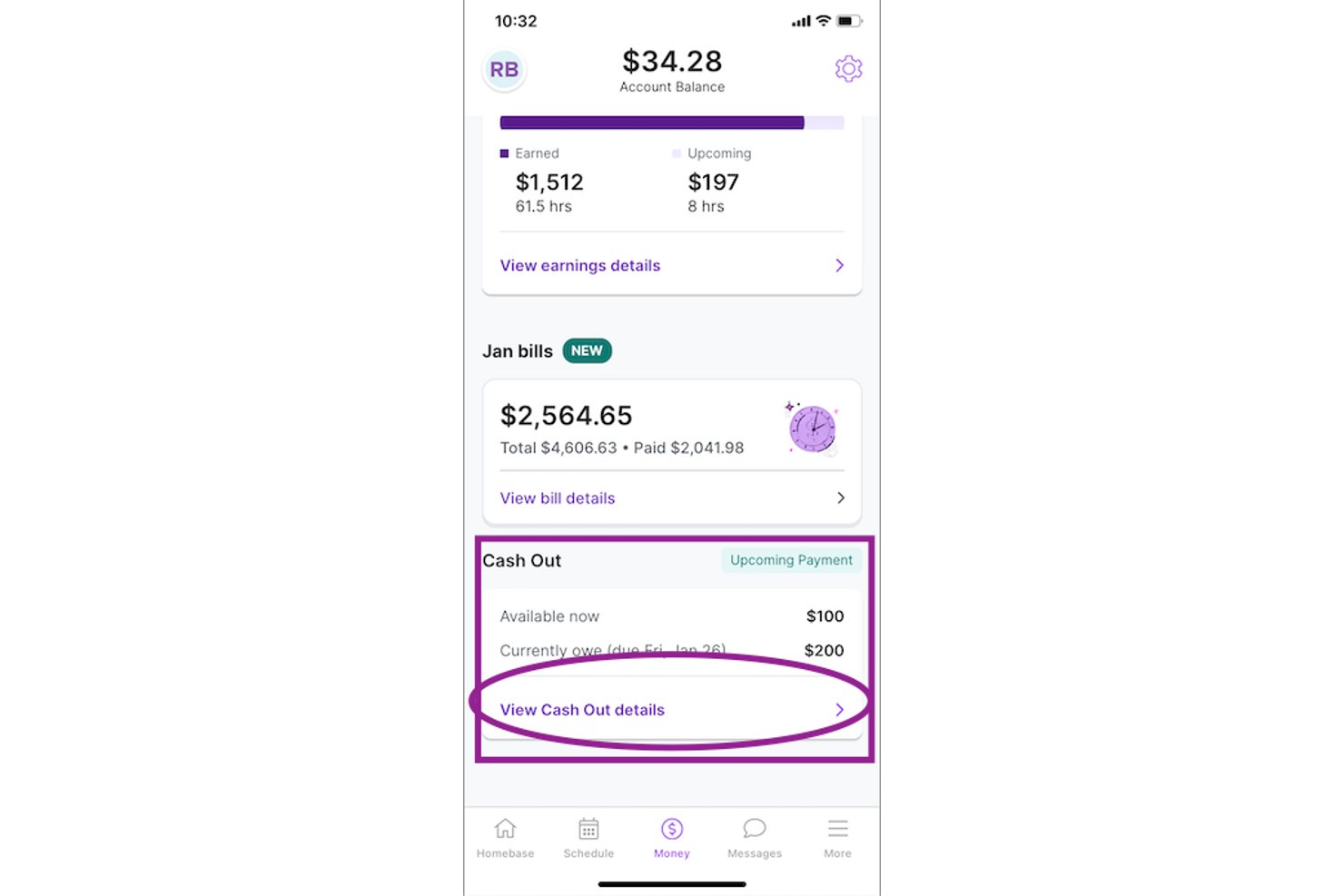
Homebase is an SMB-focused workforce management platform that includes a built-in earned wage access feature, called Cash Out, which lets hourly employees request advances on wages they've already earned directly from the Homebase mobile app.
Who Is Homebase Best For?
Homebase is a strong fit for small and mid-sized businesses with hourly workforces—think restaurants, retail shops, and salons—that want to offer earned wage access without adding employer costs or payroll complexity.
Why I Picked Homebase
I've included Homebase in my top picks because its zero-cost-to-employer EWA model is genuinely rare: Homebase funds Cash Out advances directly and recovers them from the employee's bank on payday, so your payroll run never changes. I love that Cash Out is on by default, meaning employees enroll themselves through the same app they already use to clock in, with no HR configuration required. The shift-level earnings calculation updates in near-real time as employees complete hours, so what employees see available is always accurate.
Homebase Key Features
- Low-balance alerts: Employees receive automatic notifications when their connected bank account drops below $100, giving them a heads-up before requesting a Cash Out.
- Overdraft protection: Employees can opt in to auto-trigger a maximum Cash Out when their balance falls below $50, acting as a safety net between pay periods.
- Plaid-powered bank connection: Homebase connects to 9,600+ banks via Plaid, letting employees link a qualifying US checking account directly in the app.
- Employee self-enrollment: Eligible employees activate Cash Out themselves inside the Homebase app, with no HR setup, configuration, or approval workflow required.
Homebase Integrations
Homebase has documented integrations with ADP RUN, Gusto, Paychex, Square Payroll, QuickBooks Online Plus, Heartland, SurePayroll, Millennium Payroll Services, Wells Fargo, and Bank of America. Cash Out uses Homebase time-tracking data; an API is available on the All-in-One plan.
Pros and Cons
Pros:
- Self-service enrollment reduces HR workload
- Highly rated employee money app
- Accurate shift-based earnings calculations
Cons:
- Bank eligibility rules exclude some workers
- Low withdrawal limits restrict urgent access
Rain
Best for simple earned wage access
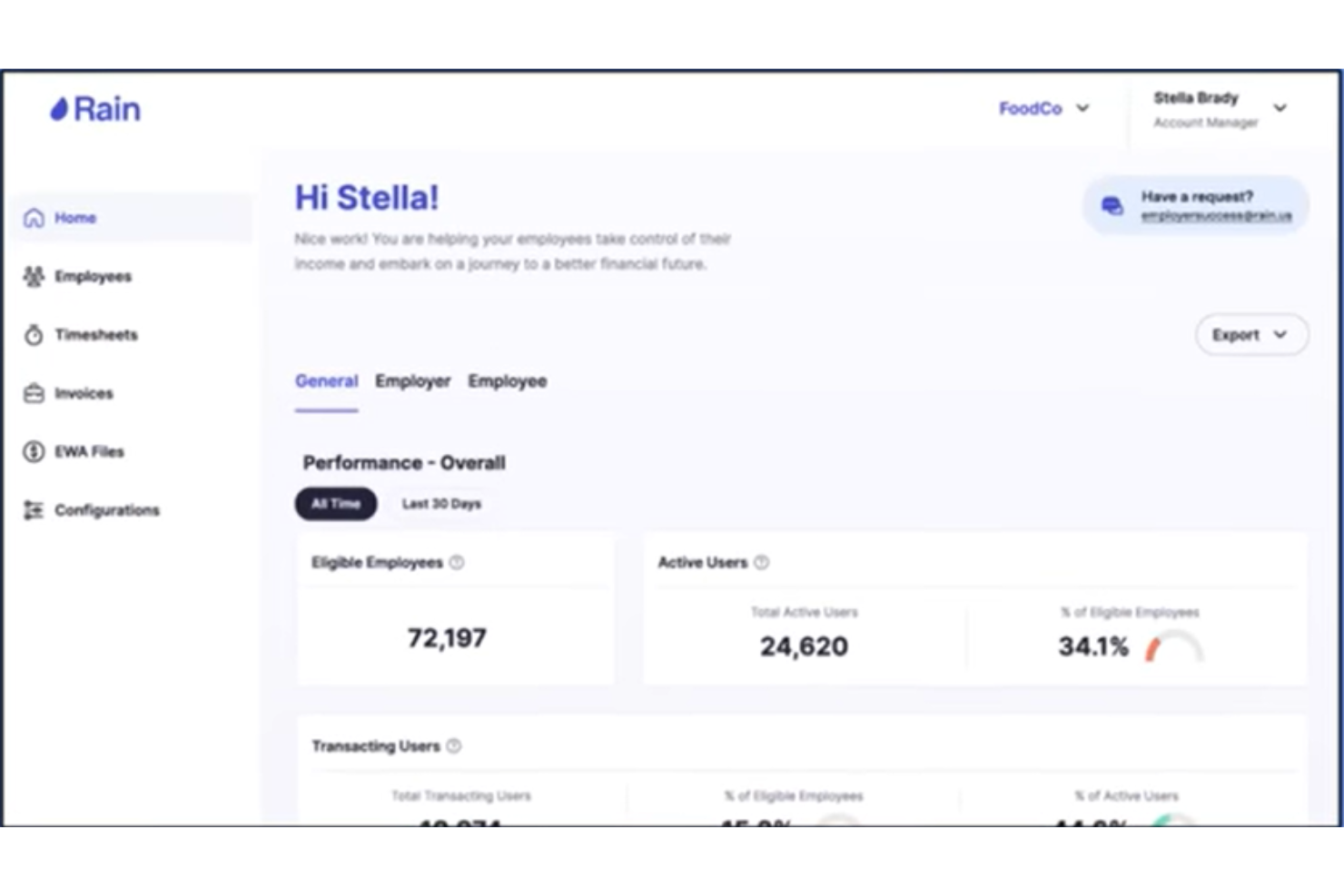
Rain is an EWA and financial wellness platform that gives hourly employees on-demand access to earned wages alongside budgeting tools, spending analysis, automated savings, free tax filing, and an AI financial health agent.
Who Is Rain Best For?
Rain is a strong fit for mid-size to enterprise employers in retail, healthcare, and food service that manage large hourly workforces across multiple locations.
Why I Picked Rain
I picked Rain as one of the best because it goes further than most EWA tools by pairing on-demand wage access with a genuinely broad financial wellness layer. I'm talking about budgeting tools, spending analysis, automated savings, and free tax filing, all inside one app for hourly workers. What I also find compelling is the AI financial health agent, which works around the clock to guide employees through their financial decisions, something I haven't seen from other EWA providers. Rain also collects only six required data fields with no SSN or DOB, which makes employee onboarding noticeably lighter than most platforms I've worked with.
Rain Key Features
- Balance protection: Rain monitors linked bank accounts daily and automatically transfers earned wages to prevent overdraft fees when balances drop below $100.
- Rain Visa Debit Card: Employees can direct earned wage transfers to a Rain Bank Account and spend anywhere Visa is accepted, including ATM cash withdrawals.
- 24/7 U.S.-based user care: Rain's support team responds in under 30 seconds and serves employees in both English and Spanish.
- SOC 1 & SOC 2 Type 2 compliance: Rain is certified to SOC 1 Type 2, SOC 2 Type 2, and ISO/IEC 27001 standards, which matters for enterprise HR and IT teams.
Rain Integrations
Rain offers pre-built connectors to 100+ payroll, HCM, and timekeeping platforms, including Workday, ADP, UKG, Paylocity, SAP SuccessFactors, Microsoft Teams, and TimeForge. An API is available for custom integrations.
Pros and Cons
Pros:
- Payroll adjustment model keeps employers in full payroll control
- Financial wellness suite includes budgeting, tax filing, and savings
- Employer onboarding requires only six data fields
Cons:
- Instant transfer carries a $3 fee per transaction
- EWA access capped at 50% of earned wages per pay period

Tapcheck
Best for payroll-integrated wage access
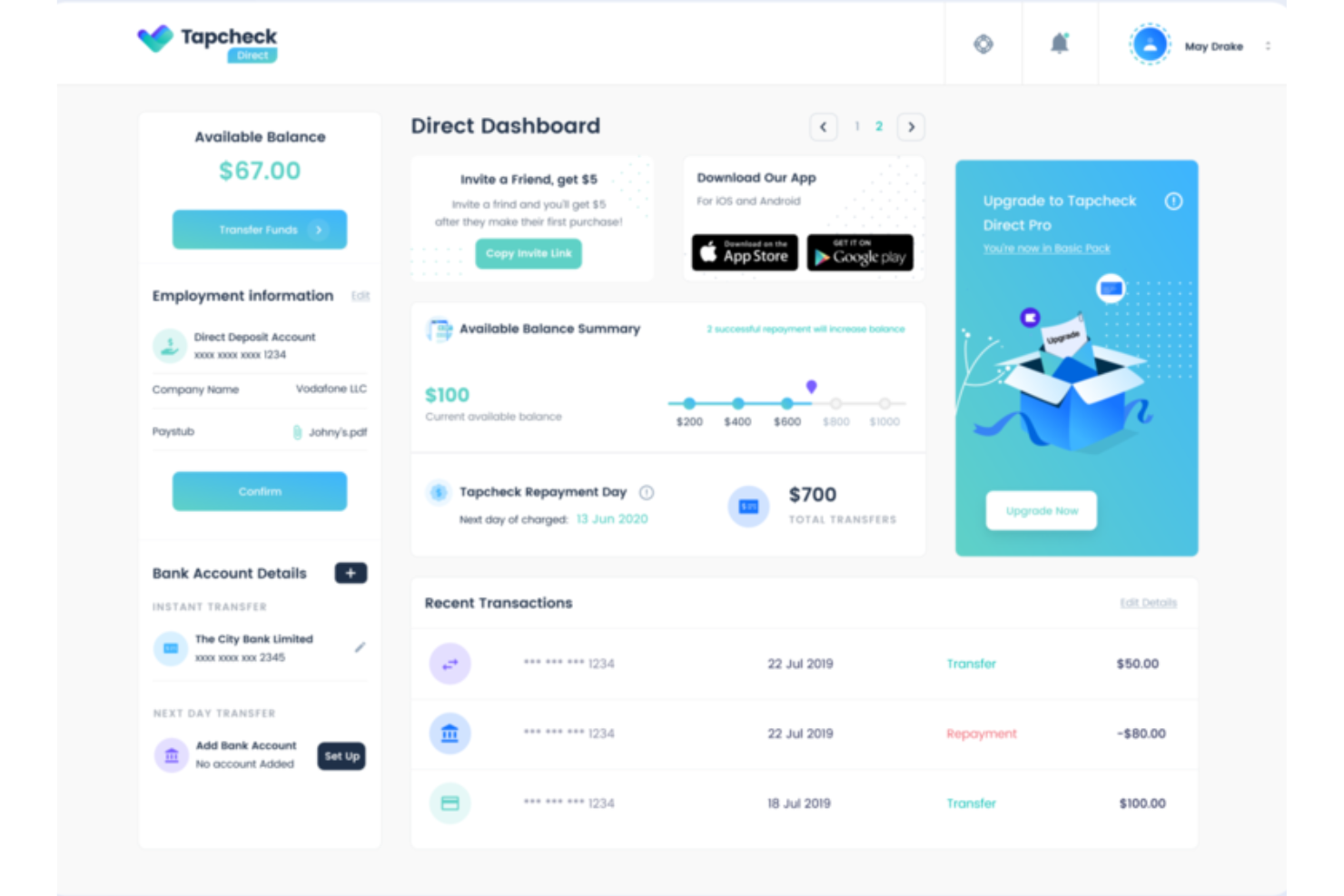
Tapcheck is an employer-facing EWA platform that connects to your existing payroll and timekeeping systems so employees can access up to 70% of their net earned wages before payday, with funds deposited to a bank account or a Tapcheck Mastercard.
Who Is Tapcheck Best For?
Tapcheck is a strong fit for mid-size to large employers in hourly-heavy industries like healthcare, hospitality, and retail who need EWA to run through their existing payroll and timekeeping setup.
Why I Picked Tapcheck
I picked Tapcheck as one of the best because it's purpose-built for employers who want EWA to live inside their existing payroll setup, not alongside it. The no-code integration syncs directly with your payroll and timekeeping systems, so hours worked push to Tapcheck automatically after each shift. I also like that all transfers are logged back to your payroll system, meaning employee paychecks stay accurate without any manual reconciliation on your end. On top of EWA, the Tapcheck Disbursements feature lets employers send off-cycle payments for things like tips, bonuses, or final paychecks without reverting to paper checks.
Tapcheck Key Features
- Prizeout gift card transfers: Employees can transfer earned wages as discounted gift cards from hundreds of brands, with the transfer fee waived entirely.
- Tapcheck Mastercard: Employees can load earned wages onto a prepaid Mastercard for in-store purchases, online payments, and ATM withdrawals.
- Configurable daily transfer limits: Employers can set daily transfer caps per employee, giving you control over how much of their earned wages employees can access each day.
- Financial wellness tools: Employees get access to personalized financial education resources, including blogs, videos, and financial wellness checks, directly in the app.
Tapcheck Integrations
Tapcheck offers 300+ integrations across HCM, payroll, and timekeeping systems, including ADP Vantage HCM, ADP Workforce Now, UKG, Workday, Viventium, and AllianceHCM. Tapcheck also integrates via API to your company's payroll software.
Pros and Cons
Pros:
- Employees access wages within 24 hours of completing a shift
- Net pay calculation covers taxes and deductions automatically
- Zero cost to employers; employees pay only per transfer
Cons:
- Switching payroll systems mid-use requires a manual CSV re-import
- Employee support is chat-only with no phone line available
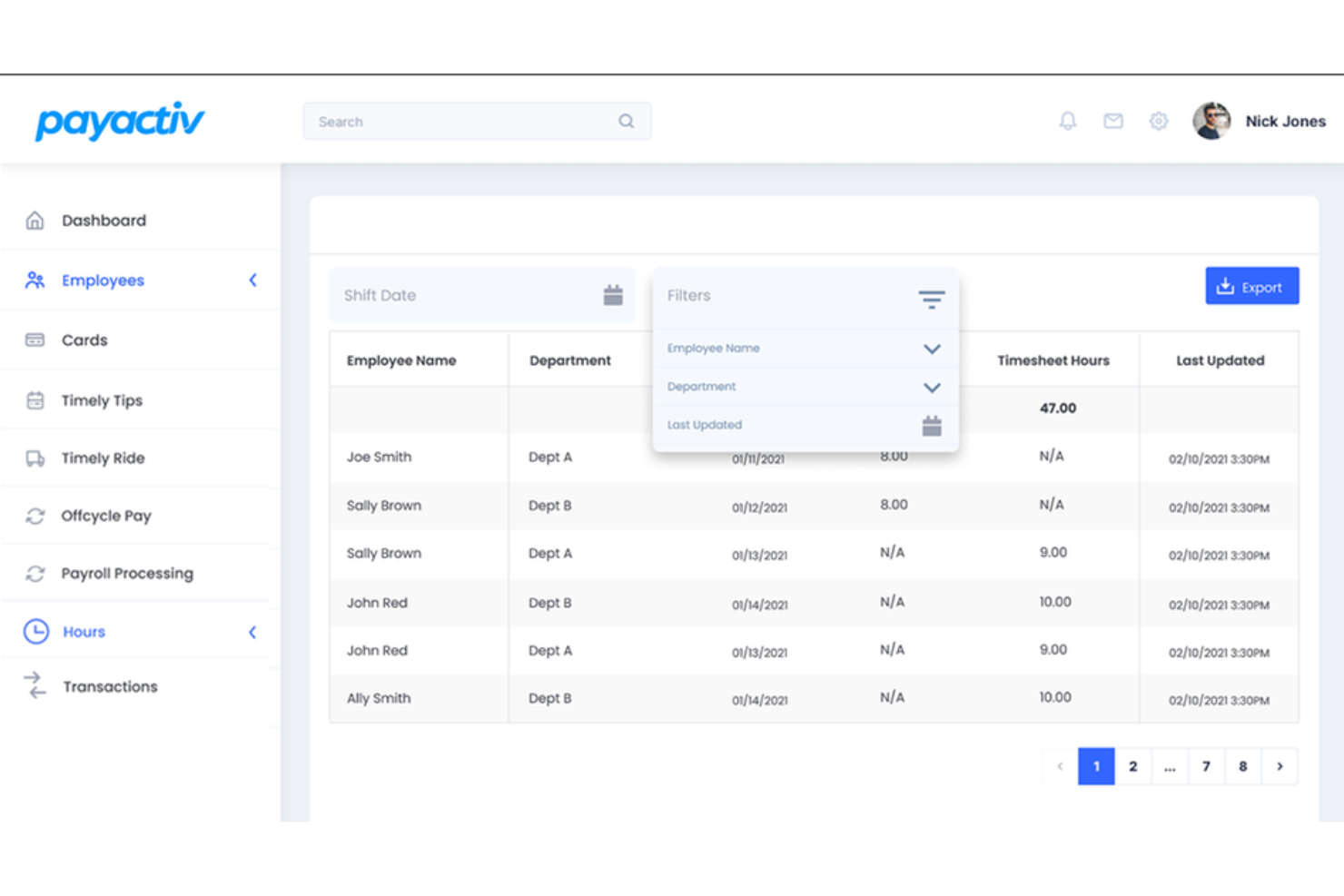
Payactiv is an earned wage access platform that bundles on-demand pay with financial wellness tools like savings goal tracking, a discount marketplace, and 1:1 financial coaching sessions.
Who Is Payactiv Best For?
Payactiv suits mid-to-large employers who want to offer on-demand pay and structured financial wellness tools as a single, unified employee benefit.
Why I Picked Payactiv
Payactiv earns its spot on my shortlist because it's one of the only earned wage access platforms that bundles on-demand pay with a genuinely structured financial wellness program, not just a few links to resources. I particularly like the 1:1 certified financial counselor sessions built into the app, where employees can book real planning appointments to work through budgets, debt, and long-term goals. I also find the shift-end tips and mileage reimbursement feature compelling: Payactiv fronts the money so employees receive tips and mileage automatically after each shift, which is a meaningful differentiator for hospitality, delivery, and logistics employers. The 450+ configurable rules for customizing how the platform operates give HR teams real control over how the benefit is structured across different workforce segments.
Payactiv Key Features
- Payroll card: Employees access earned wages, paychecks, tips, and reimbursements through a single Payactiv Visa Prepaid or Payroll Card.
- Shift scheduling: Employees can view open shifts and request to cover them directly inside the Payactiv app.
- Employee recognition and bonuses: Managers can issue spot bonuses and recognition awards to employees from within the platform.
- Discount marketplace: Employees browse deals on prescription medications and everyday items directly from the app.
Payactiv Integrations
Payactiv integrates with all major HCM and payroll providers via API, including ADP Workforce Now, UKG, Paychex, and more. An API is also available for enterprise partners and HCM providers to embed Payactiv's earned wage access features directly into their own platforms.
Pros and Cons
Pros:
- Financial counseling sessions are staffed by certified financial counselors.
- Employees access wages via bank transfer, payroll card, or Walmart cash pickup
- Payactiv is a certified B Corp and Public Benefit Corporation
Cons:
- Earned balance visibility depends on real-time payroll data syncing correctly
- Instant transfer fees apply when employees don't use the Payactiv card

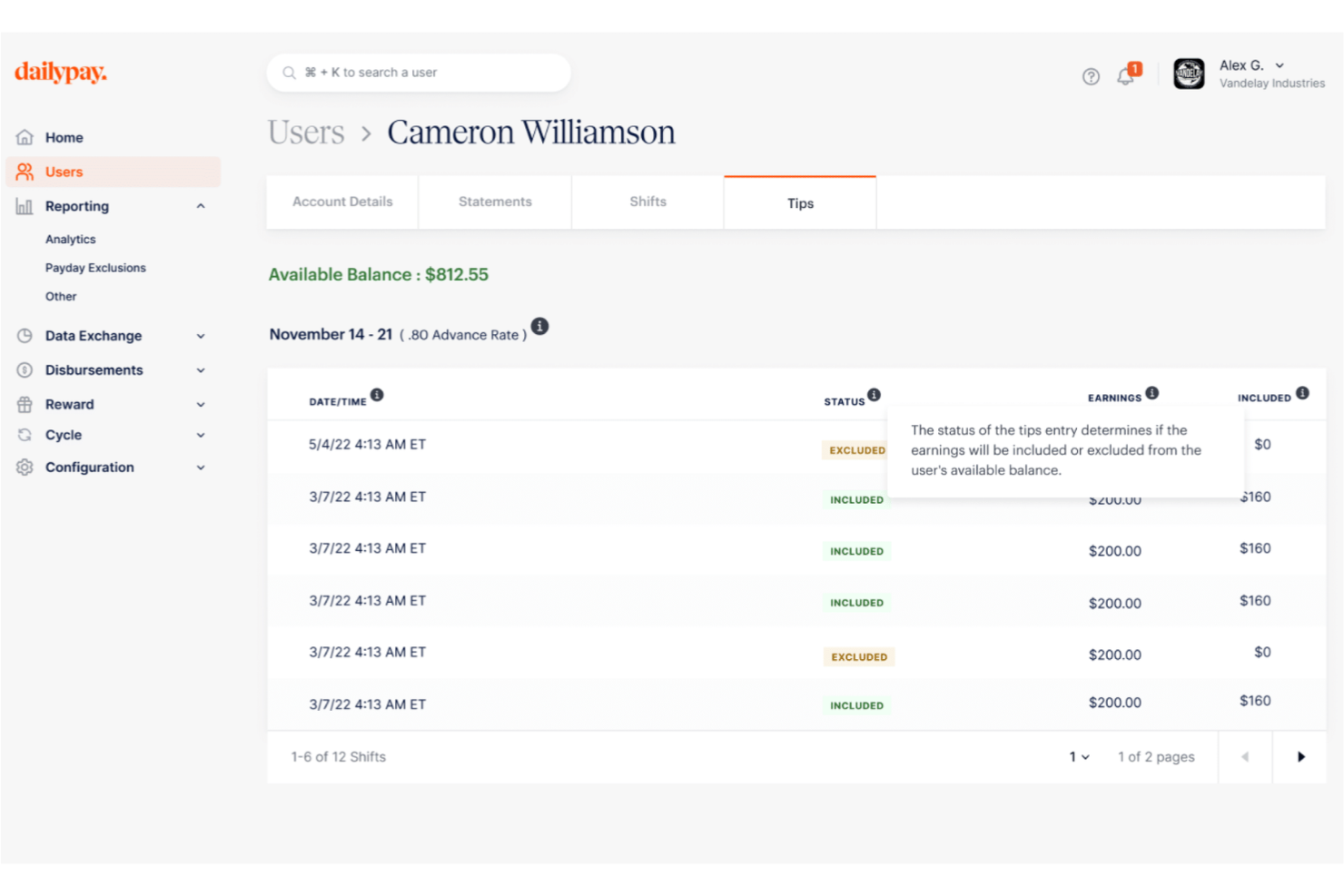
DailyPay is an on-demand pay platform that gives employees real-time access to their earned wages, with transfers available to any debit card, pay card, or bank account, plus integrations with 180+ HCM, payroll, and time management systems.
Who Is DailyPay Best For?
DailyPay is a strong fit for large enterprise employers in high-turnover industries like healthcare, retail, and hospitality.
Why I Picked DailyPay
I picked DailyPay as one of the best because it's one of the few earned wage access platforms that delivers truly real-time pay across every major industry without requiring employers to change their payroll process or reconciliation workflows. What I find genuinely useful is the Cycle feature, which lets employers disburse off-cycle pay instantly—think bonus payments or final pay for terminated employees—without waiting for the next payroll run. I also like that DailyPay covers employees who don't have a traditional bank account through its Visa® Prepaid Card, so the real-time access benefit reaches your full workforce, not just the banked portion of it.
DailyPay Key Features
- Real-time digital tips access: Employees can view and transfer tip earnings daily within the DailyPay app, separate from or combined with their shift pay balance.
- DailyPay Perks: Employees enrolled in DailyPay get access to curated discounts on insurance, recurring bills, entertainment, and other everyday expenses directly in the app.
- Small Business plan: A dedicated on-demand pay plan for employers with fewer than 500 employees, making earned wage access available beyond enterprise-only use cases.
- Full-funding model: DailyPay pre-funds all employee pay requests and settles through your normal payroll process, so your payroll team doesn't need to set aside funds or change existing workflows.
DailyPay Integrations
DailyPay offers 180+ native integrations with leading HCM, payroll, and timekeeping systems, including ADP, Workday, UKG, Paychex, Paylocity, Paycor, Paycom, SAP, Oracle, and isolved. DailyPay also works with employers on bespoke system connections through its implementation team.
Pros and Cons
Pros:
- PCI DSS Level 1 and ISO 27001 certifications cover data security compliance
- Per-transaction fee model means no cost to the employer
- Employees can access up to 100% of their earned balance per pay period
Cons:
- Employees sometimes confuse DailyPay's direct deposit redirect with a payroll error
- Per-transfer fees charged to employees can add up with frequent small withdrawals

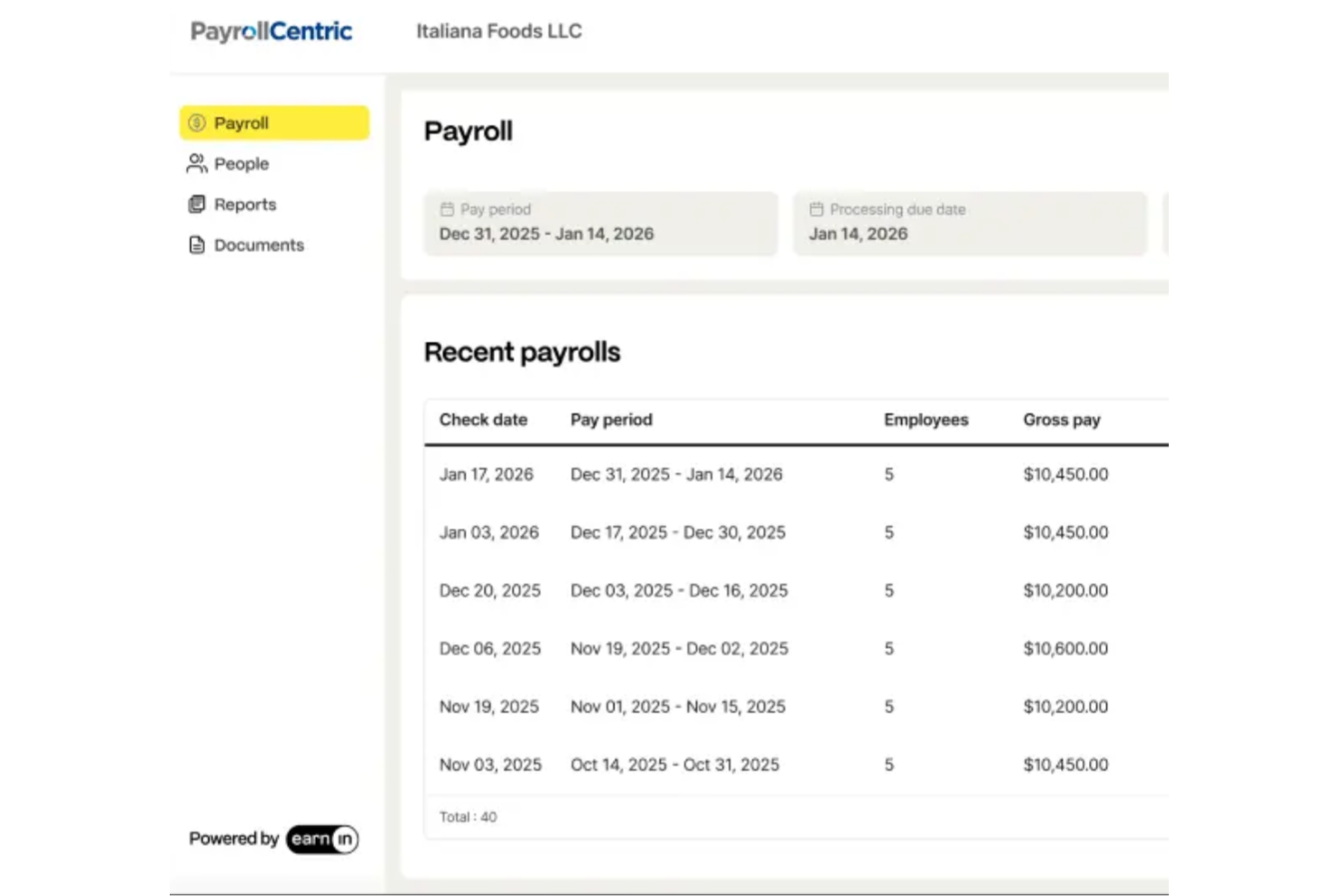
EarnIn is a direct-to-employee earned wage access app that lets workers cash out earned wages before payday, track earnings, and access tools like balance protection and credit monitoring without requiring employer setup.
Who Is EarnIn Best For?
EarnIn is a strong fit for individual employees who want on-demand wage access without waiting for their employer to adopt a formal EWA program.
Why I Picked EarnIn
I've included EarnIn in my top picks because it's the only EWA platform I know that requires zero employer integration. EarnIn operates completely outside your payroll, HRIS, and time and attendance systems, which means employees can sign up and start cashing out earned wages on their own, without any IT involvement on your side. The Cash Out feature lets workers access up to $150/day with no mandatory fees — employees can receive funds in 1–3 business days at no cost, or pay a small Lightning Speed fee to get funds in minutes. I also like that the no-fee standard transfer option is genuinely built into the product, not just a marketing footnote.
EarnIn Key Features
- Early Pay: Eligible employees receive their direct deposit in their bank account up to two days before their scheduled payday.
- Balance Shield: Employees set a custom low-balance alert threshold, and EarnIn can automatically transfer funds to prevent an overdraft.
- Tip Yourself: A no-cost, FDIC-insured savings account built into the app that lets employees set aside money with each paycheck.
- Credit monitoring: Employees can view their VantageScore 3.0 by Experian directly inside the EarnIn app.
EarnIn Integrations
EarnIn's earned wage access product is built to be integration-free, meaning it operates outside your payroll, HRIS, and time and attendance systems entirely.
Pros and Cons
Pros:
- Balance Shield automatically transfers funds to prevent overdrafts
- Standard cash-outs carry no mandatory fees
- No employer sign-up or payroll integration required
Cons:
- Initial access limits are low until the app establishes account history
- GPS location tracking is required to verify hours for many users
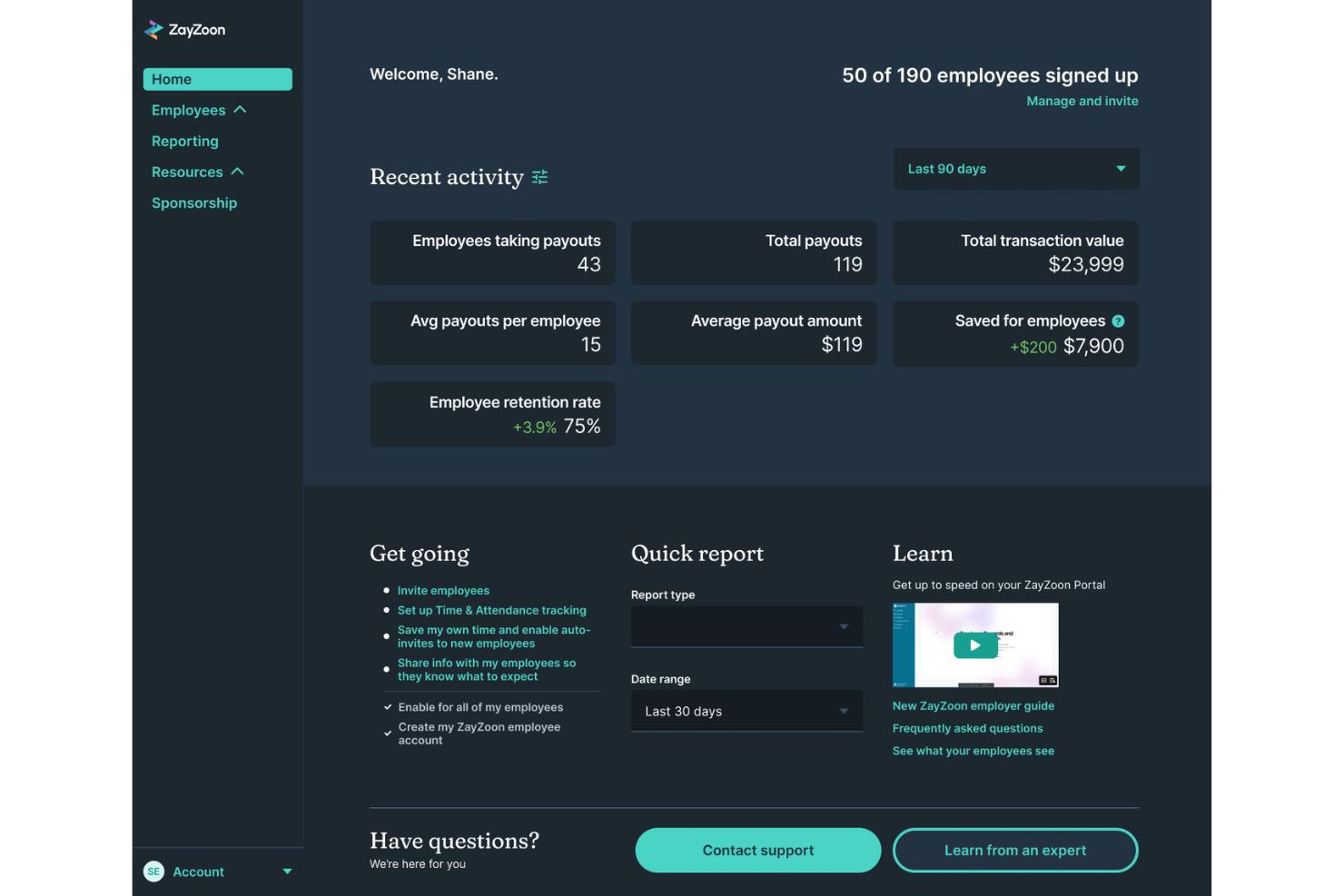
ZayZoon is an EWA and employee engagement platform for deskless workers that combines on-demand pay access with perks, rewards and recognition, team communications, and financial education tools.
Who Is ZayZoon Best For?
ZayZoon is a strong fit for small to mid-size businesses in restaurants, retail, and hospitality that need a fast-to-deploy EWA solution with minimal IT overhead.
Why I Picked ZayZoon
ZayZoon earns its spot as one of the best on my shortlist because setup genuinely takes as little as 10 minutes, which matters a lot if you're running a small business without a dedicated IT team. ZayZoon funds all payouts itself and reconciles automatically through your payroll provider, so you don't need a float account or a new funding arrangement. I also like that it doesn't reroute employee wages or require workers to change their direct deposit to use it, which removes the two most common friction points during rollout. With 300+ payroll partner integrations already in place, there's a strong chance your current payroll system is already supported.
ZayZoon Key Features
- Perks marketplace: Employees get access to a curated hub of discounts on essentials, insurance, wellness apps, tax filing, and credit-building tools, available to all staff regardless of whether they use EWA.
- Rewards and recognition: Managers can send recognition and rewards to employees directly through the app to acknowledge performance or team milestones.
- Team communications: Send in-app announcements and polls to keep deskless workers informed and connected without needing a separate messaging tool.
- Employer Connect dashboard: Monitor EWA usage, manage employee access, and send invitations to staff directly from a dedicated employer portal.
ZayZoon Integrations
ZayZoon offers 300+ payroll and HCM integrations, including ADP Workforce Now, isolved, PrismHR, Execupay, and Paylocity.
Pros and Cons
Pros:
- Employer Connect dashboard tracks employee EWA usage in real time
- Financial wellness courses cover budgeting, credit, and retirement
- Zero cost to employers across all plan tiers
Cons:
- Admin visibility into payroll deductions is limited
- Per-transfer fees for employees can accumulate over time

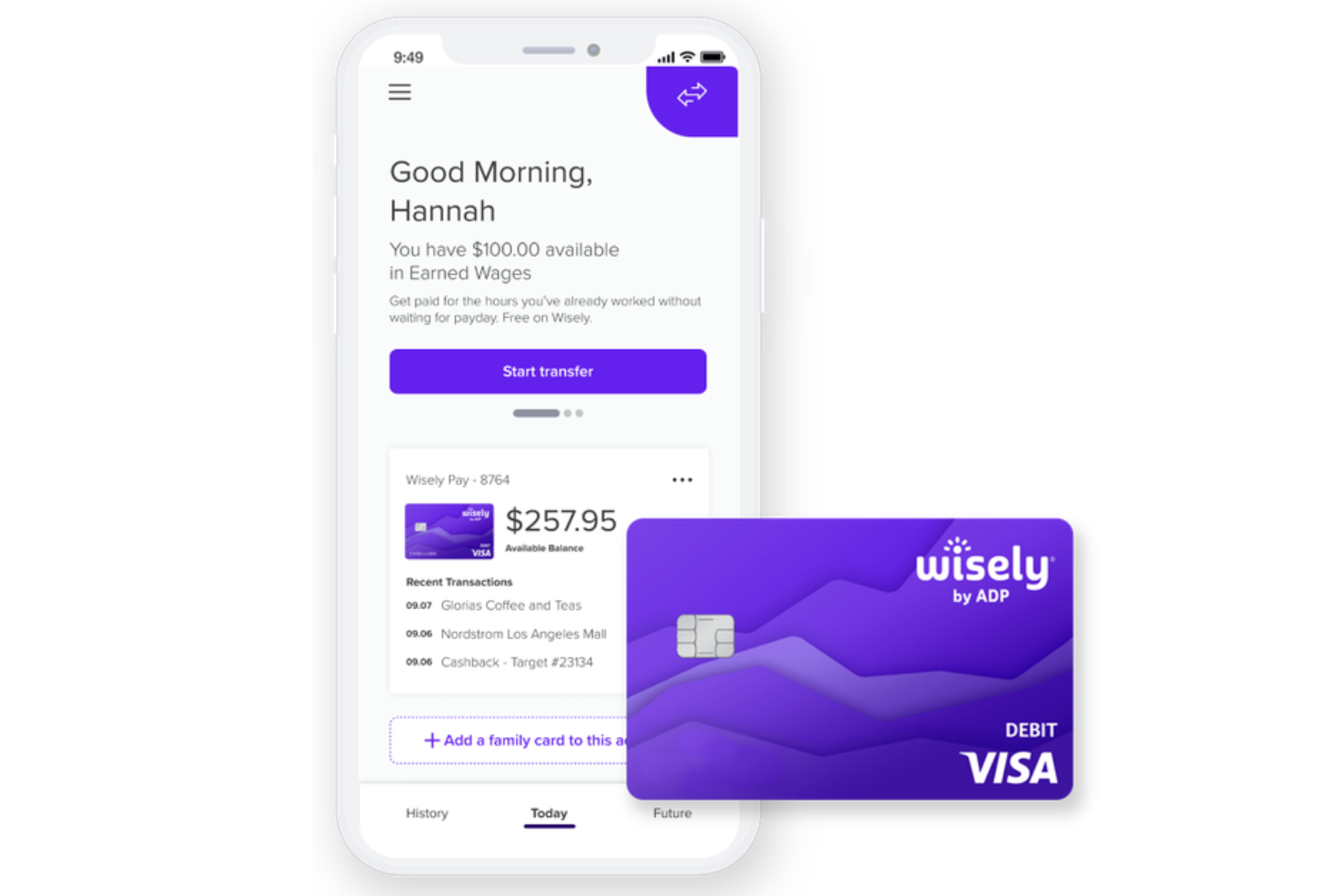
Wisely by ADP is an EWA and paycard platform that combines on-demand access to earned wages with a Visa or Mastercard paycard, a mobile app for spending and savings tracking, and a rewards program for hourly employees.
Who Is Wisely Best For?
Wisely is a strong fit for employers who want to eliminate paper checks and give hourly workers a single digital tool for pay, spending, and savings.
Why I Picked Wisely
I've included Wisely in my top picks because it's one of the few EWA tools that's fully built around the paycard model. Unlike standalone EWA apps, Wisely issues employees a Visa or Mastercard prepaid debit card that becomes their primary payment tool, which means you're not just giving workers early access to wages—you're replacing the paper check entirely. I also like the savings envelope feature inside the myWisely app, which lets hourly employees automatically set aside money into named categories directly from their pay. And because the card travels with employees when they change jobs, it holds value beyond a single employer relationship.
Wisely Key Features
- Early direct deposit: Employees can opt in to receive their direct deposit up to 2 days early, or up to 4 days early for government benefit payments, at no extra cost.
- Instant card lock: Through the myWisely app, employees can instantly lock their card to block all transactions if the card is lost or suspected stolen.
- Cash back rewards program: The myWisely app surfaces curated offers from retail, dining, and travel brands, with cash back deposited directly into a Wisely Rewards Savings Envelope.
- Multi-source direct deposit support: Employees can direct deposit from multiple income sources, including a second job, tax refunds, and government benefits, all to the same Wisely card.
Wisely Integrations
Wisely is built to pair with ADP's own payroll and HCM products, including ADP Workforce Now, ADP Vantage HCM, ADP Enterprise HR, RUN Powered by ADP, and ADP Lyric.
Pros and Cons
Pros:
- Surcharge-free ATM access at tens of thousands of locations nationwide
- EWA is sourced via DailyPay partnership at no employee cost
- Paycard works everywhere Visa and Mastercard debit are accepted
Cons:
- Tip payout requires employers to pre-fund a dedicated account
- Fraud dispute resolution is frequently slow and unresolved
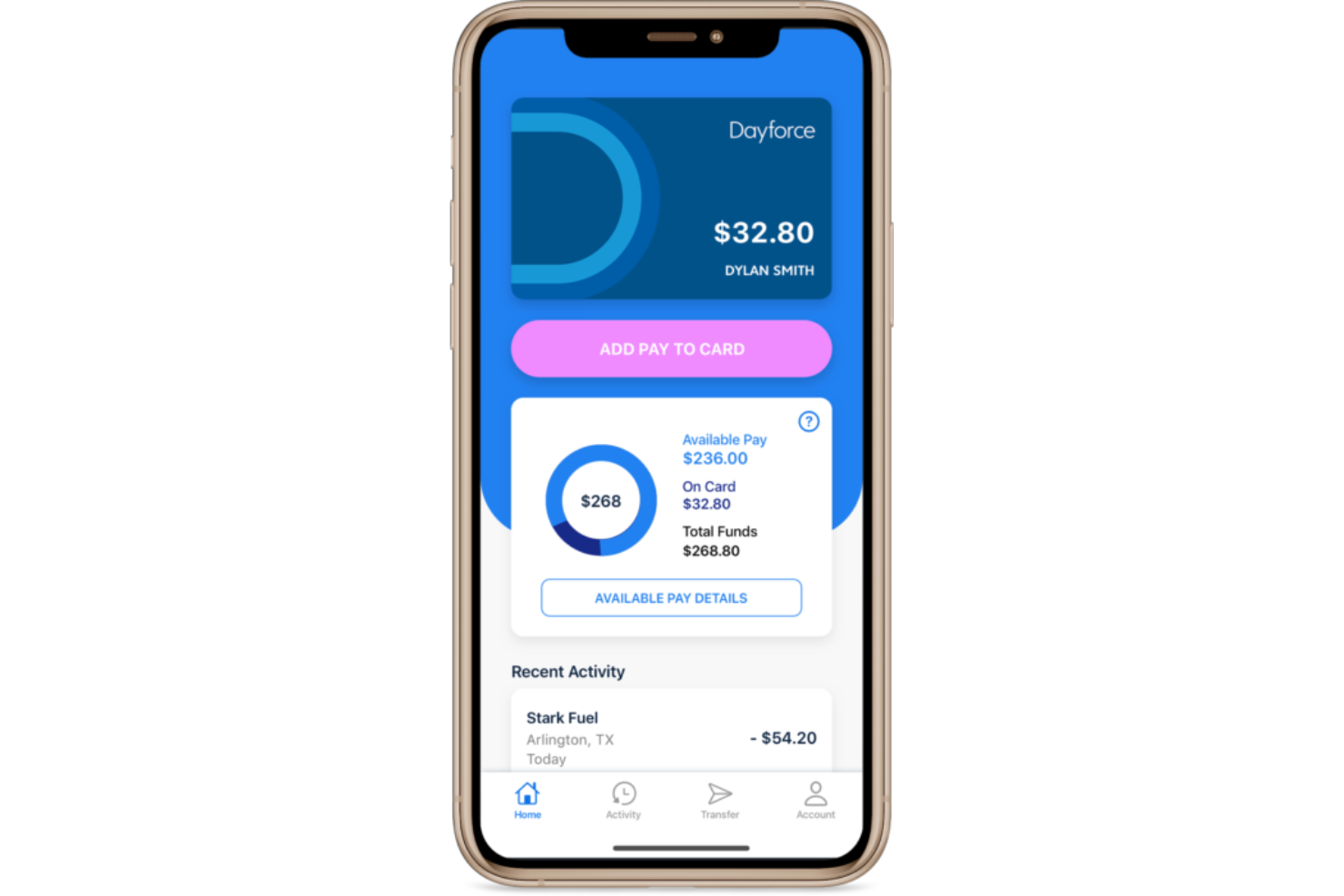
Dayforce Wallet is an EWA and digital wallet solution, built into the Dayforce HCM platform, that gives employees on-demand access to earned pay via a Mastercard prepaid card, early direct deposit, and in-app savings goal tracking.
Who Is Dayforce Wallet Best For?
Mid-to-large enterprises already running Dayforce HCM, particularly in industries like retail, healthcare, and hospitality with high volumes of hourly workers.
Why I Picked Dayforce Wallet
I've included Dayforce Wallet in my top picks because it's one of the few EWA solutions where earned pay flows directly into a proprietary digital wallet and Mastercard prepaid card without routing through a third-party app. What I like most is that the on-demand pay calculation pulls from live Dayforce payroll data, so the available earned pay balance updates in real time as hours are worked. I also find the fee-free ATM network of over 55,000 locations genuinely useful for hourly workers who rely on cash, especially compared to EWA tools that charge per withdrawal. The early direct deposit option, which gets paychecks deposited up to two days early, means employees have two distinct ways to access pay ahead of the standard cycle.
Dayforce Wallet Key Features
- Available earned pay tracking: View your running net earned pay balance in real time as you complete shifts, directly inside the Dayforce platform or app.
- Automatic tax and deduction withholding: Each on-demand pay withdrawal automatically withholds the correct taxes, garnishments, and source deductions before funds are released.
- Instant transfer option: Move funds to an eligible linked debit card in minutes for a flat fee, or use standard ACH transfers to other bank accounts at no cost.
- Multi-region support: Dayforce Wallet is available to employees in the United States, Canada, and the United Kingdom, for employers running Dayforce for HCM and payroll.
Dayforce Wallet Integrations
Dayforce Wallet functions as a native extension of Dayforce Payroll within the broader Dayforce HCM platform, meaning it connects directly to Dayforce's continuous calculation engine for real-time pay data rather than integrating with external tools.
Pros and Cons
Pros:
- Minor employee registration supported for ages 14 to 17
- Real-time earned pay balance updates as shifts are completed
- No fees on on-demand pay requests or monthly maintenance
Cons:
- Employer must opt in before employees can access EWA features
- Only available to employers already running Dayforce for payroll

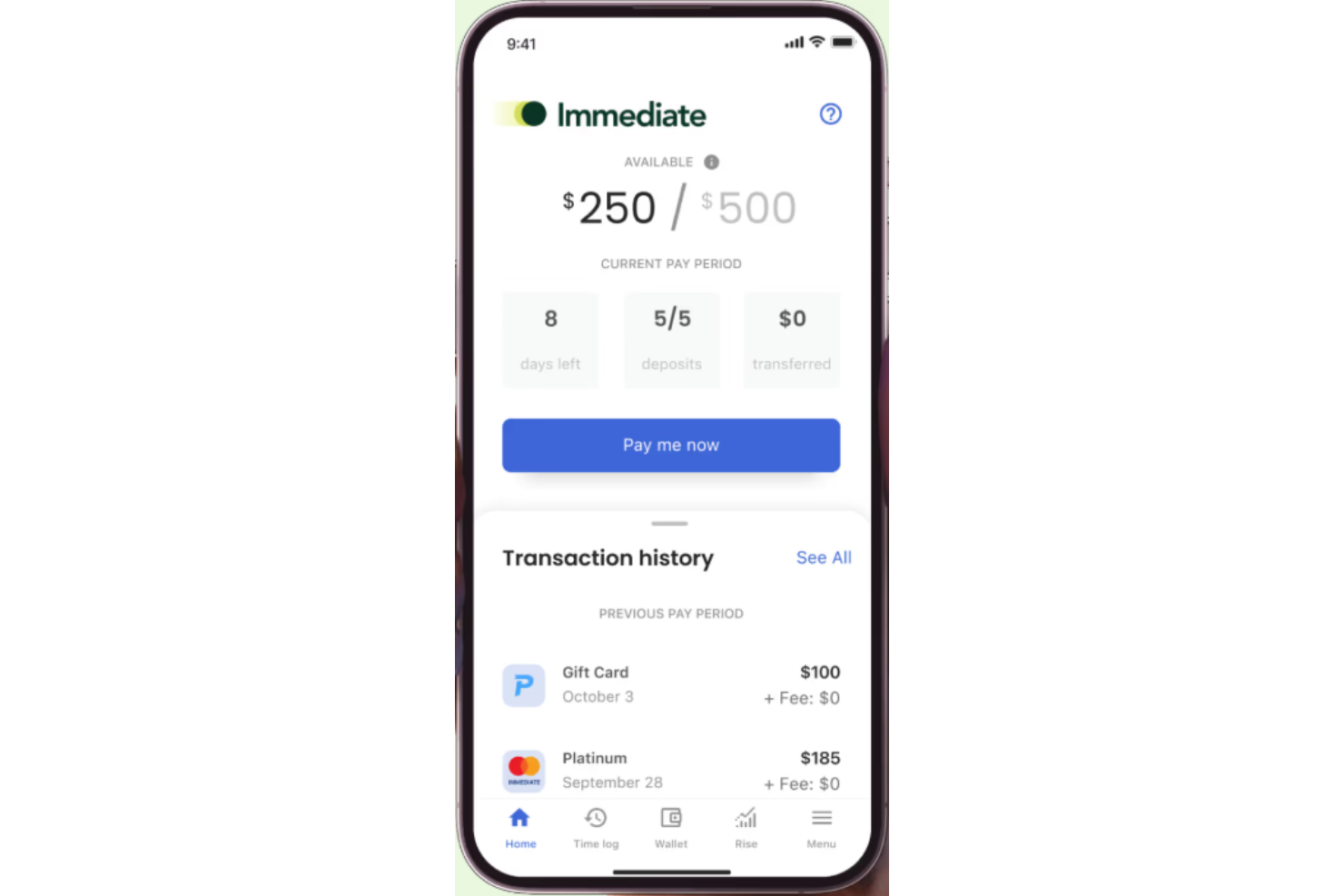
Immediate is an earned wage access platform that gives employees on-demand access to earned pay, cashless tip distribution, and off-cycle payments without requiring changes to an employer's existing payroll process.
Who Is Immediate Best For?
Immediate is a good fit for employers in hospitality, senior care, and manufacturing who need on-demand pay and cashless tip distribution for hourly workforces.
Why I Picked Immediate
Immediate earns its spot on my shortlist because it's one of the few EWA platforms that genuinely doesn't touch your payroll setup. When an employee clocks out, their hours auto-verify in the ImmediatePay app and the transfer goes straight to their bank account or debit card. Immediate recoups funds through the next regular payroll cycle, so there's no manual reconciliation or repayment tracking on your end. I also think the cashless tip disbursement is worth calling out specifically for hospitality teams who'd otherwise be splitting physical cash at the end of every shift.
Immediate Key Features
- Employer pay access controls: Set limits on how much of their earned wages employees can access before their scheduled payday.
- Rewards and incentive disbursements: Send one-time bonus or incentive payments to employees outside of the regular payroll cycle.
- White-label EWA API: Payroll providers can embed Immediate's EWA functionality under their own brand using a configurable API.
- Multiple delivery options: Employees choose between paycard, merchant card, or next-day ACH for receiving their pay.
Immediate Integrations
Immediate partners with leading payroll, time tracking, and point-of-sale systems through its integrations marketplace. Payroll integrations include ADP Workforce Now, APS, Asure, BambooHR, iSolved, while time and attendance integrations include QuickBooks, Toast, 7shifts, SAP, and more. An API is also available for embedded EWA integrations.
Pros and Cons
Pros:
- In-house US-based support with a documented NPS score of 91
- Cashless tip disbursement built in for hospitality and service teams
- No cost to employers and no payroll process changes required
Cons:
- Focused primarily on hourly workforces, limiting fit for salaried teams
- No pay stub access within the ImmediatePay app itsels
Other Earned Wage Access Software
Here are some additional earned wage access software options that didn’t make it onto my shortlist, but are still worth checking out:
- Chime Workplace
For trusted early wage access
- Instant Financial
For zero-cost instant payments
- Branch
For fee-free wage access and banking
- Paylocity
For on-demand pay within payroll
- Fingercheck
For built-in on-demand payroll
- Clair
For instant wage deposits
- FlexWage
For paycard-based wage access
- Wagestream
For flexible pay and wellbeing tools
- Hastee
For customizable global wage access
- Paymenow
For wage access in Africa
- OrbisPay
For payroll-integrated wage access


How I Evaluate Earned Wage Access Software
I split my evaluation into two layers: baseline must-haves every EWA platform needs, like real-time earned wage access and payroll sync, and the differentiators that separate one tool from the next.
Core Functionality (Table Stakes For This List)
When I'm selecting tools for my list, I rank each one on a scale from 0 (does not offer the functionality) to 5 (excels in this area) for each core functionality listed below. Then, I calculate the tool's total score into a percentage. Each tool needs to achieve a minimum total score of 65% to be considered for inclusion.
- On-Demand Wage Access: I check whether employees can pull earned pay on their own schedule—say, after a double shift—without waiting for HR to manually approve each request.
- Payroll & HRIS Integration: The platform should connect with existing payroll and time-tracking systems so earned balances stay accurate without duplicate data entry.
- Earned Wage Calculation Engine: I evaluate how the tool calculates available balances—whether it pulls real-time clock data or relies on static salary estimates that ignore overtime or shift swaps.
- Employee-Facing Mobile App: A native iOS/Android app matters here because most EWA users are hourly workers requesting funds from a phone between shifts, not from a desktop.
- Multiple Disbursement Options: I look at payout flexibility—instant transfer, ACH, payroll card—so employees can choose the method that fits their banking situation.
- Financial Wellness Tools: Budgeting features, savings nudges, or financial literacy resources round out the offering and help employees build habits beyond just accessing wages early.
Once I have a list of tools that meet the criteria, I consider what sets each platform apart.
Differentiating Factors (What Sets Vendors Apart)
Here's how I compare and contrast different vendors:
Standout Features
I pay close attention to how a vendor handles fees—platforms that offer a no-cost model for employees remove a major adoption barrier, especially for hourly workforces. Automated payroll reconciliation is another big one because it determines how much manual cleanup your payroll team faces each cycle. I also evaluate employer analytics dashboards that track program adoption and retention impact, since HR leaders need clear data to justify the benefit internally.
Beyond Features
Compliance posture matters a lot here—EWA regulations differ by jurisdiction, so I check whether a vendor clearly classifies its product as a non-loan and stays aligned with evolving consumer finance guidance. Industry fit is equally important because a platform built for healthcare shift workers handles scheduling data very differently than one designed for retail or staffing agencies. I also evaluate fee transparency, looking at whether employees and employers both have a clear understanding of costs before enrollment.
How to Choose Earned Wage Access Software
It’s easy to get bogged down in long feature lists and complex pricing structures. To help you stay focused as you work through your unique software selection process, here’s a checklist of factors to keep in mind:
| Factor | What to Consider |
|---|---|
| Scalability | Will the software support your organization as you grow, add locations, or face seasonal workforce shifts? Beware per-user costs or limits that may not scale. |
| Integrations | Does the solution connect with your payroll, HCM, and time-tracking systems without manual file exchanges or custom builds? Confirm integration requirements upfront. |
| Customizability | Can you tailor access limits, payout timing, and eligibility to match your pay policies, shifts, and compliance needs? Avoid rigid rules that create administrative complexity. |
| Ease of use | Will your admins and employees find the experience clear, with minimal training or support? Consider language options and mobile access for frontline workers. |
| Implementation and onboarding | How much support is provided for launch, account setup, and user education? Assess timelines, required IT involvement, and availability of step-by-step resources. |
| Cost | What are the transparent, all-in costs over time—including setup, monthly, and per-transaction fees? Compare pricing for both employer and employee impact. |
| Security safeguards | Does the platform have strong data protection, fraud monitoring, and compliance certifications? Request documentation and clarify breach notification protocols. |
| Compliance requirements | Does the software support regulations across states or regions where you operate, like wage laws, tax, garnishment, or financial reporting? Beware vague commitments to compliance. |
What Is Earned Wage Access Software?
Earned wage access software gives employees instant access to wages they’ve already earned before payday. These platforms integrate with payroll and workforce management systems to provide a flexible pay solution that helps employees handle unexpected expenses without relying on high-interest payday loans.
HR and human resources teams use these tools to improve financial flexibility, reduce financial stress, and support long-term financial stability. Many platforms also position earned wage access as a valuable wellness benefit and part of broader employee financial benefits programs. Features like simple enrollment, educational resources such as a webinar, and automated payroll integration help businesses streamline access to wages while reducing risks like overdrafts and late fees.
Features of Earned Wage Access Software
When selecting earned wage access software, keep an eye out for the following key features:
- On-demand wage withdrawals: Lets employees access a portion of their earned wages at any point before payday, providing flexibility when financial needs arise.
- Payroll and HRIS integration: Syncs directly with payroll and time-tracking systems to accurately calculate available earnings, ensuring minimal manual effort for HR and payroll teams.
- Customizable withdrawal limits: Allows you to set policies for how much and how often employees can access their earned wages, supporting compliance and responsible use.
- Real-time earnings tracking: Provides employees with up-to-date information about their available balances, promoting transparency and financial awareness.
- Multiple payout options: Offers flexible methods for employees to receive funds, such as direct deposit, paycard, or other digital wallets.
- Mobile access: Enables employees to check balances, request withdrawals, and manage their accounts through a secure mobile app or web portal.
- Compliance and security safeguards: Protects sensitive data with encryption and follows wage, banking, and privacy regulations to keep both employer and employee information safe.
- Automated reporting and analytics: Gives employers clear insights into usage, withdrawal trends, and financial impact, helping inform policies and monitor program effectiveness.
- Multilingual support: Accommodates a diverse workforce by offering access to account management and support in multiple languages.
- Dedicated customer support: Ensures prompt help for both employees and administrators through multiple channels like chat, phone, and email.
Earned wage access software solutions do not typically include AI as part of their feature offering.
Benefits of Earned Wage Access Software
Implementing earned wage access software provides several benefits for your team and your business. Here are a few you can look forward to:
- Increased employee satisfaction: On-demand access to earned wages gives employees more control over their finances, reducing stress and improving morale.
- Higher retention rates: The flexibility to access earned pay can set your organization apart, helping attract and retain top talent in a competitive job market.
- Simplified payroll administration: Integrating directly with payroll and HR systems reduces manual work, saves time, and decreases the chance of errors.
- Better compliance and security: Built-in compliance checks and encryption help you meet regulatory requirements while keeping sensitive payroll data secure.
- Improved workforce accessibility: Offering multiple payout methods and mobile app access ensures that all employees, regardless of banking status, can use the service.
- Clear usage insights: Automated reporting and analytics provide actionable data on usage patterns and financial impacts, helping you refine your pay policies.
- Reduced absenteeism and turnover costs: Financial wellness support can lower stress-related absences and decrease turnover, which ultimately saves your organization money.
Costs and Pricing of Earned Wage Access Software
Selecting earned wage access software requires an understanding of the various pricing models and plans available. Costs vary based on features, team size, add-ons, and more. The table below summarizes common plans, their average prices, and typical features included in earned wage access software solutions:
Plan Comparison Table for Earned Wage Access Software
| Plan Type | Average Price | Common Features |
|---|---|---|
| Free Plan | $0 | Access for a limited number of employees, mobile app access, core wage advance features, and basic support. |
| Personal Plan | $3–$10/user/month | On-demand wage withdrawals, simple payroll integration, mobile access, customizable withdrawal policies, and basic analytics. |
| Business Plan | $5–$25/user/month | All personal plan features, advanced dashboards, multi-location support, enhanced reporting, and employer controls. |
| Enterprise Plan | $20–$50/user/month | All business plan features, priority support, SSO capabilities, custom integrations, and advanced compliance tools. |
Earned Wage Access Software FAQs
Here are some answers to common questions about earned wage access software:
How quickly can employees access their earned wages?
Employees can usually access earned wages instantly or within one business day, depending on the provider and payout method. Most software supports on-demand transfers to bank accounts, paycards, or digital wallets.
Are there any fees for employees using earned wage access?
Yes, many earned wage access platforms charge a small transaction fee per withdrawal, though some employers choose to cover these fees. The fee structure is typically clear in the employee dashboard.
Does earned wage access software impact company cash flow?
No, most solutions front the advanced wages themselves and recover the funds from the employer on the next payroll run, so your cash flow isn’t affected before payday.
Is implementing earned wage access safe and compliant?
Yes, if you choose a reputable provider with strong security protocols, encryption, and compliance with wage and privacy regulations. Always review vendor documentation and legal requirements before launching a new program.
Can earned wage access software support hourly and salaried workers?
Yes, most solutions work for both hourly and salaried staff by syncing with timekeeping and payroll systems to accurately calculate eligible earned wages.