

10 Best HR Software For Healthcare Reviewed In 2026

10 Best HR Software For Healthcare Shortlist


Choosing the right HR software for healthcare is tough with so many options out there. HR software for healthcare streamlines HR tasks, improves compliance tracking, and enhances staff management. It is a great tool for avoiding inefficient scheduling, compliance issues, and staff burnout.
You need to manage staff, track compliance, and ensure patient care standards, but figuring out which tool fits best is challenging. I've got you! Drawing from years of experience using various HR tools in healthcare settings, I'll help you find the best options. Here are my top picks of HR software for healthcare.
Why Trust Our Software Recommendations
Our team has been testing and reviewing software since 2012. As HR experts ourselves, we know how difficult—and important—it is to choose the right software.
For this guide, we evaluated tools using hands-on testing and independent research, scoring tools using our selection criteria. We also draw on insights from industry thought leaders and practicing HR experts.
Our reviews reflect our human editorial judgment, not a sales pitch.
Expert reviewers:
Comparison Table: HR Software For Healthcare
This comparison table summarizes pricing details for my top HR software for healthcare selections.
| Tool | Best For | Trial Info | Price | ||
|---|---|---|---|---|---|
| 1 | Best for employee self-service tasks | Not available | Pricing upon request | Website | |
| 2 | Best for managing staffing challenges and training | Free demo available | Pricing upon request | Website | |
| 3 | Best for employee recognition | Free demo available | Pricing upon request | Website | |
| 4 | Best for managing global healthcare teams | Free demo available | From $5/user/month | Website | |
| 5 | Best for high-volume healthcare hiring | Free demo available | Pricing upon request | Website | |
| 6 | Best for 24/7 expert HR and payroll support | Not available | From $599/employee/month | Website | |
| 7 | Best as AI for business | Free demo available | From $8/user/month | Website | |
| 8 | Best for payroll and benefit-heavy small practices | Free demo available | From $49/month + $6/month/user | Website | |
| 9 | Best for aligned HRIS and people enablement | Free demo available | Pricing upon request | Website | |
| 10 | Best for HR case management | Free demo available | Pricing upon request | Website |


Best HR Software For Healthcare Reviews
Discover in-depth analysis and overviews of top HR software for healthcare. We’ll walk through the pros and cons, their features, and their best use cases.

Paycom
Best for employee self-service tasks
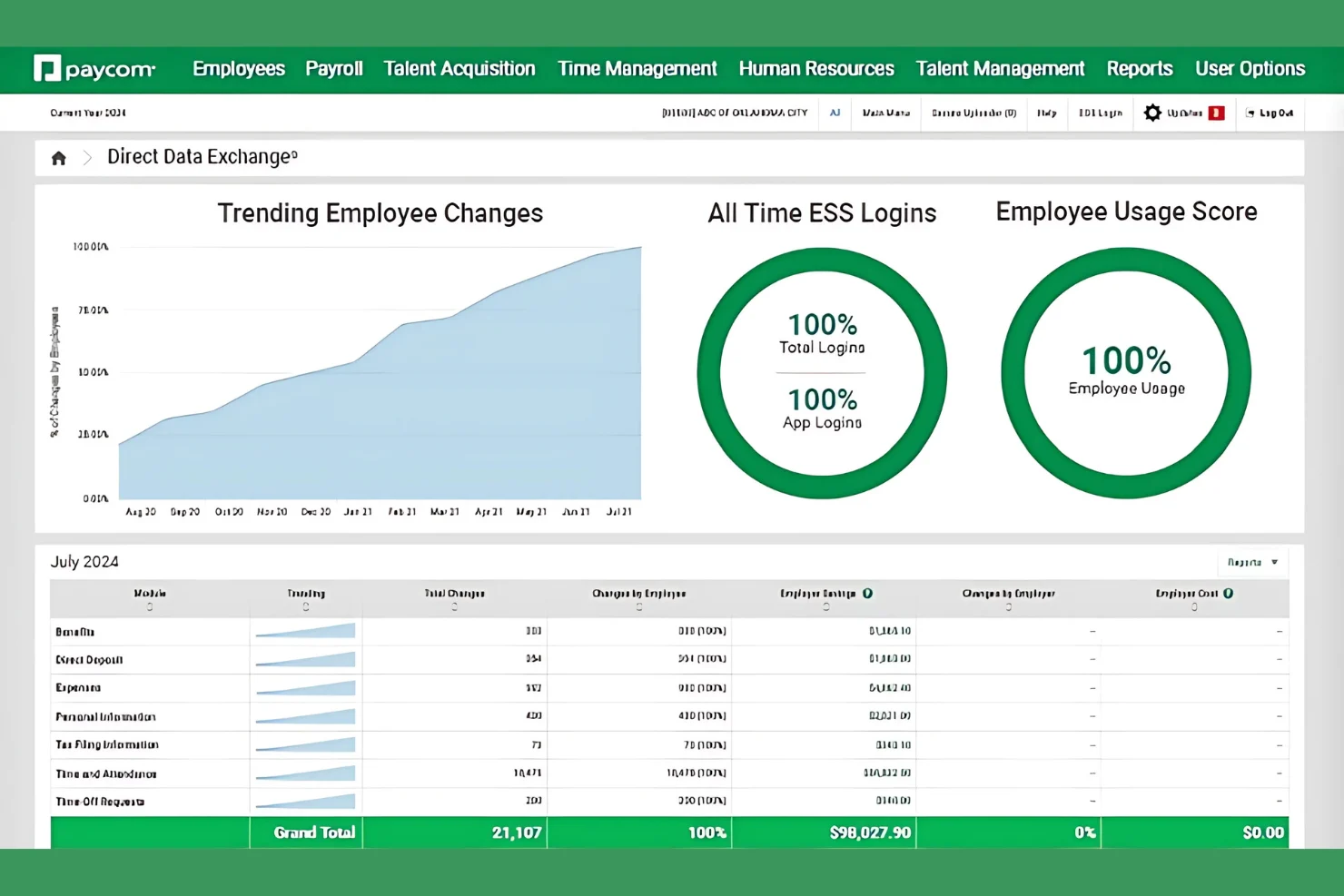
Paycom is a single-database HR and payroll platform with tools for employee self-service, benefits management, scheduling, compliance tracking, and workforce analytics, designed to support healthcare organizations managing complex workforce structures.
Who Is Paycom Best For?
Paycom is a strong fit for mid-to-large healthcare organizations that need a unified HR and payroll system to manage large, shift-based workforces.
Why I Picked Paycom
I've included Paycom in my top picks because its employee self-service feature puts data control directly in employees' hands, which matters in healthcare, where staff rarely sit at a desk. Nurses and techs can clock in and out, swap shifts, and enroll in benefits right from their phones. I also like Beti, Paycom's self-service payroll tool, which lets employees review and correct their own pay before submission, cutting down on payroll errors without extra HR involvement.
Paycom Key Features
- Certification tracking: Monitors license and credential expiration dates for clinical staff, with automated alerts before they lapse.
- GONE time-off automation: Automatically approves or denies time-off requests based on preset scheduling rules, reducing short-staffing risks.
- Learning management system: Delivers and tracks completion of role-specific training, including HIPAA compliance courses for healthcare staff.
- Background check management: Runs pre-employment and recurring background screenings with batch processing for high-volume hiring.
Paycom Integrations
Paycom is built on a single-database architecture, so it intentionally limits third-party integrations in favor of keeping all HR and payroll data in one system.
Pros and Cons
Pros:
- Offers built-in payroll validation
- Single database eliminates duplicate data entry
- Integrated microlearning modules
Cons:
- Custom reporting and multi-step workflows feel rigid
- Quote-based pricing structure

Best for managing staffing challenges and training

Paylocity is a cloud-based human resources and payroll software designed to meet the diverse needs of businesses across various industries. It offers a comprehensive suite of tools that streamline HR processes, from payroll management to employee engagement.
Why I picked Paylocity: I chose Paylocity for its ability to help healthcare organizations manage staffing shortages and complex scheduling. The platform offers tools to attract and retain healthcare professionals, which is crucial in an industry often facing staffing challenges. By addressing these specific needs, Paylocity ensures that your healthcare facility can maintain optimal staffing levels and provide quality patient care. Additionally, Paylocity's platform includes features tailored to the healthcare sector, such as managing certifications, training, and compliance requirements.
Standout features & integrations:
Features include payroll reports, payroll auditing and error reporting, tax filing, integrated payroll, general ledger mapping, wage garnishment, global payroll, on-demand payment, compliance dashboard, data analytics, and workflows and documents.
Integrations include ClearStar, Microsoft Dynamics 365, 7shifts, AirMason, APA Benefits, Azure, Atlassian, Asana, Box, ClearCompany, Dropbox, Freshdesk, Google Workspace, Greenhouse, HubSpot, Slack, Salesforce, Trakstar, and Zoho People.
Pros and Cons
Pros:
- Includes tax compliance services
- Comprehensive suite of HR and payroll features
- Tailored workflows and reports
Cons:
- Mobile app functionality is more limited compared to the desktop version
- Setup can be time consuming
New Product Updates from Paylocity

Paylocity Expands Expense and Purchase Request Tools
Paylocity adds connected personal cards, smarter expense categorization, and a streamlined purchase request experience. This reduces manual entry and helps finance teams manage expenses and approvals more efficiently. For more information, visit Paylocity’s official site.
 .
.
Nectar
Best for employee recognition

Nectar offers a comprehensive solution for organizations across different industries, including healthcare, aiming to enhance employee recognition and engagement. Its ability to integrate with popular HRIS, SSO, and collaboration tools makes it an excellent choice if you're looking to improve workplace morale and connectivity. By fostering a positive work environment, Nectar addresses the unique challenges faced by healthcare providers in maintaining high levels of employee satisfaction and retention.
Why I Picked Nectar
I picked Nectar for its unique ability to address the specific needs of healthcare organizations through its employee recognition and engagement features. With Nectar, you can automate recognition for birthdays and work anniversaries, ensuring your team feels valued and appreciated even in the fast-paced healthcare environment. Additionally, its customizable challenges, such as wellness programs and learning courses, align with industry initiatives to promote continuous development and well-being among healthcare professionals. These features make Nectar a great choice if you want to boost morale and reinforce a positive workplace culture.
Nectar Key Features
In addition to its core functionalities, I also like that Nectar offers:
- Internal Comms: Lets you create announcements and coordinate communication via text, email, Teams, or within the Nectar platform.
- Surveys: Measure employee satisfaction through eNPS, engagement, and custom surveys.
- Community Recognition: Allows patients to share their appreciation for your team's hard work.
- Rewards: Flexible reward options with over 200 gift card options, direct access to Amazon, and custom rewards.
Nectar Integrations
Integrations include Slack, Microsoft Teams, HRIS systems, SSO solutions, and various collaboration tools.
Pros and Cons
Pros:
- User-friendly interface simplifies employee recognition processes.
- Integrates seamlessly with tools like Slack and Microsoft Teams.
- Offers customizable rewards enhancing employee engagement.
Cons:
- Some features may not align with strict regulations in certain healthcare settings.
- Could offer more in-depth analytics for complex healthcare organizations.
New Product Updates from Nectar

Nectar Enhances Clara AI With Live Platform Data
Nectar introduces live platform data access and expanded knowledge coverage for Clara AI. The updates improve response accuracy and speed while enabling Clara AI to answer questions across more recognition and rewards features. For more information, visit Nectar's official site.

Deel HR
Best for managing global healthcare teams

Deel is a global HR platform designed to help businesses, including healthcare organizations hire, manage, and pay employees and contractors across over 150 countries.
Why I picked Deel: I chose Deel for its ability to manage complex compliance requirements in the healthcare industry. Deel's Compliance Hub provides access to the latest regulatory updates and risk warnings, offering guidance and actionable alerts to enhance compliance—all in a single place. It also offers contractor management capabilities. Deel automates HR admin, mitigates misclassification risk, and ensures on-time payment options in 150+ countries. This is particularly beneficial for healthcare organizations that rely on a diverse workforce, including specialists and consultants.
Standout features & integrations:
Features include self-serve onboarding, process automation, time off management, expense management, people directory and org charts, document management, reporting, app provisioning, compliance monitoring, worker classifier, and monthly workforce insights.
Integrations include Brex, Google Workspace, Hubstaff, JIRA, Slack, QuickBooks, Xero, BambooHR, NetSuite, Workday, Greenhouse, and Okta.
Pros and Cons
Pros:
- Strong emphasis on compliance
- Comprehensive payment options in multiple currencies
- Contractor management options
Cons:
- Limited customization options
- Initial setup may take some time
New Product Updates from Deel HR

Deel Expands Stablecoin Wallet to 80+ Countries
Deel expands its Stablecoin Wallet to 80+ countries with dollar-backed balances and optional rewards. This gives eligible contractors more ways to hold and manage earnings inside Deel. For more information, visit Deel’s official site.
 .
.
Paycor
Best for high-volume healthcare hiring

Paycor is a human capital management (HCM) platform designed to support small to mid-sized healthcare organizations with workforce management, recruiting, and compliance tools. It serves hospitals, clinics, long-term care facilities, and other healthcare providers looking to reduce administrative work and improve hiring efficiency.
Why I picked Paycor: I chose Paycor for its healthcare-focused recruiting and onboarding features, which help address common challenges like high turnover and urgent staffing needs. The platform supports branded career sites, automated applicant tracking, and onboarding workflows tailored to different healthcare roles. These tools allow HR teams to quickly find, vet, and activate high volumes of qualified candidates. Paycor also offers credential tracking and scheduling tools, giving healthcare managers visibility into staff licensure and shift coverage. That can help reduce compliance risk and prevent coverage gaps, especially in multi-location or 24/7 care environments.
Standout features & integrations:
Features include AI-powered sourcing and recruiting tools, automated scheduling with credential visibility, and a compliance dashboard to manage licensure and policy adherence. The COR Leadership Insights feature provides manager development metrics, while recognition tools allow staff to highlight peer performance directly in-platform.
Integrations include QuickBooks, Xero, SAP Concur, Indeed, LinkedIn, Glassdoor, Zapier, Microsoft Teams, Slack, and DocuSign.
Pros and Cons
Pros:
- Industry-specific HR and payroll solutions
- Advanced employee performance tracking
- Wide range of integrations with popular tools
Cons:
- UX can feel a bit clunky at times
- May require additional support for full customization

Best for 24/7 expert HR and payroll support
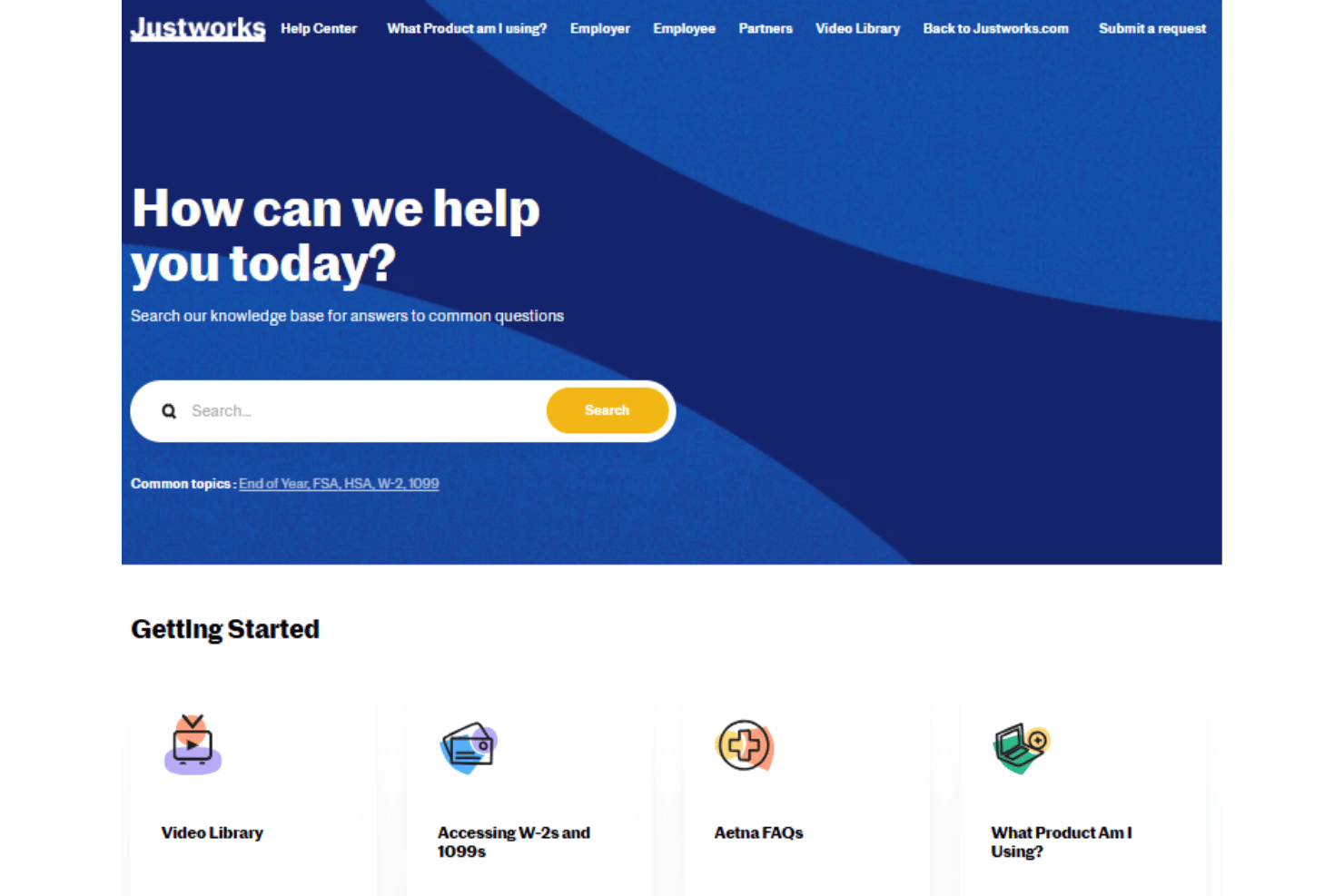
Justworks is an all-in-one HR and payroll platform built for healthcare organizations that need help with payroll, benefits administration, compliance support, and core HR management.
Who Is Justworks Best For?
Healthcare teams at small to midsize organizations looking for simple HR, payroll, and compliance support across multiple locations.
Why I Picked Justworks
I picked Justworks as one of the best because I can get 24/7 expert HR and payroll support, which is especially helpful when managing healthcare staff across shifts. My team relies on their compliance guidance and real-time payroll processing for complex healthcare roles.
Justworks Key Features
- Automated payroll calculations: Handles hourly, salaried, and contract pay with deductions and taxes calculated automatically.
- Integrated employee onboarding: Lets you collect, store, and manage new employee documents and forms digitally.
- Benefits administration: Offers access to health, dental, vision, and retirement benefits managed in one place.
- Time off tracking: Tracks PTO requests and approvals with customizable leave policies for healthcare teams.
Justworks Integrations
Justworks offers 20+ integrations, including QuickBooks, Xero, NetSuite, Sage Intacct, Greenhouse, JazzHR, Lever, 15Five, Leapsome, Carta, Brex, and Vanta.
Pros and Cons
Pros:
- Integrates 24/7 mental health support
- Handles complex healthcare compliance filings
- Offers group health insurance plan access
Cons:
- Lacks shift scheduling for clinical staff
- No built-in healthcare credential tracking

Best as AI for business
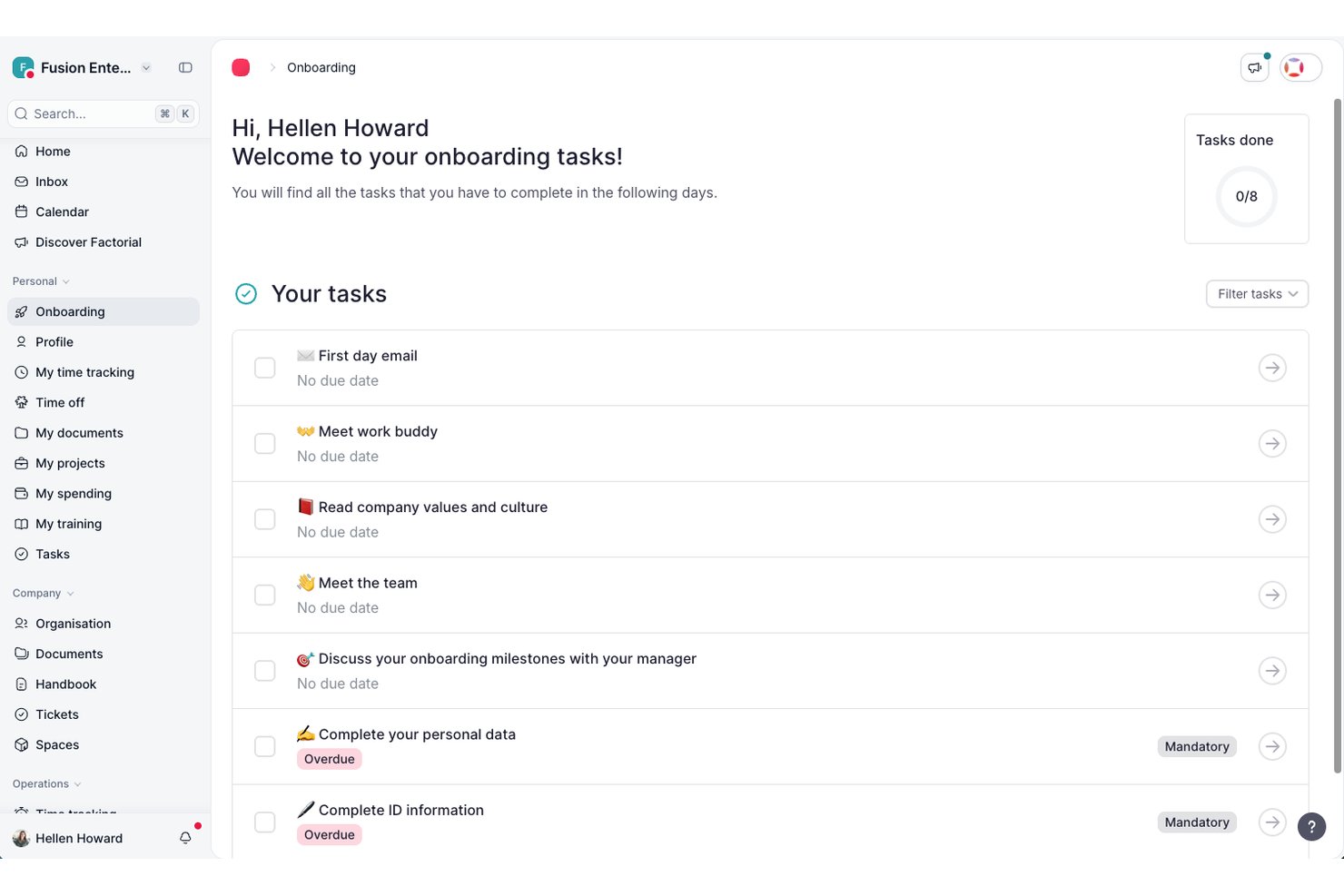
Factorial is an AI-driven HR platform for healthcare organizations that covers shift scheduling, employee records, time tracking, recruitment, onboarding, and workforce reporting in one system.
Who Is Factorial Best For?
Factorial suits growing healthcare organizations that want AI-driven support for everyday HR tasks—like scheduling, reporting, and employee policy questions—across a single, connected platform.
Why I Picked Factorial
I've included Factorial in my top picks because its AI handles the kind of day-to-day operational load that slows healthcare HR teams down most. I like that it can auto-generate shift schedules, pull workforce reports, and answer employee questions about policies directly, so your team isn't fielding the same requests repeatedly. In healthcare, where shift planning is constant and compliance questions come from every direction, having AI tackle those tasks in one platform genuinely changes how much your HR team can take on.
Factorial Key Features
- Rotating shift scheduling: Configure weekly or biweekly rotating shift patterns that automatically repeat once the cycle completes.
- QR code clock-in: Employees clock in or out by scanning a QR code with a mobile device, supporting teams working across different locations.
- AI-powered CV parsing: Factorial's AI reads and parses candidate CVs automatically, reducing manual data entry during recruitment.
- Training course expiration filters: Track training courses nearing expiry or already expired, with filters for courses due within three months.
Factorial Integrations
Factorial offers marketplace integrations including DATEV LODAS, Silae, Microsoft Power BI, Google Workspace, and Slack. It also supports a public API with OAuth 2.0, webhooks, SDKs, and Zapier.
Pros and Cons
Pros:
- Centralized employee records and healthcare documents
- QR clock-ins and shift swaps support care teams
- AI assists with schedules, reports, and policy questions
Cons:
- Complex shift differentials may require manual checks
- No documented healthcare license renewal tracking

Gusto
Best for payroll and benefit-heavy small practices

Gusto offers a straightforward, cloud-based HR platform that combines payroll, benefits, and core human-resources tools to help growing small to mid-sized businesses — including those in healthcare — manage their teams with less juggling across multiple applications.
Why I Picked Gusto
I picked Gusto because it brings payroll, benefits, and HR together in a unified workflow — an especially useful fit for healthcare practices where staff hours, benefits, and compliance tend to be complex. Its automated payroll and tax-filing system means your team gets paid correctly and on time without manual calculations. On top of that, Gusto’s built-in ability to manage health insurance, 401(k) and other employee benefits directly through the platform makes it easier for you to offer and administer benefits relevant to healthcare staff.
Gusto Key Features
In addition to its standout payroll and benefits management, I also found:
- Time Tracking: This feature allows your team to accurately log hours worked, which is essential for managing shift work in healthcare settings.
- Hiring and Onboarding Tools: Gusto streamlines the recruitment process with tools for job posting and new employee onboarding, helping you get new hires up to speed quickly.
- Employee Self-Service Portal: Employees can access their pay stubs, benefits, and personal information, fostering transparency and reducing HR inquiries.
- Insights and Reporting: With this feature, you can access data-driven insights to make informed decisions regarding your workforce and HR strategies.
Gusto Integrations
Integrations include QuickBooks, Sage, ApplicantPro, Breezy HR, 7Shifts, Deputy, QuickBooks Time, Boast.AI, Neo.tax, and TaxTaker.
Pros and Cons
Pros:
- Supports unlimited payroll runs per month (helpful for irregular hours or multiple shifts)
- Automatically calculates and files taxes for you
- Handles payroll, benefits, and HR in one platform
Cons:
- Less robust for companies with complex payroll or large headcount needs
- Limited reporting and analytics features compared with larger HRIS platforms
New Product Updates from Gusto
Gusto Adds Solo Advisory Tools and Mobile Money Features
Gusto adds Solo S-Corp Advisory Tools and Gusto Money on Mobile for tax guidance, invoicing, and bill payments. These updates help accountants advise solopreneurs and let users manage business finances from their phones. For more information, visit Gusto’s official site.

Leapsome
Best for aligned HRIS and people enablement

If you’re juggling staffing complexity, strict documentation requirements, and the need to keep clinical and administrative teams aligned, Leapsome helps you centralize data and give employees clarity around goals, expectations, and growth.
Why I Picked Leapsome
I picked Leapsome because it blends a secure HRIS with people-enablement tools, giving healthcare teams a single place to manage compliance-heavy records and ongoing staff development. You can maintain accurate employee data while also running structured reviews, engagement checks, and competency tracking — all important for regulated environments. I also appreciate Leapy, its AI assistant, which drafts policies, highlights risks, and surfaces insights so your HR team can reduce administrative load without cutting corners. For healthcare organizations balancing regulations with employee support, this combination makes the platform a strong fit.
Leapsome Key Features
In addition to its secure HRIS and AI support, you’ll find other features designed to help your healthcare team keep operations steady and staff supported:
- Employee records & document management: Stores credentials, compliance documents, and role-specific files in a single location.
- Absence and time tracking: Tracks scheduling, time off, and staffing changes — helpful for covering shifts and maintaining coverage.
- Onboarding & pre-boarding workflows: Provides consistent onboarding paths for clinical and non-clinical staff to ensure smooth role transitions.
- Payroll syncs & automated checks: Connects your HR records to payroll and flags discrepancies to help prevent delays or pay errors.
Leapsome Integrations
Integrations include Slack, Microsoft Teams, Personio, BambooHR, Greenhouse, Workable, Google Workspace, Okta, and Azure Active Directory.
Pros and Cons
Pros:
- Connects HRIS data directly with goals, reviews, and development workflows
- Automates onboarding, time tracking, and payroll syncs to reduce manual tasks
- Engagement surveys include benchmarks and actionable recommended next steps
Cons:
- Mobile experience is less polished than the desktop environment
- Exporting certain historical datasets may be constrained for large-scale audits

HR Acuity
Best for HR case management

HR Acuity is a platform tailored for HR management and employee relations, designed to enhance compliance and handle workplace issues. It is aimed at HR professionals, legal teams, diversity leaders, and executives across various industries, including healthcare.
Why I picked HR Acuity: HR Acuity is designed to address the specific challenges of healthcare HR management through features like employee workplace reporting, case management, and workplace investigations. These tools are crucial for managing sensitive employee relations issues with confidentiality and compliance, enabling healthcare organizations to handle incidents transparently and consistently. The platform's analytics also offer insights into employee relations trends, supporting informed decision-making that can improve workforce management and mitigate risks related to non-compliance and litigation.
Standout features & integrations:
Features include incident tracking, case management, investigation templates, compliance monitoring, reporting and analytics, ethics and compliance hotline, policy management, audit trails, and an AI assistant.
Integrations include Workday, Oracle, ADP, Ultipro, other HRIS systems, and ComplianceLine. It also offers its REST-based API for integration with ticketing systems and compliance solutions.
Pros and Cons
Pros:
- Offers benchmarking dashboards
- Centralized case documentation
- Robust reporting capabilities
Cons:
- User interface could be more intuitive
- Advanced features require time and training
Other HR Software For Healthcare
Below is a list of additional HR software for healthcare that we shortlisted, but did not make it to the top list. Worth checking them out.
- TimeTrex
For linking time data to payroll
- Aeqium
For complex compensation planning
- BrightHR
For health and safety training and reporting
- APS
For efficient employee scheduling and compliance
- Workday
For integrated enterprise management
- MedTrainer
For credentialing healthcare staff
- UKG
For employee engagement and organizational growth
- Oracle Cloud HCM
For dynamic workforce management
- Hireology
For efficient talent management
- ADP Workforce
For comprehensive payroll and HR needs
- Zoho People
For customizable HR workflows
- CEDR HR Solutions
For compliance and a focus on error reduction
- Rippling
For automatic HR data synchronization for payroll
- BambooHR®
For employee engagement and satisfaction focus
- Breathe HR
For absence and rota tracking
- Paycor
For healthcare-specific HR features
- Dayforce
For payroll and workforce management
- HiBob
For employee engagement features
- Bambee
For HR consulting services
- Infor CloudSuite HCM
For cloud-based HR solutions


Related HR Software Reviews
If you still haven't found what you're looking for here, check out these other related tools that we've tested and evaluated:
- HR Software
- Payroll Software
- Recruiting Software
- Employer of Record Services
- Applicant Tracking Systems
- Workforce Management Software
How I Evaluate HR Software for Healthcare
I split my evaluation into two layers: the core functionality a credentialing officer or clinical scheduler can't go without, and the factors that separate the best from the rest.
Core Functionality (Table Stakes For This List)
When I'm selecting tools for my list, I rank each one on a scale from 0 (does not offer the functionality) to 5 (excels in this area) for each core functionality listed below. Then, I calculate the tool's total score into a percentage. Each tool needs to achieve a minimum total score of 55% to be considered for inclusion.
- Credential & License Management: I check whether a platform tracks nursing licenses, clinical certifications, and CEU requirements with automated expiration alerts and verification workflows.
- Healthcare Workforce Scheduling: Shift-based scheduling should handle 24/7 coverage needs like float pool assignments, on-call rotations, and open shift filling across departments.
- Regulatory Compliance Tools: I look for built-in support for HIPAA, Joint Commission, and OSHA reporting rather than generic compliance templates repurposed from other industries.
- Clinical Recruiting & Onboarding: The hiring workflow should accommodate high-volume clinical roles with license verification at hire and structured onboarding paths for different role types.
- Payroll & Benefits Administration: Complex pay rules matter here, so I evaluate how each tool handles shift differentials, union contracts, and multi-classification staff pay structures.
- Learning & Competency Tracking: Training modules should go beyond a basic LMS to include competency assessments, mandatory healthcare training assignments, and CEU logging tied to employee records.
Once I have a list of tools that meet this criteria, I consider what sets each platform apart.
Differentiating Factors (What Sets Vendors Apart)
Here's how I compare and contrast different vendors:
Standout Features
Exclusion and sanction screening is a big differentiator—I check whether the platform runs continuous OIG and SAM monitoring so your team catches flagged employees before an audit does. Predictive staffing analytics also set top-tier tools apart, especially when the model pulls from historical census and turnover data to forecast hiring needs by unit. Self-scheduling mobile apps matter too, since letting nurses pick up or swap shifts on their own directly reduces the back-and-forth load on schedulers managing multiple floors.
Beyond Features
Healthcare system integrations are a major consideration—I look for native connections to EHR platforms like Epic or Cerner, since a disconnected HR system creates duplicate data entry for already-stretched clinical teams. Compliance and security posture also weighs heavily. HIPAA-compliant infrastructure with a signed BAA should be standard, and I evaluate whether the vendor holds SOC 2 Type II or HITRUST certification. Implementation support matters just as much, particularly whether the vendor's onboarding team understands clinical workflows and union environments rather than applying a generic playbook.
How To Choose HR Software For Healthcare
As you work through your unique software selection process, keep the following points in mind:
- Compliance and Regulatory Requirements: Healthcare organizations must adhere to strict regulations such as HIPAA (Health Insurance Portability and Accountability Act). HR software should ensure compliance with these regulations to protect sensitive employee and patient data.
- Employee Credentialing and Training: Maintaining up-to-date employee credentials and certifications is crucial in the healthcare industry. HR software should facilitate certifications and license tracking, and mandatory training programs, ensuring all staff members are qualified to provide care.
- Staffing and Scheduling: Efficiently managing staff schedules is vital in healthcare to ensure adequate coverage and avoid burnout. Look for HR software offering powerful scheduling features, including shift swapping, automated scheduling, and real-time updates.
- Recruitment and Onboarding: The healthcare sector often faces staffing shortages and high turnover rates. Effective HR software should streamline the recruitment and onboarding process and must include features like applicant tracking systems (ATS) and background checks.
- Performance Management and Employee Engagement: Maintaining high employee engagement levels and performance is essential for delivering quality patient care. HR software should include tools for performance reviews, goal setting, and feedback collection to help identify areas for improvement and recognize high performers.
Trends For HR Software For Healthcare
The healthcare sector is rapidly evolving, and HR software is no exception. In the coming months, here are several key trends expected to shape the landscape of HR technology in healthcare.
- Skills-Based Hiring and Internal Mobility: Emphasizing skills over formal qualifications will enhance diversity and inclusivity in recruitment. Internal mobility will be crucial for employee retention, and fostering career development and engagement.
- Generative AI and Upskilling: AI integration in HR processes will streamline operations and improve efficiency. However, there will be a strong emphasis on upskilling employees to work effectively with AI technologies.
- Individualized Employee Experience: Customizing the employee experience to meet unique needs will enhance job satisfaction and engagement, moving away from a one-size-fits-all approach, and addressing the diverse needs of healthcare professionals.
- Hybrid Work Model: Refining hybrid work policies will be essential for balancing flexibility and productivity, requiring thoughtful planning and continuous evaluation. This trend is crucial as it adapts to the changing work environment, offering flexibility while maintaining operational efficiency.
- Financial Wellness for Aging Workforce: Addressing financial wellness and retirement planning will be crucial as the workforce ages, with programs focused on financial education and support. This ensures the financial security of healthcare professionals, contributing to their overall well-being and job satisfaction.
These trends highlight the need for healthcare HR professionals and their software tools to adapt to evolving practices and technologies. HR software for the healthcare industry is evolving in notable ways such as AI-powered upskilling which will aim to enhance efficiency, while skills-based hiring and internal mobility will be more important than ever. Keep an eye on these trends to stay ahead in the competitive landscape of the Healthcare industry.
What Is HR Software For Healthcare?
HR software for healthcare manages and streamlines human resources tasks within healthcare organizations. Healthcare administrators, HR professionals, and managers use it to handle employee records, payroll, benefits administration, compliance tracking, and recruitment processes. This software is essential for maintaining accurate employee data, ensuring regulatory compliance, and improving overall workforce management.
The components of HR software for healthcare typically include employee information systems, payroll management, benefits administration, time and attendance tracking, and compliance management. These features help healthcare organizations manage their workforce efficiently, reduce administrative burdens, and ensure they meet industry-specific regulatory requirements.
Features Of HR Software For Healthcare
Healthcare HR software is designed to streamline and optimize key processes within the industry, ensuring efficient management of personnel and resources. This software is essential for managing large workforces in hospitals and healthcare facilities, reducing administrative burdens, and enhancing operational efficiency. Below are the most important features to look for in HR software for healthcare:
- Automated Scheduling: Simplifies staffing by categorizing team members based on skills and availability, ensuring proper coverage and reducing scheduling conflicts.
- Talent Acquisition Tools: Automates job posting and applicant tracking processes, saving time and improving the hiring of qualified healthcare professionals.
- Compliance Monitoring: Ensures adherence to regulations such as HIPAA, meal and rest break laws, and licensure renewals. Compliance tools are essential for mitigating risks and upholding the highest standards of patient care.
- Comprehensive Reporting Capabilities: Provides detailed analytics and reports on various HR metrics, aiding in strategic decision-making, tracking performance, and making informed staffing decisions.
- Integrated Payroll Management: Offers tools for managing payroll budgets and analyzing historical data to make informed staffing decisions and ensure accurate compensation.
- Employee Self-Service Portals: Empowers employees to manage their information and requests, improving satisfaction and reducing administrative workload.
- Training and Development: Facilitates tracking and scheduling of continuing education courses for staff to ensure they meet necessary qualifications. Performance Management: Automates tracking of performance reviews and feedback, essential for addressing staff issues effectively, rewarding high performers and identifying areas for improvement.
- Mobile Accessibility: Ensures that HR functions can be managed on the go, improving efficiency. Mobile access allows HR professionals and employees to perform tasks from anywhere, enhancing flexibility.
- Data Security: Enhanced security features are crucial for safeguarding sensitive employee and patient information. Strong security measures protect against data breaches and ensure compliance with privacy regulations.
Investing in specialized HR software can significantly improve productivity and resource management in the healthcare sector. By automating and streamlining various HR activities, healthcare organizations can focus more on delivering high-quality patient care.
Benefits Of HR Software For Healthcare
Healthcare organizations face unique challenges in managing their workforce, from ensuring compliance with stringent regulations to addressing high employee turnover and burnout. Implementing HR software can significantly streamline HR processes, improve efficiency, and enhance employee satisfaction. Below are some primary benefits of HR software for healthcare organizations:
- Improved Efficiency and Productivity: HR software automates time-consuming tasks, such as managing employee records and tracking training requirements, enhancing the organization’s efficiency.
- Enhanced Compliance Management: HR software helps healthcare organizations stay compliant with industry regulations by tracking licensure renewals, and other critical certifications. This mitigates risks and ensures the highest standards of patient care.
- Streamlined Recruitment and Onboarding: The software simplifies the recruitment process by automating job postings, applicant tracking, and onboarding procedures, ensuring that new hires are efficiently integrated into the organization.
- Effective Employee Management: HR software provides tools for performance tracking, feedback, and employee development, helping to improve employee engagement and retention. This leads to a more motivated workforce and better patient care.
- Improved Communication and Collaboration: The software facilitates better communication among staff by providing platforms for real-time updates and collaboration. This is important in healthcare settings where information sharing can impact patient outcomes.
HR software for healthcare organizations offers numerous benefits that enhance operational efficiency, compliance, and employee satisfaction. By automating and streamlining HR processes, healthcare providers can focus more on delivering quality patient care while maintaining a well-managed and motivated workforce.
Costs And Pricing Of HR Software For Healthcare
This section provides an estimate of average HR software plans and costs for healthcare organizations.
Plan Comparison Table for HR Software for Healthcare
| Plan Type | Average Price | Common Features |
| Free Plan | $0 | Basic employee management, limited user access, basic reporting |
| Personal Plan | $25 - $50 /month | Employee self-service, time tracking, basic compliance tools, limited support |
| Business Plan | $50 - $150 /month | Advanced compliance management, payroll integration, scheduling, customer support |
| Enterprise Plan | $150 - $300+ /month | Full suite of HR tools, advanced analytics, custom integrations, dedicated support |
FAQs About HR Software For Healthcare
How does HR software for healthcare ensure compliance with HIPAA and other regulatory requirements?
HR software designed for healthcare often includes features to ensure compliance with HIPAA and other regulatory requirements. These features include secure data storage, encryption, and access controls to protect sensitive employee and patient information. Additionally, many HR software solutions offer compliance tracking and reporting tools that help healthcare organizations stay up-to-date with regulatory changes. Regular audits and updates from the software provider also play a crucial role in maintaining compliance.
Can HR software integrate with existing payroll and scheduling systems in healthcare organizations?
Yes, many HR software solutions for healthcare are designed to integrate seamlessly with existing payroll and scheduling systems. This integration allows for a more streamlined workflow, reducing the need for manual data entry and minimizing errors. By connecting HR software with payroll and scheduling systems, healthcare organizations can ensure that employee information is consistent across all platforms, leading to more accurate payroll processing and efficient scheduling.
How can HR software help manage the unique staffing challenges in healthcare?
HR software can help manage the unique staffing challenges in healthcare by providing tools for efficient scheduling, time tracking, and shift management. These tools allow healthcare organizations to optimize staffing levels, ensuring enough staff members to meet patient needs without overstaffing. Additionally, HR software can help with recruitment and onboarding processes, making it easier to fill open positions quickly and efficiently. By automating these tasks, HR software helps reduce administrative burdens and allows HR staff to focus on more strategic initiatives.
How does HR software support employee training and development in healthcare?
HR software supports employee training and development in healthcare by providing tools for creating, managing, and tracking training programs. These tools can include online learning modules, certification tracking, and performance assessments. By centralizing training information, HR software makes it easier to ensure that all employees meet required competencies and stay up-to-date with the latest industry standards.
What are the common challenges faced during the implementation of HR software in healthcare, and how can they be addressed?
Common challenges during the implementation of HR software in healthcare include:
- Data Migration: Transferring existing data to the new system can be complex and time-consuming. This can be addressed by working closely with the software provider to ensure a smooth migration process.
- User Adoption: Ensuring staff members are comfortable using the new software can be challenging by providing comprehensive training and ongoing support.
- Integration Issues: Integrating the new HR software with existing systems can present technical challenges. It is important to choose a software solution with strong integration capabilities and to work with IT staff to address any issues.
- Cost: The cost of implementation can be a concern. Careful budgeting and choosing a software solution with a good balance of features and cost can help manage expenses.
How can HR software improve employee engagement and retention in healthcare organizations?
HR software can improve employee engagement and retention in healthcare organizations by providing tools that enhance the employee experience. Features such as self-service portals, performance management, and feedback systems allow employees to participate in their HR processes. By making it easier for employees to access information, manage their schedules, and receive feedback, HR software helps create a more positive and engaging work environment.