

10 Best Online Training Software of 2026

10 Best Online Training Software Shortlist


Navigating the world of HR can be challenging, especially when you're tasked with training your team efficiently. You might find yourself juggling multiple responsibilities, from onboarding new hires to ensuring compliance with industry standards. That's where online training software comes in handy.
In my experience, these tools can ease your workload by offering a centralized platform for all your training needs. They help enhance learning efficiency and engagement, making your job easier and your team more skilled.
In this article, I'll share my top picks for online training software. I've independently tested and reviewed these tools, focusing on what truly matters to HR professionals like you. Let's dive into the options that can best support your training goals.
Why Trust Our Software Recommendations
Our team has been testing and reviewing software since 2012. As HR experts ourselves, we know how difficult—and important—it is to choose the right software.
For this guide, we evaluated tools using hands-on testing and independent research, scoring tools using our selection criteria. We also draw on insights from industry thought leaders and practicing HR experts.
Our reviews reflect our human editorial judgment, not a sales pitch.
Expert reviewers:
Online Training Software Comparison Table
This comparison table summarizes pricing details for my top online training software selections:
| Tool | Best For | Trial Info | Price | ||
|---|---|---|---|---|---|
| 1 | Best for comprehensive ethics and compliance training | Free demo available | Pricing upon request | Website | |
| 2 | Best for corporate compliance training | Free demo available | Pricing upon request | Website | |
| 3 | Best for rapid online training setup | Free plan + free demo available | From $119/month (billed annually) | Website | |
| 4 | Best for personalized skill development programs | Free trial available | From $6.91/user/month (billed annually) | Website | |
| 5 | Best online training software with a PowerPoint plugin | 14-day free trial available | From $970/author (billed annually) | Website | |
| 6 | Best for an intuitive user experience and quality customer support | 14-day free trial | Pricing upon request | Website | |
| 7 | Best for creating mobile training courses | 14-day free trial | From $29/month (billed annually) | Website | |
| 8 | Best for automated learning paths | Free demo available | Pricing upon request | Website | |
| 9 | Best for enterprise-grade data security | Free demo available | Pricing upon request | Website | |
| 10 | Best for cohort-based training and peer learning | Free trial available | From $89/month (billed annually) | Website |


Best Online Training Software Review
You may be overwhelmed with all of the different options out there. Don’t worry; here’s an evaluation of the best online training software, with a summary of their key features, screenshots, and information on trials and pricing.

Best for comprehensive ethics and compliance training
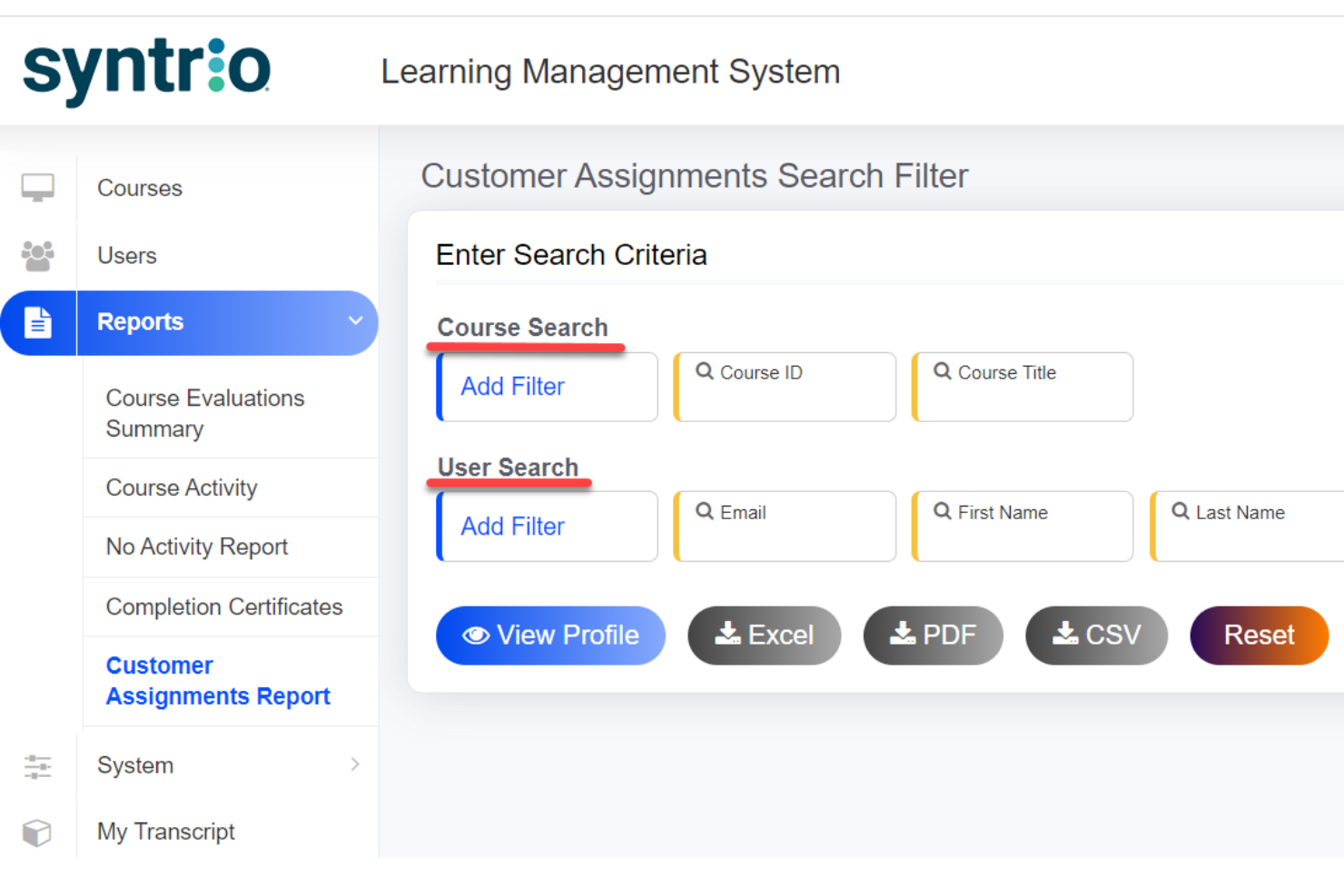
Mitratech specializes in providing comprehensive solutions in compliance training and ethics reporting. On the employee training side, it offers a variety of eLearning courses with topics including diversity & inclusion, employment law, ethics & compliance, and business skills.
Why I picked Mitratech: I like that Mitratech's learning management system supports a wide range of learning styles by integrating different formats, like audio, digital docs, and instructor-led lessons so employees can learn effectively. Since Mitratech already has a host of courses aimed at compliance and ethics, these can be seamlessly loaded onto the platform.
Alternatively, the platform also supports courses purchased from other providers, providing employers with the flexibility to tailor their training materials. The learning path options are also accessible, meeting both 508 and WCAG standards.
Mitratech Standout Features and Integrations:
Standout features include a flexible user interface, reference material, training progress, and communication options. The online training modules include foundation courses, microlearning courses, and ethical snapshots.
Integrations include courses purchased from other providers. You can also integrate Mitratech courses with your existing LMS.
Pros and Cons
Pros:
- In-depth training courses
- Robust data management
- Tailor to specific learning styles
Cons:
- Flexibility of LMS interface may present a learning curve
- Focuses mostly on compliance training

Absorb
Best for corporate compliance training
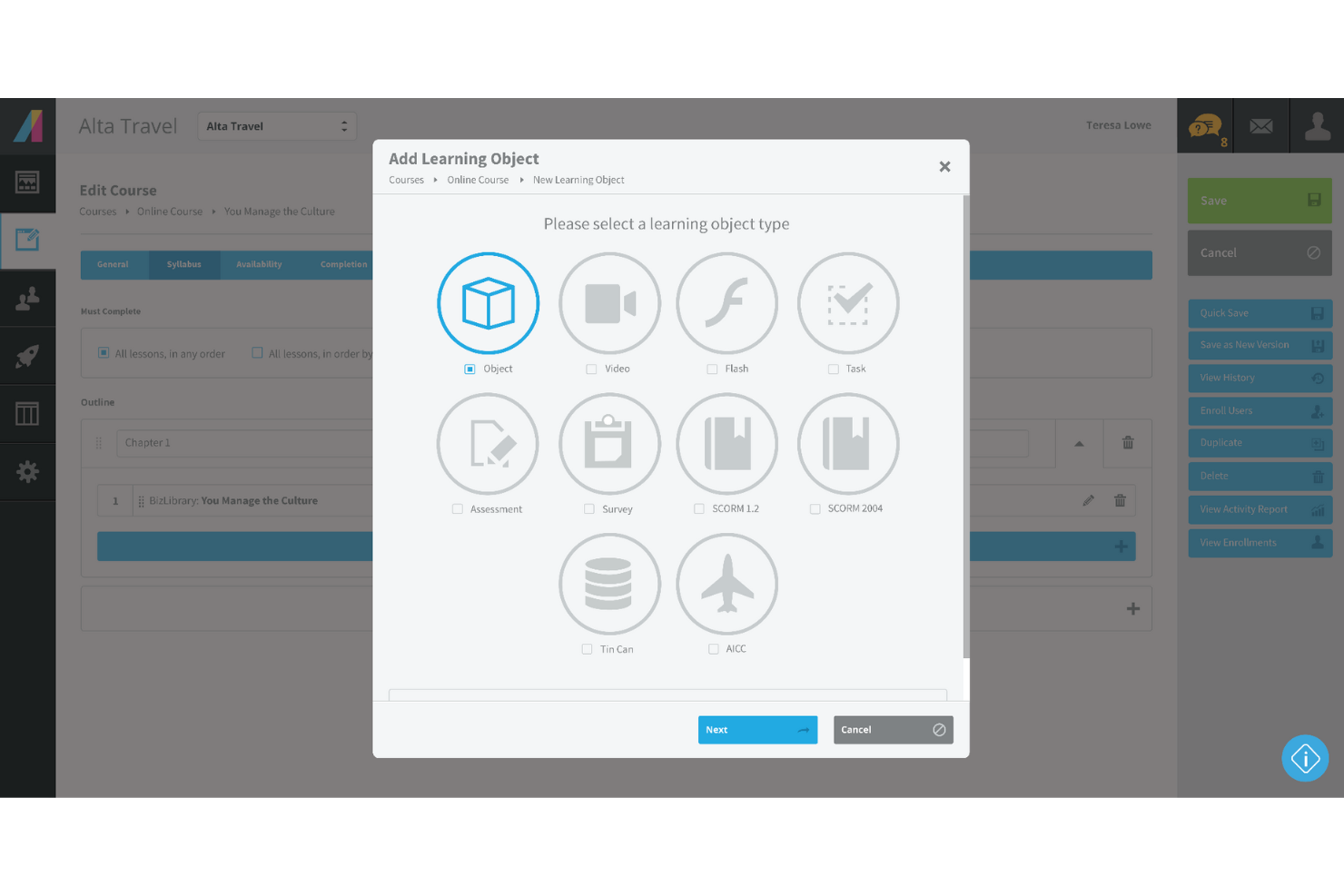
Absorb is a cloud-based online training solution to impart effective corporate learning. The software specializes in corporate compliance training to help your employees understand legalities, ethics, and other compliance criticalities.
Why I picked Absorb: I have always secretly hated corporate compliance training. I would just tick random boxes and stroll past endless blocks of text. Absorb adds a unique twist to corporate compliance training with automated scheduling and enrollment. Furthermore, Absorb allows you to create personalized to-do lists for learners to improve engagement.
If you’re a Learning and Development (L&D) HR manager, you’ll probably agree that managing expiring certifications is a nightmare. Absorb helps automate all your retraining and renewals, and improves your productivity.
Absorb Standout Features and Integrations:
Features that set Absorb apart include social learning, which enables seasoned employees to mentor juniors. A multi-language feature and unique learning paths help HR managers to train employees across multiple geographies.
Integrations include 15+ tools such as BambooHR, Degreed, Google Suite, Microsoft Azure, Namely, Okta, Salesforce, WebEx, Workday, Zoom, and others.
Pros and Cons
Pros:
- Great customer service
- Robust pre-built templates
- Extensive customization options
Cons:
- Resources lack a thumbnail feature
- Limited assessment features
New Product Updates from Absorb
Absorb Aura Adds Claude and ChatGPT Connections
Absorb Aura now connects to Claude or ChatGPT via MCP, enabling users to ask questions about their learning and the LMS directly inside the AI tool after a simple setup. For more information, visit Absorb's official site.
 .
.
Best for rapid online training setup

If you’re looking for online training software that helps your team learn without slowing you down, TalentLMS meets you where you are—whether you're building courses from scratch or rolling out training across multiple groups. You get a platform that keeps setup simple, gives you control over content, and adapts to different training styles, from self-paced modules to blended sessions. It’s built to take the weight off your plate so your people can grow without creating more operational drag.
Why I Picked TalentLMS
I picked TalentLMS because it lets you launch online training programs quickly while still supporting the complexity growing teams face. You can upload your own materials, build new content with AI, or pull from a large ready-made course library, which makes it easy to cover evolving training needs without stalling. Its automations—like enrolments, reminders, and reassignments—remove a lot of repetitive admin work so you can keep training consistent over time. And features like skills mapping and detailed reporting help you understand what your workforce knows, where gaps exist, and how training contributes to actual development.
TalentLMS Key Features
In addition to its flexible content creation and automation tools, TalentLMS includes several features that support a complete online training experience:
- Gamification: Adds points, badges, and leaderboards to keep learners motivated and involved.
- Learning Paths: Lets you guide learners step-by-step through structured skill-building sequences.
- Branches: Creates separate portals for different teams or regions while still managing everything from one platform.
- Blended Learning: Combines self-paced and instructor-led training.
TalentLMS Integrations
Integrations include Salesforce, Shopify, WordPress, BambooHR, ADP Workforce Now, Zoom, Microsoft Teams, GoTo, BigBlueButton, and Stripe.
Pros and Cons
Pros:
- Built-in assessments support skills measurement and certification.
- AI tools speed up course creation for fast-changing training needs.
- Clear learner grouping features support complex training structures.
Cons:
- Large multimedia files may require external hosting solutions.
- Built-in collaboration tools are basic compared with dedicated learning communities.
New Product Updates from TalentLMS
TalentLMS Adds Learning Paths, AI Video, and Learner Experience Updates
TalentLMS introduced updates across learning management, content creation, and learner experience, including Learning Paths for Groups, AI video generation in TalentCraft, video bookmarking, and expanded administration tools. For more information, visit TalentLMS’s official site.

Best for personalized skill development programs

iSpring LMS is a web-based training management solution that helps organizations run the full employee-development cycle efficiently, from onboarding to continuous skill growth.
Why I picked iSpring LMS: I decided to include this software on my list because of its flexibility and training personalization potential. Authoring capabilities are especially strong. For example, the integrated AI-assisted course building tool allows you to create interactive courses with quizzes, video, audio, and other engaging elements. You can also upload existing content, like PowerPoint presentations, and convert them into online courses.
The platform also features development plans, a feature that lets you map out personalized skill-building journeys for each employee. You can combine courses, on-the-job tasks, assessments, and deadlines into a clear, structured path that adapts to different roles and experience levels, making training feel purposeful rather than generic.
Because of its customizability, the software can be used for employee onboarding, product and sales training, compliance training, and performance evaluations. You can also increase engagement with built-in gamification: Points, leaderboards, and badges motivate learners to complete training and stay active over time.
iSpring LMS Standout Features and Integrations:
Standout features include the ability to craft individualized learning paths for each employee. I found this to be a really useful tool for encouraging professional development and aligning growth goals with each employee's unique career trajectory. The software is also mobile-compatible, so you can access employee data, track employee performance, and run reports from anywhere, even if you don't have a central office.
Integrations include ADP, BambooHR, Salesforce, Workday, and Zoom. Additional integrations can be configured using the REST/SOAP API
Pros and Cons
Pros:
- Well-suited for processes that require extensive training
- Personalized development plans
- 360-degree feedback
Cons:
- Limited native software integrations
- Complicated pricing structure (many modules and add-on options)
New Product Updates from iSpring LMS

iSpring LMS Adds Multiple Observations to OJT Sessions
iSpring LMS now lets managers log multiple observations within one OJT session, grouping visits and auto-generating summary stats like averages, criterion results, and comparisons. For more information, visit iSpring LMS's official site.

Best online training software with a PowerPoint plugin
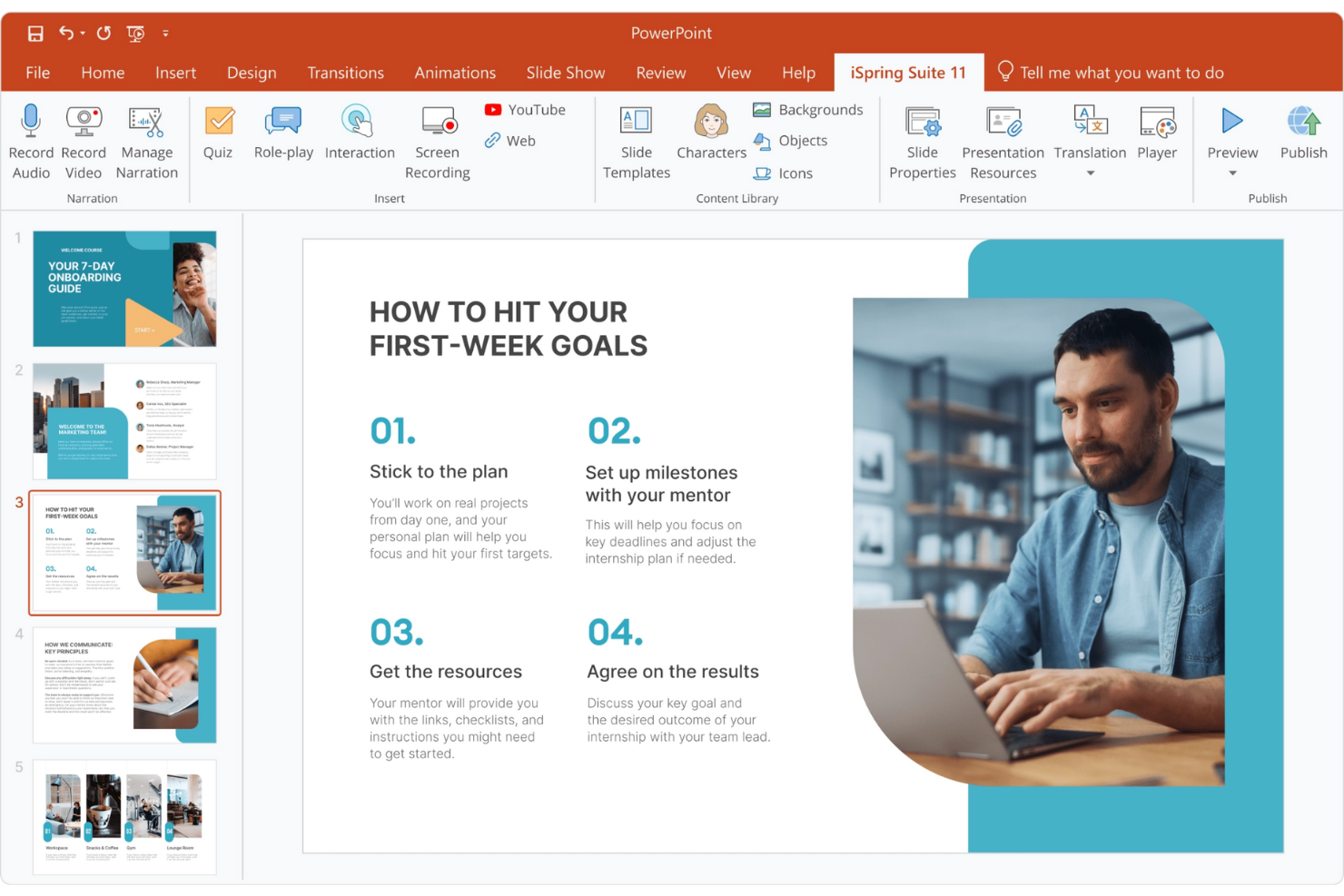
iSpring has specialized in creating eLearning software for over two decades now. The iSpring Suite features an amazing PowerPoint plugin that allows you to create courses from PPT presentations.
Why I picked iSpring Suite: I’m enthralled by the idea of creating employee training courses straight out of Microsoft PowerPoint. iSpring Suite has an extensive eLearning authoring toolkit with features like slide courses, smart quizzes, and interactive pages.
Furthermore, iSpring Suite also helps you build interactive assessments with drag-and-drops, flexible scoring, and other customizable testing logic.
iSpring Suite Standout Features and Integrations:
Standout features include a useful PPT to SCORM conversion feature that allows you to export powerpoint presentations into online courses. Additionally, the eLearning interactions help boost engagement through highly interactive templates.
Integration details are currently not available.
Pros and Cons
Pros:
- Great customer service
- Role-play simulations
- Versatile HTML5 publishing
Cons:
- Slightly steep learning curve
- Limited collaboration features

SkyPrep
Best for an intuitive user experience and quality customer support
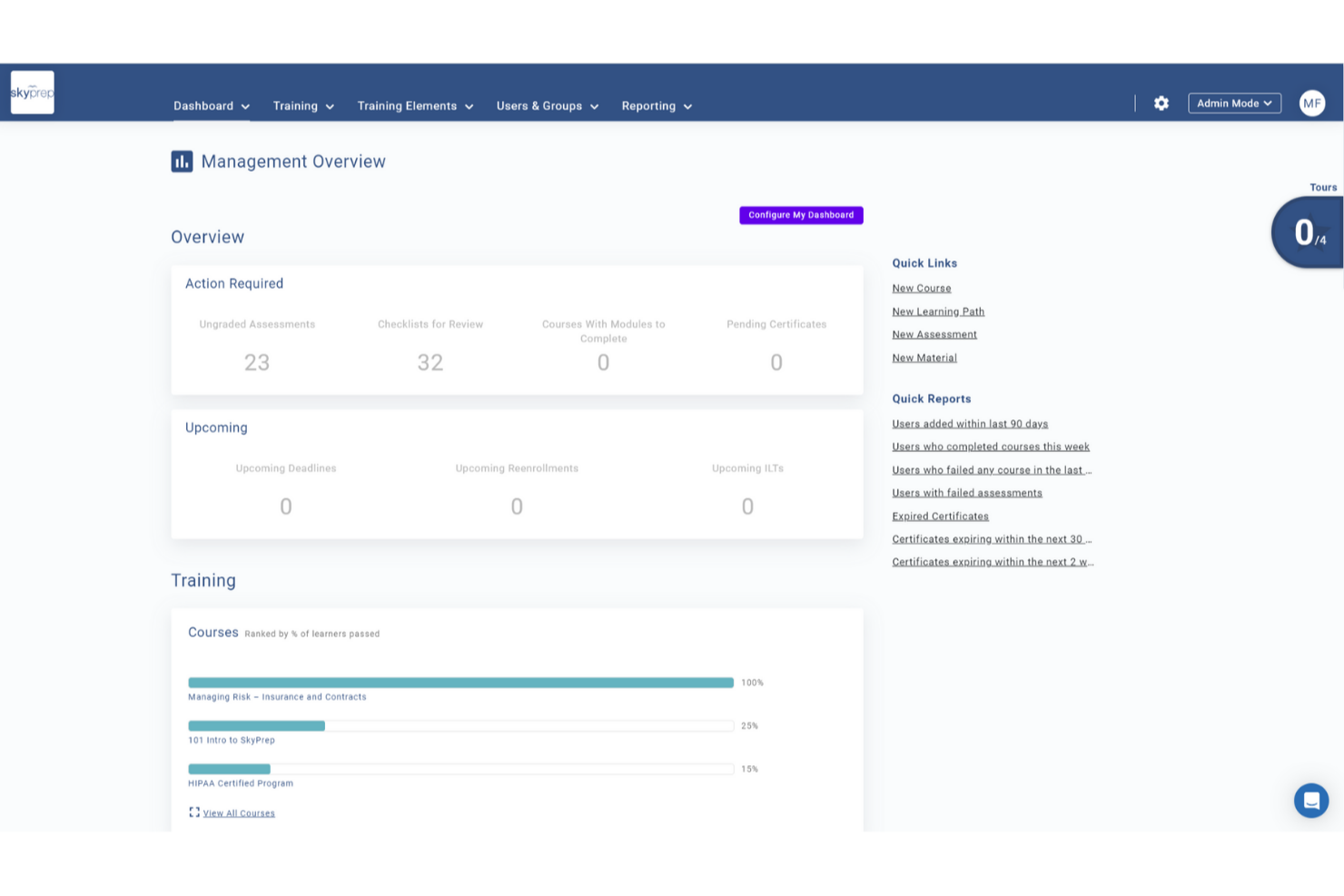
SkyPrep is an intuitive and easy-to-use online training platform that simplifies the process of creating, managing, and delivering training programs. With its user-friendly interface and robust features, SkyPrep empowers organizations to efficiently train their employees and track their progress.
Why I picked SkyPrep: the platform excels as an online training tool due to its exceptional ability to automate various online training processes. By streamlining administrative tasks such as course creation, enrollment management, and progress tracking, users can free up valuable time and resources for their organizations. Its automated features, including self-enrollment options, automated notifications, and customizable workflows, ensure a seamless training experience. And automated reporting and analytics provide insightful data on learner performance, enabling organizations to make data-driven decisions and continually improve their training programs.
SkyPrep Standout Features and Integrations
Features include an intuitive course builder that empowers users to create engaging training content without the need for technical expertise. The drag-and-drop interface, multimedia support, and customizable assessments enable organizations to design interactive courses tailored to their specific needs.
Users can also take advantage of SkyPrep's partnership with OpenSesame for access to thousands of pre-built courses across various industry verticals and topics.
Integrations include Okta, SAML, onelogin, Stripe, PayPal, Shopify, ADP, Workday, Salesforce, HubSpot, Zoom, GoTo, Webex, G Suite, Office 365, Twilio, iorad, UKG, and more.
Pros and Cons
Pros:
- Branding personalization
- Customizable workflow automations
- User-friendly interface
Cons:
- Pricing structure may not work for all org sizes
- Minimal advanced reporting functionality

Best for creating mobile training courses
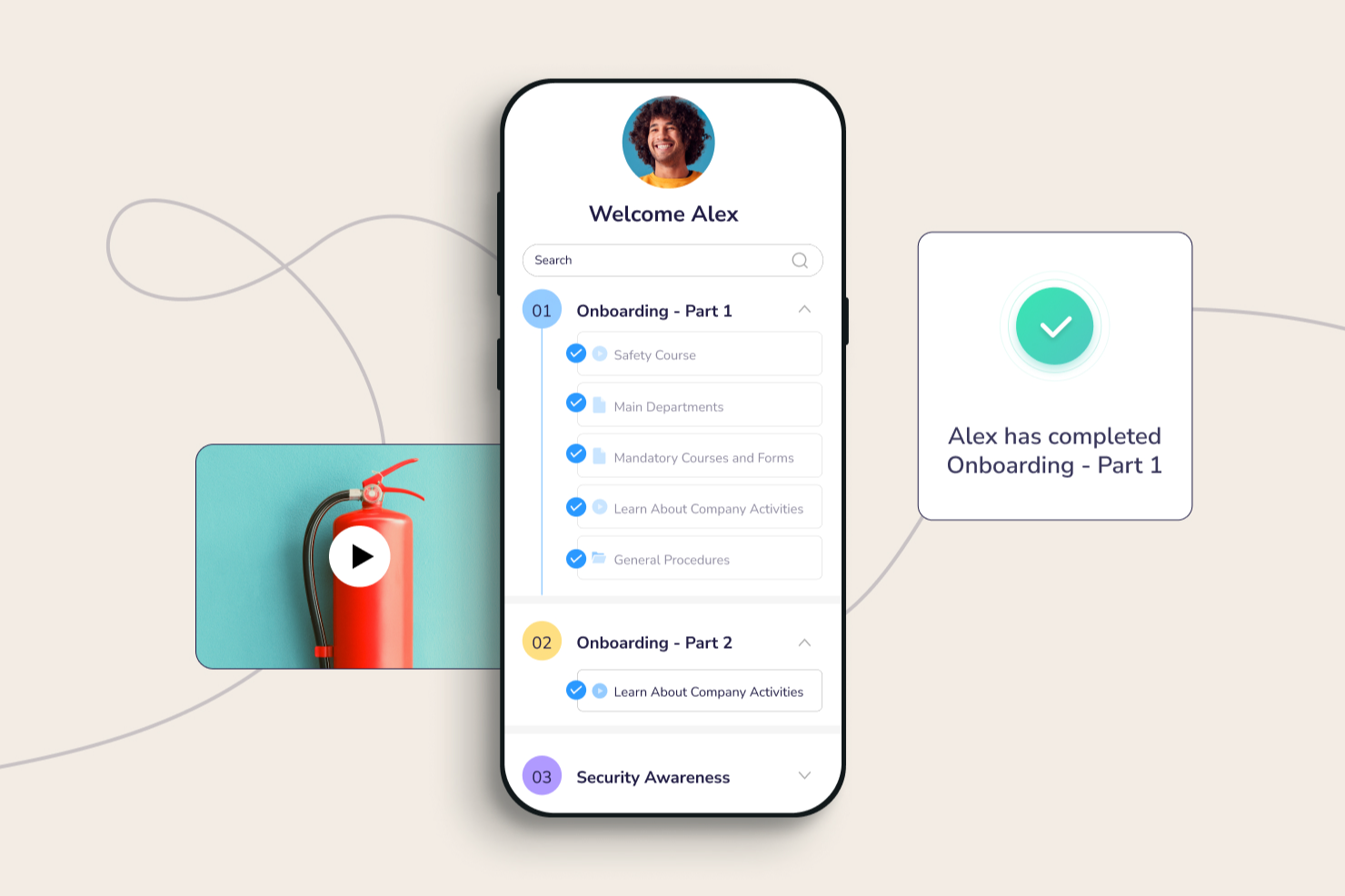
Connecteam targets businesses with deskless teams. They have over 500K daily active users spread across 79+ countries worldwide. Additionally, Connecteam has a great mobile app that helps employees upskill on the go.
Why I picked Connecteam: I love taking courses on my mobile - whether on the tram or during a run. Connecteam’s mobile application effectively enables employees to acquire critical skills, while away from their desktops. The mobile app also serves as a knowledge repository for your employees to access corporate documents too.
You can quickly create various courses and design customized course flows. Furthermore, Connecteam also enables you to oversee each employee’s learning progress and proactively reach out to them if they encounter any roadblocks.
Connecteam Standout Features and Integrations:
Standout features include micro training units that split large training modules into small chunks to improve online learning efficiency. The compliance module is comprehensive with easy content revisions and a mandatory training record.
Integrations include Paychex, Xero, Gusto, QuickBooks Payroll (online + desktop), Zapier, Google Calendar, API access, and others.
Pros and Cons
Pros:
- Robust time tracking features
- All-in-one employee management
- Certification tracking
Cons:
- Occasional application lags
- Limited admin customization features
New Product Updates from Connecteam

Connecteam Expands Break and Timesheet Controls
Connecteam adds flexible break thresholds, personalized policies, auto-end options, a centralized exceptions report, and improved timesheet issue visibility to help teams manage breaks and timesheets more effectively. For more information, visit Connecteam’s official site.
 .
.
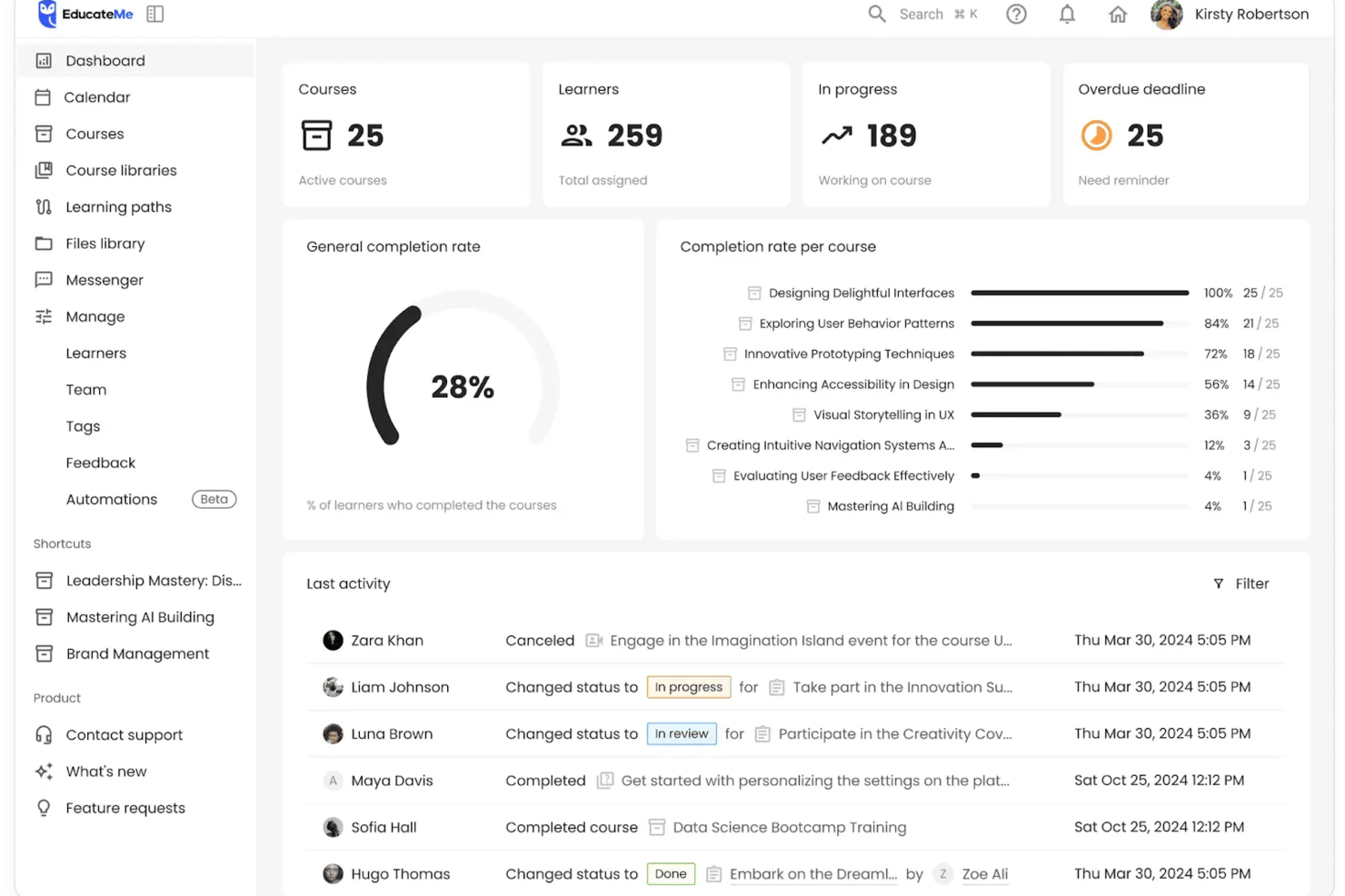
EducateMe LMS is an innovative online training platform that caters to organizations looking to scale their internal knowledge sharing. This AI-powered solution appeals to corporations, academies, and training agencies by offering tools for efficient content creation and management. It addresses training challenges by providing scalable solutions for employee onboarding, compliance training, and more.
Why I Picked EducateMe LMS
I picked EducateMe LMS for its unique AI-driven approach to online training. It allows you to build automated logic into your training paths, ensuring that as your team scales smoothly, the quality of education remains consistent without manual intervention. It’s particularly effective for technical teams that need to stay updated on rapidly changing product features or internal SOPs. Plus, its analytics feature provides real-time insights into learner engagement, allowing you to continually improve your training programs.
EducateMe LMS Key Features
In addition to its AI capabilities, EducateMe LMS offers a range of features that enhance its functionality as an online training software.
- Content Creation Tools: These tools enable your team to design interactive and engaging learning materials tailored to your organization's needs.
- White-Label Options: You can customize the platform to align with your brand identity, offering a smooth experience for your learners.
- Real-Time Reporting: This feature provides insights into learner engagement and course effectiveness, helping you make data-driven decisions.
- CRM Integrations: These integrations streamline administrative tasks, allowing you to manage your training programs more efficiently.
EducateMe LMS Integrations
Integrations include Google Workspace, Slack, Zoom, Salesforce, Figma, Calendly, and more. An API is available for custom integrations.
Pros and Cons
Pros:
- Highly scalable automation features
- Integrates well with popular CRM tools
- Supports diverse learning formats
Cons:
- Limited offline functionality
- No built-in video recording tool

Continu
Best for enterprise-grade data security
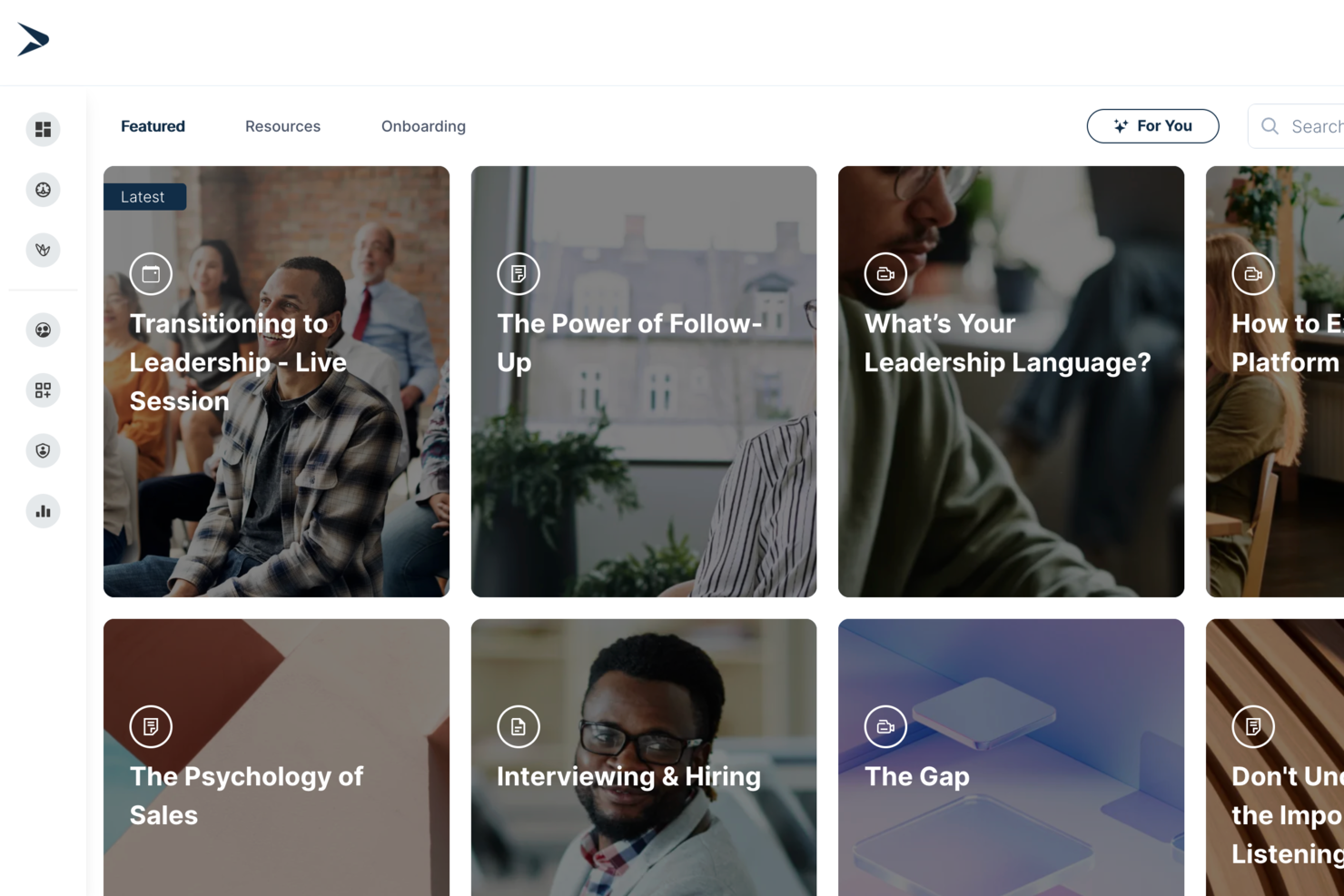
Continu is an online training platform that lets you build, deliver, and track custom learning programs with tools for interactive content, SCORM compatibility, data security, and native integrations.
Who Is Continu Best For?
Continu is a good fit for mid-size to enterprise companies that need a centralized platform to manage employee training, onboarding, and continuous learning at scale.
Why I Picked Continu
I've included Continu in my top picks because its security infrastructure is genuinely built for enterprise use, not bolted on as an afterthought. All data at rest is encrypted with AES-256, and everything in transit runs over TLS 1.2 or 1.3—the same standards used in banking and government. Continu is also SOC 2 Type II certified and ISO 27001 aligned, which matters a lot when you're managing training data across large, distributed workforces. I also like the automated SCIM provisioning, which syncs user access directly from your identity provider so new hires get in on day one and departing employees are revoked automatically.
Continu Key Features
- Learning paths: Build structured, sequential training programs that guide learners through content in a defined order.
- Content authoring tools: Create interactive courses, quizzes, and assessments directly inside the platform without third-party software.
- Reporting and analytics: Track learner progress, course completion rates, and engagement data across your entire workforce.
- Blended learning support: Combine self-paced online modules with instructor-led training sessions in a single learning program.
Continu Integrations
Continu offers native integrations with Workday, BambooHR, Namely, Rippling, Okta, Slack, Microsoft Teams, Google Workspace, Zoom, and Salesforce, and provides an API for custom integrations.
Pros and Cons
Pros:
- Customizable branding for learner portals
- Robust compliance and access controls
- Native Slack and Teams notifications
Cons:
- No built-in marketplace for premade courses
- Course authoring lacks branching scenarios
New Product Updates from Continu
Continu Adds Smarter Content Management
Continu adds Intelligent Tagging and Descriptions and richer content details to improve how learning content is organized and maintained. These updates reduce manual work and give teams more consistent, detailed content records. For more information, visit Continu’s official site.
 .
.
TeachFloor
Best for cohort-based training and peer learning

TeachFloor is a user-friendly learning management system designed to help businesses and organizations develop and manage their online training courses. It supports various content types such as live sessions, pre-recorded videos, quizzes, interactive activities, and assignments, ensuring a comprehensive and engaging educational experience for employees.
Why I picked TeachFloor: I like that TeachFloor supports cohort-based and peer-to-peer learning through features like the community space. This space allows learners to engage in discussions, ask questions, and help each other, which is especially useful for training teams, departments, or new employees.
Additionally, TeachFloor allows instructors and trainers to set start and end dates for cohort-based courses. Trainers can schedule live lessons or upload videos and other content. This feature helps organize the course structure and ensures that all necessary materials are available to employees at the right time.
TeachFloor Standout Features and Integrations:
Standout features include lesson scheduling, peer review functions, on-demand video, student reports and analytics, instructor review, one-on-one chat, white label customization, automated reminders and notifications, certificate generator, and polls.
Integrations include Slack, Mailchimp, Zapier, YouTube, Microsoft Teams, Zoom, Google Meet, Google Calendar, PayPal, Stripe, and Vimeo.
Pros and Cons
Pros:
- Customizable white-label platform
- Peer collaboration features
- Support for multiple learning formats
Cons:
- Reports could be more detailed
- Limited mobile capabilities
Other Online Training Software
Here are a few more online training tools that didn’t make my list, but are definitely worth checking out:
- LearnUpon
For creating custom learning portals
- Guidde
For AI-powered video training
- Coassemble
For creating impactful training campaigns
- WeSchool
For simplifying corporate training
- eloomi
Online training software with an intuitive course builder
- MedTrainer
For healthcare compliance training
- Bridge
For built-in training analytics
- Guru
For AI-driven enterprise knowledge
- Whale
For employee onboarding training
- Compass
For interactive training walkthroughs
- PitchMonster
For accelerating new sales rep onboarding
- Traineaze
For motivating employees via skill upgrades
- SafetyAmp
For delivering safety learning courses
- Deel HR
For training distributed global teams
- Exec
For AI-powered conversation roleplays
- Synergy Learning
For customized LMS development
- Adobe Learning Manager
Online training software with a multi-tenant architecture
- Trainual
For transforming SOPs into training manuals
- Mitratech Perform
Online training software with auto-enrollment features
- 360Learning
For creating technical training videos


How I Evaluate Online Training Software
I evaluate online training software in two layers: the baseline—things like SCORM delivery, enrollment management, and completion tracking—and differentiators like AI authoring or HRIS integrations.
Core Functionality (Table Stakes For This List)
When I'm selecting tools for my list, I rank each one on a scale from 0 (does not offer the functionality) to 5 (excels in this area) for each core functionality listed below. Then, I calculate the tool's total score as a percentage. Each tool needs to achieve a minimum total score of 65% to be considered for inclusion.
- Course Authoring Tools: I look for built-in content creation that supports multiple formats, including video, SCORM packages, and interactive quizzes, so your team can build courses without third-party tools.
- Content Delivery & LMS Portal: Each tool should offer a centralized, organized learning portal where employees can browse, enroll in, and complete courses from any device.
- Learner Management & Enrollment: I evaluate how the platform handles user grouping, role assignments, and learning paths—for example, auto-enrolling new hires into an onboarding track by department.
- Assessments & Certification Issuance: Strong platforms let you build knowledge checks with varied question types and automatically issue certificates, which is especially useful for recurring compliance training.
- Progress Tracking & Reporting: I check whether dashboards surface completion rates, scores, and overdue assignments clearly enough for an L&D manager to flag gaps at a glance.
- HR System Integrations: The platform should connect with your existing HRIS or HCM so employee data syncs automatically, eliminating duplicate data entry when someone joins, moves teams, or exits.
Once I have a list of tools that meet the criteria, I consider what sets each platform apart.
Differentiating Factors (What Sets Vendors Apart)
Here's how I compare and contrast different vendors:
Standout Features
AI-powered course creation is a major differentiator. Platforms that generate draft lessons from uploaded documents save L&D teams hours of manual work. Pre-built content libraries also matter—ready-made courses on compliance or soft skills let you deploy training on day one instead of building from scratch. I evaluate skills and competency mapping too, which ties course completions to career paths and gives talent leaders clear visibility into workforce development gaps.
Beyond Features
Pricing structure matters a lot here. Per-seat pricing can balloon fast for organizations with seasonal or frontline workers, so I check whether platforms offer active-user billing or flat-rate tiers instead. Learner accessibility is another priority—I look for multi-language support and WCAG compliance, especially for global teams onboarding across regions. I also evaluate compliance readiness, including SOC 2 certification and audit trail capabilities, since many HR teams need to prove training completion during regulatory reviews.
How to Choose Online Training Software
It’s easy to get bogged down in long feature lists and complex pricing structures. To help you stay focused as you work through your unique software selection process, here’s a checklist of factors to keep in mind:
| Factor | What to Consider |
|---|---|
| Scalability | Can the software grow with your team? Check if it supports additional users, courses, and content without extra costs or complexity. |
| Integrations | Does it connect with your existing tools? Ensure it integrates smoothly with HR systems, communication tools, and other platforms your team uses. |
| Customizability | Can you tailor it to your needs? Look for options to customize branding, learning paths, and user roles to fit your organizational structure. |
| Ease of use | Is it intuitive for your team? Test the interface to ensure it's straightforward, reducing the need for extensive training. |
| Implementation and onboarding | How long to get started? Evaluate the setup process, including any required training or data migration, to avoid long delays. |
| Cost | Does it fit your budget? Compare pricing plans, hidden fees, and value offered. Look for free trials to test before committing. |
| Security safeguards | Is your data protected? Verify data encryption, compliance with regulations, and access controls to safeguard sensitive information. |
| Support availability | Will you get help when needed? Check for 24/7 support, response times, and available resources like knowledge bases and community forums. |
What Is Online Training Software?
Online training software is a digital platform used to deliver educational content and training programs over the internet. Professionals like HR managers, corporate trainers, and educators use these tools to enhance learning efficiency and engagement. Features like course delivery, progress tracking, and multimedia support help with providing structured and interactive learning experiences. Overall, these tools make training more accessible and flexible for organizations and learners alike.
Features
When selecting online training software, keep an eye out for the following key features:
- Course delivery: Provides a platform to distribute educational content to learners, making training accessible from anywhere.
- Progress tracking: Monitors learner advancement through courses, helping instructors identify who needs additional support.
- Multimedia support: Allows integration of videos, audio, and interactive elements to enhance the learning experience.
- Customizable learning paths: Lets users tailor training programs to fit individual or organizational needs, ensuring relevant content.
- Integration capabilities: Connects with existing HR and communication tools to streamline workflows and data sharing.
- Certification and compliance: Offers tools to issue certificates and track compliance with industry standards.
- Mobile accessibility: Ensures learners can access training materials on various devices, providing flexibility in learning.
- Analytics and reporting: Provides insights into learner performance and course effectiveness, aiding in decision-making.
- User-friendly interface: Ensures ease of navigation for both administrators and learners, reducing the need for extensive training.
- Security safeguards: Protects sensitive data with encryption and access controls, ensuring compliance with regulations.
Benefits
Implementing online training software provides several benefits for your team and your business. Here are a few you can look forward to:
- Increased accessibility: Allows learners to access training materials from anywhere, making it easier to fit learning into busy schedules.
- Improved engagement: Interactive multimedia content keeps learners interested and motivated throughout the training process.
- Cost savings: Reduces the need for physical training spaces and materials, saving on overhead costs.
- Scalability: Supports growing teams by accommodating more users and content without significant additional costs.
- Personalized learning: Customizable learning paths ensure that training is relevant to each learner's role and needs.
- Efficient tracking: Progress tracking and analytics provide insights into learner performance, helping identify areas for improvement.
- Enhanced compliance: Certification and compliance features ensure that your team meets industry standards and regulations.
Costs & Pricing
Selecting online training software requires an understanding of the various pricing models and plans available. Costs vary based on features, team size, add-ons, and more. The table below summarizes common plans, their average prices, and typical features included in online training software solutions:
Plan Comparison Table for Online Training Software
| Plan Type | Average Price | Common Features |
|---|---|---|
| Free Plan | $0 | Basic course delivery, limited user access, and essential analytics. |
| Personal Plan | $5-$25/user/month | Course delivery, multimedia support, and progress tracking. |
| Business Plan | $25-$50/user/month | Customizable learning paths, integrations, and mobile accessibility. |
| Enterprise Plan | $50-$100+/user/month | Advanced analytics, dedicated support, and comprehensive compliance tools. |
Online Training Software FAQs
Got any queries on online training software? Check out these FAQs to learn more:
What’s the difference between training software and a learning management system?
Training software focuses on delivering specific training programs primarily on content creation, delivery, and tracking.
A LMS (learning management system) is a comprehensive platform that helps manage, enroll, test, and evaluate employees. An interesting analogy for an LMS is a bustling airport terminal, while an online training software is an airplane carrier.
Can I customize courses in online training software?
Yes, most online training software allows you to customize courses to fit your needs. You can often adjust learning paths, add multimedia elements, and brand the interface with your organization’s colors and logos. This flexibility helps you create a learning experience that resonates with your team and meets your specific training goals.
Is online training software secure?
Yes, reputable online training software providers implement security measures to protect your data. Look for features like data encryption, access controls, and compliance with industry regulations. Always check the provider’s security protocols and consider asking for a demonstration of their security features to ensure your information remains safe.
Do I need technical skills to use online training software?
No, you don’t need advanced technical skills to use most online training software. These platforms are designed to be user-friendly, with intuitive interfaces and easy navigation. However, having basic computer skills will help you get started more quickly. Many providers offer tutorials and support to assist you in setting up and managing your courses effectively.