
18 Best Single Touch Payroll Software in 2026

Best Single-Touch Payroll Software Shortlist
Here's my pick of the 12 best software from the 18 tools reviewed.


Managing payroll is challenging enough without adding regulatory reporting requirements into the mix. For Australian businesses, Single Touch Payroll (STP) compliance means reporting wages, PAYG withholding, and superannuation directly to the ATO every pay cycle. That’s not optional — and getting it wrong can create serious administrative and compliance risks.
Single Touch Payroll software is designed to make this process easier by automating real-time reporting and reducing manual data entry. The right system helps ensure accuracy, keeps you compliant with STP Phase 2 requirements, and saves your HR or finance team valuable time.
I’ve reviewed and evaluated a range of STP-compliant payroll solutions to help you find the best fit for your business. In this guide, you’ll find my top picks, each assessed for compliance features, usability, scalability, and overall value.
Whether you’re a small Australian business, a growing mid-sized company, or managing payroll at enterprise scale, there’s a solution here that can simplify reporting and give you greater confidence in your payroll process.
Why Trust Our Software Reviews
Best Single-Touch Payroll Software Summary
This comparison chart summarizes pricing details for my top single-touch payroll software selections to help you find the best one for your budget and business needs.
| Tool | Best For | Trial Info | Price | ||
|---|---|---|---|---|---|
| 1 | Best for payroll embedded in accounting workflows | 30-day free trial available | From $38/user/month | Website | |
| 2 | Best real-time payroll for large enterprises | Free demo available | Pricing upon request | Website | |
| 3 | Best for unified HR, payroll, and benefits | Free demo available | Pricing upon request | Website | |
| 4 | Best for global payroll and tax compliance | Free demo available | Pricing upon request | Website | |
| 5 | Best for scalable, modular payroll | Free demo available | Pricing upon request | Website | |
| 6 | Best for highly regulated industries | Free plan available | From 1.65 AUD/employee/month | Website | |
| 7 | Best for payroll teams needing granular control over STP reporting fields | 3-month free trial available | From 5 AUD/month | Website | |
| 8 | Best for mobile-first employee payslip access | 30-day free trial available | From 9.95 AUD/month | Website | |
| 9 | Best for straightforward, low-cost STP payroll solutions | Free plan available | From 0.99 AUD/employee/month | Website | |
| 10 | Best for custom payroll rule configurations | Free demo available | Pricing upon request | Website | |
| 11 | Best for payroll powered by time tracking | 12-month free trial available | From 2.45 AUD/employee/month | Website | |
| 12 | Best for HR-led payroll for startups and SMEs | 7-day free trial available | Pricing upon request | Website |
-

Checkr
Visit WebsiteThis is an aggregated rating for this tool including ratings from Crozdesk users and ratings from other sites.4.5 -
Kudoboard
Visit WebsiteThis is an aggregated rating for this tool including ratings from Crozdesk users and ratings from other sites.4.8 -
Native Teams
Visit WebsiteThis is an aggregated rating for this tool including ratings from Crozdesk users and ratings from other sites.4.9





Best Single-Touch Payroll Software
Below are my detailed summaries of the best single-touch payroll software that made it onto my shortlist. My reviews offer a detailed look at the key features, pros and cons, integrations, and ideal use cases of each tool to help you find the best one for you.


QuickBooks is a payroll solution designed for small businesses that offers essential payroll management functions. It helps your team manage payroll, tax calculations, and compliance efficiently.
Why I picked QuickBooks: QuickBooks caters specifically to small businesses with features such as automated pay day runs, tax penalty protection, and next-day direct deposit. The platform offers an easy-to-navigate interface, making it accessible even for those with limited payroll experience. It also provides mobile access, allowing you to manage payroll on-the-go. Its focus on small businesses ensures that the features are tailored to meet the needs of smaller teams without overwhelming complexity.
Standout features and integrations:
Features include automated payroll processing, tax penalty protection, and next-day direct deposit. You can also access payroll reports to keep track of expenses and employee hours. The mobile app ensures you can manage payroll tasks from anywhere.
Integrations include TSheets, Expensify, Gusto, Shopify, Square, PayPal, BILL, Mailchimp, and more.
Pros and Cons
Pros:
- Customizable payroll reports
- Combines payroll and accounting
- Mobile app flexibility
Cons:
- Limited international payroll support
- Additional fees for some features

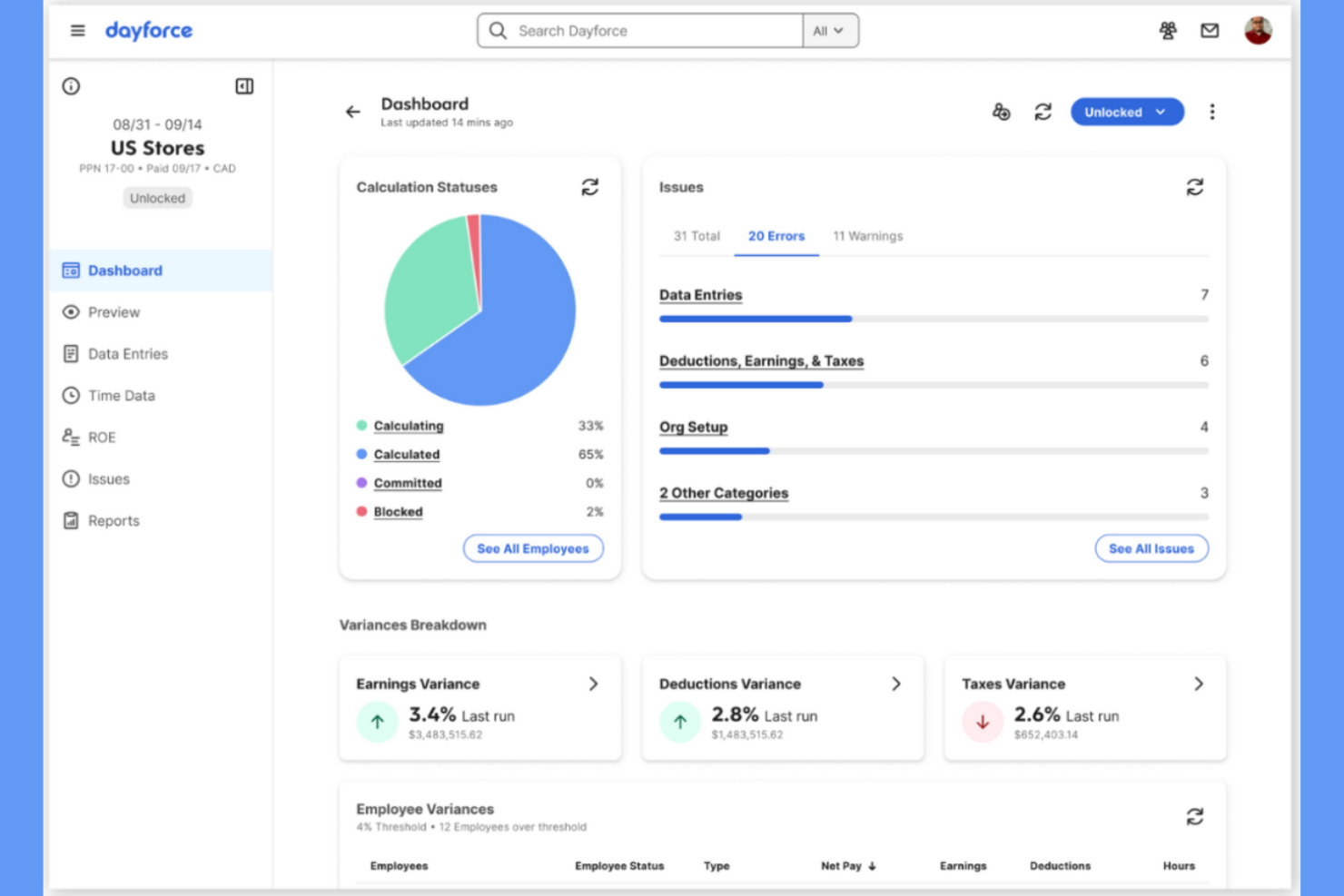
Dayforce is a full human capital management platform tailored for large enterprises. It provides payroll, HR, and workforce management solutions to help your team handle complex payroll needs with real-time data and insights.
Why I picked Dayforce: Dayforce excels in serving large enterprises with its unified data model that delivers real-time updates and calculations. This feature supports complex payroll requirements, including diverse income types, ensuring accuracy and compliance. The platform's scalability accommodates growing business needs and is ideal for large teams. Additionally, Dayforce offers advanced analytics to help you make informed decisions based on real-time data.
Standout features and integrations:
Features include real-time payroll processing, which ensures accurate calculations and compliance. The platform provides advanced workforce analytics, enabling you to gain insights into your team's performance and productivity. You can also customize reporting to meet your organization's specific needs.
Integrations include Salesforce, ADP, Workday, SAP SuccessFactors, Oracle, Microsoft Dynamics, Kronos, Cornerstone OnDemand, Talentsoft, and more.
Pros and Cons
Pros:
- Scales across large organizations
- Automated compliance for complex payroll
- Real-time payroll reporting and workforce data
Cons:
- Complex initial setup and configuration
- Limited reporting and support

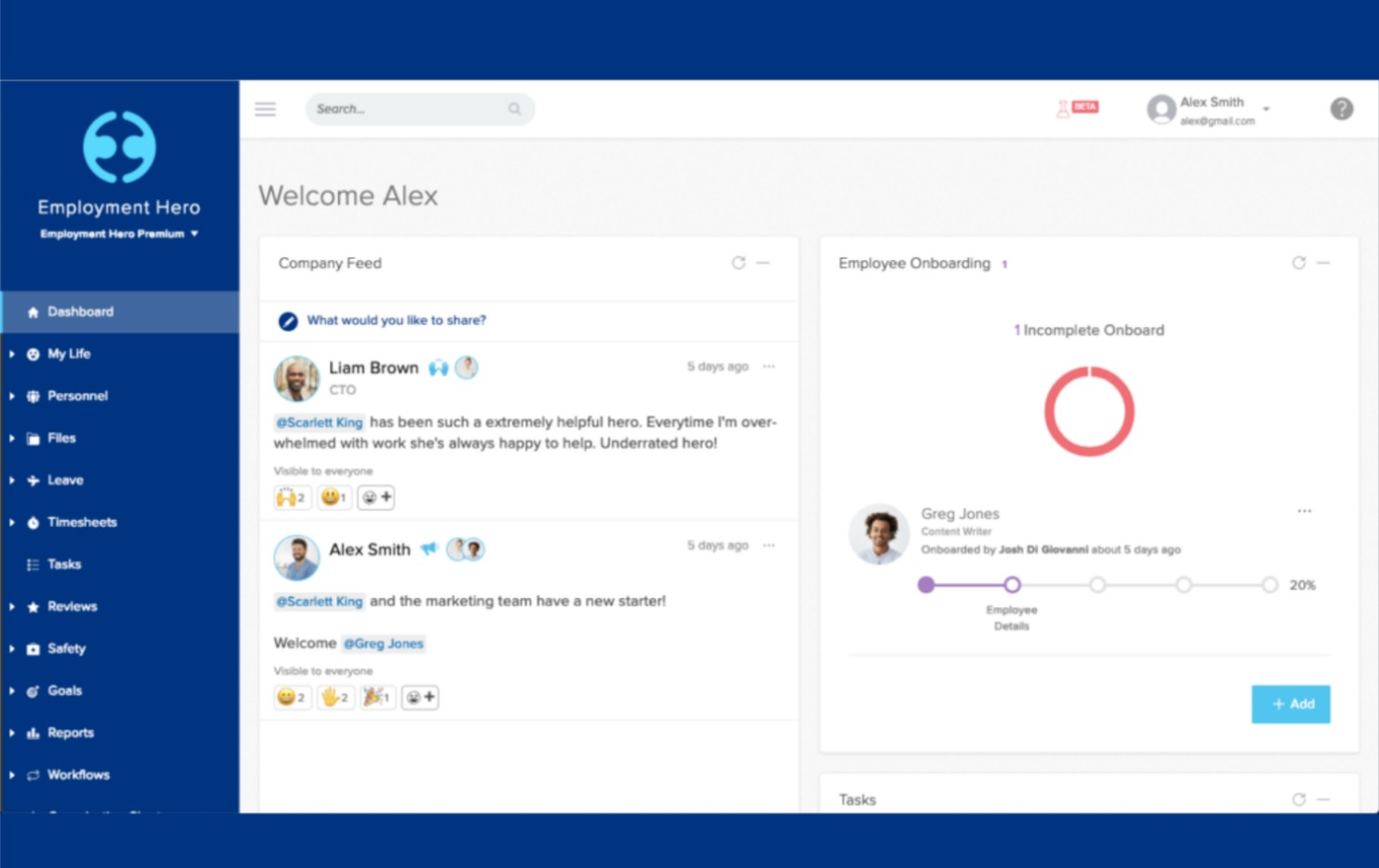
Employment Hero is a human resources and payroll platform designed for small to medium-sized businesses, offering a suite of HR, payroll, and benefits management tools. It helps your team manage payroll while integrating various HR functions in one place.
Why I picked Employment Hero: Employment Hero combines HR and payroll functions, providing an integrated solution for small to medium-sized organisations. Its features include STP-compliant and automated payroll processing. The platform also offers an employee self-service portal, which empowers your team to manage their own information. Additionally, Employment Hero's benefits management tool helps you offer competitive employee perks to enhance overall employee satisfaction.
Standout features and integrations:
Features include an employee self-service portal that allows your team to manage their personal information and access payslips. The platform offers automated leave management, making it easy to track and approve requests. You can also utilize performance management tools to set goals and track employee progress.
Integrations include Xero, MYOB, QuickBooks, Deputy, Tanda, KeyPay, Netsuite, Salesforce, and more.
Pros and Cons
Pros:
- Automated leave management
- Employee self-service portal
- Integrated HR and payroll functions
Cons:
- Extensive setup and training time required
- Limited advanced analytics


ADP is an extensive payroll and HR management solution designed for multinational companies. It offers payroll processing, compliance management, and HR services, catering to businesses with a global presence.
Why I picked ADP: ADP excels in serving multinational companies with features such as global payroll management and compliance with international regulations. It supports multiple currencies and languages, making it suitable for businesses operating across different countries. The platform provides real-time analytics, helping you make informed decisions about your workforce. Additionally, ADP's scalability ensures it can accommodate growing business needs.
Standout features and integrations:
Features include global payroll management, which supports multiple currencies and languages. The platform offers compliance management to ensure adherence to international regulations. You can also access real-time analytics to gain insights into your workforce and make data-driven decisions.
Integrations include Workday, SAP SuccessFactors, Oracle, Microsoft Dynamics, Salesforce, NetSuite, QuickBooks, Xero, Sage, BambooHR, and more.
Pros and Cons
Pros:
- Integrated HR, reporting, and analytics
- Scalable for growing and multinational businesses
- Extensive real-time analytics capabilities
Cons:
- High implementation costs
- Requires training for full utilization


The Access Group offers an all-in-one payroll solution designed for businesses looking for scalable options. It supports payroll management and compliance functions, making it suitable for growing companies.
Why I picked The Access Group: The Access Group provides scalable payroll solutions, accommodating businesses as they expand. It features automated payroll processing for compliance with single-touch payroll requirements. The platform's user-friendly interface allows your team to manage payroll tasks efficiently. Additionally, it offers detailed reporting tools, including STP Phase 2 and end of the financial year, and offers insights into payroll expenses and trends.
Standout features and integrations:
Features include automated payroll processing, which simplifies tasks and ensures compliance. You can access detailed reporting tools to analyze payroll expenses and trends. The platform also offers a user-friendly interface that makes managing payroll tasks straightforward.
Integrations include Xero, MYOB, QuickBooks, Sage, SAP, Oracle, Microsoft Dynamics, Attache, NetSuite, and more.
Pros and Cons
Pros:
- Supports strong compliance and reporting
- Integrates well with HR and workforce systems
- Scalable for mid-to-large organisations with complex needs
Cons:
- Complex reporting setup for basic payroll users
- Pricing and feature depth may be overkill for smaller teams

SeSQue Payroll is a single-touch payroll software tailored for micro and small businesses in Australia, ensuring compliance with the government agencies. It offers cloud-based payroll management, allowing you to handle single-touch payroll reporting with ease.
Why I picked SeSQue Payroll: SeSQue Payroll is designed with compliance-focused firms in mind, providing features such as ATO-compliant single touch payroll reporting and secure cloud access. The intuitive interface simplifies payroll system tasks, making it accessible for small businesses without technical expertise. SeSQue Payroll's transparent pricing ensures no hidden fees, which is helpful for budget-conscious teams. The ability to generate pay-as-you-go statements and process superannuation contributions further enhances its appeal to compliance-focused users.
Standout features and integrations:
Features include secure cloud-hosted access, which allows you to manage payroll and pay runs from any device. The software offers payslip generation and the ability to email employee income statements directly to employees. It also supports ABA payment file generation for easy payment processing.
Integrations include Beam Clearing House, ATO, and more.
Pros and Cons
Pros:
- Fast setup and refined ATO lodgement
- Supports superannuation processing
- Lightweight cloud solution for Australian small businesses
Cons:
- Basic plan lacks features
- Limited advanced payroll features
Best for payroll teams needing granular control over STP reporting fields
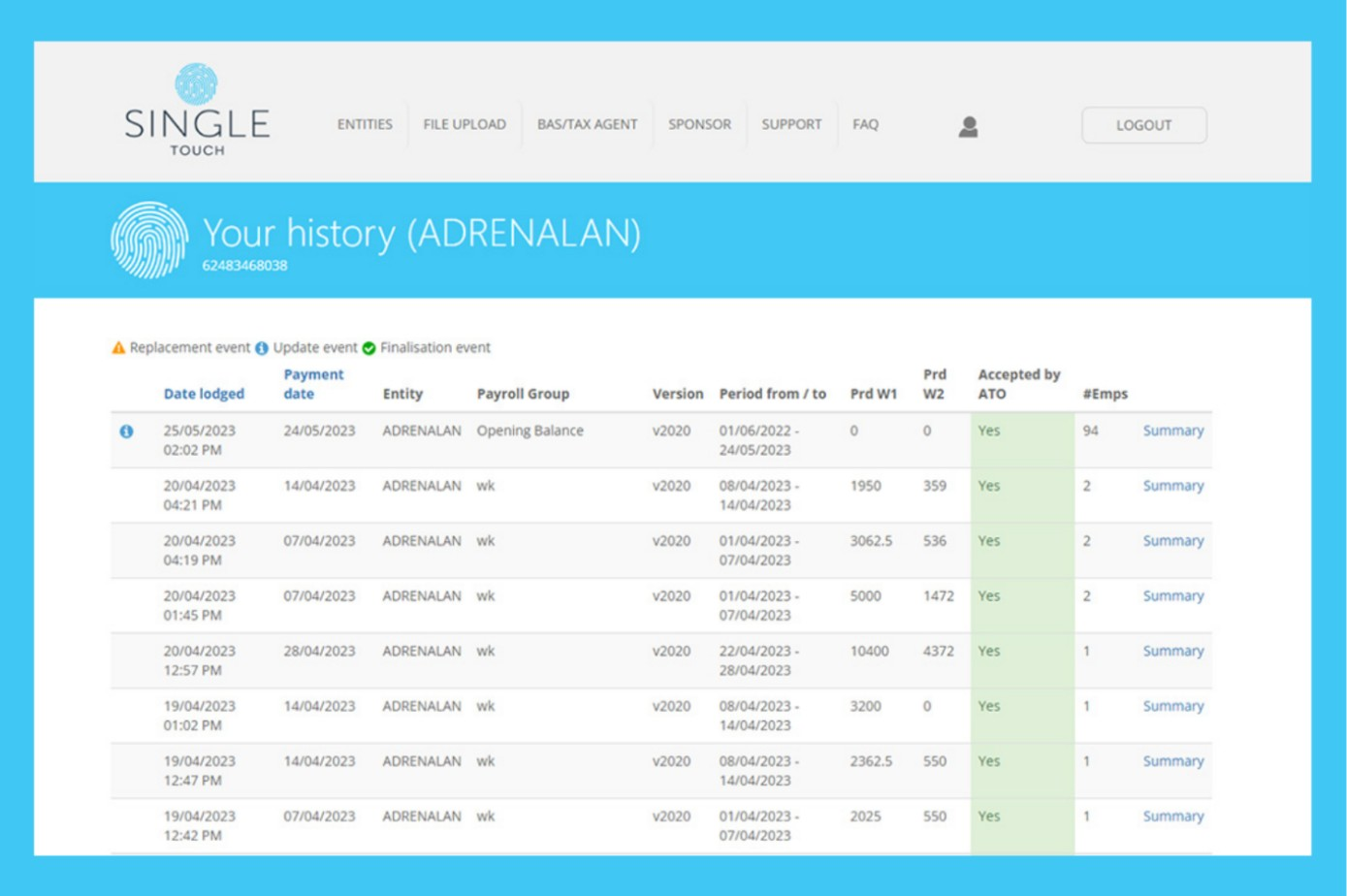
Single Touch is a payroll software specifically designed for Australian businesses, focusing on compliance with local regulations. It helps your team manage payroll and tax reporting efficiently within the Australian context.
Why I picked Single Touch: Single Touch is tailored to meet the needs of Australian businesses, ensuring compliance with Australian taxation office STP requirements. Its features include automated tax calculations and direct ATO reporting, including PAYG withholding, superannuation, and year-to-date information, which are central to compliance.
The software's straightforward interface makes it easy for your team to handle payroll tasks without extensive training. Additionally, it provides detailed payroll reports that help you keep track of employee payments, tax obligations, and exemptions.
Standout features and integrations:
Features include automated tax calculations, which ensure your payroll is always accurate. The software provides direct reporting to the ATO, saving you time on compliance tasks. You can also generate detailed payroll reports to analyze your business's payroll expenses.
Integrations include MYOB, Xero, QuickBooks, Reckon, Sage, SAP, Oracle, Microsoft Dynamics, Attache, and more.
Pros and Cons
Pros:
- Flexible solutions for varying business needs
- Detailed payroll reporting
- Direct ATO reporting and automated tax calculations
Cons:
- Limited broader paywall features
- Reporting and analytics features are not as advanced or customizable as some other tools
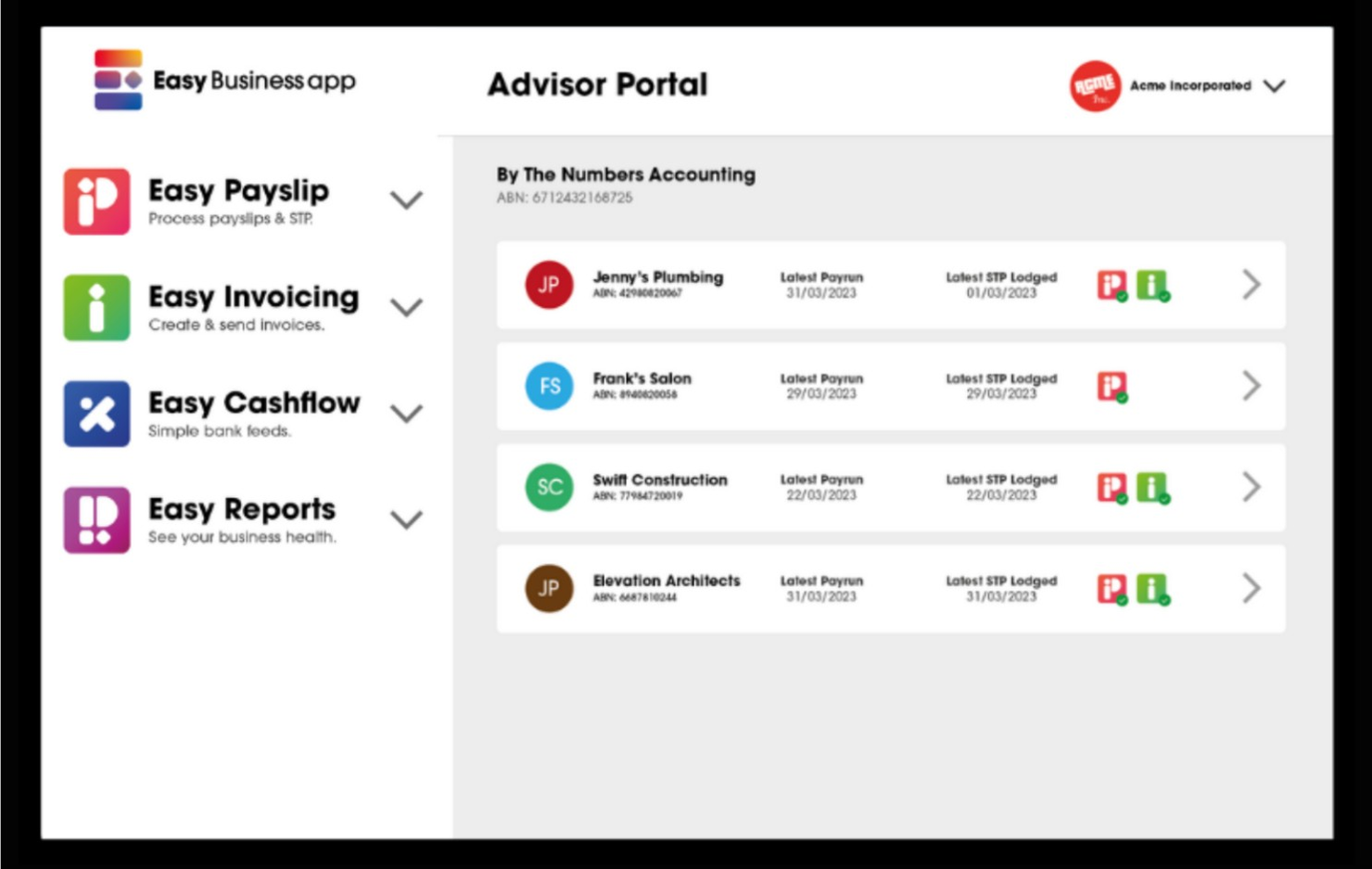
Easy Payslip is a mobile-friendly payroll solution designed for small businesses, offering payroll and compliance management features. It allows your team to manage payroll tasks conveniently from any mobile device.
Why I picked Easy Payslip: Easy Payslip provides mobile access and is perfect for small businesses that need flexibility. Its features include easy payslip generation and direct ATO reporting, ensuring compliance with Australian regulations. The app's user-friendly interface allows you to manage payroll tasks without needing a desktop computer. Additionally, Easy Payslip supports multiple payment methods, offering versatility in how you pay your employees.
Standout features and integrations:
Features include a simple payslip generation process that allows you to create and send payslips directly from your mobile device. The app supports multiple payment methods, giving you the flexibility to choose how to pay your staff. You can also track employee information and contributions to ensure compliance.
Integrations include Xero, SAP, and more.
Pros and Cons
Pros:
- Designed for small businesses and casual payroll use
- Clear interface with easy payslip generation
- Supports multiple payment methods
Cons:
- May lack advanced features
- Limited desktop functionality
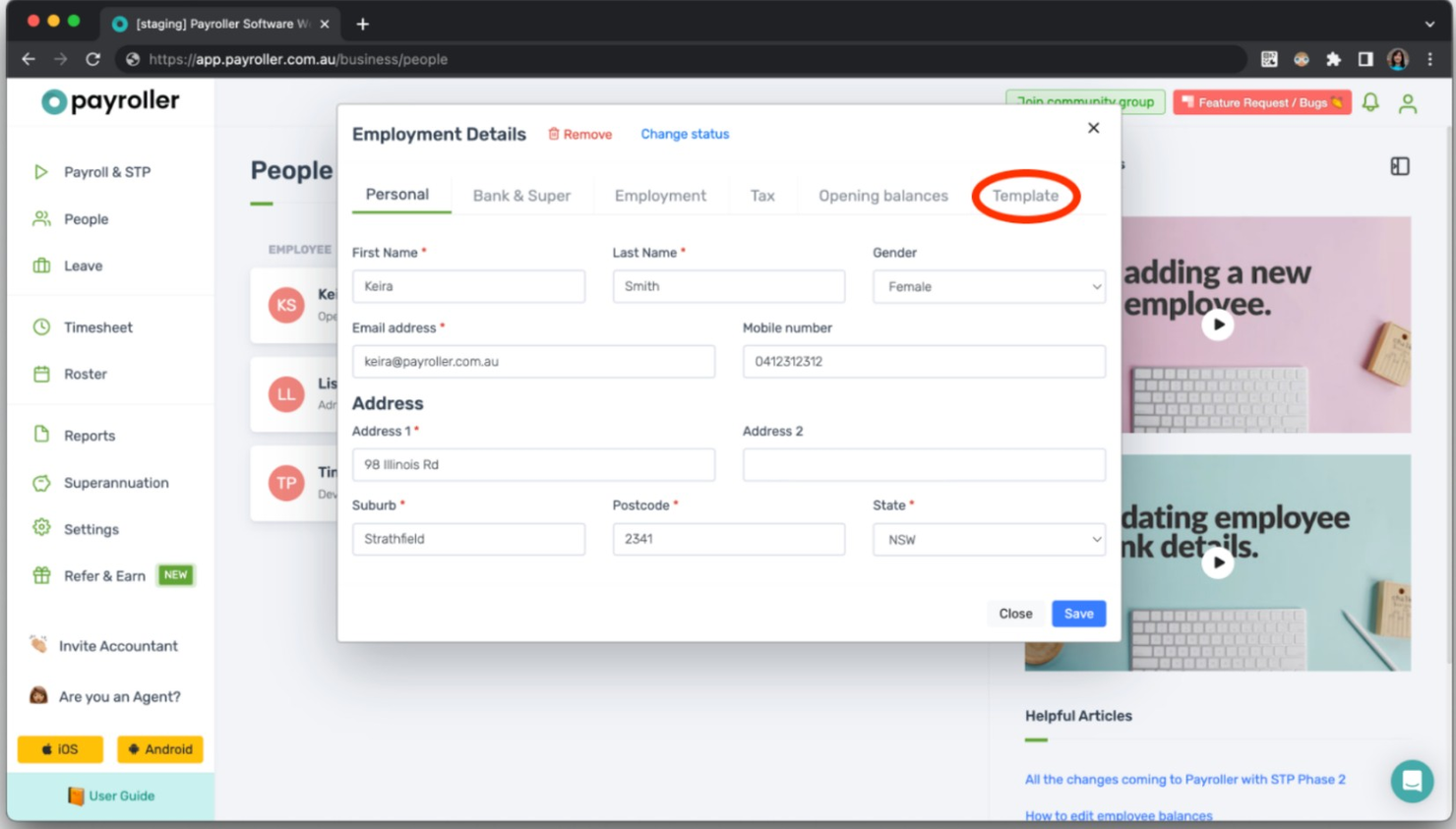
Payroller is a payroll software solution designed for small businesses, offering essential payroll management and compliance features. It helps your team manage payroll tasks efficiently without breaking the bank.
Why I picked Payroller: Payroller is ideal for those seeking an affordable payroll solution, with features such as automated payroll processing and STP compliance. It offers a user-friendly interface that simplifies payroll tasks for small business owners. The platform provides access to detailed payroll reports, helping you keep track of finances. Additionally, Payroller supports various payment methods, allowing flexibility in how you pay your employees.
Standout features and integrations:
Features include a straightforward payroll processing system that automates calculations and compliance tasks. The software offers detailed payroll reports, giving you insights into financial data. You can also manage employee leave and track superannuation information and contributions.
Integrations include Xero, QuickBooks, Sage, Microsoft Dynamics, and more.
Pros and Cons
Pros:
- Focuses on essential payroll features
- Easy-to-navigate dashboard for core payroll tasks
- Straightforward pricing with clear cost per employee
Cons:
- Limited third-party integration and customization options
- Lacks advanced automation

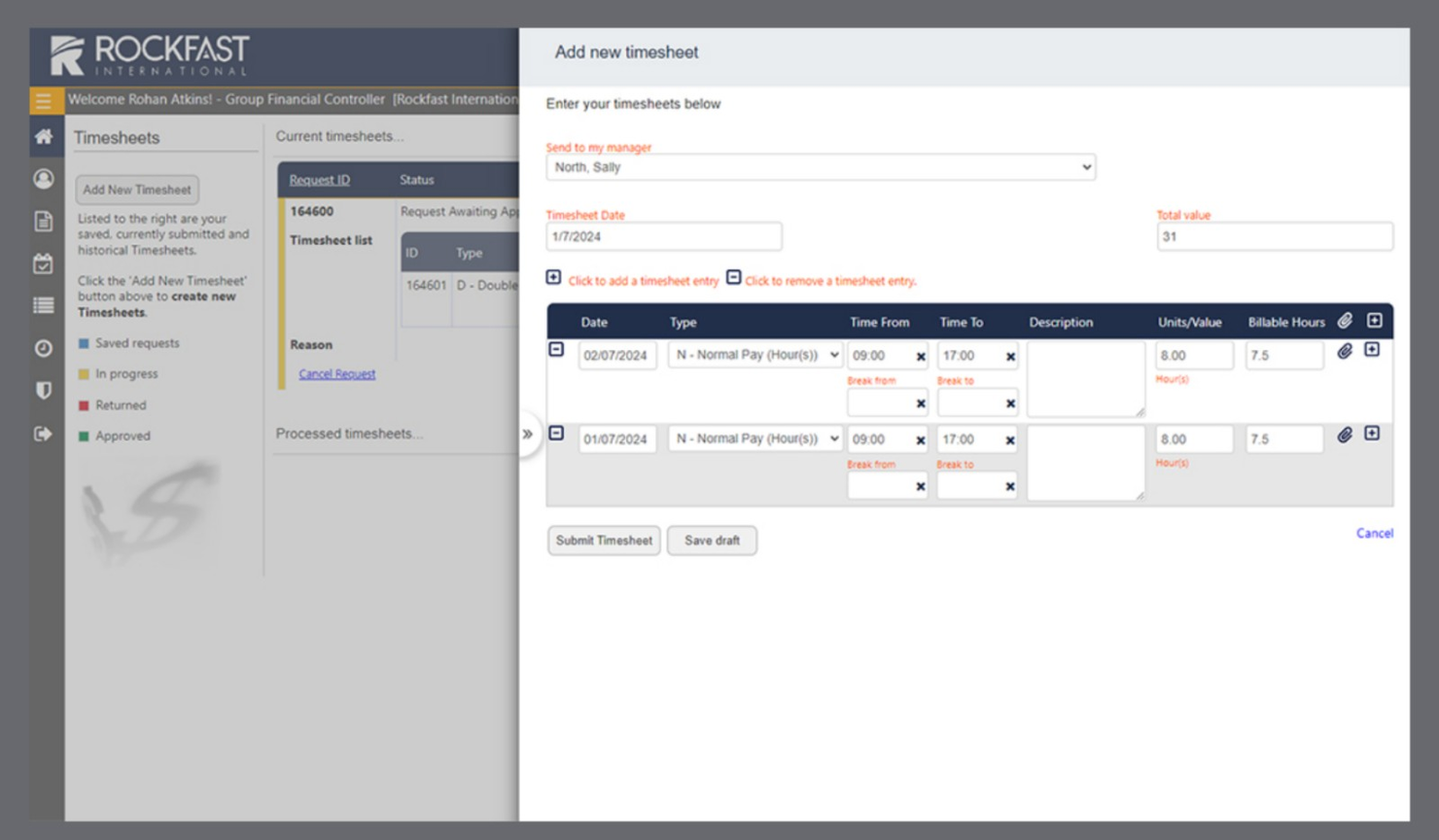
Rockfast's STP software is designed for businesses of all sizes, focusing on payroll management and HR functions. It provides automated payroll processing and secure cloud hosting that simplifies tax lodgement and reduces errors.
Why I picked Rockfast: Rockfast offers custom payroll solutions with features such as formula-based multinational tax estimates and complex award calculations. Its secure cloud hosting ensures data safety while providing employee self-service options. The software is designed to comply with single-touch reporting standards, making it suitable for businesses needing reliable and accurate payroll management. Additionally, Rockfast's support team is Australian-based and offers accessible assistance.
Standout features and integrations:
Features include formula-based tax calculations that accommodate multi-national requirements. The software supports complex award and benefit calculations, ensuring compliance with industry standards. It also offers employee self-service options, so your team has secure access to their payroll information.
Integrations include MYOB, Xero, QuickBooks, Sage, Pronto, Attache, and more.
Pros and Cons
Pros:
- Strong security that meets ISO 27001 standards for payroll data
- Formula-based tax calculations
- Customizable deployment for cloud or on-premise payroll services
Cons:
- Complexity may be higher for small teams
- Complex award calculations
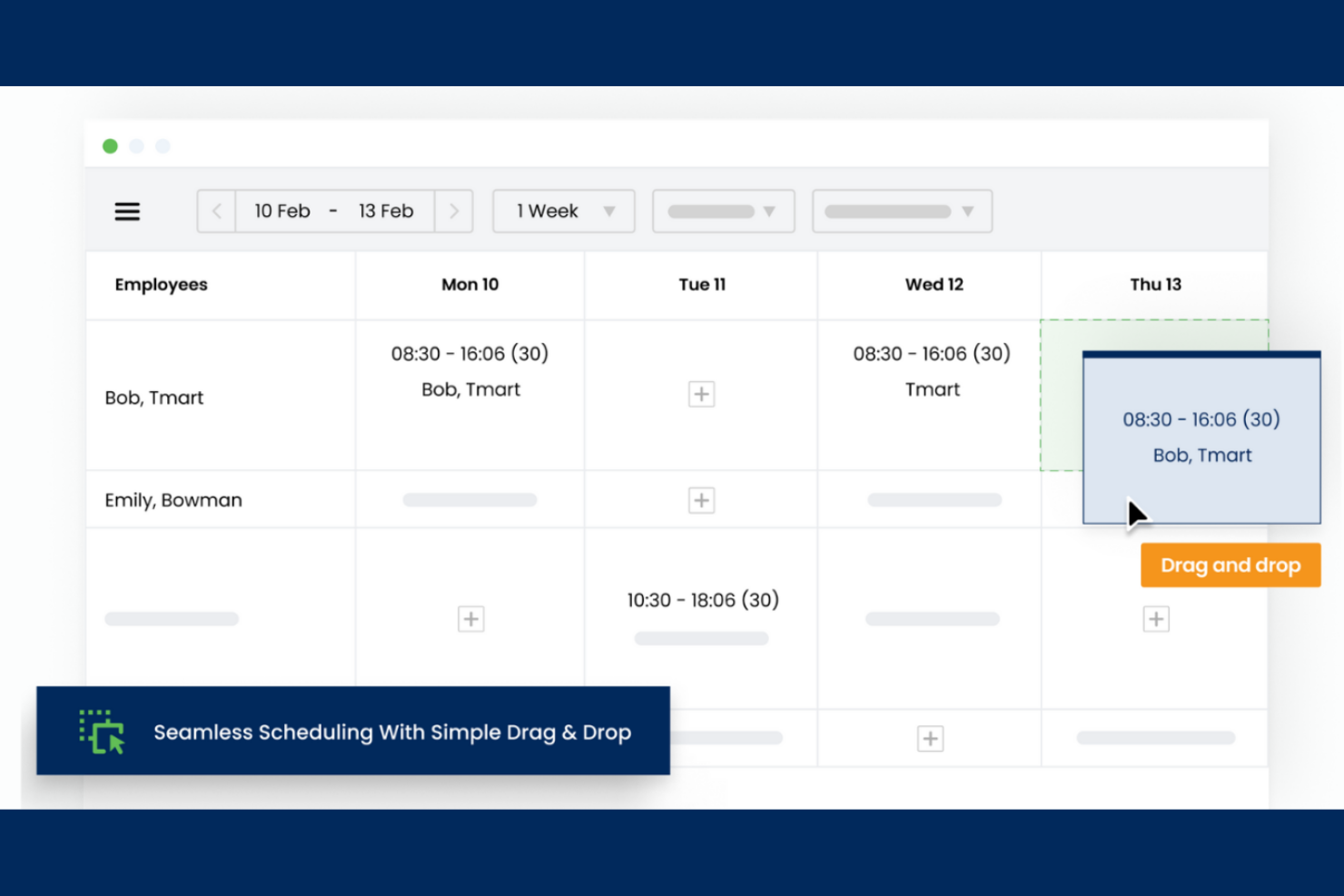
ClockOn is a payroll and workforce management software designed for businesses of all sizes, focusing on payroll processing and time and attendance tracking. It helps your team manage payroll tasks while integrating easily with workforce management functions.
Why I picked ClockOn: ClockOn integrates payroll with time and attendance tracking, making it ideal for businesses needing complete workforce management. It offers automated payroll processing to ensure compliance with single-touch payroll requirements. The platform's ability to track employee hours accurately helps you manage labor costs effectively. Additionally, ClockOn provides detailed payroll reports, giving you insights into your payroll data.
Standout features and integrations:
Features include automated time and attendance tracking to help you monitor employee hours accurately. The software offers detailed payroll reports to analyze labor costs and efficiency. You can also manage employee leave and superannuation contributions, ensuring compliance with regulations.
Integrations include MYOB, Xero, QuickBooks, Reckon, Sage, Pronto, Attache, and more.
Pros and Cons
Pros:
- Australian payroll rules Integrated and detailed rostering and scheduling
- Strong award interpretation for
- Automated payroll processing
Cons:
- Full initial setup (e.g., pay categories, award interpretation rules) often requires expert guidance
- Handles core STP and payroll well, but lacks depth in reporting and dashboard features

RomeoHR is an HR and payroll software designed for startups and small to medium-sized enterprises, focusing on automating payroll and compliance tasks. It provides tools for employee management, attendance tracking, and payroll processing to simplify operations.
Why I picked RomeoHR: RomeoHR caters to startups and SMEs with its automated payroll management and compliance features. It offers tools such as automated SCHADS Award interpretation and STP-enabled payroll, ensuring accuracy and compliance. The software's integration with Xero minimizes payroll errors, making it ideal for small businesses. Additionally, its user-friendly mobile app enhances operational efficiency, allowing your team to manage tasks on-the-go.
Standout features and integrations:
Features include a mobile app that allows your team to manage payroll and HR tasks from anywhere. The software provides automated compliance management by generating the necessary records and alerts for audits. You can also track employee attendance using GPS-enabled timekeeping, even when offline.
Integrations include Xero; other integrations are not listed but may be possible through third-party tools and add-ons.
Pros and Cons
Pros:
- User-friendly interface
- GPS-enabled attendance tracking
- HR-driven payroll simplifies data sync
Cons:
- Limited scale for complex enterprise payroll needs
- Limited to NDIS service providers
Other Single-Touch Payroll Software
Here are some additional single-touch payroll software options that didn’t make it onto my shortlist, but are still worth checking out:
- FreshBooks
For freelancer invoicing and small teams
- Reckon
For simple payroll and compliance
- Xero
For integrated accounting and payroll
- Square
For retail sales and payment tracking
- Free Accounting Software
For no-cost bookkeeping tools
- CloudPayroll
For layered or complex STP reporting requirements


Software Selection Criteria
When selecting the best single touch payroll software to include in this list, I considered common buyer needs and pain points, such as compliance with regulations and ease of use. I also used the following framework to keep my evaluation structured and fair:
Core Functionality (25% of total score)
To be considered for inclusion in this list, each solution had to fulfill these common use cases:
- Process payroll accurately
- Generate payslips for employees
- Ensure compliance with tax regulations
- Automate tax filing and reporting
- Manage employee records
Additional Standout Features (25% of total score)
To help further narrow down the competition, I also looked for unique features, such as:
- Mobile app access
- Integration with accounting software
- Customizable reporting options
- Employee self-service portal
- Multi-currency support
Usability (10% of total score)
To get a sense of the usability of each system, I considered the following:
- Intuitive interface design
- Ease of navigation
- Minimal learning curve
- Quick access to key features
- Responsive design for different devices
Onboarding (10% of total score)
To evaluate the onboarding experience for each platform, I considered the following:
- Availability of training videos
- Interactive product tours
- Access to webinars and tutorials
- Availability of setup templates
- Support from chatbots and live chat
Customer Support (10% of total score)
To assess each software provider’s customer support services, I considered the following:
- Availability of 24/7 support
- Responsiveness to inquiries
- Access to a knowledge base
- Availability of live chat options
- Multilingual support options
Value for Money (10% of total score)
To evaluate the value for money of each platform, I considered the following:
- Competitive pricing compared to features
- Availability of free trials or demos
- Flexibility in pricing plans
- No hidden fees
- Discounts for annual subscriptions
Customer Reviews (10% of total score)
To get a sense of overall customer satisfaction, I considered the following when reading customer reviews:
- Positive feedback on functionality
- Satisfaction with customer service
- Ease of use experiences
- Value for money perceptions
- Overall reliability of the software
How To Choose Single Touch Payroll Software
It’s easy to get bogged down in long feature lists and complex pricing structures. To help you stay focused as you work through your unique software selection process, here’s a checklist of factors to keep in mind:
| Factor | What to Consider |
|---|---|
| Scalability | Can the software grow with your business? Consider if it can handle an increasing number of employees and complexity without needing frequent upgrades or replacements. |
| Integrations | Does it work with your existing tools? Look for compatibility with your accounting software, HR systems, and other critical applications to avoid data silos. |
| Customizability | Can you tailor the software to your needs? Check if it allows adjustments to workflows, reports, and user permissions to fit your specific processes. |
| Ease of use | Is the interface user-friendly? Ensure your team can navigate it easily without extensive training, which can save time and reduce frustration. |
| Implementation and onboarding | How quickly can you get up and running? Consider the availability of training resources, support for data migration, and the time needed for full adoption. |
| Cost | What’s the total expense? Evaluate the pricing model, including any setup fees, subscription costs, and potential add-ons, to ensure it fits your budget. |
| Security safeguards | How secure is your data? Verify the software’s data encryption, access controls, and compliance with relevant security standards to protect sensitive payroll information. |
| Compliance requirements | Does it meet legal standards? Ensure the software supports compliance with local tax laws and reporting obligations to avoid penalties and errors. |
What Is Single Touch Payroll Software?
Single Touch Payroll software is a tool designed to automate payroll reporting directly to government tax authorities, particularly within Australia’s regulatory framework. HR professionals and payroll administrators use these tools to ensure compliance with local reporting requirements while maintaining accuracy in payroll processing. Features like automated tax reporting, employee record management, and built-in compliance checks help reduce errors and meet obligations set by the Australian Taxation Office. Overall, these tools save time and simplify payroll operations for Australian businesses.
Features
When selecting single-touch payroll software, keep an eye out for the following key features:
- Automated payroll processing: Streamlines payroll calculations and ensures timely payments.
- Tax compliance reporting: Automatically generates and submits required tax reports to authorities.
- Employee self-service portal: Allows employees to access payslips and update personal information.
- Time and attendance tracking: Monitors employee hours and integrates data into payroll.
- Customizable reporting: Provides tailored reports to meet specific business needs and insights.
- Integration capabilities: Works with existing accounting and HR systems to avoid data silos.
- Mobile access: Enables payroll management on-the-go through mobile devices.
- Security safeguards: Protects sensitive payroll data with encryption and access controls.
- Multi-currency support: Facilitates payroll processing for businesses operating in multiple countries.
- Scalability: Adapts to the growing needs of a business, accommodating more employees and complexity.
Benefits
Implementing single-touch payroll software provides several benefits for your team and your business. Here are a few you can look forward to:
- Time savings: Automates payroll tasks, freeing up time for other HR responsibilities.
- Accuracy: Reduces errors in payroll calculations and tax reporting.
- Compliance assurance: Ensures adherence to tax laws and reporting requirements.
- Improved employee access: Provides employees with easy access to their payroll information.
- Cost efficiency: Minimizes manual processes, reducing overall payroll processing costs.
- Data security: Protects sensitive information with strong encryption and security measures.
- Scalability: Grows with your business by accommodating more employees and complex payroll needs.
Costs & Pricing
Selecting single touch payroll software requires an understanding of the various pricing models and plans available. Costs vary based on features, team size, add-ons, and more. The table below summarizes common plans, their average prices, and typical features included in single-touch payroll software solutions:
Plan Comparison Table for Single Touch Payroll Software
| Plan Type | Average Price | Common Features |
|---|---|---|
| Free Plan | $0 | Basic payroll processing, tax compliance, and employee self-service portal. |
| Personal Plan | $5-$25/user/month | Automated payroll processing, tax filing, employee self-service, and basic support. |
| Business Plan | $30-$50/user/month | Advanced reporting, integration capabilities, mobile access, and enhanced security. |
| Enterprise Plan | $60-$100/user/month | Customizable features, multi-currency support, priority support, and scalability. |
Single-Touch Payroll Software FAQs
Here are some answers to common questions about single-touch payroll software:
What is single-touch payroll compliance?
Single touch payroll compliance refers to meeting specific reporting requirements set by tax authorities. It involves submitting payroll information, such as employee wages and tax withholdings, directly to the government with each payroll cycle. To stay compliant, ensure your software supports this feature and regularly updates to reflect any changes in regulations. This can save your team from potential penalties and ensure accurate reporting.
Can single-touch payroll software handle multiple pay schedules?
Yes, most single-touch payroll software can manage multiple pay schedules. This flexibility allows you to accommodate different employee groups, such as salaried and hourly workers, within the same system. Check if the software you’re considering supports this feature, especially if your team has varied pay cycles. It simplifies payroll management and ensures timely payments for all employees.
Is data migration to single-touch payroll software difficult?
No, data migration isn’t typically difficult, but it requires careful planning. Most software providers offer data import tools and support to help you transfer information from your existing systems. Before starting, gather all necessary data, such as employee details and payroll history, to ensure a smooth transition. Reach out to the provider for assistance if needed, and take advantage of any available migration resources.
How often is single-touch payroll software updated?
Single-touch payroll software is usually updated regularly to comply with changing regulations and improve functionality. Updates can include new features, security enhancements, and bug fixes. It’s important to choose a provider that offers consistent updates to keep your software running smoothly and compliant with the latest legal requirements. You can typically find updated information in the software’s release notes or support portal.
Can single-touch payroll software integrate with my accounting tools?
Yes, many single-touch payroll platforms integrate with popular accounting systems. These integrations help synchronize payroll expenses, automate journal entries, and maintain up-to-date financial records. Before choosing a provider, check which accounting tools are supported to ensure smooth data flow across your systems.
Does single-touch payroll software support employee self-service features?
Many single-touch payroll solutions provide employee self-service features that make accessing payroll information easier. Employees can view payslips, update personal details, and monitor payment summaries without needing admin assistance. This reduces manual work for your team and improves overall payroll efficiency.
What’s Next:
If you're in the process of researching single touch payroll software, connect with a SoftwareSelect advisor for free recommendations.
You fill out a form and have a quick chat where they get into the specifics of your needs. Then you'll get a shortlist of software to review. They'll even support you through the entire buying process, including price negotiations.