

10 Best Wiki Software Reviewed in 2026

Best Wiki Software Shortlist


Navigating the complexities of HR management can be tough. You're juggling team collaboration, knowledge sharing, and keeping everyone on the same page. That's where wiki software steps in. It helps centralize information, making it accessible and easy to update for your team.
I've spent time testing and reviewing various software to bring you an unbiased guide. In my experience, finding the right tool can make a world of difference in your workflow. This article will walk you through my top picks, highlighting their features and how they can address your specific needs.
Stick around to discover which wiki software might be the perfect fit for you and your team.
Why Trust Our Software Recommendations
Our team has been testing and reviewing software since 2012. As HR experts ourselves, we know how difficult—and important—it is to choose the right software.
For this guide, we evaluated tools using hands-on testing and independent research, scoring tools using our selection criteria. We also draw on insights from industry thought leaders and practicing HR experts.
Our reviews reflect our human editorial judgment, not a sales pitch.
Expert reviewers:
Wiki Software Comparison Table
This comparison table summarizes pricing details for my top wiki software selections:
| Tool | Best For | Trial Info | Price | ||
|---|---|---|---|---|---|
| 1 | Best for knowledge bases | Free demo available | Pricing upon request | Website | |
| 2 | Best for remote teams | Free demo + 14-day free trial available | From $10/user/month (billed annually) | Website | |
| 3 | Best for real-time collaboration | Free plan available | From $6/user/month (billed annually) | Website | |
| 4 | Best for ease of use | Free demo + 15-day free trial available | From $0.99/user/month (billed annually) | Website | |
| 5 | Best for all-in-one workspace | Free plan + free demo available | From $10/user/month (billed annually) | Website | |
| 6 | Best for Slack integration | 30-day free trial | From $8/user/month (billed annually) | Website | |
| 7 | Best for integration options | Free plan available | From $5.78/user/month | Website | |
| 8 | Best for extensibility | Free plan + 30-day free trial available | From €2.50/user/month (billed annually) | Website | |
| 9 | Best for simple setup | Free to use | Free to use | Website | |
| 10 | Best for developer use | Free to use | Free to use | Website |
Best Wiki Software Review
Below are my detailed summaries of the best wiki software that made it onto my shortlist. My reviews offer a detailed look at the key features, pros and cons, integrations, and ideal use cases of each tool to help you find the best one for you.

Best for knowledge bases
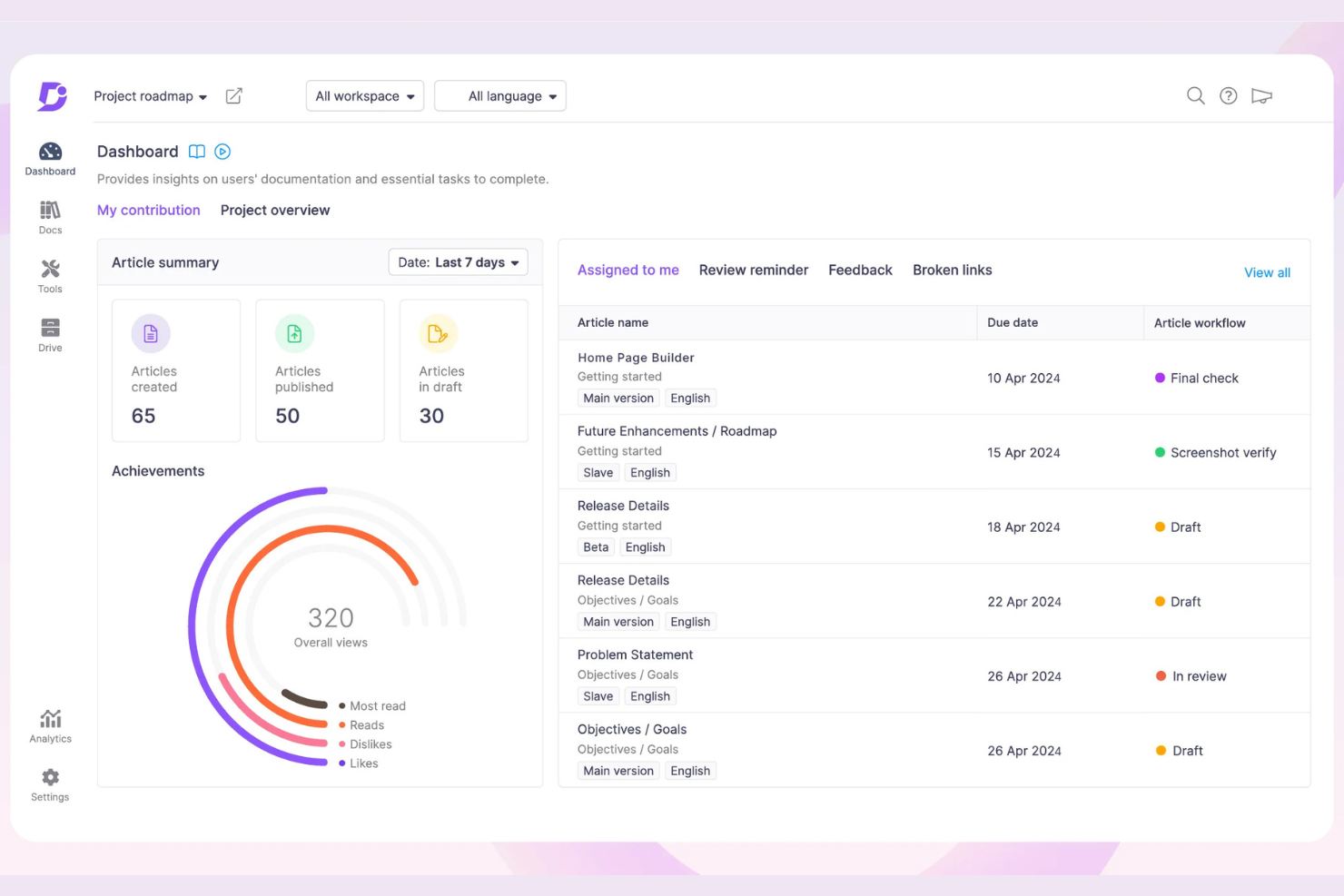
Document360 offers knowledge base software designed for creating and managing online documentation and help centers. It primarily serves businesses looking to improve their customer support and internal documentation with a centralized platform.
Why I picked Document360: Document360 excels as a knowledge base due to its intuitive interface and powerful search capabilities. The category manager allows you to organize content, which is essential for large documentation projects. The real-time collaboration feature ensures your team can work together without missing a beat. With analytics and version control, you can keep track of your documentation's performance and changes over time.
Standout Features and Integrations:
Features include a markdown editor that provides a familiar writing environment for your team. The built-in analytics help you understand how users interact with your content. Customizable branding options ensure your knowledge base aligns with your company's identity.
Integrations include Intercom, Freshdesk, Zendesk, Zapier, Microsoft Teams, Slack, and more.
Pros and Cons
Pros:
- Strong version control
- Real-time collaboration
- Intuitive category management
Cons:
- Some features need technical knowledge
- May be costly for small teams
New Product Updates from Document360

Document360 Adds Bulk Mirroring, Eddy AI Citations, and Unified SSO
Document360 adds bulk article mirroring, citations in Eddy AI chatbot responses, and a unified Enterprise SSO setup. These updates improve content reuse, answer verification, and access management. For more information, visit Document360’s official site.
 .
.
Slite
Best for remote teams
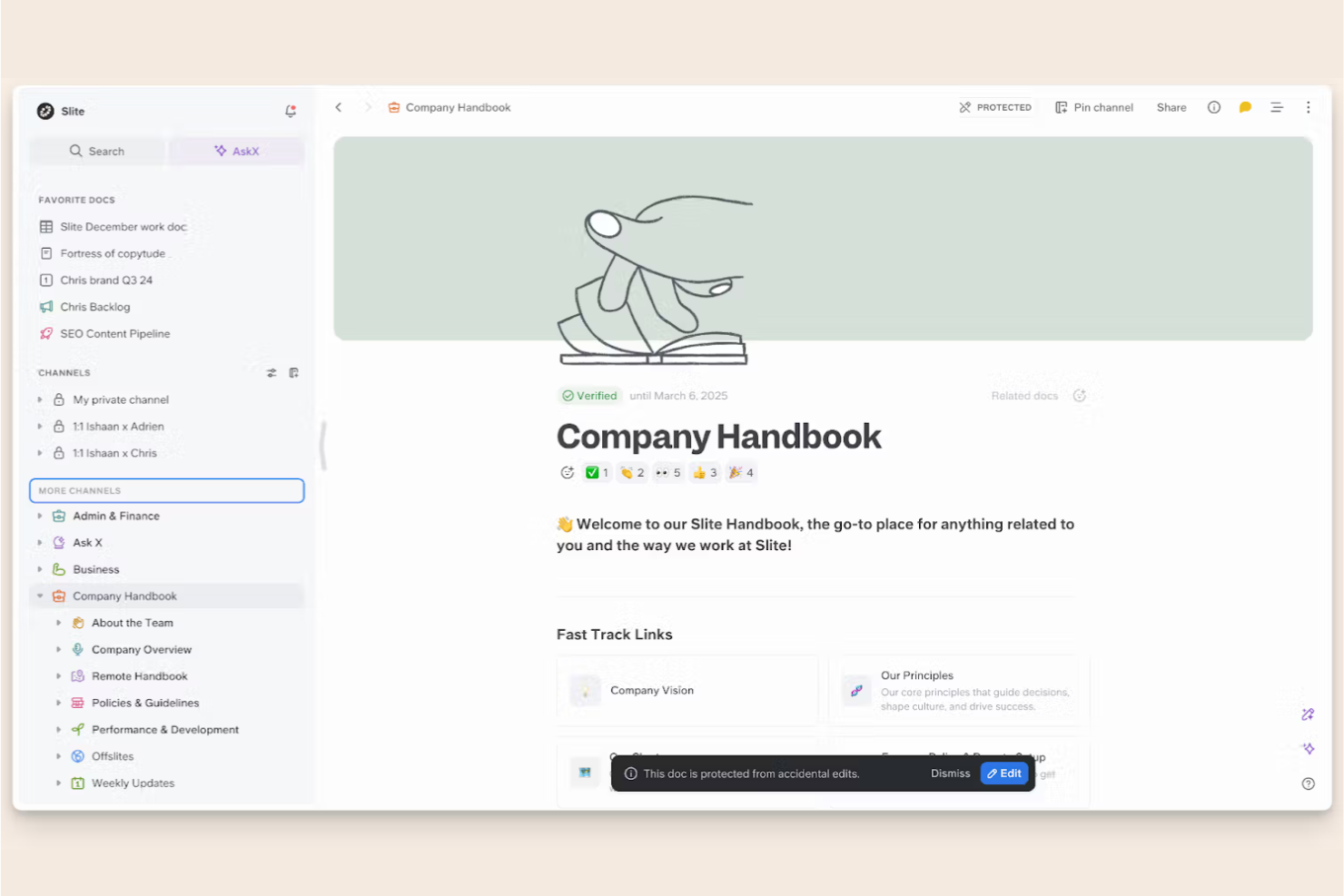
Slite is a collaborative documentation tool designed for remote teams to create, share, and organize knowledge. It serves distributed teams by providing a platform for real-time collaboration and structured documentation.
Why I picked Slite: Slite excels for remote teams by offering features that support asynchronous communication and collaboration. The collaborative editing allows your team to work together in real time, even when spread across different time zones. Additionally, the ability to create structured documentation helps maintain clarity and organization in your team's knowledge base.
Standout Features and Integrations:
Features include a powerful search function that makes finding information quick and easy. The meeting note templates help your team capture and organize discussions efficiently. Also, the document history feature ensures you can track changes and revert to previous versions if needed.
Integrations include Asana, Canva, GitHub, Google Drive, Jira, Figma, Trello, and more.
Pros and Cons
Pros:
- Real-time collaborative editing
- Structured documentation capabilities
- Supports asynchronous collaboration
Cons:
- Some features require technical knowledge
- Basic formatting options

Nuclino
Best for real-time collaboration
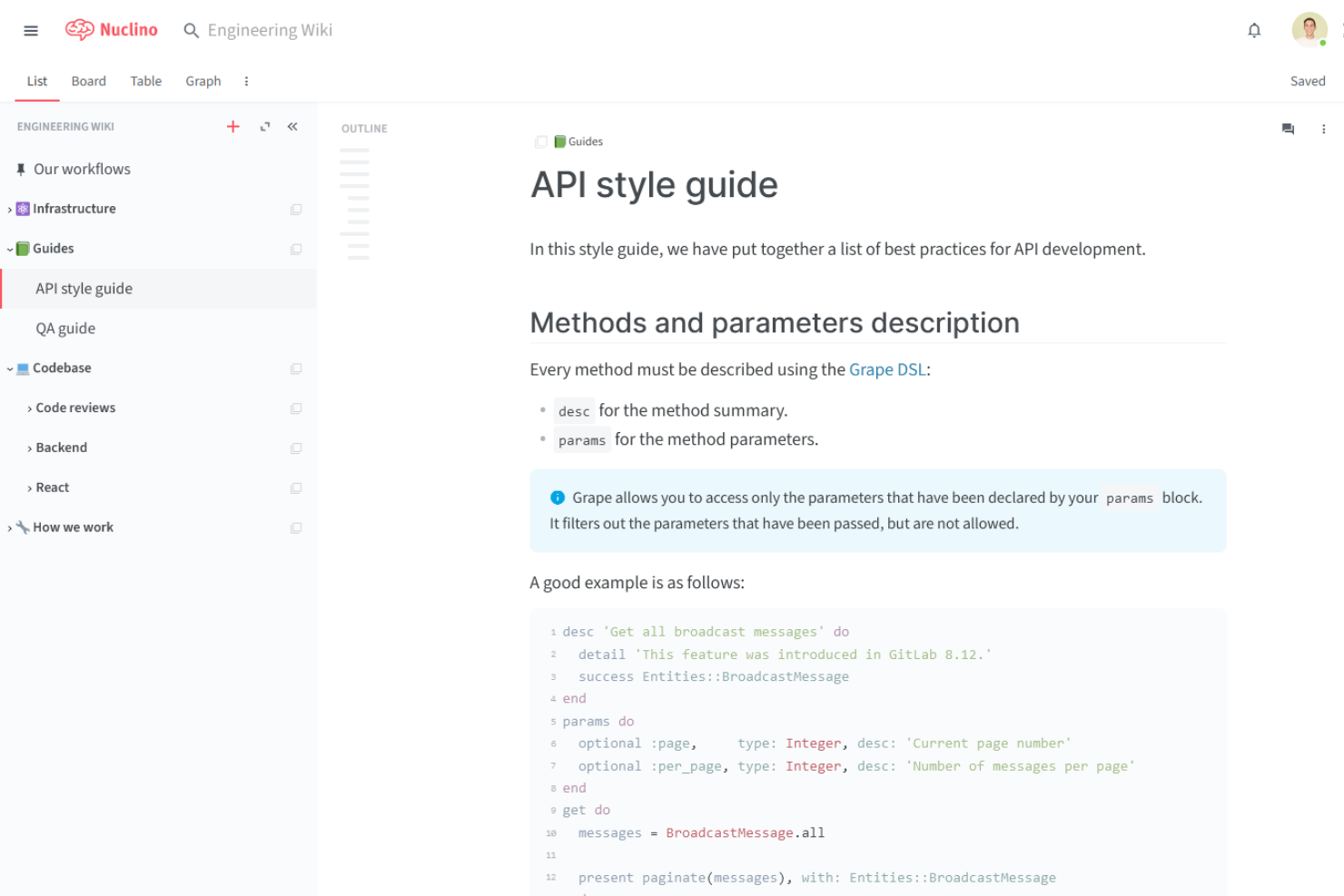
Nuclino is a collaborative knowledge management tool designed for teams seeking a centralized workspace for documentation and project management. It serves startups and small to medium-sized teams, offering real-time collaboration and content organization.
Why I picked Nuclino: Nuclino excels in real-time collaboration, making it perfect for teams needing instant updates and edits. The platform's visual linking feature helps your team create a network of related documents, helping improve navigation. With its instant search, you can quickly find the information you need.
Standout Features and Integrations:
Features include a simple and intuitive interface that makes onboarding easy for your team. The collaborative editing feature allows multiple users to work on content simultaneously. The mind map view helps you visualize connections between different pieces of information.
Integrations include Slack, Microsoft Teams, Discord, and more.
Pros and Cons
Pros:
- Instant search functionality
- Visual linking of documents
- Intuitive drag-and-drop interface
Cons:
- No built-in spreadsheet formulas
- Minimal font and styling options

Best for ease of use
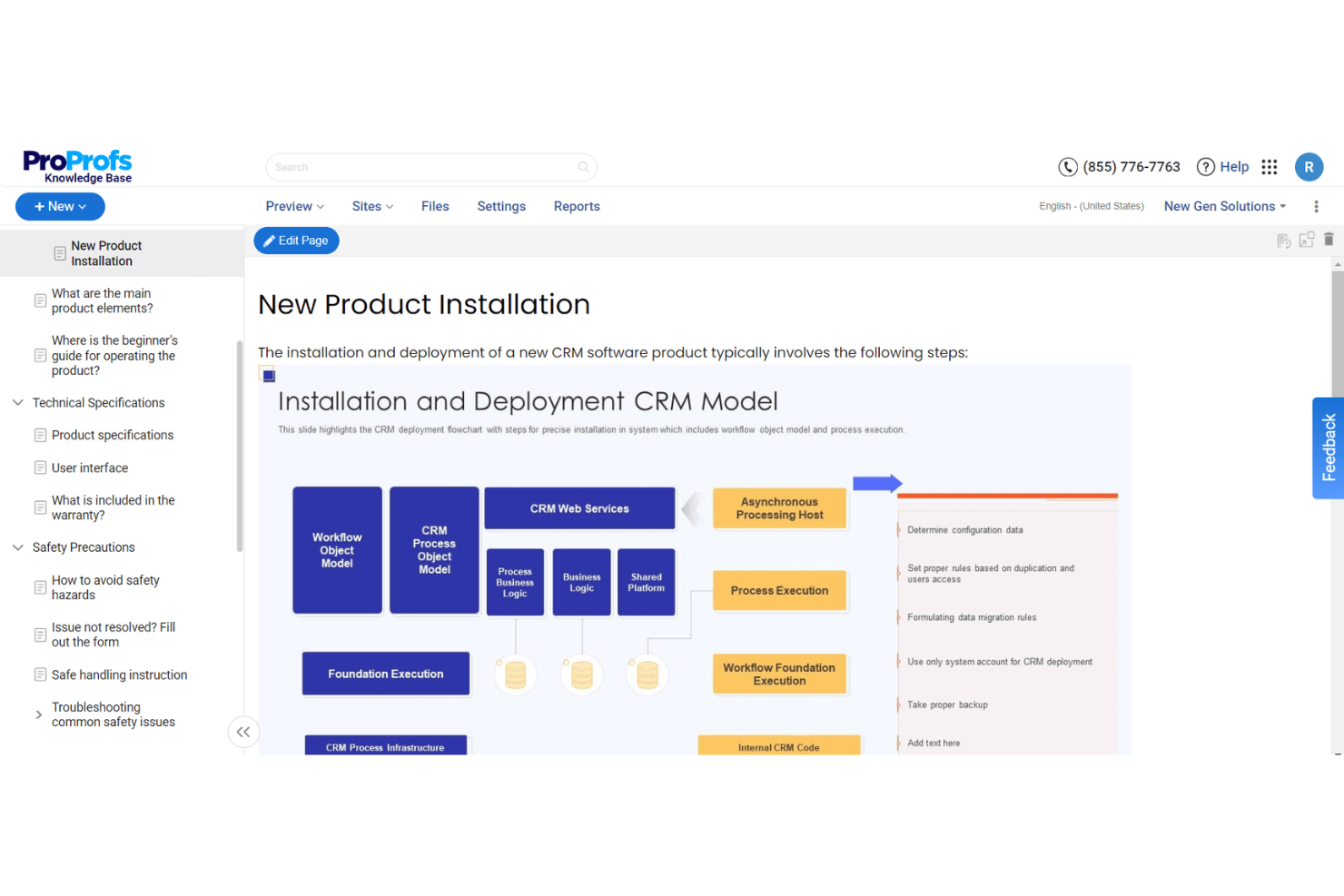
ProProfs Knowledge Base is a simple and effective tool for creating and managing online documentation and help centers. It's designed for businesses of all sizes that need a user-friendly platform to organize and share knowledge efficiently.
Why I picked ProProfs Knowledge Base: This tool is easy to use, making it accessible for teams without technical expertise. It offers a straightforward interface that lets you create and manage articles with ease.
Standout Features and Integrations:
Features include an intuitive format and text editor that allows your team to update content. The tool offers customizable templates, which help maintain consistency in your documentation. The analytics feature provides insights into user behavior, helping you improve your knowledge base over time.
Integrations include Jira, Salesforce, Slack, Google Analytics, and more.
Pros and Cons
Pros:
- Provides user behavior insights
- Customizable templates available
- No technical expertise required
Cons:
- High pricing for premium features
- Occasional software glitches/lag

Notion
Best for all-in-one workspace
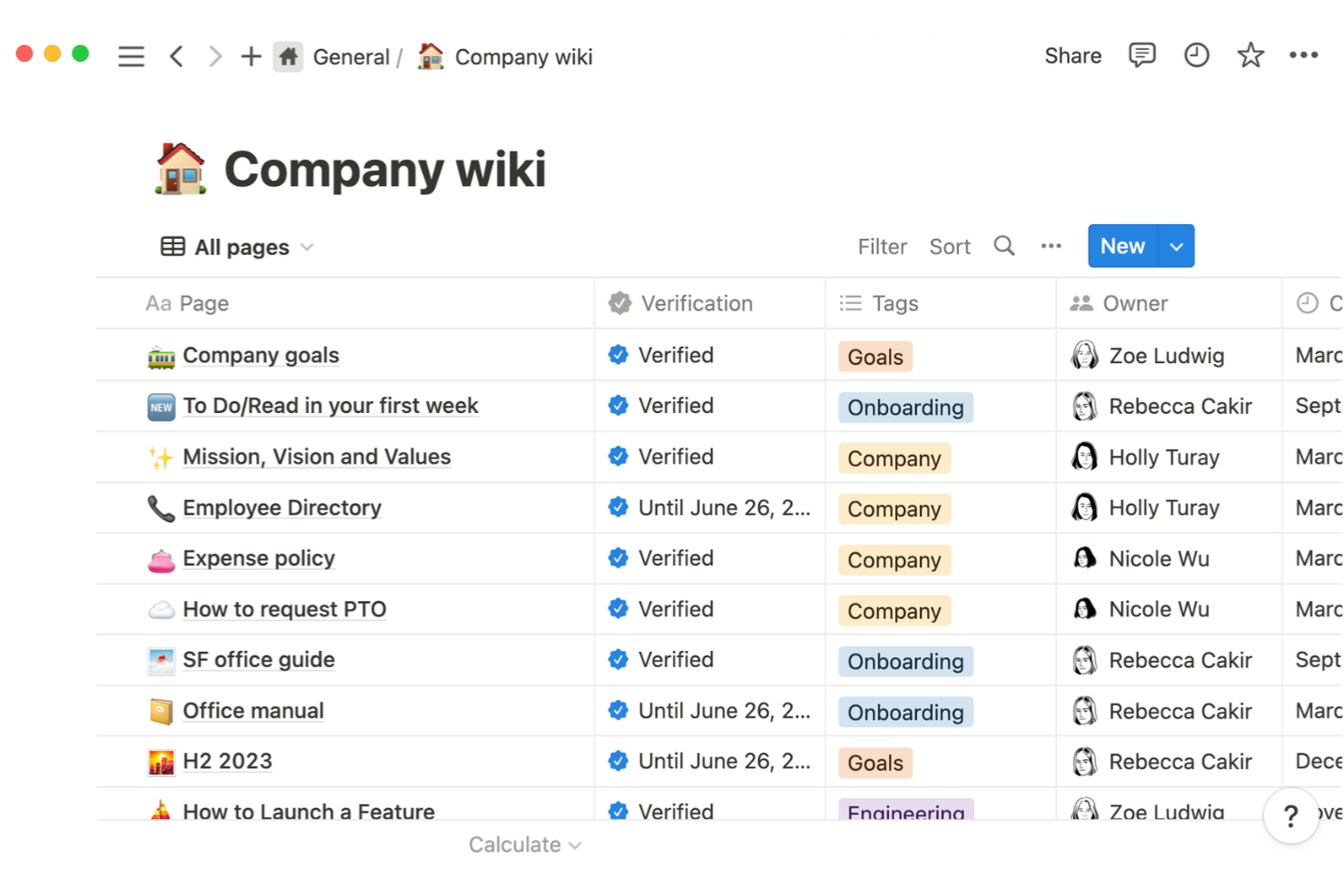
Notion is a versatile productivity tool that combines note-taking, task management, and team collaboration in a single platform. It's popular among remote teams, freelancers, and small businesses seeking an all-in-one workspace for organizing their work and projects.
Why I picked Notion: Notion is great for an all-in-one workspace because it combines multiple functions, such as notes, databases, and tasks, into one platform. The drag-and-drop interface makes it easy for your team to customize their workspace. With its flexible page structure, you can create wiki pages with simple or complex layouts. The ability to link pages and databases allows your team to maintain a well-organized system.
Standout Features and Integrations:
Features include a customizable dashboard that lets your team tailor their workspace to fit their needs. The templates feature helps you get started with pre-built setups for various use cases. With the kanban board view, your team can track progress and manage projects visually.
Integrations include Jira, Slack, GitHub, Asana, Panther, Zapier, and more.
Pros and Cons
Pros:
- Visual project management with Kanban
- Offers pre-built templates
- Highly customizable workspace
Cons:
- Navigation gets messy with many pages
- Offline mode is very limited
Tettra
Best for Slack integration
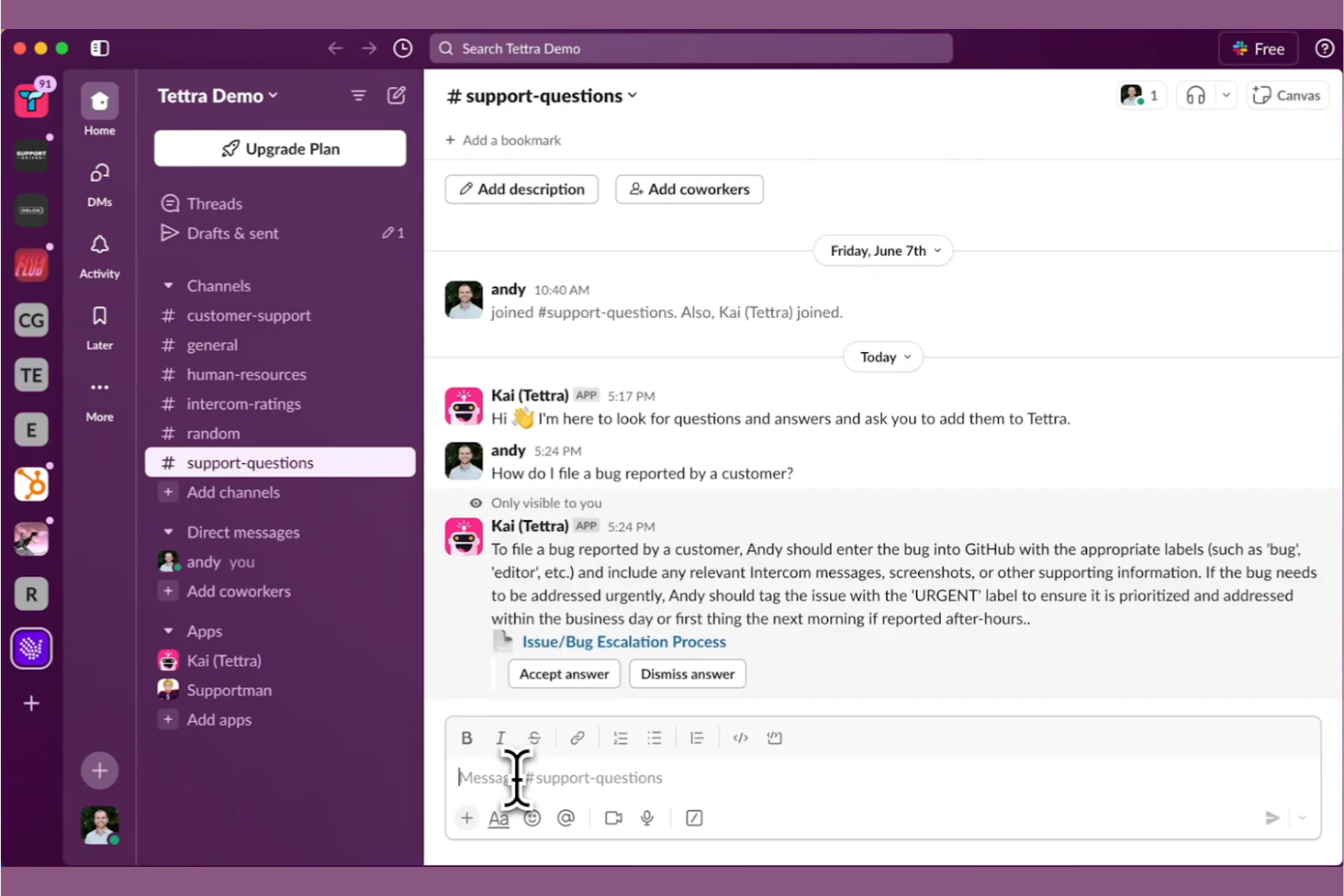
Tettra is a knowledge management tool designed to help teams organize and share information effectively. It caters to teams that rely on Slack for communication, offering an integrated experience for managing internal knowledge and documentation.
Why I picked Tettra: Tettra is highly effective for teams that use Slack, offering smooth integration that helps improve communication and information sharing. It allows you to create and update pages directly from Slack, ensuring your team has access to up-to-date information. The tool's question and answer feature encourages collaboration by letting team members ask for help and receive answers quickly. Tettra's intuitive interface makes it easy for your team to adopt and start using it immediately.
Standout Features and Integrations:
Features include a simple page editor that allows you to create and format content with ease. The verification feature helps keep your content accurate by reminding you to review and update pages regularly. Tettra's analytics provide insights into how your team is using the knowledge base, helping you make informed decisions.
Integrations include Slack, Google Workspace, GitHub, Zapier, and more.
Pros and Cons
Pros:
- Regular content verification reminders
- Efficient question and answer system
- Intuitive user interface
Cons:
- Relies heavily on Slack
- Basic formatting capabilities

Best for integration options
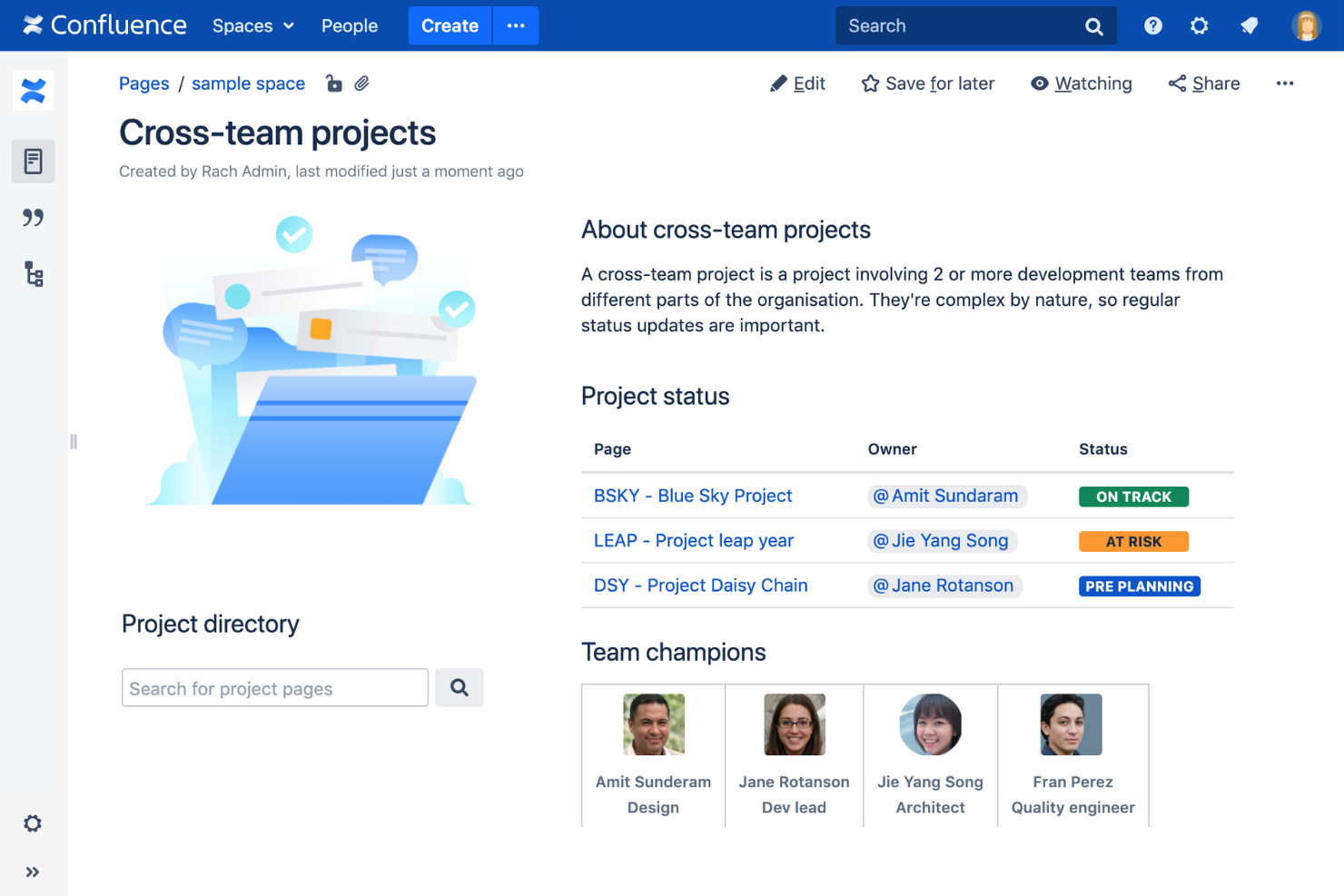
Confluence is a collaborative workspace designed for teams to create, share, and organize content. It's popular among businesses of all sizes, offering tools for project management, documentation, and team collaboration.
Why I picked Confluence: Confluence is known for its extensive integration options, making it a versatile choice for teams. It allows uninterrupted connectivity with other Atlassian products, which is ideal if you already use Jira or Trello. The software's page hierarchy and organization features help your team maintain structured documentation. With its collaborative editing, your team can work together in real time, ensuring everyone stays on the same page.
Standout Features and Integrations:
Features include flexible page layouts that let your team design content to fit your needs. The powerful search function helps you find information quickly, saving time. The task management features allow you to assign tasks and track progress within the same platform.
Integrations include Jira, Trello, Microsoft Teams, Google Drive, and more.
Pros and Cons
Pros:
- Flexible page layouts
- Supports collaborative editing
- Extensive integration options
Cons:
- High cost for smaller enterprise teams
- May need frequent updates

XWiki
Best for extensibility
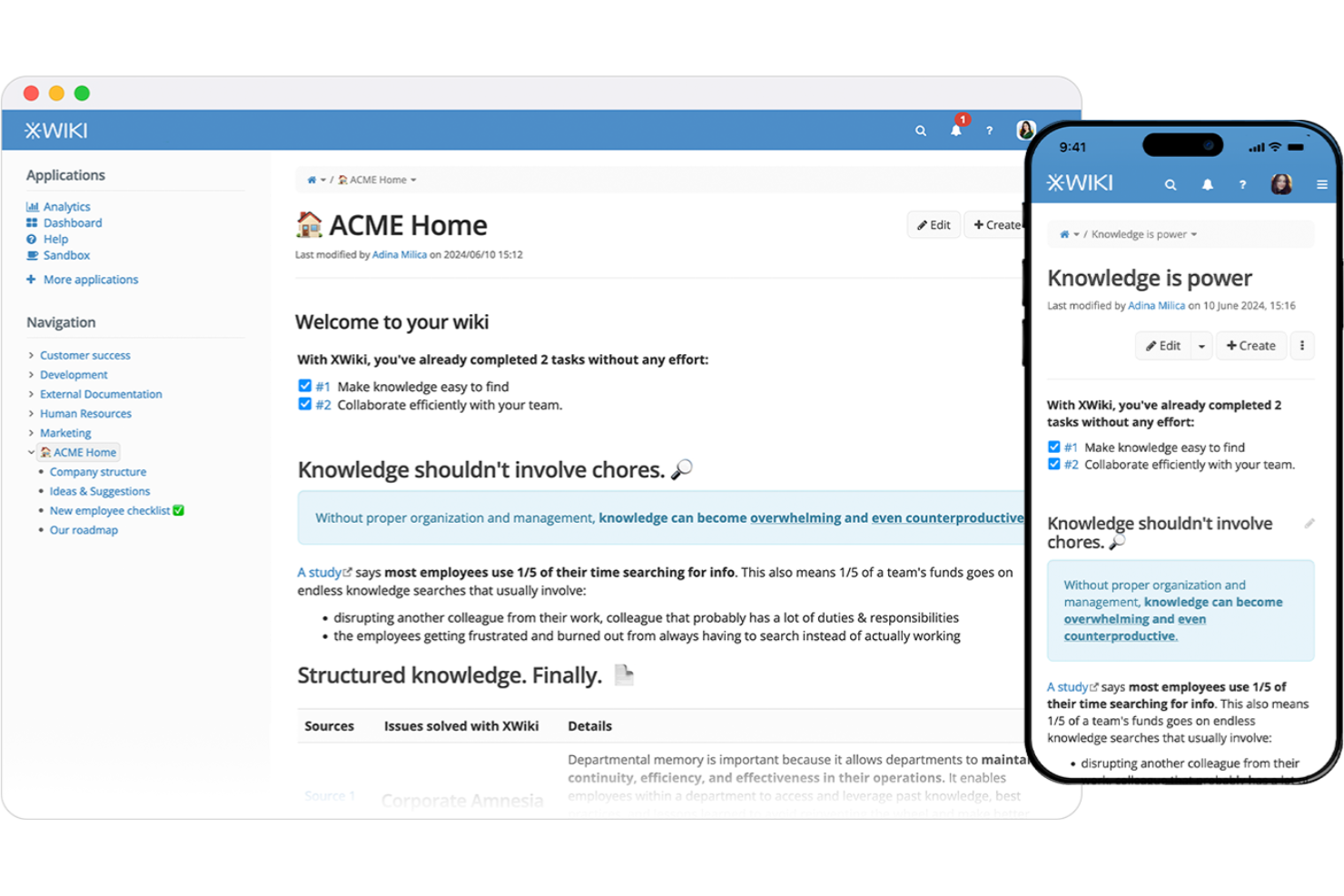
XWiki is an open-source enterprise wiki and knowledge management platform designed for teams seeking a customizable and extensible solution. It caters to organizations that require a flexible platform for collaboration, content management, and documentation.
Why I picked XWiki: XWiki is highly extensible, allowing you to tailor the platform to meet your specific needs. The scripting capabilities enable you to create custom apps and workflows, improving its functionality. Its modular architecture supports adding advanced features through extensions. The platform's flexibility makes it suitable for diverse use cases, from simple documentation to complex business processes.
Standout Features and Integrations:
Features include a powerful rights management system that allows you to control access and permissions effectively. The version control feature ensures you can track changes and maintain a history of your content. The built-in WYSIWYG editor makes content creation straightforward, even for non-technical users.
Integrations include Microsoft Office 365.
Pros and Cons
Pros:
- Strong version control system
- Flexible for various use cases
- Highly customizable and extensible
Cons:
- Some features need custom development
- May need frequent maintenance
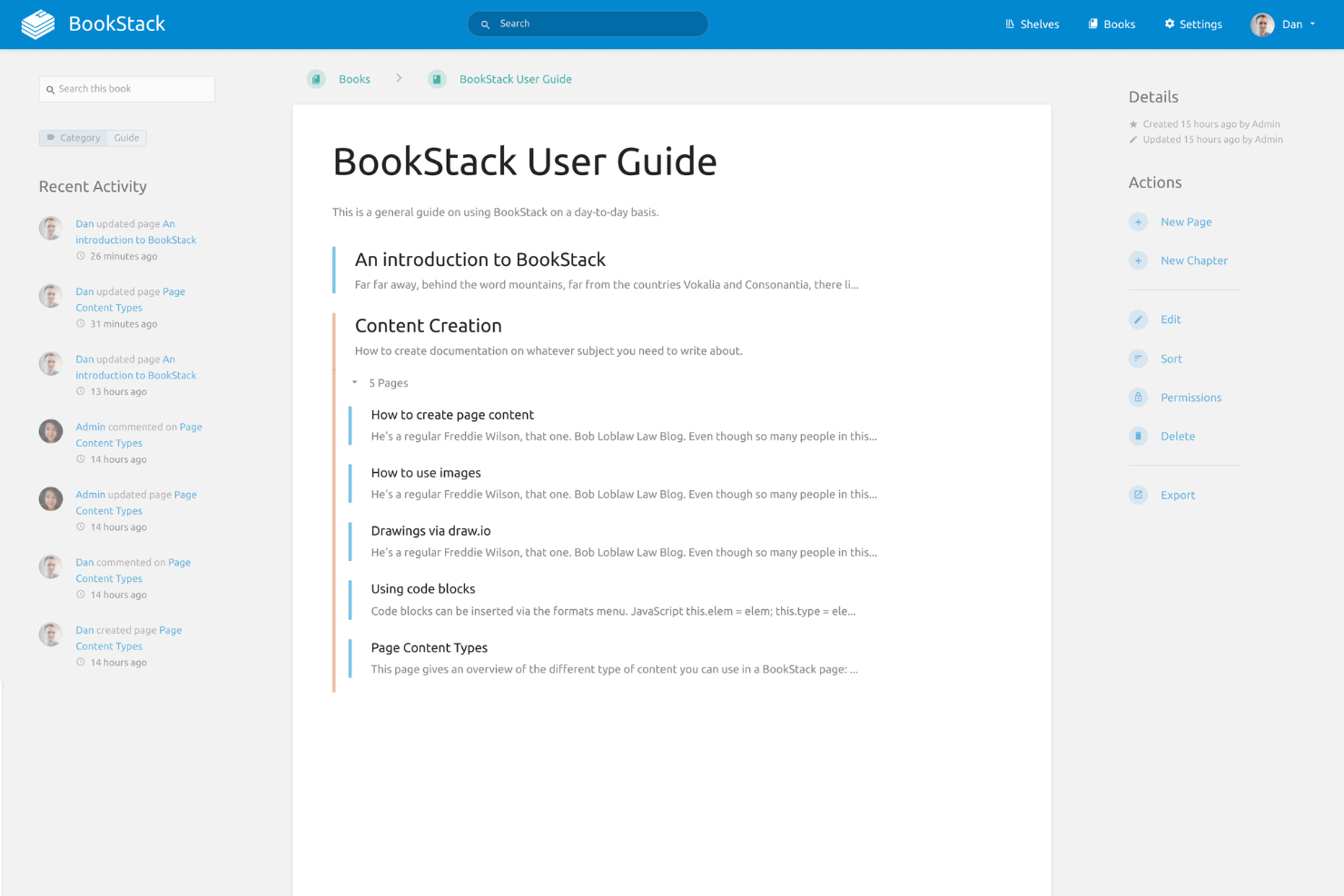
BookStack is an open-source wiki software designed to help teams organize and store information in a structured format. It targets small to medium-sized teams looking for an easy-to-use documentation tool that supports efficient content management.
Why I picked BookStack: BookStack is known for its self-hosted, simple setup process. The tool's book-like structure allows you to organize content in a familiar way, which simplifies navigation. With its intuitive editor, your team can quickly create and update documentation. The permission system ensures that you can control access and maintain data security.
Standout Features and Integrations:
Features include a visual editor that simplifies the content creation process for your team. The revision history allows you to track changes and revert to previous versions if necessary. In addition, the tool's search functionality helps you find information quickly.
Integrations include Discord, GitHub, Slack, and more.
Pros and Cons
Pros:
- Supports multiple languages
- Strong permission management
- Familiar book-like structure
Cons:
- Requires server hosting
- Limited scalability for large teams

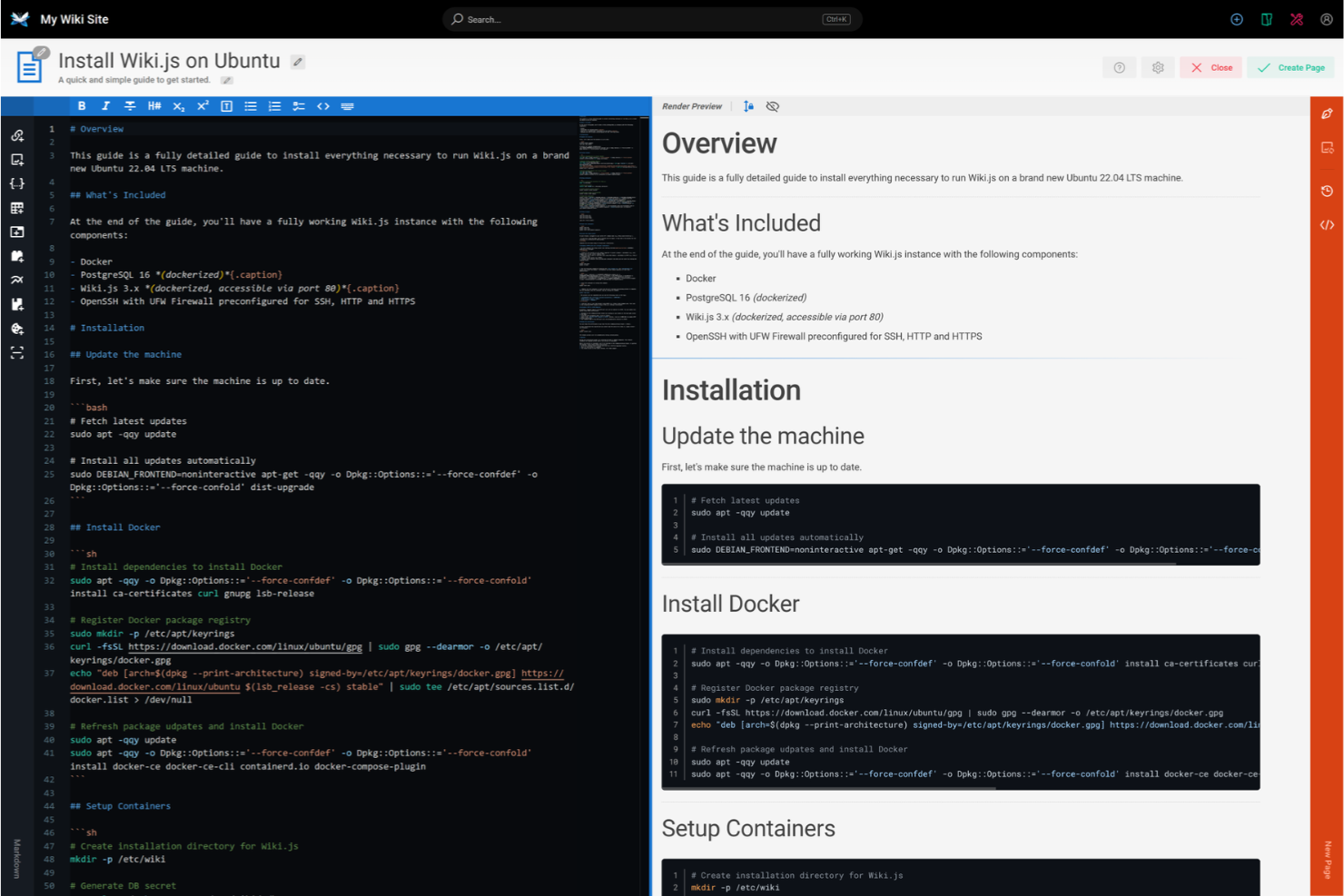
Wiki.js is an open-source, Node.js-based wiki application designed for developers and tech teams, offering a modern and intuitive interface. It supports multiple databases and provides a real-time collaborative environment for creating and managing content.
Why I picked Wiki.js: This software caters to developers with its support for multiple databases, such as PostgreSQL and MySQL. The real-time collaboration feature ensures your team can work together efficiently. Its markdown editor is familiar to developers, making content creation straightforward. The built-in authentication options provide security tailored to tech-savvy users.
Standout Features and Integrations:
Features include a powerful search function that helps your team find content quickly. It offers a customizable theme system, allowing you to tailor the look and feel to your preferences. The built-in localization support ensures you can manage content in multiple languages.
Integrations include Git, Amazon Web Services, Dropbox, Google Cloud, and more.
Pros and Cons
Pros:
- Built-in authentication options
- Familiar markdown editor
- Supports multiple databases
Cons:
- Documentation can be sparse
- Limited out-of-the-box features


How I Evaluate Wiki Software
I split my evaluation into two layers: baseline must-haves like searchable policy repositories and role-based permissions, and the differentiators that reveal which tool fits an HR team's workflow.
Core Functionality (Table Stakes For This List)
When I'm selecting tools for my list, I rank each one on a scale from 0 (does not offer the functionality) to 5 (excels in this area) for each core functionality listed below. Then, I calculate the tool's total score into a percentage. Each tool needs to achieve a minimum total score of 65% to be considered for inclusion.
- Structured Knowledge Repository: I look for nested pages, spaces, and categorization that let HR teams organize content the way they actually work—separating onboarding guides from benefits documentation, for example.
- Full-Text Search & Discoverability: A good wiki surfaces the right policy fast, so I evaluate whether search covers page content, attachments, tags, and metadata rather than just page titles.
- Role-Based Access & Permissions: HR wikis hold sensitive data like compensation bands and disciplinary procedures, so I check whether a tool supports granular, role-level restrictions at the page or section level.
- Collaborative Editing & Version History: I evaluate whether multiple HR team members can co-edit pages and roll back changes—especially useful when updating employee handbooks across review cycles.
- Rich Content & Media Support: Policy pages that include embedded videos, tables, and file attachments are far more useful than plain text, so I look for flexible content formatting options.
- HR & Productivity Integrations: The best wiki tools connect to tools HR teams already use, so I check for native integrations with HRIS platforms, Slack, Microsoft Teams, and SSO providers like Okta.
Once I have a list of tools that meet this criteria, I consider what sets each platform apart.
Differentiating Factors (What Sets Vendors Apart)
Here's how I compare and contrast different vendors:
Standout Features
I pay close attention to AI-powered content features, which can help HR teams draft policy language or surface answers to common employee questions directly from wiki content. Analytics and content insights also matter—knowing which pages employees search for most often helps identify documentation gaps before they become recurring support tickets. Approval workflows with read receipts round out my evaluation, since HR teams often need proof that employees have reviewed updated policies.
Beyond Features
Compliance and security certifications like SOC 2 and GDPR carry real weight here because HR wikis store sensitive employee records and policy documents. I also evaluate how pricing scales—some tools charge per editor but offer free viewer seats, which matters when the whole company needs to read policies but only HR updates them. Scalability is another factor I consider, particularly multi-language support for organizations with distributed or international workforces.
How To Choose Wiki Software
It’s easy to get bogged down in long feature lists and complex pricing structures. To help you stay focused as you work through your unique software selection process, here’s a checklist of factors to keep in mind:
| Factor | What To Consider |
|---|---|
| Scalability | Will the software grow with your team? Consider if it can handle increasing users and content without performance issues. Look for solutions that offer scalable storage and user management options. |
| Integrations | Does it connect with your existing tools? Check for native integrations with software like Slack, Google Workspace, or project management tools to ensure smooth workflows. |
| Customizability | Can you tailor the software to fit your needs? Look for options that allow you to modify templates, layouts, and user permissions to match your specific processes and branding. |
| Ease of use | Is it user-friendly for everyone on your team? Evaluate the learning curve and interface design, ensuring it's intuitive for non-technical users. |
| Implementation and onboarding | How long will it take to get started? Assess the setup time and support for onboarding, such as tutorials, guides, and customer support availability. |
| Cost | Does the price fit your budget? Compare the pricing models, including user-based or tiered plans, and consider any hidden fees or long-term contract discounts. |
| Security safeguards | What security measures are in place? Ensure the software includes encryption, regular backups, and access controls to protect your data. |
| Support availability | Can you get help when needed? Check if the vendor offers 24/7 support, multiple contact methods, and dedicated account managers to assist with issues. |
What Is Wiki Software?
Wiki software (also known as a wiki engine or a wiki application) is a tool that allows teams to create, organize, and share information collaboratively in a centralized platform. These tools are generally used by professionals in project management, IT, and HR to improve knowledge sharing and documentation processes. Features like content editing, user permissions, and search capabilities help with organizing information, managing access, and finding content quickly. Overall, these tools improve team collaboration and efficiency by providing a single source of truth for information.
Features
When selecting wiki software, keep an eye out for the following key features:
- Content editing: Allows users to create and update pages efficiently, ensuring information is current and relevant.
- User permissions: Manage who can view, edit, or delete content, maintaining security and control over information.
- Search capabilities: Help users quickly find specific information within the wiki, saving time and effort.
- Version history: Tracks changes made to content, allowing users to revert to previous versions if needed.
- Templates: Provide pre-built layouts to standardize content creation and maintain consistency across pages.
- Real-time collaboration: Enables multiple users to edit and contribute simultaneously, helping improve teamwork and productivity.
- Integration options: Allow users to connect to other tools like Slack or Google Workspace to improve workflows and efficiency.
- Customization: Allows users to tailor the look and functionality to meet specific needs and branding.
- Analytics: Offer insights into how content is used and accessed, helping teams improve their documentation.
- Security safeguards: Ensure data protection through encryption and regular backups, providing peace of mind.
Benefits
Implementing wiki software provides several benefits for your team and your business. Here are a few you can look forward to:
- Improved collaboration: Real-time editing and shared access improve teamwork and help your team work together more effectively.
- Centralized knowledge: A single source of truth ensures everyone has access to the same up-to-date information, reducing confusion.
- Time savings: Quick search capabilities and easy navigation help your team find the information they need faster.
- Improved organization: Templates and structured content management keep information neat and consistent, making it simpler to manage.
- Increased security: User permissions and encryption protect sensitive data, giving you control over who can access what.
- Better decision-making: Analytics provide insights into content usage, helping you make informed improvements to your documentation.
- Adaptability: Customization options allow you to tailor the software to fit your specific needs and workflows.
Costs and Pricing
Selecting wiki software requires an understanding of the various pricing models and plans available. Costs vary based on features, team size, add-ons, and more. The table below summarizes common plans, their average prices, and typical features included in wiki software solutions:
Plan Comparison Table for Wiki Software
| Plan Type | Average Price | Common Features |
|---|---|---|
| Free Plan | $0 | Basic content creation, basic search, and limited storage. |
| Personal Plan | $6-$99/user/month | Advanced content editing, personal customization, and better search capabilities. |
| Business Plan | $15-$159/user/month | Team collaboration tools, integration options, and analytics. |
| Enterprise Plan | $16.66-$199/user/month | Full customization, advanced security features, and dedicated support. |
Wiki Software FAQs
What is the difference between a wiki and a traditional CMS?
What is the difference between a wiki and a traditional CMS?
A wiki allows for collaborative editing by multiple users, whereas a traditional CMS is typically managed by a few administrators. Wikis are designed for easy content creation and updates, making them ideal for teams sharing knowledge and updating internal wikis. In contrast, CMS platforms often focus on publishing and managing web content with more control over design and layout.
Can wiki software be used offline?
Yes, some wiki software solutions offer offline capabilities, though it depends on the specific tool. Offline functionality allows your team to access and edit documents without an internet connection, syncing changes once back online. This is useful for teams working in areas with limited connectivity or for those who travel frequently.
How secure is the wiki software?
Wiki software can be secure if it includes the right safeguards, such as encryption and access controls. Look for solutions that offer regular security updates and customizable user permissions. Implementing strong passwords and two-factor authentication further increases security, protecting your team’s sensitive information.
Is it possible to migrate content from one wiki to another?
Yes, most wiki software allows content migration, but the process can vary. Check if the new software supports importing from your current wiki format. Some tools offer built-in migration features, while others may require manual export and import. Plan for potential data loss and test the migration process before fully committing.
Can wiki software integrate with other tools?
Yes, wiki software often integrates with various tools like Slack, Google Workspace, and project management platforms. These integrations boost productivity by allowing data sharing and collaboration. Check the software’s integration options to ensure compatibility with the tools your team already uses.