Connecteam Bewertung 2026: Vorteile, Nachteile, Funktionen und Preise


Connecteam is an HR software built for teams where most employees don't work at a desk, like retail, hospitality, construction, and field services. It handles scheduling, time tracking, internal communication, and core HR tasks through a single mobile-first app. I'd consider it over something like Deputy if your team needs more than shift management. Connecteam goes further with built-in training, task management, and employee engagement tools, making it a stronger fit when you want one app to cover the full employee experience, not just the schedule.
Connecteam Evaluation Summary
- From $29/month (billed annually)
- 14-day free trial
Warum Sie unseren Software-Bewertungen vertrauen können
Unser Team testet und bewertet Software seit 2012. Als HR-Experten wissen wir selbst, wie schwierig – und wichtig – es ist, die richtige Software auszuwählen.
Für diesen Leitfaden haben wir Tools mithilfe von praktischen Tests und unabhängiger Recherche bewertet und dabei unsere Bewertungskriterien angewendet. Zudem greifen wir auf Erkenntnisse von Branchenvordenkern und praktizierenden HR-Experten zurück.
Unsere Bewertungen spiegeln unser menschliches redaktionelles Urteilsvermögen wider, keine Verkaufsstrategie.
Expertenprüfer:
Connecteam Overview
I think Connecteam strikes a great balance if you’re judging by all-in-one HR needs for distributed or deskless teams. The interface is simple, onboarding is quick, and support responds fast. Pricing is clear and typically better for small to mid-sized businesses. Its mobile-first tools outperform many others for shift work or field teams, though integration depth and custom workflows may feel limited in highly complex setups.
If you’re selecting HR software with scheduling, time tracking, and team messaging in mind, Connecteam is one I’d put at the top for everyday, people-first environments.
pros
-
Mobile app manages schedules, tasks, and time clock in one place
-
Team chat and announcements support frontline and remote workforces
-
Shift swapping and location tracking are built right into scheduling
cons
-
Reporting options are basic compared to advanced HR tools
-
Payroll processing requires exporting timesheets, not direct integration
-
No dedicated applicant tracking or recruiting features for hiring
-

Justworks
Visit WebsiteThis rating combines scores from multiple user review sites to reflect overall customer sentiment about the product.4.6 -
Prevue Assessments
Visit WebsiteThis rating combines scores from multiple user review sites to reflect overall customer sentiment about the product.4.6 -
Small Improvements
Visit WebsiteThis rating combines scores from multiple user review sites to reflect overall customer sentiment about the product.4.3





Wie wir unsere Tools testen und bewerten
Wir haben jahrelang unser System zur Überprüfung und Bewertung von Software aufgebaut, verfeinert und verbessert. Das Bewertungsschema ist darauf ausgelegt, die Nuancen der Softwareauswahl und die Wirksamkeit eines Tools abzubilden, wobei der Fokus auf wesentlichen Aspekten des Entscheidungsprozesses liegt. Unten sehen Sie genau, wie unsere Tests und Bewertungen anhand von sieben Kriterien funktionieren. Damit können wir eine unvoreingenommene Bewertung der Software hinsichtlich zentraler Funktionen, herausragender Merkmale, Benutzerfreundlichkeit, Onboarding, Kundensupport, Integrationen, Kundenrezensionen und Preis-Leistungs-Verhältnis bieten.
Kernfunktionen (25% der Endnote)
Der Ausgangspunkt unserer Beurteilung ist immer die Kernfunktionalität des Tools. Verfügt es über die grundlegenden Funktionen, die ein Benutzer erwarten würde? Sind einige dieser Funktionen in teureren Tarifen eingeschlossen? Im Kern erwarten wir, dass ein Tool den grundlegenden Fähigkeiten seiner Mitbewerber standhält.
Herausragende Funktionen (25% der Endnote)
Danach bewerten wir außergewöhnliche Funktionen, die über das Übliche hinausgehen, das normalerweise in ähnlicher Software zu finden ist. Eine hohe Punktzahl spiegelt spezialisierte oder einzigartige Funktionen wider, die das Produkt schneller, effizienter oder für den Benutzer wertvoller machen. Wir bewerten auch, wie einfach es ist, sich mit anderen im technischen Ökosystem üblichen Tools zu integrieren, um die Funktionalität und Nützlichkeit der Software zu erweitern. Tools mit vielen nativen Integrationen, Drittanbieter-Anbindungen und API-Zugängen für individuelle Integrationen erhalten die beste Bewertung.
Benutzerfreundlichkeit (10% der Endnote)
Wir betrachten, wie schnell und einfach die Aufgaben im Bereich der Kernfunktionen mit dem Tool erledigt werden können. Hoch bewertete Software ist gut designt, intuitiv zu bedienen, bietet mobile Apps, Vorlagen und macht komplexe Aufgaben einfach.
Onboarding (10% der Endnote)
Uns ist bewusst, wie wichtig eine schnelle Einführung eines neuen Systems im Team ist. Deshalb bewerten wir, wie leicht ein Tool mit minimalem Training erlernt und genutzt werden kann. Wir prüfen, wie schnell ein Teammitglied ohne Vorerfahrung mit dem Tool starten kann. Lösungen mit hoher Bewertung erfordern wenig bis keine Unterstützung.
Kundensupport (10% der Endnote)
Wir überprüfen, wie schnell und einfach Hilfe telefonisch, per Live-Chat oder Wissensdatenbank erhalten werden kann. Tools und Unternehmen, die Echtzeit-Support bieten, schneiden am besten ab – Chatbots am schlechtesten.
Kundenrezensionen (10% der Endnote)
Zusätzlich zu unseren eigenen Tests berücksichtigen wir den Net Promoter Score aktueller und ehemaliger Kunden. Wir prüfen, wie wahrscheinlich sie, falls es zur Wahl käme, das Tool für die Kernfunktionen erneut wählen würden. Eine hohe Bewertung der Software spiegelt einen hohen Net Promoter Score wider.
Preis-Leistungs-Verhältnis (10% der Endnote)
Abschließend berücksichtigen wir unter Einbeziehung aller anderen Kriterien den durchschnittlichen Preis der Einstiegstarife im Vergleich zu den Kernfunktionen und zum Wert der anderen Bewertungskriterien. Software, die mehr für weniger bietet, erhält höhere Bewertungen.
Core Features
Time Clock and Attendance
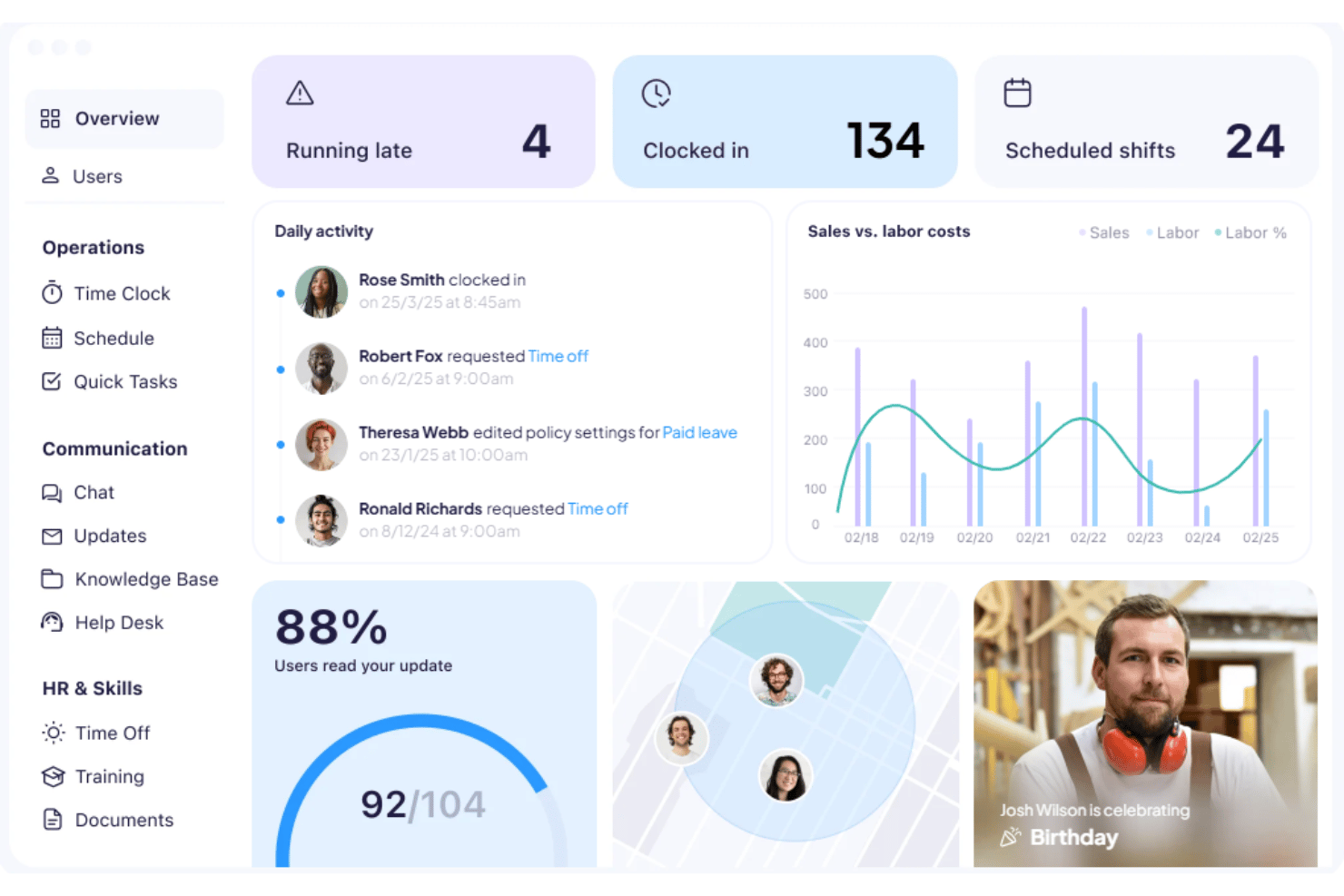
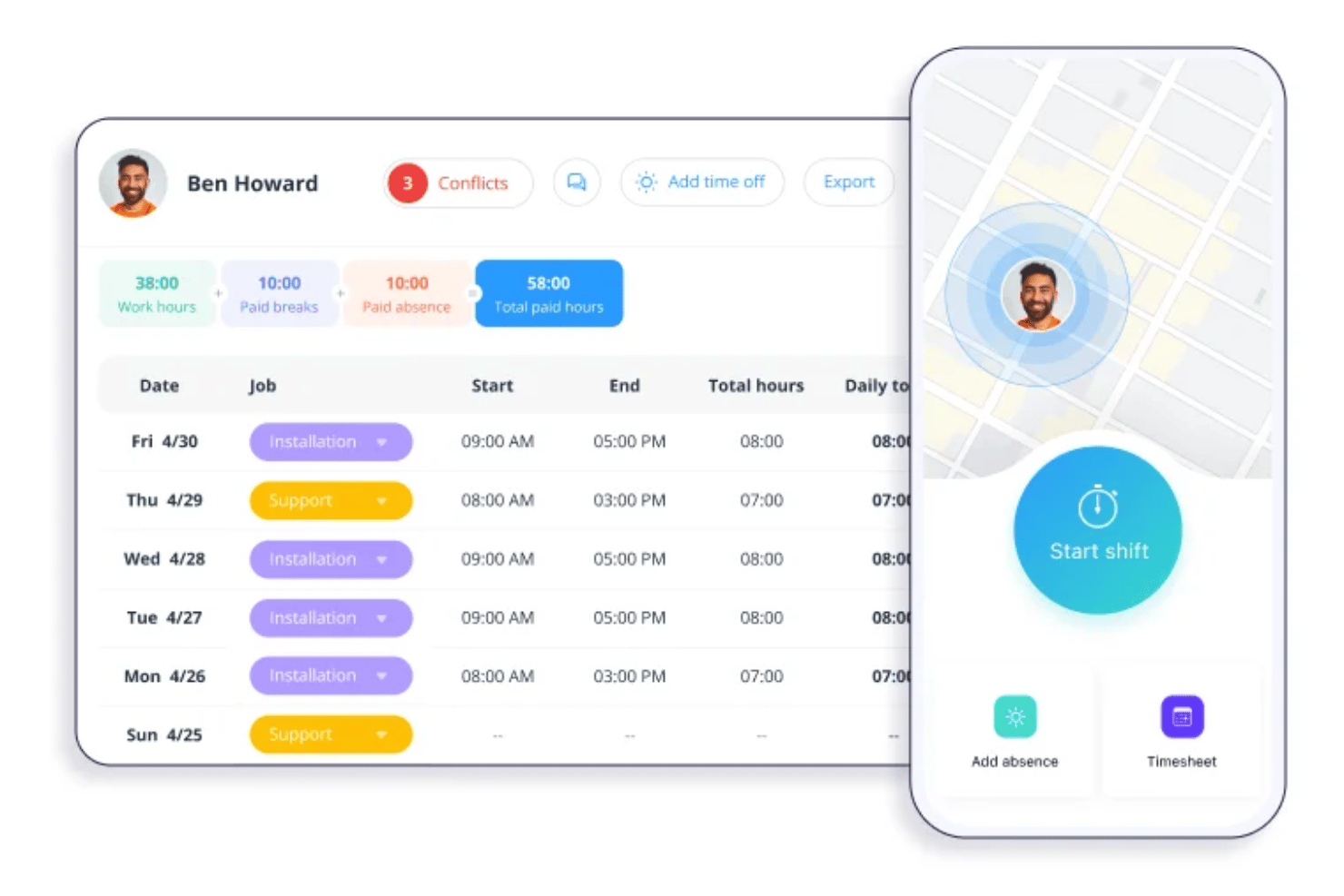
Track employee hours, breaks, and locations through a mobile app. GPS stamps give you real oversight for field teams.
Employee Scheduling
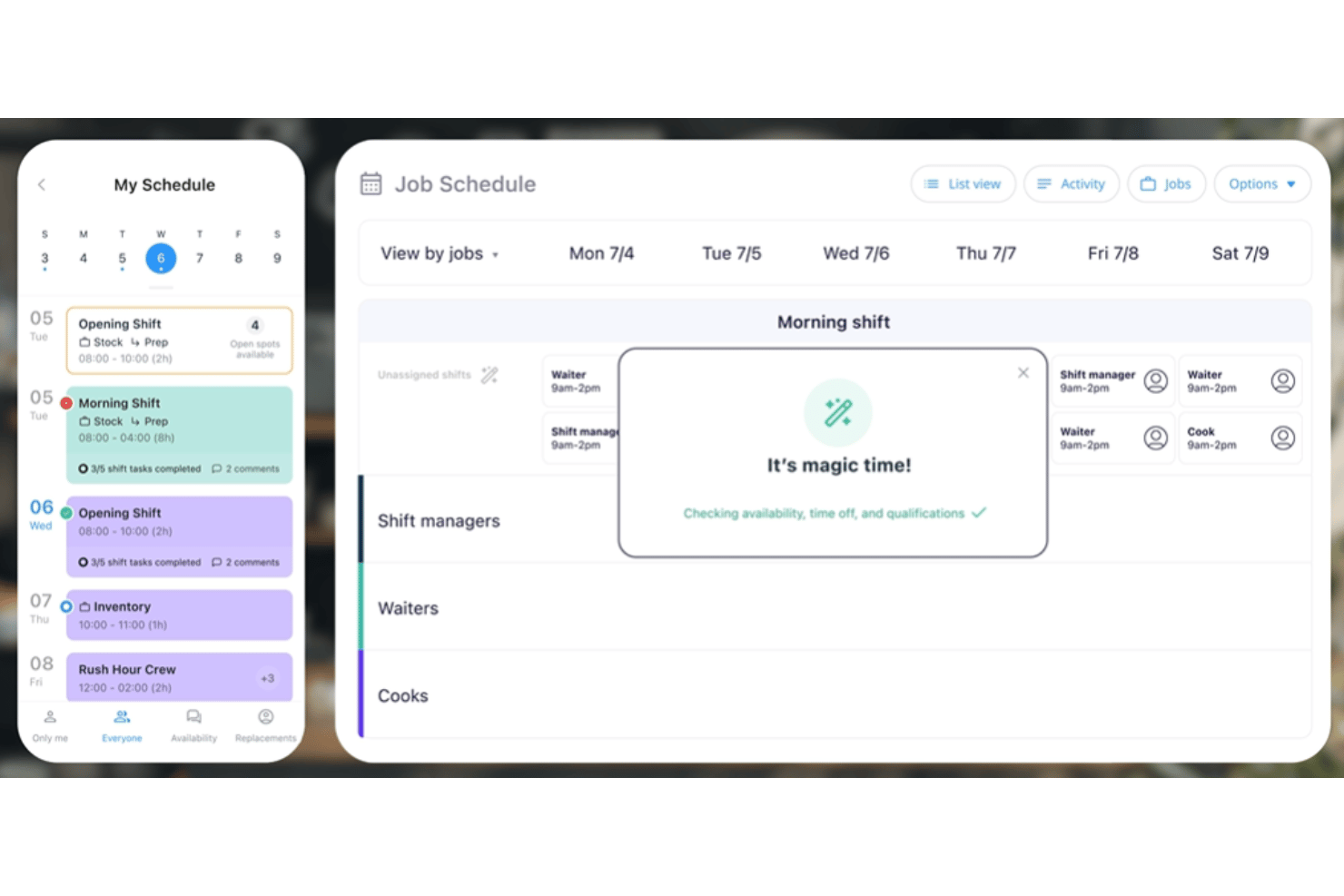
Build, assign, and update shifts with drag-and-drop controls. Shift swaps, notifications, and open shift claiming all happen in-app.
Task Management
Create tasks, checklists, and workflows, then assign them to individuals or groups. Real-time updates show who’s completed what.
Team Communication
Chat, announcements, surveys, and feedback are all in one mobile hub. Keep everyone in the loop, even if they’re spread out.
Forms and Checklists
Deploy mobile forms for things like onboarding, incident reports, or daily health checks. Responses are centralized and visible to managers instantly.
Document Management
Store, share, and organize policies, certifications, and employee documents by role. Employees and admins always have access to required files.
Ease of Use
Connecteam is user-friendly thanks to an intuitive mobile app and organized dashboard that simplify time tracking, scheduling, and communication.
Most users find setup and adoption fast, even for less tech-savvy staff. Navigation is straightforward, features are clearly labeled, and real-time mobile notifications reduce confusion. This helps frontline teams stay engaged without needing extra support.
Integrations
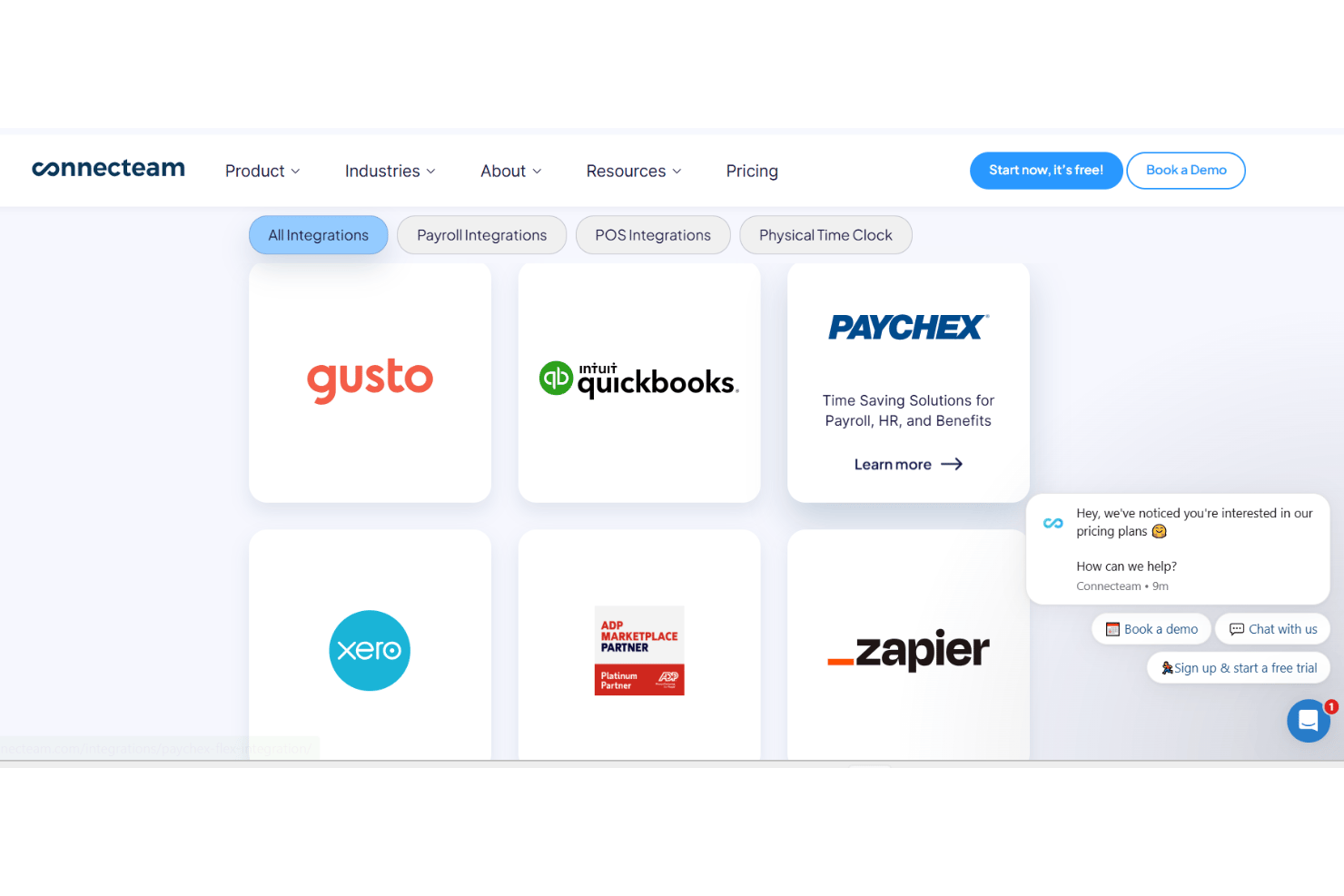
Connecteam integrates with QuickBooks Online, Gusto, Xero, ADP Workforce Now, Paychex Flex, MYOB Business, PrismHR, Square, Wix Bookings, and BambooHR, among others.
Connecteam also offers an open API and supports connections with Zapier for third-party integrations.
New Product Updates from Connecteam

Connecteam Expands Break and Timesheet Controls
Connecteam adds threshold-based break rules, per-user policies, automatic handling for unended paid breaks, expanded Timesheet Issues, and centralized break exception reporting. These updates give admins clearer control over break compliance while helping employees and payroll teams resolve discrepancies faster. Highlights include:
- Flexible Break Rules: Use recurring or threshold-based requirements that scale with total shift length.
- User-Specific Policies: Apply different break rules by employee with effective dates for policy changes.
- Auto-End Paid Breaks: Automatically clock employees out or move them to an unpaid break when a paid break runs long.
- Mobile Issue Details: Let employees view itemized explanations for timesheet issues directly on mobile.
- Missing Workday Alerts: Flag expected workdays with no logged hours or reported time off.
- Break Exceptions Report: Export break compliance issues and premium payment calculations for payroll and audits.
Visit Connecteam’s official site for more details.
 for more details.
Connecteam Adds Shift Swaps and Split-Shift Scheduling
Connecteam adds 1-to-1 shift swaps and multiple daily working-hour ranges for Regular Working Hours. These updates simplify schedule changes while keeping employee availability and split-shift schedules accurate. Highlights include:
- Shift Swaps: Let employees request direct 1-to-1 shift exchanges with colleagues.
- Admin Approval Options: Complete agreed swaps automatically or route them for admin approval.
- Multiple Daily Ranges: Set more than one working-hour range within the same day.
- Split-Shift Support: Reflect non-continuous schedules more accurately in availability and scheduling.
Visit Connecteam’s official site for more details.

Connecteam Adds Signing Order for Multi-Signer Documents
Connecteam adds signer sequencing, role-based field assignments, and automatic handoffs for multi-signer documents. These updates help keep document workflows organized and ensure each signer completes the right section in the correct order. Highlights include:
- Signing Order: Set the sequence in which signers receive and complete a document.
- Role-Based Fields: Assign specific fields to individual signer roles.
- Automatic Routing: Move documents to the next signer once the previous step is complete.
- Multi-Step Workflows: Support onboarding and approval processes that require several signers.
Visit Connecteam’s official site for more details.

Connecteam Onboarding Notifications and Default Rules Control
Connecteam lets admins choose onboarding notification recipients and target customizable default rules to new users, onboarding users, or both. These updates give admins more control over onboarding communication and policy assignment. Highlights include:
- Onboarding Notifications: Lets admins choose who receives alerts when users are assigned to a pack or finish onboarding.
- Targeted Recipients: Helps limit notifications to the admins responsible for specific users.
- Customizable Default Rules: Lets admins apply default rules to new users, onboarding users, or both.
- Policy Targeting: Prevents unwanted rule assignments during onboarding.
Visit Connecteam’s official site for more details.

Connecteam Strengthens Timesheet Controls and Adds Site-Wide Geofences
Connecteam prevents admins from approving or locking their own timesheets and lets teams create site-wide geofences without assigning them to specific jobs. These updates strengthen time tracking controls while simplifying location-based clock-ins. Highlights include:
- Timesheet Approval Controls: Requires another authorized admin to approve or lock an admin’s timesheet.
- Owner Exception: Lets Company Owners continue approving their own timesheets when needed.
- Site-Wide Geofences: Applies clock-in boundaries across an entire branch or location.
- Flexible Job Rules: Lets individual jobs use dedicated geofences or allow clock-ins anywhere within the site.
Visit Connecteam’s official site for more details.

Connecteam Expands Time Off Rules and Holiday Policies
Connecteam expands Time Off with tenure-based limits and recurring federal, bank, and custom holiday policies. These updates reduce manual policy maintenance and keep holidays synced across time off, timesheets, schedules, and balances. Highlights include:
- Tenure-Based Usage Limits: Applies different maximum yearly time off limits based on employee tenure.
- Negative Balance Rules: Adjusts allowed negative balances automatically as employees reach tenure milestones.
- Recurring Holiday Policies: Lets admins set country-based or custom holidays to repeat every year.
- Full and Partial Days: Supports both full-day and partial-day holidays.
- Holiday Sync: Applies holidays across Time Off, timesheets, schedules, and balances.
Visit Connecteam’s official site for more details.

Connecteam Adds Pay Period Locks and Break Premium Controls
Connecteam adds pay period locking after payroll export and Dismiss Premium and Reapply Premium actions within timesheets. These updates prevent unauthorized edits to processed timesheets while giving admins more control over break premium exceptions. Highlights include:
- Close and Lock Pay Periods: Prevents timesheets from being reopened or edited after payroll export.
- Payroll Manager Permission: Lets authorized admins reopen pay periods for corrections and lock them again afterward.
- Dismiss Premium: Removes Break Premium hours for a specific break violation when an exception applies.
- Reapply Premium: Restores previously dismissed Break Premium hours directly from the timesheet.
Visit Connecteam’s official site for more details.

Connecteam Adds Resource-Based NFC Clock-Ins
Connecteam adds NFC tags that can be assigned directly to specific sites, projects, locations, or clients, with automatic resource and address syncing. These updates reduce setup steps, minimize clock-in errors, and simplify resource-based time tracking. Highlights include:
- Resource-Specific NFC Tags: Assigns each NFC tag to a specific site, project, location, or client.
- Automatic Resource Assignment: Clocks employees into the linked resource when they scan the assigned NFC tag.
- Address Syncing: Automatically syncs the NFC tag address with the connected resource address.
- Simplified Setup: Removes the need to create a custom NFC tag before manually linking it to a resource.
Visit Connecteam’s official site for more details.

Connecteam Chat Adds Polls for Faster Team Decisions
Connecteam Chat adds polls that teammates can create and vote on directly within conversations. This update keeps feedback organized and makes poll results easier to review at a glance. Highlights include:
- In-Chat Polls: Lets users create polls directly inside team conversations.
- Structured Voting Options: Gives teammates clear choices for faster, more organized responses.
- Visible Poll Results: Displays voting outcomes at a glance to simplify team decisions.
Visit Connecteam’s official site for more details.

Connecteam Adds Time Off Policy Management Updates
Connecteam adds negative balance limits, minimum work hour requirements, and Cycle-Based Accruals to improve time off policy management. These updates help admins control requests, set eligibility rules, and manage accrual calculations based on actual work hours. Highlights include:
- Negative Balance Limits: Set how far below zero employees can go when requesting time off to prevent excessive negative balances.
- Minimum Work Hour Requirements: Define required work hours before employees earn time off during an accrual cycle.
- Cycle-Based Accruals: Calculate per-hour time off balances on set cycles, such as weekly or monthly periods.
Visit Connecteam’s official site for more details.
Connecteam Specs
- 2-Factor Authentication
- 360 Degree Feedback
- API
- Application Tracking
- Attendance Tracking
- Batch Permissions & Access
- Budgeting
- Calendar Management
- Dashboard
- Data Export
- Data Import
- Data Visualization
- Employee Database
- Employee Engagement
- Employee Incentive Management
- Employee Onboarding
- Expense Tracking
- External Integrations
- Feedback Management
- Forecasting
- Multi-User
- Notifications
- Onboarding
- Payroll
- Project Management
- Scheduling
- Time Management
- Timesheets
- Travel Management
- Vacation & Absence Calendar