

I 10 migliori software HR per startup: recensiti nel 2026

10 Elenco dei migliori software HR per startup


In quanto ex professionista delle risorse umane, so che il software HR giusto ti aiuterà a operare in modo più efficiente e a prepararti meglio alle sfide future.
Tutte le informazioni sui dipendenti archiviate in modo sicuro in un unico posto, tantissime automazioni per risparmiare tempo e funzionalità di reportistica intuitive. Funzionalità self-service per i dipendenti! 🙏
Attingendo ai miei anni di esperienza nell'utilizzo di questi strumenti presso organizzazioni in crescita, ho esaminato alcuni dei migliori software HR per startup e fornisco indicazioni per aiutarti a trovare la soluzione migliore per le tue esigenze specifiche.
Perché fidarsi delle nostre recensioni sui software
Il nostro team testa e recensisce software dal 2012. In quanto esperti HR noi stessi, sappiamo quanto sia difficile — e importante — scegliere il software giusto.
Per questa guida, abbiamo valutato gli strumenti attraverso test pratici e ricerche indipendenti, assegnando un punteggio agli strumenti in base ai nostri criteri di selezione. Ci basiamo inoltre sulle competenze di leader di pensiero del settore e di professionisti HR attivi.
Le nostre recensioni riflettono il nostro giudizio editoriale umano, non un discorso di vendita.
Revisori esperti:
Tabella comparativa dei software HR per startup
Questa tabella comparativa riassume i dettagli sui prezzi delle mie selezioni dei migliori software HR per startup:
| Tool | Best For | Trial Info | Price | ||
|---|---|---|---|---|---|
| 1 | Ideale per automatizzare l'assunzione globale e la conformità | Demo gratuita disponibile | Da $5/dipendente/mese | Website | |
| 2 | Ideale per la gestione integrata delle spese | Demo gratuita disponibile | Da $8/dipendente/mese + $50/mese di quota base | Website | |
| 3 | Ideale per approfondimenti HR guidati dall'intelligenza artificiale | Demo gratuita disponibile | Prezzo su richiesta | Website | |
| 4 | Ideale per organigrammi personalizzati e controlli degli accessi | Demo gratuita disponibile | A partire da $8/utente/mese | Website | |
| 5 | Ideale per onboarding semplice e assistenza 24/7 | Demo gratuita disponibile | Da $25/persona/mese | Website | |
| 6 | Ideale per l'elaborazione automatica delle buste paga | Demo gratuita disponibile | A partire da $49/mese + $6/mese per persona | Website | |
| 7 | Ideale per crescita rapida e employer branding moderno | Demo gratuita disponibile | A partire da $10/utente/mese | Website | |
| 8 | Ideale per la gestione delle prestazioni e il coinvolgimento | Demo gratuita disponibile | Prezzo su richiesta | Website | |
| 9 | Ideale per un approccio piattaforma più servizio | Demo gratuita disponibile | Prezzo su richiesta | Website | |
| 10 | Ideale per flussi di onboarding personalizzabili | Prova gratuita disponibile | A partire da $99/mese | Website |


Recensioni dei migliori software HR per startup
Di seguito trovi le mie recensioni e analisi dettagliate di diverse opzioni di software HR per startup, inclusi i vantaggi e gli svantaggi di ogni strumento, le sue funzionalità e i casi d’uso ottimali.

Deel HR
Ideale per automatizzare l'assunzione globale e la conformità
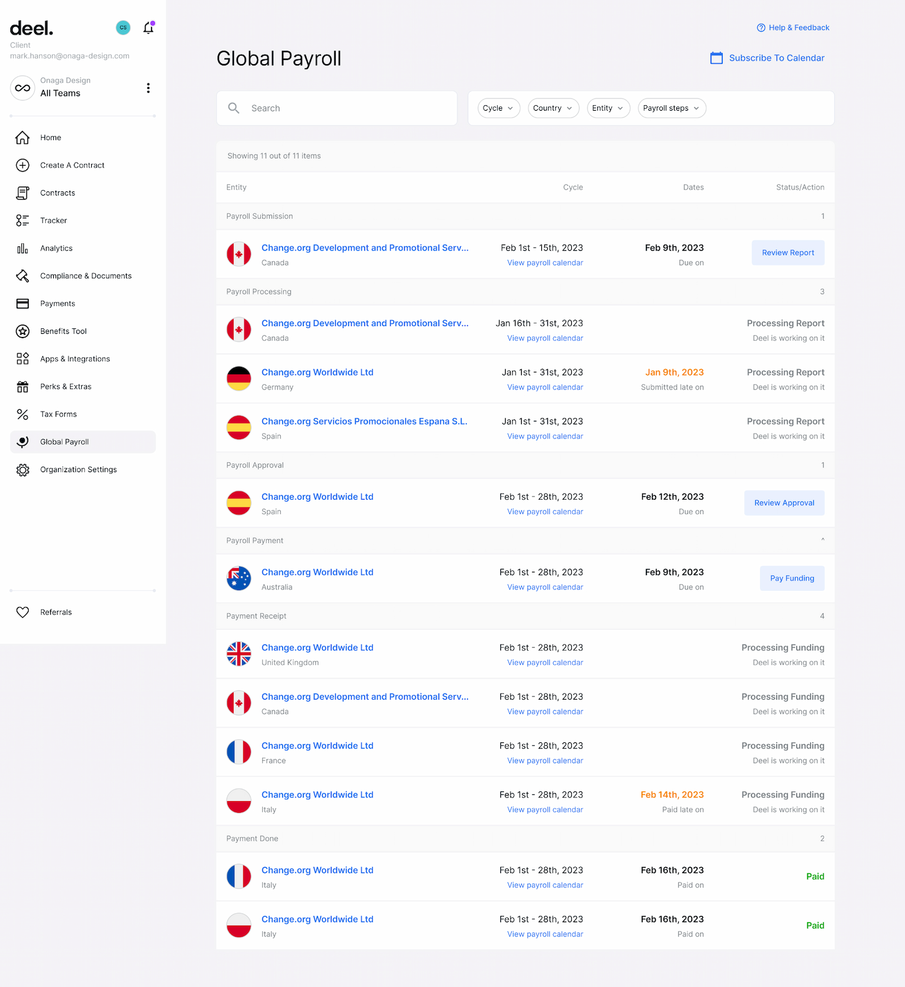
Deel semplifica il processo di assunzione di talenti internazionali e la gestione dei pagamenti internazionali. Gestisce la conformità, il payroll e l'amministrazione HR, permettendo alle startup di assumere i migliori talenti in 150 paesi senza preoccuparsi delle questioni legali.
Perché ho scelto Deel: Ho scelto Deel per il suo focus sull'automazione dell'assunzione globale e della conformità, un aspetto cruciale per le startup che vogliono espandersi a livello internazionale. Deel semplifica le complessità dell'assunzione internazionale garantendo la conformità alle leggi e normative locali (che possono essere piuttosto complicate senza lo strumento software giusto). Da questo punto di vista, le sue funzionalità di automazione e la facilità d'uso si distinguono rispetto ad altri strumenti HR.
Funzionalità e integrazioni principali:
Le funzionalità principali includono onboarding automatizzato, gestione della conformità, elaborazione delle buste paga e gestione delle spese. Offre inoltre supporto per diverse valute e opzioni di pagamento.
Deel si integra nativamente con QuickBooks, Xero, Gusto, Slack, Microsoft Teams, Google Workspace, Dropbox, Zapier e Trello
Pros and Cons
Pros:
- Semplifica l'assunzione internazionale
- Garantisce la conformità
- Supporta più valute
Cons:
- I dettagli sui prezzi non sono trasparenti
- Personalizzazione limitata
New Product Updates from Deel HR

Deel Expands Stablecoin Wallet to 80+ Countries
Deel expands its Stablecoin Wallet to 80+ countries with dollar-backed balances and optional rewards. This gives eligible contractors more ways to hold and manage earnings inside Deel. For more information, visit Deel’s official site.
 .
.
Ideale per la gestione integrata delle spese

Justworks è una piattaforma HR e paghe per startup che combina buste paga automatizzate, gestione dei benefit, supporto alla conformità e strumenti di onboarding in un unico sistema.
Per chi è ideale Justworks?
Startup e piccole imprese che cercano una piattaforma tutto-in-uno per HR, paghe e conformità, in grado di supportare una rapida crescita e team distribuiti in più stati.
Perché ho scelto Justworks
Ho scelto Justworks tra le migliori opzioni perché apprezzo come integra la gestione delle spese direttamente nella sua piattaforma HR e paghe. Il mio team può tracciare, approvare e rimborsare le spese dei dipendenti insieme alle paghe, mantenendo tutto in un unico posto. Mi piace anche che le politiche di spesa e i report siano integrati nello stesso cruscotto che usiamo per l'onboarding e i benefit.
Servizi principali di Justworks
- Elaborazione automatica delle buste paga: Esegui le paghe per dipendenti a stipendio fisso e orario, collaboratori e fornitori in tutti e 50 gli stati.
- Gestione dei benefit: Gestisci assicurazione sanitaria, 401(k), benefit per i pendolari e altro ancora da un unico cruscotto.
- Workflow di onboarding: Onboarding digitale dei nuovi assunti con raccolta documenti, firme elettroniche e attività di conformità.
- Archiviazione documenti HR: Conserva e organizza online in modo sicuro manuali dipendenti, policy e altri documenti HR.
Integrazioni Justworks
Le integrazioni native non sono chiaramente documentate. Lo strumento supporta integrazioni tramite API per collegamenti personalizzati.
Pros and Cons
Pros:
- Supporto HR integrato per domande su conformità e politiche
- Gestione integrata dei benefit per salute e odontoiatria
- Workflow di onboarding personalizzabili per i nuovi assunti
Cons:
- Le opzioni di benefit possono essere limitate fuori dalle grandi città
- Le funzionalità di reportistica sono meno avanzate rispetto ad alcuni concorrenti

Leapsome
Ideale per approfondimenti HR guidati dall'intelligenza artificiale

Per le startup che desiderano potenziare le proprie capacità HR, Leapsome offre una piattaforma alimentata dall'intelligenza artificiale che combina la gestione dei dipendenti con strumenti per la performance e la formazione. Questo software è particolarmente adatto alle startup moderne che mirano a semplificare i processi HR e a incrementare il coinvolgimento dei dipendenti grazie alle sue funzionalità complete. Che tu stia gestendo l'onboarding o svolgendo valutazioni delle performance, Leapsome fornisce le intuizioni e gli strumenti necessari a supportare il tuo team in crescita.
Perché ho scelto Leapsome
Ho scelto Leapsome per la sua capacità unica di combinare la gestione HR con le intuizioni guidate dall'IA, rendendolo un'ottima opzione per le startup. Le funzionalità di valutazione delle performance e di gestione della formazione consentono di sviluppare e coinvolgere efficacemente il tuo team, promuovendo una cultura di miglioramento continuo. Inoltre, i suoi strumenti per l'onboarding semplificano l'integrazione dei nuovi assunti, mentre le intuizioni fornite dall'IA offrono raccomandazioni preziose per ottimizzare i processi HR. Queste caratteristiche si allineano perfettamente alle esigenze delle startup che vogliono costruire una forza lavoro solida e dinamica.
Funzionalità principali di Leapsome
Oltre alle intuizioni guidate dall'IA, Leapsome offre diverse funzionalità pensate per le esigenze specifiche delle startup:
- Archivio dei dipendenti: Gestisci tutti i dati dei dipendenti in un unico luogo centralizzato, garantendo facile accesso e organizzazione.
- Gestione delle assenze: Traccia e gestisci le assenze dei dipendenti senza difficoltà, aiutandoti a mantenere la produttività della forza lavoro.
- Definizione obiettivi: Permetti al tuo team di stabilire e monitorare i propri obiettivi, promuovendo responsabilità e allineamento con gli obiettivi aziendali.
- Sondaggi di coinvolgimento: Raccogli feedback preziosi dal tuo team per valutare la soddisfazione e individuare le aree di miglioramento.
Integrazioni di Leapsome
Le integrazioni includono Slack, Microsoft Teams, G Suite, Jira, BambooHR, Personio, Okta, OneLogin, Greenhouse e Workday.
Pros and Cons
Pros:
- Le valutazioni delle performance e i sondaggi di coinvolgimento sono ben integrati.
- Le funzionalità basate su IA migliorano i processi HR e il processo decisionale.
- HRIS completo che include archivio dei dipendenti e strumenti di onboarding.
Cons:
- Personalizzazione limitata per esigenze aziendali di nicchia.
- Limitazioni nell'esportazione dei dati, soprattutto per le valutazioni.

Ideale per organigrammi personalizzati e controlli degli accessi
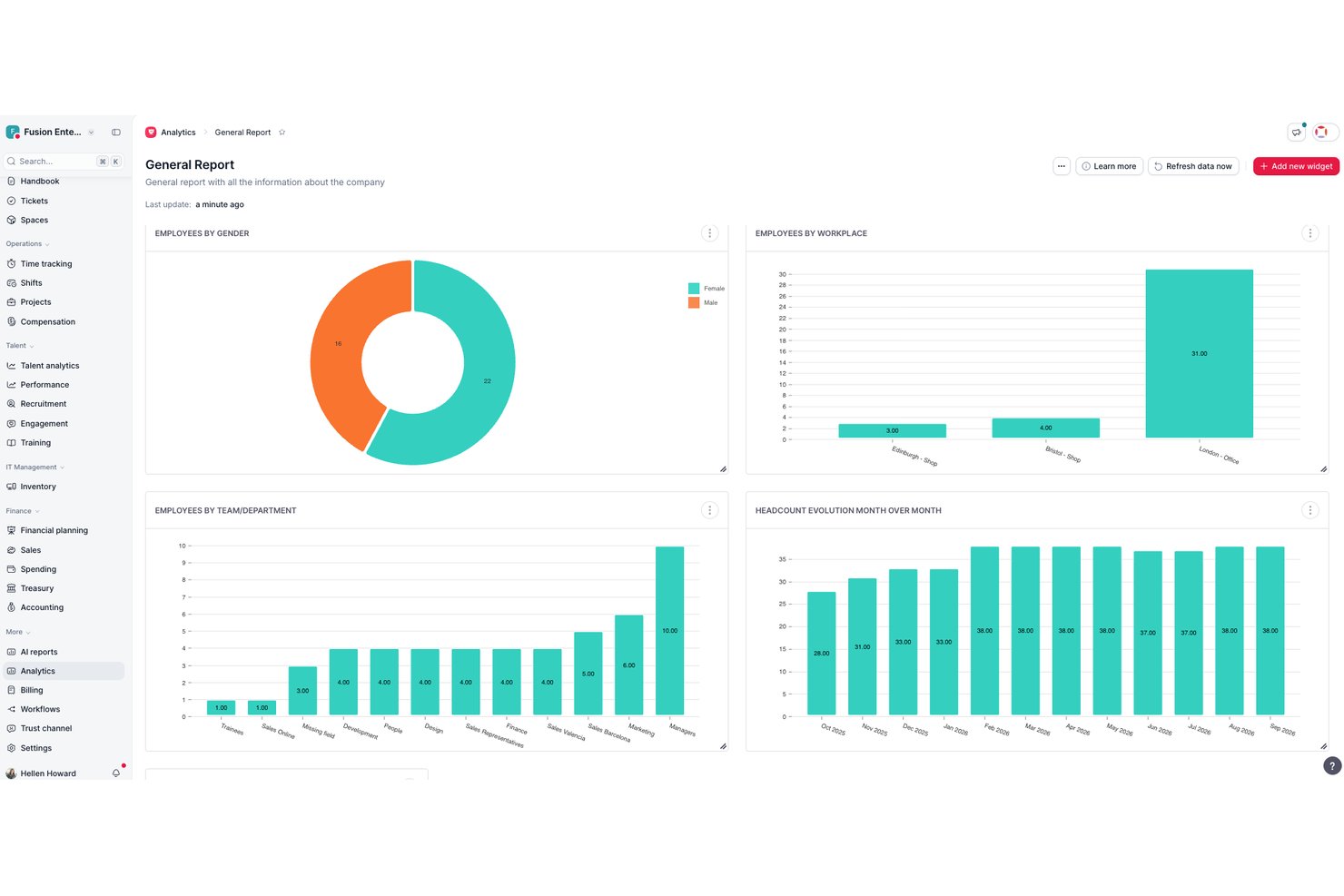
Factorial è una piattaforma HR completa che combina anagrafiche dei dipendenti, monitoraggio delle ore, gestione paghe, selezione, onboarding e gestione delle prestazioni in un unico sistema progettato per piccoli team in crescita.
Per chi è più adatto Factorial?
Factorial è una soluzione particolarmente adatta alle startup nelle fasi iniziali e alle piccole aziende che hanno bisogno di un'unica piattaforma per gestire le risorse umane senza un team HR dedicato.
Perché ho scelto Factorial
Ho scelto Factorial come una delle migliori soluzioni perché il suo organigramma si aggiorna automaticamente quando il team cambia, evitando di dover correggere manualmente un organigramma non aggiornato dopo una nuova assunzione o una promozione. Apprezzo anche il sistema di autorizzazioni personalizzato: è possibile creare gruppi di accesso basati sui ruoli e assegnare approvatori specifici a documenti e flussi di lavoro, mantenendo così i dati sensibili lontani dalle persone sbagliate con la crescita dell'organico. Ho trovato questa funzione particolarmente utile durante l'inserimento dei responsabili che devono avere visibilità sul proprio team, ma non sull'intera organizzazione.
Principali funzionalità di Factorial
- Elenco dei dipendenti: archivia e gestisci profili, documenti e campi personalizzati per tutti i dipendenti in un unico luogo.
- Gestione delle assenze: crea policy illimitate per i permessi, automatizza la maturazione delle ferie e consenti ai dipendenti di inviare autonomamente richieste di ferie retribuite.
- Valutazioni delle prestazioni: gestisci cicli di feedback a 360 gradi, configura modelli di valutazione e monitora gli obiettivi dei dipendenti.
- Modulo per la selezione: pubblica offerte di lavoro su più portali, seleziona i candidati con strumenti integrati per il monitoraggio delle candidature e automatizza la pianificazione dei colloqui.
Integrazioni di Factorial
Factorial offre integrazioni native con Google Workspace, Slack, Monday, Okta, Teamtailor, Recruitee, LinkedIn e Zapier, oltre a fornire un'API per le integrazioni personalizzate.
Pros and Cons
Pros:
- I flussi di lavoro automatizzati per l'onboarding riducono i tempi di configurazione
- Gli organigrammi si aggiornano automaticamente in tempo reale
- Integra le funzionalità HR essenziali, la gestione delle assenze e la selezione
Cons:
- Le funzionalità di gestione paghe sono disponibili solo in alcuni Paesi
- La personalizzazione dei report è relativamente basilare

Ideale per onboarding semplice e assistenza 24/7
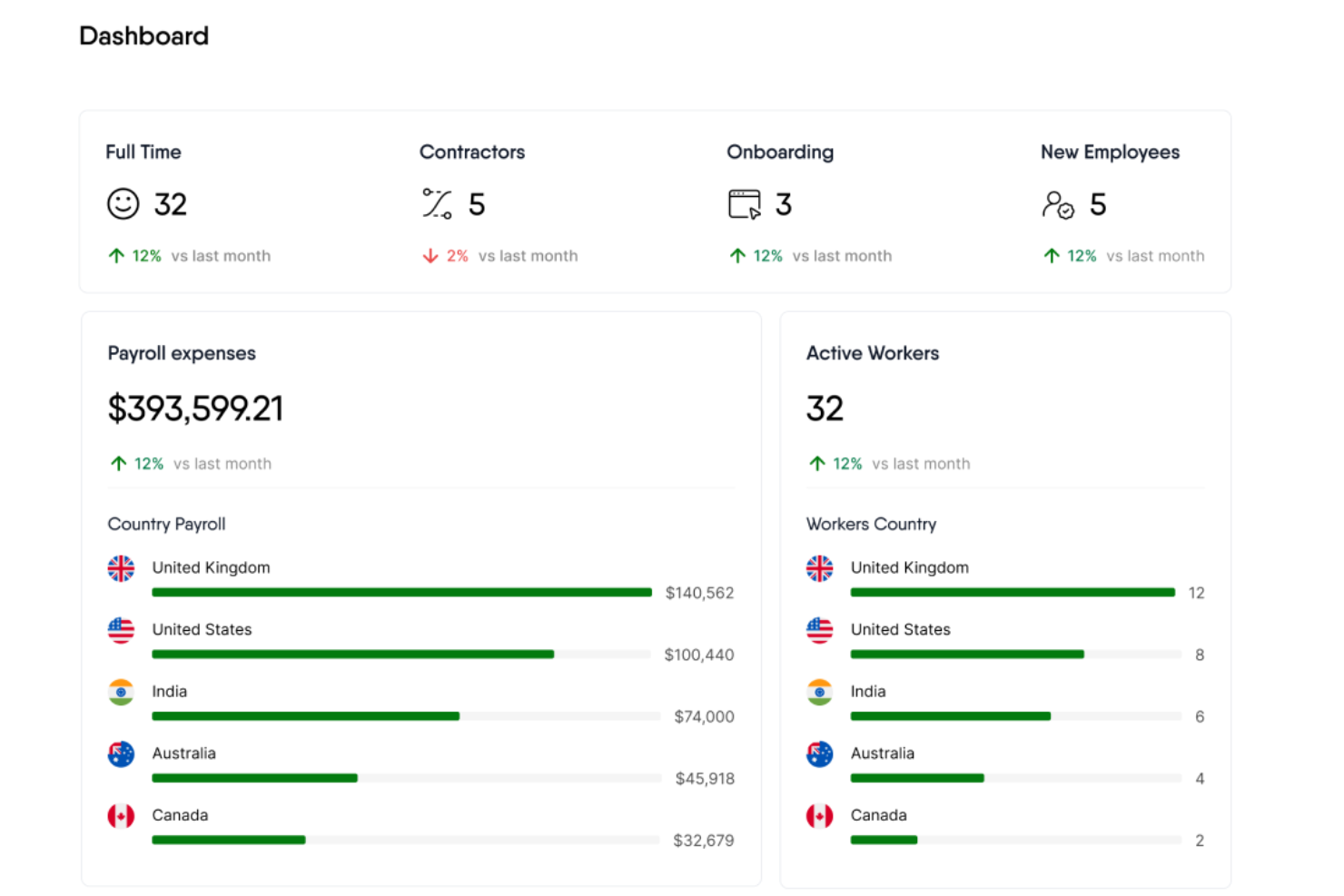
Remofirst è una piattaforma globale di servizi per l’occupazione che offre strumenti per l’assunzione e la gestione di un team internazionale, inclusi servizi di employer of record globale, gestione di pagamenti e fatturazione internazionale, gestione dei benefit, supporto per la conformità e assistenza clienti.
Per responsabili delle risorse umane come Wendy Makinson, HR Manager presso Joloda Hydraroll, i vantaggi sono evidenti: “RemoFirst si è dimostrato un software conveniente che ci consente di integrare facilmente i membri del team a distanza e di effettuare pagamenti a livello globale. Il fatto che RemoFirst sia già operativo nei paesi di cui abbiamo bisogno significa che non dobbiamo investire in entità legali locali, con un notevole risparmio sui costi.”
Perché ho scelto Remofirst: Il servizio Employer of Record (EOR) di Remofirst permette alle startup di assumere rapidamente e legalmente talenti da remoto in qualsiasi parte del mondo senza la necessità di costituire entità locali, spesso processo costoso e che richiede tempo.
Inoltre, Remofirst gestisce tutti gli aspetti di payroll internazionale, conformità, benefit e tasse, assicurando alle startup di rimanere conformi alle normative locali sul lavoro riducendo i carichi amministrativi. La piattaforma offre inoltre processi di onboarding solidi, contratti personalizzabili e assistenza 24/7.
Funzionalità principali & integrazioni:
Le funzionalità principali includono la gestione di payroll e fatturazione internazionale, la gestione dei benefit, la fornitura di attrezzature, la conformità e un calcolatore del costo del personale per determinare il costo di impiego in un altro paese.
Le integrazioni includono ADP.
Pros and Cons
Pros:
- Gestisce il payroll in diversi paesi
- Gestisce i compiti legali e amministrativi per l’assunzione internazionale
- Assistenza clienti reattiva e disponibile 24/7
Cons:
- Nessuna app mobile disponibile
- Integrazioni limitate

Gusto
Ideale per l'elaborazione automatica delle buste paga
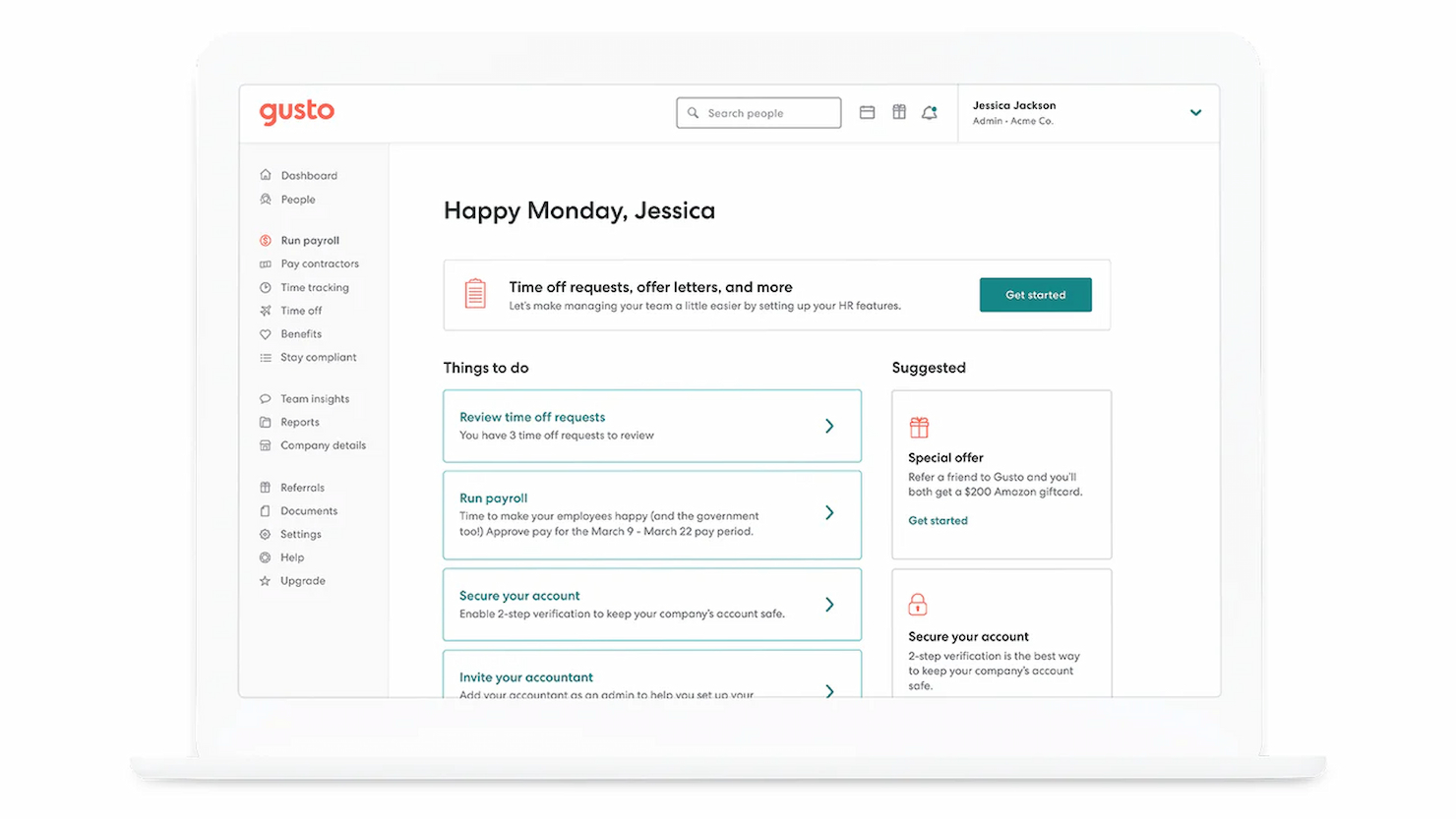
Gusto è progettato per rispondere alle esigenze HR di startup e piccole imprese grazie alla sua piattaforma integrata che combina gestione delle buste paga, benefit e risorse umane in un’unica soluzione. Se desideri semplificare le attività amministrative e migliorare la conformità, Gusto potrebbe essere lo strumento giusto per te. È particolarmente adatto a realtà nuove e di piccole dimensioni che cercano modi efficienti per gestire pagamenti, rilevamento delle presenze e benefit per i dipendenti senza la complessità dei sistemi più grandi.
Perché ho scelto Gusto
Ho scelto Gusto per il suo approccio mirato a risolvere le sfide HR comuni che affrontano le startup, soprattutto per quanto riguarda buste paga e conformità. Una funzione che spicca è l’elaborazione automatizzata delle paghe, che semplifica il compito spesso dispendioso in termini di tempo della preparazione dei salari, garantendo che il team venga pagato in modo accurato e puntuale. Apprezzo anche gli avvisi di conformità che ti aiutano a rimanere aggiornato sulle novità normative, riducendo il rischio di costosi errori. Queste caratteristiche rendono Gusto particolarmente attraente per startup che necessitano di soluzioni HR affidabili senza l’onere amministrativo.
Caratteristiche principali di Gusto
Oltre alle funzionalità relative a buste paga e conformità, ho riscontrato anche altri vantaggi fondamentali per le startup:
- Auto-onboarding: Questa funzione permette ai nuovi assunti di completare la documentazione e impostare i bonifici diretti, riducendo il carico di lavoro del team HR.
- Gestione dei benefit per i dipendenti: Gusto offre diverse opzioni per benefit sanitari, facilitando la creazione di pacchetti competitivi per il tuo team.
- Rilevazione delle presenze: La rilevazione integrata delle ore consente una gestione fluida delle presenze, fondamentale per un calcolo preciso delle buste paga.
- Strumenti per assunzione e onboarding: Questi strumenti semplificano il processo di reclutamento, dalla pubblicazione delle offerte di lavoro all’inserimento di nuovi dipendenti, aiutandoti a far crescere il team in modo efficiente.
Integrazioni di Gusto
Le integrazioni includono QuickBooks, Xero, Clover, TSheets, When I Work, Homebase, Deputy, Boomr, 7shifts e Slack. È disponibile un'API per integrazioni personalizzate.
Pros and Cons
Pros:
- Dichiarazioni fiscali automatiche e bonifici semplificano la conformità alle buste paga.
- Paghe, benefit e HR in un’unica piattaforma integrata.
- Il portale self-service per i dipendenti consente allo staff di accedere a cedolini e moduli.
Cons:
- Ottimo per una gestione semplice di paghe e HR ma non abbastanza personalizzabile per organizzazioni grandi e complesse.
- Le PMI che necessitano di funzionalità avanzate di conformità o moduli HR specifici per settori di nicchia potrebbero trovare Gusto limitante.
New Product Updates from Gusto
Gusto Adds Solo Advisory Tools and Mobile Money Features
Gusto adds Solo S-Corp Advisory Tools and Gusto Money on Mobile for tax guidance, invoicing, and bill payments. These updates help accountants advise solopreneurs and let users manage business finances from their phones. For more information, visit Gusto’s official site.

Ideale per crescita rapida e employer branding moderno
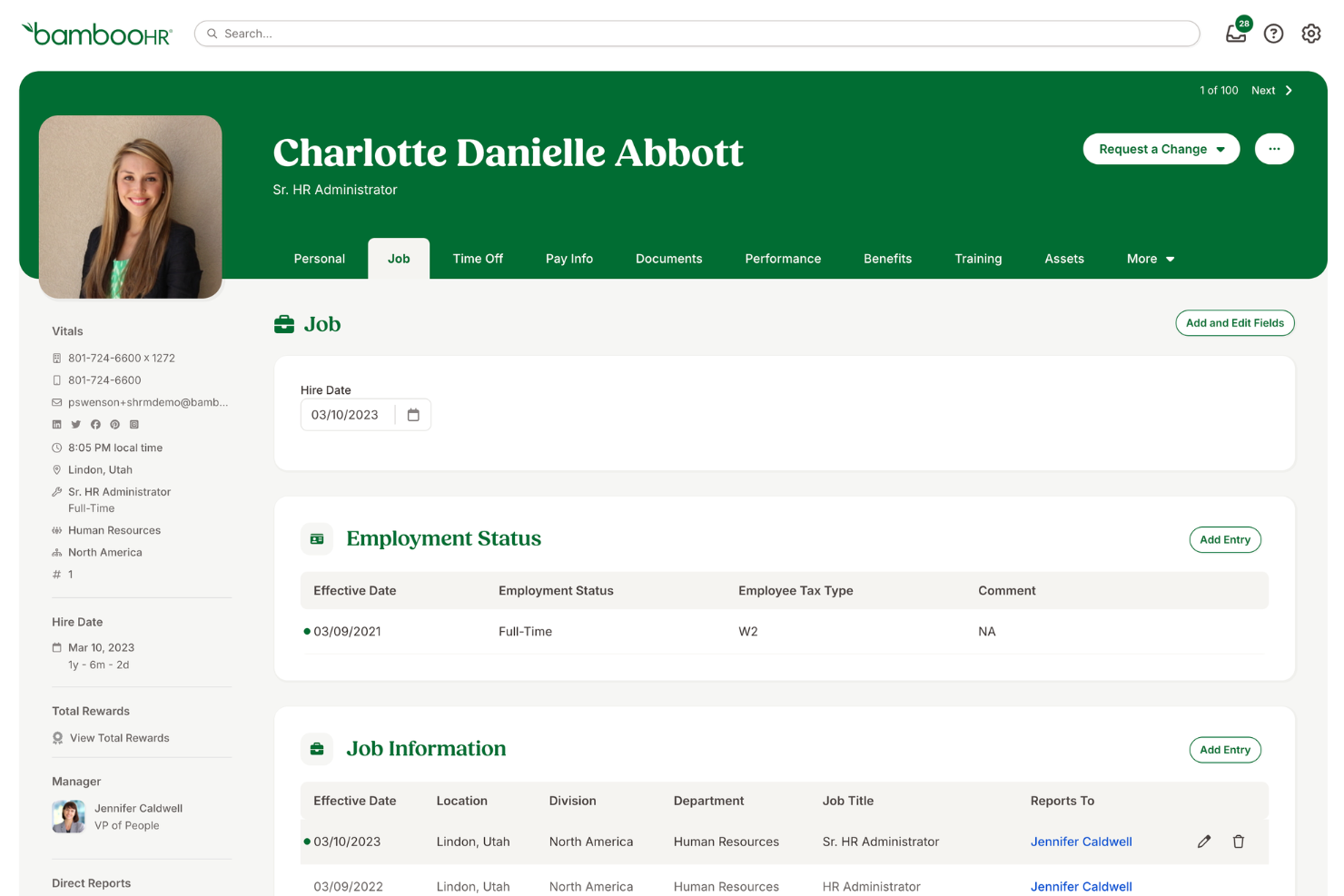
BambooHR è ideale per startup in rapida crescita e in fase di espansione perché semplifica le attività HR, rendendole di routine e facili da gestire. Consente alle startup di concentrarsi sull'espansione delle proprie operazioni mentre costruiscono un brand forte e una solida cultura aziendale interna.
Come osserva Crystal Pinney-Ramos, HR Technology Strategist di cClearHR: “Molte persone sono interessate a BambooHR perché è semplice da implementare, soprattutto per le aziende più piccole che non dispongono di team HR dedicati.”
Perché ho scelto BambooHR: Ho scelto BambooHR per la sua interfaccia intuitiva, un'esperienza di onboarding professionale e funzionalità complete che rispondono alle esigenze specifiche delle startup in rapida crescita. BambooHR è ideale per team in espansione e per rafforzare il branding del datore di lavoro, grazie agli strumenti che aiutano le startup ad attrarre e trattenere i migliori talenti, costruendo un forte employer brand e una cultura interna solida attraverso funzionalità di coinvolgimento dei dipendenti continuative.
Funzionalità e integrazioni di spicco:
Le funzionalità di spicco includono un sistema di tracciamento dei candidati, strumenti di onboarding, gestione delle performance, monitoraggio delle presenze e integrazione con il payroll. Il software offre anche strumenti per l'esperienza dei dipendenti, utili a creare un ambiente di lavoro positivo.
BambooHR si integra nativamente con i seguenti strumenti: QuickBooks, Xero, Slack, G Suite, Microsoft 365, Indeed, Glassdoor, LinkedIn e ZipRecruiter.
Pros and Cons
Pros:
- Interfaccia intuitiva
- Include un sistema di tracciamento dei candidati e strumenti di onboarding
- Offre strumenti per il coinvolgimento in azienda
Cons:
- Opzioni di personalizzazione limitate
- Opzioni di assistenza clienti limitate
New Product Updates from BambooHR®

BambooHR Adds Employee Navigator Integration
BambooHR adds an Employee Navigator integration that syncs employee demographic data and sends benefit deductions into BambooHR Payroll runs to cut duplicate entry and keep records aligned. For more information, visit BambooHR's official site.
 .
.
HiBob
Ideale per la gestione delle prestazioni e il coinvolgimento
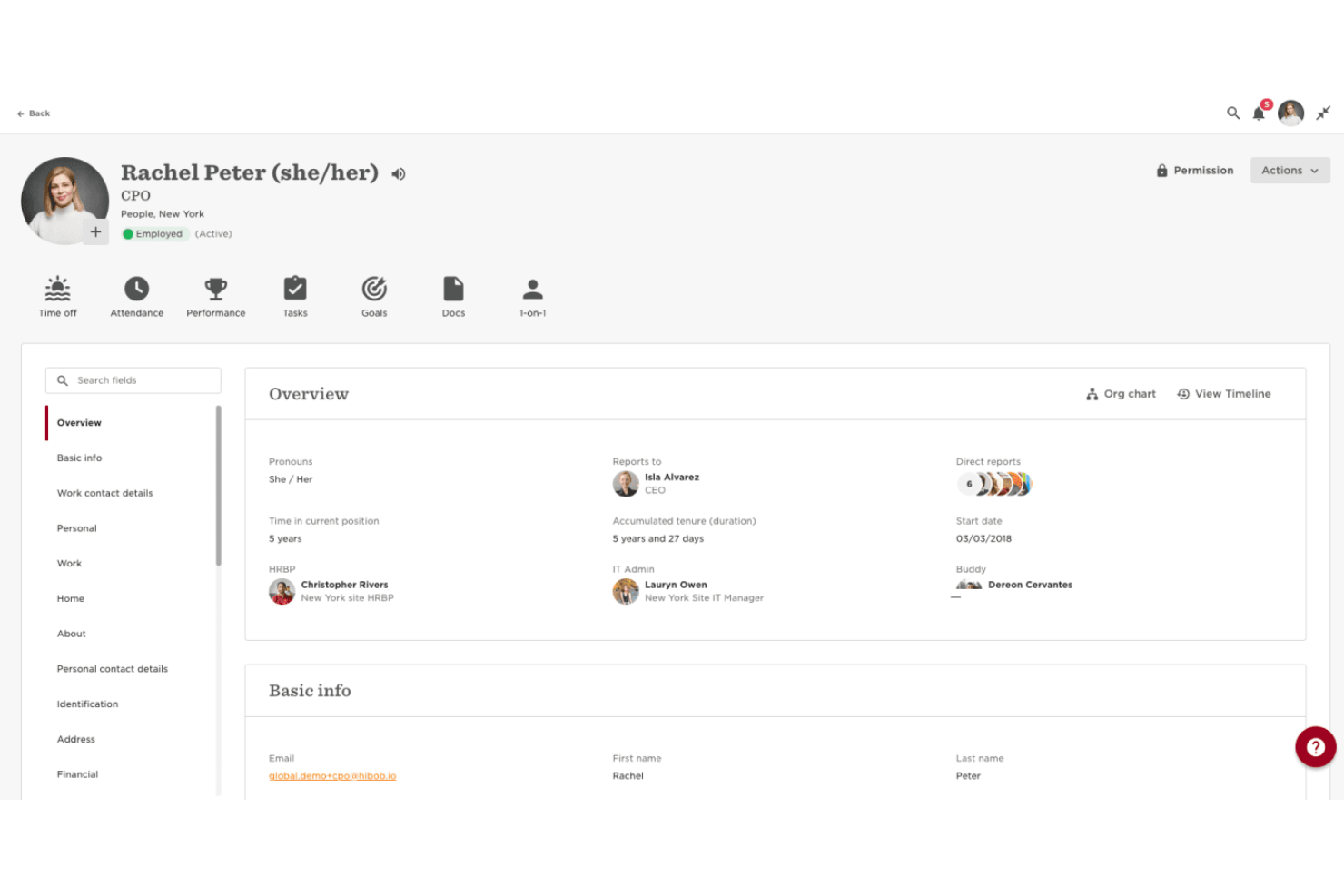
HiBob è una piattaforma software per le risorse umane pensata per aiutare le startup a gestire le funzioni HR principali, integrare i nuovi assunti e mantenere i team coinvolti durante la crescita. Combina strumenti per la gestione dei dati dei dipendenti, il monitoraggio delle presenze e le retribuzioni con funzionalità che supportano le valutazioni delle prestazioni e iniziative volte a rafforzare la cultura aziendale.
Come sottolinea Char Stark, Responsabile delle operazioni sulle persone e Stratega del talento presso Beacon HR: “Piattaforme tutto-in-uno come HiBob semplificano le operazioni HR, consolidando più funzioni in un unico strumento e riducendo la complessità.”
Perché ho scelto HiBob: Ho scelto HiBob per la sua forte attenzione alla gestione delle prestazioni e al coinvolgimento dei dipendenti—due aree in cui le startup spesso necessitano di maggiore supporto. Gli strumenti di valutazione delle prestazioni consentono di fissare obiettivi, monitorare i progressi ed effettuare valutazioni che aiutano a individuare tempestivamente i migliori talenti.
Dal lato engagement, sondaggi e strumenti di feedback integrati offrono una visione in tempo reale del morale del team, così da poter affrontare rapidamente eventuali criticità. L’unione di queste funzionalità aiuta un’azienda in crescita a mantenere una cultura positiva anche durante rapide fasi di scalabilità.
Caratteristiche e integrazioni di rilievo:
Le principali caratteristiche includono l’automazione dell’onboarding per integrare rapidamente i nuovi assunti, analytics sulle persone che forniscono informazioni concrete sulla forza lavoro e strumenti per la gestione delle retribuzioni che mantengono ordinati pagamenti e benefit.
Le integrazioni comprendono ADP, Breezy, Globalization Partners, Paylocity, Trinet, Xero, Sequoia Tech, Greenhouse, Slack, Deel e NetSuite.
Pros and Cons
Pros:
- Report dettagliati e informativi
- Funzionalità self-service per i dipendenti
- Strumenti HR completi
Cons:
- Potrebbe offrire maggiori opzioni di configurazione
- Payroll end-to-end disponibile solo per aziende nel Regno Unito
TriNet
Ideale per un approccio piattaforma più servizio
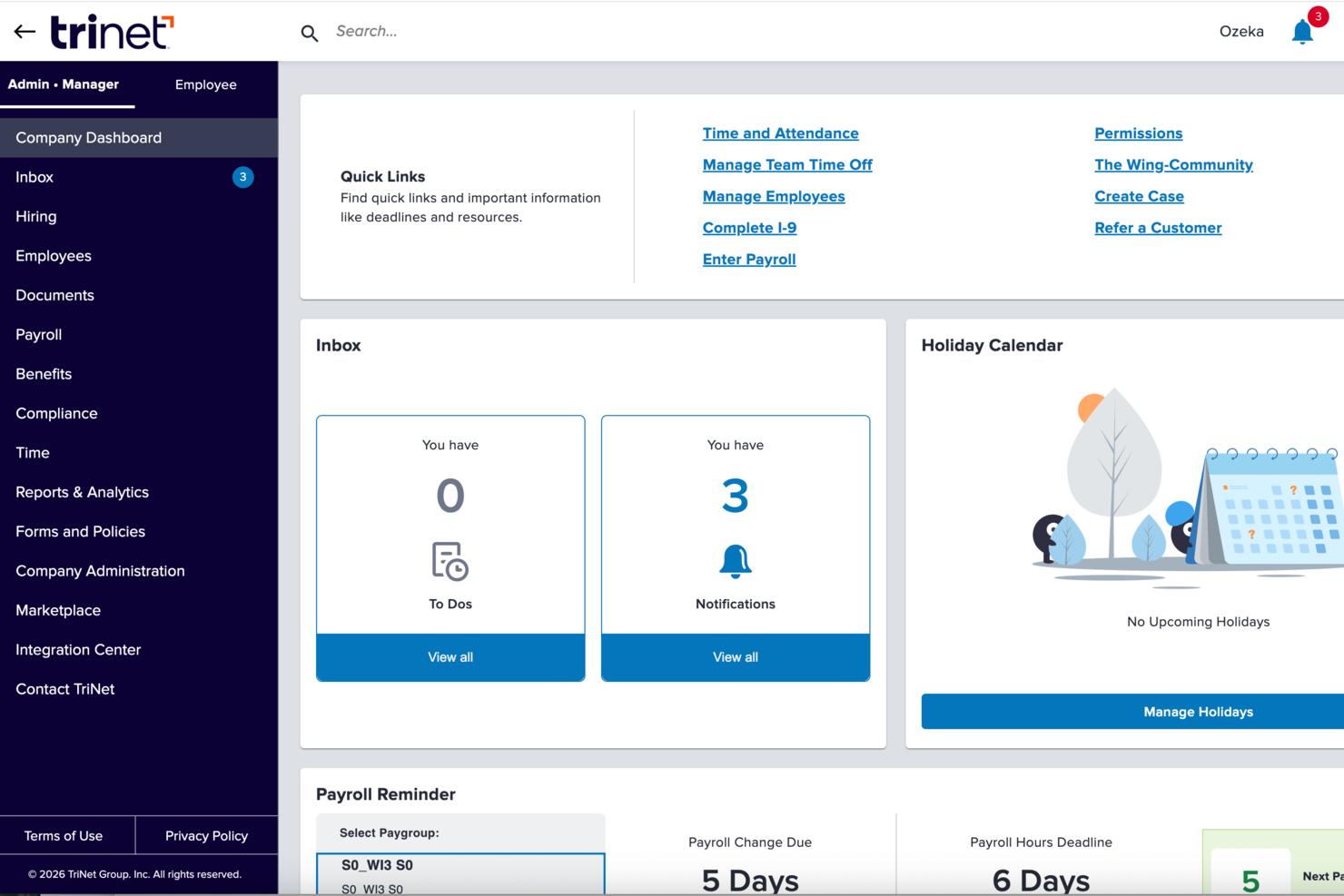
TriNet unisce il tradizionale software HR con l'expertise HR esternalizzata e servizi di gestione stipendi, offrendo a fondatori e piccoli team un modo per gestire assunzioni, benefit, conformità e paghe senza dover costruire un reparto HR interno. Che tu stia avviando una startup o stia crescendo fino ai tuoi primi oltre 50 dipendenti, TriNet fornisce strumenti e supporto che allineano l’amministrazione HR con le priorità di crescita aziendale, aiutandoti a semplificare la complessità amministrativa e a concentrarti sulla costruzione del tuo team e della tua cultura aziendale.
Perché ho scelto TriNet
Ho scelto TriNet perché ti dà accesso a un modello HR tipo PEO con gestione integrata di paghe, benefit e compliance, che rende la gestione delle attività HR molto più affrontabile man mano che la tua startup cresce. Ottieni supporto di co-dipendenza e accesso a benefit tipici delle grandi aziende, aiutando i team più piccoli a competere per i talenti, condividendo alcune responsabilità HR con i professionisti di TriNet. I suoi strumenti per le paghe e la conformità fiscale si integrano direttamente con le operazioni HR, riducendo il lavoro manuale e aiutandoti a restare allineato con i requisiti federali e statali.
Caratteristiche principali di TriNet
Oltre alla gestione di paghe e benefit che mi ha portato a scegliere TriNet, troverai una serie di altre funzionalità che supportano le necessità HR in un ambiente startup:
- Gestione delle paghe: TriNet offre un sistema solido di elaborazione stipendi che garantisce la gestione paghe in modo puntuale e accurato.
- Supporto per la conformità: La piattaforma offre assistenza per la compliance, aiutando la tua startup a orientarsi tra le complessità delle normative e leggi sul lavoro.
- Amministrazione dei benefit: TriNet semplifica la gestione dei benefit dei dipendenti, rendendo più semplice offrire pacchetti competitivi.
- Onboarding self-service: Permette ai nuovi assunti di completare digitalmente le procedure di onboarding così da essere pronti già dal primo giorno.
Integrazioni TriNet
Le integrazioni includono QuickBooks, Xero, NetSuite, BambooHR, Workday, ADP, Paychex, Gusto, Zenefits e Salesforce.
Pros and Cons
Pros:
- Aiuta a gestire le dichiarazioni fiscali e le paghe in più stati.
- Consente l’accesso a benefit tipicamente disponibili solo per grandi aziende.
- Offre software HR combinato con supporto di esperti umani.
Cons:
- L’interfaccia della piattaforma può risultare poco intuitiva o datata ad alcuni utenti.
- Non è la scelta migliore se il volume di gestione candidati è elevato.

Workable HR
Ideale per flussi di onboarding personalizzabili

Workable HR è una piattaforma completa di gestione delle risorse umane e del reclutamento, progettata per coprire l'intero processo di assunzione, dalla pubblicazione dell'offerta fino alla gestione dei dipendenti.
Perché ho scelto Workable HR: Workable offre un HRIS robusto che facilita le esperienze di onboarding dei nuovi assunti attraverso un portale self-service. I team HR possono inoltre personalizzare i flussi di lavoro di onboarding, garantendo che ogni ruolo riceva solo le informazioni più rilevanti per iniziare. Questo portale permette anche ai nuovi assunti di caricare documentazione e compilare le informazioni necessarie per il loro profilo dipendente. Inoltre, l'HRIS si integra con la piattaforma di recruiting e il sistema di tracciamento dei candidati (ATS) di Workable, facilitando una transizione più semplice da candidato a nuovo dipendente.
Funzionalità e integrazioni principali:
Funzionalità principali includono profili dipendenti personalizzabili, organigrammi, gestione della documentazione, directory dei dipendenti, gestione delle assenze e raccolta di firme elettroniche.
Le integrazioni comprendono ADP, Xero, BambooHR, Greenhouse, Lever, Namely, Rippling, Sapling e Zenefits.
Pros and Cons
Pros:
- Portale di onboarding per i nuovi assunti
- Facilita i processi dal reclutamento all’assunzione
- Solide funzionalità di automazione
Cons:
- Le funzionalità di reportistica potrebbero essere più personalizzabili
- Non è possibile gestire le paghe senza integrazioni
Altri software HR per startup
Di seguito è riportato un elenco di altri software HR per startup che non sono entrati nella mia lista dei 10 migliori, ma che vale comunque la pena prendere in considerazione:
- Aeqium
Ideale per la pianificazione retributiva di startup complesse
- Sloneek
Ideale per il monitoraggio delle performance orientato alle startup
- SixFifty
Ideale per la creazione di documenti legali per il lavoro
- TopSource
Ideale per supporto dedicato 24/5
- Lattice
Ideale per la definizione degli obiettivi e il monitoraggio dei progressi
- GoCo
Ideale per gestione integrata di paghe e benefit
- ChartHop
Ideale per la gestione di team in crescita
- Sage Intacct
Ideale per una gestione finanziaria e operativa scalabile in cloud
- ADP
Ideale per paghe e HR semplificati per piccole imprese
- Paychex
Ideale per approfondimenti HR e valutazione dei bisogni


Come Valuto il Software HR per Startup
Per le startup in cui un fondatore gestisce da solo paghe, onboarding e compliance, valuto gli strumenti su due livelli: funzionalità indispensabili e i fattori che distinguono i migliori.
Funzionalità Principali (Requisiti Base per Questa Lista)
Quando seleziono gli strumenti per la mia lista, assegno a ciascuno un punteggio da 0 (non offre la funzionalità) a 5 (eccelle in quest'area) per ogni funzionalità fondamentale elencata di seguito. Poi, calcolo il punteggio totale dello strumento in percentuale. Ogni strumento deve raggiungere un punteggio minimo totale del 65% per essere considerato nell'elenco.
- Gestione dei Dati dei Dipendenti: Cerco una banca dati centralizzata in cui archiviare contratti, moduli fiscali e dati personali—oltre a un organigramma visivo che si aggiorna con i cambi di ruolo.
- Gestione delle Paghe: Che sia nativa o integrata strettamente, valuto come ogni tool gestisce il calcolo delle retribuzioni, le trattenute fiscali e i bonifici diretti sia per i dipendenti W-2 che per collaboratori esterni.
- Flussi di Onboarding e Offboarding: Un buon flusso di onboarding dovrebbe automatizzare lettere di offerta, firme elettroniche e documenti di conformità affinché il primo giorno del nuovo assunto non sia sommerso di scartoffie.
- Gestione Ferie e ROL: Verifico la possibilità di richieste di ferie self-service, regole di maturazione configurabili e flussi di approvazione per i responsabili—funzionalità che eliminano interminabili scambi su Slack o via email.
- Amministrazione dei Benefit: Valuto se lo strumento consente l’iscrizione digitale, la connessione ai carrier o broker e la gestione degli eventi di vita senza aggiornare manualmente i piani.
- Compliance e Reportistica: Le startup raramente hanno consulenti interni, quindi cerco prompt di conformità automatici, report HR standard e una conservazione dei dati pronta per le verifiche già integrata nella piattaforma.
Dopo aver ottenuto una lista di strumenti che soddisfano questi criteri, considero cosa distingue ciascuna piattaforma.
Fattori Differenzianti (Cosa Distingue i Fornitori)
Ecco come confronto i diversi fornitori:
Funzionalità Distintive
Il supporto per l’assunzione a livello globale è fondamentale quando il team è distribuito fin dal primo giorno—controllo se uno strumento offre servizi EOR o gestione delle paghe in più Paesi integrata. La gestione di equity e compensi è un’altra area che analizzo attentamente, poiché le startup fanno spesso affidamento sulle stock option più che sul salario. Cerco anche funzionalità per la gestione delle performance integrate come gli OKR e i cicli di valutazione, che evitano ai team in crescita di acquistare una piattaforma aggiuntiva troppo presto.
Oltre le Funzionalità
Prezzo e scalabilità sono le prime cose che valuto—le startup hanno bisogno di prezzi chiari per dipendente che non costringano a cambiare piattaforma a 50 o 100 dipendenti. Anche la velocità di implementazione conta molto. Il fondatore che si occupa dell’HR dovrebbe poter impostare il sistema in pochi giorni usando template predefiniti, non in settimane con un consulente. Verifico inoltre come ogni tool si integri con gli stack più comuni delle startup come Slack, Google Workspace e QuickBooks, perché una piattaforma HR scollegata crea più lavoro che benefici.
Come scegliere un software HR per startup
Individuare la soluzione migliore richiede un certo lavoro di squadra. Segui questo processo per trovare la soluzione più adatta alle esigenze della tua organizzazione:
Passaggio 1: definisci le tue esigenze
Il primo passo consiste sempre nel chiarire le proprie esigenze specifiche, ad esempio la composizione della forza lavoro (numero, tipologia, sede) e i piani di crescita.
Alcune domande fondamentali da porsi in questa fase:
- Quanti dipendenti abbiamo e quanto rapidamente prevediamo di crescere?
- Abbiamo una combinazione di lavoratori a tempo pieno, a tempo parziale e a contratto?
- Stiamo assumendo a livello internazionale e abbiamo bisogno del supporto per la gestione delle buste paga in più Paesi?
- Quali processi HR possono essere automatizzati (ad esempio, onboarding, gestione delle buste paga, monitoraggio delle ferie)?
- Abbiamo bisogno di elaborazioni automatiche delle buste paga o approveremo manualmente le buste paga prima dell'elaborazione?
- Come gestiamo attualmente gli straordinari, le commissioni e i benefit dei dipendenti?
- Il nostro sistema per le buste paga deve gestire automaticamente le dichiarazioni fiscali, le ritenute e le detrazioni previste dalla legge?
- Operiamo in più Stati o Paesi con normative fiscali diverse?
- Abbiamo bisogno di aggiornamenti integrati sulla conformità in caso di modifiche legislative?
- Con quali altri strumenti dovrà integrarsi?
Buone pratiche:
- Coinvolgi più parti interessate: raccogli i contributi di risorse umane, finanza, conformità e IT per garantire che il sistema soddisfi tutte le esigenze aziendali.
- Analizza il tuo attuale processo di gestione delle paghe: individua inefficienze, rischi di non conformità e attività manuali che necessitano di automazione.

Passaggio 2: ricerca e confronta i fornitori
Una volta definite le esigenze, cerca fornitori di software HR in linea con i tuoi requisiti.
Puoi utilizzare anche guide ai servizi HR come questa, oltre alla tua rete di contatti e alle comunità HR.
Buona pratica: seleziona una rosa di 3–5 fornitori e crea una matrice di confronto per valutare obiettivamente funzionalità, prezzi e opzioni di assistenza.
Una volta definita la rosa di candidati, contattali e prenota alcune demo dal vivo per valutare l'usabilità dello strumento, le funzionalità e il team che lo supporta.

Passaggio 3: finalizza la scelta e negozia i termini
Una volta scelto il fornitore, esamina i piani tariffari, gli accordi sul livello di servizio (SLA) e i termini contrattuali.
Chiarisci eventuali costi aggiuntivi, come le commissioni di implementazione, gli addebiti per la presentazione delle dichiarazioni fiscali o le licenze utente, prima di firmare.
Se il software include diversi livelli di assistenza clienti, assicurati che la tua azienda riceva il livello di supporto appropriato e che siano chiarissimi tutti i costi aggiuntivi dell'assistenza.
Tendenze nel software HR per le startup
Questo mercato è in continua evoluzione. Ho analizzato numerosi aggiornamenti di prodotto, comunicati stampa e registri delle versioni per individuare alcune tendenze nel software HR per le startup e il loro potenziale impatto sul settore.
- Strumenti di reclutamento basati sull'IA: l'IA viene utilizzata per attività come l'analisi dei curriculum e l'abbinamento dei candidati alle descrizioni delle posizioni, riducendo il tempo dedicato alla selezione manuale. (Consulta il mio elenco dei migliori sistemi di tracciamento dei candidati basati sull'IA per alcuni ottimi esempi!)
- Gestione del lavoro da remoto: gli strumenti per la gestione dei team da remoto stanno diventando più sofisticati, poiché la Generazione Z entra nel mondo del lavoro e aumenta la domanda di equilibrio tra vita professionale e privata. Offrono funzionalità come il monitoraggio del tempo e la collaborazione virtuale, essenziali per il lavoro da remoto e sempre più diffuse.
- Processo decisionale basato sui dati: il software HR utilizza l'analisi dei dati per orientare le decisioni. Ciò include informazioni sulle prestazioni e sulla fidelizzazione dei dipendenti, la previsione delle esigenze di assunzione, l'identificazione di potenziali lacune nelle competenze e la previsione dei tassi di turnover dei dipendenti.
- Priorità al benessere e ai benefit: con la crescente attenzione al benessere dei dipendenti e alla fidelizzazione a lungo termine, le soluzioni software HR integrano ora funzionalità come app per il benessere, strumenti di gestione dello stress e piattaforme che promuovono l'equilibrio tra vita professionale e privata, oltre a incontri individuali da remoto e alla gestione continua delle prestazioni.
Che cos'è il software HR per le startup?
Il software HR per le startup è progettato per aiutare a gestire varie funzioni delle risorse umane, come reclutamento, onboarding, gestione delle paghe, amministrazione dei benefit, formazione e gestione delle prestazioni.
I componenti principali includono il tracciamento dei candidati, i database dei dipendenti, l'elaborazione delle paghe, la gestione dei benefit e la valutazione delle prestazioni, tutti finalizzati a semplificare i processi HR, garantire la conformità e migliorare l'efficienza nella gestione di una forza lavoro in crescita.
Funzionalità principali del software HR per le startup
Quando scegli un software HR per startup, concentrati sulle funzionalità che favoriscono crescita, efficienza, flessibilità e soddisfazione dei dipendenti. Ecco le funzionalità più importanti da considerare:
- Inserimento dei dipendenti: La firma e la gestione automatizzata dei documenti semplificano il processo di integrazione dei nuovi assunti in azienda, contribuendo a garantire che i nuovi dipendenti possano essere produttivi fin dal primo giorno.
- Gestione delle retribuzioni: Automatizza il calcolo e l'erogazione degli stipendi, riducendo gli errori e garantendo pagamenti puntuali.
- Monitoraggio dell'orario e delle presenze: Monitora le ore lavorate e le presenze dei dipendenti, contribuendo a gestire la produttività della forza lavoro e la conformità alle leggi sul lavoro.
- Gestione delle prestazioni: Monitora e valuta le prestazioni dei dipendenti, aiutando a identificare i migliori talenti e le aree che necessitano di miglioramento.
- Gestione dei benefit: Portali per l'iscrizione dei dipendenti a benefit quali l'assicurazione sanitaria e i piani pensionistici.
- Autogestione per i dipendenti: Consente ai dipendenti di accedere alle proprie informazioni personali e gestirle, riducendo il carico amministrativo sul personale delle risorse umane.
- Reclutamento e monitoraggio dei candidati: Semplifica il processo di assunzione, dalla pubblicazione dell'offerta di lavoro alla selezione dei candidati fino alla formulazione dell'offerta, creando una migliore esperienza di assunzione per tutte le persone coinvolte.
- Gestione della conformità: Aggiornamenti e promemoria automatici contribuiscono a garantire il rispetto delle leggi e dei regolamenti sul lavoro in continua evoluzione, riducendo al minimo il rischio di problemi legali e sanzioni.
- Reportistica e analisi: Fornisce informazioni utili attraverso l'analisi dei dati e la reportistica. Ciò supporta il processo decisionale informato e la pianificazione strategica.
- Capacità di integrazione: Consente al software di funzionare senza problemi con altri strumenti aziendali. Ciò garantisce un flusso di lavoro coerente ed efficiente tra i diversi reparti.
Se stai cercando un nuovo sistema principalmente per le funzioni di gestione delle retribuzioni, potresti prendere in considerazione anche la ricerca di piattaforme per la gestione delle retribuzioni per startup.
Vantaggi dei software HR per startup
L'utilizzo degli strumenti software HR è un modo efficace per alleviare le attività amministrative e gestire la forza lavoro in modo più efficiente. Ecco alcuni dei vantaggi offerti dai software HR alle startup:
- Risparmio di tempo: L'automazione delle attività HR di routine, come la gestione delle retribuzioni, il monitoraggio delle presenze e l'inserimento dei dipendenti, consente di risparmiare molto tempo, permettendo ai team HR di concentrarsi su iniziative più strategiche.
- Maggiore conformità: Il software HR aiuta a garantire che le startup rispettino le leggi e i regolamenti sul lavoro fornendo aggiornamenti tempestivi e mantenendo registri accurati, riducendo il rischio di problemi legali.
- Migliore esperienza dei dipendenti: Semplificando processi come le richieste di congedo e la gestione delle prestazioni, il software HR migliora l'esperienza complessiva dei dipendenti, portando a livelli più elevati di soddisfazione e fidelizzazione.
- Decisioni basate sui dati: L'accesso ad analisi e report in tempo reale consente alle startup di prendere decisioni informate sulla propria forza lavoro, dalle assunzioni all'aggiornamento delle competenze.
- Scalabilità: Con la crescita delle startup, il software HR può scalare facilmente per supportare un numero crescente di dipendenti, garantendo che i processi HR rimangano efficienti ed efficaci.
Investire in un software HR offre alle startup gli strumenti per gestire efficacemente la forza lavoro, garantire la conformità, migliorare la soddisfazione dei dipendenti e sostenere la crescita.
Costi e prezzi dei software HR per startup
I software HR per startup sono generalmente disponibili in diversi piani, pensati per esigenze e budget differenti.
Comprendere i costi e le opzioni di prezzo dei software HR può essere difficile, soprattutto per chi è nuovo sul mercato.
Di seguito è riportata una tabella che riepiloga i tipi di piano più comuni, i relativi prezzi medi e le funzionalità tipiche.
Tabella comparativa dei piani dei software HR per startup
| Tipo di piano | Prezzo medio | Funzionalità comuni |
| Gratuito | $0 | Registri di base dei dipendenti, accesso limitato degli utenti e reportistica di base |
| Base | $30-$50/mese + $5-$10/dipendente | Registri dei dipendenti, elaborazione delle retribuzioni, strumenti di base per la conformità e assistenza limitata |
| Intermedio | $50-$100/mese + $5-$15/dipendente | Gestione avanzata delle retribuzioni, gestione dei benefit, supporto per la conformità e portali per l'autogestione dei dipendenti |
| Premium | $100-$250/mese + $10-$25/dipendente | Gestione HR completa, analisi avanzate, funzionalità basate sull'IA, numerose integrazioni e assistenza 24/7 |
| Aziendale | Prezzo personalizzato | Personalizzazione completa, assistenza dedicata, numerose integrazioni e funzionalità di sicurezza avanzate |
Ogni piano risponde a esigenze diverse: i piani gratuito e base sono adatti ai piccoli team, i piani intermedi e premium offrono funzionalità avanzate per le aziende in crescita, mentre i piani aziendali forniscono ampie possibilità di personalizzazione e assistenza alle startup più grandi con requisiti complessi.