
14 Best Cheap Payroll Software Reviewed in 2026

Best Cheap Payroll Software Shortlist
Here’s my shortlist of the best cheap payroll software:


Managing payroll can be a headache for HR teams, especially when budgets are tight. You need a solution that’s affordable but doesn’t skimp on essential features. That’s where cheap payroll software comes in. It helps you handle payroll efficiently, saving time and reducing errors.
I’ve spent a lot of time testing and reviewing various software, and I understand what works best in the HR world. In this article, I’ll share my top picks for budget-friendly payroll software. You’ll find insights into features, pros and cons, and pricing, so you can make an informed decision for your team. Let’s dive into the best options that can make payroll management simpler and more cost-effective for you.
Why Trust Our Software Reviews
Best Cheap Payroll Software Summary
This comparison chart summarizes pricing details for my top cheap payroll software selections to help you find the best one for your budget and business needs.
| Tool | Best For | Trial Info | Price | ||
|---|---|---|---|---|---|
| 1 | Best for contractor management tools | Free demo available | Pricing upon request | Website | |
| 2 | Best for freelancers needing payroll and invoicing | Free plan available | From $190/year (billed annually) | Website | |
| 3 | Best for small POS retailers with hourly staff | 30-day free trial + free plan + free demo available | From $49/location/month | Website | |
| 4 | Best for household employers | Up to 6 months free | From $4/month/employee + $20/month base fee | Website | |
| 5 | Best for full-service PEO HR outsourcing | Free demo available | Pricing upon request | Website | |
| 6 | Best for global, multi-country payroll | Free demo available | Pricing upon request | Website | |
| 7 | Best for automated payroll tax filings | 30-day free trial + free demo available | From $17/month + $4/worker paid | Website | |
| 8 | Best for growing SMBs with HR support | Free 3 months payroll for new clients | From $39/month + $5/employee/month | Website | |
| 9 | Best for Intuit QuickBooks-native payroll users | 30-day free trial | From $30/month | Website | |
| 10 | Best free payroll service for under 25 employees | Free for up to 25 employees | Pricing upon request for teams with 25+ employees | Website |
-

Checkr
Visit WebsiteThis is an aggregated rating for this tool including ratings from Crozdesk users and ratings from other sites.4.5 -
Kudoboard
Visit WebsiteThis is an aggregated rating for this tool including ratings from Crozdesk users and ratings from other sites.4.8 -
Native Teams
Visit WebsiteThis is an aggregated rating for this tool including ratings from Crozdesk users and ratings from other sites.4.9





Best Cheap Payroll Software Review
Below are my detailed summaries of the best cheap payroll software that made it onto my shortlist. My reviews offer a detailed look at the key features, pros and cons, integrations, and ideal use cases of each tool to help you find the best one for you.

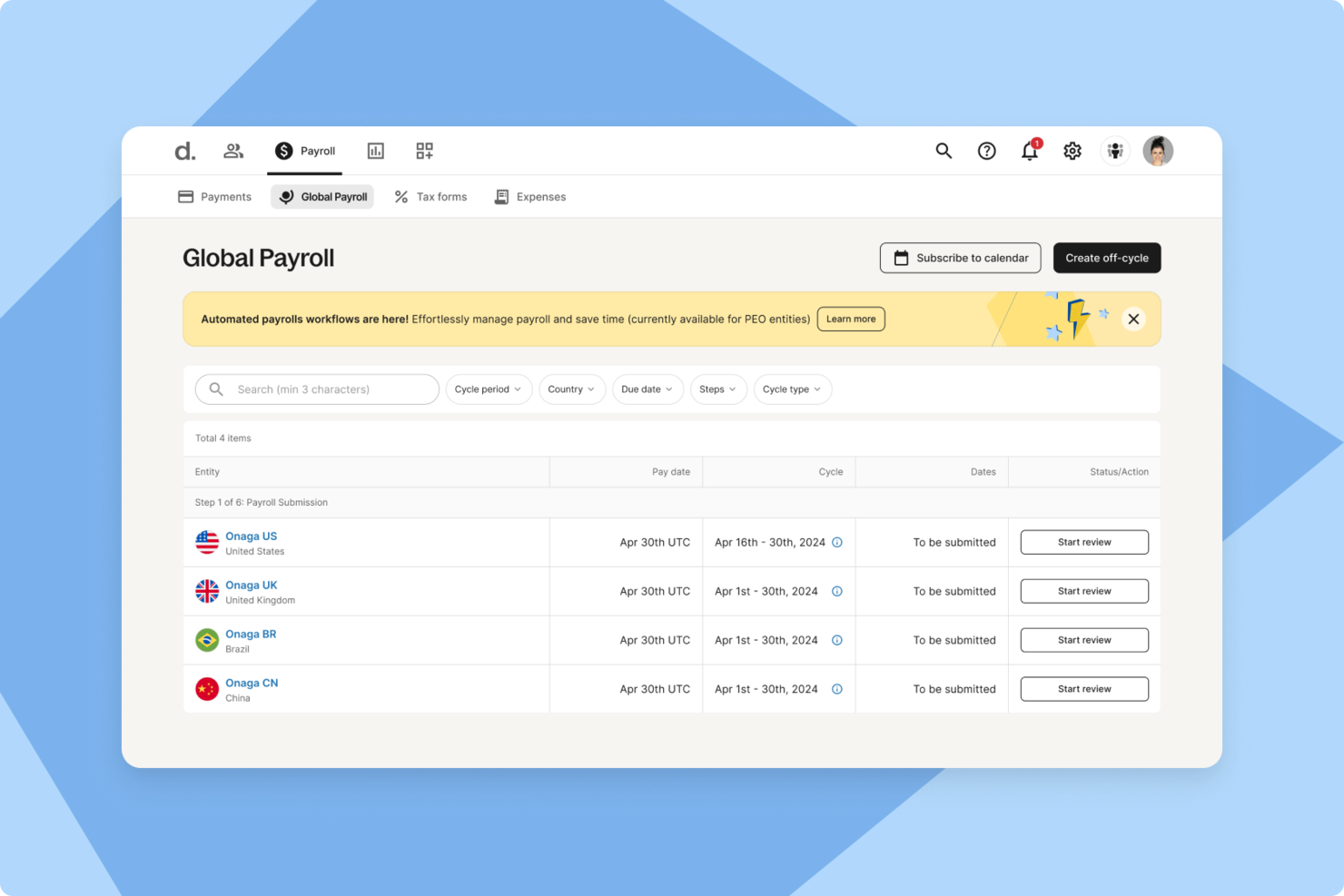
For businesses looking for a cost-effective way to manage global payroll, Deel offers a flexible platform built for international teams. It helps you handle payroll, compliance, and contractor payments across multiple countries without needing separate local providers. This makes it a practical option for startups and growing companies that want to support global hiring while keeping administrative work manageable.
Why I Picked Deel
I picked Deel because it can help you run international payroll without building out local entities or juggling multiple systems. Its global payroll coverage spans more than 150 countries, helping you stay aligned with local tax and labor regulations. I was also drawn to its contractor management tools, which let you onboard, manage, and pay contractors in different regions while maintaining compliance. Together, these capabilities make Deel a strong fit if you want to simplify global payroll while keeping costs predictable.
Deel Key Features
In addition to its global payroll management and contractor management, Deel offers several other features that make it a compelling choice for cheap payroll software:
- Employer of Record (EOR) Services: Deel acts as the legal employer in over 110 countries, handling payroll, tax filings, and HR support.
- HR Module: Provides tools for employee data management, onboarding, and performance analytics.
- IT Module: Includes IT logistics management to streamline device allocation and management for remote teams.
- Compliance and Security: Ensures compliance with local labor laws and provides robust security support.
Deel Integrations
Integrations include SAP SuccessFactors, NetSuite, Slack, Google Workspace, Ramp, Thatch, Hatchproof, and Deel API for custom connections with HRIS, finance, and ERP systems.
Pros and Cons
Pros:
- Integrates with major HR systems
- Built-in compliance and contract management
- Global payroll across 150 countries
Cons:
- Limited directory customization options
- Reporting features lack advanced filtering
New Product Updates from Deel HR

Deel Expands Workplace Integrations With Microsoft Teams and Slack Alerts
Deel introduces Microsoft Teams HR approvals and consolidated Slack alerts for payouts, security, and compliance notifications. These updates help teams act faster and stay informed without leaving their communication tools. For more information, visit Deel’s official site.
 .
.
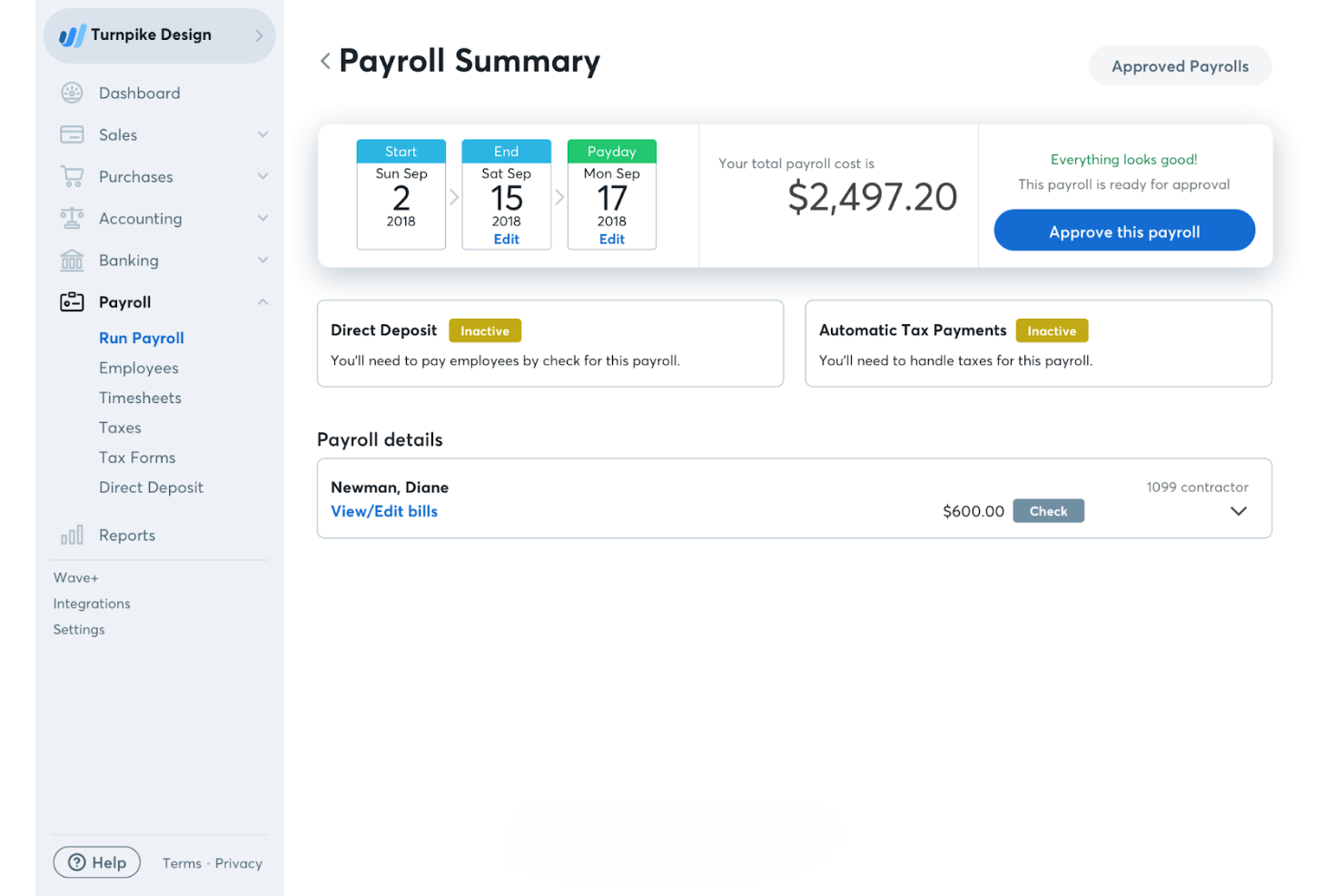
Wave is an online payroll service tailored for freelancers and small businesses. It handles payroll processing, tax calculations, and direct deposits, making it a solid choice for managing your payroll needs.
Why I picked Wave: Wave is particularly beneficial for freelancers due to its straightforward payroll processing and easy-to-use interface. The software allows you to pay employees and contractors via direct deposit, which is a convenient feature for small teams. Additionally, Wave integrates with Wave's accounting software, supporting basic bookkeeping and providing a full financial picture for your business.
Standout Features and Integrations:
Features include automatic tax payment reminders, ensuring you never miss a deadline. You can also manage payroll deductions and benefits. The software provides detailed payroll reports, giving you insights into your payroll expenses.
Integrations include Wave Accounting, Wave Invoicing, Wave Receipts, Wave Payments, and more.
Pros and Cons
Pros:
- Simple payroll structure
- Contractor payment support
- Freelancer-friendly payroll
Cons:
- Limited scalability for larger businesses
- Lacks built-in time-tracking features
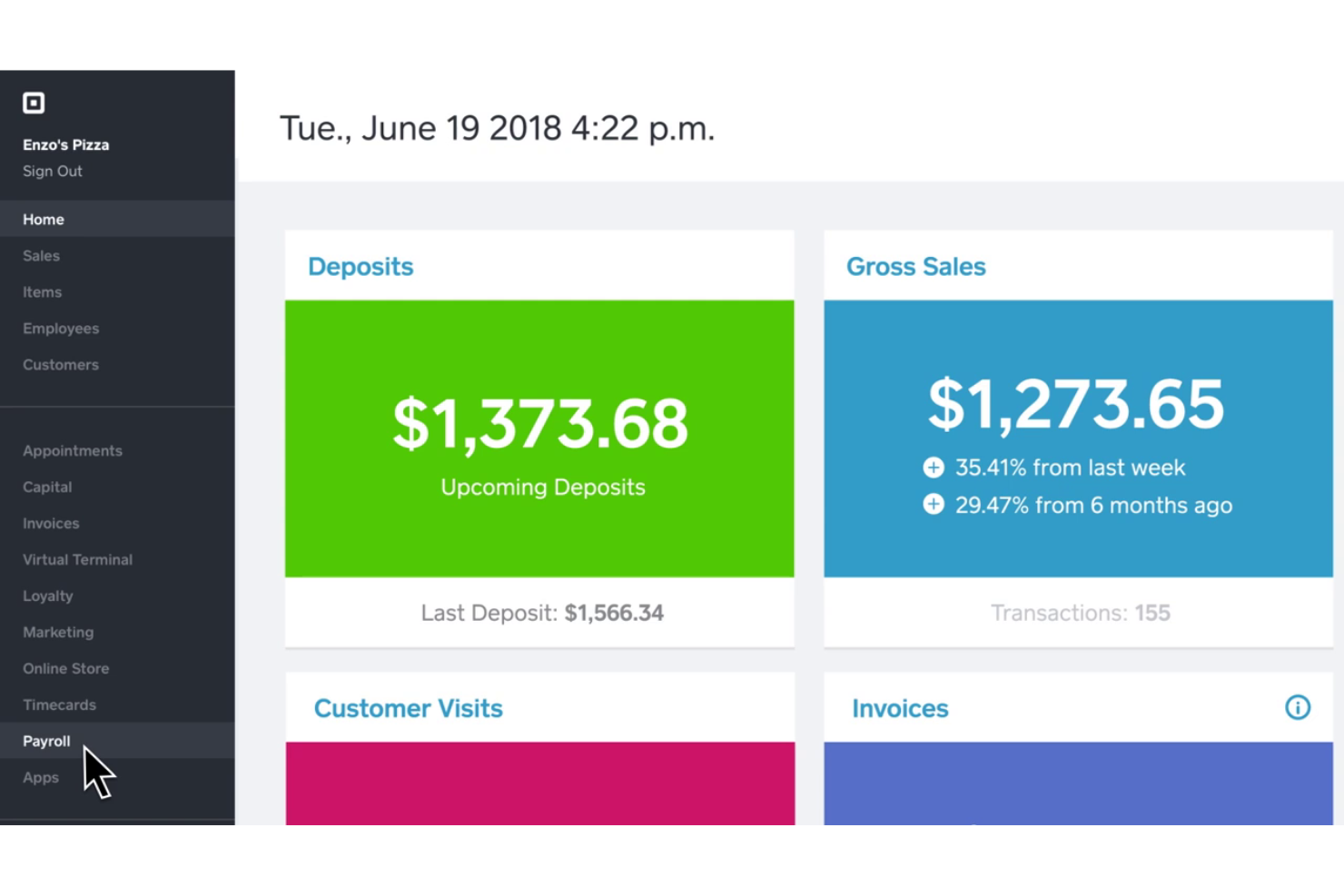
Square Payroll is an online payroll solution designed for small and mid-sized businesses, especially in retail and service industries. It handles payroll processing, tax filings, and employee benefits, making it a valuable tool for managing your team’s payroll needs.
Why I picked Square Payroll: Square Payroll caters to small retailers and startups by integrating directly with Square POS, which simplifies payroll for businesses already using Square’s ecosystem. The software also offers automatic tax filings and compliance, allowing you to focus more on your business operations. With features such as direct deposit and tools to run payroll via the Square Dashboard or Team App, it’s tailored to meet the needs of small business owners.
Standout Features and Integrations:
Features include unlimited monthly payroll runs, automated tax filings, and direct tip imports from Square POS. You’ll also find flexible pay management options, allowing for commissions, bonuses, and tips. The software provides live support and onboarding assistance to get you started smoothly.
Integrations include Intuit QuickBooks Online, Square POS, Square Appointments, Square Invoices, Square Online, and more.
Pros and Cons
Pros:
- Retail-focused workflows
- Handles tips automatically
- POS-linked payroll automation
Cons:
- Lacks advanced HR features and reporting
- Dependency on the Square ecosystem
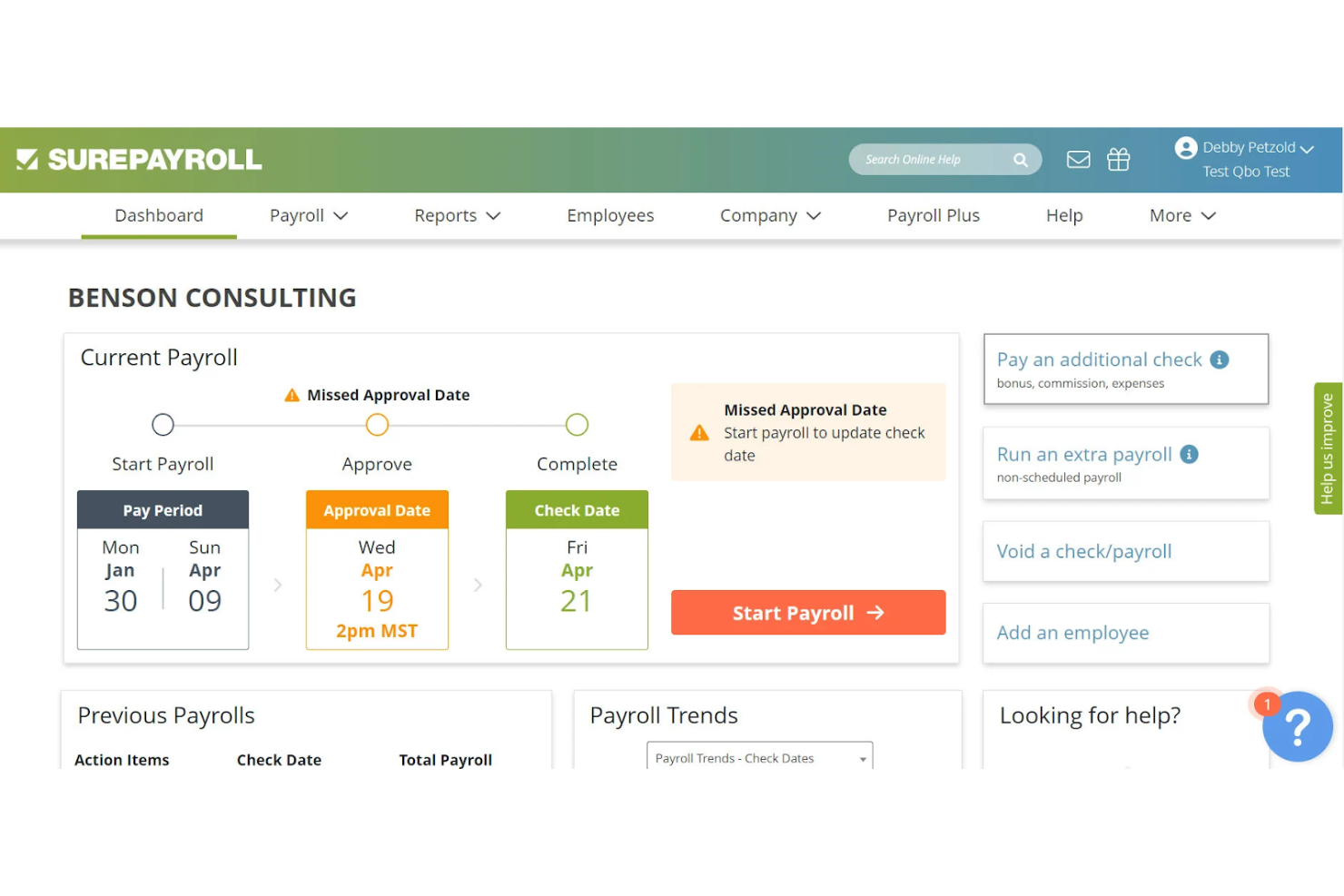
SurePayroll is an online payroll service aimed at small businesses and household employers, providing payroll processing and tax filing services. It simplifies payroll management for those who need to handle payroll for household staff or small business teams.
Why I picked SurePayroll: SurePayroll is ideal for household employers due to its tailored payroll solutions that include tax filings specifically for household employees. It offers automatic payroll tax calculations and filings—including local tax requirements—taking the headache out of managing taxes. You can also set up automatic payroll runs, which saves time and effort. The software is user-friendly, with a focus on simplifying payroll for those who may not have a dedicated HR department.
Standout Features and Integrations:
Features include customizable payroll reports that let you track expenses and budget effectively. You can also manage employee benefits and deductions with ease. The software provides mobile access, allowing you to manage payroll on the go.
Integrations include Intuit QuickBooks Online, Intuit QuickBooks Desktop, and more.
Pros and Cons
Pros:
- Simple recurring payroll
- Nanny tax automation
- Household payroll specialization
Cons:
- Lacks in-depth HR tools
- Narrow use cases

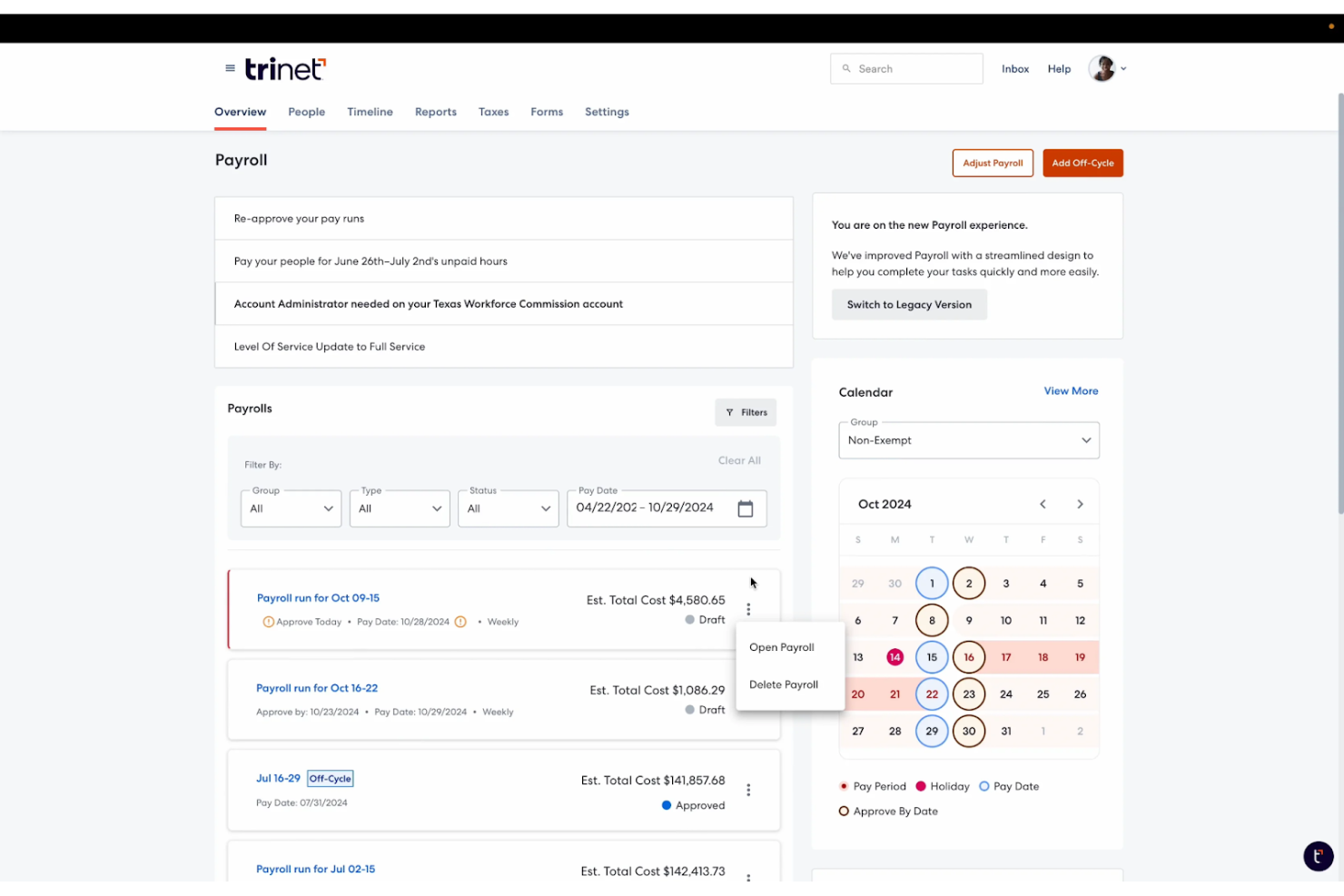
TriNet is an all-in-one cloud-based payroll and HR platform designed for small to medium-sized businesses. It simplifies payroll processing, benefits management—including health insurance—and compliance, making it a perfect solution for HR needs.
Why I picked TriNet: TriNet integrates payroll with HR functionalities, providing a unified platform for managing your team. It offers automated payroll processing, reducing manual tasks for your HR department. You can manage benefits—including workers’ comp—and employee information in one place, which improves efficiency. The software also supports employee self-service, allowing your team to access their information.
Standout Features and Integrations:
Features include detailed compliance support, helping you navigate complex regulations. The software offers customizable dashboards, giving you insights into your HR and payroll metrics. You can also automate onboarding processes, simplifying the hiring experience for new employees.
Integrations include Intuit QuickBooks Online, Xero, Oracle NetSuite, Sage Intacct, and more.
Pros and Cons
Pros:
- Automated onboarding workflows
- Benefits administration included
- Unified HR payroll system
Cons:
- Not microbusiness-friendly
- Expensive add-ons and hidden fees

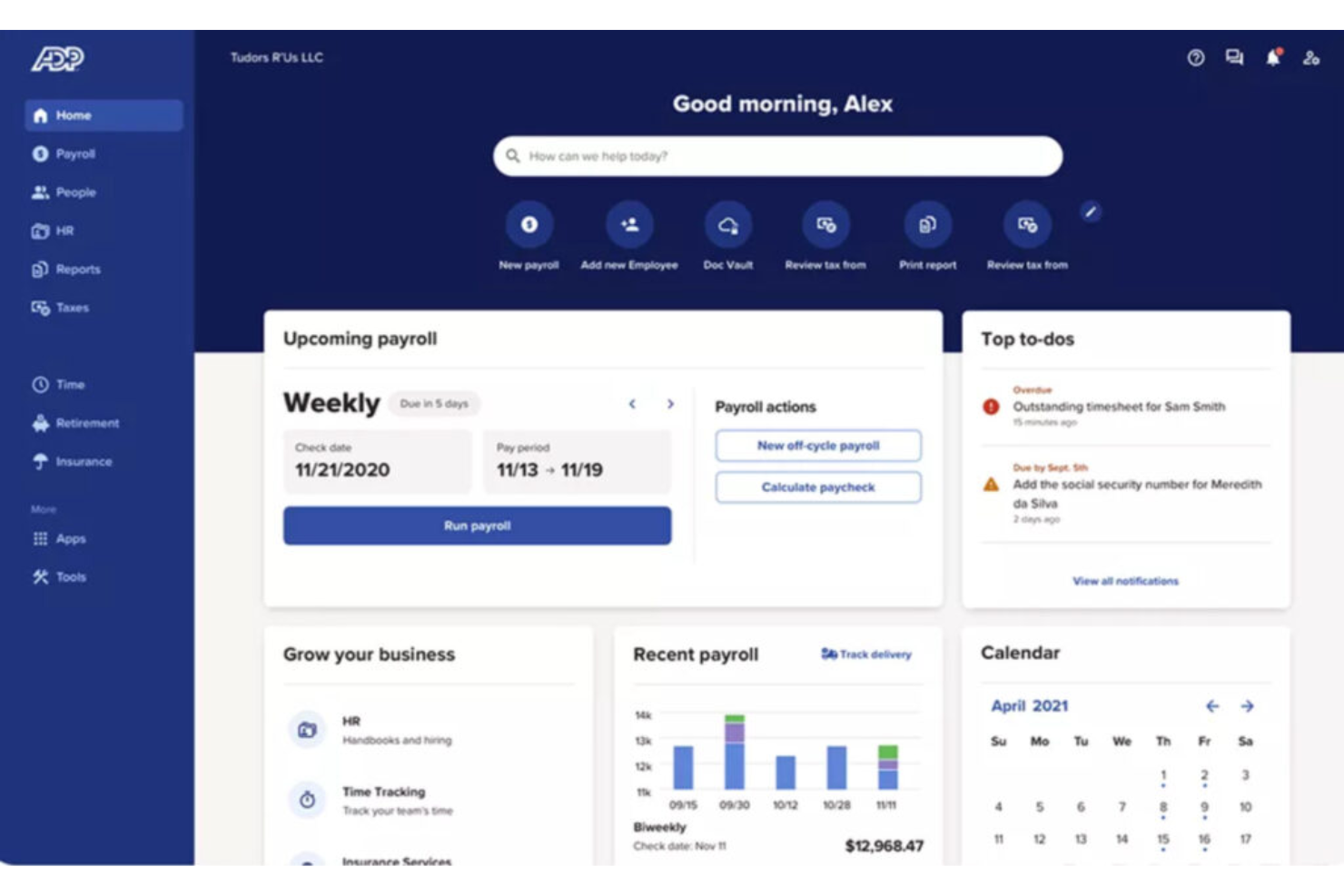
ADP is a full-service payroll and HR solution designed for businesses of all sizes, including global enterprises. It manages payroll processing, tax compliance, and HR services, providing a reliable tool for handling complex payroll needs.
Why I picked ADP: ADP is suited for global businesses, offering features such as multi-country payroll processing and compliance with international regulations. It provides real-time payroll data analytics, helping you make informed decisions. The software includes automated tax filing and reporting, reducing the risk of errors. ADP's scalable platform can grow with your business, accommodating expanding teams and operations.
Standout Features and Integrations:
Features include employee self-service portals, enabling your team to access pay stubs, tax forms, and workers’ compensation information. The software offers advanced reporting capabilities, providing insights into payroll and HR metrics. You can also benefit from dedicated customer support to assist with any issues.
Integrations include Intuit QuickBooks, Xero, Sage, Microsoft Dynamics, and more.
Pros and Cons
Pros:
- Scales across regions
- Enterprise compliance support
- Global payroll coverage
Cons:
- Complex admin management
- Heavy setup and implementation effort

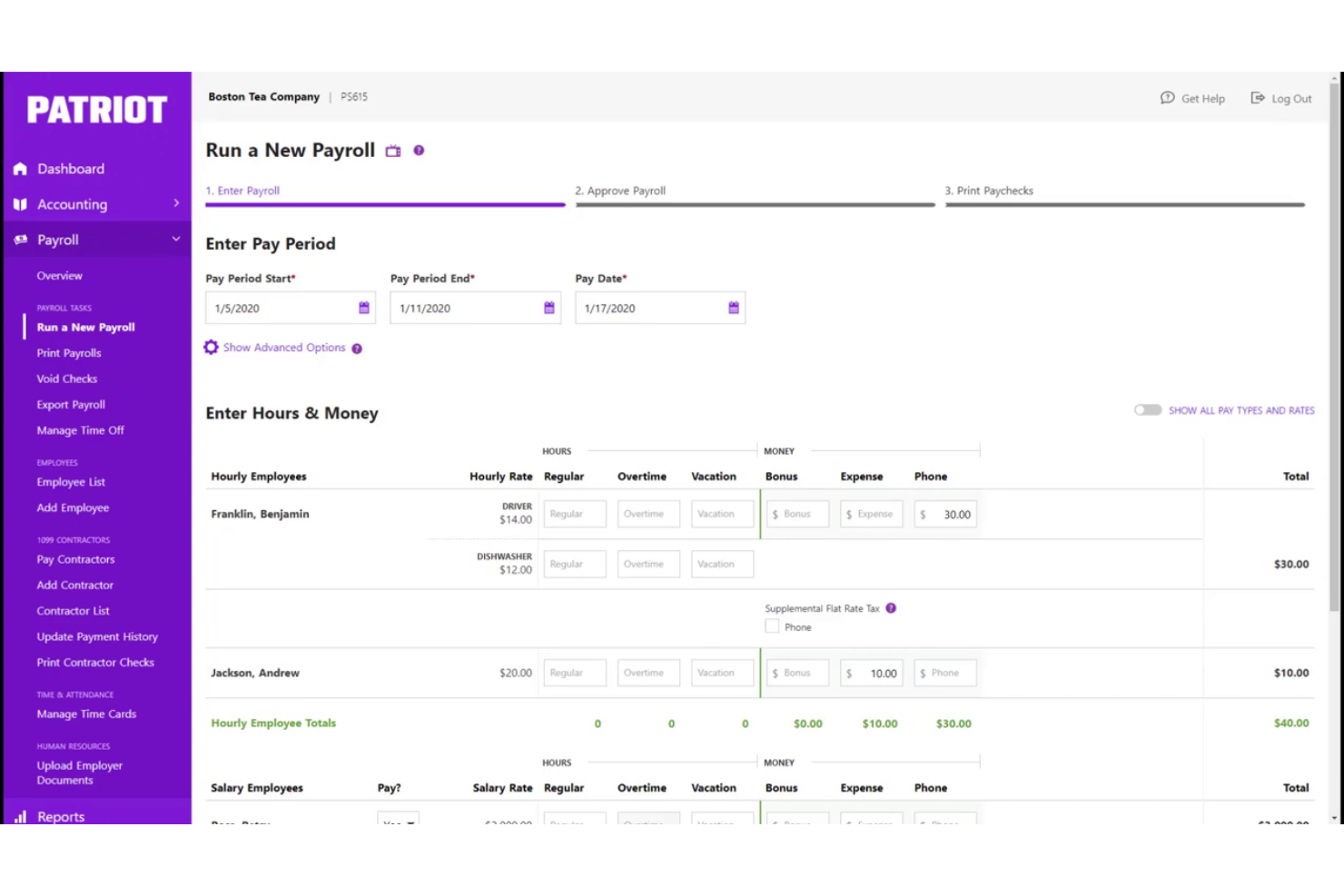
Patriot Software is a payroll solution tailored for small businesses, focusing on ease of use and compliance. It handles payroll processing and tax filings, which helps you manage your payroll efficiently.
Why I picked Patriot Software: Patriot Software simplifies tax filings with its automated tax calculations and filings, making it ideal for small businesses looking to avoid tax errors. It offers features such as customizable payroll reports to give you insights into your payroll costs. You can also manage employee information and payroll history in one place. Additionally, the straightforward interface reduces the learning curve for new users, which is a plus for small teams with limited resources.
Standout Features and Integrations:
Features include flexible payroll schedules, allowing you to choose between weekly, bi-weekly, or monthly pay periods so you can set a regular payday. You can also manage payroll deductions and contributions. The software provides employee portals for direct access to paychecks, pay stubs, and tax forms.
Integrations include Intuit QuickBooks Online, Intuit QuickBooks Desktop, TSheets, and more.
Pros and Cons
Pros:
- Flexible pay schedules and unlimited payroll
- Clear payroll setup
- Simple tax filing flow
Cons:
- Accounting reports are fairly basic
- No built-in health insurance tools
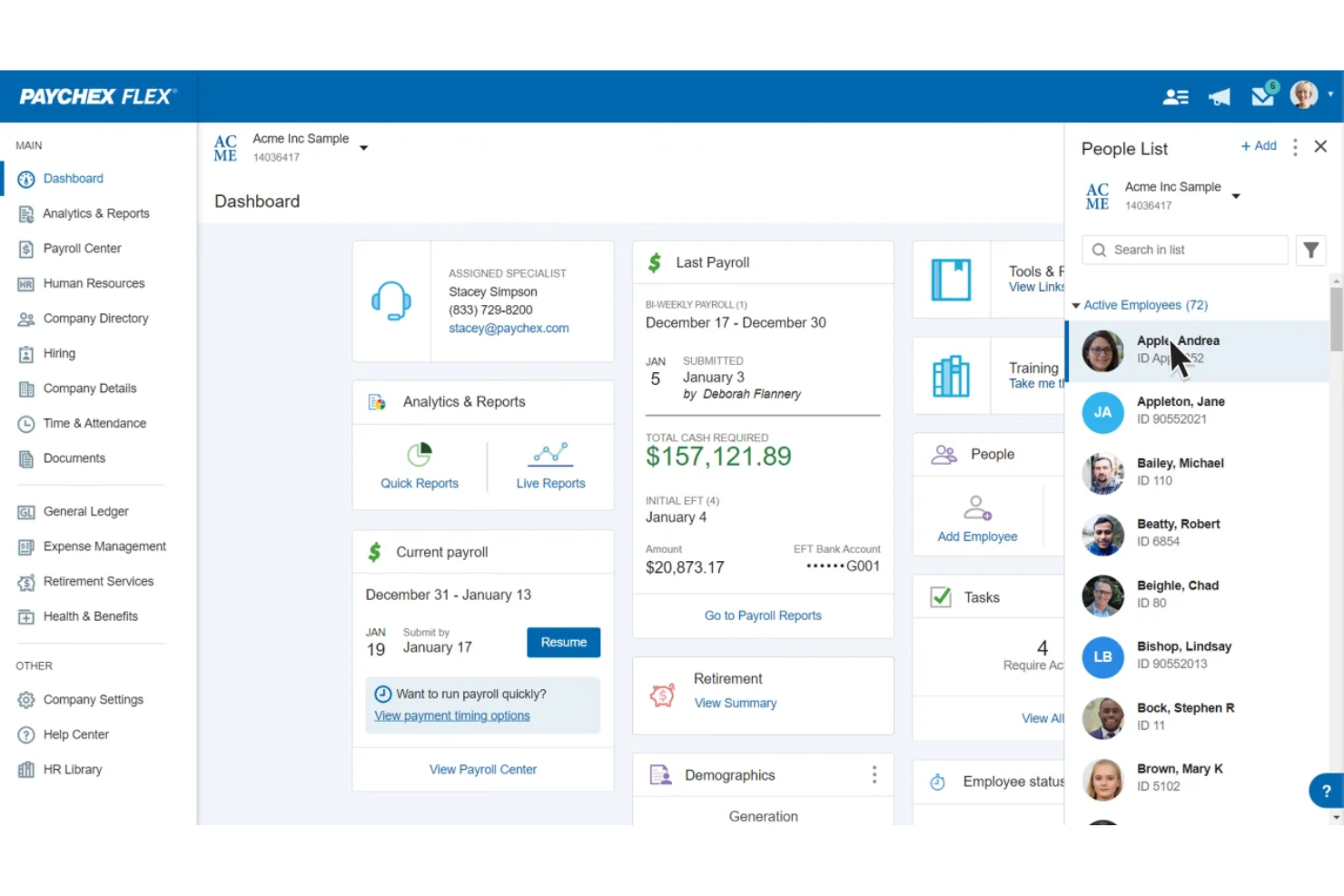
Paychex is a payroll and HR solution designed for small to medium-sized businesses, offering payroll processing and tax services. It simplifies payroll management and provides scalable solutions as your business expands.
Why I picked Paychex: Paychex is ideal for growing businesses because it offers scalable payroll solutions that can adapt as your team grows. It includes features such as automatic payroll tax administration, which helps keep your business compliant. You can manage employee benefits and retirement plans, providing a complete HR solution. The software also offers mobile access, allowing you to manage payroll on the go.
Standout Features and Integrations:
Features include detailed payroll reporting, giving you insights into your payroll expenses. The software provides employee self-service options, enabling your team to access pay stubs and year-end tax forms. Additionally, Paychex offers dedicated customer support to assist with any issues.
Integrations include Intuit QuickBooks, Xero, Sage Intacct, Oracle NetSuite, and more.
Pros and Cons
Pros:
- HR expansion ready
- Automated tax administration
- Supports business growth
Cons:
- Cost increases quickly
- Upselling of unnecessary services
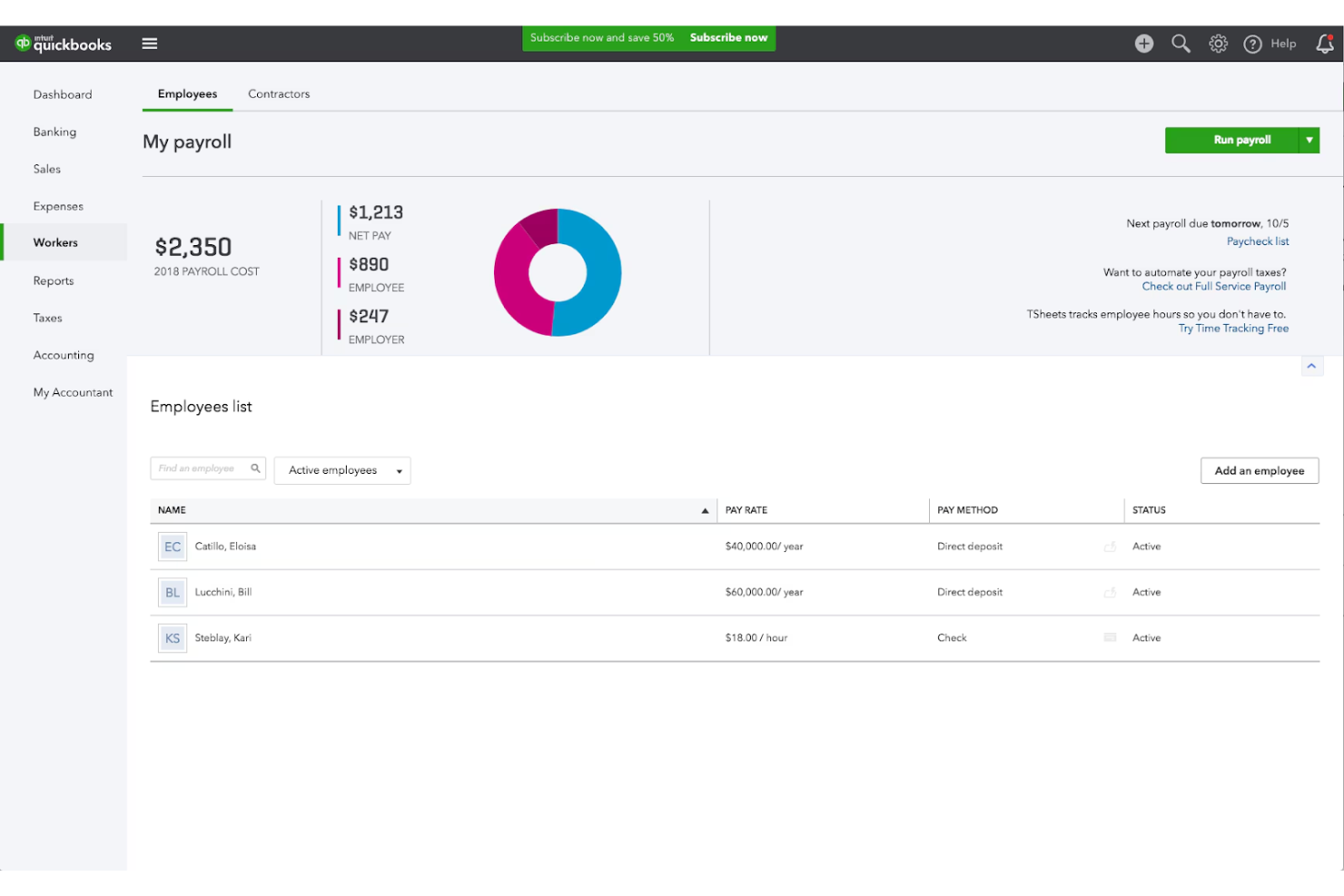
Intuit QuickBooks Payroll is a payroll solution tailored for small businesses. It offers payroll processing and tax management. It's designed to integrate with Intuit QuickBooks Accounting, providing a unified financial management experience.
Why I picked Intuit QuickBooks Payroll: Intuit QuickBooks Payroll excels in integrating payroll with accounting, making it ideal for businesses already using Intuit QuickBooks. It offers automatic tax calculations and filings, reducing the administrative burden on your team. The software’s direct deposit and employee self-service options improve convenience. Additionally, its user-friendly interface simplifies payroll management for small business owners.
Standout Features and Integrations:
Features include automated payroll taxes, ensuring compliance with federal and provincial regulations. You can also track hours per employee and manage benefits directly within the platform. The software offers customizable payroll reports to help you analyze your payroll expenses effectively.
Integrations include Intuit QuickBooks Online, Intuit QuickBooks Desktop, and more.
Pros and Cons
Pros:
- Familiar financial workflows
- Automated tax filings
- Accounting-linked payroll
Cons:
- Integration glitches with apps
- Customer support wait times

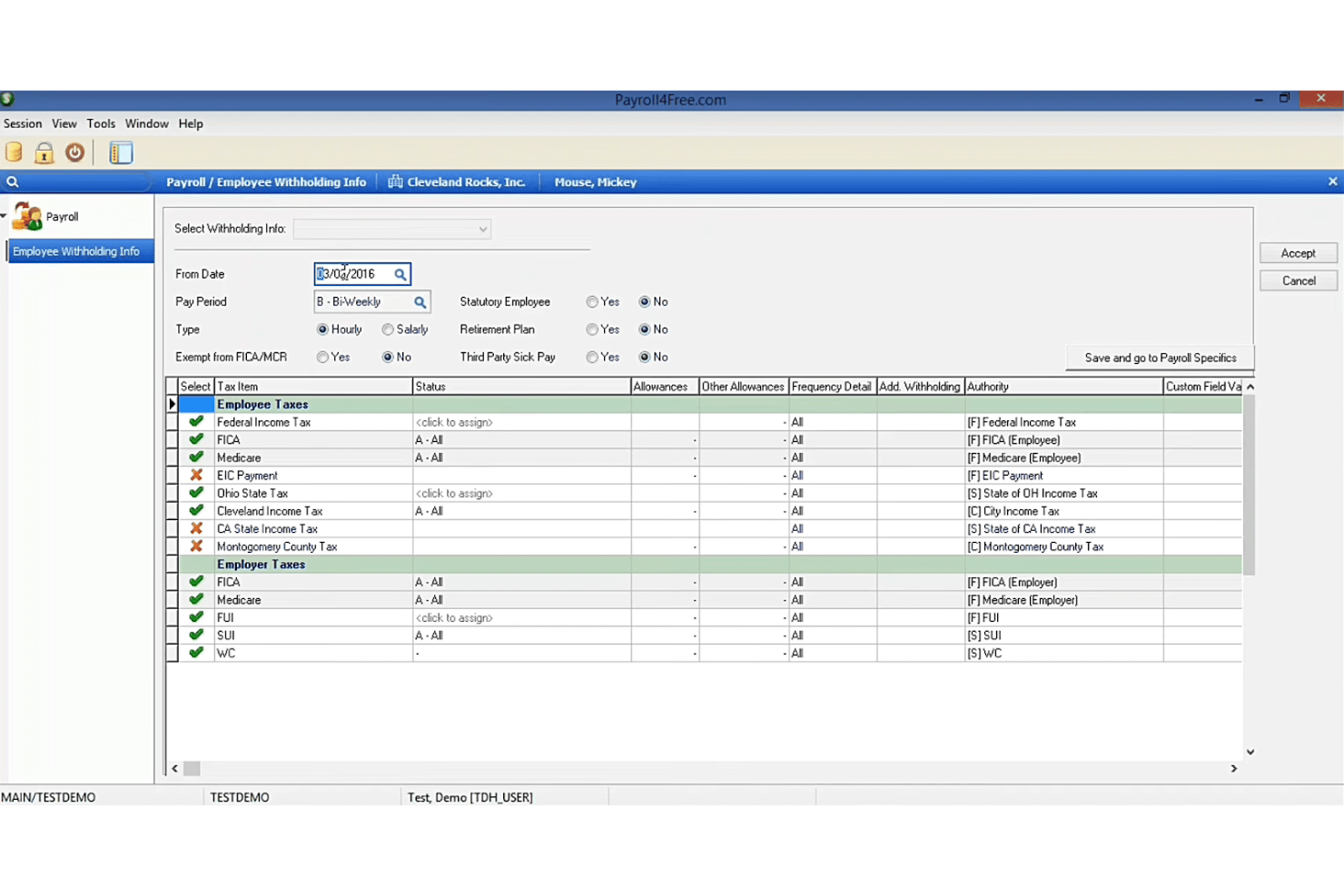
Payroll4Free.com is an online payroll service designed for small businesses looking for cost-effective solutions. It manages payroll processing, tax calculations, and employee payments, providing essential payroll functions at no cost for businesses with fewer than nine employees.
Why I picked Payroll4Free.com: Payroll4Free.com offers a free payroll service, making it an attractive option for small businesses on a tight budget. It includes basic payroll features such as tax calculations and direct deposit options. You can also access employee portals for pay stub management to improve employee self-service. The software's straightforward setup process makes it accessible for businesses without a dedicated HR team.
Standout Features and Integrations:
Features include the ability to handle payroll for up to nine employees at no cost, which is ideal for small businesses. The software provides automated tax calculations and supports 1099 forms to help you stay compliant. You can also manage employee benefits and deductions directly through the platform.
Integrations include Intuit QuickBooks and more.
Pros and Cons
Pros:
- Basic tax calculations
- Small team friendly
- Free core payroll
Cons:
- Minimal automation features
- Windows only and not cloud-based
Other Cheap Payroll Software
Here are some additional cheap payroll software options that didn’t make it onto my shortlist, but are still worth checking out:
- ezPaycheck
For offline, locally-installed payroll
- Deel Payroll
For international contractor payments
- Paylocity
For mid-sized payroll and workforce tools
- Remofirst
For global remote team payroll


Cheap Payroll Software Selection Criteria
When selecting the best cheap payroll software to include in this list, I considered common buyer needs and pain points such as cost-effectiveness and ease of use. I also used the following framework to keep my evaluation structured and fair:
Core Functionality (25% of total score)
To be considered for inclusion in this list, each solution had to fulfill these common use cases:
- Process payroll accurately
- Calculate and file taxes
- Generate pay stubs
- Manage direct deposits
- Handle employee benefits
Additional Standout Features (25% of total score)
To help further narrow down the competition, I also looked for unique features, such as:
- Employee self-service portals
- Automated compliance updates
- Customizable reporting features
- Integration with accounting software
- Mobile app access
Usability (10% of total score)
To get a sense of the usability of each system, I considered the following:
- Intuitive user interface
- Simple navigation
- Minimal learning curve
- Clear instructions and tooltips
- Fast processing speed
Onboarding (10% of total score)
To evaluate the onboarding experience for each platform, I considered the following:
- Availability of training videos
- Interactive product tours
- Access to templates and guides
- Webinars for new users
- Supportive chatbots for guidance
Customer Support (10% of total score)
To assess each software provider’s customer support services, I considered the following:
- Availability of live chat support
- Access to phone support
- Extensive help center
- Response time to inquiries
- Availability of support in multiple languages
Value for Money (10% of total score)
To evaluate the value for money of each platform, I considered the following:
- Competitive pricing
- Features offered at each price tier
- Scalability of pricing plans
- Discounts for annual billing
- Free trial or demo availability
Customer Reviews (10% of total score)
To get a sense of overall customer satisfaction, I considered the following when reading customer reviews:
- Overall satisfaction ratings
- Frequency of positive comments
- Commonly mentioned issues
- Feedback on customer support
- Comments on ease of use
How To Choose Cheap Payroll Software
It’s easy to get bogged down in long feature lists and complex pricing structures. To help you stay focused as you work through your unique software selection process, here’s a checklist of factors to keep in mind:
| Factor | What to Consider |
|---|---|
| Scalability | Will the software grow with your team? Consider if it can handle more employees as your business expands. Look for flexible pricing plans that adjust to your needs. |
| Integrations | Does it work with your existing tools? Check if it integrates with your accounting and HR systems to avoid manual data entry. |
| Customizability | Can you tailor it to fit your workflows? Ensure it allows adjustments to payroll processes and reporting to match your business operations. |
| Ease of use | Is it user-friendly for your team? Look for intuitive interfaces and straightforward navigation to reduce training time and errors. |
| Implementation and onboarding | How long will it take to get started? Evaluate the time and resources needed to set up and train your team. Seek tools with guided onboarding processes. |
| Cost | Is it within your budget? Compare pricing tiers and total costs, including hidden fees. Consider if the features justify the expense. |
| Security safeguards | Are your data and payroll information protected? Check for encryption, regular updates, and compliance with data protection regulations. |
| Compliance requirements | Does it meet legal standards? Verify if the software supports local, state, and federal payroll regulations to avoid legal issues. |
What Is Cheap Payroll Software?
Cheap payroll software is a cost-effective solution for managing payroll processes. These tools are typically used by small business owners, HR professionals, and accountants to handle payroll tasks efficiently. Automated calculations, direct deposits, and tax filing capabilities help reduce errors and save time. Overall, these tools provide a budget-friendly way to manage payroll with ease.
Features of Cheap Payroll Software
When selecting cheap payroll software, keep an eye out for the following key features:
- Automated calculations: Ensure accurate payroll calculations, reduce manual errors, and save time for your team.
- Direct deposit: Allows W-2 employees and contractors to receive their pay directly into their bank accounts, offering convenience and efficiency.
- Tax filing capabilities: Help with managing and filing payroll taxes, ensuring compliance with local and federal regulations.
- Employee self-service portals: Enable employees to access their pay stubs and tax forms, reducing the administrative burden on HR.
- Customizable reports: Provide insights into payroll expenses through tailored reporting, which aids in financial analysis and decision-making.
- Integration with accounting tools: Connects with existing accounting software to eliminate duplicate data entry and improve accuracy.
- Compliance management: Ensures adherence to labor laws and payroll regulations, minimizing the risk of legal issues.
- Mobile access: Allows payroll management on the go, offering flexibility for business owners and HR professionals.
- Flexible payroll schedules: Support various pay frequencies, accommodating different business needs and employee preferences.
- Benefits management: Manages employee benefits and deductions to improve the overall employee experience.
Benefits of Cheap Payroll Software
Implementing cheap payroll software provides several benefits for your team and your business. Here are a few you can look forward to:
- Cost savings: Reduces expenses associated with manual payroll processes and expensive software, making it budget-friendly.
- Time efficiency: Automates calculations and tax filings, freeing up time for your team to focus on other important tasks.
- Error reduction: Minimizes mistakes in payroll processing through automated calculations and compliance management.
- Convenience: Offers direct deposit and employee self-service portals, providing easy access to pay information for employees.
- Regulatory compliance: Ensures adherence to labor laws and tax regulations, reducing the risk of legal issues.
- Improved data accuracy: Integrates with accounting tools, eliminating duplicate data entry and improving financial accuracy.
- Flexibility: Supports various payroll schedules and mobile access, accommodating different business needs and work styles.
Costs and Pricing of Cheap Payroll Software
Selecting cheap payroll software requires an understanding of the various pricing models and plans available. Costs vary based on features, team size, add-ons, and more. The table below summarizes common plans, their average prices, and typical features included in cheap payroll software solutions:
Plan Comparison Table for Cheap Payroll Software
| Plan Type | Average Price | Common Features |
|---|---|---|
| Free Plan | $0 | Basic payroll processing, limited reporting, and basic support. |
| Personal Plan | $5-$40/month | Automated calculations, direct deposit, tax filing, and employee self-service portals. |
| Business Plan | $15-$50/month | Advanced reporting, integration with accounting tools, compliance management, and mobile access. |
| Enterprise Plan | $50+/month | Customizable reports, dedicated account manager, advanced security features, and full support. |
Cheap Payroll Software FAQs
Here are some answers to common questions about cheap payroll software:
How do I know if my business needs payroll software?
If you’re spending too much time on manual payroll tasks or making frequent errors, it’s time to consider payroll software. It helps automate processes such as tax calculations and direct deposits, saving time and reducing mistakes. Small businesses benefit from these efficiencies, allowing you to focus on growth. Look for signs such as increased employee inquiries about pay or difficulty keeping up with compliance changes.
Can cheap payroll software handle tax compliance?
Yes, most cheap payroll software solutions include tax compliance features. They automatically calculate and file taxes according to local regulations, reducing the risk of penalties. Ensure the software you choose is up-to-date with current laws. Some tools even send reminders for tax deadlines, helping you stay compliant without the stress.
Is cheap payroll software secure?
Yes, reputable, cheap payroll software providers prioritize security. Look for features such as data encryption and regular security updates. Always verify that the provider complies with industry standards and regulations. To further protect your data, use strong passwords and enable two-factor authentication where available.
How do I choose the right payroll software for my team?
Start by assessing your team’s specific needs, such as the number of employees and required features. Compare different software options, focusing on factors such as ease of use, scalability, and integration with existing systems. Read customer reviews for insights into real-world performance. Consider starting with a free trial to test the software before committing.
What’s Next:
If you're in the process of researching cheap payroll software, connect with a SoftwareSelect advisor for free recommendations.
You fill out a form and have a quick chat where they get into the specifics of your needs. Then you'll get a shortlist of software to review. They'll even support you through the entire buying process, including price negotiations.