
13 Best Contingent Workforce Management Software Reviewed in 2026

10 Best Contingent Workforce Management Software Shortlist
Here's my pick of the 10 best software from the 13 tools reviewed.


Managing a contingent workforce can be a real headache. You’re juggling freelancers, contractors, and temporary staff, each with their own unique needs. Contingent workforce management software helps you keep everything organized and efficient.
In my experience, finding the right software can save you time and reduce errors. You want a tool that fits your team’s size and industry, and that’s where I come in. I’ve independently tested and reviewed a range of solutions to bring you the best options available.
In this article, I’ll walk you through the top picks, focusing on what matters most to you and your team. Let’s make managing your contingent workforce a little less stressful.
Why Trust Our Software Reviews
Best Contingent Workforce Management Software Summary
This comparison chart summarizes pricing details for my top contingent workforce management software selections to help you find the best one for your budget and business needs.
| Tool | Best For | Trial Info | Price | ||
|---|---|---|---|---|---|
|
1
|
Best for AI-native procurement workflows |
Free demo available |
Pricing upon request | Website | |
|
2
|
Best for AI-powered, large-scale recruitment |
Free demo available |
Pricing upon request | Website | |
|
3
|
Best for HR and IT integration |
Free demo available |
Pricing upon request | Website | |
|
4
|
Best for vendor management |
Free demo available |
Pricing upon request | Website | |
|
5
|
Best for enterprise solutions |
Free plan + free demo available |
Pricing upon request | Website | |
|
6
|
Best for AI-driven worker matching |
Free demo available |
Pricing upon request | Website | |
|
7
|
Best for contingent workforce visibility |
Free demo available |
Pricing upon request | Website | |
|
8
|
Best for resource optimization |
Free demo available |
Pricing upon request | Website | |
|
9
|
Best for international payroll |
Free plan + free demo available |
From $199/person/month | Website | |
|
10
|
Best for shift scheduling |
Free demo available |
Pricing upon request | Website |
-

Checkr
Visit WebsiteThis is an aggregated rating for this tool including ratings from Crozdesk users and ratings from other sites.4.5 -
Kudoboard
Visit WebsiteThis is an aggregated rating for this tool including ratings from Crozdesk users and ratings from other sites.4.8 -
Native Teams
Visit WebsiteThis is an aggregated rating for this tool including ratings from Crozdesk users and ratings from other sites.4.9





Best Contingent Workforce Management Software Reviews
Below are my detailed summaries of the best contingent workforce management software that made it onto my shortlist. My reviews offer a detailed look at the key features, pros and cons, integrations, and ideal use cases of each tool to help you find the best one for you.
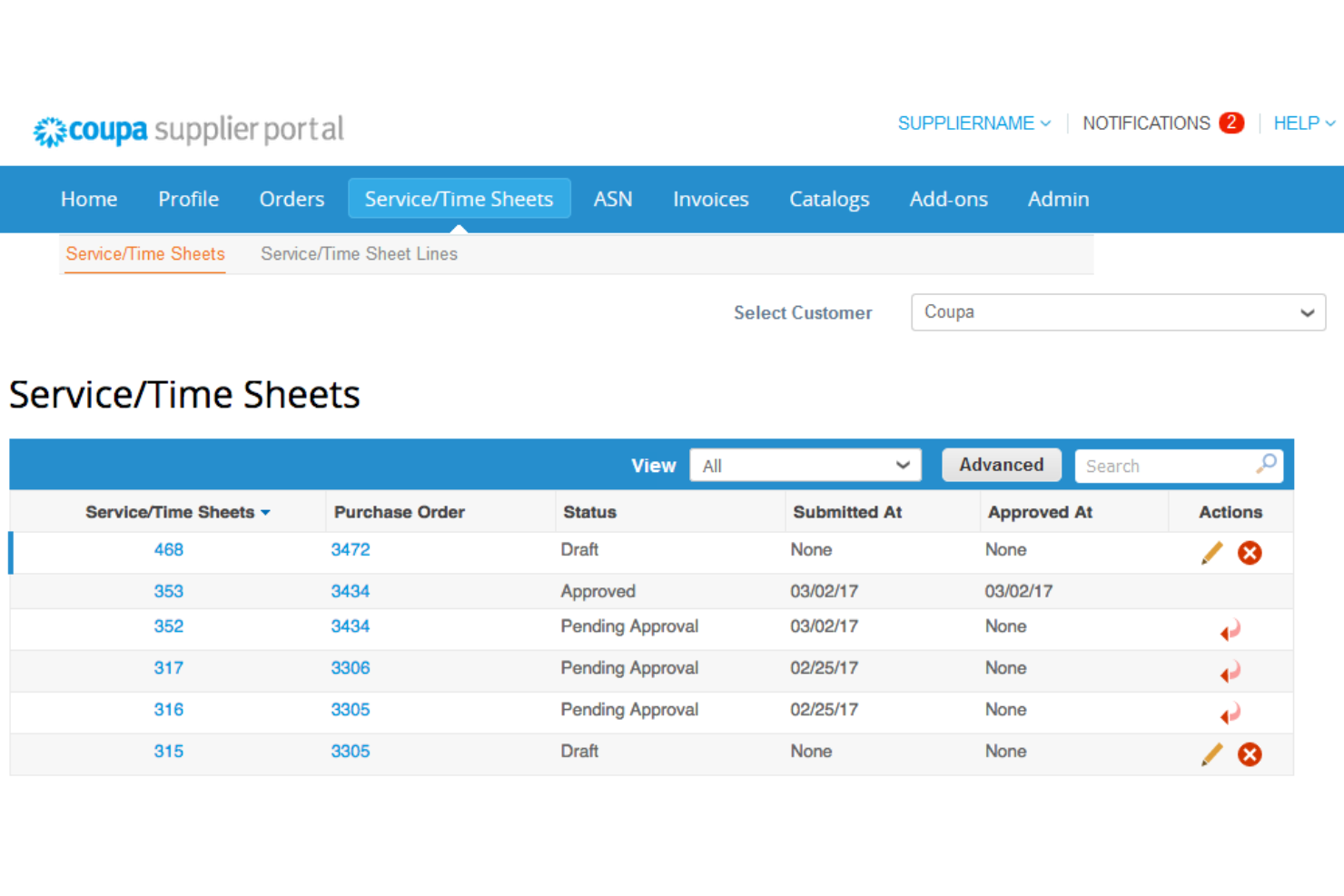
Coupa is a cloud-based spend management platform designed for businesses looking to manage their procurement processes efficiently. Its main user base includes procurement professionals and finance teams who need to control spending and improve supplier relationships.
Why I picked Coupa: It offers procurement solutions that integrate well with existing financial ecosystems, which is important for effective spend management. Coupa's real-time spend visibility helps you make informed purchasing decisions. Its supplier management tools optimize communication and collaboration with vendors. The platform's user-friendly interface allows your team to navigate and manage procurement tasks with ease.
Standout Features and Integrations:
Features include real-time spend visibility, allowing you to track and manage expenses effectively. The platform provides supplier management tools that facilitate communication and collaboration. Additionally, Coupa offers an intuitive user interface, making it more accessible for your team.
Integrations include SAP, Oracle, Microsoft Dynamics 365, QuickBooks, and more.
Pros and Cons
Pros:
- Effective procurement tools
- Optimized supplier management
- Real-time spend visibility
Cons:
- Occasional system lag
- High implementation costs

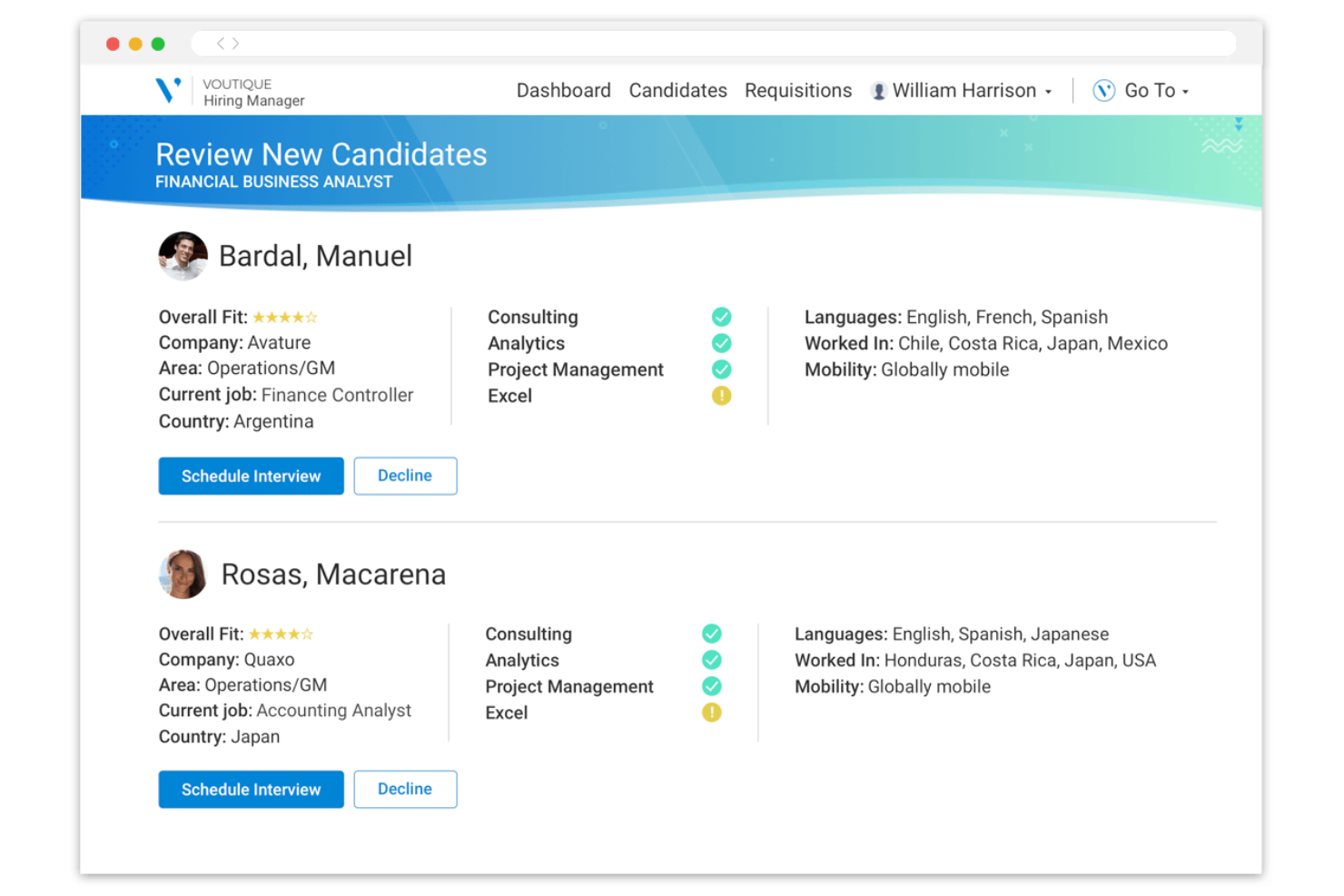
Avature is a talent management platform designed for recruitment professionals and HR teams. It offers solutions for applicant tracking, candidate relationship management, and high-volume recruiting, making it ideal for large organizations.
Why I picked Avature: The platform provides a unique combination of high configurability and AI-driven insights, which align with its strength in large-scale recruitment. Avature's Talent Acquisition Suite supports applicant tracking and candidate management, optimizing the recruitment process.
Additionally, its Talent Management Suite aids in onboarding and performance management, enhancing workforce integration. Its focus on user experience and unification capabilities sets it apart in managing large-scale recruitment needs.
Standout Features and Integrations:
Features include a highly configurable platform that allows you to tailor workflows and processes to fit your organization's needs. Avature's AI-driven insights provide valuable data analytics to improve recruitment strategies. The platform also offers broad support services, including account management and technical assistance.
Integrations include LinkedIn, Microsoft Teams, and more.
Pros and Cons
Pros:
- Extensive talent management tools
- AI-driven insights
- Highly configurable platform
Cons:
- Reporting limitations with complex data sets
- Complex implementation process
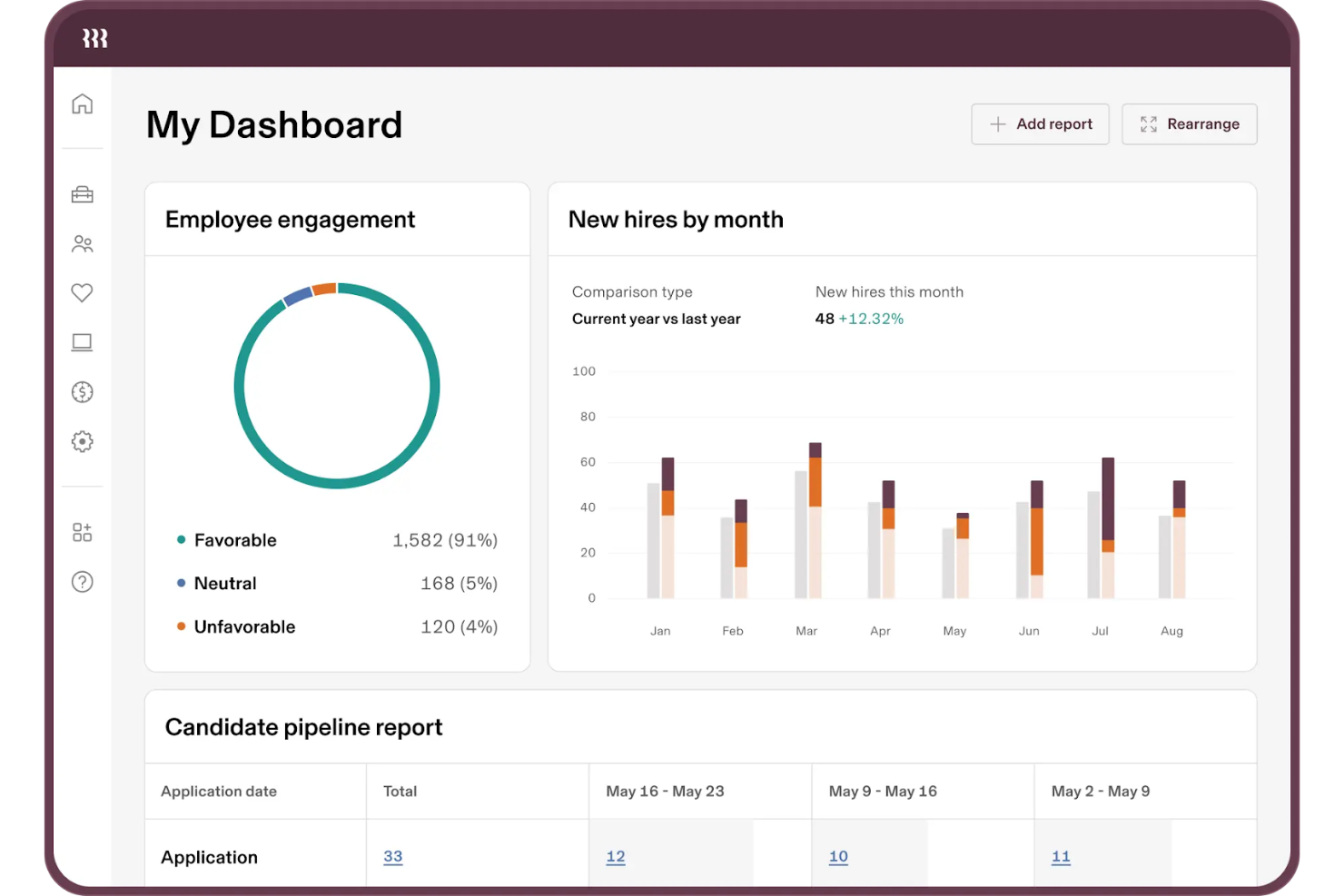
Rippling is a workforce management platform designed for businesses that need to manage both HR and IT tasks in one place. Its primary users are HR professionals and IT managers who require a unified approach to employee management and technology setup.
Why I picked Rippling: It offers a smooth integration of HR and IT functions, which is important for managing employee onboarding and offboarding efficiently. Rippling's platform allows you to automate employee device provisioning and software access, reducing manual tasks. Its centralized dashboard gives you a clear view of employee data across both HR and IT domains. Additionally, Rippling supports compliance management, helping your team adhere to relevant regulations.
Standout Features and Integrations:
Features include automation of device provisioning, which simplifies the process of setting up new employees. The platform provides a centralized dashboard for managing both HR and IT data efficiently. Rippling also offers compliance management tools, ensuring your team meets regulatory requirements.
Integrations include Slack, Microsoft 365, Google Workspace, Zoom, Salesforce, GitHub, and more.
Pros and Cons
Pros:
- Centralized data dashboard
- Automated device provisioning
- Unified HR and IT management
Cons:
- Complex initial implementation
- Add-on modules increase costs

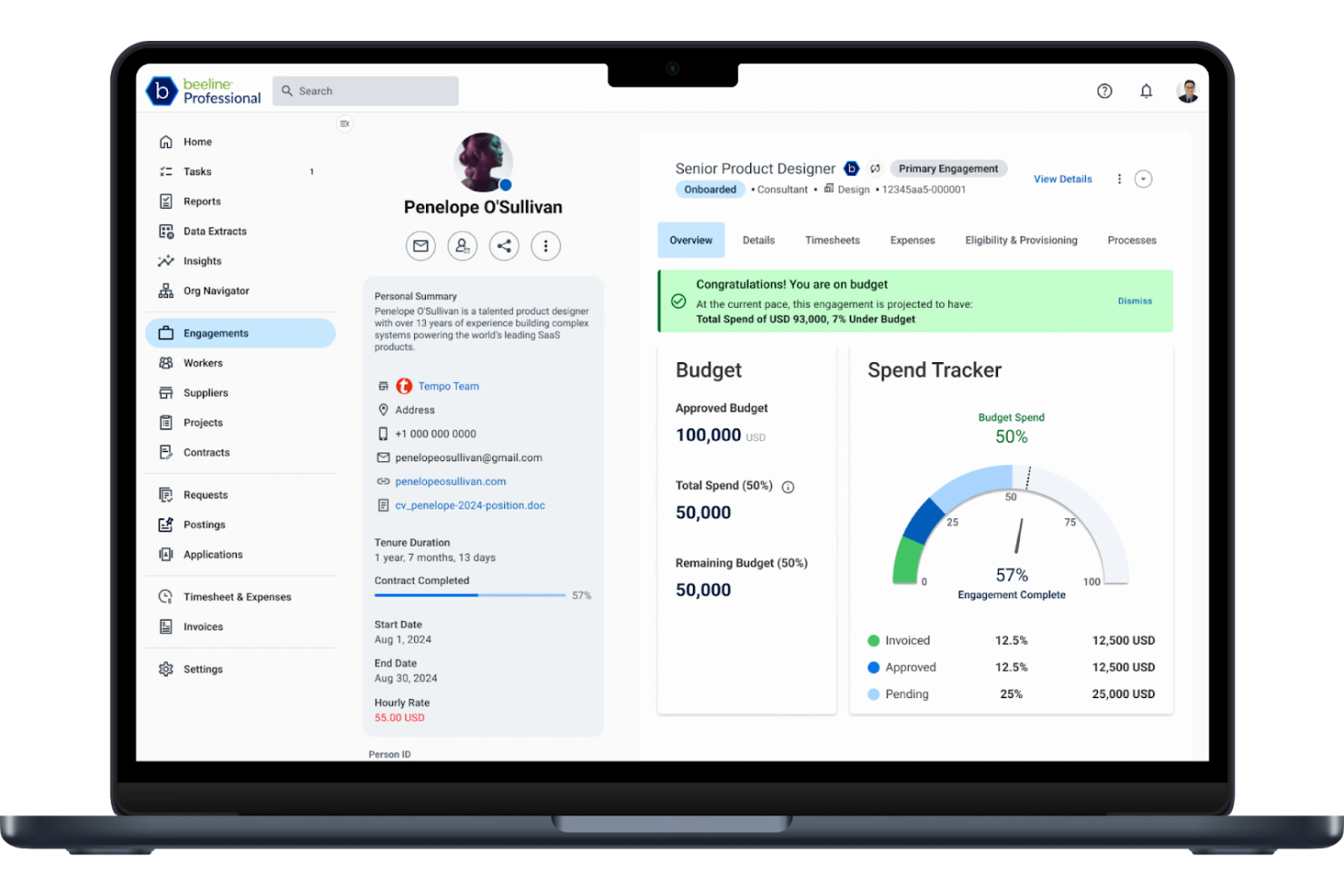
Beeline is a vendor management system designed for organizations and staffing agencies that need to manage their contingent labor workforce efficiently. It primarily serves large enterprises and helps optimize the procurement and management of temporary staff and contingent workers.
Why I picked Beeline: It offers a centralized platform for managing vendor relationships, which is essential for large-scale operations. Beeline's analytics tools provide insights into workforce spending and performance, helping you make informed decisions. Its customizable dashboards allow you to tailor data views to your specific needs. The platform also supports compliance management, helping your organization adhere to relevant regulations.
Standout Features and Integrations:
Features include advanced analytics that help you track workforce performance and spending. The platform's compliance management tools help your team meet regulatory requirements. Additionally, Beeline offers customizable dashboards that let you organize data in ways that suit your business needs.
Integrations include SAP, Oracle, Workday, and more.
Pros and Cons
Pros:
- Advanced analytics
- Strong compliance tools
- Centralized vendor management
Cons:
- Requires ongoing technical support
- Can be resource-intensive
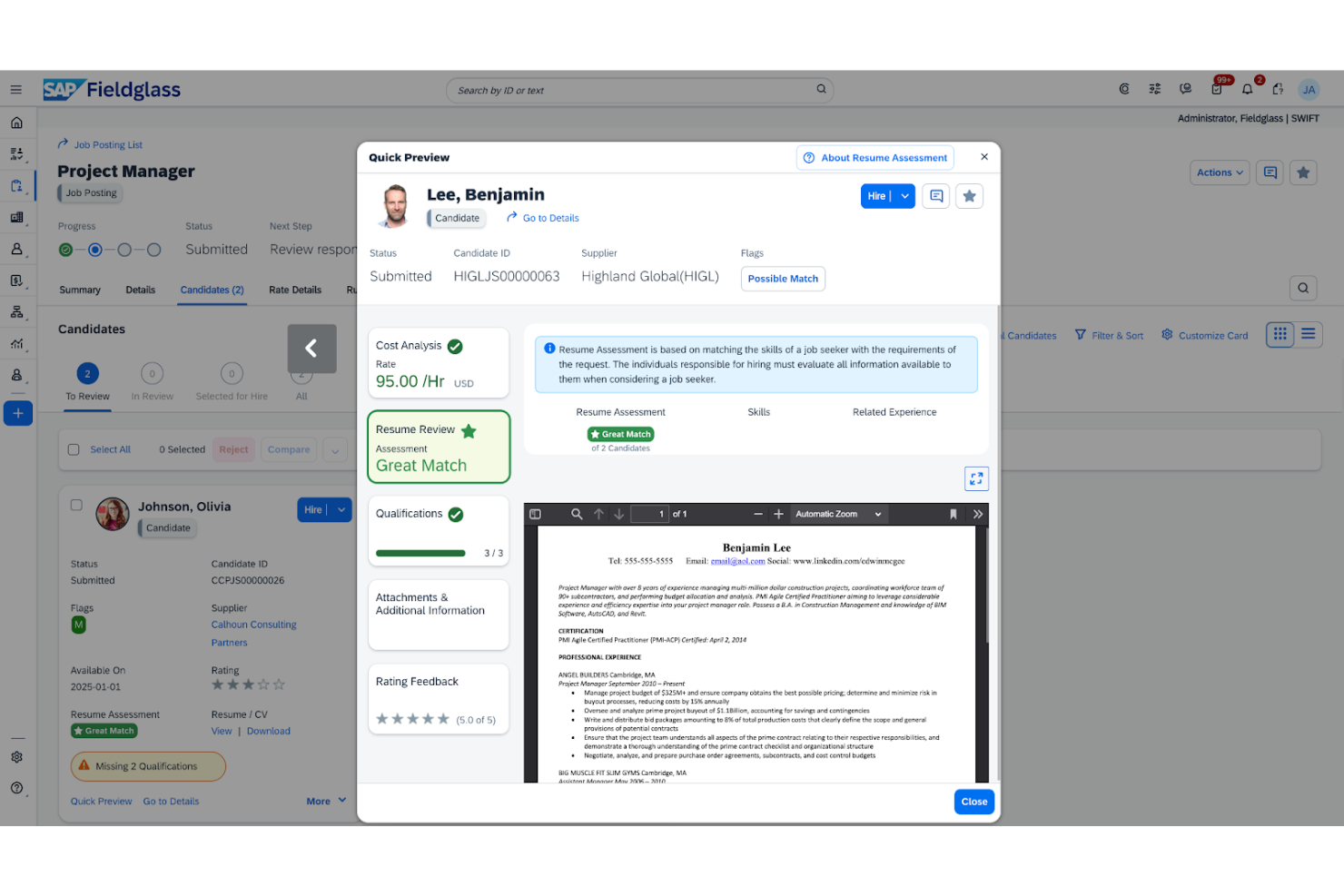
SAP Fieldglass Contingent Workforce Management is a cloud-based vendor management system tailored for large enterprises. It assists organizations in managing their contingent talent and services procurement efficiently.
Why I picked SAP Fieldglass Contingent Workforce Management: It provides solutions for managing the external workforce and services procurement, which are essential for enterprise-level operations. The platform offers advanced reporting features that give you insights into workforce performance and spending. Its global reach and compliance management tools help you operate across borders. Additionally, the system's customization options allow you to tailor workflows to fit your organization's specific needs.
Standout Features and Integrations:
Features include advanced reporting capabilities that help you monitor workforce performance and spending. The platform's compliance management tools help with adherence to local and international regulations. Additionally, SAP Fieldglass Contingent Workforce Management allows you to tailor workflows to your organization's needs.
Integrations include SAP Integration Suite, Oracle, Workday, and more.
Pros and Cons
Pros:
- Suitable for large enterprises
- Advanced reporting features
- Extensive global reach
Cons:
- Complex integration with legacy ERPs
- High licensing and implementation costs
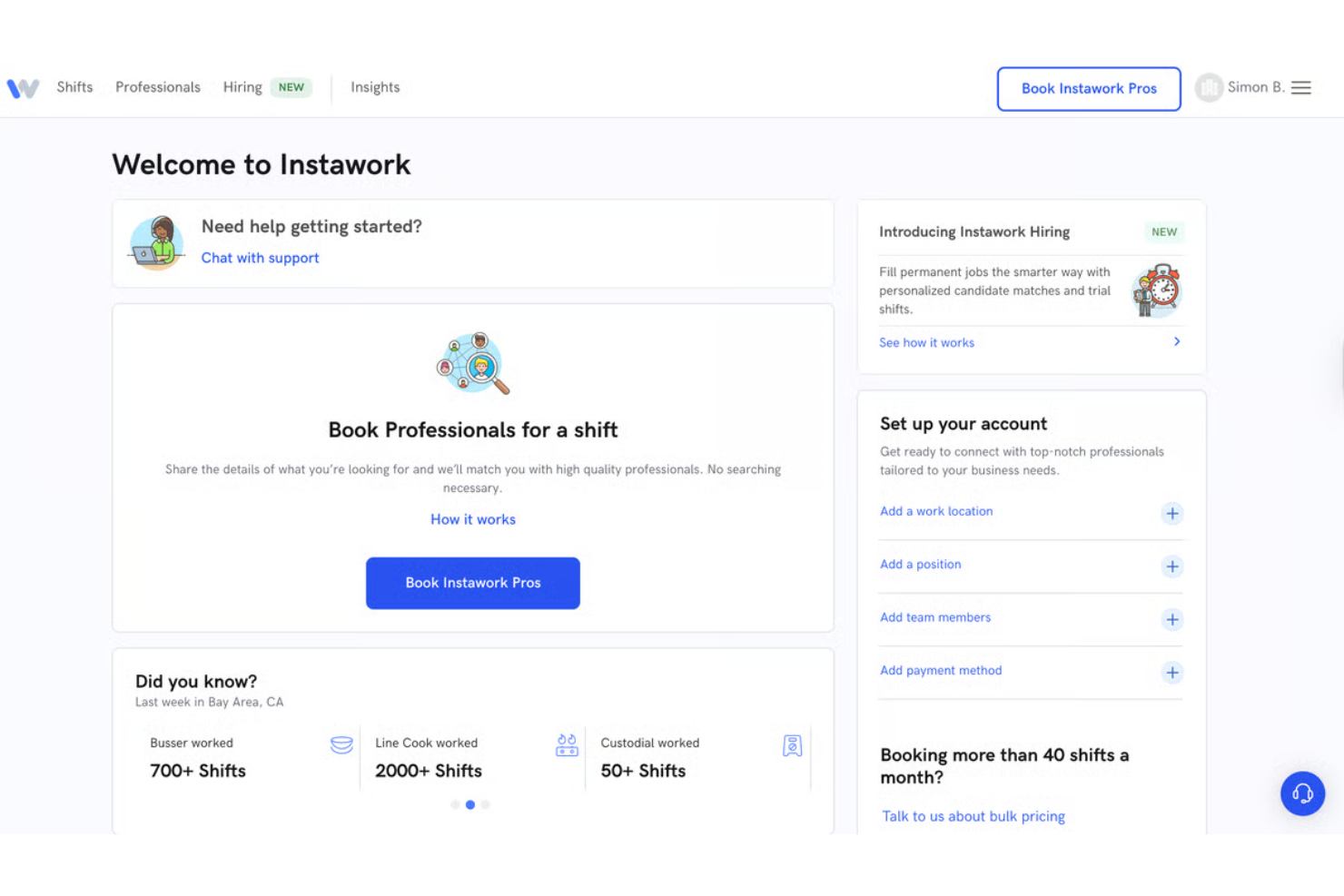
Instawork is a flexible staffing platform designed for businesses in need of temporary workers. Its main users are companies in industries such as hospitality and retail that require on-demand staffing solutions to fill shifts quickly.
Why I picked Instawork: It connects businesses with talent pools of qualified workers for short-term roles, which is essential for gig economy jobs. Instawork's platform allows you to post shifts and find workers who match your needs in real-time. The rating system helps support quality by letting you review worker performance. Additionally, its mobile-friendly interface makes it easy for both businesses and workers to connect and coordinate.
Standout Features and Integrations:
Features include a mobile-friendly interface that simplifies the hiring process for on-demand roles. The platform's real-time matching connects you with qualified workers quickly. Instawork also offers a rating system, allowing you to assess worker performance and maintain quality.
Integrations are not currently listed by Instawork.
Pros and Cons
Pros:
- Effective rating system
- Effective rating system
- Quick worker matching Mobile-friendly platform
Cons:
- Not ideal for long-term roles
- Requires active management
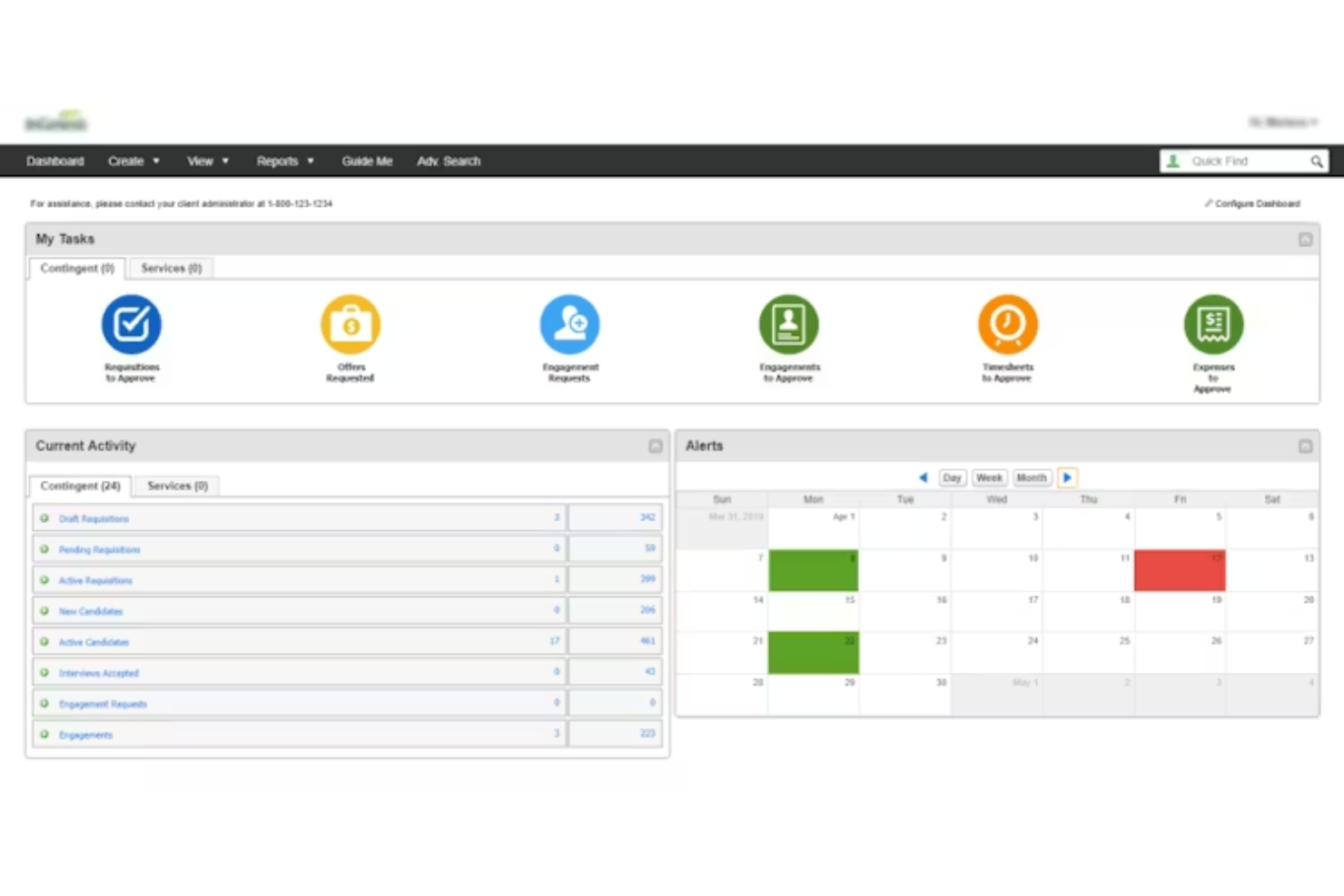
VectorVMS is a vendor management system designed for organizations that need to manage their contingent workforce effectively. Its main users are HR professionals and procurement teams who require improved visibility and control over their temporary staffing.
Why I picked VectorVMS: It provides visibility into the contingent workforce, which is important for managing temporary staffing efficiently. VectorVMS offers reporting tools that give you insights into workforce performance and spending. Its customizable workflows allow you to tailor processes to fit your organization's needs. Additionally, the platform supports compliance management, helping you adhere to relevant regulations.
Standout Features and Integrations:
Features include advanced reporting tools that help you track workforce performance and spending. The platform's customizable workflows let you tailor processes to fit your organization's needs. VectorVMS also provides compliance management tools to help with regulatory adherence.
Integrations are not currently listed by VectorVMS.
Pros and Cons
Pros:
- Consolidated billing
- Effective reporting and dashboards
- Intuitive interface and workflows
Cons:
- Less modern interface
- Inefficient time entry workflow
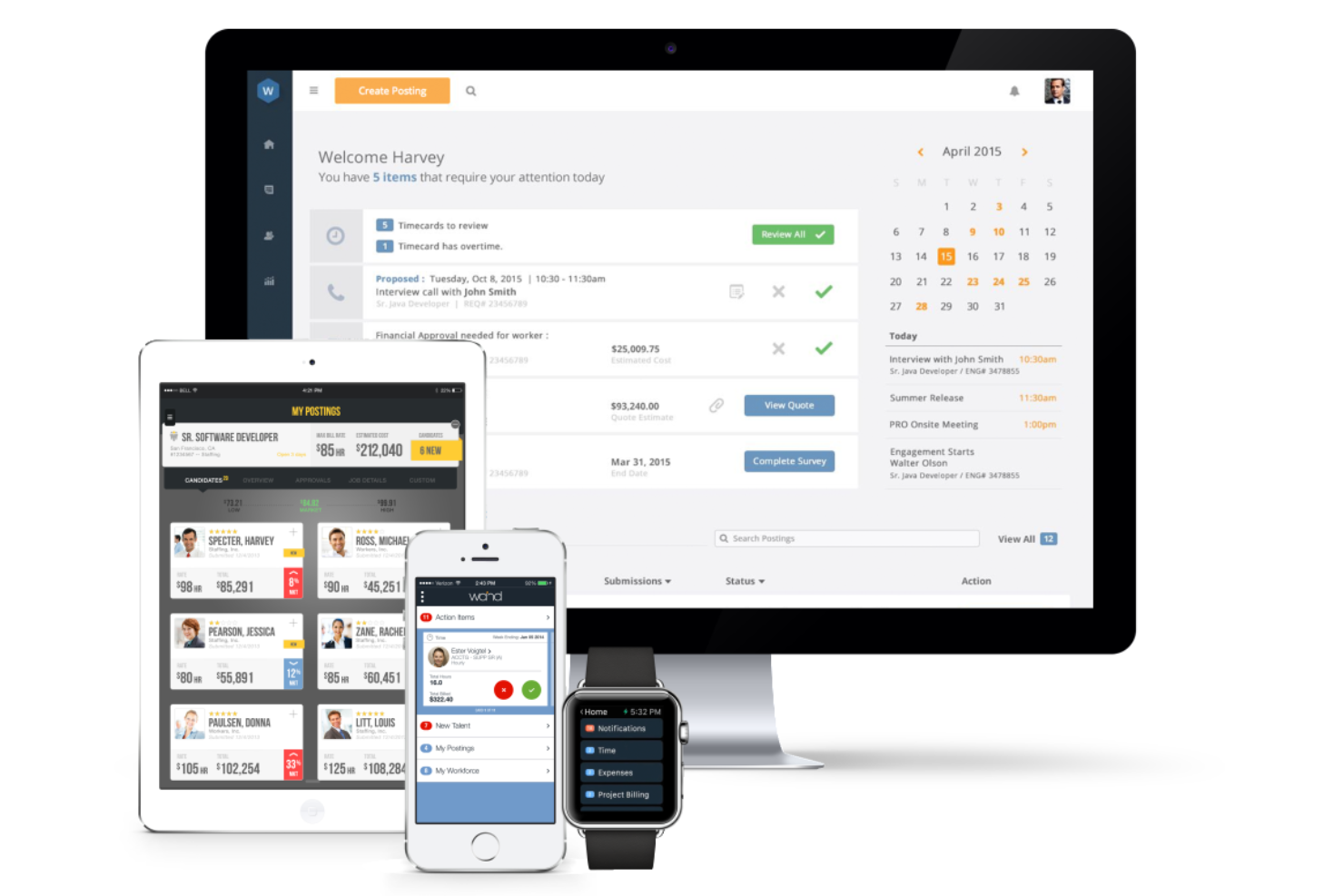
Magnit Global is a workforce management platform designed for organizations needing to manage their contingent workforce efficiently. It serves HR professionals and procurement teams by providing tools for vendor management, direct sourcing, and risk management.
Why I picked Magnit Global: It offers end-to-end visibility into your contingent workforce, which is essential for optimizing resources. Magnit Global's platform provides real-time insights that help you manage labor costs and risks effectively. Its solutions include managed services and strategic advisory, supporting efficient workforce management. Additionally, the platform's integration of advanced technology supports agility in handling workforce needs.
Standout Features and Integrations:
Features include real-time insights that provide you with the data needed to manage labor costs and risks. The platform offers end-to-end visibility, ensuring you have a complete view of your workforce. Magnit Global also supports managed services, enhancing your ability to handle workforce demands efficiently.
Integrations include SAP, Oracle, Workday, Kronos, Microsoft SharePoint, and more.
Pros and Cons
Pros:
- Supports managed services
- Modern UX
- Single platform function
Cons:
- Requires ongoing management of workflows
- Complex integration setup

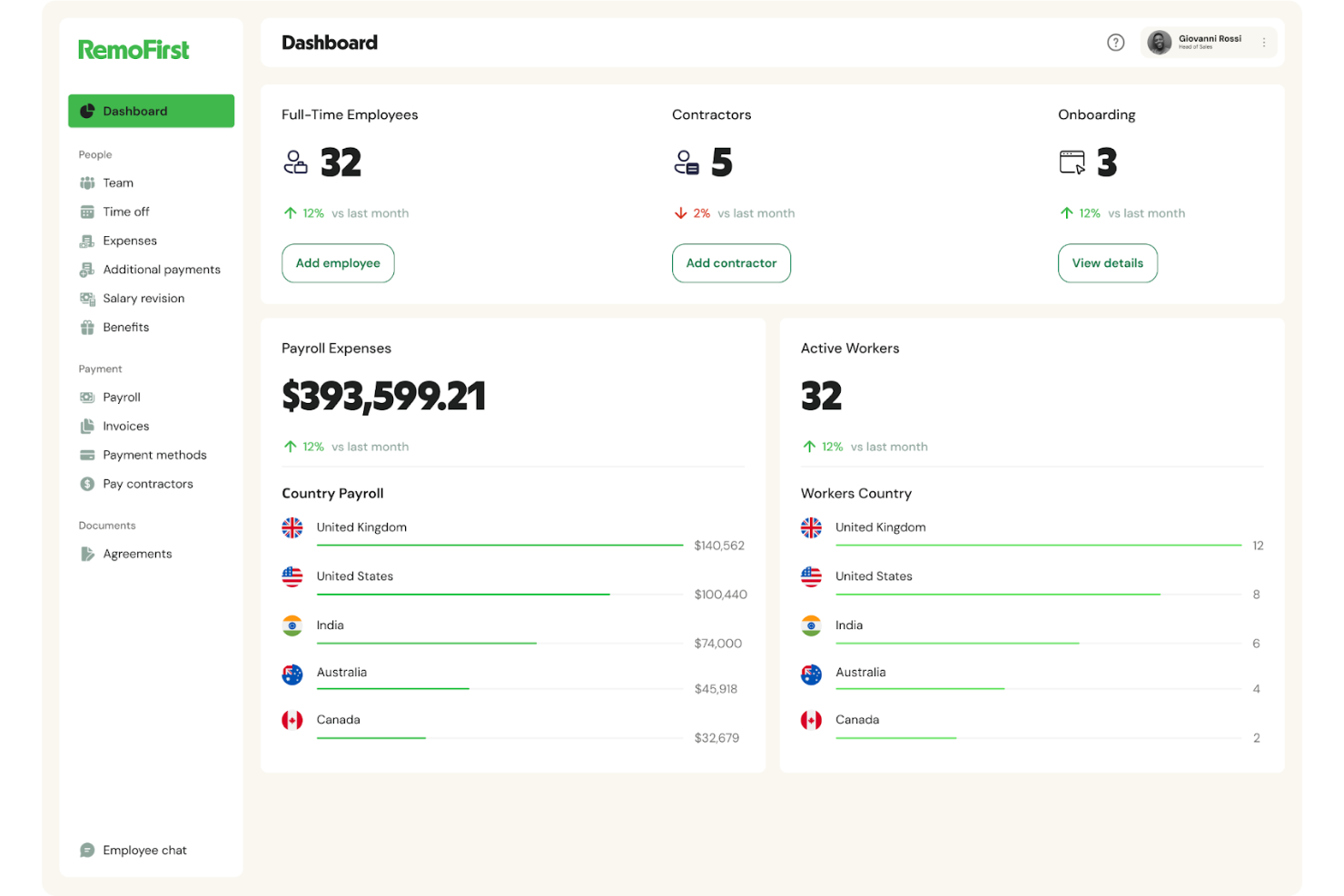
RemoFirst is a global HR and payroll platform designed for hiring managers looking for top talent internationally. It provides Employer of Record services and manages payroll, making it ideal for companies expanding their full-time workforce across borders.
Why I picked RemoFirst: It offers payroll management in various currencies, which is important for businesses operating in multiple countries. RemoFirst's Employer of Record services simplify international hiring by handling compliance and legal matters. Its ability to onboard and pay independent contractors in more than 150 countries makes it a cost-effective option for global operations. The platform also provides health insurance and visa support, which are essential for managing international employees.
Standout Features and Integrations:
Features include quick onboarding of international employees and contractors, supporting compliance with local regulations. The platform offers secure payment processing for contractors, which is a key feature for managing international finances. Additionally, RemoFirst provides health coverage options through RemoHealth, supporting employee well-being.
Integrations include ADP and more.
Pros and Cons
Pros:
- Health benefits for employees
- Extensive payroll services
- Fast onboarding process
Cons:
- Onboarding can be slow
- Variable customer support quality
New Product Updates from RemoFirst

RemoFirst Launches BambooHR Integration
RemoFirst has launched a BambooHR integration for enhanced global hiring and HR management. For more details, visit RemoFirst's official site.
 .
.
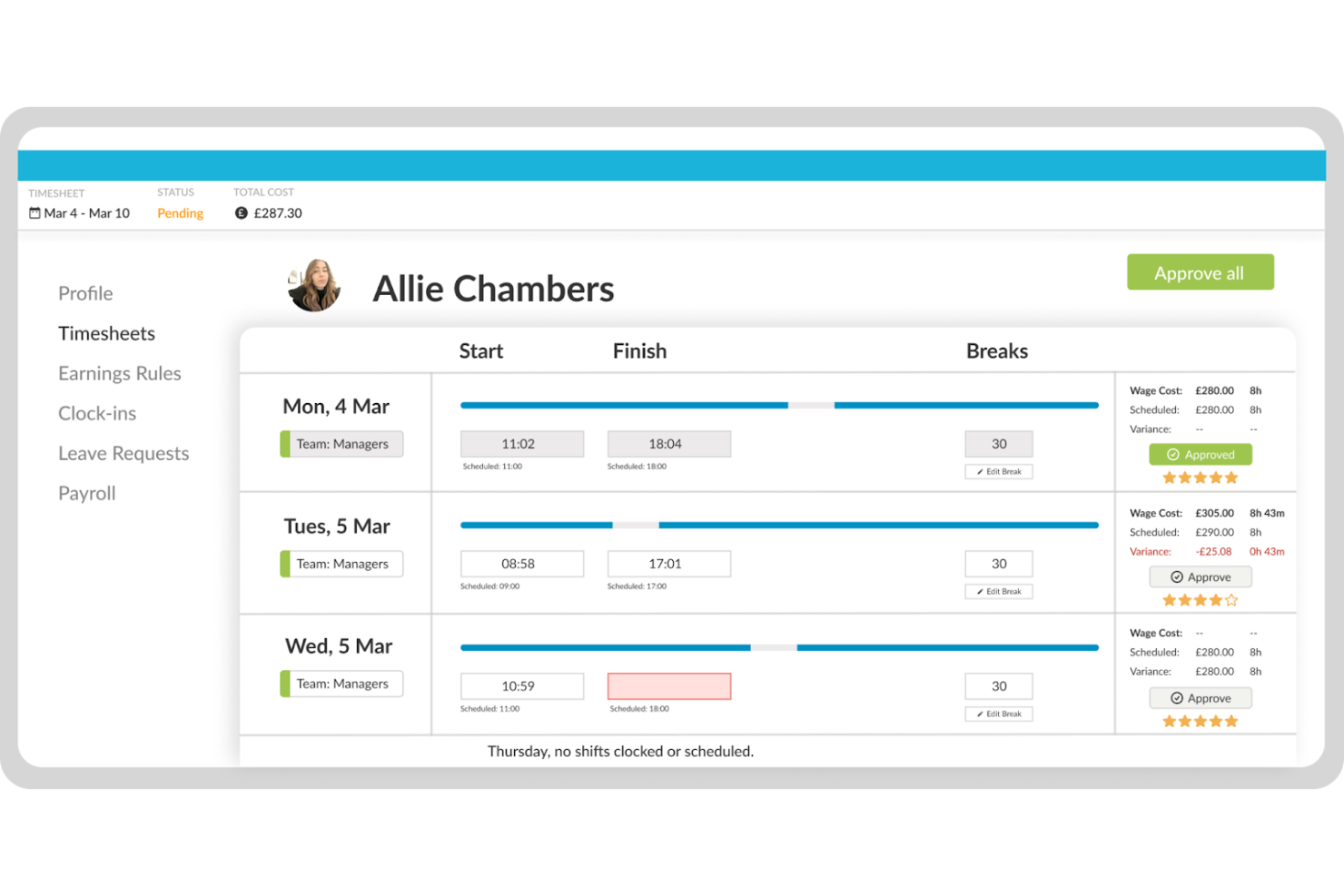
Workforce.com is a workforce management solution tailored for businesses that require efficient scheduling and time tracking. Its primary users are managers and HR professionals in industries such as retail and hospitality, where managing shift work is essential.
Why I picked Workforce.com: It offers powerful scheduling tools that simplify shift management, which is vital for businesses with variable staffing needs. The platform allows you to create and adjust schedules, reducing the time spent on administrative tasks. Its time and attendance tracking features help with accuracy in payroll processing. Furthermore, Workforce.com provides real-time updates, keeping your team informed and engaged.
Standout Features and Integrations:
Features include intuitive scheduling that allows you to manage shifts efficiently. The platform provides time and attendance tracking to support accurate payroll processing. Additionally, real-time updates keep your team informed and help maintain engagement.
Integrations include ADP, QuickBooks, Xero, Gusto, Square, and more.
Pros and Cons
Pros:
- Reduces administrative tasks
- Suitable for shift work
- Efficient scheduling tools
Cons:
- Supervisor access limitations
- Mobile app can be glitchy
Other Contingent Workforce Management Software
Here are some additional contingent workforce management software options that didn’t make it onto my shortlist, but are still worth checking out:
-
ADP
For payroll and HR integration
-
Impact Workforce Optimization
For managing diverse workforces
-
WorkMarket
For freelance management


Contingent Workforce Management Software Selection Criteria
When selecting the best contingent workforce management software to include in this list, I considered common buyer needs and pain points such as managing compliance across multiple regions and optimizing resource allocation. I also used the following framework to keep my evaluation structured and fair:
Core Functionality (25% of total score)
To be considered for inclusion in this list, each solution had to fulfill these common use cases:
- Managing vendor relationships
- Tracking workforce performance
- Ensuring compliance with regulations
- Facilitating payroll processing
- Providing workforce analytics
Additional Standout Features (25% of total score)
To help further narrow down the competition, I also looked for unique features, such as:
- Real-time workforce insights
- Customizable reporting dashboards
- Integration with multiple HR systems
- AI-driven workforce planning
- Automated compliance alerts
Usability (10% of total score)
To get a sense of the usability of each system, I considered the following:
- Intuitive interface design
- Easy navigation across features
- Minimal learning curve for new users
- Customizable user settings
- Consistent system performance
Onboarding (10% of total score)
To evaluate the onboarding experience for each platform, I considered the following:
- Availability of training videos
- Interactive product tours
- Access to webinars and live demos
- Templates for quick setup
- Responsive chat support during onboarding
Customer Support (10% of total score)
To assess each software provider’s customer support services, I considered the following:
- Availability of 24/7 support
- Access to an extensivehelp center
- Responsiveness to support tickets
- Personalized support for onboarding
- Availability of community forums
Value For Money (10% of total score)
To evaluate the value for money of each platform, I considered the following:
- Competitive pricing models
- Transparent pricing information
- Flexibility in subscription plans
- Discounts for annual commitments
- Features offered at each pricing tier
Customer Reviews (10% of total score)
To get a sense of overall customer satisfaction, I considered the following when reading customer reviews:
- Satisfaction with core features
- Feedback on customer support experience
- Overall ease of use
- Value perceived for the price paid
- Suggestions for feature improvements
How To Choose Contingent Workforce Management Software
It’s easy to get bogged down in long feature lists and complex pricing structures. To help you stay focused as you work through your unique software selection process, here’s a checklist of factors to keep in mind:
| Factor | What To Consider |
| Scalability | Can the tool grow with your team? Consider future growth and if the software can handle increased users or data without a hitch. |
| Integrations | Does it work with your current systems? Check for compatibility with your existing HR, payroll, and other essential tools. |
| Customizability | Can you tailor it to your processes? Look for options to adjust workflows and fields to match your specific needs without needing a developer. |
| Ease of use | How quickly can your team get up to speed? Evaluate the interface and simplicity of navigation. Ask for a demo to see it in action. |
| Implementation and onboarding | What support is offered during setup? Consider the time and resources needed to implement the tool and train your team effectively. |
| Cost | Is the pricing clear and within budget? Look beyond the base price to understand the total cost, including any add-ons or hidden fees. |
| Security safeguards | How does it protect your data? Ensure it has strong encryption and compliance with data protection regulations such as GDPR or CCPA. |
| Compliance requirements | Does it support regulatory needs? Verify it can handle industry-specific compliance requirements, especially if you operate in heavily regulated sectors. |
What Is Contingent Workforce Management Software?
Contingent workforce management software is a tool designed to help businesses manage temporary and contract workers. HR professionals and procurement managers typically use these tools to efficiently track, manage, and optimize their contingent workforce. Features such as vendor management, compliance tracking, and workforce analytics help with organizing data, ensuring regulatory adherence, and improving workforce efficiency. Overall, these tools provide value by simplifying the management of a flexible workforce and enhancing operational efficiency.
Features
When selecting contingent workforce management software, keep an eye out for the following key features:
- Vendor management: Helps you organize and evaluate partnerships with staffing vendors to evaluate if you are getting the best talent and service.
- Compliance tracking: Verifies that your contingent workforce program meets industry regulations and labor laws, reducing risk.
- Workforce analytics: Provide insights into workforce performance and spending, helping you make informed decisions.
- Real-time insights: Offer up-to-date information on workforce metrics, allowing quick adjustments to staffing needs.
- Customizable workflows: Allow you to tailor processes and fields to fit your organization’s specific needs, enhancing operational efficiency.
- Integration capabilities: Support compatibility with existing HR and payroll systems, supporting data flow and reducing manual entry.
- Time and attendance tracking: Keeps accurate records of employee hours, aiding in payroll processing and compliance.
- Onboarding support: Provides resources such as training videos and product tours to help new users get up to speed quickly.
- Risk management: Identifies and mitigates potential risks associated with contingent workforce operations, protecting your organization.
- Cost management: Helps track and control labor costs, ensuring your contingent workforce stays within budget.
Benefits
Implementing contingent workforce management software provides several benefits for your team and your business. Here are a few you can look forward to:
- Improved compliance: Checks that your workforce operations meet legal standards, reducing the risk of fines and penalties.
- Improved vendor relationships: Optimizes vendor performance oversight to help confirm that you're getting the best service and talent available.
- Increased visibility: Provides real-time insights and analytics, allowing you to make informed decisions about your workforce.
- Efficient cost management: Helps track and control labor expenses, keeping your budget in check.
- Simplified onboarding: Offers human resources tools such as training videos and product tours to help new users get started quickly and effectively.
- Better risk management: Identifies potential risks and helps you mitigate them to protect your organization.
- Customizable processes: Allows you to tailor workflows to fit your specific needs, improving operational efficiency.
Costs and Pricing
Selecting contingent workforce management software requires an understanding of the various pricing models and plans available. Costs vary based on features, team size, add-ons, and more. The table below summarizes common plans, their average prices, and typical features included in contingent workforce management software solutions:
Plan Comparison Table for Contingent Workforce Management Software
| Plan Type | Average Price | Common Features |
| Free Plan | $0 | Basic vendor management, limited analytics, and basic compliance tracking. |
| Personal Plan | $300-$3000/ year | Vendor management, compliance tracking, analytics, and basic reporting tools. |
| Business Plan | $2400-$30000/year | Advanced analytics, custom reporting, full compliance tools, and integrations. |
| Enterprise Plan | $50000+/year | All features, premium support, custom integrations, and a dedicated account manager. |
Contingent Workforce Management Software FAQs
Here are some answers to common questions about contingent workforce management software:
What is the primary purpose of contingent workforce management software?
The primary purpose is to help businesses manage their temporary and contract workers efficiently. It provides tools to oversee vendor relationships, invoicing, compliance, and workforce analytics. By using this software, your team can optimize staffing, reduce administrative tasks, and help achieve compliance with regulations.
How do I know if my business needs contingent workforce management software?
If your business relies on a significant number of temporary or contract workers, this software can offer valuable management and benchmark reporting tools. Consider your current challenges with vendor management, timesheets, or requisitions. If these are areas of concern, implementing the software could help boost your operations.
Can contingent workforce management software integrate with my existing HR systems?
Yes, most platforms are designed to integrate with popular HR systems such as SAP, Workday, and ADP. Before purchasing, check the software’s compatibility with your current tools. This supports smooth data flow and reduces the need for manual data entry, saving your team time and effort.
Are there industry-specific versions of contingent workforce management software?
Some vendors offer industry-specific solutions tailored to sectors such as healthcare, IT, or manufacturing. These versions address unique worker classification requirements or staffing challenges. If your industry has specific needs, look for software that caters to those requirements to get the most out of your investment.
What’s Next:
If you're in the process of researching contingent workforce management software, connect with a SoftwareSelect advisor for free recommendations.
You fill out a form and have a quick chat where they get into the specifics of your needs. Then you'll get a shortlist of software to review. They'll even support you through the entire buying process, including price negotiations.