

10 Best EORs for Small Businesses in 2026

10 EOR for Small Businesses Shortlist


An employer of record (EOR) is a service that legally employs your team abroad, handling payroll, compliance, and HR paperwork so you can hire anywhere without needing your own international legal entity.
If you’re growing across borders, searching for ways to simplify hiring for global talent, or struggling to keep up with changing employment laws, finding the right EOR gives you clarity and control. This guide breaks down top EOR providers for small businesses to help you decide which one matches your hiring needs, budget, and global ambitions.
Why Trust Our Software Recommendations
Our team has been testing and reviewing software since 2012. As HR experts ourselves, we know how difficult—and important—it is to choose the right software.
For this guide, we evaluated tools using hands-on testing and independent research, scoring tools using our selection criteria. We also draw on insights from industry thought leaders and practicing HR experts.
Our reviews reflect our human editorial judgment, not a sales pitch.
Expert reviewers:
EOR for Small Businesses Comparison Table
The table below compares pricing details for my top EOR selections for small businesses.
| Tool | Best For | Trial Info | Price | ||
|---|---|---|---|---|---|
| 1 | Best for flat-rate pricing across countries | Free demo available | From $399/user/month | Website | |
| 2 | Best with human-led support over automation | Free demo available | From $319/user/month | Website | |
| 3 | Best for direct-entity EOR across 160+ countries | Free demo available | From $599/user/month | Website | |
| 4 | Best for instant hire with localized contracts | Free demo available | From $199/user/month | Website | |
| 5 | Best for hiring with built-in recruiting support | Free demo available | From $199/user/month | Website | |
| 6 | Best for unlimited indemnity on global hires | Free demo available | From $699/user/month | Website | |
| 7 | Best for pre-hire employment cost modeling | Free demo available | From $399/user/month | Website | |
| 8 | Best for analyst-recognized global compliance coverage | Free demo available | From $599/user/month | Website | |
| 9 | Best for contractual termination liability coverage | Free demo available | From $499/user/month | Website | |
| 10 | Best for converting contractors to full-time hires | Free demo available | From $699/user/month | Website |


EOR for Small Businesses Reviews
Below are my detailed summaries of the EOR for small businesses that made it onto my shortlist. My reviews offer a detailed look at the features, best use cases, and pricing of each platform to help you find the best one for you.

Playroll
Best for flat-rate pricing across countries
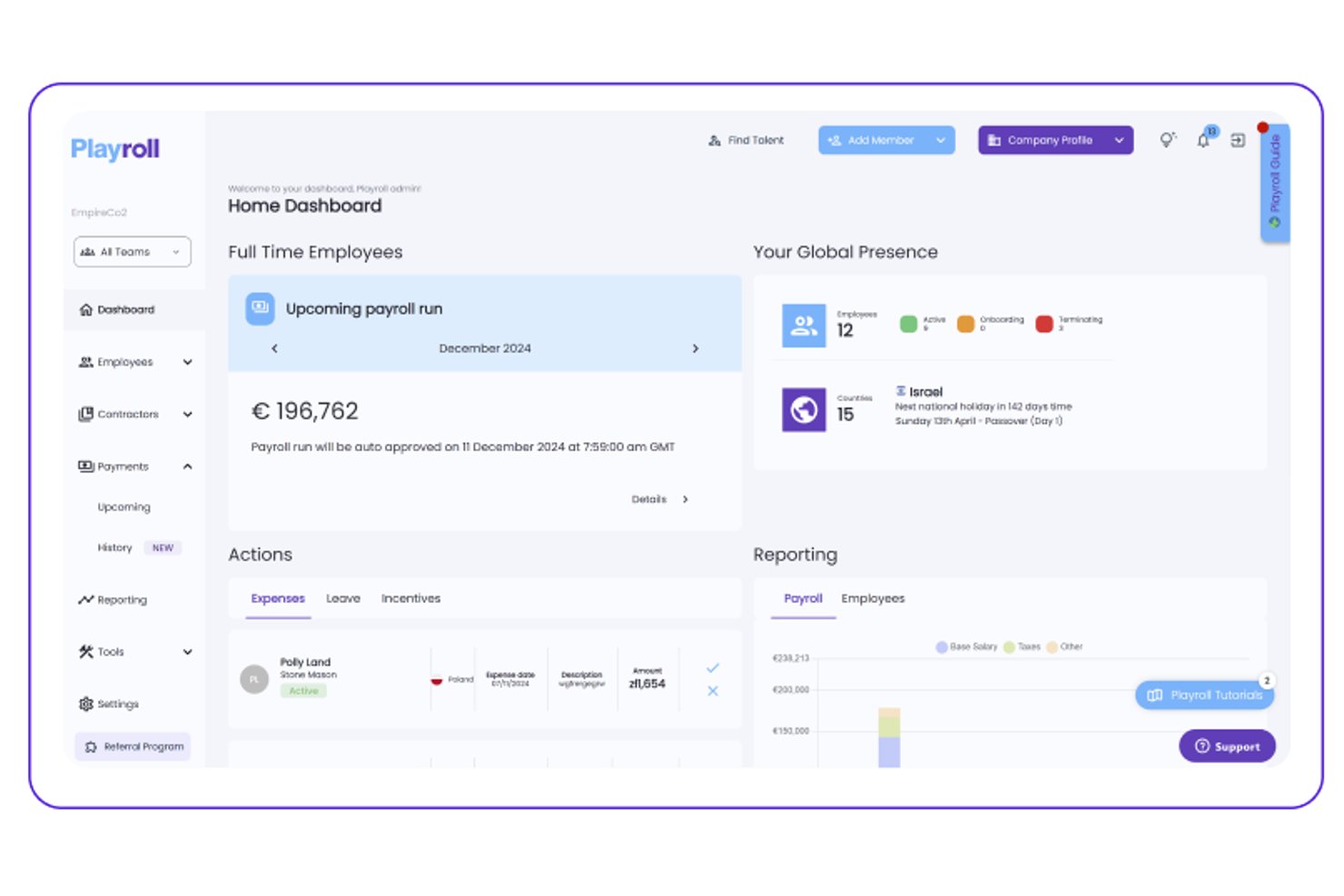
Playroll is an employer of record platform that handles international hiring, payroll, benefits administration, and compliance across multiple countries from a single dashboard.
Who Is Playroll Best For?
Playroll is a strong fit for small businesses hiring across multiple countries that want predictable, flat-rate costs without surprise fees.
Why I Picked Playroll
Playroll earns its spot on my shortlist because its flat-rate pricing model removes one of the biggest headaches in global hiring: unpredictable costs. I love that you pay the same rate regardless of which country you're hiring in, so scaling from one country to five doesn't balloon your budget unexpectedly. Playroll also consolidates payroll, benefits, and compliance into a single dashboard, which is exactly what a lean HR team needs when managing employees across borders.
Playroll Key Features
- Multi-currency payroll processing: Run payroll in local currencies for employees across different countries from a single dashboard.
- Locally compliant employment contracts: Playroll generates contracts that meet in-country legal requirements, including notice periods and statutory benefits.
- Employee self-service portal: Employees can access payslips, request time off, and update personal details without going through HR.
- Built-in expense management: Teams can submit and approve expense claims directly within the platform, keeping reimbursements tied to payroll cycles.
Playroll Integrations
Playroll documents native HRIS integrations with platforms including BambooHR and HiBob, alongside an Open API for custom connections.
Pros and Cons
Pros:
- Expense claims support payroll workflows
- Employee self-service reduces administrative requests
- Locally compliant employment contracts
Cons:
- Benefits administration varies by location
- Limited public detail on country coverage

Best with human-led support over automation
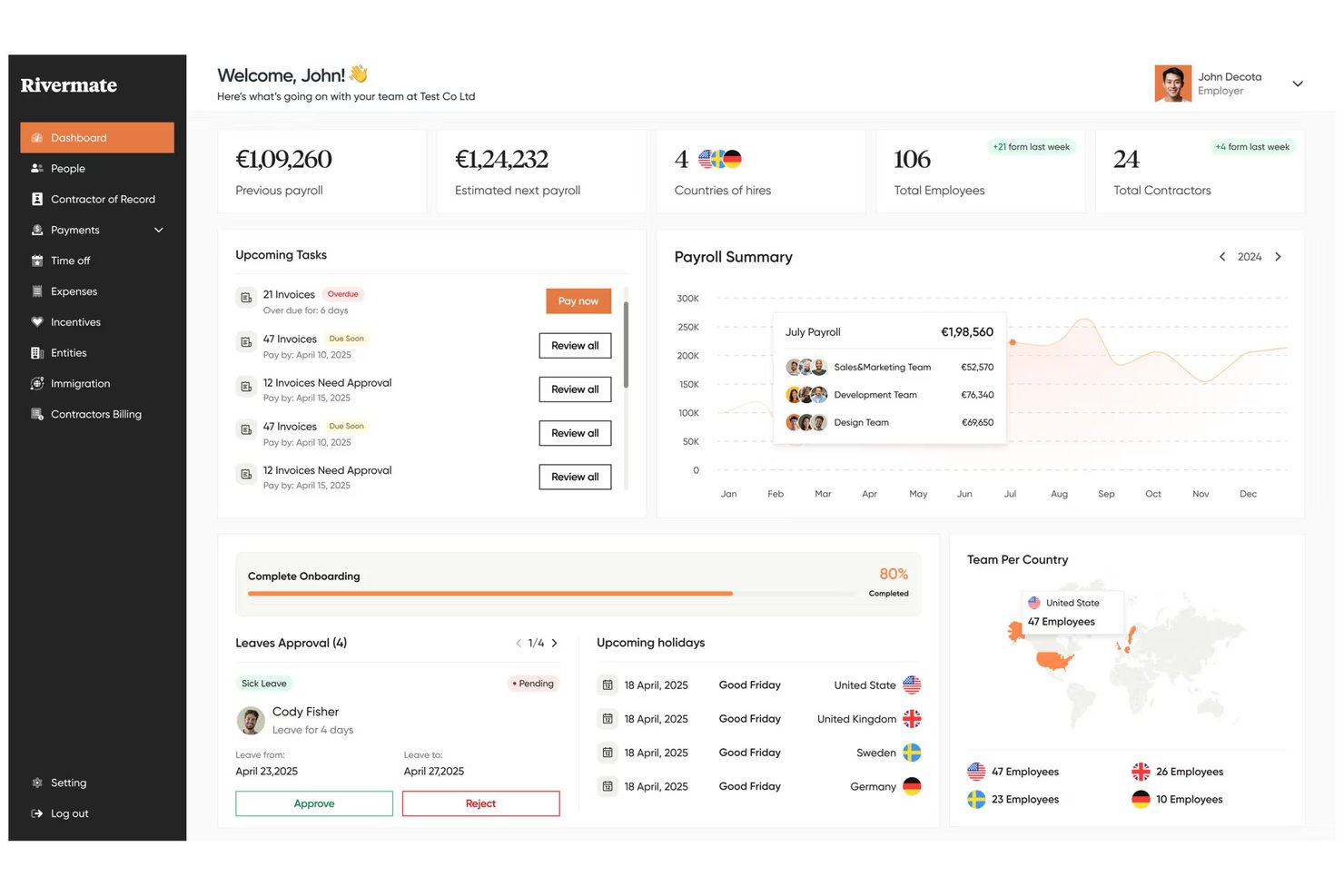
Rivermate is an employer of record service that handles international hiring, payroll, compliance, and benefits administration across multiple countries through a team of local HR and legal experts.
Who Is Rivermate Best For?
Rivermate is a strong fit for small businesses that want a real person handling their international HR questions—not a chatbot or automated workflow.
Why I Picked Rivermate
I've included Rivermate in my top picks because it replaces the chatbot-first experience most EOR platforms default to with actual human experts. When you're hiring your first employee in, say, Brazil or the Philippines, you get a dedicated account manager who knows local labor law, not a knowledge base article. I particularly like that its in-house legal and HR specialists handle contract drafting and compliance checks directly, so nothing gets lost in an automated workflow.
Rivermate Key Features
- Multi-country payroll processing: Rivermate runs payroll in local currencies across 150+ countries, handling calculations, tax filings, and disbursements each pay cycle.
- Locally compliant employment contracts: Rivermate generates employment agreements that reflect in-country legal requirements, including notice periods, severance terms, and mandatory clauses.
- Benefits administration: Rivermate manages statutory and supplemental employee benefits by country, including health coverage, pension contributions, and paid leave entitlements.
- Intellectual property and equipment management: Rivermate supports IP assignment agreements and coordinates equipment provisioning for new international hires.
Rivermate Integrations
Native integrations are not currently listed.
Pros and Cons
Pros:
- Handles payroll and benefits across countries
- Local legal experts review employment contracts
- Human-led support for complex HR questions
Cons:
- Benefit availability varies by destination country
- Less automation than chatbot-first EOR platforms

Best for direct-entity EOR across 160+ countries
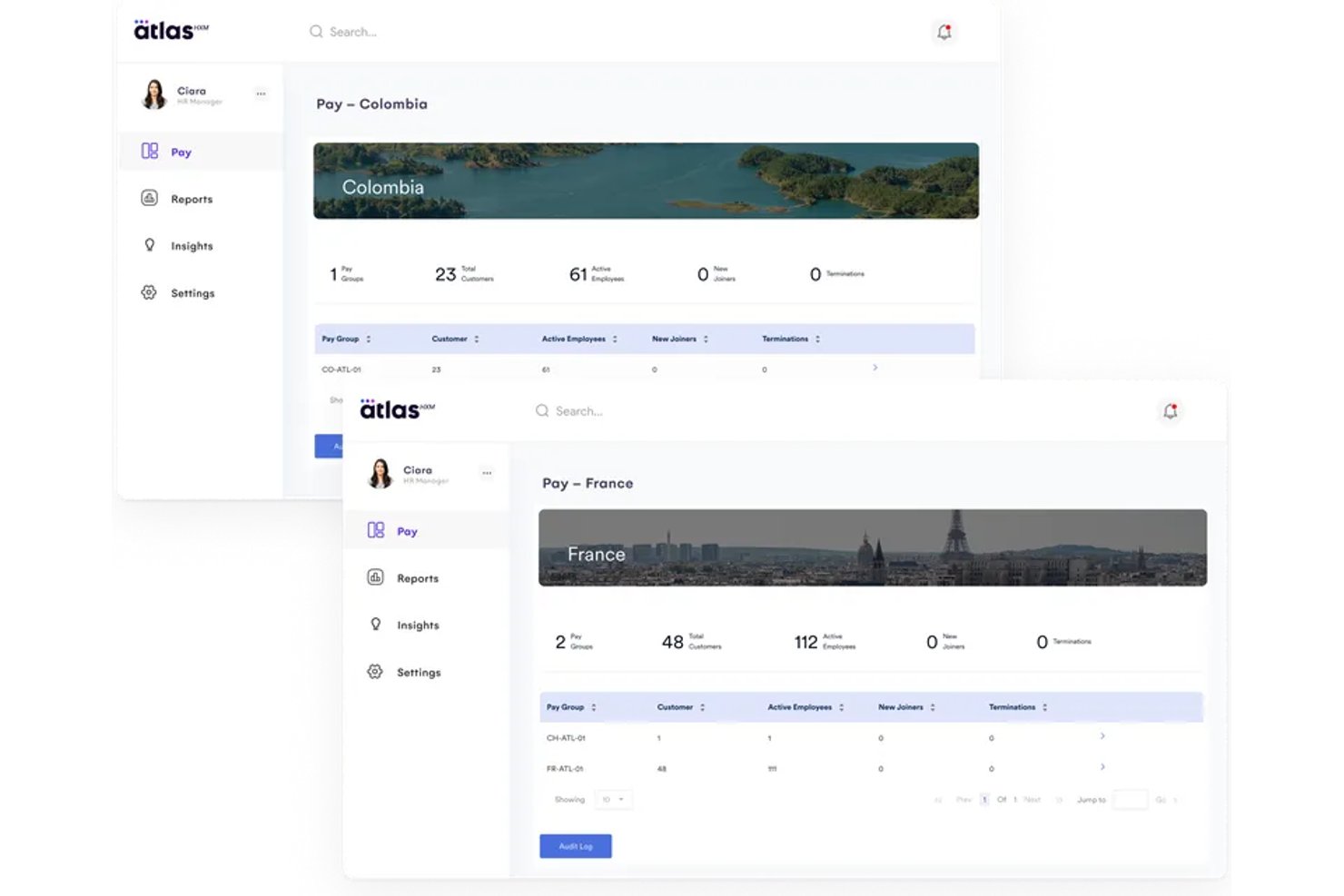
Atlas HXM is an employer of record platform that manages international hiring, payroll, benefits administration, and compliance through its own legal entities in 160+ countries.
Who Is Atlas HXM Best For?
Atlas HXM is a strong fit for businesses hiring across multiple countries that need a true direct-entity EOR rather than a partner-dependent network.
Why I Picked Atlas HXM
Atlas HXM earns its spot on my shortlist because it operates through its own legal entities in 160+ countries, meaning there's no third-party partner network handling your hires. I love that this direct-entity model gives small businesses real accountability: one contract, one point of contact, and no gaps between what's promised and what's delivered. Its in-house compliance infrastructure also covers local labor law updates automatically, which matters when you're hiring in unfamiliar markets without a dedicated legal team.
Atlas HXM Key Features
- Automated onboarding workflows: Atlas HXM guides new international hires through country-specific onboarding steps, document collection, and contract signing in one platform.
- Benefits administration: You can manage locally competitive benefits packages for employees in each country, including health insurance, retirement plans, and statutory entitlements.
- Integrated global payroll: The platform processes multi-currency payroll across all supported countries, handling deductions, taxes, and disbursements in a single run.
- Immigration and visa support: Atlas HXM provides in-house assistance for work permits and visa applications, helping you relocate or hire talent across borders without a separate immigration vendor.
Atlas HXM Integrations
Atlas HXM supports native integrations with Workday, BambooHR, and Sage, as well as an open API via Atlas Connect.
Pros and Cons
Pros:
- Integrated multi-currency global payroll
- In-house immigration and visa support
- Direct entities across 160+ countries
Cons:
- Best suited to international hiring needs
- Visa sponsorship comes at an additional cost

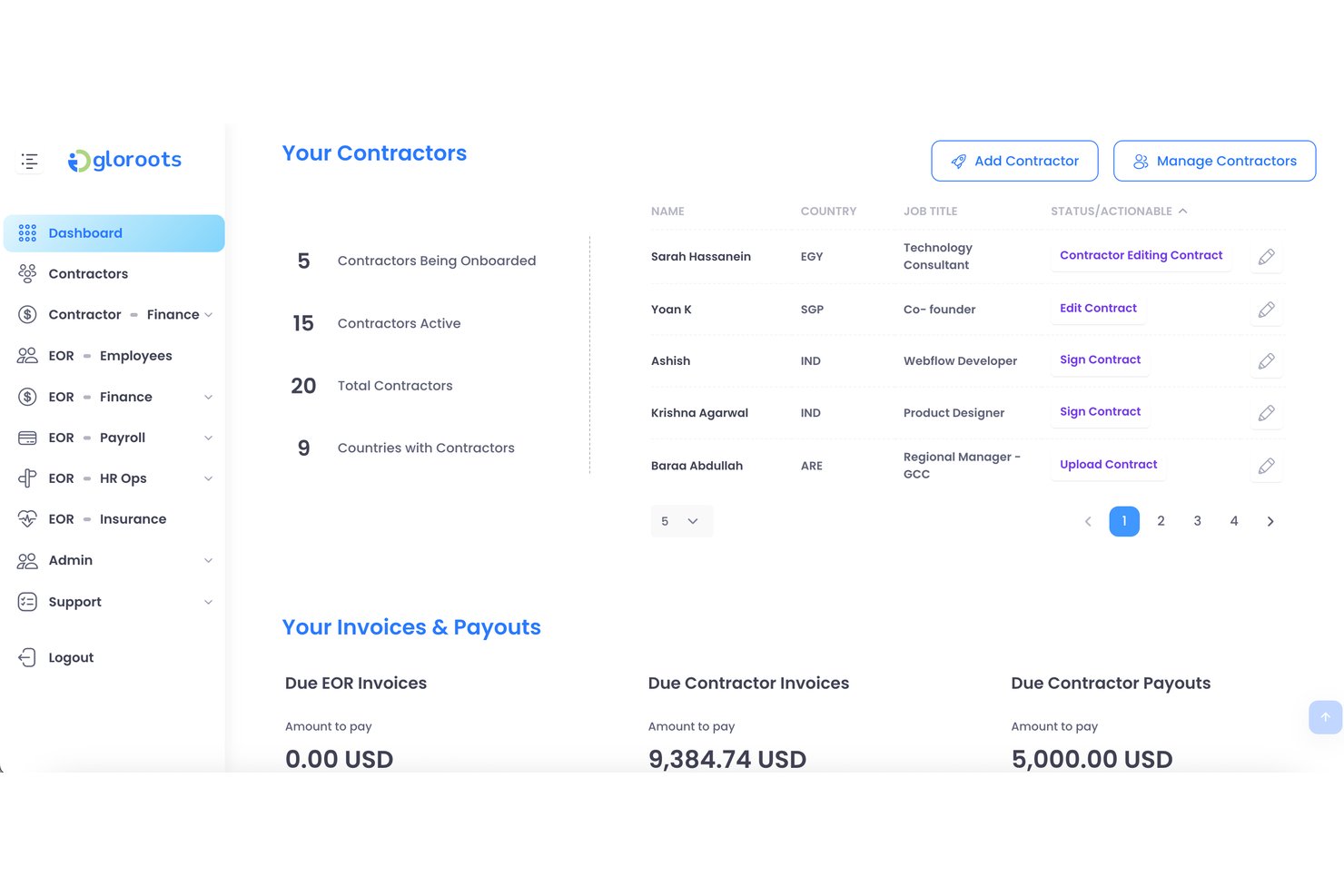
Gloroots is an employer of record platform that covers global hiring, localized employment contracts, payroll processing, and compliance management across multiple countries.
Who Is Gloroots Best For?
Gloroots is a strong fit for small businesses that need to hire international employees quickly without getting bogged down in contract drafting or local compliance research.
Why I Picked Gloroots
I picked Gloroots as one of the best because it lets small businesses move from "we need someone in Brazil" to a signed, locally compliant contract in a matter of days. I love that it auto-generates localized employment agreements tailored to each country's labor laws, so you're not scrambling through legal docs or hiring local counsel just to get started. Its built-in compliance checks flag jurisdiction-specific requirements before you hire, which is exactly the kind of safety net a lean HR team needs.
Gloroots Key Features
- Multi-country payroll processing: Run payroll across multiple countries from a single dashboard, with automatic currency conversion and local payment disbursement.
- Employee benefits administration: Manage country-specific statutory and supplemental benefits for international hires directly within the platform.
- Expense management: Employees can submit expenses through the platform, and managers can review and approve reimbursements in local currencies.
- Contractor management: Onboard, pay, and manage international contractors alongside full-time employees under one unified system.
Gloroots Integrations
Native integrations are not clearly documented.
Pros and Cons
Pros:
- Contractors and employees share one platform
- Payroll supports multiple currencies
- Localized contracts accelerate international hiring
Cons:
- Country-specific coverage requires careful verification
- Pricing may challenge very small teams

Best for hiring with built-in recruiting support
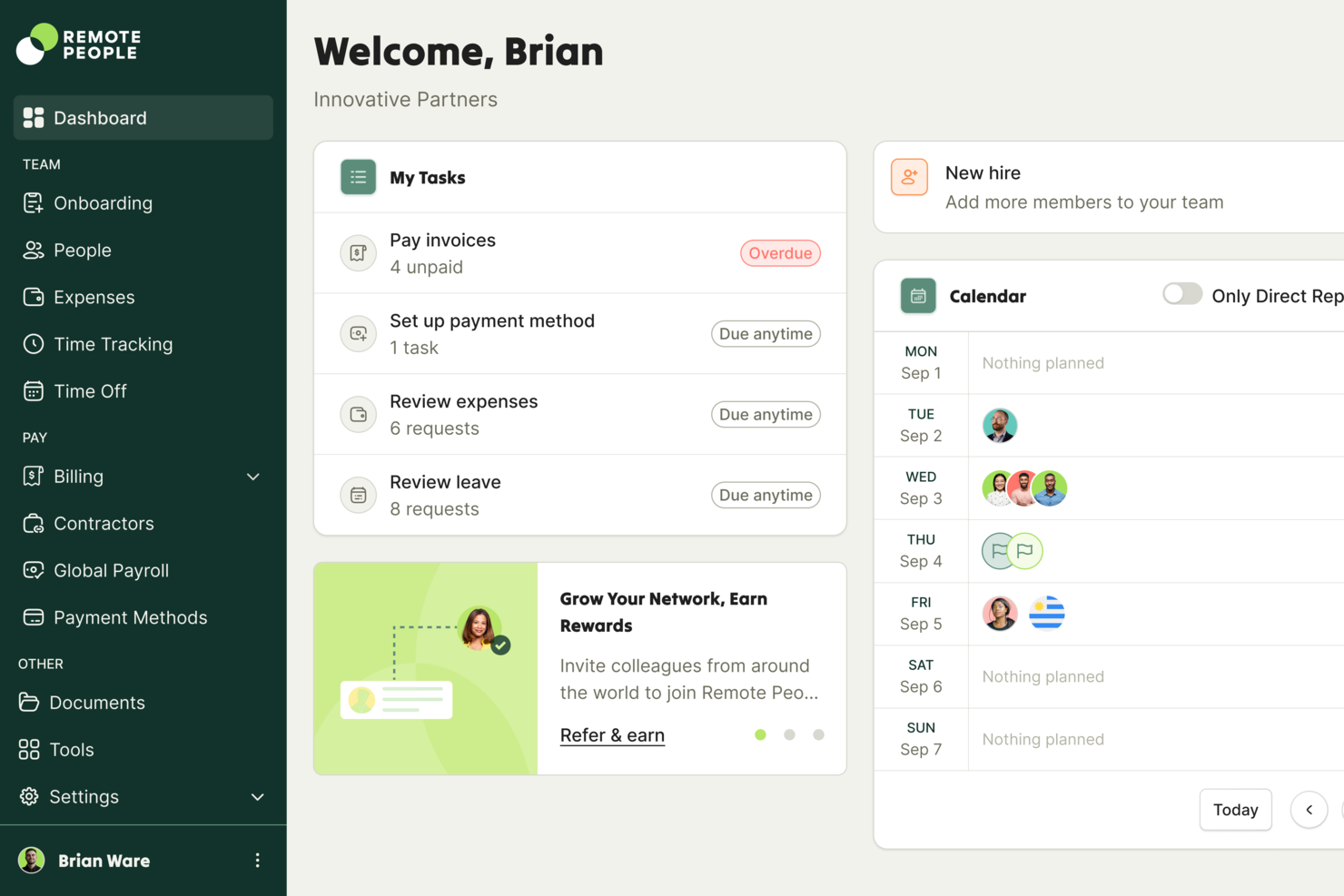
RemotePeople is an employer of record platform that pairs global hiring infrastructure with in-house recruiting services, covering international payroll, compliance, contractor management, and talent sourcing.
Who Is RemotePeople Best For?
RemotePeople is a strong fit for small businesses that need help finding and hiring international talent, not just managing them after the fact.
Why I Picked RemotePeople
I've included RemotePeople in my top picks because it's one of the few EOR platforms that combines talent sourcing with employer of record infrastructure, so you're not just managing hires, you're actually making them. I love that their in-house recruiting team can identify and vet international candidates on your behalf, which is a real advantage when your small business doesn't have a dedicated recruiter. Their contractor management and global payroll tools then take over once someone's onboarded, keeping compliance intact across borders.
RemotePeople Key Features
- Multi-currency payroll processing: Employees and contractors are paid in their local currencies, with automatic currency conversion handled through the platform.
- Benefits administration: RemotePeople manages locally compliant benefits packages for international employees, including health coverage and statutory entitlements.
- Guided employee onboarding: New hires move through a structured onboarding workflow that collects documentation and confirms compliance requirements by country.
- Dedicated account management: Each client is assigned a dedicated account manager who provides direct support for HR queries and cross-border hiring decisions.
RemotePeople Integrations
RemotePeople supports native integrations with Workday, SAP SuccessFactors, BambooHR, HiBob, NetSuite, QuickBooks, Paylocity, Factorial, Lattice, JumpCloud, TriNet, and UKG Pro. It also provides developer APIs with OAuth 2.0 authentication for custom integrations.
Pros and Cons
Pros:
- Local benefits support international employee compliance
- Dedicated account managers guide cross-border hiring
- In-house recruiting supports international talent sourcing
Cons:
- Country-specific service coverage requires verification
- Recruiting support may not suit self-directed teams

Remote
Best for unlimited indemnity on global hires
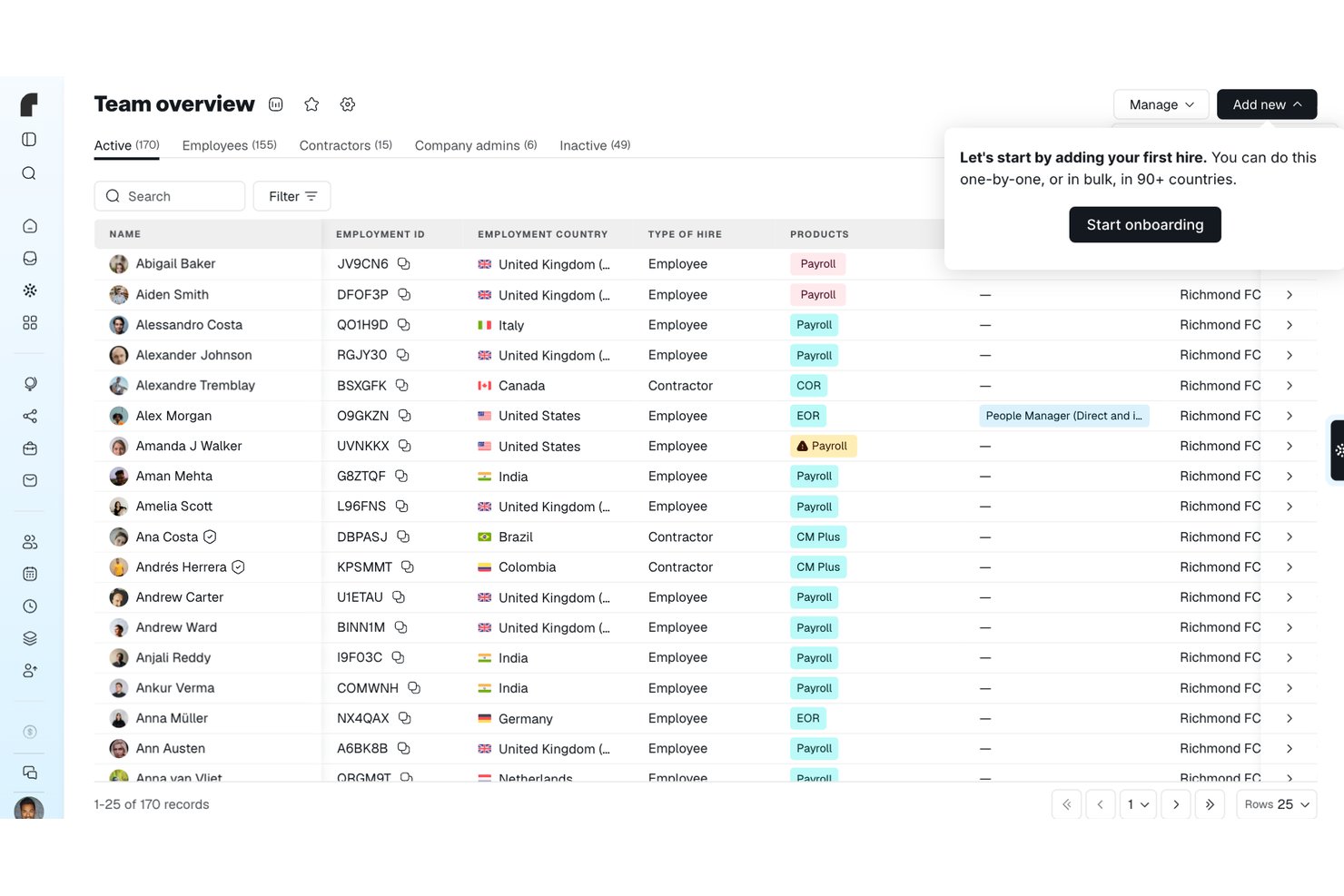
Remote is an employer of record and payroll provider that lets companies hire, pay, and manage employees in 90+ countries—handling local contracts, payroll, statutory benefits, and compliance through its own in-country entities.
Who Is Remote Best For?
Remote is a strong fit for small businesses and startups hiring across borders who need one accountable partner for payroll and employment—without setting up local entities.
Why I Picked Remote
Remote earns its spot on my shortlist because it offers unlimited indemnity on global hires, which I think is a genuine differentiator when your small business is taking on employment risk in unfamiliar markets. In practice, that means if a compliance issue surfaces in a country where you've hired through Remote, you're not left holding the bill. I also like that Remote backs this with its own in-country entities across 90+ countries and a Compliance Watchtower that flags upcoming employment-law changes before they affect your team.
Remote Key Features
- Compliance Watchtower: Tracks upcoming employment-law changes by country and surfaces the effective date, impact areas, and suggested next steps directly in the platform.
- IP Guard: Transfers IP rights from the hired employee to Remote's local entity and then to your company, with in-country legal oversight and indemnity if the transfer fails.
- Employee mobile app: Lets EOR employees view payslips and employment documents, request time off, and submit expenses from iOS or Android devices.
- Cost Calculator: Estimates total employment costs by country using salary, statutory contributions, and Remote's management fee, with multi-employee reports exportable as CSV or PDF.
Remote Integrations
Remote offers native integrations with BambooHR, Greenhouse, HiBob, Workday, Personio, QuickBooks, and Xero. It also supports Zapier, APIs, webhooks, SDKs, CLI, and MCP for custom connectivity.
Pros and Cons
Pros:
- Employees access payslips and request time off
- Reviewers praise centralized international payroll
- Unlimited indemnity protects global hires
Cons:
- Country-specific support can require escalation
- Recurring EOR costs strain small teams

Pebl
Best for pre-hire employment cost modeling
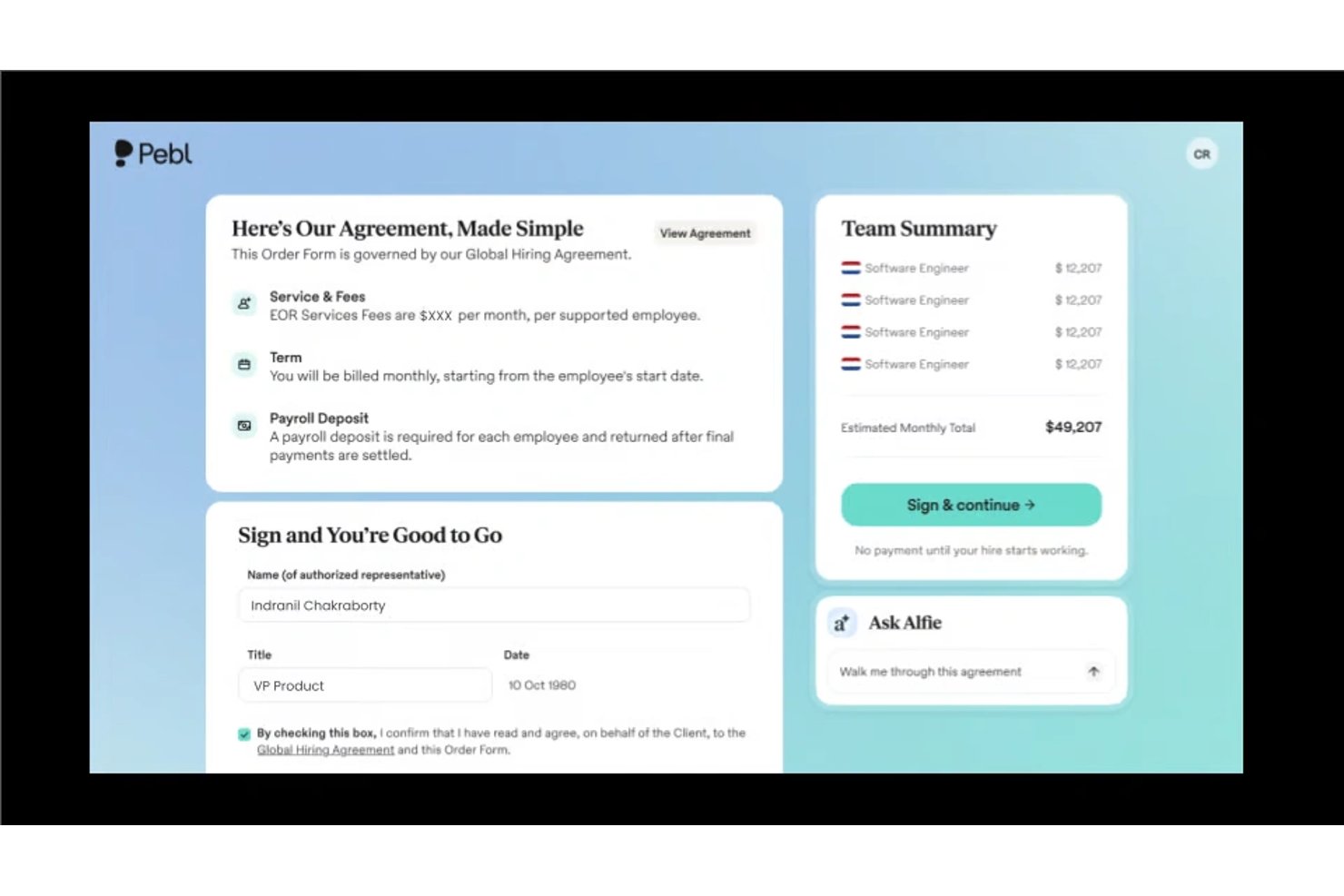
Pebl is an employer of record platform that combines international hiring, payroll processing, and pre-hire employment cost modeling to help small businesses compliantly engage workers across borders.
Who Is Pebl Best For?
Pebl is a strong fit for small business owners who want to model the full cost of hiring internationally before making a commitment.
Why I Picked Pebl
Pebl earns its spot on my shortlist because of its pre-hire cost modeling, which lets you see the full employment cost of a hire before you commit. I love that it breaks down employer taxes, benefits, and local compliance costs by country so there are no surprises after onboarding. For small businesses hiring internationally on tight margins, that kind of upfront visibility is genuinely useful.
Pebl Key Features
- AI assistant (Alfie): An built-in AI tool that answers questions about compensation, onboarding, compliance, and workforce insights directly within the platform.
- Locally compliant contract generation: Automatically creates employment contracts in 25+ languages that meet local legal requirements, so you can onboard new hires in days.
- Global benefits administration: Offers country-specific employee benefits through Pebl-owned entities, with Pebl handling the compliance and admin on your behalf.
- HR and payroll integrations: Connects with your existing recruiting, HR, and payroll tools so you can manage your global workforce without switching between systems.
Pebl Integrations
Pebl offers native integrations with Ashby, ADP Workforce Now, Oracle, Namely, Gusto, and more.
Pros and Cons
Pros:
- Country-specific benefits administration reduces compliance workload
- Locally compliant contracts support faster onboarding
- Pre-hire modeling clarifies total employment costs
Cons:
- AI guidance still requires HR review
- Benefits availability varies across employee locations

G-P
Best for analyst-recognized global compliance coverage
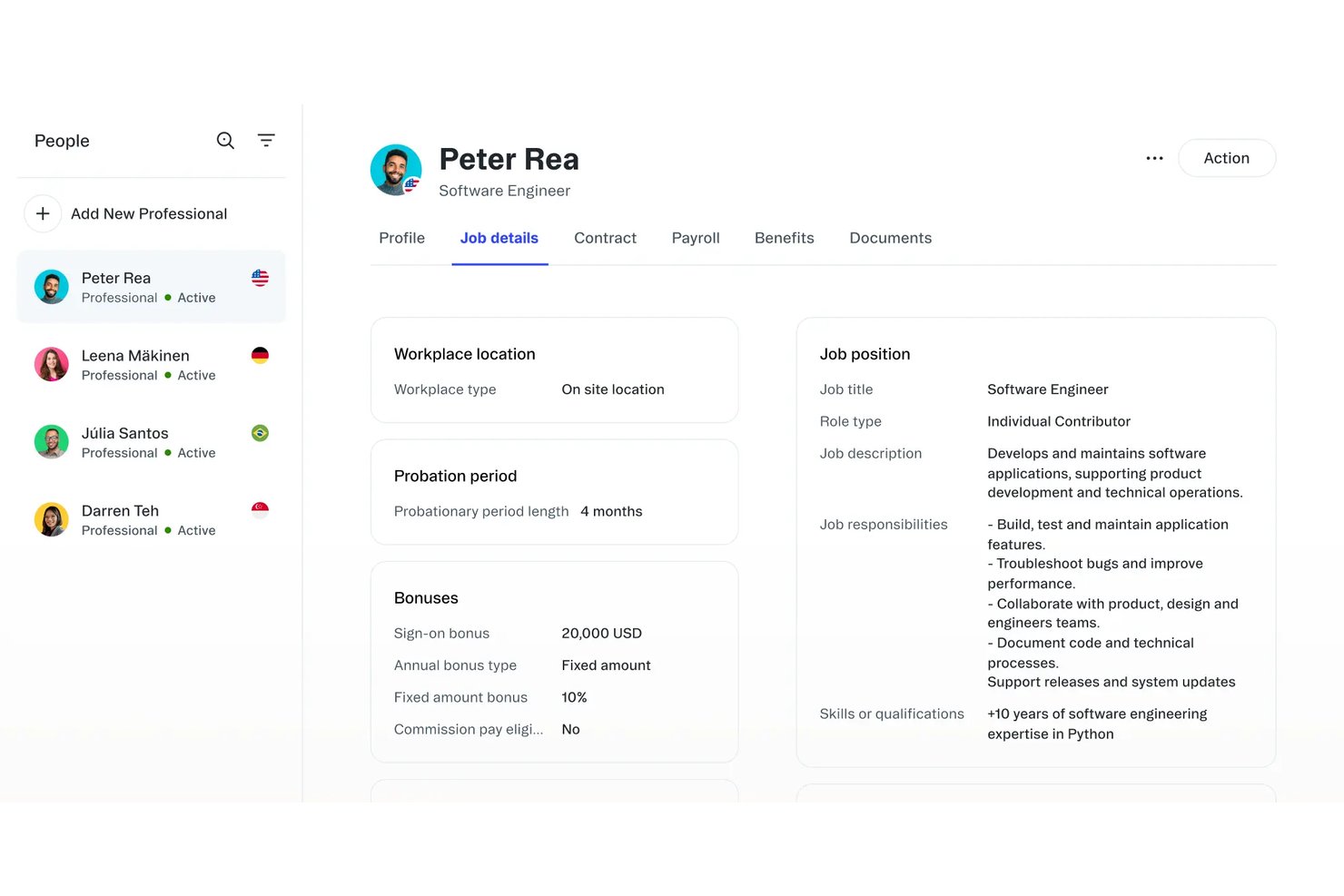
G-P is an employer of record platform that handles international hiring, payroll, benefits administration, and compliance across 180+ countries.
Who Is G-P Best For?
G-P is a strong fit for small businesses that need to hire internationally and want the confidence of a platform independently validated for compliance rigor across global markets.
Why I Picked G-P
G-P earns its spot on my shortlist because its compliance infrastructure has been independently validated by analysts, which matters when you're a small business hiring across borders without a dedicated legal team. I particularly like its Country Insights tool, which surfaces local labor laws, mandatory benefits, and termination rules by market before you commit to a hire. G-P also maintains its own locally incorporated entities in 180+ countries, so your hires aren't routed through third-party partners where compliance gaps tend to appear.
G-P Key Features
- Guided employee onboarding: A built-in onboarding workflow walks you through collecting employee documents, signing contracts, and setting up payroll in a single flow.
- Global benefits administration: G-P manages locally compliant benefits packages, including health insurance and statutory contributions, for employees across covered markets.
- Integrated payroll processing: The platform runs in-country payroll, handles currency conversion, and delivers payslips directly to employees without requiring a separate payroll tool.
- HRIS integrations: G-P connects with common HR systems so your employee records, org data, and headcount stay in sync across your existing tech stack.
G-P Integrations
G-P lists integrations with ADP Workforce Now, Paylocity, BambooHR, HiBob, Personio, SAP SuccessFactors, UKG Pro, UKG Ready, Workday, and Microsoft Entra ID. Its API supports custom integrations.
Pros and Cons
Pros:
- Country Insights clarifies local hiring requirements
- Locally incorporated entities across 180+ countries
- Analyst-recognized global compliance coverage
Cons:
- Global scope can exceed simple hiring needs
- Premium fit for larger hiring budgets

Best for contractual termination liability coverage
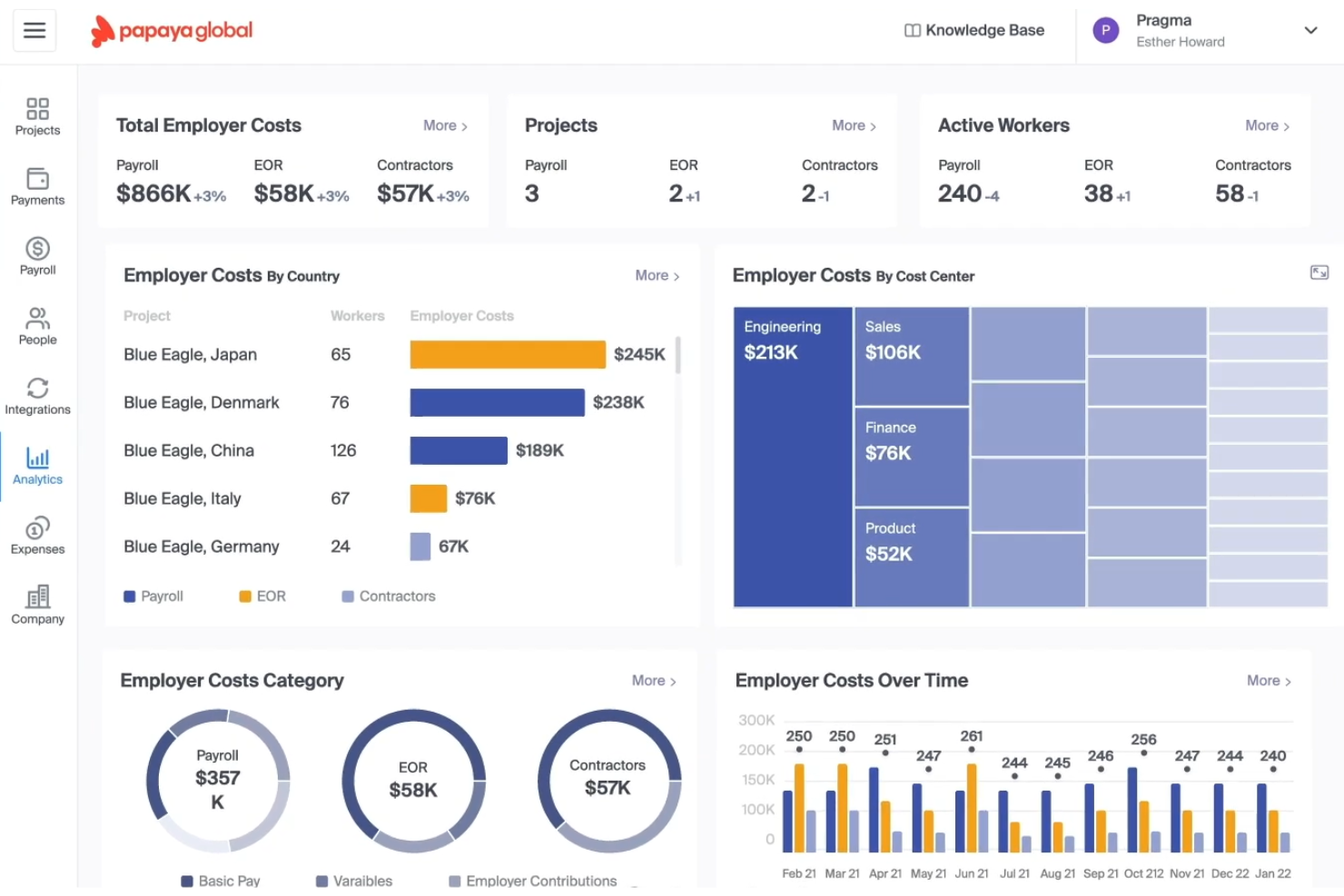
Papaya Global is an employer of record and global payroll platform that handles international hiring, contractor management, and workforce payments across multiple countries.
Who Is Papaya Global Best For?
Papaya Global is a strong fit for small businesses hiring internationally that need clear protection when ending contractor or employment relationships.
Why I Picked Papaya Global
Papaya Global earns its spot on my shortlist because of how seriously it handles contractual termination liability, which is one of the trickiest parts of international employment for small businesses. I particularly like its built-in workforce compliance insurance, which covers legal costs and liabilities that arise when ending worker relationships in complex jurisdictions. Its automated offboarding workflows also generate country-specific documentation to keep terminations legally sound from day one.
Papaya Global Key Features
- Multi-currency payroll processing: Run payroll in local currencies across 160+ countries from a single dashboard.
- Worker classification tool: Identifies whether a worker should be classified as an employee or contractor based on local labor laws.
- Consolidated billing: Combines all global workforce costs into a single monthly invoice to simplify financial tracking.
- Benefits administration: Manages locally compliant benefits packages, including statutory and supplemental options, for employees in each country.
Papaya Global Integrations
Documented integrations include BambooHR, SAP SuccessFactors, Namely, Eqip, and OneData. Papaya Global also supports SFTP file imports and custom API development for connecting other HR systems.
Pros and Cons
Pros:
- Multi-currency payroll supports international hiring
- Country-specific offboarding documents support compliant exits
- Contractual termination liability coverage
Cons:
- Global compliance still needs local review
- Smaller teams may need implementation support

Oyster HR
Best for converting contractors to full-time hires
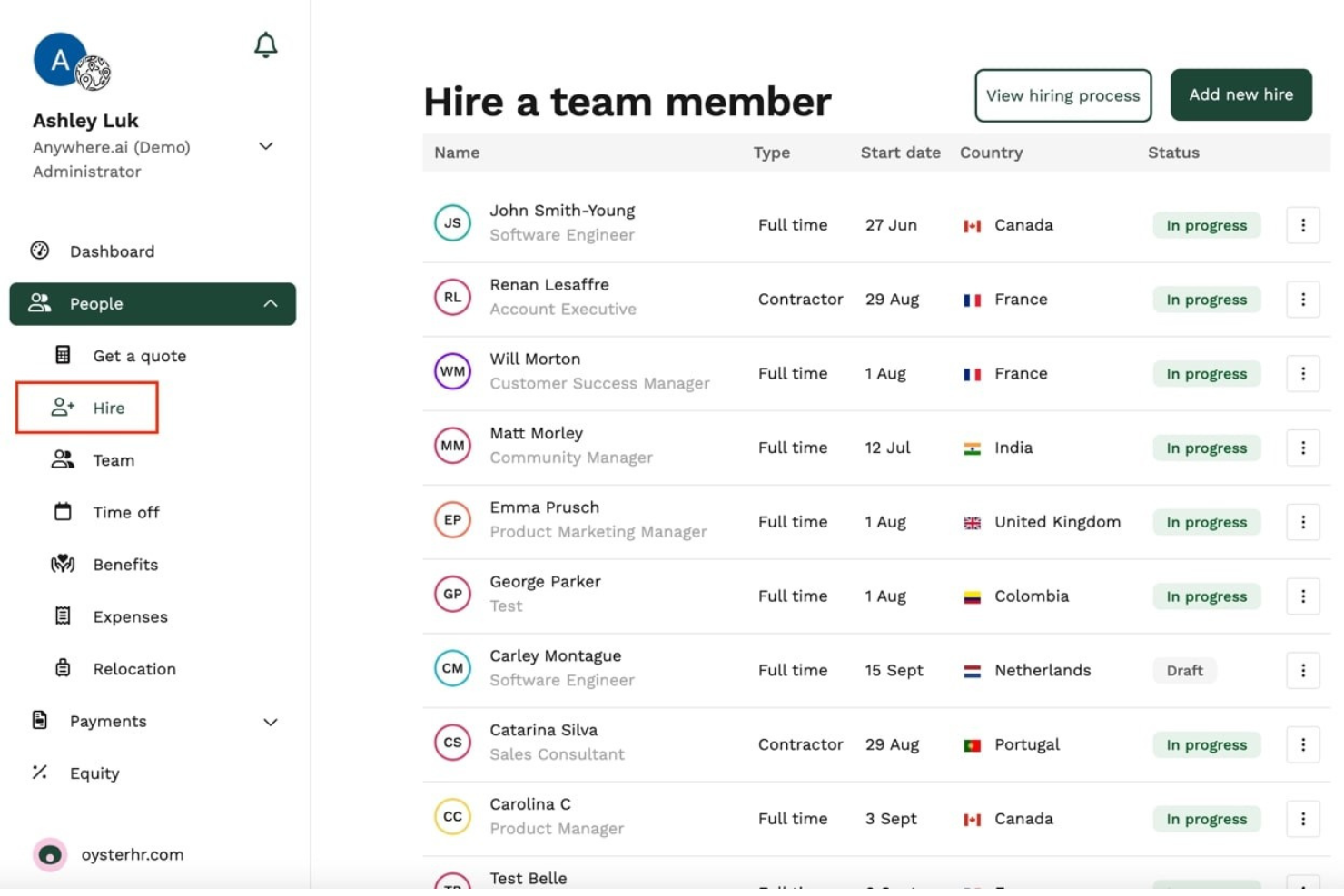
Oyster HR is an employer of record platform that handles global hiring, payroll, benefits administration, and contractor-to-employee conversions across multiple countries.
Who Is Oyster HR Best For?
Oyster HR is a strong fit for small businesses that regularly work with contractors and want a clear path to converting them into full-time employees.
Why I Picked Oyster HR
Oyster HR earns its spot on my shortlist because of how well it handles the contractor-to-employee conversion process, which is a real sticking point for small businesses that rely heavily on freelance or contract talent. I love that it includes built-in compliance checks and local employment contract generation, so when you're ready to bring a contractor on full-time in another country, you're not scrambling to figure out local labor law. Its guided onboarding flow also makes the transition feel structured rather than chaotic.
Oyster HR Key Features
- Global payroll processing: Run payroll across multiple countries in local currencies, with automatic tax calculations and statutory deductions handled for each region.
- Benefits administration: Access and manage locally compliant benefits packages for full-time employees in each country where you hire.
- Employment contract generation: Generate locally compliant employment contracts based on the country and role, pulled from Oyster HR's built-in legal templates.
- Contractor management: Invite, manage, and pay contractors through the same platform you use for full-time employees, keeping your entire workforce in one place.
Oyster HR Integrations
Oyster HR offers integrations with TeamTailor, Workable, Factorial, Lucca, Humaans, ADP Workforce Now, Concur, Carta, and Slack, plus an API for custom workflows. It connects to 5,000+ apps via Zapier.
Pros and Cons
Pros:
- Supports multi-country payroll and benefits
- Generates locally compliant employment contracts
- Simplifies contractor-to-employee conversions
Cons:
- May feel excessive for one-off hires
- Limited trial access for evaluation
Other EOR Tools for Small Businesses
Here are some additional EOR tools for small businesses that didn’t make it onto my shortlist, but are still worth checking out:
- RemoFirst
For non-HR founders hiring abroad on a budget
- Payoneer Workforce Management
For converting contractors to employees at scale
- Rippling
For all-in-one HR and global hiring growth
- Deel Hire
For one-platform global hiring at scale
- Multiplier
For hiring globally with a built-in HRIS
- Justworks
For U.S. teams with limited international hiring
- WorkMotion
For compliance-first European EOR hiring
- Tarmack
For startup hiring without local entity setup


How I Evaluate EOR for Small Business
I split my evaluation into three parts. First, I give most weight to employing workers compliantly and handling local payroll, taxes, and contracts. Then I look for fast onboarding and contractor-to-employee conversion, before considering transparent pricing, responsive support, and simple setup.
Core Functionality (Table Stakes For This List)
When I'm selecting tools for my list, I score each one on a scale from 0 (does not offer the functionality) to 5 (excels in this area) for each core functionality listed below. I then convert the total into a percentage to help assess each tool's overall fit, with extra weight on any functionalities I’ve deemed essential.
- Global Employment Compliance (Essential): I look for legal employment through the provider, local-law updates, and clear responsibility when hiring without a local entity.
- Payroll & Tax Administration (Essential): I assess local payroll, statutory withholding, filings, currencies, and audit-ready records across the countries you use.
- Benefits Administration: I check statutory coverage plus optional benefits, with country-specific choices employees can access during onboarding.
- Transparent Pricing: I compare published per-employee pricing, minimums, add-ons, and billing clarity for a small international team.
- Contracts & Documents: I look for localized contracts and onboarding documents that reflect role, pay, leave, and local employment rules.
- Multi-Country Coverage: I assess whether the service supports your target countries with consistent employment, payroll, and support coverage.
Once I have a list of tools that meet the criteria, I consider what sets each platform apart.
Differentiating Factors (What Sets Vendors Apart)
Here's how I compare and contrast different vendors:
Standout Features
I look for contractor-to-employee conversion tools because small businesses often start with freelancers and need a compliant path to full employment as those relationships grow. A provider that handles reclassification without restarting contracts saves real time. I also evaluate onboarding speed—some vendors guarantee hires within 24–48 hours, which matters when you're competing for talent. Built-in compliance alerts round this out, flagging labor law changes so lean teams don't miss costly updates.
Beyond Features
I check whether pricing stays predictable as your team grows, since some providers add fees for benefits administration or currency conversion that aren't obvious at sign-up. Termination support matters just as much—local severance and notice rules vary widely, and a provider that guides you through compliant offboarding can prevent costly legal exposure. I also evaluate how well each platform connects with tools like QuickBooks or your existing HRIS, because duplicate data entry hits small teams harder than most.
How to Choose an EOR for a Small Business
It’s easy to get bogged down in long feature lists and complex pricing structures. To help you stay focused as you work through your unique software selection process, here’s a checklist of factors to keep in mind:
| Factor | What to Consider |
| Scalability | Can the platform handle growth across countries and team sizes? Ask about support for multi-region expansion and adding employees as you scale. |
| Integrations | Will the EOR connect with your payroll, HRIS, or accounting systems? Assess the ease of syncing data between existing systems and the EOR tool. |
| Customizability | Does the system let you tailor workflows for your unique policies and locations? Check if you can create custom approval flows or adapt contracts. |
| Ease of use | Can your HR and operations teams pick up the interface quickly? Look for intuitive dashboards and clear user roles to minimize training needs. |
| Implementation and onboarding | What’s required to get set up for your target countries? Ask what onboarding support is included, typical time to first hire, and data migration steps. |
| Cost | How does pricing work for your projected hiring plans? Watch for additional fees, minimums, or country-based price differences that could impact budget. |
| Security safeguards | What protections are in place for your employees’ sensitive data? Confirm compliance with data privacy standards such as GDPR and audit readiness. |
| Support availability | Does the vendor offer global support and coverage in your regions? Consider response times, languages supported, and access to local HR/legal expertise. |
What Are Employment of Record Services?
Employment of record services are third-party service providers that legally employ workers on behalf of your business, managing payroll, HR, and human resources responsibilities across different countries.
An EOR partner helps small businesses access global talent and build a global workforce without setting up in-house entities, reducing liabilities tied to local employment laws. This approach supports workforce management across global EU regions and beyond, while helping avoid misclassification risks when hiring independent contractors or full-time employees.
Features of EOR Tools for Small Businesses
When selecting an EOR for a small business, keep an eye out for the following key features:
- Global payroll processing: Automates payroll calculations, distributes payments in local currencies, and deducts taxes and social contributions per region.
- Local compliance management: Tracks and applies country-specific labor laws, tax requirements, and document needs to reduce risk for small businesses hiring abroad.
- Employment contract generation: Creates compliant employment contracts that reflect local legal standards, languages, and required statutory information.
- Benefits administration: Offers and manages locally required benefits, such as healthcare, pensions, and holidays, matching standards for each country.
- Onboarding workflows: Digitizes and streamlines document collection, employee orientation, and new hire training across multiple jurisdictions.
- Time-off and leave tracking: Tracks statutory holidays, vacation days, and different types of leave as required by local laws, with automatic accrual calculations.
- Expense and reimbursement management: Let employees submit expense claims and enable managers to approve or decline, with payments processed through payroll.
- Data security and privacy safeguards: Protects sensitive employee and payroll data using security protocols and complies with regulations such as GDPR.
- Integration with HR and finance systems: Connects directly to HRIS, accounting, and workflow tools for smooth data transfer and reduced manual entry.
- Multi-country support dashboard: Provides a single dashboard to track employees, payroll, compliance, and documents across all countries where you hire.
Benefits of EORs for Small Businesses
Implementing an EOR for a small business provides several benefits for your team and your business. Here are a few you can look forward to:
- Simplified international hiring: You can quickly hire employees in new countries without setting up legal entities thanks to compliant payroll, contracts, and HR admin features.
- Compliance risk reduction: Built-in legal and tax compliance support helps you avoid penalties and fines related to international employment regulations.
- Faster employee onboarding: Streamlined onboarding workflows and ready-to-use templates speed up the process of getting new hires started across multiple regions.
- Centralized HR administration: Manage payroll, benefits, time off, and employment data for global teams in one unified dashboard.
- Accurate and timely payroll: Automated payroll processing ensures your employees are paid correctly and on time in their local currencies.
- Cost efficiency: EOR platforms reduce the administrative overhead and costs of global expansion by consolidating HR and compliance tools into a single platform.
- Access to local benefits: Your employees get access to competitive, country-compliant benefits managed and administered by the EOR provider.
Costs and Pricing of EORs for Small Businesses
Selecting an EOR for a small business requires an understanding of the various pricing models and plans available. Costs vary based on features, team size, add-ons, and more. The table below summarizes common plans, their average prices, and typical features included in small-scale EOR solutions:
Plan Comparison Table of EORs for Small Businesses
| Plan Type | Average Price | Common Features |
| Free Plan | $0 | Basic compliance guidance, limited payroll support, self-serve onboarding resources, and email-only customer support. |
| Personal Plan | $150–$250/employee/month | Payroll processing, contract generation, onboarding workflows, limited integrations, and basic compliance management. |
| Business Plan | $250–$400/employee/month | Full payroll services, localized benefits, policy compliance, integrations, admin dashboard, and multi-country support. |
| Enterprise Plan | $400+/employee/month | Dedicated account manager, advanced HR analytics, custom integrations, global benefits administration, and 24/7 support. |
EOR for Small Business FAQs
Here are some answers to common questions about EORs for small businesses:
How does an EOR help small businesses expand internationally?
An EOR acts as the legal employer in each country where you want to hire, handling payroll, compliance, and HR paperwork. This lets your small business onboard talent in new locations much faster and without creating a local legal entity.
Can I use an EOR to hire both full-time employees and contractors?
Yes, most service providers support both full-time employees and contractors. They provide workforce management in terms of contracts, payroll, tax withholding, and provide local compliance for whichever arrangement your business needs.
What are the typical contract lengths with EOR providers?
Most EOR agreements work on a monthly basis with the flexibility to add or remove employees as needed. Always check the provider’s cancellation terms, as some may have minimum requirements or notice periods.
What are the main compliance concerns when hiring globally with an EOR?
When hiring internationally, you need to meet local labor laws, tax obligations, and benefits standards. An EOR handles these compliance details so you can avoid costly fines, but you should still review core requirements for each target market.
How quickly can I onboard a new employee using an EOR?
You can usually onboard a new hire within days, depending on the country and documentation needed. Fast turnaround is a core advantage, but some regions may still require extra processing time—ask your provider about local onboarding timelines.
Are there any hidden fees or extra costs to be aware of?
Yes, some employer of record services may charge extra for services like contract amendments, offboarding, or additional reporting. Always review the pricing documents and ask your EOR account manager for a list of standard and optional costs.
How does an EOR handle IP transfer upon termination?
For small businesses, an Employer of Record (EOR) typically establishes intellectual property (IP) ownership at the start of employment to prevent issues later on. Employment agreements clearly state that any work created within the employee’s role is owned by or assigned to the business. Upon termination, the EOR helps formalize and reinforce those rights, including handling any required documentation and ensuring all work-related materials are returned.