

10 Extended Enterprise LMS Platforms in 2026

Best Extended Enterprise LMS Shortlist


Navigating the complexities of HR and training can be daunting. Your team needs solutions that make learning accessible and effective. Extended enterprise LMS platforms offer a way to train employees, partners, and customers efficiently.
In my experience testing and reviewing software, I've found that the right LMS can alleviate many of your challenges. It can simplify onboarding, ensure compliance, and improve skill development across different groups.
In this article, I'll share my unbiased and well-researched reviews of the best extended enterprise LMS options available. You'll get insights into their features, benefits, and how they can support your unique needs. Let's find the right fit for your organization.
Why Trust Our Software Reviews
Our team has been testing and reviewing software since 2012. As HR experts ourselves, we know how difficult—and important—it is to choose the right software.
For this guide, we evaluated tools using hands-on testing and independent research, scoring tools using our selection criteria. We also draw on insights from industry thought leaders and practicing HR experts.
Our reviews reflect our human editorial judgment, not a sales pitch.
Expert reviewers:
Best Extended Enterprise LMS Summary
This comparison chart summarizes pricing details for my top extended enterprise LMS selections to help you find the best one for your budget and business needs.
| Tool | Best For | Trial Info | Price | ||
|---|---|---|---|---|---|
| 1 | Best for centralizing internal & external learning | Free demo available | Pricing upon request | Website | |
| 2 | Best for SCORM content compatibility | Free trial available | From $6.91/user/month (billed annually) | Website | |
| 3 | Best for scalable user management | Free plan + free demo available | From $119/month (billed annually) | Website | |
| 4 | Best for customizable certification tracking | 14-day free trial | Pricing upon request | Website | |
| 5 | Best for managing multiple learner portals | Free demo available | Pricing upon request | Website | |
| 6 | Best for white-label client academies | Free demo available | Pricing upon request | Website | |
| 7 | Best for collaborative course creation | 30-day free trial + free demo available | From $8/user/month | Website | |
| 8 | Best for partner training automation | Free demo available | Pricing upon request | Website | |
| 9 | Best with AI-powered content recommendations | Free demo available | Pricing upon request | Website | |
| 10 | Best for multi-language course delivery | Free demo available | Pricing upon request | Website |


Extended Enterprise LMS Reviews
Below are my detailed summaries of the extended enterprise LMS platforms that made it onto my shortlist. My reviews offer a detailed look at the features, best use cases, and integrations of each platform to help you find the best one for your organization.

Continu
Best for centralizing internal & external learning
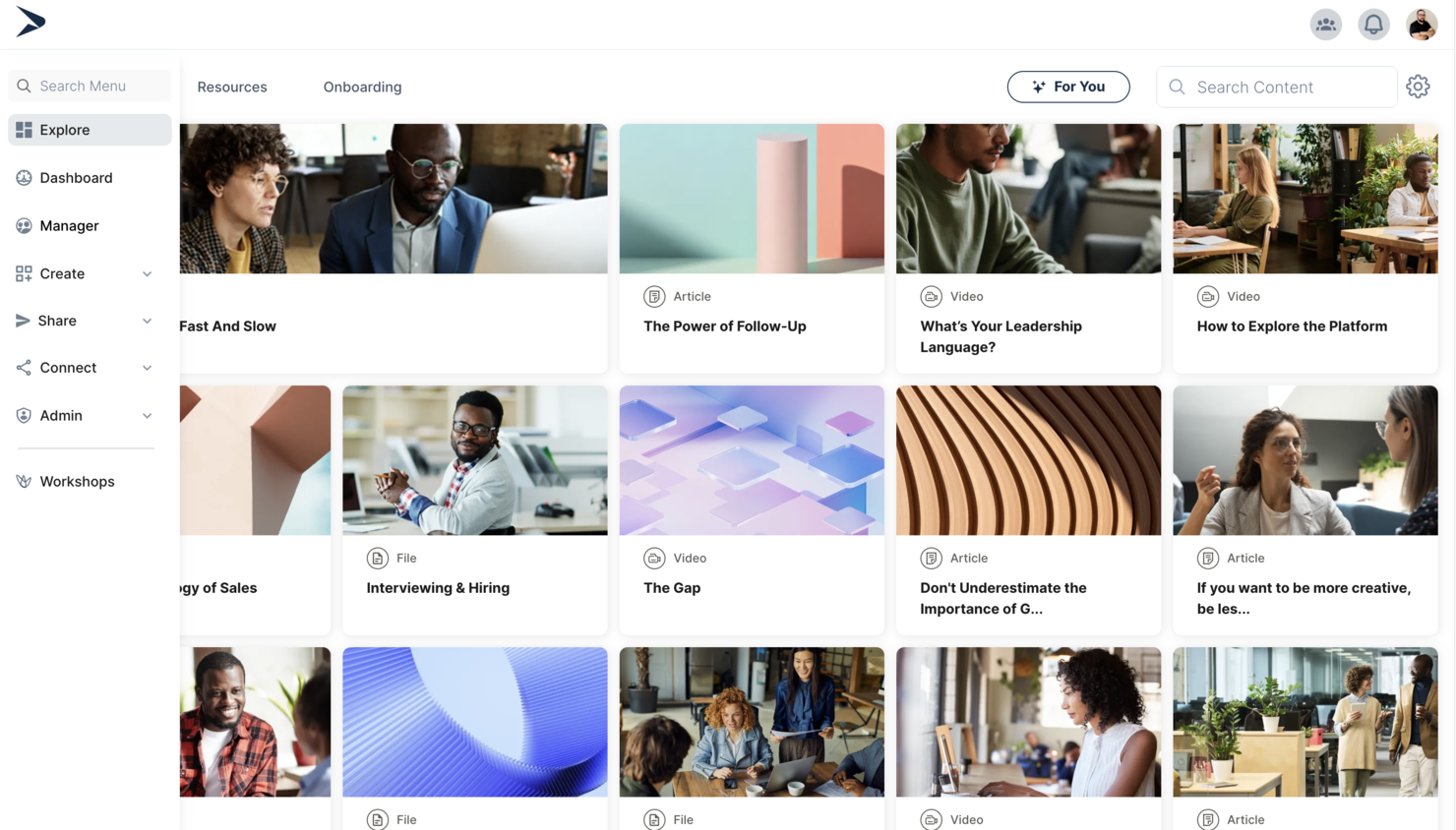
Continu is a learning platform for organizations managing training across multiple audiences, including employees, partners, and customers. It supports branded learner portals, audience segmentation, learning paths, analytics, and integrations with HRIS and workplace tools.
Who Is Continu Best For?
Continu suits mid-sized to large organizations that need to connect learning management with HRIS platforms for unified employee data and training workflows.
Why I Picked Continu
What drew me to Continu for extended enterprise LMS is its strong focus on integrating learning with HRIS platforms. This integration lets organizations sync user data, automate enrollment, and track learning progress alongside other HR processes. I see this as especially valuable for businesses managing multiple audiences or subsidiaries, where unified data and workflows are essential. Continu also supports role-based access and audience segmentation, which helps deliver targeted training across different business units or external partners.
Continu Key Features
Some other features that make Continu useful for extended enterprise LMS needs include:
- Content authoring tools: Create interactive courses and learning paths directly within the platform.
- SCORM and xAPI support: Import, deliver, and track industry-standard e-learning content.
- Custom branding: Apply your organization’s logo, colors, and branding to learner portals.
- Advanced analytics: Access detailed reports on learner engagement, course completion, and compliance.
Continu Integrations
Integrations include Workday, BambooHR, Oracle, Salesforce, Slack, Zoom, Microsoft Teams, Google Calendar, LinkedIn Learning, and more.
Pros and Cons
Pros:
- Provides advanced analytics and compliance tracking
- Offers built-in content authoring and assessments
- Supports audience segmentation for external partners
Cons:
- Custom workflows and portals require admin effort to maintain
- Multi-audience setup requires careful segmentation planning
New Product Updates from Continu
Continu Adds Smarter Content Management
Continu adds Intelligent Tagging and Descriptions and richer content details to improve how learning content is organized and maintained. These updates reduce manual work and give teams more consistent, detailed content records. For more information, visit Continu’s official site.
 .
.
Best for SCORM content compatibility
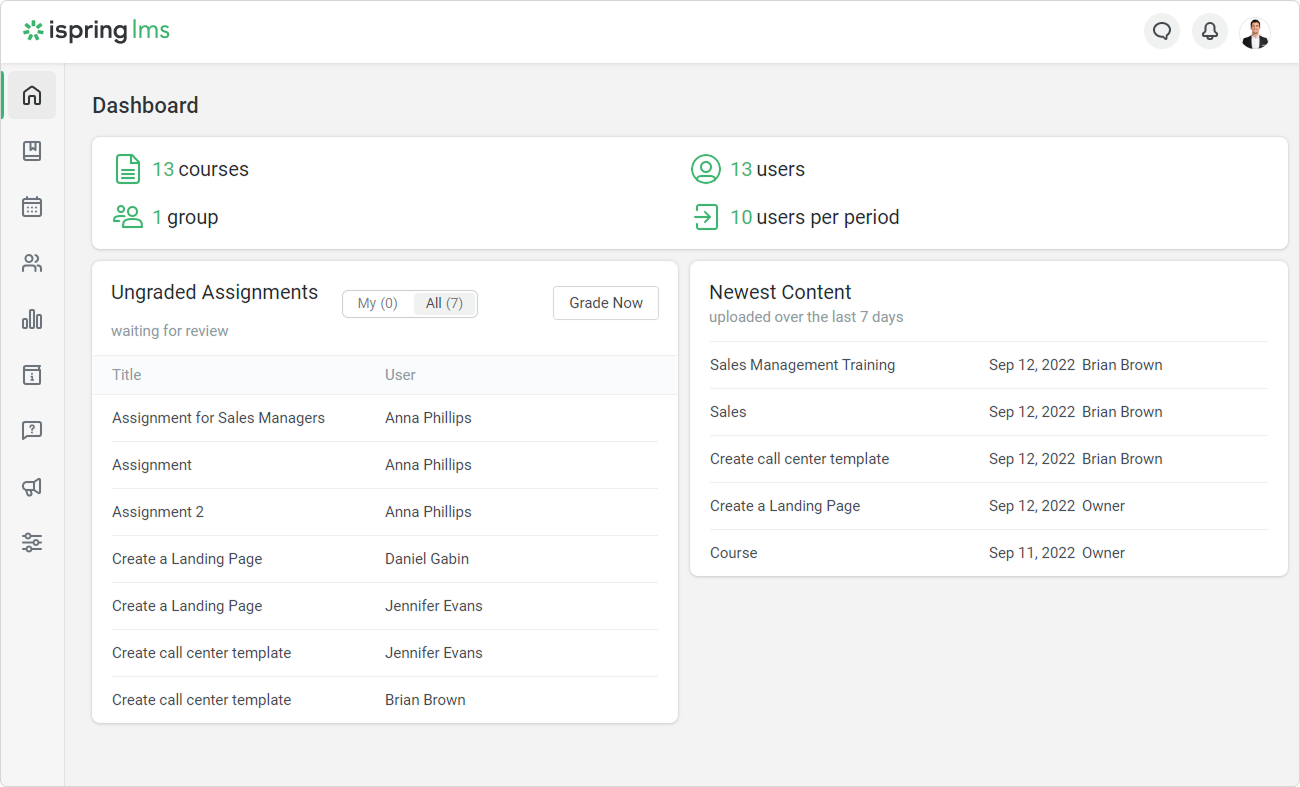
If you need an extended enterprise LMS that handles SCORM content without headaches, iSpring LMS is worth a look. It’s designed for organizations that rely on interactive e-learning modules and need reliable compatibility with industry-standard formats. iSpring LMS appeals to teams managing diverse training content and external audiences who expect smooth, consistent course delivery.
Who Is iSpring LMS Best For?
iSpring LMS suits organizations and training providers that need reliable SCORM content compatibility for delivering interactive e-learning to external partners or distributed teams.
Why I Picked iSpring LMS
What drew me to iSpring LMS for extended enterprise LMS is its strong SCORM content compatibility, which is essential for organizations managing a wide range of e-learning modules. The platform reliably imports, tracks, and reports on SCORM courses, so you can deliver interactive training to external audiences without worrying about format issues. I also appreciate that iSpring LMS supports automated enrollment and progress tracking for different user groups, making it easier to manage partner or customer training at scale. These features help ensure that your learning content works as intended, no matter how complex or interactive it is.
iSpring LMS Key Features
Some other features that make iSpring LMS useful for extended enterprise learning include:
- Role-based access controls: Assign different permissions to admins, instructors, and learners to manage access across multiple audiences.
- White-labeling options: Customize the platform’s branding to match your organization or client’s identity.
- Mobile learning app: Give external users access to courses and materials on iOS and Android devices.
- Certificate management: Automatically issue and track certificates for course completion or compliance requirements.
iSpring LMS Integrations
Integrations include Salesforce, BambooHR, OrangeHRM, Zoom, Microsoft Teams, Google Meet, Shopify, and more.
Pros and Cons
Pros:
- Detailed tracking of external user progress
- Automated certificate management for external learners
- SCORM, xAPI, and AICC content compatibility
Cons:
- No built-in authoring for complex simulations
- Reporting customization is somewhat restricted
New Product Updates from iSpring LMS

iSpring LMS Adds Multiple Observations to OJT Sessions
iSpring LMS now lets managers log multiple observations within one OJT session, grouping visits and auto-generating summary stats like averages, criterion results, and comparisons. For more information, visit iSpring LMS's official site.

Best for scalable user management
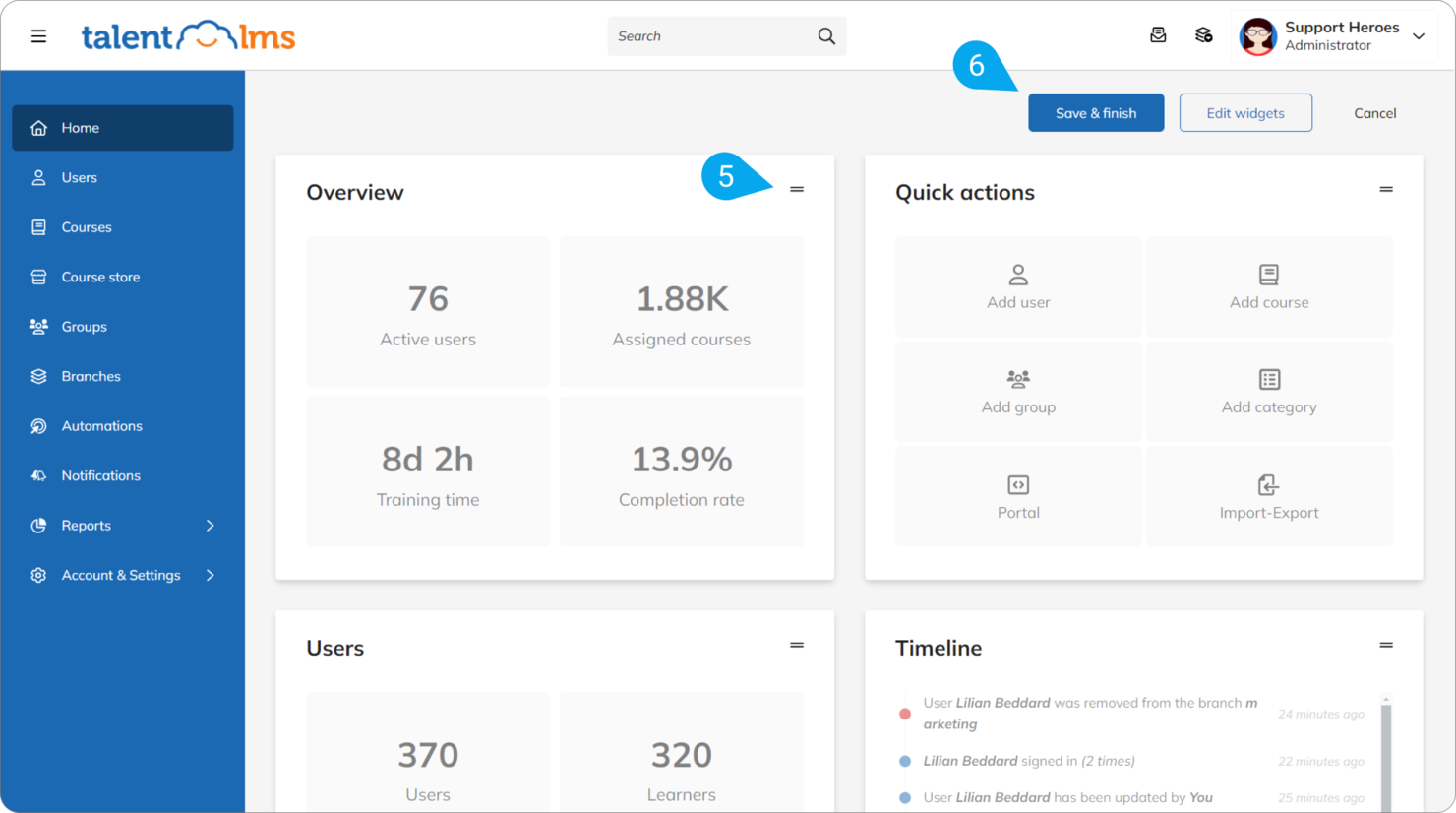
TalentLMS offers a flexible platform for organizations that need to manage multiple audiences or business units from a single account. It’s a strong fit for companies with complex user hierarchies or those delivering training to both internal teams and external partners. The platform helps you organize, segment, and scale learning programs without losing control or visibility.
Who Is TalentLMS Best For?
TalentLMS suits mid-sized to large organizations that need to manage and segment multiple user groups or business units at scale.
TalentLMS Key Features
Some other features that make TalentLMS useful for extended enterprise LMS include:
- Multi-language support: Deliver training content in dozens of languages for global audiences.
- Custom reports: Generate detailed reports on learner progress, course completion, and engagement.
- Ecommerce tools: Sell courses directly through the platform with built-in payment processing.
- SCORM and xAPI compliance: Import and track industry-standard learning content for a wide range of training needs.
TalentLMS Integrations
Integrations include BambooHR, Salesforce, TalentHR, Sage People, Intercom, ADP Workforce Now, Zendesk Chat, Zoom, Microsoft Teams, and more.
Pros and Cons
Pros:
- Gamification boosts engagement for external users
- SCORM and xAPI support for diverse content
- Branches allow separate portals for each audience
Cons:
- Managing large external user groups can get complex
- Advanced analytics lack depth for enterprise use
New Product Updates from TalentLMS
TalentLMS Adds Learning Paths, AI Video, and Learner Experience Updates
TalentLMS introduced updates across learning management, content creation, and learner experience, including Learning Paths for Groups, AI video generation in TalentCraft, video bookmarking, and expanded administration tools. For more information, visit TalentLMS’s official site.

SkyPrep
Best for customizable certification tracking
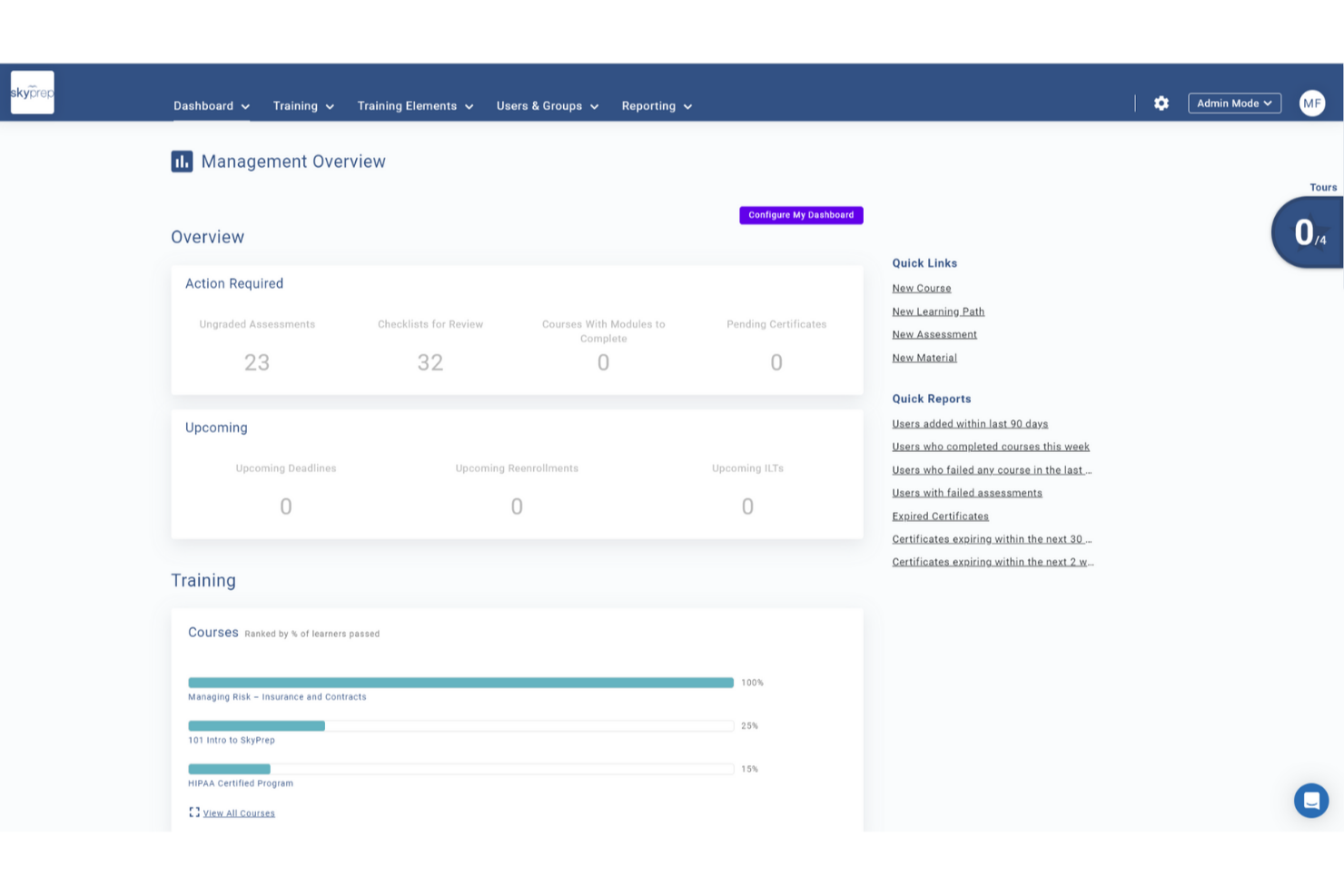
SkyPrep is a cloud-based extended enterprise LMS that lets you create branded portals, manage multiple audiences, deliver online courses, automate certifications, and track learner progress across external groups.
Who Is SkyPrep Best For?
SkyPrep is a good fit for mid-sized to enterprise organizations that need to train external audiences like partners, franchisees, resellers, or customers alongside internal teams.
Why I Picked SkyPrep
Certification tracking is where SkyPrep is genuinely strong, and it's a big reason I recommend it for extended enterprise use. You can design custom certificates with your own branding, set expiration dates, and configure automatic re-enrollment when a certification lapses—which is critical for compliance-heavy industries like healthcare or manufacturing. I also like that learners can download their certificates directly, so partners and external users can self-serve without needing to contact an admin.
SkyPrep Key Features
- Course builder: Create courses with assessments, checklists, and knowledge checks built directly into the course structure.
- Workflow automation: Set up auto-enrollment rules, automated alerts, and task triggers to reduce manual admin work.
- AI-powered content creation: Use built-in AI tools to speed up course development and support learner interaction.
- E-commerce support: Sell training courses directly through the platform using built-in e-commerce functionality.
SkyPrep Integrations
SkyPrep offers native integrations with Zoom, Microsoft Teams, HubSpot, Salesforce, and PayPal. It also provides an API for custom integrations.
Pros and Cons
Pros:
- Supports multiple branded portals for different learner groups
- Detailed analytics on learner engagement
- Supports granular role and permission controls
Cons:
- Advanced features may require higher-tier pricing
- Lacks advanced course versioning options

Absorb
Best for managing multiple learner portals
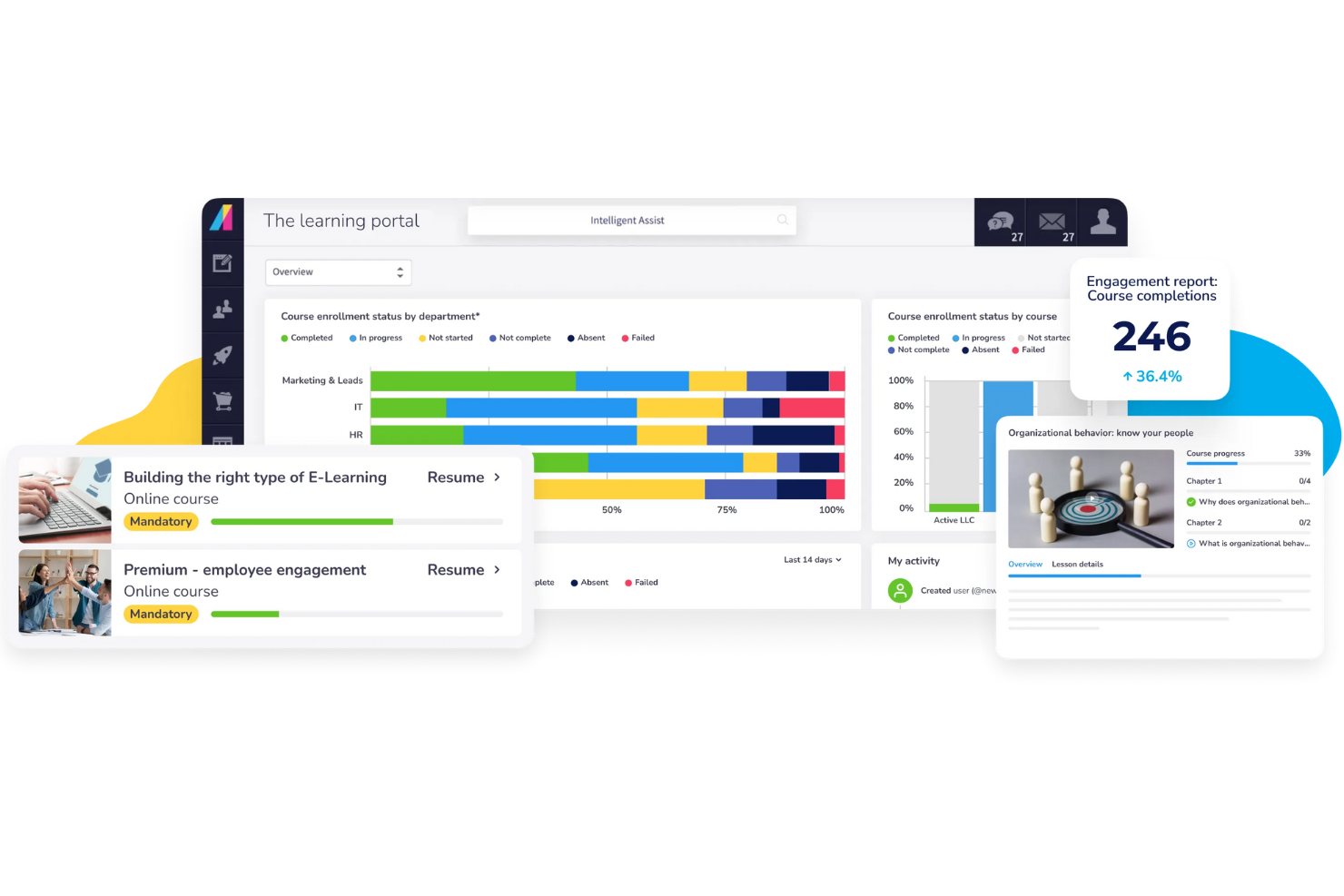
Absorb gives organizations a way to manage multiple external learner groups from a single platform. If you need to deliver tailored training to partners, customers, or franchisees, Absorb’s multi-portal setup helps you keep each audience’s experience distinct and secure. This platform suits businesses that want to centralize administration while offering branded, customized learning environments for different external audiences.
Who Is Absorb Best For?
Absorb is a strong choice for organizations that need to manage separate training portals for multiple external audiences, such as franchises, channel partners, or customer groups.
Why I Picked Absorb
I chose Absorb because its multi-portal management stands out for organizations training diverse external audiences. The platform lets you create and customize separate portals, each with its own branding, content, and user permissions, so you can deliver targeted learning experiences without overlap. I appreciate how administrators can manage all portals from a single dashboard, which simplifies oversight and reporting. This setup is especially useful for businesses that need to keep partner, customer, or franchisee training distinct and secure.
Absorb Key Features
Some other features that make Absorb useful for extended enterprise training include:
- Automated enrollment rules: Set up rules to automatically assign courses to users based on group, role, or portal.
- E-commerce capabilities: Sell courses directly through the platform with built-in payment processing and catalog management.
- Mobile learning app: Give learners access to training content on iOS and Android devices for flexible, on-the-go learning.
- Custom reporting tools: Build and schedule detailed reports to track learner progress, course completion, and portal activity.
Absorb Integrations
Integrations include Salesforce, ADP, BambooHR, Workday, SAP SuccessFactors, UKG Pro, Dayforce, HubSpot, Zoom, and more.
Pros and Cons
Pros:
- Includes automated enrollment and assignment rules
- Offers solid e-commerce for selling courses
- Supports unlimited branded portals for different audiences
Cons:
- Limited social learning and community features
- Initial portal setup can be time-consuming
New Product Updates from Absorb
Absorb Aura Adds Claude and ChatGPT Connections
Absorb Aura now connects to Claude or ChatGPT via MCP, enabling users to ask questions about their learning and the LMS directly inside the AI tool after a simple setup. For more information, visit Absorb's official site.
 .
.
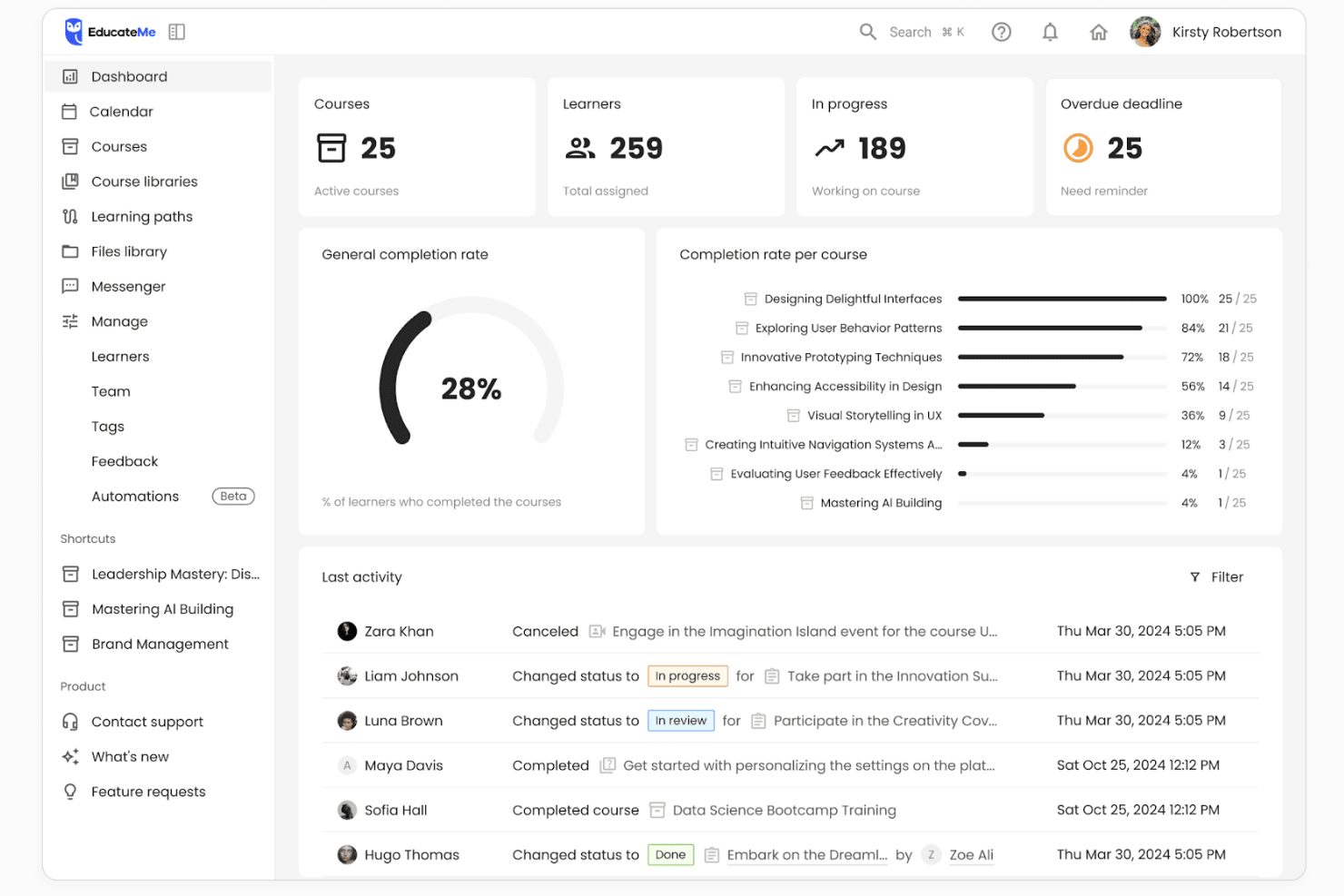
EducateMe LMS is a cloud-based learning management system that supports white-label academies, cohort-based training, and structured programs for external audiences. It allows organizations to deliver branded learning experiences to clients, partners, and distributed learner groups within a SaaS platform.
Who Is EducateMe LMS Best For?
EducateMe LMS works well for B2B training teams, L&D leaders, and customer education managers who need to train external audiences such as clients, partners, or resellers using branded learning portals.
Why I Picked EducateMe LMS
I picked EducateMe LMS because of its white-label capabilities and cohort-based structure. You can create branded learning portals with custom domains and tailored course libraries, making it suitable for external training programs. The platform also supports structured learning paths and progress tracking, which helps manage onboarding and partner enablement initiatives.
EducateMe LMS Key Features
- White-label academies: Create branded learning portals with custom domains and visual identity controls.
- Learning paths: Build structured course sequences that guide external learners through defined progression steps.
- Group-based permissions: Assign learners to groups and manage access across different training cohorts.
- Progress analytics: Track learner engagement and completion metrics across programs.
- Automation tools: Set automated enrollments and course reminders to reduce manual administration.
EducateMe LMS Integrations
Integrations include Zoom, Google Calendar, Outlook Calendar, Slack, Telegram, Stripe, Zapier, Google Forms, Google Docs, Google Sheets, Google Slides, Notion, Figma, and SSO providers such as Okta and Auth0. An API is available for custom integrations.
Pros and Cons
Pros:
- Cohort-based delivery supports partner enablement
- Structured learning paths for external audiences
- Strong white-label portal customization
Cons:
- Fewer advanced automation features than enterprise LMS platforms
- Limited publicly documented enterprise architecture details

Best for collaborative course creation
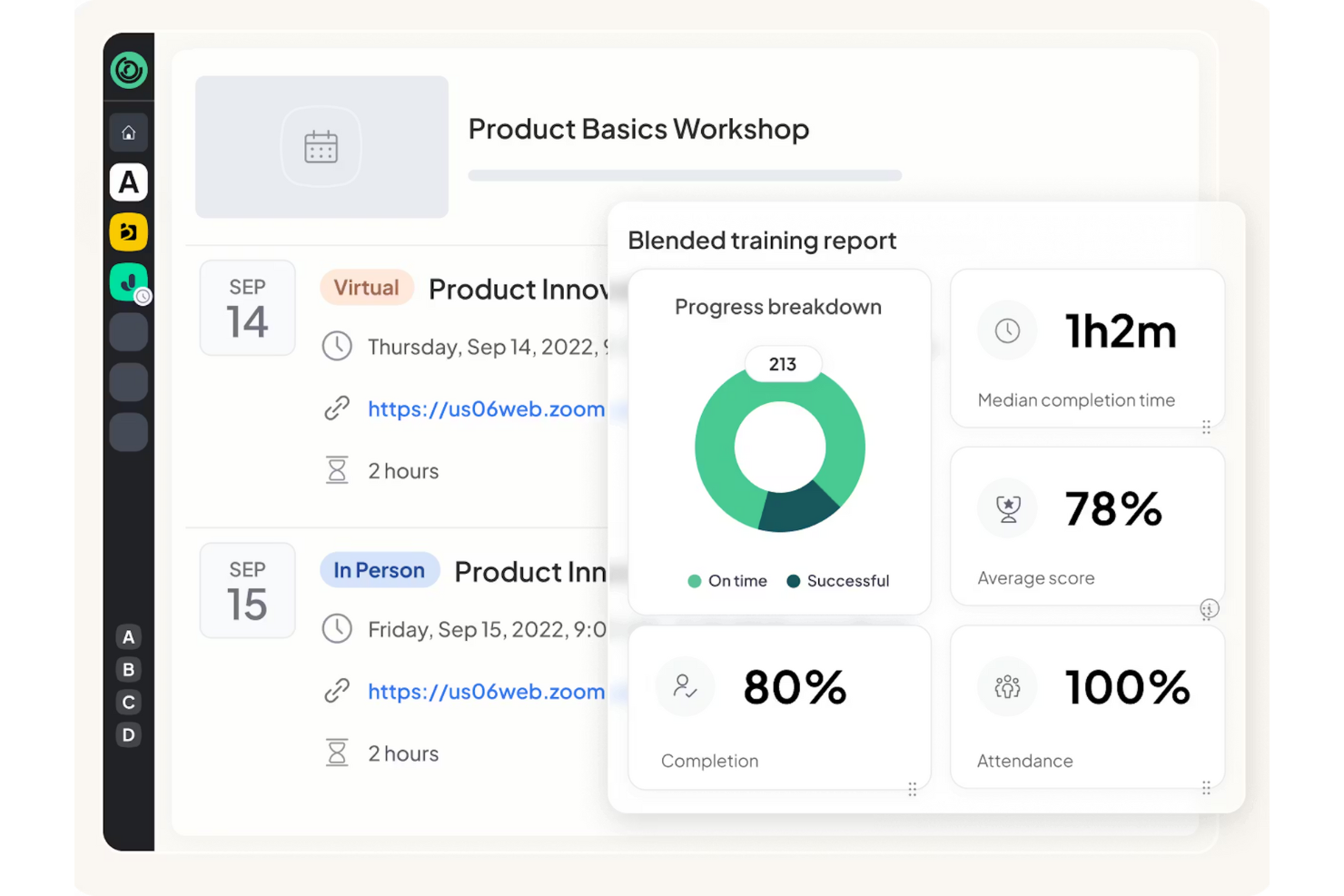
360Learning is a learning platform built for organizations that want to create and update training collaboratively across teams or business units. It’s a strong fit for companies that need subject matter experts and stakeholders to co-author courses for partners, clients, or distributed workforces. The platform helps you speed up course creation and keep content relevant by making collaboration central to the process.
Who Is 360Learning Best For?
360Learning suits mid-sized to large organizations that need multiple teams or subject matter experts to collaborate on course creation for external audiences.
Why I Picked 360Learning
I picked 360Learning because it’s built around collaborative course creation, which is essential for extended enterprise training where content needs to reflect real-world expertise from across your organization. The platform lets multiple contributors co-author, review, and update courses in real time, so you can keep training materials accurate and relevant for partners, customers, or distributed teams. I also like that you can assign roles and permissions to manage who can edit or approve content, which helps maintain quality control as your course library grows. This collaborative approach makes it much easier to scale learning programs and adapt quickly to changing business needs.
360Learning Key Features
Some other features that make 360Learning useful for extended enterprise LMS include:
- Multi-language support: Deliver training content in multiple languages for global audiences.
- Custom branding: Apply your organization’s logos, colors, and themes to learning portals.
- Analytics dashboard: Track learner progress, engagement, and course completion with visual reports.
- Integrated assessments: Build quizzes and knowledge checks directly into courses for real-time feedback.
360Learning Integrations
Integrations include Workday, SAP SuccessFactors, Salesforce, Microsoft Teams, Zoom, Slack, Udemy, Coursera, BambooHR, Google Drive, and more.
Pros and Cons
Pros:
- Peer sharing keeps content updated
- Built-in tools for peer feedback and Q&A
- Collaborative authoring for distributed subject matter experts
Cons:
- Admin controls are limited for multi-tenant setups
- Course structuring is less flexible for complex programs
Best for partner training automation
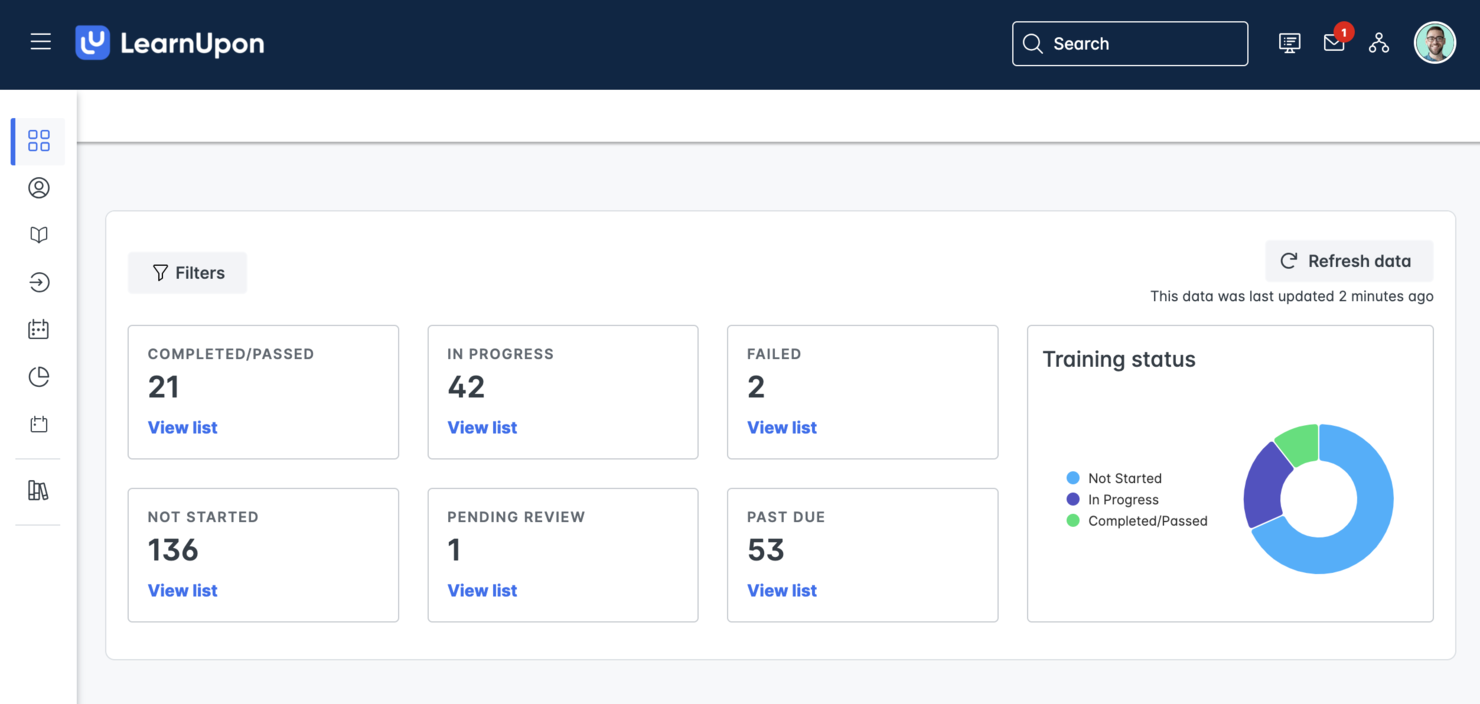
If you need to automate and scale partner training, LearnUpon offers a focused solution for extended enterprise LMS needs. This platform appeals to organizations that want to deliver consistent, trackable learning experiences to external partners, resellers, or distributors. Its automation features help reduce manual admin work and keep partner enablement programs running smoothly.
Who Is LearnUpon Best For?
LearnUpon is a strong fit for mid-sized to large organizations that need to automate and manage training for external partners, resellers, or distributors.
Why I Picked LearnUpon
I picked LearnUpon because its automation tools are purpose-built for partner training at scale. The platform lets you set up automated enrollment, reminders, and certification renewals, which helps keep partner learning programs on track with minimal manual effort. I also like that you can create separate portals for different partner groups, so each audience gets a tailored experience. These features make LearnUpon a practical choice for organizations that want to deliver consistent, measurable training to a wide network of external partners.
LearnUpon Key Features
Some other features that make LearnUpon useful for extended enterprise LMS needs include:
- Multi-portal management: Create and manage multiple branded portals for different audiences or business units from a single admin dashboard.
- SCORM and xAPI support: Deliver and track a wide range of e-learning content formats for compliance and partner enablement.
- Custom reporting: Build and schedule detailed reports to monitor partner engagement, course completion, and certification status.
- Single sign-on (SSO): Allow partners to access training securely using their existing credentials through SSO integrations.
LearnUpon Integrations
Integrations include Salesforce, HubSpot, BambooHR, ADP Workforce Now, Zoom, Microsoft Teams, LinkedIn Learning, Go1, Shopify, and more.
Pros and Cons
Pros:
- Built-in reporting tracks learner progress
- Mobile app allows offline partner learning access
- Offers granular user and group permissions
Cons:
- Course authoring tools are less flexible for complex content
- Some integrations require additional configuration steps
Docebo
Best with AI-powered content recommendations
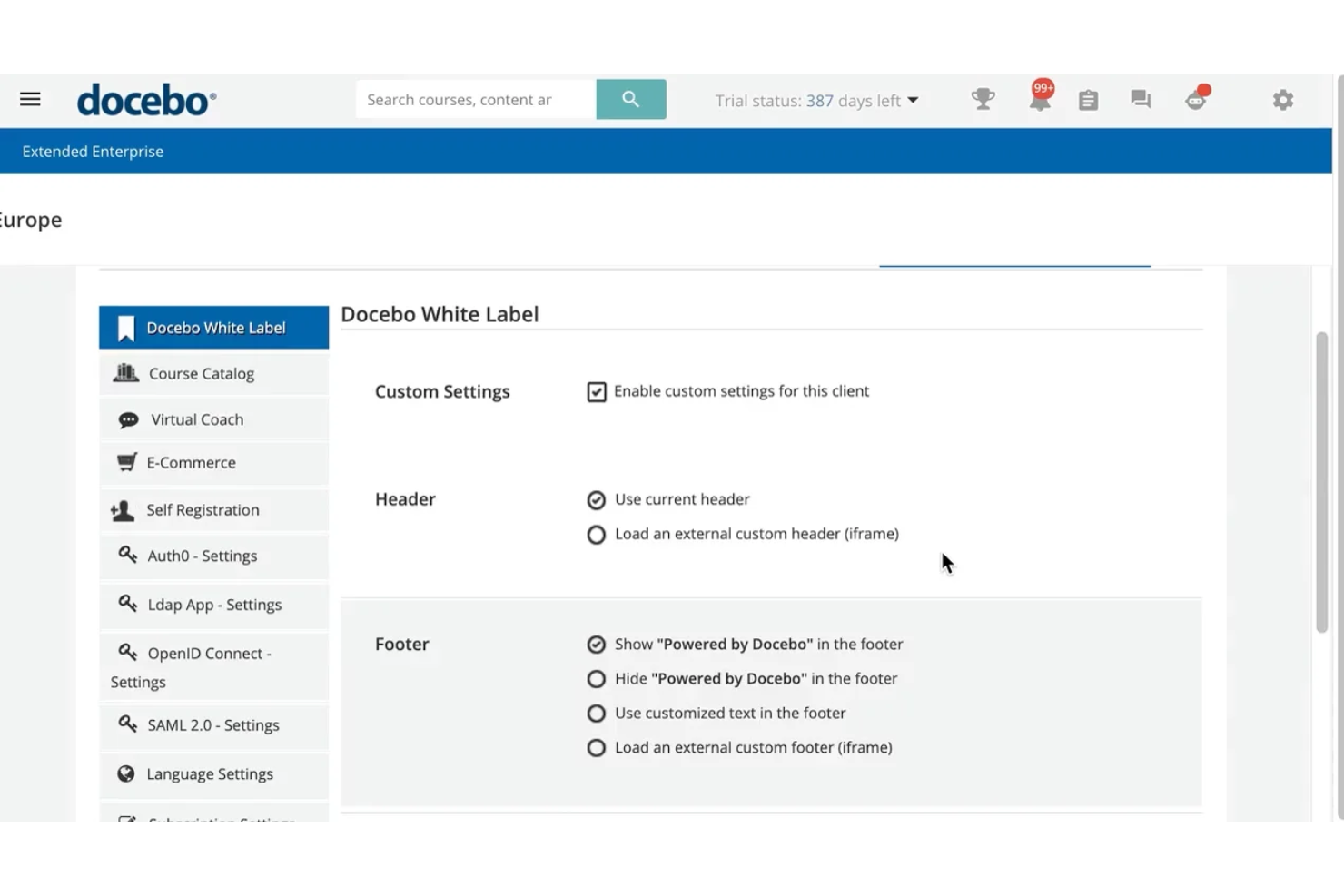
If you want an extended enterprise LMS that personalizes learning for each user, Docebo is worth a look. Its AI-powered content recommendations help large organizations deliver relevant training to partners, customers, and external audiences. This approach can reduce manual admin work and keep learners engaged with up-to-date, targeted resources.
Who Is Docebo Best For?
Docebo suits large organizations that want to automate and personalize partner or customer training using AI-driven content recommendations.
Why I Picked Docebo
I picked Docebo because its AI-powered content recommendations directly address the challenge of keeping external learners engaged with relevant material. The platform uses machine learning to suggest courses and resources based on each user’s activity and profile, which helps partners and customers find what they need without manual curation. I also appreciate that Docebo supports large-scale, multi-audience training with features like audience segmentation and automated learning paths. These capabilities make it a strong fit for organizations that want to deliver targeted, scalable training across their extended enterprise.
Docebo Key Features
Some other features that make Docebo useful for extended enterprise LMS needs include:
- Multi-domain management: Create and manage multiple branded portals for different audiences from a single platform.
- Certification management: Track, issue, and renew certifications for partners and external users.
- E-commerce module: Sell courses and manage transactions directly within the platform.
- White labeling: Customize the look and feel of each portal to match your organization’s or partner’s branding.
Docebo Integrations
Integrations include Salesforce, Microsoft Teams, HubSpot, ADP Workforce Now, BambooHR, Dropbox, Accredible, Okta, Zoom, Amazon S3, and more.
Pros and Cons
Pros:
- Tracks external user progress and certification
- Scales easily across global partner networks
- AI recommends content based on learner behavior
Cons:
- User management gets complex with large external groups
- Reporting across multiple portals is fragmented
Best for multi-language course delivery
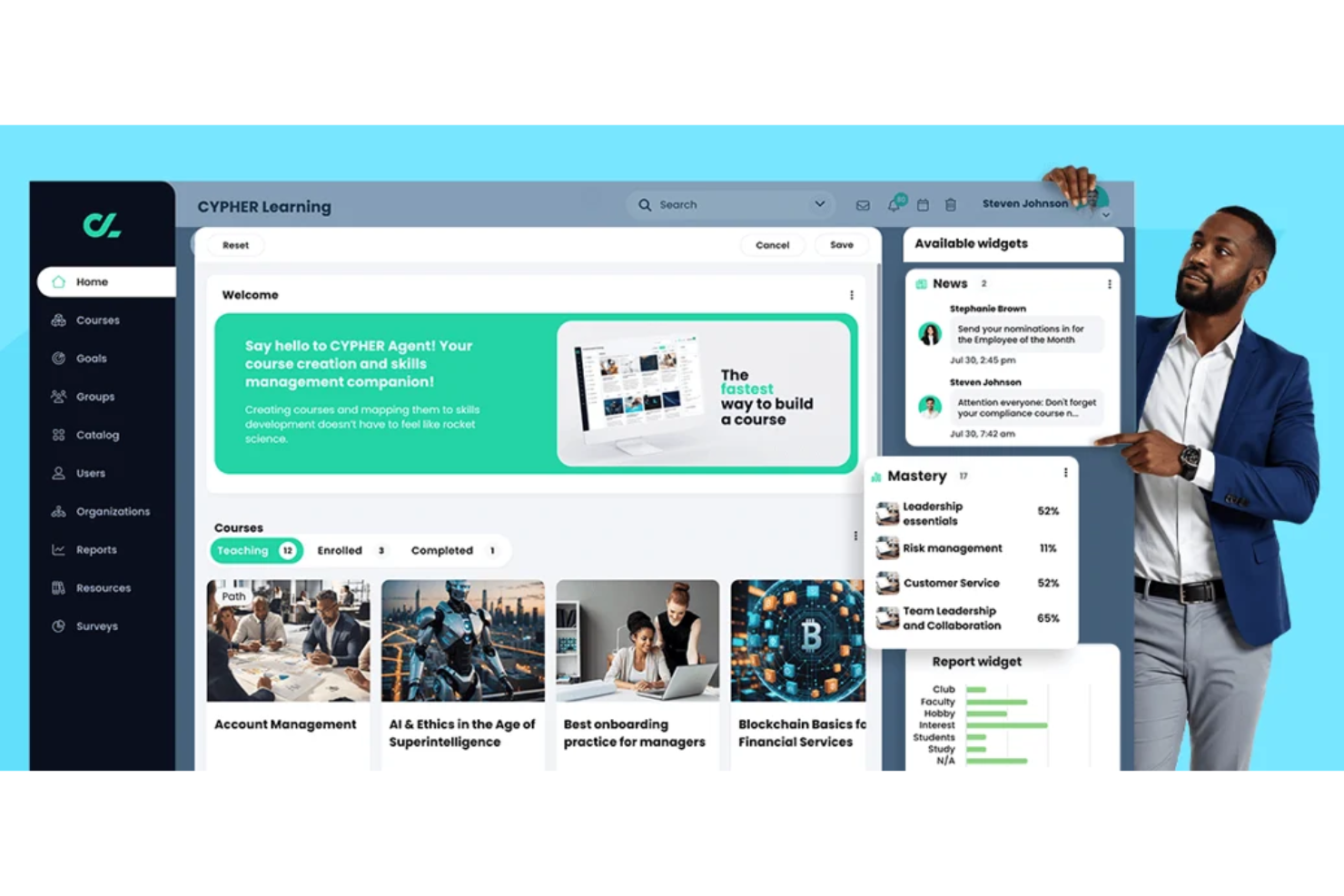
CYPHER Learning is designed for organizations that need to deliver training in multiple languages across global teams or partner networks. It appeals to businesses and educational providers looking to manage multilingual content and user experiences from a single platform. If you need to support diverse audiences with localized learning, CYPHER Learning addresses those challenges directly.
Who Is CYPHER Learning Best For?
CYPHER Learning fits organizations and training providers that need to deliver and manage courses in multiple languages for global or multilingual audiences.
Why I Picked CYPHER Learning
What stands out to me about CYPHER Learning is its deep commitment to multi-language course delivery, which is essential for extended enterprise LMS scenarios involving global audiences. The platform lets you create, manage, and deliver courses in dozens of languages, with built-in localization tools that help tailor content and navigation for each audience. I also appreciate that CYPHER Learning supports automated language detection and user interface translation, so learners can access training in their preferred language without manual setup. These features make it much easier to provide consistent, accessible learning experiences across regions and cultures.
CYPHER Learning Key Features
Some other features that make CYPHER Learning useful for extended enterprise LMS needs include:
- Customizable learning paths: Build structured learning journeys for different user groups or partner organizations.
- Ecommerce capabilities: Sell courses directly to external audiences with built-in payment processing.
- Advanced reporting tools: Track learner progress, engagement, and compliance across multiple audiences.
- Certification management: Issue, track, and manage certificates for course completion or compliance requirements.
CYPHER Learning Integrations
Integrations include Google Drive, Microsoft 365, OneDrive, Microsoft Teams, Salesforce, Workday, BambooHR, GoTo Meeting, PayPal, LinkedIn Learning, and more.
Pros and Cons
Pros:
- Scales easily across global external audiences
- AI-driven personalization improves learning paths
- Automates enrollment and lifecycle for external users
Cons:
- Mobile app performance can be slow
- Course creation tools are less advanced
Other Extended Enterprise LMS
Here are some additional extended enterprise LMS options that didn’t make it onto my shortlist, but are still worth checking out:
- Cornerstone
For global compliance management
- WorkRamp
For customer enablement programs
- Litmos
For rapid onboarding workflows
- Open LMS WORK
For open-source customization
- Bridge
For branded learning portal creation
- Abara LMS
For branded learning portal creation


How I Evaluate Extended Enterprise LMS
I look at these tools through two lenses: the must-haves for multi-portal partner and customer training, and the differentiators that matter when scaling to thousands of external learners.
Core Functionality (Table Stakes For This List)
When I'm selecting tools for my list, I rank each one on a scale from 0 (does not offer the functionality) to 5 (excels in this area) for each core functionality listed below. Then, I calculate the tool's total score into a percentage. Each tool needs to achieve a minimum total score of 65% to be considered for inclusion.
- Multi-Tenant Portal Support: I evaluate whether each platform can spin up separate portals for distinct audiences, like one for reseller partners and another for end customers, with independent admin controls.
- External User Management: Managing thousands of non-employee learners is a different challenge than internal training, so I check for audience segmentation, bulk enrollment, and external SSO options.
- White-Label Branding: Each portal should look like it belongs to the partner or client it serves, so I look for custom domains, theme editors, and branded login experiences at the portal level.
- E-Commerce Capabilities: For teams selling courses to customers or certification programs to channel partners, I evaluate built-in shopping carts, payment gateway support, and catalog management features.
- Compliance & Certification Tracking: I look at how well the platform automates certificate issuance, tracks expiration dates, and triggers renewal workflows across distributed external learner populations.
- Reporting & Analytics: Stakeholders across partner and customer teams need different views of learner progress, so I check for segmented dashboards, per-portal reporting, and exportable data.
Once I have a list of tools that meet the criteria, I consider what sets each platform apart.
Differentiating Factors (What Sets Vendors Apart)
Here's how I compare and contrast different vendors:
Standout Features
External learners aren't a captive audience, so gamification features like badges, points, and leaderboards can make a real difference in course completion rates across partner networks. I also look at mobile and offline learning support, since field-based partners and franchisees often need to complete training without reliable internet access. Built-in content authoring tools matter too—teams that can quickly update product training or build certification courses without a separate tool save significant time when managing multiple portals.
Beyond Features
Integration with CRM and PRM systems matters a lot here—when partner learner data flows into Salesforce or HubSpot automatically, enablement teams get visibility without manual exports. Pricing flexibility is another big factor I evaluate, since external learner volumes fluctuate far more than internal headcounts. Per-active-user models tend to work better for seasonal partner networks than flat per-seat pricing. I also check for multi-language and multi-currency support, which becomes essential when you're training channel partners or customers across multiple regions.
How to Choose an Extended Enterprise LMS Platform
It’s easy to get bogged down in long feature lists and complex pricing structures. To help you stay focused as you work through your unique software selection process, here’s a checklist of factors to keep in mind:
| Factor | What to Consider |
|---|---|
| Scalability | Can the LMS handle growth in external users, content, and portals without performance issues or major cost increases? |
| Integrations | Does the LMS connect natively to your HRIS, CRM, content libraries, or communication tools? Check for required integrations before shortlisting. |
| Customizability | Can you tailor branding, user roles, and workflows for different audiences or business units? Consider if you need separate portals or custom domains. |
| Ease of use | Will both admins and external learners find the interface intuitive? Test navigation and course access from both perspectives. |
| Implementation and onboarding | How long will setup take, and what resources are required? Ask about migration support, training, and available onboarding services. |
| Cost | Are pricing tiers transparent and aligned with your user volume and feature needs? Watch for extra charges for integrations, support, or additional portals. |
| Security safeguards | Does the LMS offer data encryption, user access controls, and compliance with relevant standards (like GDPR)? Assess risk if handling sensitive partner or customer data. |
| Support availability | What support channels and response times are offered? Consider if you need 24/7 support or a dedicated account manager for your external training programs. |
What is an Extended Enterprise LMS?
An extended enterprise LMS, or extended enterprise learning management system, is a learning solution designed to deliver online training to external audiences like partners, customers, and franchisees. It helps organizations manage customer education, partner enablement, and other training initiatives beyond internal teams. These platforms support multiple audiences and branded portals across your entire ecosystem, making it easier to scale learning and improve retention. Businesses use them to upskill users, measure business impact, and deliver consistent training experiences across their extended network.
Features
When selecting an extended enterprise LMS, keep an eye out for the following key features:
- Multi-portal management: Create and manage separate learning environments for different external audiences, each with its own branding and content.
- Custom branding: Apply unique logos, color schemes, and domain names to match the identity of each partner, customer, or franchise group.
- Role-based access controls: Assign permissions and access levels to different user types, such as learners, instructors, and administrators, to protect sensitive information.
- Multi-language support: Deliver training content in multiple languages to reach global audiences and ensure accessibility.
- Advanced reporting and analytics: Track learner progress, course completion, and engagement across all external groups with customizable dashboards and exportable reports.
- Integrated assessments: Build quizzes, tests, and knowledge checks directly into courses to measure learning outcomes and certify completion.
- Ecommerce capabilities: Sell courses or learning paths directly to external users, with support for payment processing and enrollment management.
- Content library integration: Connect to external content providers or import SCORM/xAPI packages to expand your training offerings.
- Automated notifications: Set up email or in-app alerts to remind users about deadlines, new courses, or required actions.
- API access: Enable custom integrations with other business systems, such as HRIS, CRM, or analytics platforms, to simplify data flow and user management.
Common Extended Enterprise LMS AI Features
Beyond the standard extended enterprise LMS features listed above, many of these solutions are incorporating AI with features like:
- Personalized learning paths: AI analyzes user behavior and performance to recommend tailored courses and resources for each learner’s needs and goals.
- Automated content curation: AI scans internal and external content sources to suggest relevant materials for specific audiences or training objectives.
- Intelligent skills gap analysis: AI identifies knowledge gaps by comparing learner data to required competencies, helping organizations target training where it’s needed most.
- Predictive analytics: AI forecasts learner engagement, course completion rates, and potential drop-off points, enabling proactive intervention by administrators.
- Natural language chatbots: AI-powered chatbots answer learner questions, guide users through the platform, and provide instant support without human intervention.
Benefits
Implementing an extended enterprise LMS provides several benefits for your team and your business. Here are a few you can look forward to:
- Consistent training delivery: Standardize learning experiences and messaging across all external audiences using multi-portal management and custom branding.
- Scalable external education: Support growing numbers of partners, customers, or franchisees with centralized administration and automated user management.
- Improved engagement tracking: Monitor learner progress and outcomes across diverse groups with advanced reporting and analytics features.
- Revenue generation opportunities: Sell courses or certifications directly to external users through built-in ecommerce capabilities.
- Improved brand presence: Extend your organization’s identity to every training portal with customizable branding and domain options.
- Global reach: Deliver training in multiple languages and formats to meet the needs of international audiences.
- Data-driven decision making: Use analytics and AI-powered insights to identify learning gaps and optimize training strategies for better business outcomes.
Costs & Pricing
Selecting an extended enterprise LMS requires an understanding of the various pricing models and plans available. Costs vary based on features, team size, add-ons, and more. The table below summarizes common plans, their average prices, and typical features included in extended enterprise LMS solutions:
Plan Comparison Table for Extended Enterprise LMS
| Plan Type | Average Price | Common Features |
|---|---|---|
| Free Plan | $0 | Basic course delivery, limited user seats, simple reporting, and community support. |
| Personal Plan | $5–$15/user/month | Single portal, custom branding, basic assessments, email notifications, and standard analytics. |
| Business Plan | $15–$40/user/month | Multiple portals, advanced reporting, integrations, multi-language support, and role-based access. |
| Enterprise Plan | $40–$80/user/month | Unlimited portals, custom SLAs, API access, advanced security, dedicated support, and ecommerce. |
Extended Enterprise LMS FAQs
Here are some answers to common questions about extended enterprise LMS:
How is an extended enterprise LMS different from a traditional LMS?
An extended enterprise LMS is designed to train users outside your organization, such as partners or customers, while a traditional LMS focuses on internal employee training. Extended enterprise platforms offer features like multi-portal management, custom branding, and external user management.
Can I use an extended enterprise LMS to train multiple audiences at once?
Yes, most extended enterprise LMS solutions support multiple audiences through separate portals or user groups. This lets you deliver tailored content, branding, and reporting for each external group, such as distributors, franchisees, or customers.
What security considerations should I keep in mind when using an extended enterprise LMS?
You should look for features like user access controls, data encryption, and compliance with standards like GDPR. Since you’re training external users, it’s important to protect sensitive business information and ensure only authorized users access your content.
How long does it take to implement an extended enterprise LMS?
Implementation timelines vary, but most platforms offer onboarding support, migration tools, and training resources to speed up the process. For complex setups with multiple portals or integrations, expect several weeks to a few months for full rollout.
Can I monetize training content with an extended enterprise LMS?
Yes, many extended enterprise LMS platforms include ecommerce features that let you sell courses, certifications, or learning paths directly to external users. Look for built-in payment processing and enrollment management tools if monetization is a priority.