
18 Best LMS for Manufacturing Reviewed in 2026

Best LMS for Manufacturing Shortlist
Here’s my shortlist of the best LMS for manufacturing:


Manufacturing teams don’t train in conference rooms. They train on production floors, across shifts, in regulated environments where safety, quality, and compliance aren’t optional. If you’re managing workforce development in manufacturing, you’re not just onboarding new hires; you’re tracking certifications, documenting safety training, preparing for audits, and making sure every operator is qualified to run the equipment on their line.
Spreadsheets and paper sign-offs break down fast in that environment. A learning management system (LMS) built for manufacturing helps you centralize training, automate certification tracking, assign role-based learning, and maintain audit-ready records across sites. The right system doesn’t just deliver courses, it supports compliance, reduces risk, and strengthens workforce capability on the shop floor.
I’ve reviewed and evaluated leading LMS platforms with manufacturing use cases in mind, focusing on compliance tracking, frontline accessibility, skills management, and scalability across facilities. Below are the best options to help you train effectively, stay compliant, and keep production moving.
Why Trust Our Software Reviews
Best LMS for Manufacturing Summary
This comparison chart summarizes pricing details for my top LMS for manufacturing selections to help you find the best one for your budget and business needs.
| Tool | Best For | Trial Info | Price | ||
|---|---|---|---|---|---|
| 1 | Best for small teams | Free plan + free demo available | From $119/month (billed annually) | Website | |
| 2 | Best with mobile access to courses | Free trial + free demo available | Pricing upon request | Website | |
| 3 | Best for safety and compliance training | Free 14-day trial + free demo available | Pricing upon request | Website | |
| 4 | Best for quick safety training deployment | Free demo available | From $1/user/month + $50/month | Website | |
| 5 | Best for QMS platform with built-in LMS capabilities | Free demo available | Pricing upon request | Website | |
| 6 | Best for AI integration | Free demo available | Pricing upon request | Website | |
| 7 | Best for multilingual support | Free demo available | Pricing upon request | Website | |
| 8 | Best for scalability | Free demo available | Pricing upon request | Website | |
| 9 | Best for rapid plant-wide LMS rollout | Free demo available | From $599/month (billed annually) | Website | |
| 10 | Best for structured production onboarding | Free demo available | From $25/user/month (billed annually) | Website |

-

Checkr
Visit WebsiteThis is an aggregated rating for this tool including ratings from Crozdesk users and ratings from other sites.4.5 -
Kudoboard
Visit WebsiteThis is an aggregated rating for this tool including ratings from Crozdesk users and ratings from other sites.4.8 -
Native Teams
Visit WebsiteThis is an aggregated rating for this tool including ratings from Crozdesk users and ratings from other sites.4.9





Best LMS for Manufacturing Reviews
Below are my detailed summaries of the best LMS for manufacturing that made it onto my shortlist. My reviews offer a detailed look at the key features, pros and cons, integrations, and ideal use cases of each tool to help you find the best one for you.

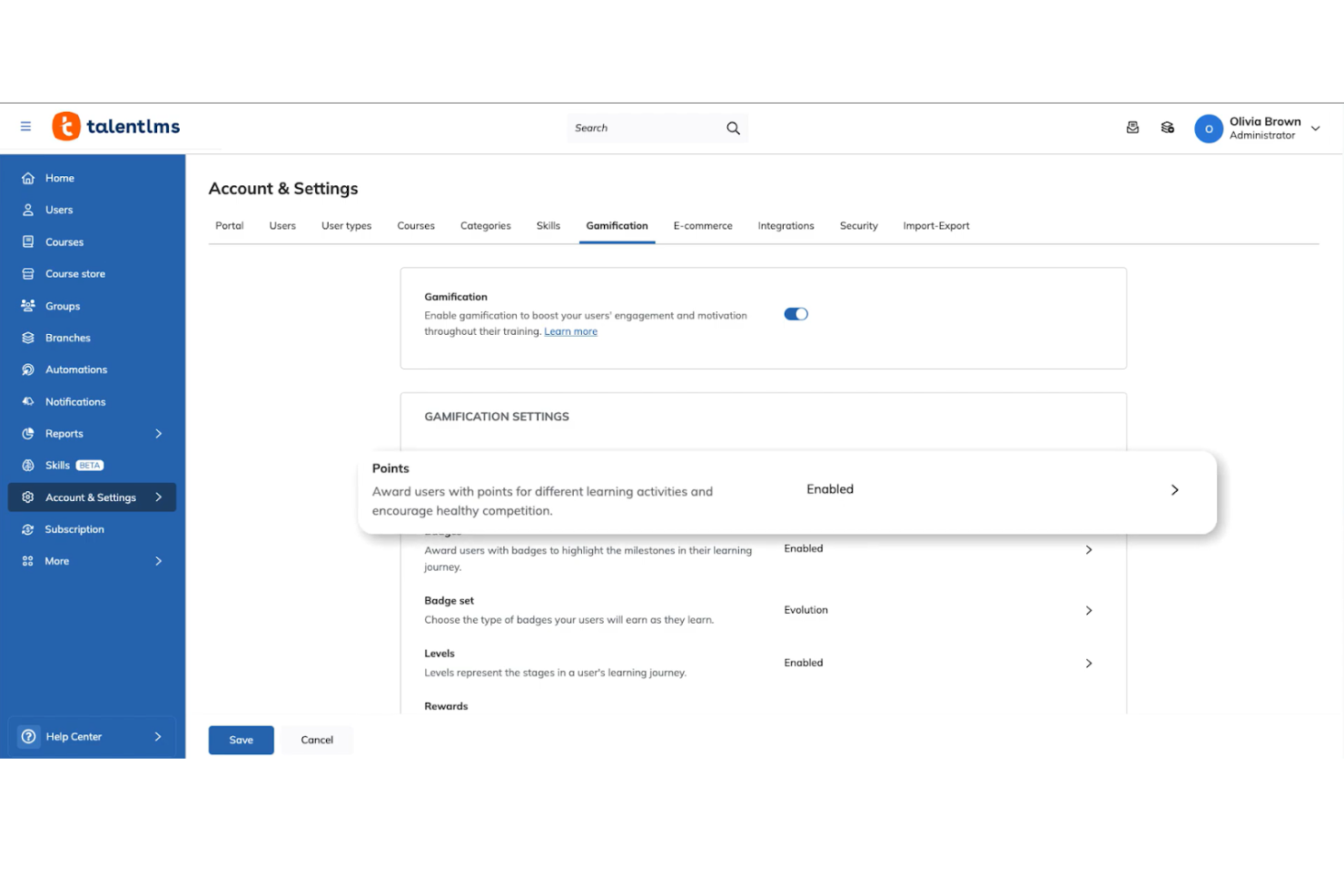
TalentLMS is a cloud-based learning management system tailored for small to medium-sized businesses. It helps teams manage training programs and employee development.
Why I picked TalentLMS: I picked TalentLMS because it works well for manufacturing companies that need to standardize training across multiple plants without building a large internal L&D function. The platform makes it easy to assign safety modules, equipment training, and certification requirements by role or location. Its simple admin controls allow HR or operations managers to roll out compliance training quickly across shifts and sites. For manufacturers that need reliable tracking without heavy system complexity, TalentLMS provides a practical balance of structure and usability.
Standout features and integrations:
Features include customizable learning paths to guide users through courses, gamification elements to boost engagement, and mobile learning options for on-the-go access. Your team can enjoy a personalized learning experience, making training more effective. The platform also supports video conferencing for live sessions.
Integrations include Zoom, Microsoft Teams, Slack, Google Workspace, Shopify, Salesforce, LinkedIn Learning, BambooHR, Mailchimp, Zapier, and more.
Pros and Cons
Pros:
- Includes gamification features
- Customizable learning paths
- Easy course creation
Cons:
- Compliance reporting may require manual configuration for strict regulatory audits
- Limited built-in skills matrix for machine-level competency tracking
New Product Updates from TalentLMS
TalentLMS Introduces Save Course Feature
TalentLMS now lets learners bookmark their courses so they can easily revisit them at any time. For more information, visit TalentLMS's official site.

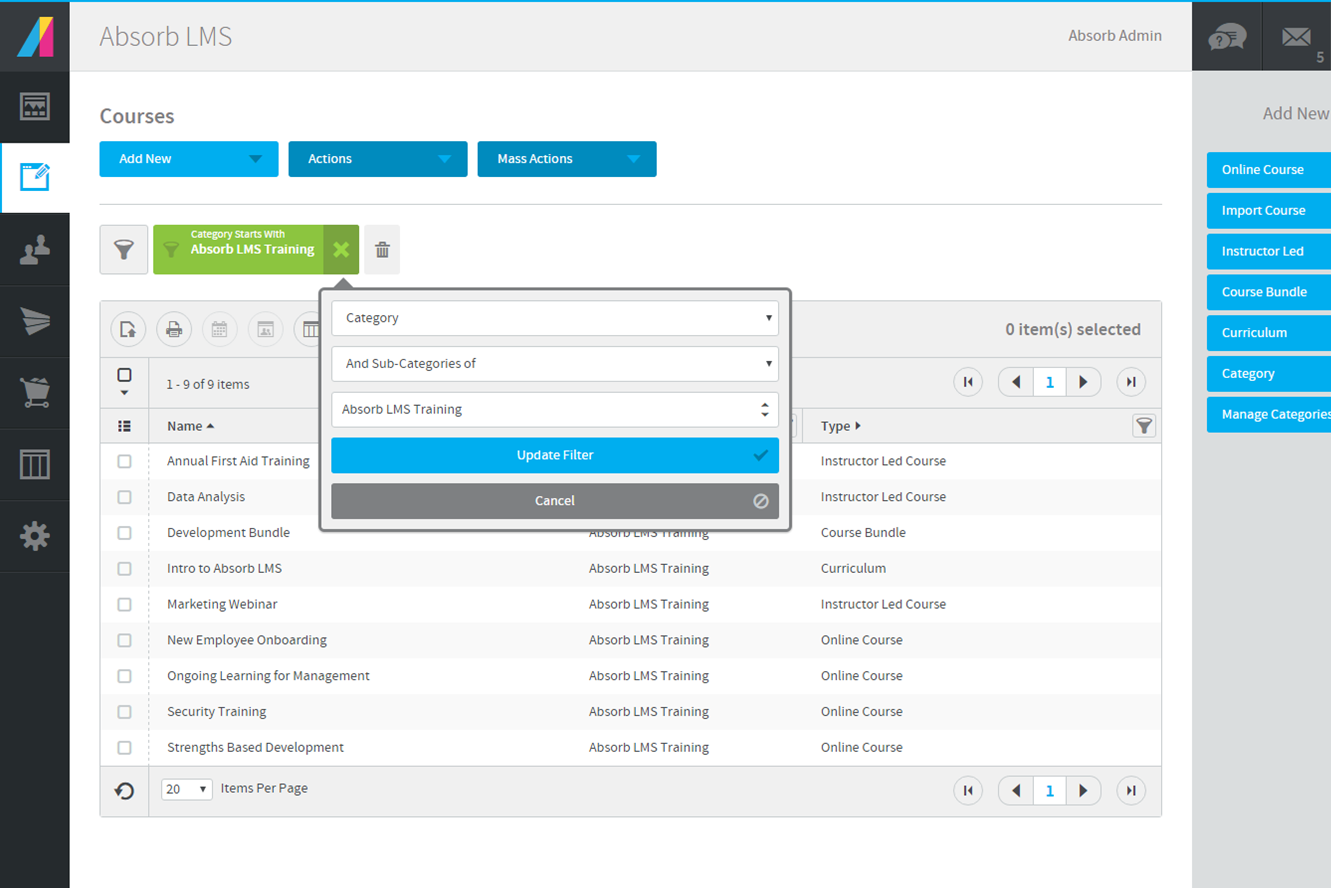
Absorb LMS is a learning management system designed to help manufacturers deliver training across diverse teams and locations. It supports complex compliance needs and skills development for both frontline and office-based employees. Manufacturing organizations looking to centralize training, automate certification tracking, and adapt learning to different roles may find Absorb LMS especially useful.
Who Is Absorb LMS Best For?
Absorb LMS is a good fit for manufacturing organizations that need to deliver and track training for both deskless and office-based employees across multiple locations.
Why I Picked Absorb LMS
For manufacturing teams with a large deskless workforce, mobile access is essential for delivering training where and when it’s needed. I picked Absorb LMS because it offers a dedicated mobile app that allows employees to complete courses, access resources, and track progress directly from their smartphones or tablets. The platform also supports offline learning, so workers can download training materials and complete them even without an internet connection. This flexibility helps manufacturing organizations reach frontline staff who may not have regular access to computers.
Absorb LMS Key Features
Some other features in Absorb LMS that support manufacturing training needs include:
- Automated training assignments: Assign courses automatically based on job role, location, or department to ensure the right employees receive the right training.
- Customizable learning paths: Build structured learning journeys that guide employees through required courses and certifications.
- Compliance tracking dashboard: Monitor training completion and certification status in real time to help meet regulatory requirements.
- SCORM and xAPI support: Upload and deliver industry-standard e-learning content for consistent training experiences across your organization.
Absorb LMS Integrations
Integrations include ADP, Workday, UKG, SAP SuccessFactors, NetSuite ERP, Salesforce, Microsoft Teams, Zoom, LinkedIn Learning, and Skillsoft.
Pros and Cons
Pros:
- Enables multilingual content for global manufacturing teams
- Provides automated recertification and reminder workflows
- Integrates with major ERP and HRIS systems
Cons:
- Course authoring tools are less advanced than peers
- Limited offline access for remote factory locations
New Product Updates from Absorb LMS
Absorb LMS Improves Analyze Performance With Faster Sync and Data Model Updates
Absorb LMS introduces improved sync frequency in Analyze Essentials and a streamlined Analyze BI/Direct data model. These updates enhance reporting speed, improve data reliability, and strengthen overall analytics performance. For more information, visit Absorb LMS's official site.
 .
.
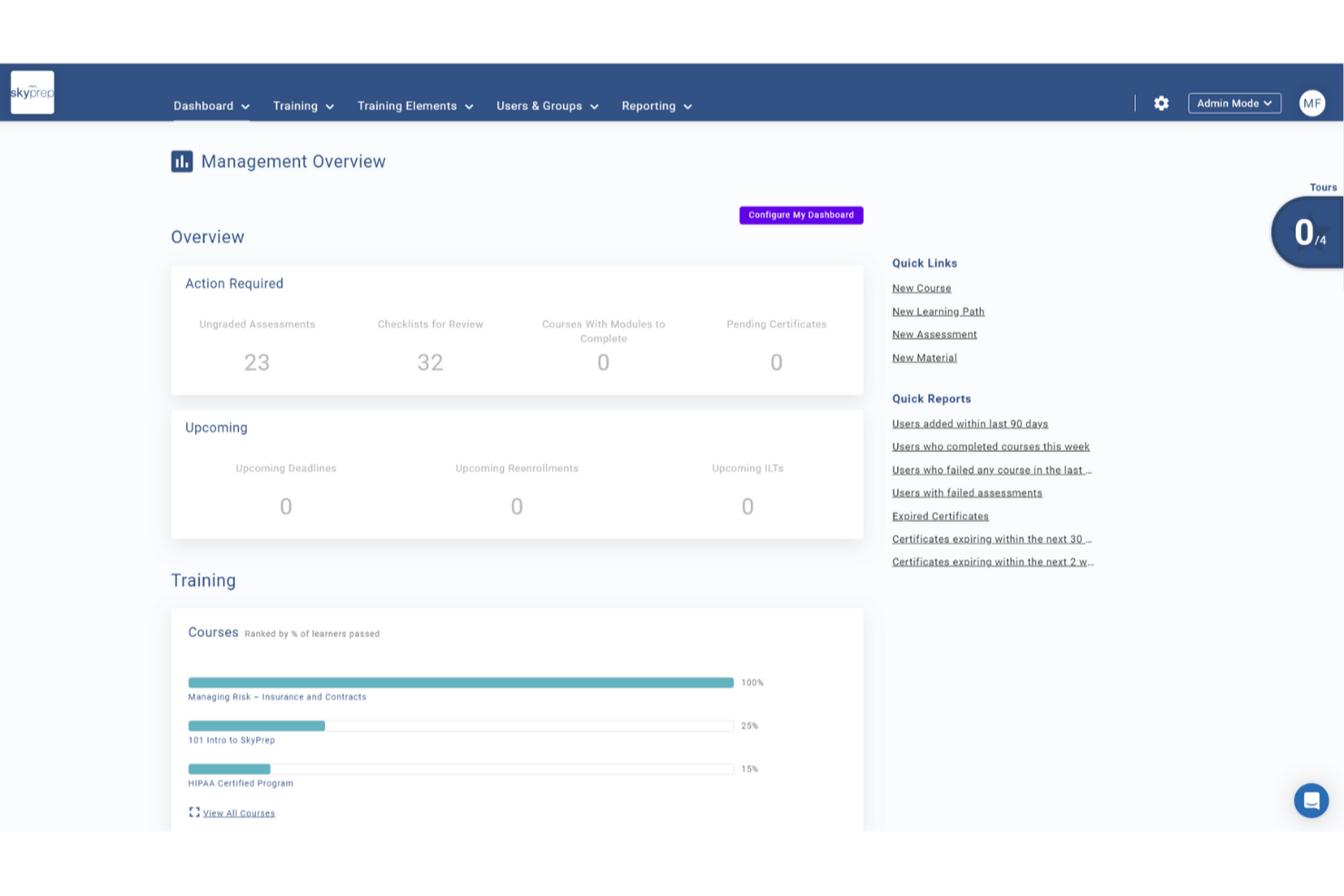
SkyPrep LMS is crafted to address the specific training challenges in manufacturing by offering a platform that improves learner engagement and training efficiency. Its intuitive interface and emphasis on user management support the development of detailed training programs, reducing training time and boosting knowledge retention. By tackling issues like compliance and skill development, SkyPrep provides a solution for organizations aiming to improve workforce training.
Why I Picked SkyPrep
I picked SkyPrep for its focus on improving learner engagement and training efficiency, important for the manufacturing sector. The platform's integration with HR and HCM systems like ADP and Workday ensures smooth user management and consistent employee data, vital for compliance and efficiency in manufacturing. Additionally, SkyPrep's compatibility with webinar tools such as Zoom and Microsoft Teams supports effective remote training sessions, making it ideal for organizations with distributed teams.
SkyPrep Key Features
In addition to its integration capabilities, SkyPrep offers several features improving its suitability for the manufacturing industry:
- Course Creation: Design and deploy custom training modules suited to your specific manufacturing processes and standards.
- Reporting and Analytics: Gain detailed insights into learner progress and training effectiveness, enabling data-driven decisions to improve training programs.
- Customization: Provides flexibility in branding and course delivery to match your organization's unique requirements and training objectives.
- Compliance & Certification Tracking: Track certifications, expirations, and mandatory training with automated reminders to help your teams stay compliant and audit-ready.
SkyPrep Integrations
Integrations include ADP, Workday, BambooHR, Salesforce, HubSpot, Zoom, Microsoft Teams, Slack, Stripe, PayPal, and more.
Pros and Cons
Pros:
- SCORM 1.2 support ensures content compatibility
- Custom email notifications improve communication
- Reporting provides detailed learning insights
Cons:
- Pricing not publicly available
- Security features are relatively basic

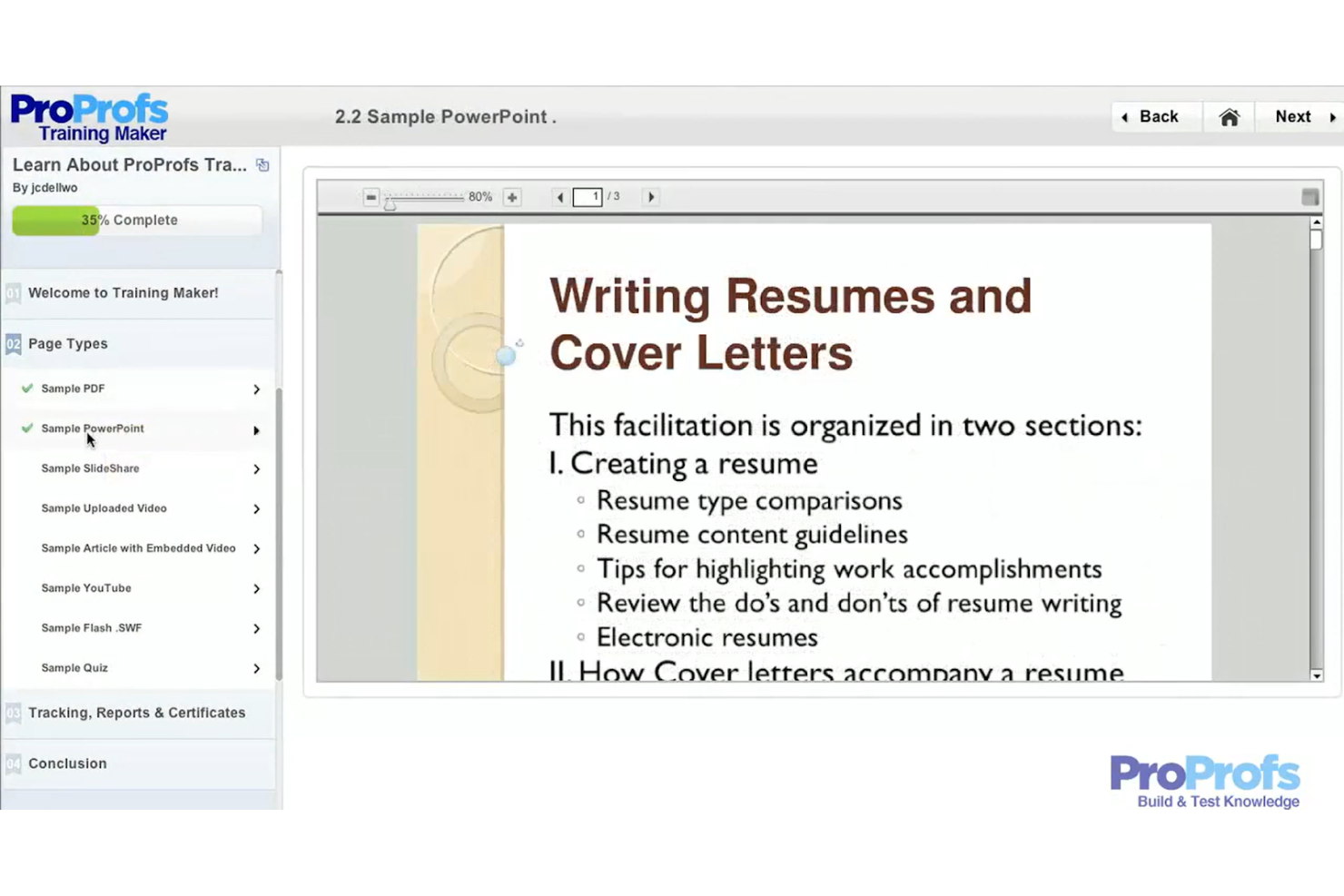
ProProfs Training Maker is an intuitive learning management system designed for businesses seeking straightforward training solutions. It caters to small to medium-sized companies looking to deliver effective courses without technical hassles.
Why I picked ProProfs Training Maker: I picked ProProfs Training Maker because it’s a straightforward way to deploy safety and SOP training without heavy configuration. Manufacturing teams can quickly create quizzes, compliance modules, and short-form assessments to reinforce policies and procedures. It works well for organizations that need to digitize toolbox talks, policy acknowledgments, or basic compliance tracking. For smaller manufacturing operations that want to move away from paper-based training records, it offers a fast and accessible solution.
Standout features and integrations:
Features include a built-in quiz maker to test knowledge, course templates for quick setup, and the ability to create certification programs. The program features customizable branding, which allows you to align training with your company's identity. The platform also supports mobile learning, enabling access to courses on-the-go.
Integrations include Salesforce, Mailchimp, Zendesk, Dropbox, Google Analytics, Freshdesk, SugarCRM, WordPress, Shopify, Google Workspace, and more.
Pros and Cons
Pros:
- Mobile learning access
- Supports multimedia content
- Simple drag-and-drop editor
Cons:
- Basic analytics may not satisfy audit-heavy environments
- Not ideal for large, multi-site manufacturing deployments
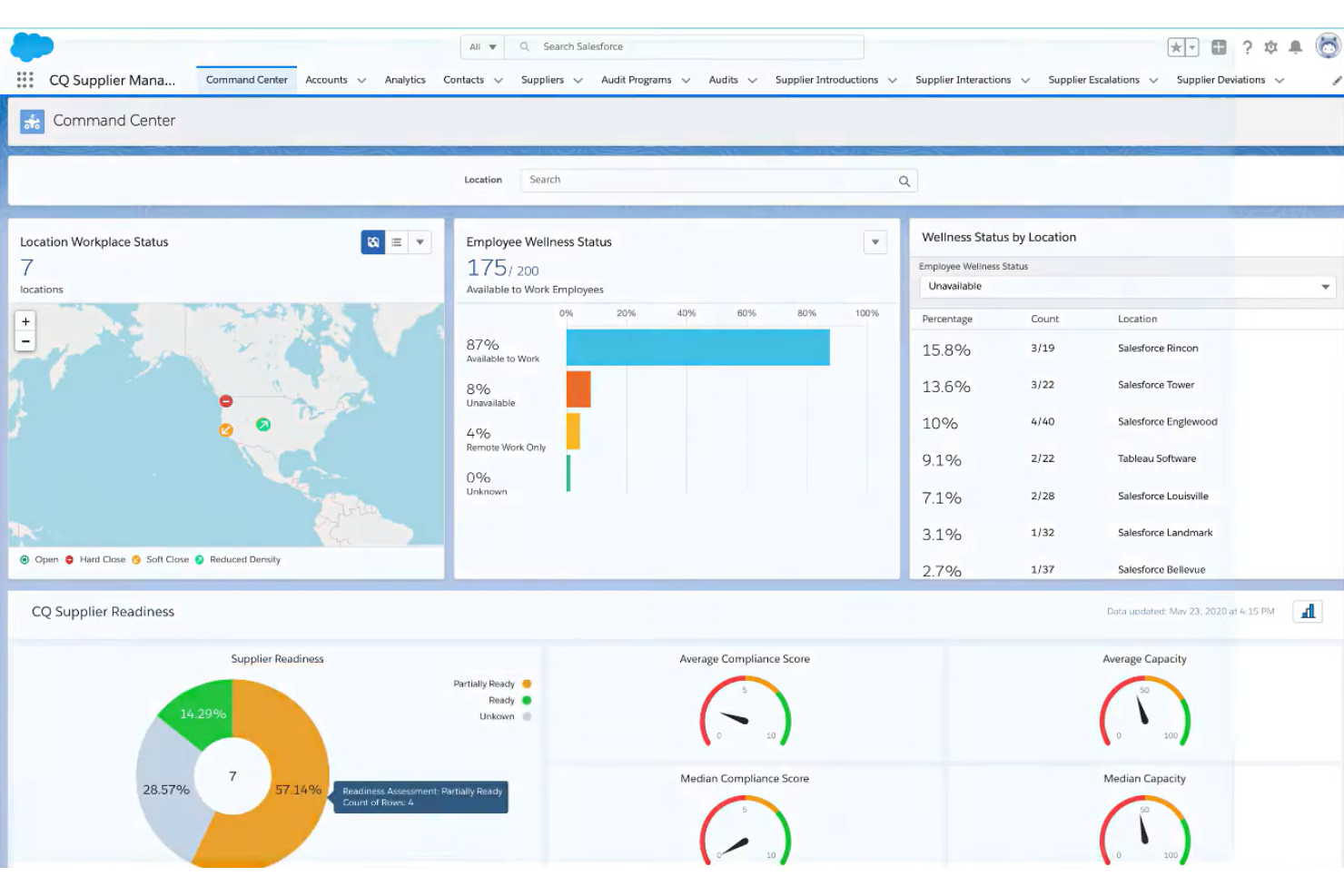
ComplianceQuest is a cloud-based quality management system (QMS) with integrated training management designed for regulated manufacturing environments. It serves quality, compliance, and operations teams that need training tightly aligned with audits, corrective actions, and regulatory requirements.
Why I picked ComplianceQuest: ComplianceQuest stands out as a QMS platform with LMS capabilities embedded directly into quality and compliance workflows. Instead of managing training in a separate system, you can link courses to SOPs, change controls, CAPAs, and audit findings. When procedures change or nonconformances occur, you can automatically trigger retraining to ensure employees stay compliant. This makes it particularly strong for manufacturers in highly regulated industries such as medical devices, life sciences, and automotive.
Standout features and integrations:
Features include role-based training assignments tied to quality processes, automated retraining when documents are updated, audit-ready training records, and certification tracking with expiration management. The platform also supports document control, CAPA management, supplier quality, and risk management — giving you full traceability from quality events to workforce training.
Integrations include Salesforce, Microsoft Teams, Slack, SAP, Oracle, Google Workspace, Box, Jira, and more.
Pros and Cons
Pros:
- Audit-ready documentation and traceability
- Automated retraining tied to quality events
- Strong alignment between QMS and training
Cons:
- Best suited for regulated manufacturing environments rather than general training needs
- More complex than standalone LMS platforms
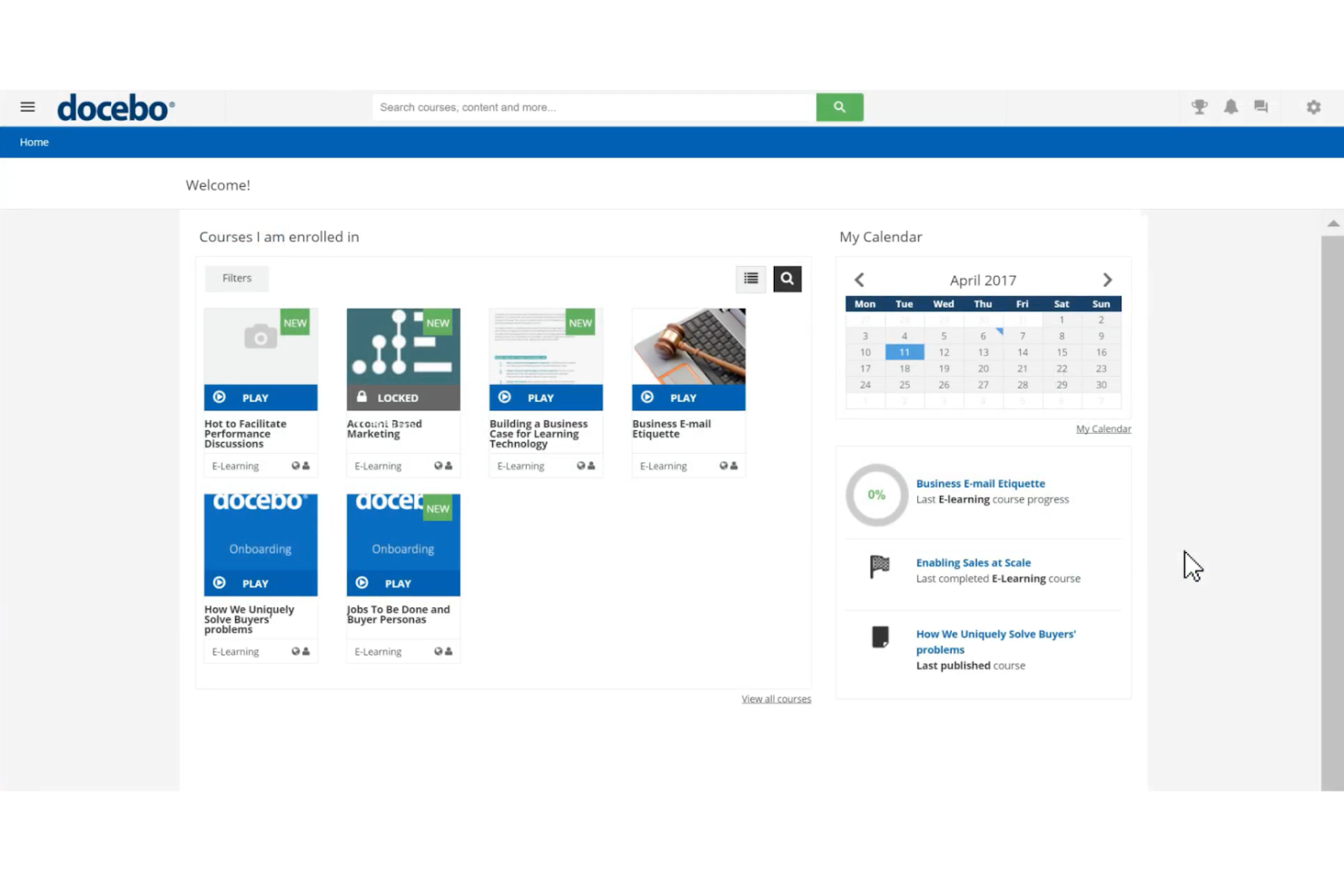
Docebo is an LMS platform designed for the manufacturing industry, catering to businesses seeking innovative training solutions. It serves companies looking to enhance learning cultures, improve compliance, and optimize onboarding processes.
Why I picked Docebo: Docebo integrates generative AI capabilities, offering a unique approach to learning management for manufacturing teams. You can automate compliance training and certification renewals, simplifying administrative tasks. The platform supports various training formats, including webinars and SCORM, making it versatile for different learning needs. Its advanced reporting tools provide insights into program effectiveness, aligning with its AI integration focus.
Standout features and integrations:
Features include support for over 50 languages, mobile learning capabilities, and access to over 20,000 courses. This program includes automated compliance training, reducing manual workload. The AI-powered platform also offers e-signature functionality for secure compliance processes.
Integrations include Salesforce, Slack, Zoom, Microsoft Teams, Shopify, Okta, Google Workspace, LinkedIn Learning, BambooHR, Adobe Connect, and more.
Pros and Cons
Pros:
- Automates compliance tasks
- Supports multiple training formats
- AI-driven learning solutions
Cons:
- Initial setup may be complex
- Lack of pricing transparency


Paradiso LMS is a versatile learning management system designed for businesses that require multilingual training solutions. It caters to organizations across various industries, focusing on enhancing employee training and development.
Why I picked Paradiso LMS: Paradiso LMS supports multiple languages, making it ideal for international companies. You can deliver training content in several languages, ensuring accessibility for diverse teams. The platform offers customizable course creation, allowing you to tailor content to specific regional needs. Its analytics provide insights into learner progress across different languages, aligning with its multilingual support focus.
Standout features and integrations:
Features include gamification elements to enhance engagement, social learning capabilities to foster collaboration, and a built-in course authoring tool. The platform offers interactive learning experiences designed to make training engaging. The platform also supports blended learning, combining online and offline methodologies.
Integrations include Salesforce, Shopify, Zoom, Microsoft Teams, Okta, Google Workspace, LinkedIn Learning, BambooHR, Adobe Connect, Slack, and more.
Pros and Cons
Pros:
- Interactive learning experiences
- Customizable course creation
- Extensive language support
Cons:
- Initial setup complexity
- Pricing not transparent

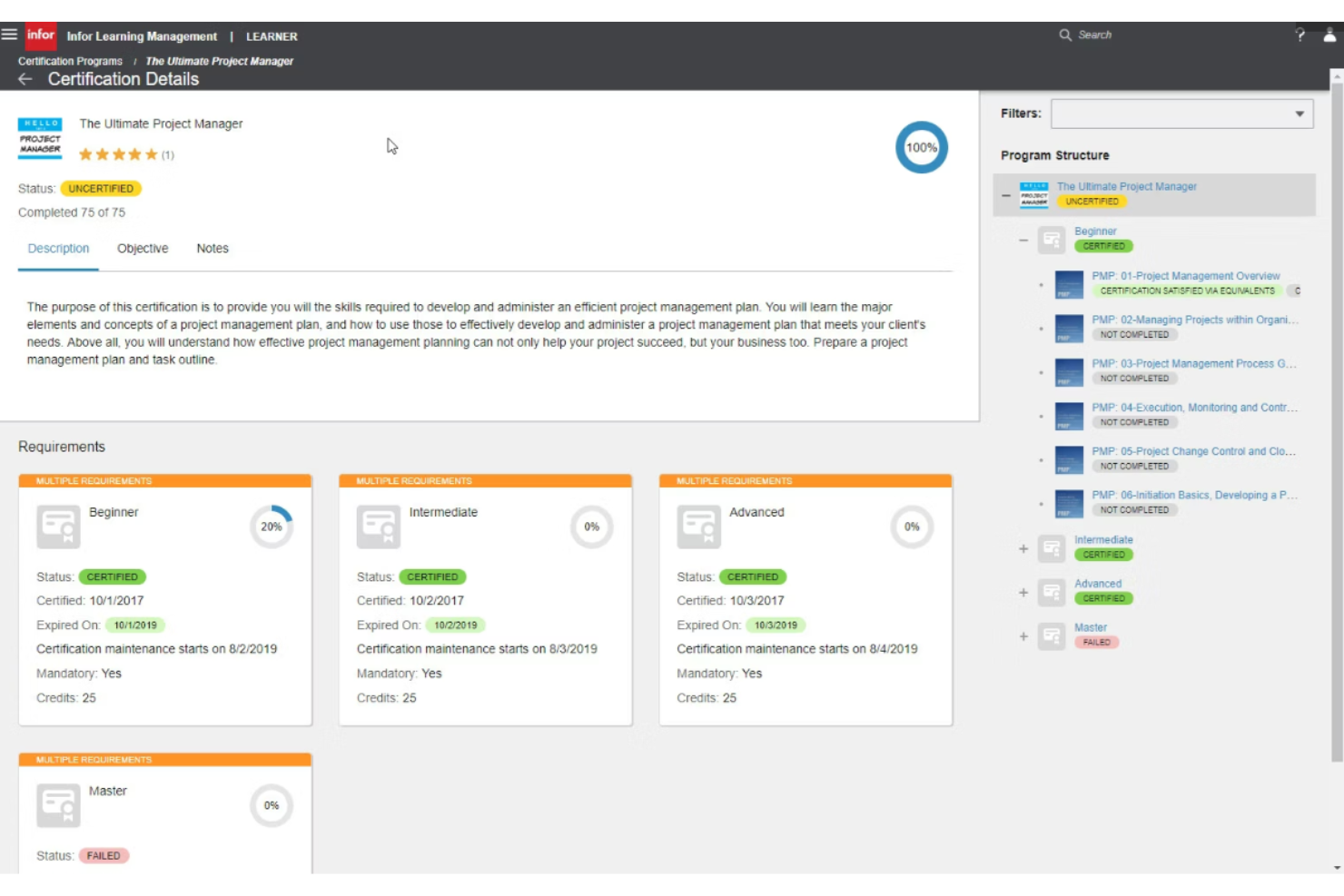
Infor Learning Management System is a complete platform designed to deliver scalable training solutions for large enterprises. It caters to industries that require extensive training programs to support a growing workforce.
Why I picked Infor Learning Management System: Infor LMS offers solutions that grow with your business, making it perfect for expanding companies. This program allows you to manage large volumes of training content, ensuring consistency across locations. The platform supports multiple learning formats, providing flexibility in how your team accesses training. Its administrative tools are designed to simplify the management of large-scale training deployments.
Standout features and integrations:
Features include personalized learning paths to cater to individual needs, compliance tracking to ensure adherence to industry standards, and analytics tools for measuring training effectiveness. Your team can access content through mobile devices, making learning accessible anywhere. The system also supports social learning to encourage collaboration among employees.
Integrations include Salesforce, SAP, Oracle, SuccessFactors, Google Workspace, LinkedIn Learning, ADP, and more.
Pros and Cons
Pros:
- Mobile access for learning anywhere
- Effective compliance tracking
- Supports large-scale training deployments
Cons:
- Steep learning curve for administrators
- Some features need technical expertise

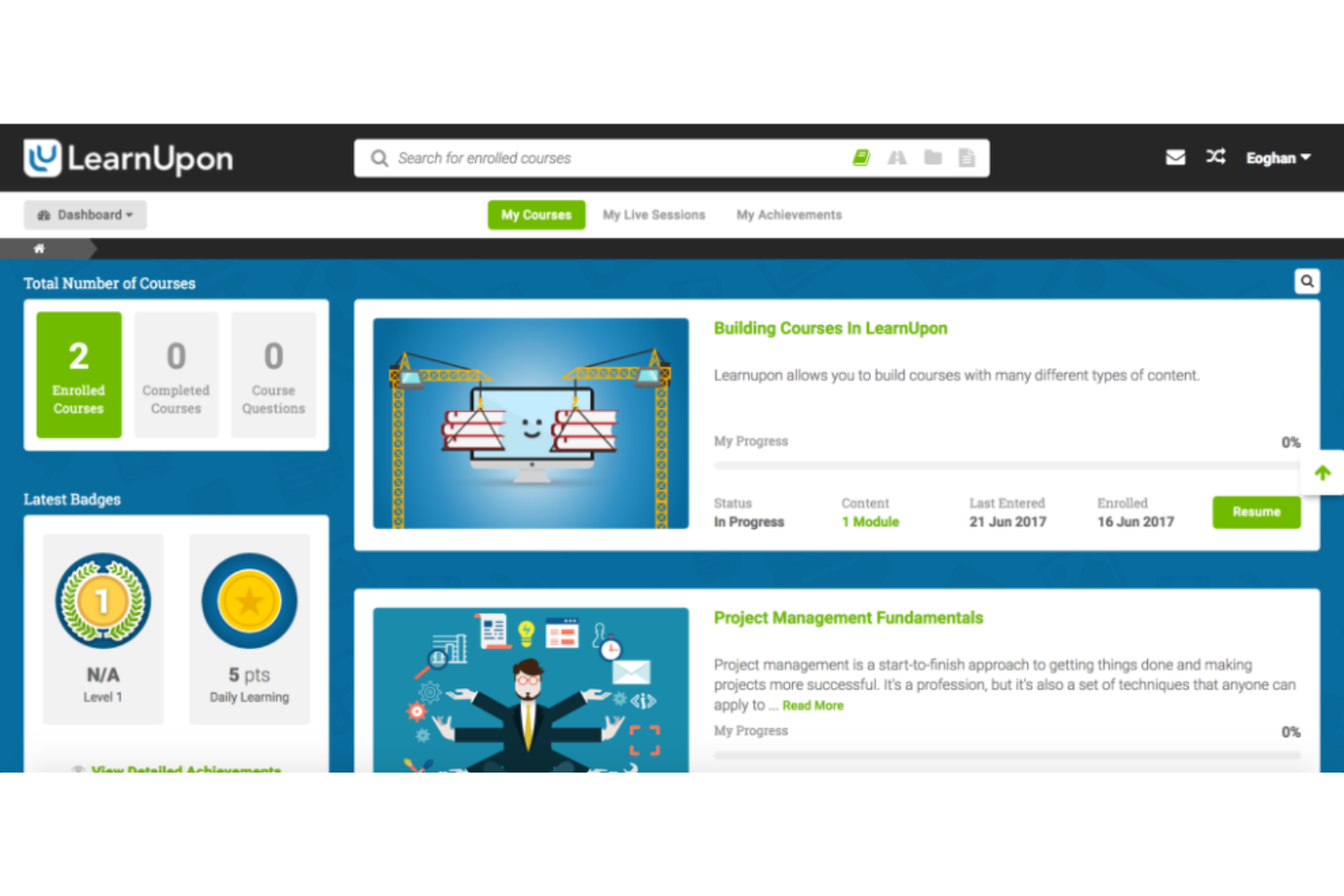
LearnUpon LMS is a learning management system designed for businesses seeking quick and efficient training deployment. It caters to companies that need to implement training programs rapidly without sacrificing quality.
Why I picked LearnUpon LMS: I picked LearnUpon because it’s well-suited for manufacturers that need to deploy training quickly across plants, especially during expansions, acquisitions, or workforce scaling. The platform allows you to create standardized onboarding and certification paths that can be replicated across locations. Its certification tracking and reporting tools make it easier to prove compliance during audits. For manufacturing teams that need fast implementation without sacrificing structure, LearnUpon offers operational flexibility.
Standout features and integrations:
Features include custom branding to maintain your company's identity, certification management to track learner achievements, and mobile learning options for on-the-go access. LearnUpon LMS offers blended learning capabilities, combining online and offline methods. The platform also provides assessment tools to measure learning outcomes.
Integrations include Salesforce, Zoom, Microsoft Teams, Google Workspace, Shopify, LinkedIn Learning, BambooHR, Okta, Stripe, PayPal, and more.
Pros and Cons
Pros:
- Offers mobile learning options
- Intuitive course builder
- Quick setup and deployment
Cons:
- Less native support for hands-on skills verification or practical assessments
- Advanced compliance workflows may require additional configuration


WorkRamp is a learning management system designed to enhance employee onboarding and training processes. It serves businesses looking to improve workforce readiness and accelerate new hire productivity.
Why I picked WorkRamp: I picked WorkRamp because it allows manufacturers to build structured onboarding tracks for production roles, ensuring new hires complete required safety certifications and job-specific training in the right sequence. You can create learning paths tied to roles, machines, or departments, helping supervisors verify readiness before employees move onto the floor. Its reporting tools provide visibility into onboarding progress across shifts and locations. For manufacturers that need consistency in production onboarding, WorkRamp offers strong workflow control.
Standout features and integrations:
Features include an easy-to-use course builder, the ability to create interactive training content, and performance tracking tools. Your team can create personalized learning paths to tailor training to individual needs. The platform supports mobile learning, making it convenient for remote onboarding.
Integrations include Salesforce, Slack, Zoom, Microsoft Teams, Google Workspace, LinkedIn Learning, BambooHR, Workday, Okta, Box, and more.
Pros and Cons
Pros:
- Personalized learning paths
- Performance tracking tools
- Interactive training modules
Cons:
- Limited native quality or safety compliance workflows
- More onboarding-focused than shop-floor competency management
Other Learning Management Systems for Manufacturing
Here are some additional LMS for manufacturing options that didn’t make it onto my shortlist, but are still worth checking out:
- Tovuti LMS
For simulation-based and scenario training
- Litmos
For global reach
- Webanywhere
For custom branding
- Tooling U-SME
For industry-specific courses
- iSpring LMS
For rapid course creation
- Moodle
For open-source flexibility
- 360Learning
For collaborative learning
- EdApp
For microlearning modules


LMS for Manufacturing Selection Criteria
When selecting the best LMS for manufacturing to include in this list, I considered common buyer needs and pain points such as regulatory compliance and workforce skill development. I also used the following framework to keep my evaluation structured and fair:
Core Functionality (25% of total score)
To be considered for inclusion in this list, each solution had to fulfill these common use cases:
- Delivering training content
- Tracking learner progress
- Managing user roles and permissions
- Supporting multimedia formats
- Providing reporting and analytics
Additional Standout Features (25% of total score)
To help further narrow down the competition, I also looked for unique features, such as:
- Custom branding options
- Mobile learning capabilities
- Integration with industry-specific software
- Advanced compliance tracking
- Interactive learning modules
Usability (10% of total score)
To get a sense of the usability of each system, I considered the following:
- Intuitive user interface
- Easy navigation
- Minimal learning curve
- Customizable dashboards
- Aesthetic design
Onboarding (10% of total score)
To evaluate the onboarding experience for each platform, I considered the following:
- Availability of training videos
- Interactive product tours
- Access to webinars
- Use of chatbots for guidance
- Availability of templates for setup
Customer Support (10% of total score)
To assess each software provider’s customer support services, I considered the following:
- 24/7 support availability
- Multiple support channels
- Response time
- Quality of help documentation
- Access to live chat
Value for Money (10% of total score)
To evaluate the value for money of each platform, I considered the following:
- Pricing transparency
- Features offered for the price
- Comparison with competitors
- Availability of free trials
- Scalability of pricing plans
Customer Reviews (10% of total score)
To get a sense of overall customer satisfaction, I considered the following when reading customer reviews:
- Overall satisfaction rating
- Frequency of positive feedback
- Commonly mentioned pain points
- Praise for specific features
- Comments on customer service quality
How To Choose an LMS for Manufacturing
It’s easy to get bogged down in long feature lists and complex pricing structures. To help you stay focused as you work through your unique software selection process, here’s a checklist of factors to keep in mind:
| Factor | What to Consider |
|---|---|
| Scalability | Will the LMS grow with your company? Check if it can handle more users and content without performance issues. |
| Integrations | Does it connect with your existing tools? Ensure it integrates with your HR software, CRM, or other key systems. |
| Customizability | Can you tailor the LMS to your needs? Look for options to modify dashboards, reports, and user interfaces to fit your workflow. |
| Ease of Use | Is it user-friendly for all team members? Consider the learning curve and whether your team can easily navigate and use the system. |
| Implementation and Onboarding | How quickly can you get started? Evaluate the resources provided for onboarding, such as training videos or support teams, to ensure a smooth setup. |
| Cost | Does the pricing fit your budget? Compare the LMS's cost against its features and your budget constraints. Look for hidden fees or long-term contracts. |
| Security Safeguards | Are your data and user information secure? Check for compliance with data protection regulations and the availability of encryption and regular security updates. |
What Is LMS for Manufacturing?
LMS for manufacturing is a specialized learning management system designed to train and develop employees. These tools are typically used by HR professionals, training managers, and team leaders to enhance workforce skills and ensure compliance with industry standards. Not every LMS works for manufacturing. Production environments require certification tracking, safety compliance documentation, shift-based access, multilingual training, and audit-ready reporting.
The tools below vary in how deeply they support those needs. Training modules, compliance tracking, and reporting capabilities help with the management of employee development and the maintenance of safety protocols. Overall, these tools offer structured improvements and guidelines for productivity and maintenance quality across manufacturing operations.
Features
When selecting an LMS for manufacturing, keep an eye out for the following key features:
- Training modules: Deliver structured learning content to enhance employee skills and knowledge.
- Compliance tracking: Monitors adherence to industry regulations and safety standards.
- Reporting capabilities: Provide insights into learner progress and training effectiveness.
- Custom branding: Aligns the platform's appearance with your company's identity for a cohesive look.
- Mobile learning: Enables access to training materials on-the-go, enhancing flexibility for remote workers.
- Interactive content: Engages learners through quizzes, videos, simulations, and gamified elements to boost retention.
- Integration support: Connects with existing systems such as HR software and CRM tools for smooth operations.
- Certification management: Tracks and manages employee certifications to ensure ongoing compliance.
- Competency-based learning: Tailors training paths to address specific skill gaps within the workforce.
- Analytics tools: Offer detailed data on user interactions and learning outcomes for continuous improvement.
Benefits
Implementing an LMS for manufacturing provides several benefits for your team and your business. Here are a few you can look forward to:
- Improved compliance: Compliance tracking features keep your team up-to-date with industry regulations.
- Enhanced productivity: Structured training modules boost your team's workforce skills and lead to increased efficiency.
- Cost savings: Delivering content online reduces training expenses by minimizing the need for in-person sessions.
- Increased engagement: Interactive content makes learning more engaging and effective for employees.
- Consistent training: Centralized content delivery ensures uniformity in training across different locations.
- Better decision-making: Analytics tools provide insights into training effectiveness and help you make informed improvements to your business.
- Scalability: Scalable LMS capabilities allow you to easily expand your training programs as your business grows.
Costs and Pricing
Selecting the best LMS for manufacturing requires an understanding of the various pricing models and plans available. Costs vary based on features, team size, add-ons, and more. The table below summarizes common plans, their average prices, and typical features included in LMS solutions built for the manufacturing industry:
Plan Comparison Table for LMS for Manufacturing
| Plan Type | Average Price | Common Features |
|---|---|---|
| Free Plan | $0 | Limited course access, basic analytics, and community support. |
| Personal Plan | $5-$25/user/month | Custom branding, mobile access, and interactive content. |
| Business Plan | $30-$50/user/month | Advanced reporting, compliance tracking, and integration support. |
| Enterprise Plan | $60-$100/user/month | Full customizability, dedicated account manager, and extensive API access. |
LMS for Manufacturing FAQs
Here are some answers to common questions about LMS for manufacturing:
What’s the difference between a general LMS and an LMS for manufacturing?
A general LMS can deliver training content, but an LMS for manufacturing is built around shop-floor realities—things such as safety and compliance modules, skills mapping for specific roles, blended learning for hands-on work, and detailed traceability for audits. It’s designed to support production lines, shift work, and regulatory requirements rather than just office-based learning.
How do I know if my manufacturing company is ready for an LMS?
You’re usually ready when training is scattered across spreadsheets, shared drives, or paper resources. Another sign an LMS could be beneficial for your business is if you’re struggling to prove compliance or track who’s certified for what. If audits feel stressful, supervisors are re-explaining the same things, or quality issues trace back to inconsistent training, an LMS can centralize everything and give you clear records.
Can an LMS help with safety and regulatory compliance?
Yes—this is one of the main reasons manufacturers adopt an LMS. You can assign mandatory safety courses, track completions by role or site, set expirations for certifications, and pull audit-ready reports in a few clicks. Some systems also support e-signatures and assessment scoring, which helps demonstrate training effectiveness to regulators and customers.
How hard is it to roll out an LMS on the shop floor?
It depends on your starting point, but you can ease adoption by starting small: pilot with one plant or department, standardize a core set of safety and onboarding courses, and provide short, focused modules rather than long classes. Look for mobile access or kiosk support so frontline workers can complete training without needing a dedicated computer.
What’s Next:
If you're in the process of researching LMS for manufacturing, connect with a SoftwareSelect advisor for free recommendations.
You fill out a form and have a quick chat where they get into the specifics of your needs. Then you'll get a shortlist of software to review. They'll even support you through the entire buying process, including price negotiations.