

10 Best Healthcare Payroll Software in 2026

Best Healthcare Payroll Software Shortlist


Healthcare payroll software is designed to handle the unique pay rules, compliance requirements, and workforce complexities found in medical organizations and care facilities. If you work in human resources and need tools that automate credential tracking, support variable pay rates, and make payroll painless for clinicians and administrators alike, you’re in the right place. This guide breaks down top options—so you can compare, find the right fit, and spend less time worrying about payroll headaches.
Why Trust Our Software Recommendations
Our team has been testing and reviewing software since 2012. As HR experts ourselves, we know how difficult—and important—it is to choose the right software.
For this guide, we evaluated tools using hands-on testing and independent research, scoring tools using our selection criteria. We also draw on insights from industry thought leaders and practicing HR experts.
Our reviews reflect our human editorial judgment, not a sales pitch.
Expert reviewers:
Healthcare Payroll Software Comparison Table
This comparison table summarizes pricing details for my top healthcare payroll software selections:
| Tool | Best For | Trial Info | Price | ||
|---|---|---|---|---|---|
| 1 | Best for automating complex healthcare pay rates | Free demo available | Pricing upon request | Website | |
| 2 | Best for small practice compliance automation | Free demo available | From $49/month | Website | |
| 3 | Best for open-source to full payroll migration | 30-day free trial + free demo available | From $80/month | Website | |
| 4 | Best for integrated scheduling and payroll | Free demo available | Pricing upon request | Website | |
| 5 | Best for built-in wage parity and PBJ calculations | Free demo available | Pricing upon request | Website | |
| 6 | Best for deskless hourly workers | Not available | From $79/month | Website | |
| 7 | Best for automated credential tracking alerts | Free demo available | Pricing upon request | Website | |
| 8 | Best for in-house tax management | Free demo available | Pricing upon request | Website | |
| 9 | Best for senior care pay rule automation | Free demo available | Pricing upon request | Website | |
| 10 | Best for dental and medical clinics | Free demo available | From $348/month | Website |

Healthcare Payroll Software Reviews
Below are my detailed summaries of the best healthcare payroll software that made it onto my shortlist. My reviews offer a detailed look at the features, compliance capabilities, and best use cases of each software to help you find the best one for you.

Best for automating complex healthcare pay rates
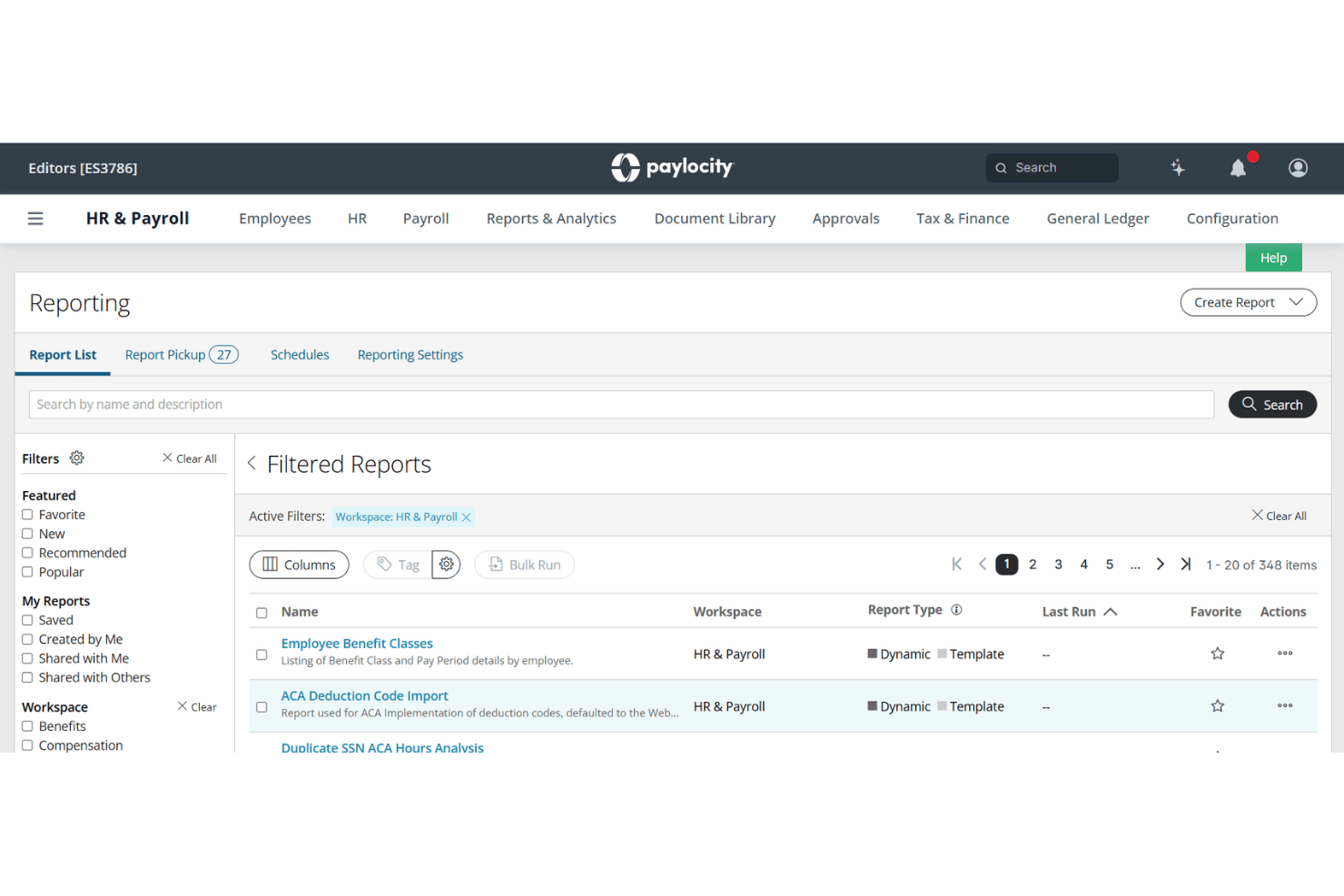
Paylocity is an HCM platform that handles payroll, time and labor, scheduling, and compliance for healthcare organizations managing clinical staff across multiple facilities, roles, and pay rates.
Who Is Paylocity Best For?
Paylocity fits mid-sized hospitals, medical groups, and long-term care networks with complex, multi-facility payroll needs and small-to-mid HR teams managing it.
Why I Picked Paylocity
I picked Paylocity as one of the best because it handles shift differentials, hazard pay, and credential-based scheduling inside a single payroll engine. In practice, that means I can configure automated pay rules for nights, weekends, and on-call shifts without manual rate adjustments each pay period. I also like that PBJ compliance reporting is built directly into the platform, which is a CMS requirement in long-term care settings that many general payroll tools simply don't address.
Paylocity Key Features
- PBJ compliance dashboard: Tracks and generates required Payroll-Based Journal reports for skilled nursing and long-term care facilities.
- Mobile time collection: Lets clinical staff clock in and out using mobile apps, kiosks, or smart geofencing.
- Multi-state payroll tax engine: Automates compliance with varying state and local tax regulations for dispersed healthcare teams.
- Credential expiration tracking: Monitors employee license statuses and blocks scheduling or payroll if credentials expire.
Paylocity Integrations
Paylocity offers over 350 native integrations, including United Healthcare, Equifax, BlueCross BlueShield, DocuSign, benefitexpress, Indeed, State of California EDD, and supports custom integrations through its API.
Pros and Cons
Pros:
- Tracks credential expirations and blocks payroll automatically
- FLSA 8/80 overtime rule is built in
- Automates shift differential pay without manual overrides
Cons:
- Reporting customization requires IT support to configure
- Implementation takes longer for multi-facility organizations
New Product Updates from Paylocity

Paylocity Adds Candidate Engagement and Talent Rediscovery Agents
Paylocity adds Candidate Engagement and Talent Rediscovery Agents to automate candidate outreach, scheduling, and re-engagement. This helps recruiting teams move candidates through hiring faster. For more information, visit Paylocity’s official site.
 .
.
Gusto
Best for small practice compliance automation
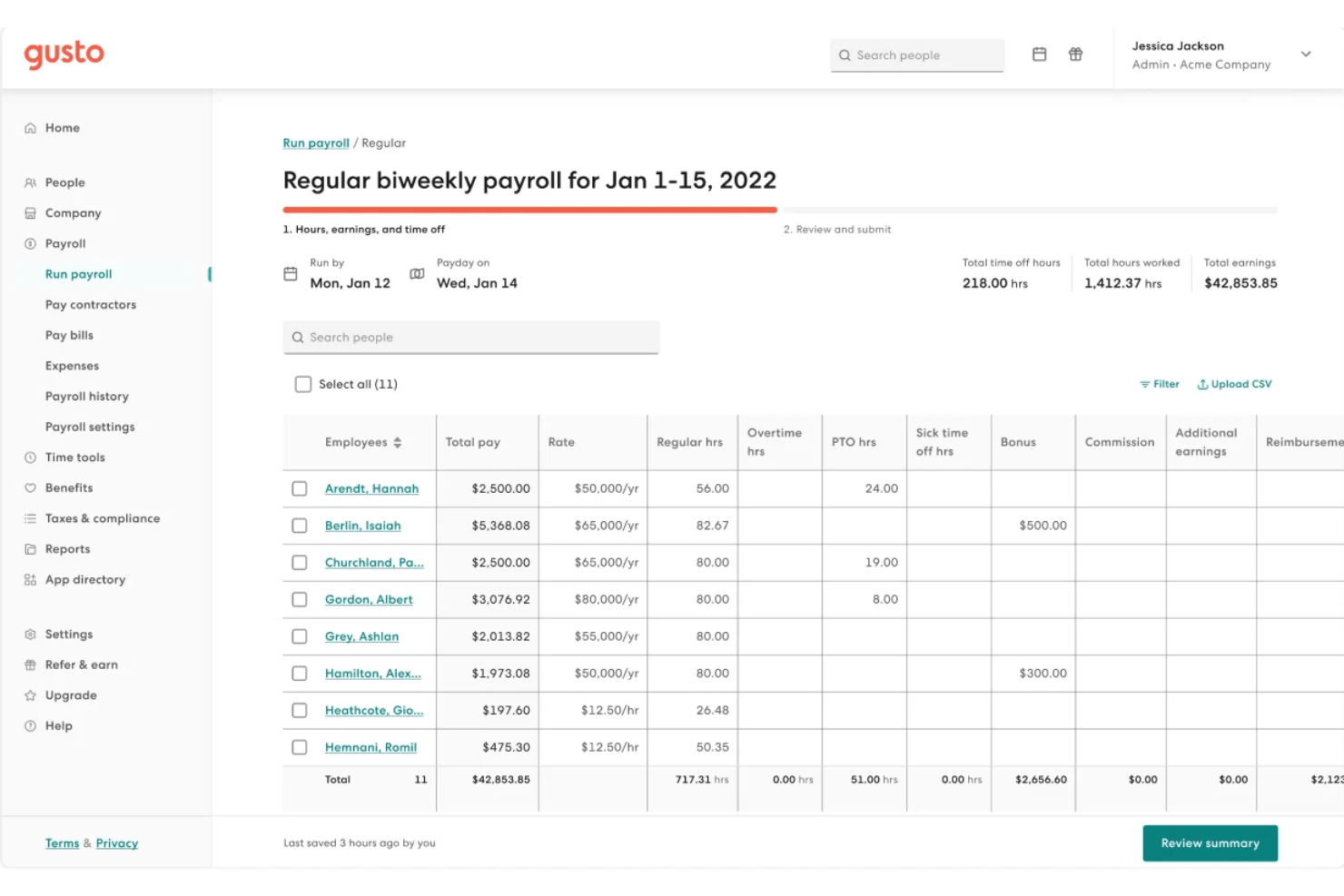
Gusto is a payroll and HR platform built for small healthcare practices, combining automated payroll runs, shift scheduling, time tracking, benefits administration, and compliance tools for clinical staff.
Who Is Gusto Best For?
Gusto suits practice administrators at small-to-mid-sized clinics managing teams of salaried, hourly, and per-diem clinical staff under one roof.
Why I Picked Gusto
I've included Gusto in my top picks because it handles the compliance heavy-lifting that trips up small practices most often. Built-in ACA and EEO-1 reporting run automatically alongside payroll, and HIPAA compliance training is folded directly into the onboarding flow. Gusto also files federal, state, and local taxes automatically every payroll cycle, so there's no manual filing or missed deadlines.
Gusto Key Features
- Flexible shift scheduling: Build and assign clinical shifts up to six months in advance, with coverage safeguards by role or location.
- Integrated time tracking: Employees can clock in using the Gusto Wallet app or a secure tablet kiosk with PIN and geofencing.
- Automated pay for contractors: Run payroll for hourly, salaried, per diem, and 1099 contractors in the same payroll cycle.
- Custom PTO policies: Set and track paid time off, sick leave, and holiday policies specific to your healthcare practice.
Gusto Integrations
Gusto offers native integrations with QuickBooks, Xero, 7shifts, Homebase, Deputy, When I Work, and Zapier. An API is available for custom integrations.
Pros and Cons
Pros:
- Supports per diem and 1099 contractor payroll
- Built-in ACA and EEO-1 compliance reporting
- Automated tax filing across all jurisdictions
Cons:
- No native EHR or credentialing system integrations
- Limited scheduling depth for large clinical teams
New Product Updates from Gusto
Gusto Adds Solo Advisory Tools and Mobile Money Features
Gusto adds Solo S-Corp Advisory Tools and Gusto Money on Mobile for tax guidance, invoicing, and bill payments. These updates help accountants advise solopreneurs and let users manage business finances from their phones. For more information, visit Gusto’s official site.

TimeTrex
Best for open-source to full payroll migration
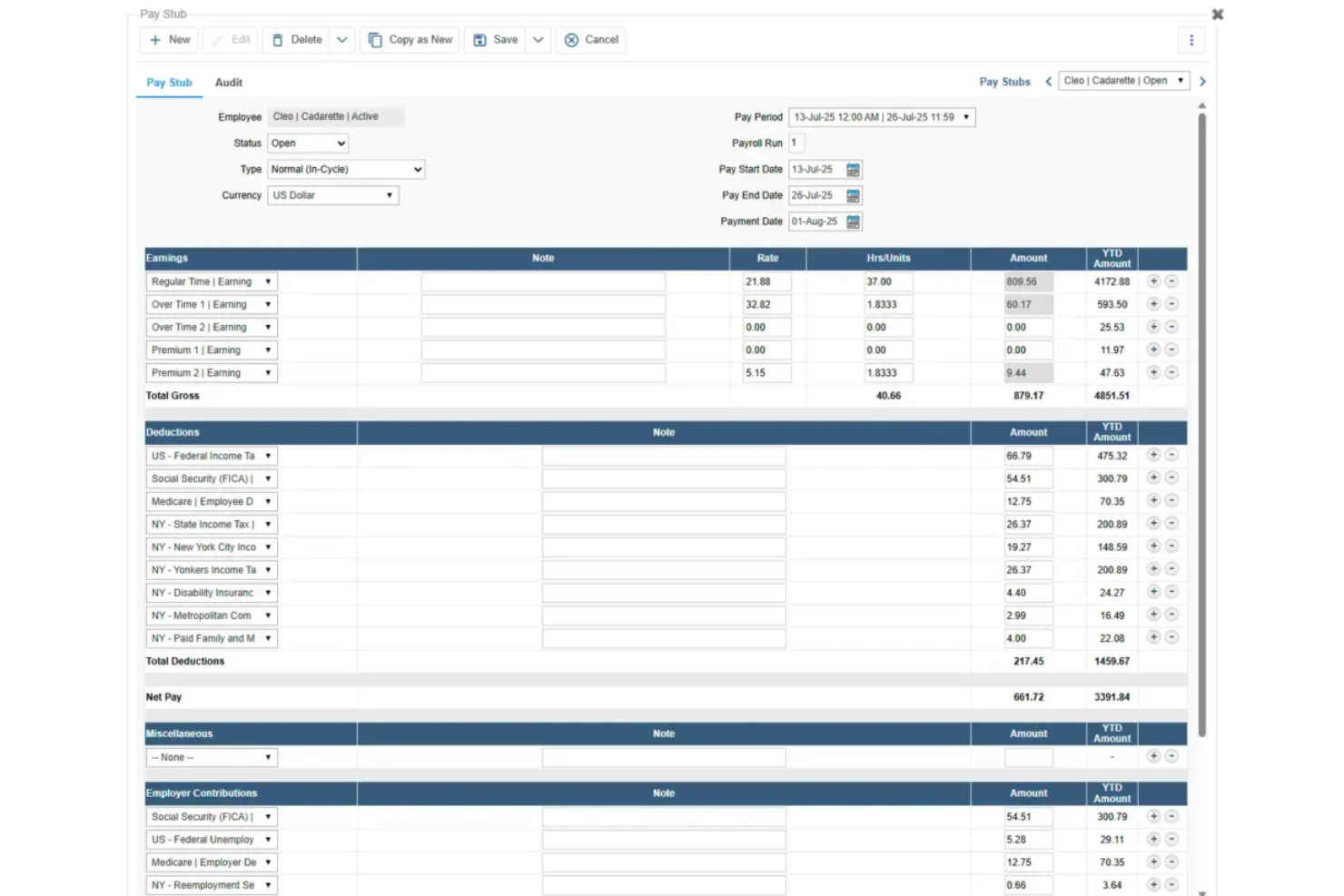
TimeTrex is a workforce management and payroll platform that combines time and attendance, shift scheduling, multi-rate wage calculation, tax filing, and HR tools, with built-in support for healthcare-specific needs like 8/80 overtime, shift differentials, and CMS Payroll-Based Journal exports.
Who Is TimeTrex Best For?
TimeTrex is a strong fit for long-term care facilities and hospitals that need configurable overtime, shift differential rules, and CMS PBJ compliance in one system.
Why I Picked TimeTrex
I've included TimeTrex in my top picks because it's the clearest path for healthcare organizations still running on the open-source Community Edition who need to migrate into a fully managed payroll environment without rebuilding their entire workflow. I particularly like its native 8/80 overtime engine and stackable shift differential policies, which let you layer evening, weekend, and callback premiums on the same hours without manual workarounds. The built-in CMS Payroll-Based Journal XML export is another feature I find genuinely useful for long-term care facilities that need to meet federal staffing submission requirements directly from their payroll system.
TimeTrex Key Features
- Secondary wage groups: Assign different pay rates to the same employee based on branch, department, job, or task, with those rates feeding automatically into overtime and premium calculations.
- Geofenced mobile clock-in: Let field-based and home health workers punch in and out via GPS-verified locations, supporting EVV-style verification for home health and hospice care.
- License and qualification tracking: Store license type, number, issue date, and expiry date for each employee, with a Qualification Summary Report to monitor upcoming expirations across your workforce.
- On-site deployment option: Host TimeTrex on your own infrastructure to keep employee and payroll data behind your firewall, a useful option for healthcare organizations with strict data control requirements.
TimeTrex Integrations
Documented integrations and payroll exports include Meditech, ADP, Paychex, Ceridian Insync, Millennium/Qqest, and QuickBooks. TimeTrex also offers a REST API for custom connections, but no certified connectors for UKG, Workday, Symplr, or QGenda are documented.
Pros and Cons
Pros:
- Responsive support helps complicated payroll setups
- Native PBJ exports support long-term care
- Configurable 8/80 and stacked differentials
Cons:
- No credential-linked pay or expiry blocks
- Dated interface complicates daily payroll work
New Product Updates from TimeTrex
TimeTrex Redesigns Workforce Management With New Payroll, Scheduling, and AI Tools
TimeTrex redesigns its workforce management experience with new dashboards, scheduling and timesheet tools, a rebuilt payroll workflow, and expanded AI assistance. These updates give teams more flexible ways to manage schedules, payroll, reporting, and employee data. For more information, visit TimeTrex’s official site.
 .
.
Best for integrated scheduling and payroll
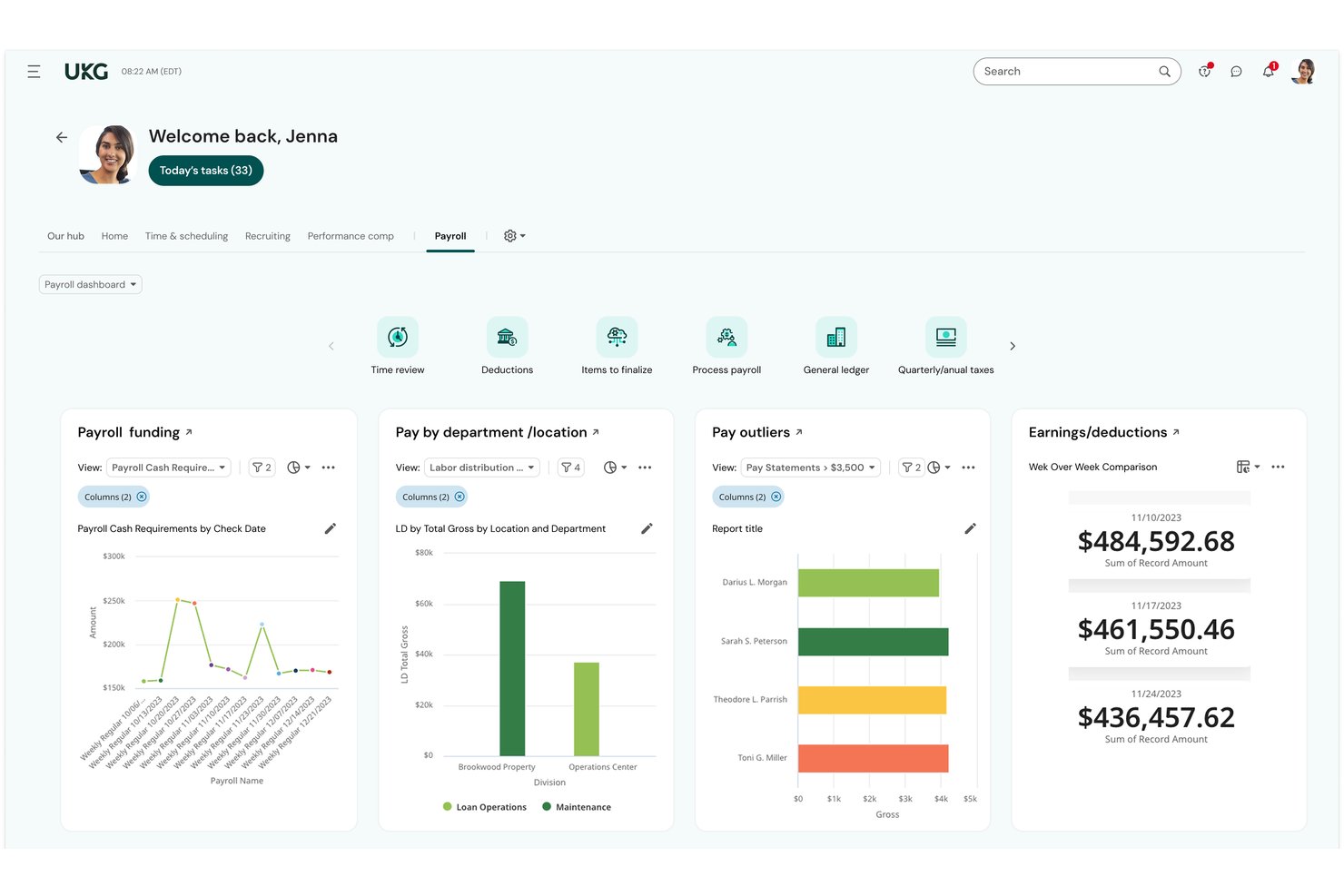
UKG Ready is an all-in-one HR, payroll, time, and scheduling platform built for small-to-midsize organizations, with native support for shift differentials, multi-rate pay, and workforce management across healthcare settings.
Who Is UKG Ready Best For?
UKG Ready is a strong fit for small-to-midsize healthcare organizations, including post-acute care facilities, clinics, and medical practices with lean HR and payroll teams.
Why I Picked UKG Ready
UKG Ready earns its spot on my shortlist because of how tightly its scheduling and payroll tools connect. They share a single employee record, so when a nurse picks up a weekend on-call shift, the correct differential rate applies automatically. I also like the continuous background payroll calculation, which recalculates totals in real time as schedules change. The automated Payroll-Based Journal (PBJ) reporting handles CMS compliance for post-acute care without a separate process.
UKG Ready Key Features
- Credential and license tracking: Store and manage employee certifications, credentials, and license-based pay rules in a centralized system.
- Automated ACA and FLSA compliance: Instantly update pay calculations and reporting to comply with ACA, FLSA, and state healthcare labor laws.
- Payroll-Based Journal (PBJ) reporting: Generate and submit required PBJ files for CMS compliance in long-term and post-acute care settings.
- Real-time labor analytics: Access department-level labor cost reports and overtime tracking for workforce budget oversight.
UKG Ready Integrations
UKG Ready offers native integrations with Employee Navigator, Equifax, and Fast Healthcare Interoperability Resources (FHIR) systems. Additional connectors are available through the UKG Marketplace, and an API is available for custom integrations.
Pros and Cons
Pros:
- Single system for scheduling, time, and payroll
- Automated shift differential calculations across all shifts
- Native PBJ reporting for CMS compliance
Cons:
- Mobile app limitations for frontline clinical staff
- Configuration complexity for multi-facility orgs

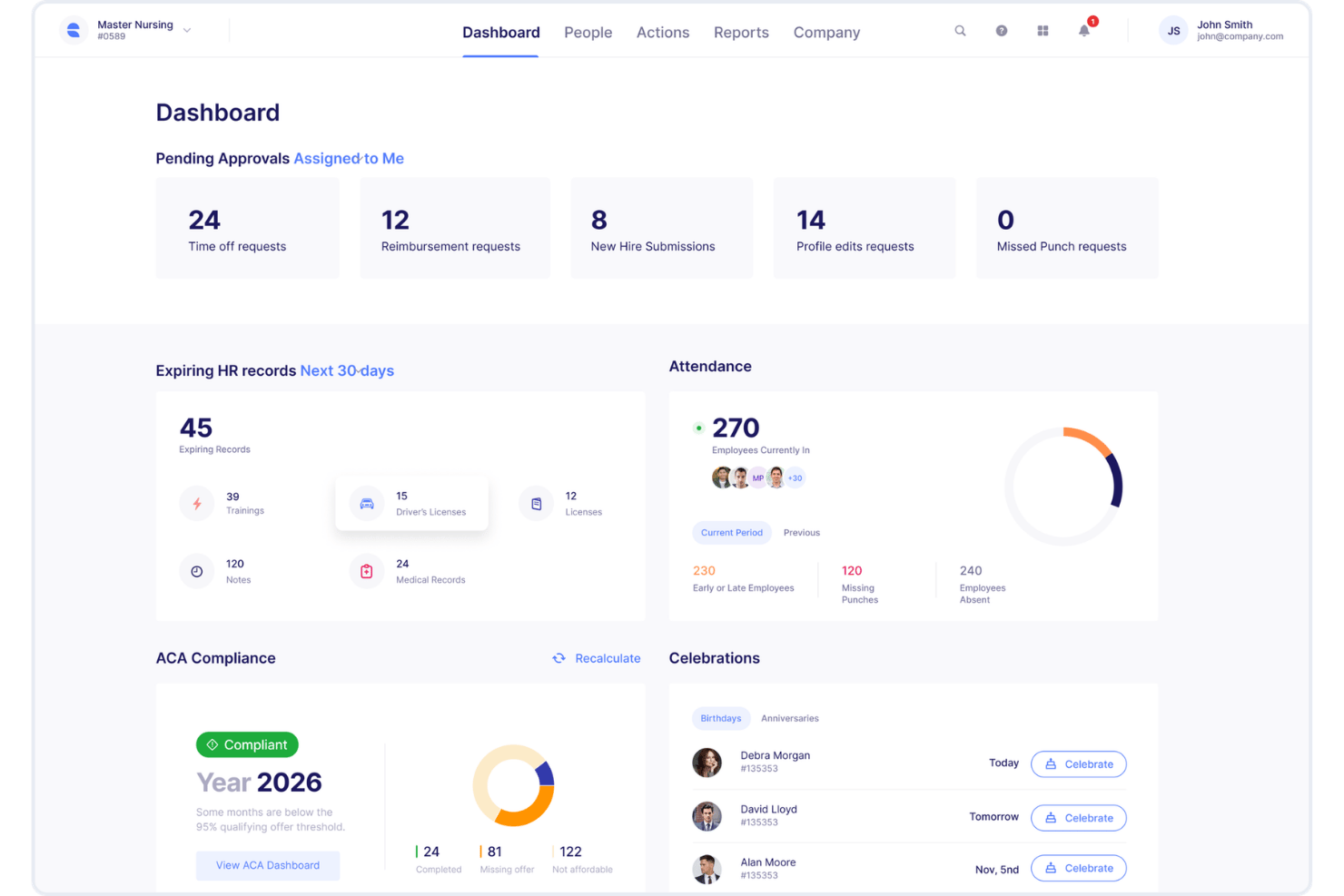
Empeon is a healthcare-specific payroll and HR platform that handles shift differentials, multi-rate pay, PBJ reporting, HPPD calculations, wage parity, and caregiver scheduling across multi-facility healthcare organizations.
Who Is Empeon Best For?
Empeon is a strong fit for payroll managers and HR leaders in long-term care, skilled nursing, home health, and hospice organizations navigating complex compliance requirements.
Why I Picked Empeon
I picked Empeon as one of the best because its wage parity and PBJ calculations are built directly into the payroll engine, not added as an afterthought. When I run payroll, Empeon automatically applies home care wage parity rules and pulls HPPD data from the same time and attendance records, eliminating manual reconciliation between systems. It also calculates Spread of Hours, a compliance requirement most general payroll platforms overlook entirely.
Empeon Key Features
- HR premium module: Includes recruiting, onboarding, task management, and live in-platform chat for HR teams.
- Caregiver scheduling view: Lets you assign shifts across multiple floors, units, and facilities from a master calendar.
- Direct general ledger integration: Syncs payroll data directly to your accounting system for financial reconciliation.
- Earned wage access integration: Integrates with providers like Tapcheck and ZayZoon to offer employees early access to earned wages.
Empeon Integrations
Empeon offers native integrations with PointClickCare, OnShift, Apploi, Dropstat, Streamline Verify, Showd.me, Tapcheck, ZayZoon, and Keeper. An API is available for custom integrations.
Pros and Cons
Pros:
- Built-in credential-based pay rule automation
- Handles multi-facility payroll from one platform
- Native PBJ and wage parity calculations
Cons:
- Smaller vendor with fewer self-serve support resources
- Limited public documentation on advanced reporting

Best for deskless hourly workers
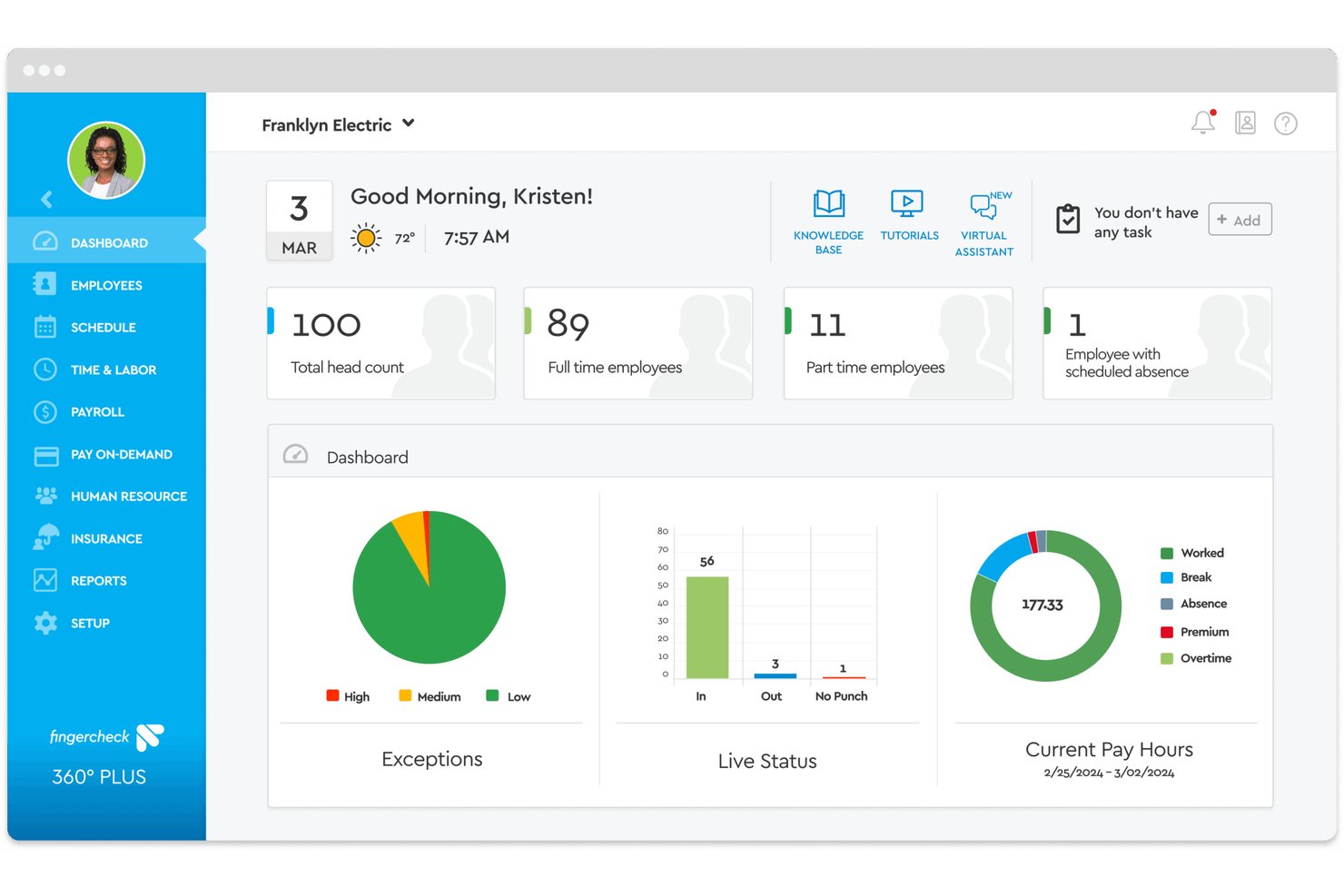
Fingercheck is a payroll and workforce management platform built for hourly, shift-based healthcare teams, with native time tracking, credential management, multi-rate payroll, and PBJ reporting built in.
Who Is Fingercheck Best For?
Fingercheck is a strong fit for small to mid-sized operators running skilled nursing facilities, ABA centers, urgent care clinics, or outpatient practices with hourly, shift-based staff.
Why I Picked Fingercheck
I picked Fingercheck as one of the best because it's one of the few payroll platforms that builds schedules against daily census and HPPD targets, recalculating automatically as patient loads shift. I also like the Credential Management module, which tracks RN, LPN, and CNA license expirations and sends automated renewal reminders from the same system running payroll. GPS-verified clock-ins flow directly into payroll calculations, so deskless staff working across multiple sites are always accounted for without manual timesheet chasing.
Fingercheck Key Features
- PBJ reporting automation: Generate CMS-ready Payroll-Based Journal (PBJ) files directly from verified time and payroll data.
- Real-time GPS and biometric time clocks: Enable location-verified and biometric employee punches through mobile or on-site devices.
- Multi-site and multi-rate payroll: Pay staff across multiple locations and roles in a single cycle, with support for different job rates.
- Document and license storage: Store and track nurse credentials, certifications, and renewal documents electronically in one system.
Fingercheck Integrations
Fingercheck offers native integrations with ADP, Gusto, QuickBooks, Excel, Rent Manager, Sapphire, and CentralReach. An API is available for custom integrations.
Pros and Cons
Pros:
- Credential expiration alerts block payroll processing
- GPS clock-in supports deskless shift workers
- Built-in PBJ reporting for CMS compliance
Cons:
- Union CBA management not fully automated
- Reporting depth limited for large hospital systems

Netchex
Best for automated credential tracking alerts
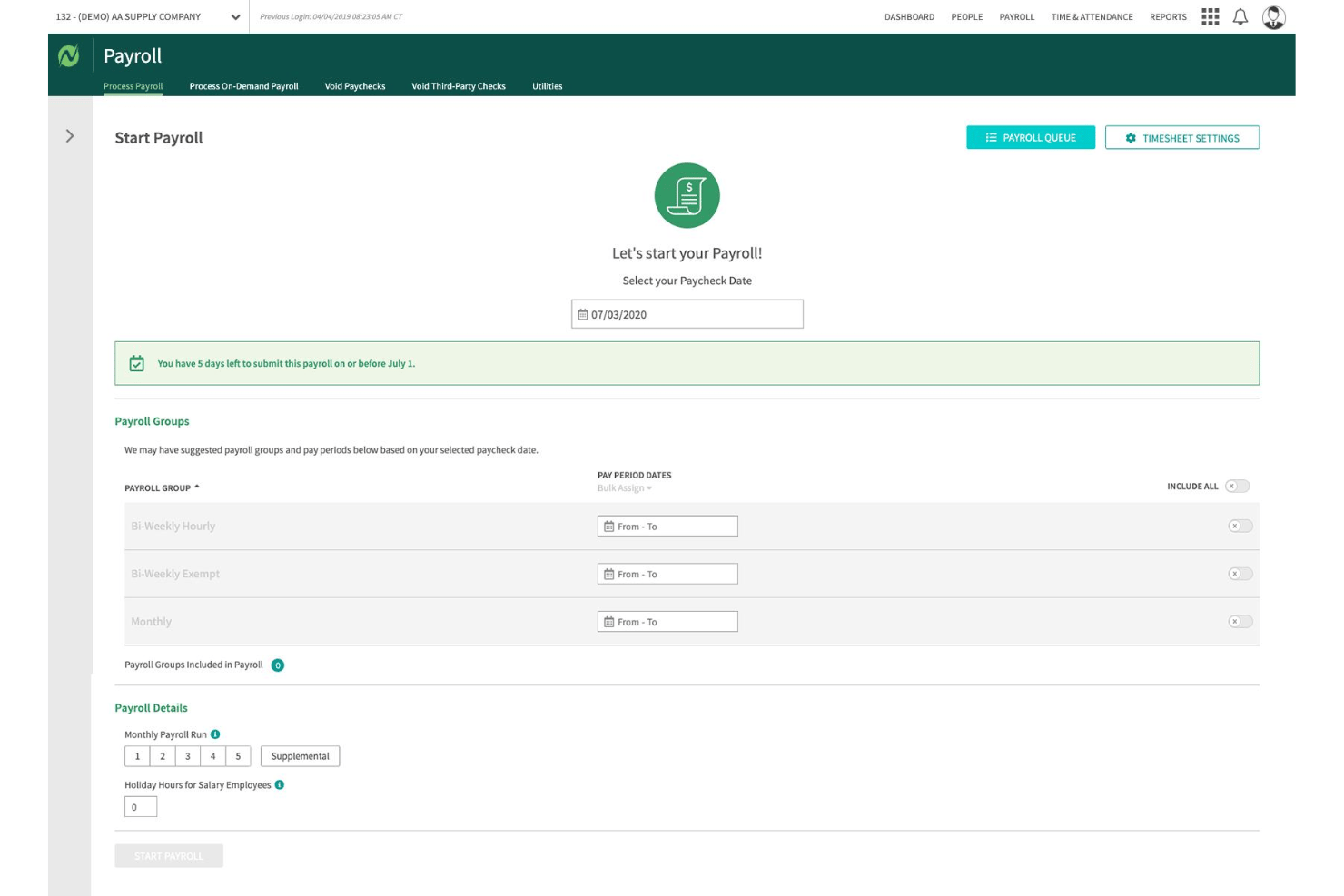
Netchex is a healthcare-focused payroll and HCM platform that handles shift differentials, multi-rate pay, credential tracking, ACA compliance, and time and attendance for hospitals, clinics, and long-term care facilities.
Who Is Netchex Best For?
Netchex is a strong fit for payroll managers and HR teams in hospitals, health systems, and long-term care facilities managing mixed workforces of 50 to 5,000 employees.
Why I Picked Netchex
Netchex earns its spot on my shortlist because the License & Certifications Dashboard is one of the most structured credential management tools I've seen built into a payroll platform. It tracks nursing licenses, CNAs, CPR/BLS, and DEA registrations, then fires automated alerts at 30, 60, and 90 days before expiration. I also like that certification-based pay rates tie directly into payroll, so a nurse's credential status and compensation stay in sync without any manual adjustments.
Netchex Key Features
- Shift differential payroll automation: Automatically applies variable pay rates for nights, weekends, on-call, and holiday shifts.
- OneScreen payroll dashboard: Gives payroll managers a single view to track payroll readiness, approvals, and outstanding tasks.
- Epic EHR integration: Syncs employee data and hours between payroll and electronic health record systems without double entry.
- PBJ reporting support: Generates Payroll-Based Journal files required for long-term care regulatory compliance.
Netchex Integrations
Netchex offers native integrations with Epic EHR, Employee Navigator, and Indeed. An API is available for custom integrations.
Pros and Cons
Pros:
- Built-in PBJ reporting for long-term care
- Handles per diem and PRN pay in-house
- Automated credential expiration alerts at multiple intervals
Cons:
- Support response times can be inconsistent
- Reporting customization options are somewhat limited

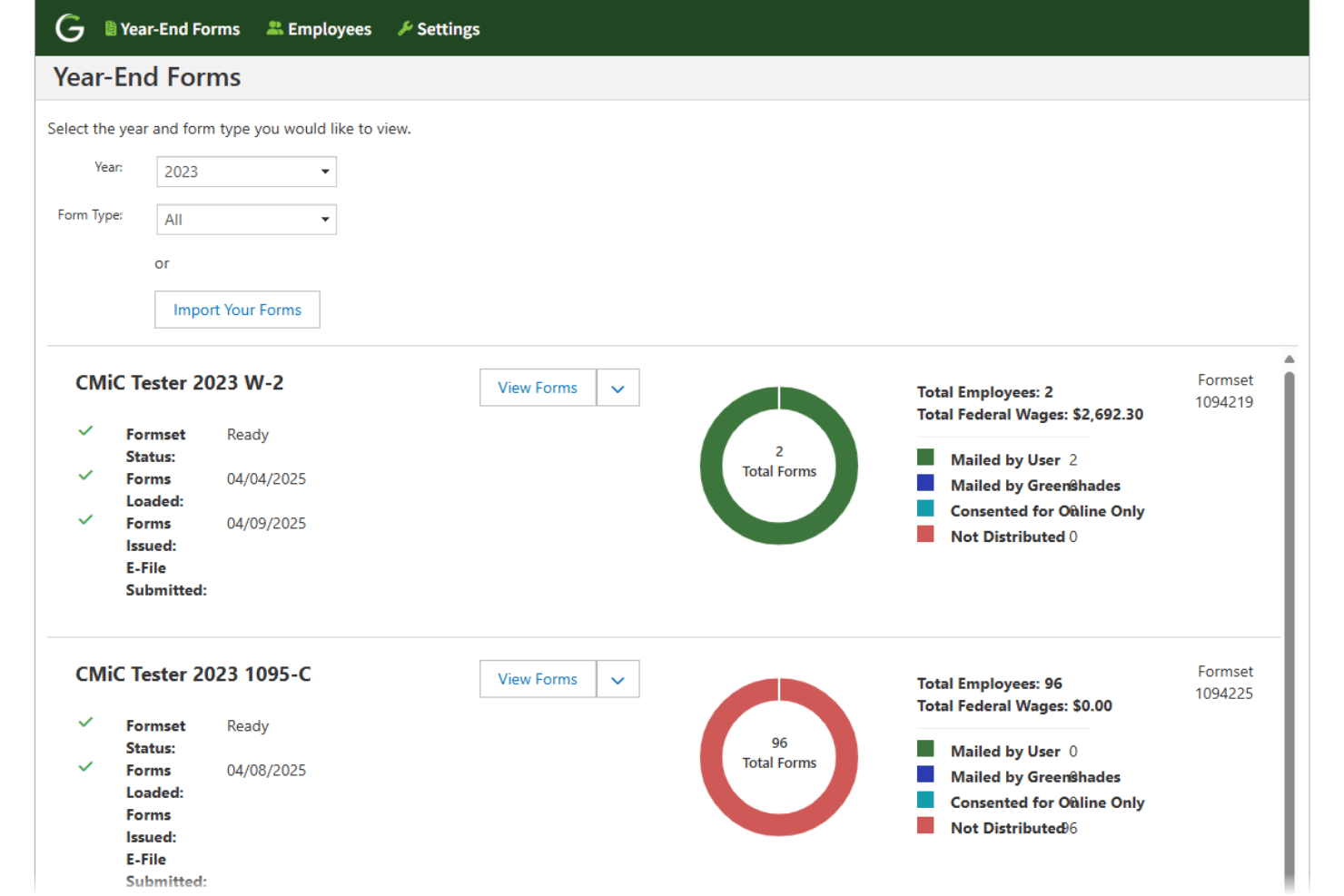
Greenshades is a payroll and HR platform built for mid-market healthcare organizations, offering in-house payroll processing, multi-jurisdiction tax management, shift differential calculations, and license and certification tracking across multiple facilities and pay structures.
Who Is Greenshades Best For?
Greenshades is a strong fit for mid-market healthcare organizations running Microsoft Dynamics or Sage ERP systems that want to keep payroll and tax processing fully in-house.
Why I Picked Greenshades
Greenshades earns its spot on my shortlist because of how it handles tax remittance directly from your organization's bank account, with no third-party float or pre-funded accounts required. I like that automated multi-jurisdiction tax assignments, including state and local reciprocity agreements, are built directly into the payroll workflow. That's especially relevant in healthcare, where traveling nurses and home health aides routinely cross tax jurisdictions within a single pay period.
Greenshades Key Features
- 8/80 overtime rules: Supports FLSA 8/80 overtime calculations built for hospital and long-term care settings.
- Shift-based credential tracking: Tracks certifications and licenses required for clinical staff, automatically flagging expirations.
- Integrated time validation: Validates timesheet data during payroll processing to catch missed shifts and irregular work patterns.
- ERP and financial system integration: Connects natively to Microsoft Dynamics, Sage Intacct, and Acumatica for bi-directional payroll and finance workflows.
Greenshades Integrations
Greenshades offers native integrations with Microsoft Dynamics GP, Business Central, Dynamics 365 Finance & Operations, Sage Intacct, Acumatica, Bullhorn, and QuickBooks. An API is available for custom integrations.
Pros and Cons
Pros:
- Strong credential-based pay rule enforcement
- Handles complex healthcare pay structures well
- Excellent tax filing automation built in
Cons:
- Interface feels dated compared to competitors
- Support response times can be slow
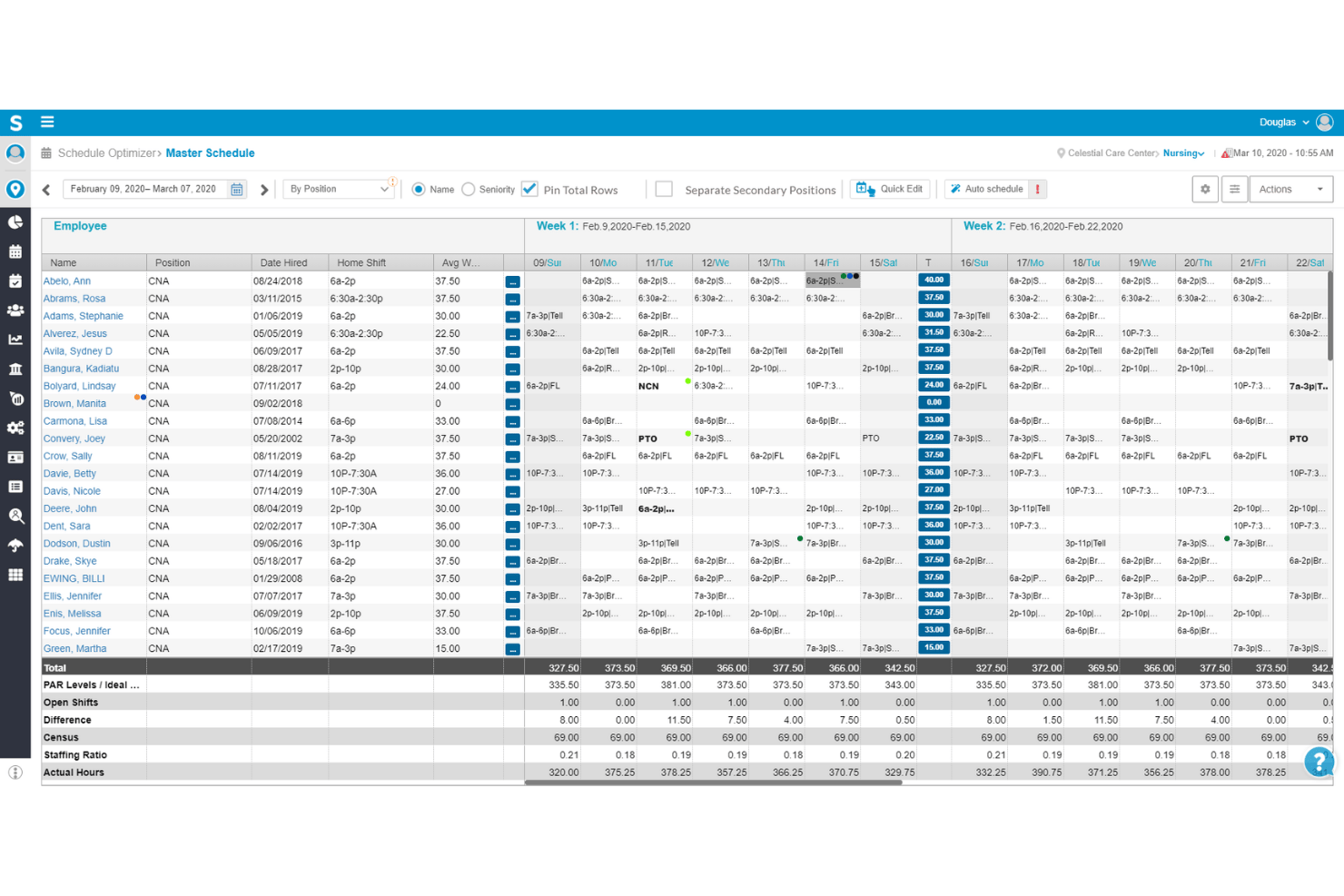
Smartlinx is a healthcare workforce management platform built specifically for skilled nursing, senior care, and post-acute settings, combining payroll processing, time & attendance, scheduling, HR, and compliance tools in one system.
Who Is Smartlinx Best For?
Smartlinx is a strong fit for HR and payroll leaders managing large hourly workforces across skilled nursing facilities, assisted living communities, and post-acute care organizations.
Why I Picked Smartlinx
Smartlinx earns its spot on my shortlist because of how deeply its payroll rules engine is built around senior care workforce realities. I picked it specifically for its automated shift differential calculations, which handle complex, role-based rate variation across nights, weekends, holidays, and on-call shifts. Its AutoRun feature and flexible pay cycle configuration mean payroll runs don't require manual oversight, even across multiple facilities running different pay rules.
Smartlinx Key Features
- CMS PBJ reporting: Automatically generates Payroll-Based Journal reports for CMS staffing compliance.
- HR document management: Centralizes storage and tracking of employee HR and credential documentation.
- Mobile self-service portal: Lets employees view pay statements, manage profiles, and clock in/out from any device.
- Full-service tax filing: Calculates and files federal, state, and local payroll taxes, including ACA and workers’ comp.
Smartlinx Integrations
Native integrations are not clearly documented. Smartlinx provides an API for custom integrations.
Pros and Cons
Pros:
- Includes built-in CMS PBJ compliance reporting
- Automates shift differentials across multiple clinical roles
- Built specifically for post-acute care payroll
Cons:
- Custom reporting requires help from support team
- Less suited for large acute hospital payroll

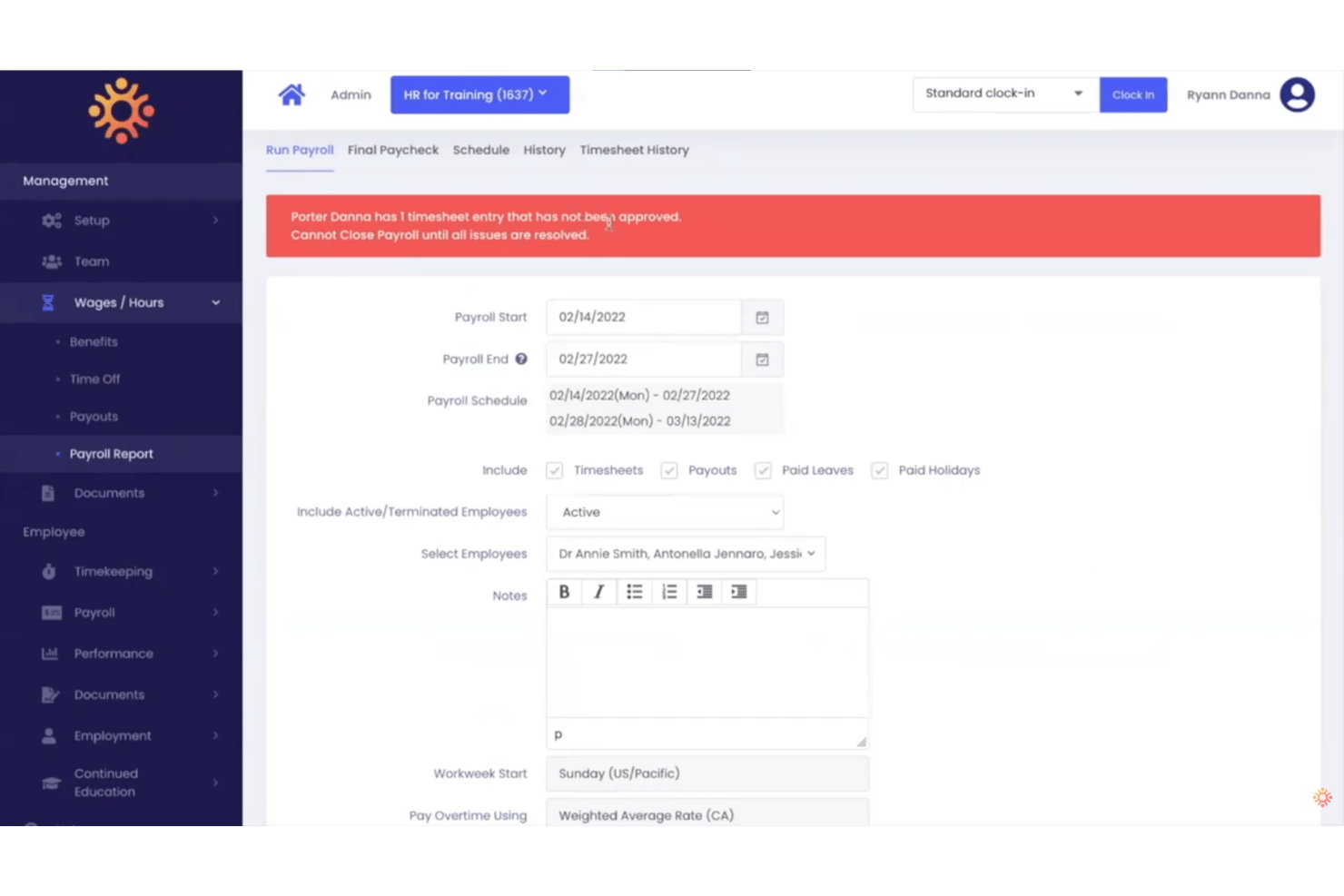
HR for Health is an all-in-one HR and payroll platform built exclusively for healthcare practices, handling payroll runs, time tracking, PTO, multi-rate pay structures, and compliance — all within a single system designed around clinical and administrative workflows.
Who Is HR for Health Best For?
HR for Health is a strong fit for practice administrators at small to mid-sized dental, medical, optometry, chiropractic, and veterinary offices managing payroll in-house.
Why I Picked HR for Health
I picked HR for Health because it's the only payroll platform I've found built specifically for outpatient clinical practices, not adapted from a generic small business tool. It handles pay structures like percent collection and per diem, which are common in dental and medical settings, without manual workarounds. I also like that the time clock syncs directly to payroll, so commission splits and multi-rate calculations are already resolved before I run payroll.
HR for Health Key Features
- Integrated time clock: Employees clock in and out from a digital time clock that syncs directly with payroll and scheduling.
- Automatic overtime calculations: Overtime is tracked and calculated according to jurisdiction-specific labor requirements for healthcare staff.
- License and CE tracking: Monitor certification expiration dates and healthcare credentials with built-in reminders and recordkeeping.
- Customizable PTO management: Configure vacation, sick leave, and other time off buckets to comply with healthcare-specific policies.
HR for Health Integrations
Native integrations are not clearly documented. The tool offers an API for custom integrations.
Pros and Cons
Pros:
- Handles per diem and multi-rate pay natively
- Tracks staff credentials and license expiration dates
- Built around dental and medical practice workflows
Cons:
- Fewer third-party scheduling integrations than competitors
- Limited fit for large hospital or health system payroll
Other Healthcare Payroll Software
Here are some additional healthcare payroll software options that didn’t make it onto my shortlist, but are still worth checking out:
- Paychex Flex
For on-demand pay access for clinical staff
- ADP Workforce Now
For enterprise compliance
- OnPay
For micro practice payroll
- BambooHR
For onboarding clinical staff across roles
- Workday
For large healthcare systems
- Paycor
For frontline workforce management
- Paycom
For self-service pay management tools
- Workforce.com
For dynamic labor cost tracking
- Dayforce
For managing complex shift differentials
- OnShift
For eldercare labor management


How I Evaluate Healthcare Payroll Software
I split my evaluation into baseline requirements—shift differential logic, multi-rate pay—and the differentiators, like credential-linked rules and FLSA 8/80 depth, that set a tool apart.
Core Functionality (Table Stakes For This List)
When I'm selecting tools for my list, I rank each one on a scale from 0 (does not offer the functionality) to 5 (excels in this area) for each core functionality listed below. I then calculate the tool's total score into a percentage, using 65% as a benchmark to help assess its overall fit for the list.
- Shift Differential Pay: I look for automated pay rules that account for nights, weekends, holidays, on-call, and hazard shifts without requiring manual adjustments each pay cycle.
- Healthcare Time & Attendance: The tool should support 24/7 rotating schedules with clock-ins tied to specific departments or clinical units, not just basic in/out tracking.
- Multi-Rate & Multi-Role Pay: I evaluate whether a nurse picking up shifts across two units at different rates gets accurate blended overtime calculated automatically.
- Labor Law Compliance: Coverage should extend beyond basic FLSA to include ACA reporting, state-specific healthcare labor rules, union CBA enforcement, and meal break penalties.
- Union & Certification Tracking: I check for credential-linked pay adjustments, license expiration alerts, union dues deductions, and retro pay processing tied to contract changes.
- Healthcare HRIS Integrations: Strong tools connect with scheduling and workforce management platforms like Kronos, UKG, Workday, and Symplr rather than relying on manual file imports.
Once I have a list of tools that meet the criteria, I consider what sets each platform apart.
Differentiating Factors (What Sets Vendors Apart)
Here's how I compare and contrast different vendors:
Standout Features
Credential-based pay rules are a major differentiator. I look for tools that adjust rates automatically when a clinician earns a new certification and block payroll if a license lapses. Per diem and PRN pay handling also matters—processing travel nurses, 1099 contractors, and W-2 staff in a single payroll run saves real administrative effort. Retro pay for union contract changes is another area I evaluate closely, since hospitals often need to apply step increases or CBA adjustments retroactively across large groups.
Beyond Features
Scalability across facility types is a big one. I look for platforms that handle multi-EIN structures and cost-center allocation across hospitals, clinics, long-term care, and home health under one roof. Healthcare-specific compliance depth also varies widely—some vendors support the FLSA 8/80 overtime rule and HIPAA-compliant payroll records, while others only cover the basics. Real-time labor cost reporting rounds out my evaluation, especially tools that tie overtime visibility to department-level budgets.
How to Choose a Healthcare Payroll Software
Choosing the right healthcare payroll software comes down to matching your organization’s unique pay rules, compliance risks, and integration needs with tools built for the realities of healthcare HR.
| If your priority is... | Look for... |
|---|---|
| Reliable shift differential management | Detailed pay rule configuration for nights, weekends, and on-call shifts |
| Managing multi-site payroll and transfers | Multi-facility setup and cost-center allocation by department or unit |
| Real-time labor cost control | Overtime and premium tracking by facility or clinical unit |
| EHR/HRIS data flow | Bi-directional integrations with scheduling and credentialing systems |
How to Vet Your Shortlist
- Test credential handling: Upload expired licenses and check if the system blocks payroll within 24 hours.
- Request pay rule documentation: Ask for a sample configuration for complex differential logic covering three or more shift types.
- Trial integrations: Run a 7-day trial syncing with your scheduling or HRIS platform to verify data accuracy and bi-directional sync.
- Request overtime compliance evidence: Get a written clause confirming the tool supports FLSA 8/80 overtime calculation.
- Choose between out-of-box ease and deep healthcare customization: Fast setup appeals to smaller teams, but complex facilities with union and shift rules may need configuration flexibility.
What Is Healthcare Payroll Software?
Healthcare payroll software is a specialized system built to automate pay calculations, shift differentials, credential-based rates, and labor law compliance for hospitals, clinics, and multi-site care teams. These platforms help HR and payroll leaders manage complex pay rules, union agreements, multiple job codes, and integration with scheduling or credentialing systems—all while ensuring regulatory compliance unique to healthcare organizations.
Healthcare Payroll vs. Standard Payroll: Key Differences
Healthcare payroll follows the same basic process as standard payroll, but it typically has more complex scheduling, pay-rate, and overtime requirements.
| Payroll area | Standard payroll | Healthcare payroll |
|---|---|---|
| Work schedules | Often based on fixed or predictable schedules. | Frequently includes nights, weekends, rotating shifts, on-call hours, and variable schedules. |
| Pay rates | Employees commonly have one primary pay rate. | One employee may have different rates by role, shift, department, or facility. |
| Shift differentials | Less common. | Common for nights, weekends, holidays, or hard-to-fill shifts. |
| Overtime | Usually calculated after 40 hours for nonexempt employees. | May involve multiple rates, shift premiums, and, for eligible healthcare employers, the FLSA's 8-and-80 overtime system. |
| Worker types | Often centered on full-time and part-time employees. | May include full-time, part-time, PRN, per diem, temporary, and contract workers. |
| Time tracking | Standard clock-in and clock-out data may be enough. | May need to account for on-call time, callback hours, training, travel between sites, and work outside scheduled shifts. |
| Locations | Often managed within one workplace or jurisdiction. | Employees may work across multiple facilities, departments, or states. |
| Scheduling integration | Useful but not always essential. | Often critical because schedules, hours, and pay codes directly affect payroll calculations. |
Common Healthcare Payroll Challenges
Healthcare payroll gets complicated because employees work changing schedules, earn different rates, or move between roles and locations. A nurse, technician, or other employee may work different shifts, earn multiple rates, pick up overtime, or work across locations within the same pay period.
- Multiple pay rates: Nurses, technicians, and other staff may earn different rates based on their role, shift, department, or facility.
- Shift, on-call, and callback pay: Nights, weekends, holidays, on-call periods, and callbacks can all require different pay rules.
- Complex overtime: Shift differentials, nondiscretionary bonuses, and multiple hourly rates can affect how the regular rate for overtime is calculated.
- Variable schedules: PRN, per diem, part-time, and rotating staff may work very different hours each pay period, making accurate timekeeping critical.
- Multiple roles and facilities: Employees may work different jobs or locations in the same week, and those hours may need to be combined when calculating overtime.
- Mixed worker types: Healthcare organizations often use employees alongside contractors, making correct worker classification important for payroll taxes and reporting.
Look for payroll software that can connect scheduling and time tracking with payroll and automatically apply the right rates, premiums, and overtime rules.
Features
Here are the core features any great healthcare payroll software should have:
- Shift differential pay: Automatically calculates pay for nights, weekends, holidays, and on-call shifts based on pre-set rules to ensure accurate compensation.
- Multi-rate and multi-role support: Lets you pay employees working multiple roles or departments within a pay period at different rates, blending overtime as needed.
- Time and attendance integration: Syncs with clock-in systems or scheduling tools to track hours for salaried, hourly, per diem, or contract staff across 24/7 healthcare operations.
- Labor law and union compliance: Enforces FLSA, ACA, state rules, and union agreements while automating meal break penalties and mandatory overtime calculations.
- Credential and license tracking: Monitors expirations and ties compensation or shift eligibility to certifications, alerting you to issues before payroll is processed.
- Automated retro pay adjustments: Processes back pay for union negotiations, step increases, or correction of missed premiums for past pay periods.
- Healthcare HRIS and EHR integration: Connects payroll with HR, scheduling, and clinical systems, simplifying data flow and minimizing duplicate entry.
- Cost center and facility allocation: Distributes labor costs by department, unit, or facility for transparency in budgeting and regulatory reporting.
- Self-service portals for staff: Allows employees to view pay stubs, update credentials, request time off, and manage direct deposit from one accessible platform.
- Customizable reporting and analytics: Generates department-level, unit-level, and cost-reporting insights for audits, grant compliance, reimbursement, or productivity analysis.
Healthcare Compliance Requirements for Payroll
Healthcare organizations follow the same core federal payroll laws as other U.S. employers, but irregular schedules, multiple rates, and mixed worker types can make those requirements harder to apply correctly.
Key areas to watch:
- Minimum wage and overtime: Under the Fair Labor Standards Act (FLSA), covered nonexempt employees generally receive overtime at 1.5 times their regular rate after 40 hours in a workweek.
- The 8-and-80 overtime rule: Certain hospitals and residential care establishments can use a fixed 14-day period and pay overtime for hours over eight in a day or 80 in the 14-day period. Specific FLSA requirements apply, including having an agreement or understanding with affected employees before the work is performed.
- Accurate hours worked: Payroll needs to capture compensable time beyond scheduled shifts when required, including certain pre- or post-shift duties, meetings, training, and work-related travel between sites.
- Worker classification: Don't assume PRN, temporary, or contract status automatically makes someone an independent contractor. The IRS looks at factors such as behavioral control, financial control, and the nature of the working relationship. Misclassification can leave the employer liable for employment taxes.
- Payroll taxes: Employers generally need to withhold federal income tax and employees' Social Security and Medicare taxes, pay the employer share of Social Security and Medicare, and account for federal unemployment tax. State and local payroll requirements may also apply.
- State wage and hour rules: Federal law is only the baseline. States can impose higher minimum wages or additional overtime requirements, so multi-state healthcare organizations need payroll software that can apply requirements by employee location.
- Payroll recordkeeping: Under the FLSA, employers generally need to retain payroll records for at least three years and records used to calculate wages, such as time cards and work schedules, for at least two years.
- ACA reporting: Healthcare organizations aren't automatically subject to special ACA payroll rules just because they're healthcare providers. However, employers averaging at least 50 full-time employees, including full-time equivalents, in the previous year are generally Applicable Large Employers and have employer shared-responsibility and information-reporting requirements.
- OSHA requirements: Healthcare employers must follow applicable OSHA workplace safety and recordkeeping rules. These aren't payroll requirements, but they can overlap with workforce systems when payroll software includes HR, training, incident tracking, or workers' compensation features.
For software buyers, the key features are configurable pay rules, multi-state support, accurate time tracking, and clear payroll records.
Benefits
Implementing healthcare payroll software provides several benefits for your team and your business. Here are a few you can look forward to:
- Accurate complex pay calculations: Automates shift differentials, blended overtime, and credential-based rates, reducing manual errors and paycheck disputes.
- Regulatory and union compliance tracking: Keeps you aligned with FLSA, ACA, and union contract rules, lowering legal risk by enforcing state and federal mandates automatically.
- Time savings for HR teams: Eliminates double entry with integrated scheduling, time tracking, and self-service functionality, freeing up team capacity for higher-value tasks.
- Scalable multi-site management: Supports multi-facility, multi-EIN payroll and cost allocation, so you can grow or restructure without payroll headaches.
- Faster credential and license updates: Instantly reflects new certifications or licensing status changes in pay and eligibility thresholds, helping you meet staffing requirements.
- Improved labor cost visibility: Delivers detailed, real-time analytics to track overtime, unit costs, and productivity, supporting better staffing and budgeting decisions.
- Enhanced employee experience: Gives staff self-service access to pay information and credentials, increasing satisfaction and reducing HR inquiries.
Costs and Pricing
Selecting healthcare payroll software requires an understanding of the various pricing models and plans available. Costs vary based on features, team size, add-ons, and more. The table below summarizes common plans, their average prices, and typical features included in healthcare payroll software solutions:
Plan Comparison Table for Healthcare Payroll Software
| Plan Type | Average Price | Common Features |
|---|---|---|
| Free Plan | $0 | Basic payroll processing, limited employee count, simple shift differentials, and basic support. |
| Personal Plan | $8–$18/user/month | Standard payroll, time tracking, shift differentials, self-service portal, and email support. |
| Business Plan | $18–$35/user/month | Advanced shift pay, multi-rate roles, HRIS integrations, credential tracking, and compliance automation. |
| Enterprise Plan | $36–$60/user/month | Custom integrations, union/retro pay, reporting, multi-facility setup, and dedicated support. |
FAQs
Here are some answers to common questions about healthcare payroll software:
Should I choose payroll software or an outsourced payroll service?
Choose payroll software if your team wants to control payroll internally and mainly needs help automating calculations, taxes, filings, and reporting.
Consider an outsourced payroll service if you want a provider to take on more of the payroll administration.
How does holiday pay work if my clinic stays open on holidays?
Federal law doesn’t require healthcare employers to provide paid holidays or premium pay simply because an employee works on a holiday. Holiday pay is generally determined by your employment policies, collective bargaining agreement, or applicable state law.
If your clinic pays a holiday premium, such as 1.5× or 2× regular pay, your payroll system should be able to apply that rate automatically to eligible shifts.
How should I handle employees and independent contractors in payroll?
Keep employees and independent contractors separate for payroll and tax purposes. Employees generally have income tax, Social Security, and Medicare withheld through payroll, while independent contractors generally don’t have employment taxes withheld and may instead receive Form 1099-NEC.
Don’t classify someone as a contractor simply because they’re PRN, temporary, or paid per shift. The IRS looks at factors including behavioral control, financial control, and the nature of the working relationship. Misclassification can leave your organization responsible for unpaid employment taxes.
How is vacation pay handled for part-time, PRN, and per diem healthcare staff?
Federal law doesn’t require paid vacation, including for part-time, PRN, or per diem workers. Whether these employees earn PTO or vacation pay depends on your organization’s policy, employment agreement, and applicable state or local requirements.
If different employee groups have different PTO rules, look for payroll software that can assign separate accrual policies by worker type, location, or tenure rather than applying one policy to everyone.
Can healthcare payroll software handle union and non-union employees?
Yes, provided the software supports different pay rules and deductions for different employee groups.
For union employees, you may need to configure:
- Contract-specific wage rates
- Shift and overtime rules
- Benefit contributions
- Union dues
- Pay increases based on the collective bargaining agreement
Non-union employees can follow separate payroll policies in the same system. Employers may also withhold union dues when an authorized dues-checkoff arrangement applies, so the software should be able to manage and remit those deductions accurately.
Can healthcare payroll software manage multiple locations or facilities?
Yes. For a multi-location healthcare organization, look for software that lets you assign employees and hours to specific clinics, facilities, departments, and cost centers while still managing payroll centrally.
Useful capabilities include:
- Location-level labor cost reporting
- State and local tax support
- Employees working across locations
- Separate departments and cost centers
- Consolidated organization-wide reporting
- Multiple EIN support when facilities operate as separate legal entities
If locations belong to different legal entities, make sure the software can keep their payroll filings and EINs separate rather than treating every facility as one employer.
How can payroll software help healthcare organizations with high staff turnover?
Frequent hiring and departures create more payroll work, from adding new employees to processing final pay. Payroll software can reduce the manual work by connecting onboarding, employee records, time tracking, payroll, and offboarding.
Look for features that help you manage:
- New-hire payroll setup and tax forms
- Direct deposit enrollment
- Changes in employment status
- PTO balances and payouts
- Final paychecks
- Payroll records and year-end forms
Pay particular attention to final-pay rules if you operate in multiple states. Federal law doesn’t require an immediate final paycheck, but some states set shorter deadlines for employees who leave or are terminated.
What does healthcare payroll software do to help with regulatory compliance?
These systems enforce pay policies that align with labor laws, union agreements, the FLSA 8/80 overtime rule, and credential requirements. This reduces your risk of noncompliance penalties and audit issues in healthcare environments.
Does healthcare payroll software integrate with time and attendance or scheduling tools?
Yes, leading solutions connect with time clocks, workforce management, and scheduling apps to import hours, shifts, and job data directly into payroll. Integration helps avoid discrepancies and simplifies payroll processing.
How does healthcare payroll software support credential and license management?
Healthcare payroll software tracks certifications, alerts you before expirations, and can block payroll or shift assignments if a required license lapses. This helps you maintain staffing compliance and safety standards.