

10 Best Simple Payroll Software Reviewed in 2026

10 Best Simple Payroll Software Shortlist


Managing payroll can be a headache for CPAs and HR teams, especially when juggling multiple tasks. You need accuracy and efficiency, but manual processes often lead to errors and wasted time. That's where simple payroll software comes in, offering a way to ease your workload and improve payroll management.
In my experience, the right software can save you time and bring you peace of mind. I've independently tested and reviewed various options to bring you the best choices available. You can trust that my insights are well-researched and unbiased.
In this article, you'll find my top picks for easy payroll solutions, each evaluated with your team's needs in mind. Let's explore how these tools can make payroll less of a burden for you.
Why Trust Our Software Recommendations
Our team has been testing and reviewing software since 2012. As HR experts ourselves, we know how difficult—and important—it is to choose the right software.
For this guide, we evaluated tools using hands-on testing and independent research, scoring tools using our selection criteria. We also draw on insights from industry thought leaders and practicing HR experts.
Our reviews reflect our human editorial judgment, not a sales pitch.
Expert reviewers:
Simple Payroll Software Comparison Table
This comparison table summarizes pricing details for my top simple payroll software selections:
| Tool | Best For | Trial Info | Price | ||
|---|---|---|---|---|---|
| 1 | Best for multi-currency payroll and payments | Free demo available | From $29/user/month | Website | |
| 2 | Best for customizable payroll packages | 3-month free trial | Pricing upon request | Website | |
| 3 | Best for payment integration | Not available | From $35/month + $6/person/month | Website | |
| 4 | Best for freelancers | Free plan available | From $19/month | Website | |
| 5 | Best for scalable payroll | Free demo available | Pricing upon request | Website | |
| 6 | Best for small businesses | 30-day free trial | From $17/month | Website | |
| 7 | Best for household employers | 6-month free promotion available | From $29/month | Website | |
| 8 | Best for team communication | 14-day free trial available | From $9/user/month (billed annually) | Website | |
| 9 | Best for offline use | 60-day free trial available | Pricing upon request | Website | |
| 10 | Best for tailored solutions | Free demo available | Pricing upon request | Website |
Best Simple Payroll Software Reviews
Below are my detailed summaries of the best simple payroll software that made it onto my shortlist. My reviews offer a detailed look at the key features, pros and cons, integrations, and ideal use cases of each tool to help you find the best one for you.

Best for multi-currency payroll and payments
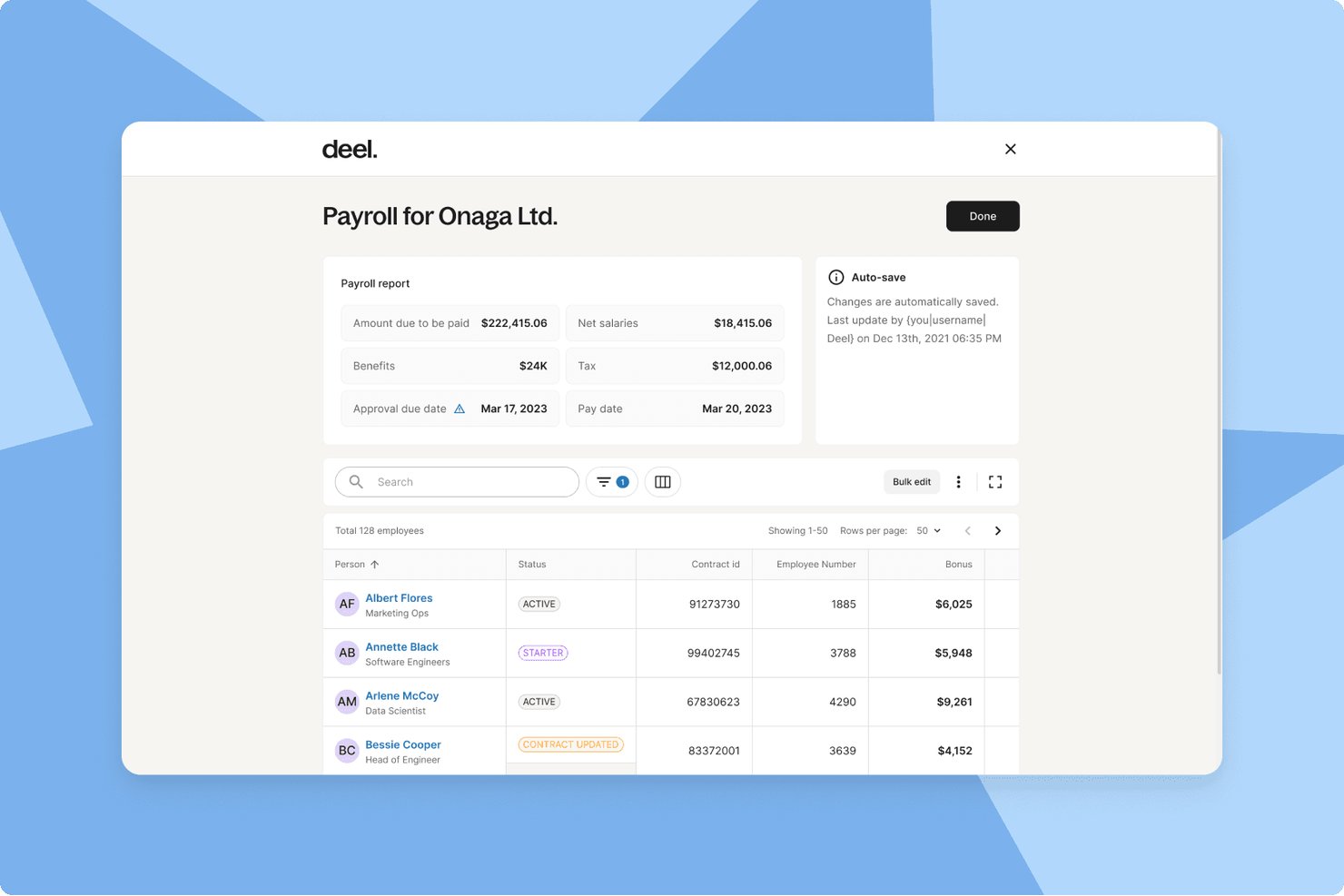
Deel Payroll is a global payroll platform that handles multi-currency payments, automated tax filings, contractor management, and compliance across 130+ countries from a single dashboard.
Who Is Deel Payroll Best For?
Deel Payroll is a strong fit for startups and growing companies that pay employees or contractors across multiple countries in different currencies.
Why I Picked Deel Payroll
Deel Payroll earns its spot on my shortlist because it handles something most payroll tools simply don't: paying workers in 120+ currencies without requiring manual wire transfers or separate FX tools. I particularly like that its 55+ native payroll engines handle tax filings and statutory deductions automatically, regardless of where your team is based. If you're running a single payroll cycle that covers a contractor in Brazil and a salaried employee in Germany, Deel keeps both compliant.
Deel Payroll Key Features
- Employee self-service portal: Lets employees and contractors access pay stubs, tax forms, and banking details online.
- HRIS capabilities: Centralizes employee records, organizational charts, and document management alongside payroll.
- Automated compliance updates: Continuously updates contracts, wage rates, and workflows to match local labour laws in 130+ countries.
- Payroll analytics and reporting: Provides built-in dashboards and exportable reports for payroll, taxes, and workforce costs.
Deel Payroll Integrations
Deel Payroll offers native integrations with QuickBooks, Xero, NetSuite, BambooHR, and Greenhouse, and provides an API for custom integrations.
Pros and Cons
Pros:
- Built-in compliance tools across 150+ countries
- Handles contractor and employee payroll together
- Pays workers in 120+ currencies automatically
Cons:
- Overkill for single-country payroll needs
- Setup complexity for small domestic-only teams
Best for customizable payroll packages
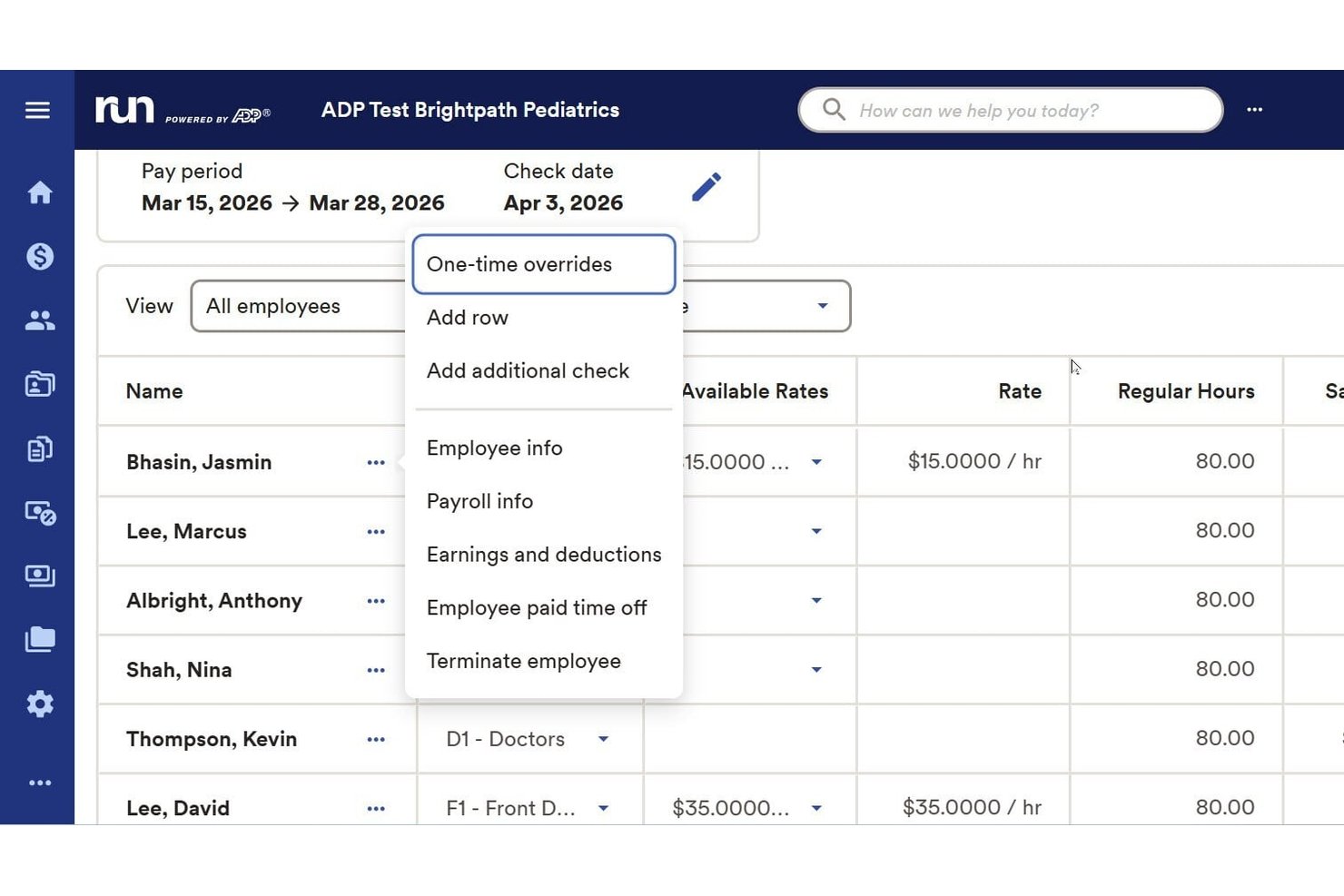
RUN Powered by ADP is a payroll software platform built for small businesses that simplifies recurring payroll, handles tax filing, manages employee and contractor payments, and supports benefits and compliance requirements.
Who Is RUN Powered by ADP Best For?
Small business owners and HR teams looking for an all-in-one payroll solution with flexible setup and support for both employees and contractors.
Why I Picked RUN Powered by ADP
I picked RUN Powered by ADP as one of the best because I can tailor payroll packages to specific business needs, including advanced deductions and garnishments. The platform adapts as staffing needs change, letting my team manage hourly, salaried, and contract workers easily.
RUN Powered by ADP Key Features
- Automated payroll tax filing: The platform automatically calculates, files, and pays federal, state, and local payroll taxes.
- Employee self-service portal: Employees can access pay stubs, tax forms, and update personal information online.
- Mobile payroll processing: Run payroll and manage employee data from a dedicated mobile app.
- Multi-jurisdiction compliance management: Stay up to date with changing labor laws and tax rates across multiple states.
RUN Powered by ADP Integrations
RUN Powered by ADP offers native integrations with QuickBooks, Xero, Wave, When I Work, and Slack. An API is available for custom integrations.
Pros and Cons
Pros:
- Supports multistate compliance for small businesses
- Includes built-in tax filing and reporting
- Handles payroll for both employees and contractors
Cons:
- Some users encounter unexpected processing fees
- Inconsistent customer support experiences
Best for payment integration
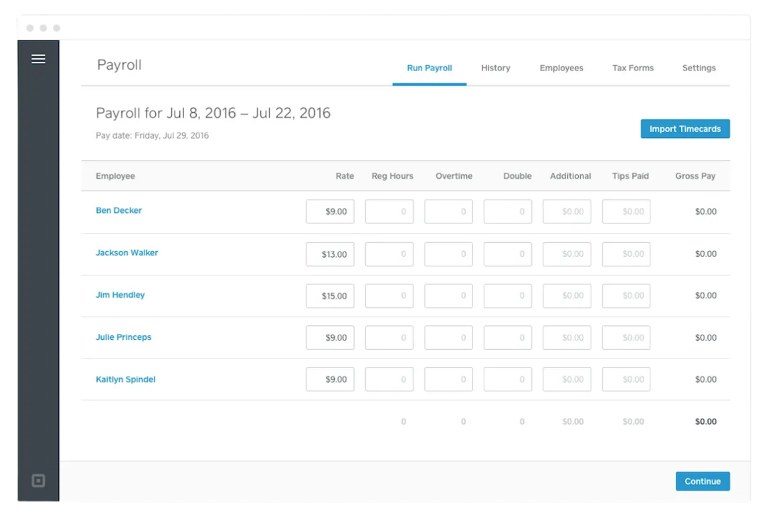
Square Payroll is an online payroll service designed for small businesses, providing payroll processing and compliance support. It serves businesses that need easy payroll management and integration with payment systems.
Why I picked Square Payroll: The tool integrates with Square's payment systems, making it perfect for businesses already using Square for transactions. It supports automatic payroll tax calculations and filings, reducing manual tasks for your team. Square Payroll also offers benefits management, including health insurance and retirement plans, which adds value for businesses wanting to offer full employee benefits. This integration with payment processing sets Square Payroll apart from other payroll solutions.
Standout features and integrations:
Features include automatic payroll tax calculations, which keep your business compliant with tax regulations. The platform also provides benefit management options, allowing you to offer health insurance and retirement plans to your employees. Additionally, Square Payroll supports both W-2 employees and 1099 contractors, giving you flexibility in managing different types of workers.
Integrations include QuickBooks, Xero, FreshBooks, Homebase, Deputy, When I Work, TSheets, Zapier, and more.
Pros and Cons
Pros:
- Benefits management included
- Automatic tax calculations
- Supports both regular employees and independent contractors
Cons:
- Requires a Square account for full features
- Limited to U.S. businesses
Wave
Best for freelancers
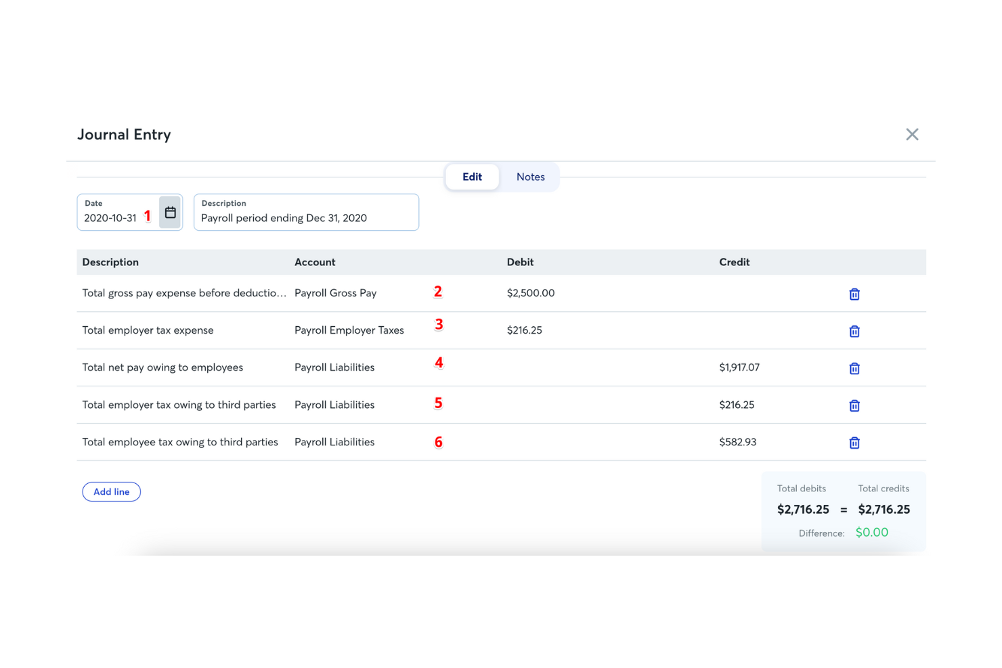
Wave is an online service designed for small businesses and freelancers, offering payroll processing and tax management. It serves individuals and small teams who need an efficient way to manage payroll and stay compliant with tax regulations.
Why I picked Wave: This tool is particularly suited for freelancers who need straightforward payroll management. It offers automatic payroll tax calculations and filings to reduce your administrative burden. Wave also provides direct deposit and employee self-service features, making payment and information access simple. Its focus on ease of use and essential features makes it a great choice for freelancers managing their own payroll.
Standout features and integrations:
Features include automatic tax calculations and filings, ensuring your compliance with tax laws. The platform provides direct deposit for paying you and your team. Wave also offers employee self-service, so your team can access their pay stubs and tax forms online.
Integrations include Xero, ADP, and more.
Pros and Cons
Pros:
- Employee self-service portal
- Direct deposit options
- Ideal for freelancers and small teams
Cons:
- Limited advanced features
- Basic reporting capabilities
Paychex
Best for scalable payroll
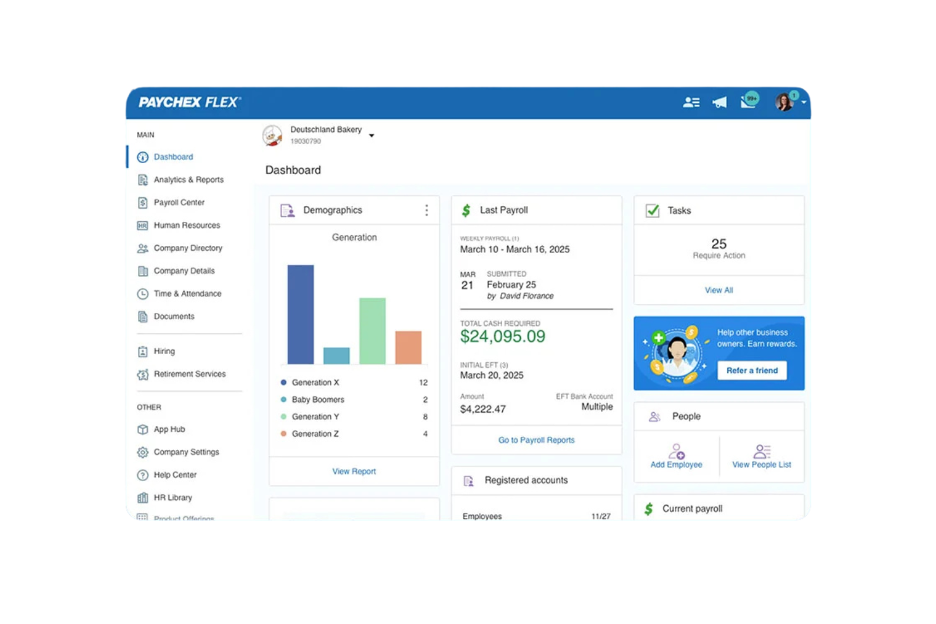
Paychex offers a payroll service designed for small to medium-sized businesses that need a scalable solution. It handles payroll processing, tax compliance, and HR support, making it suitable for businesses anticipating growth.
Why I picked Paychex: The tool is ideal for businesses that plan to expand and require a scalable payroll solution. It offers flexible payroll processing options, allowing you to run payroll on your schedule. Paychex also provides HR support, which is valuable for growing businesses needing additional resources. Its scalability means you can adjust your payroll system as your business grows.
Standout features and integrations:
Features include payroll tax administration, which helps you stay compliant with tax regulations. The employee self-service feature allows your team to access their pay information and benefits easily. Paychex also offers a mobile app, so you can manage payroll on the go.
Integrations include QuickBooks, Xero, Sage Intacct, Microsoft Dynamics, NetSuite, BambooHR, Salesforce, Indeed, and more.
Pros and Cons
Pros:
- Mobile app for payroll management
- Employee self-service options
- Scalable for growing businesses
Cons:
- Additional fees for add-ons
- Limited customization options

Best for small businesses
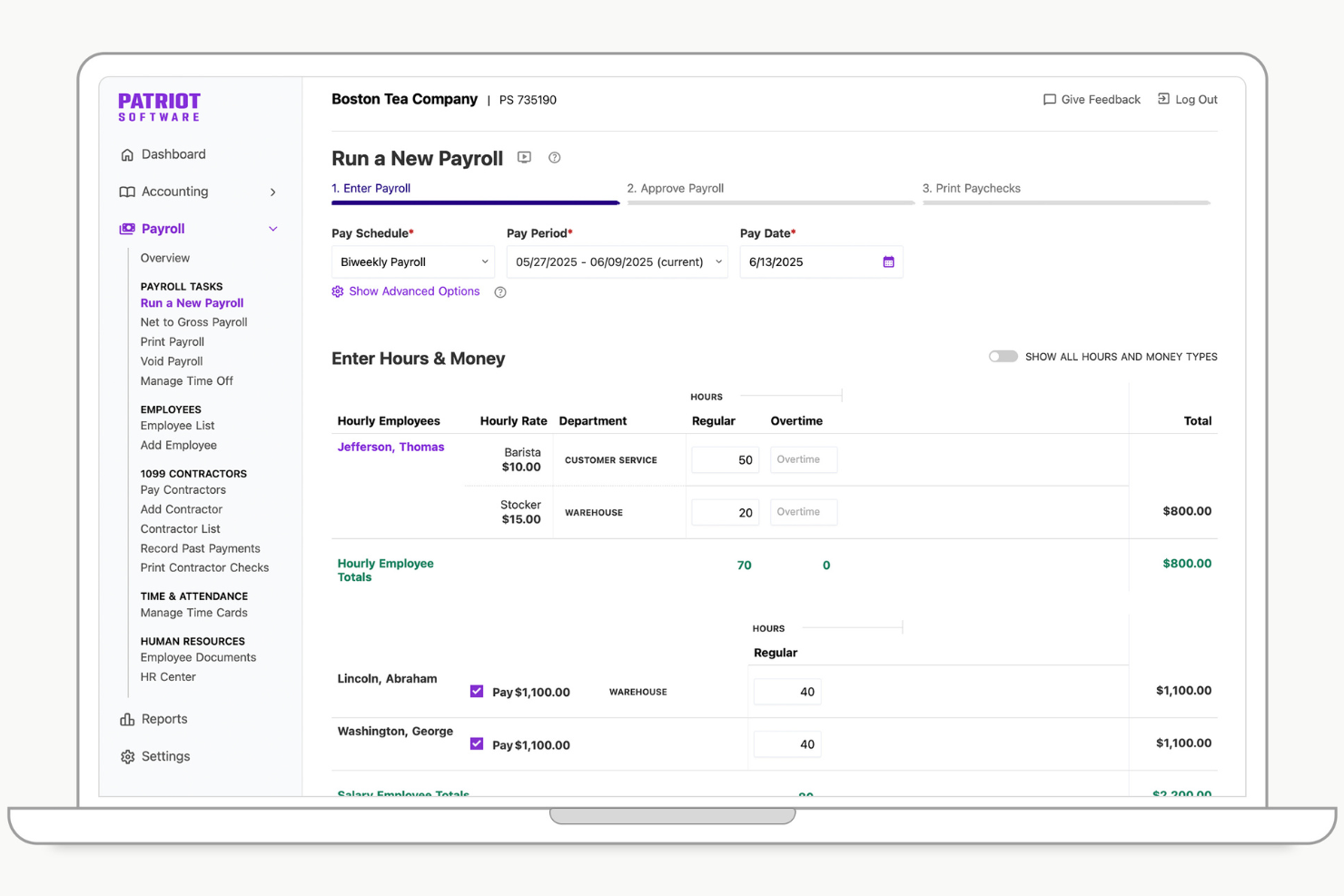
Patriot Software provides a payroll solution tailored for small businesses, offering customizable payroll options and automated processes. It typically serves small business owners and managers by handling payroll calculations and tax filings efficiently.
Why I picked Patriot Software: This tool is designed with small businesses in mind, offering features such as unlimited payroll runs and easy setup assistance. It simplifies payroll management with accurate tax calculations and provides secure access to pay information through a free employee portal. The integration of health benefits and workers' compensation adds value for small businesses looking to manage additional employee benefits. These features make Patriot Software a practical small business payroll software for those looking to simplify their payroll processes.
Standout features and integrations:
Features include customizable payroll options that allow you to tailor payroll settings to your business needs. The automated payroll processes save you time by handling calculations and tax filings. This product also allows you to manage employee benefits and workers' comp. The free employee portal offers secure access for employees to view their pay information.
Integrations include Vestwell, SimplyInsured, NEXT, QuickBooks, TSheets, and more.
Pros and Cons
Pros:
- Free employee portal
- Accurate tax calculations
- Unlimited payroll runs
Cons:
- Limited custom reporting
- No support for IRS Form 943 (for agricultural employees)

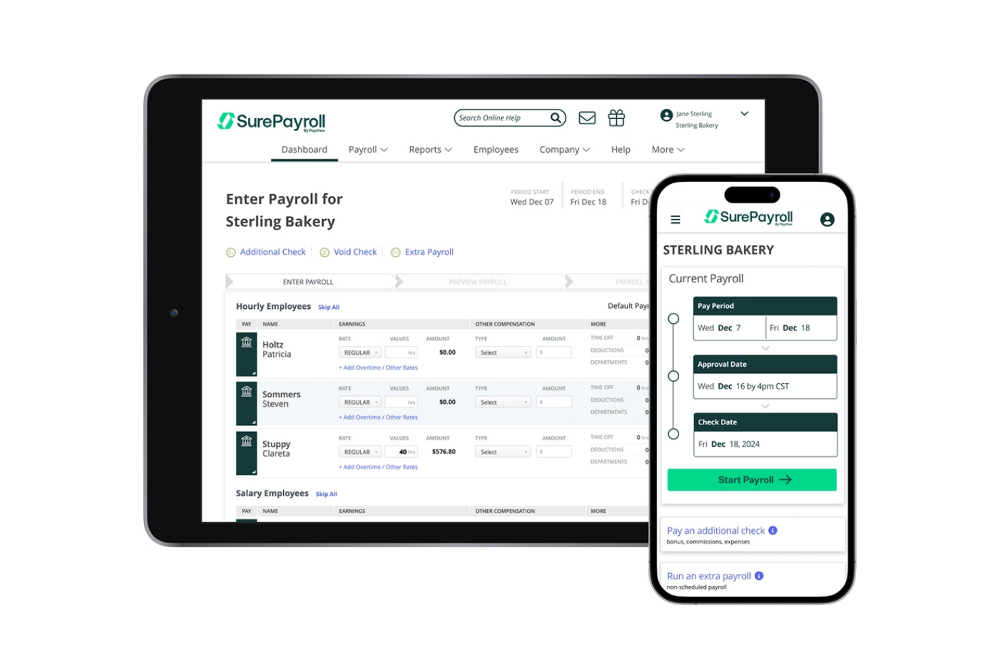
SurePayroll is an online payroll service tailored for small businesses, especially those managing household employees such as nannies and caregivers. It offers payroll processing, tax filing, and compliance support to ease the burden of managing household payroll.
Why I picked SurePayroll: This tool simplifies payroll for household employers by handling tax filings and compliance with ease. Its automatic payroll scheduling and free direct deposit features reduce manual workload. SurePayroll provides unlimited payroll runs, ensuring you can process payroll as often as needed without extra charges. Its specialized focus on households makes it a practical choice for payroll providers managing payments to domestic employees and independent contractors.
Standout features and integrations:
Features include automatic payroll scheduling that ensures timely payment processing for your household employees. The free direct deposit feature provides a convenient option for transferring salaries directly to your employees' bank accounts on payday. With unlimited payroll runs, you can process payroll as frequently as necessary without additional fees.
Integrations include QuickBooks, Xero, FreshBooks, Sage 50, Paychex, and more.
Pros and Cons
Pros:
- Free direct deposit
- Unlimited payroll runs
- Specialized for household employers
Cons:
- No multi-state payroll support
- No mobile app

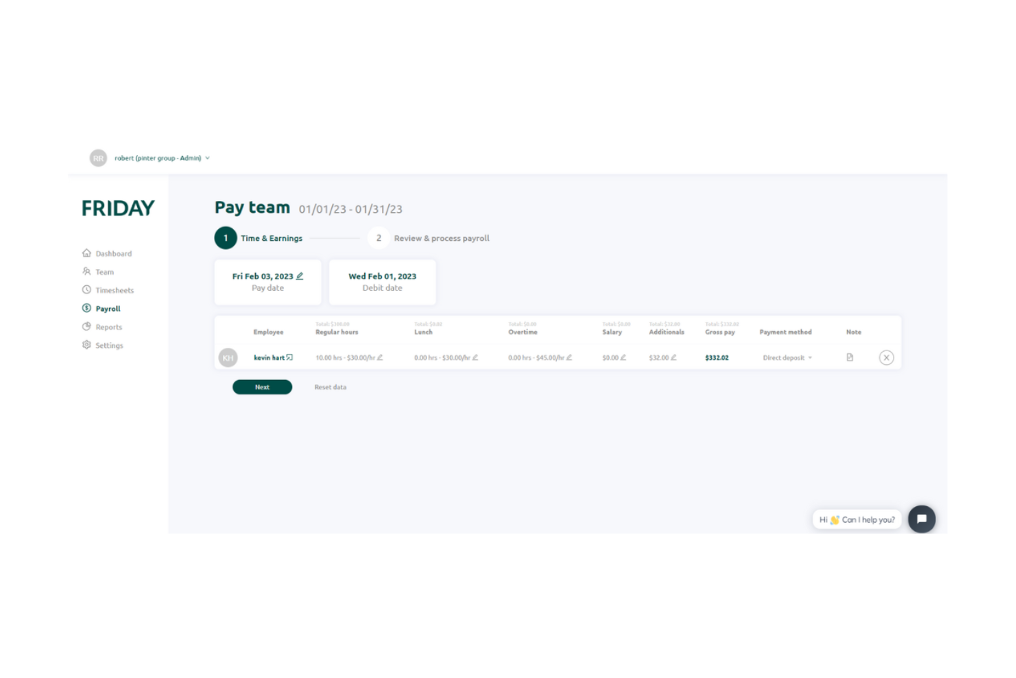
FRIDAY is a payroll and team communication tool designed for small businesses, offering a user-friendly interface and efficient payroll processing. It serves businesses with one to 100 employees by enhancing payroll management and facilitating team interactions.
Why I picked FRIDAY: The tool focuses on communication within teams, providing integrated collaboration tools. It features real-time employee time tracking and a management system for time-off requests. The AI-powered clock-in/out kiosk app accurately tracks employee work time, which is a helpful tool for effective team management. FRIDAY's features for team communication make it valuable for small businesses aiming to keep their teams connected.
Standout features and integrations:
Features include real-time employee time tracking, allowing your team to log hours accurately. The platform also manages time-off requests and PTO, providing a streamlined way to handle employee absences. Additionally, FRIDAY offers a secure environment with end-to-end encryption to protect your business's data.
Integrations include QuickBooks, QuickBooks Desktop, Xero, Slack, Trello, Asana, Zapier, Microsoft Teams, Google Workspace, and more.
Pros and Cons
Pros:
- Secure with end-to-end encryption
- Real-time tracking
- Enhances team communication
Cons:
- Limited customization options
- Limited to small businesses
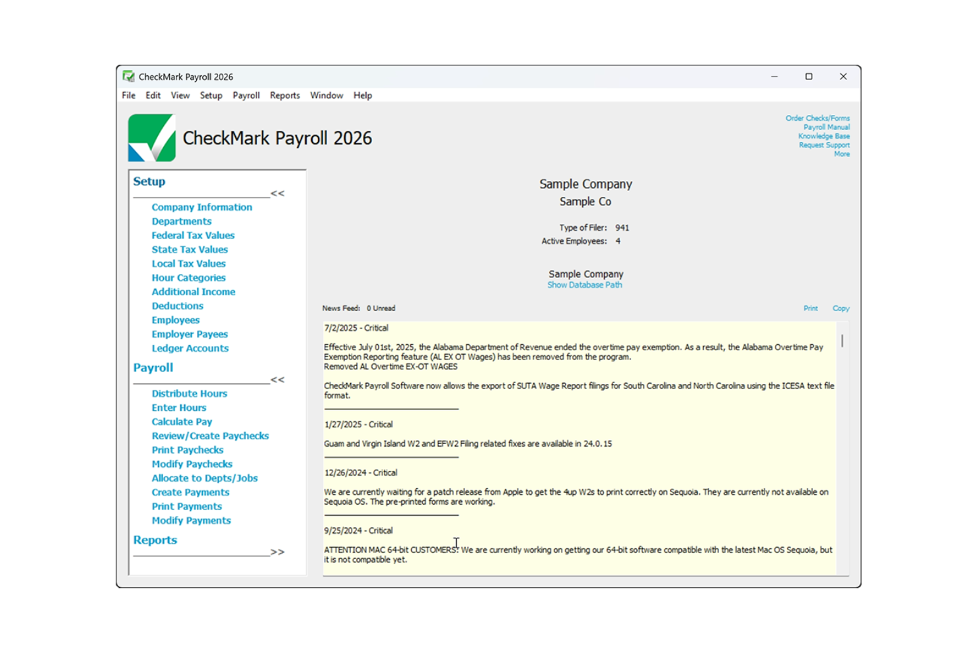
CheckMark Payroll is a payroll software solution designed for small to medium-sized businesses that offers offline capabilities and extensive payroll processing. It caters to companies that need payroll management without relying solely on internet connectivity.
Why I picked CheckMark Payroll: This tool offers offline functionality, allowing you to manage payroll without an internet connection. It provides multi-state payroll processing, which is essential for businesses operating across state lines. CheckMark Payroll includes features such as customizable payroll reports and tax filing assistance. Its offline capability makes it a practical choice for businesses in areas with unreliable internet access.
Standout features and integrations:
Features include customizable payroll reports that allow you to tailor information to your business needs. The software offers tax filing assistance, helping you stay compliant with federal and state regulations. Additionally, CheckMark Payroll supports direct deposit, providing an easy payroll solution.
Integrations include QuickBooks, Sage 50, AccountEdge, MYOB, Xero, ADP, and more.
Pros and Cons
Pros:
- Customizable payroll reports
- Multi-state payroll processing
- Offline functionality available
Cons:
- Limited customer support hours
- No mobile app available
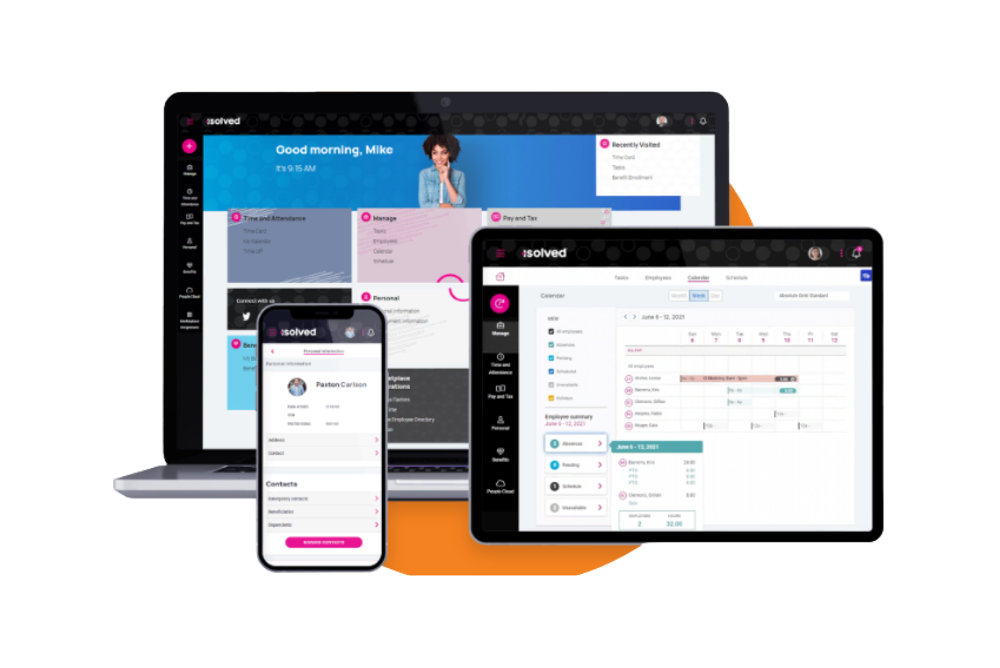
Payroll People caters to businesses seeking customized payroll, tax compliance, and HR solutions. It serves companies looking for personalized support.
Why I picked Payroll People: The tool offers tailored solutions to meet the unique needs of your business. It provides personalized support and flexible payroll processing options, and also offers complete tax services to help you manage compliance. Its focus on customization makes it a strong choice for businesses needing more than a one-size-fits-all solution.
Standout features and integrations:
Features include customizable payroll processing that allows your business to adapt payroll operations to its specific needs. The platform offers detailed reporting options, giving you insights into payroll data that could help you understand metrics such as your payroll costs. Payroll People also provides compliance management, ensuring you meet all federal and state tax regulations.
Integrations include QuickBooks, Microsoft Dynamics, and more.
Pros and Cons
Pros:
- Personalized customer support
- Detailed reporting capabilities
- Flexible processing options
Cons:
- Requires regular updates
- Limited online resources
Other Simple Payroll Software
Here are some additional simple payroll software options that didn’t make it onto my shortlist, but are still worth checking out:
- Keka HR
For linking project hours to payroll
- Homebase
For shift scheduling
- QuickBooks Online
For accounting integration
- Rippling
For IT and device management
- Paylocity
For employee engagement tools
- TriNet
For small business HR needs
- Gusto
For integrated benefits management
- Justworks
For startups and remote teams
- OnPay
For agricultural businesses


How I Evaluate Simple Payroll Software
I approach this in two layers—baseline criteria every tool must meet, and differentiators that matter for an office manager running payroll solo or a founder paying their first batch of contractors.
Core Functionality (Table Stakes For This List)
When I'm selecting tools for my list, I rank each one on a scale from 0 (does not offer the functionality) to 5 (excels in this area) for each core functionality listed below. Then, I calculate the tool's total score into a percentage. Each tool needs to achieve a minimum total score of 65% to be considered for inclusion.
- Automated Payroll Processing: I look for tools that handle gross-to-net calculations for both salaried and hourly workers across standard pay schedules without requiring manual math each cycle.
- Tax Filing & Compliance: Each tool should calculate, withhold, and file payroll taxes at the federal, state, and local level—covering everything from quarterly filings to year-end W-2 and 1099 generation.
- Direct Deposit Payments: Funding speed matters, so I check whether direct deposit is standard or costs extra, and whether faster options like next-day or same-day deposits are available.
- Employee Self-Service Portal: Workers should be able to pull up their own pay stubs and tax documents without pinging HR—something like an employee downloading a W-2 at tax time without submitting a request.
- Contractor & W-2 Support: I evaluate whether the platform handles both worker types in one workflow or splits them into separate modules, since many small businesses pay a mix of full-time staff and freelancers.
- Guided Setup & Simple UI: A bookkeeper switching from spreadsheets should be able to set up the system and run a first payroll without calling support, so I look at onboarding wizards, data import options, and overall workflow clarity.
Once I have a list of tools that meet this criteria, I consider what sets each platform apart.
Differentiating Factors (What Sets Vendors Apart)
Here's how I compare and contrast different vendors:
Standout Features
Built-in time tracking is a big one—when hourly employees' hours flow directly into payroll, you skip a whole layer of manual data entry and error-prone imports. I also check for native accounting sync, especially two-way connections with tools like QuickBooks or Xero that post journal entries automatically. For teams spread across multiple states, multi-state payroll support saves real headaches by handling reciprocity rules and local tax requirements behind the scenes.
Beyond Features
Pricing transparency matters a lot here. I look for clear base-plus-per-employee pricing with no surprise fees for tax filing or year-end forms—small businesses need predictable costs. Customer support is another factor I weigh carefully, because when you're an office manager running payroll for the first time, reaching a live payroll specialist beats digging through a help center. I also check whether a vendor backs its tax calculations with an accuracy guarantee that covers penalties if their system makes a filing error.
How To Choose Simple Payroll Software
It's easy to get bogged down in long feature lists and complex pricing structures, especially when comparing different types of payroll software. To help you stay focused as you work through your payroll software selection, here’s a checklist of factors to keep in mind:
| Factor | What to Consider |
| Scalability | Consider if the software can grow with your business. Will it handle a growing number of employees and more complex payroll needs? Look for tiered pricing or features. |
| Integrations | Check if the software integrates with your existing tools, such as accounting or HR systems. Lack of integration can lead to manual data entry and errors. |
| Customizability | Evaluate how well you can tailor the software to fit your workflow. Can you customize reports and dashboards? This flexibility can save you time. |
| Ease of Use | Determine if the software is user-friendly for your team. A steep learning curve might require more training and support, especially for new hires. |
| Implementation and Onboarding | Assess the time and resources needed for setup. Does the vendor offer support or resources, such as tutorials to ease the transition? |
| Cost | Compare the pricing plans and what’s included. Are there hidden fees? Ensure the cost aligns with your budget and offers good value. |
| Security Safeguards | Compare the pricing plans and what’s included. Are there hidden fees? Ensure the cost aligns with your budget and offers good value. |
What Is Simple Payroll Software?
Simple payroll software is a tool designed to automate and manage employee payroll processes efficiently. It’s typically used by HR professionals, small business owners, and accountants who need to handle payroll tasks without much hassle.
Features such as automatic tax calculations, direct deposit, employee self-service portals, and integrated payroll and timekeeping help reduce errors, saving time and improving payroll accuracy. Overall, these tools offer an easy way to manage payroll, ensuring compliance and freeing up time for other business tasks.
Features
When selecting a simple, full-service platform, keep an eye out for the following key payroll software features:
- Automatic tax calculations and filings: Ensure compliance with national and state tax laws by calculating and filing payroll taxes automatically, reducing the risk of errors and penalties when you file taxes.
- Direct deposit: Allows employees to receive their paychecks as direct deposits, saving time and reducing the hassle of physical checks.
- Employee self-service portal: Provides employees with access to their pay stubs, tax forms, and personal information, empowering them to manage their own data.
- Customizable reporting: Offers the ability to generate tailored reports, giving insights into payroll data and helping with financial analysis.
- Time tracking integration: Tracks employee hours seamlessly, ensuring accurate payroll processing and helping manage labor costs.
- Mobile app access: Enables online payroll tools to be accessed from smartphones or tablets, making it easier to manage payroll on the go.
- Compliance management: Keeps the software updated with the latest labor laws and regulations, ensuring that payroll is always legally compliant.
- Integration with accounting systems: Syncs with accounting software to ensure financial records are accurate and up-to-date, reducing manual data entry.
- Benefits management: Manages employee benefits such as health insurance and retirement plans, offering a full view of employee compensation.
- Customer support: Provides access to help and guidance when needed, ensuring any payroll issues are resolved quickly and efficiently.
Benefits
Implementing simple payroll software provides several benefits for your team and your business. Here are a few you can look forward to:
- Time savings: Automating payroll tasks such as tax calculations and direct deposits saves hours of manual work each pay period.
- Error reduction: Automatic calculations and compliance updates help minimize mistakes, ensuring accurate payroll and avoiding costly penalties.
- Improved compliance: The software keeps track of legal requirements, helping you stay compliant with tax and labor laws without extra effort.
- Employee empowerment: Self-service portals give employees access to their pay information, reducing administrative inquiries and empowering them to manage their own data.
- Cost efficiency: Reducing manual processes and errors can lower administrative costs and improve overall financial efficiency.
- Data security: Secure systems protect sensitive payroll data, ensuring that employee and business information remains confidential.
- Scalability: The right software can adapt to handle more employees and complex payroll needs as your business grows, supporting your expansion without disruption.
Costs and Pricing
Selecting simple payroll software requires an understanding of the various pricing models and plans available. Costs vary based on features, team size, add-ons, and more. The table below summarizes common plans, their average prices, and typical features included in simple payroll software solutions:
Plan Comparison Table for Simple Payroll Software
| Plan Type | Average Price | Common Features |
| Free Plan | $0 | Basic payroll processing, employee self-service portal, and direct deposit. |
| Personal Plan | $5-$25/user/month | Automatic tax calculations, direct deposit, employee self-service, and basic reporting. |
| Business Plan | $25-$50/user/month | Advanced reporting, compliance management, benefits management, and time tracking integration. |
| Enterprise Plan | $50-$100/user/month | Customizable reporting, dedicated account support, advanced security features, and full HR integration. |
Simple Payroll Software FAQs
Here are some answers to common questions about simple payroll software:
Can simple payroll software handle local tax rules and compliance automatically?
A good payroll system updates tax tables in the background, reducing the risk of manual errors. It usually calculates withholdings automatically based on your location. This helps your team stay compliant as regulations change. You won’t need to worry about updating tax rates manually.
Can simple payroll software integrate with my existing systems?
Yes, many simple payroll software solutions offer integrations with popular accounting and HR systems. This means you can sync payroll data with tools such as QuickBooks, Xero, or your HR management system. Integrations reduce manual data entry, saving time and reducing errors. Before purchasing, check if the software supports the specific systems you use. This compatibility ensures a smoother workflow and helps maintain data consistency across your business tools.
How accurate are the calculations provided by simple payroll software?
Simple payroll software is designed to eliminate miscalculations common with manual processes. It automatically factors in hours worked, deductions, contributions, and taxes. You can review reports before finalizing a pay run to ensure everything looks correct. This reduces errors and supports consistent payroll accuracy.
Will simple payroll software scale as our team grows?
Simple payroll tools typically support small teams, including businesses running payroll for just one employee, but can also handle growth over time. You can add new employees, contractors, or departments without changing your workflow. As your needs expand, many platforms offer upgraded features. This gives you flexibility without switching systems.