

10 Best deskbird Alternatives for Hybrid Work in 2026

Best deskbird Alternatives Shortlist


The best deskbird alternatives are hot desk software solutions that give you simple, flexible ways to reserve desks, manage hybrid schedules, and easily adapt office space to changing team needs. If you’re searching for deskbird alternatives, you probably want smoother booking, better integrations, and tools that actually fit your team’s work style—not just another scheduling app.
In this list, I’ll walk you through top options designed to help HR and workplace teams manage space, support hybrid work, and keep day-to-day operations running smoothly. You’ll see what sets each tool apart and how they can match your goals for 2026.
What Is deskbird?
deskbird is a hot desk software platform that helps teams manage desk booking, room reservations, parking spots, and hybrid work schedules from one desk booking system. Employees can reserve workspaces in advance, view office availability in real time, and coordinate in-person collaboration through tools like Microsoft Teams integration, Slack, mobile apps, and a web browser.
HR professionals and workplace managers use deskbird to improve employee experience, reduce double bookings, and make better decisions about office resources. The platform is designed for ease of use, with features that support hybrid planning, user experience, office analytics, SSO through SAML authentication, and scalable workplace policies for small teams and larger organizations.
deskbird Alternatives Comparison Table
This comparison table summarizes pricing details for my top deskbird alternative selections:
| Tool | Best For | Trial Info | Price | ||
|---|---|---|---|---|---|
| 1 | Best for automating workplace operations | Free plan + free demo available | From $500/month | Website | |
| 2 | Best for spot-based pricing over per-user plans | 14-day free trial | From $19/spot/month | Website | |
| 3 | Best for large enterprises | Free demo available | Pricing upon request | Website | |
| 4 | Best for real-time occupancy analytics | Free demo available | From $5/bookable resource/month (billed annually) | Website | |
| 5 | Best for interactive office maps | Free demo available | Pricing upon request | Website | |
| 6 | Best for advanced space booking for hybrid work | Free demo available | Pricing upon request | Website | |
| 7 | Best for complex compliance needs | Free demo available | From £99/month | Website | |
| 8 | Best for multi-location coworking management | Free demo available | Pricing upon request | Website | |
| 9 | Best for advanced workplace management analytics | Free demo available | Pricing upon request | Website | |
| 10 | Best for complex, multi-site ops and facilities | Free demo available | Pricing upon request | Website |

Why Trust Our Software Recommendations
Our team has been testing and reviewing software since 2012. As HR experts ourselves, we know how difficult—and important—it is to choose the right software.
For this guide, we evaluated tools using hands-on testing and independent research, scoring tools using our selection criteria. We also draw on insights from industry thought leaders and practicing HR experts.
Our reviews reflect our human editorial judgment, not a sales pitch.
Expert reviewers:
Best deskbird Alternatives Reviews
Below are my detailed summaries of the best deskbird alternatives that made it onto my shortlist. My reviews offer a detailed look at the features, best use cases, and integrations of each software to help you find the best one for you.
elia
Best for automating workplace operations

elia is a workplace operations platform built for HR, facilities, and real estate teams who need to manage desk booking, room reservations, hybrid scheduling, and space utilization from one connected system.
Who Is elia Best For?
elia is a strong fit for mid-size to large organizations running hybrid workplaces that need more than just desk booking—particularly those managing complex service requests and compliance workflows.
Why Elia Is a Good deskbird Alternative
I've included elia in my top picks because its Workplace Automation module goes well beyond what deskbird offers. I can build automated workflows that trigger task assignments, booking reminders, and service requests directly from the floor plan. The Request Management module handles catering, IT support, and maintenance all from one central view, and the Health & Safety module runs compliance monitoring and incident reporting automatically.
elia Key Features
- Desk and room booking with interactive floor plans: Employees can book desks and meeting rooms using a visual map of the office layout.
- Occupancy analytics with real-time sensor data: Capture usage trends across all spaces using desk and room sensors for live and historical reporting.
- Visitor management with secure check-in: Register guest visits, automate host notifications, and maintain detailed visitor logs.
- Mobile app for on-the-go booking: Book workspaces, view office layouts, and coordinate team days from iOS or Android devices.
elia Integrations
elia offers native integrations with Microsoft 365, Outlook, Google Workspace, and Slack. User provisioning and calendar sync are built-in, and API access is available for custom integrations.
Pros and Cons
Pros:
- Real-time occupancy data via sensor integration
- Built-in service request management for facilities teams
- Automates complex workplace workflows end-to-end
Cons:
- Limited self-serve resources for smaller teams
- Setup takes time for large office deployments

Whatspot
Best for spot-based pricing over per-user plans
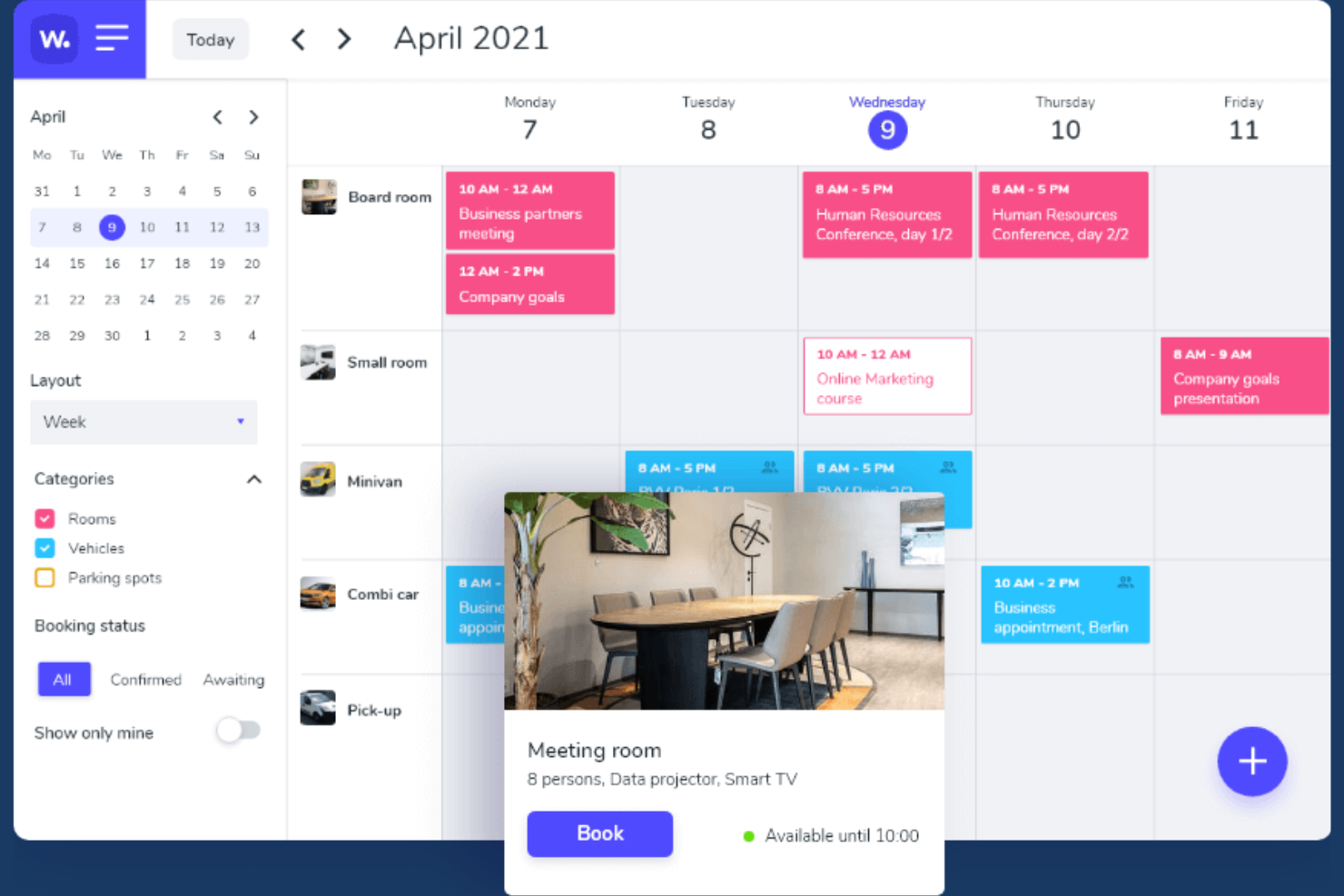
Whatspot gives growing offices and coworking spaces a flexible way to manage desk and room reservations, making it easy for teams to control who books shared spaces and keep track of workspace usage across multiple locations.
Who Is Whatspot Best For?
Whatspot is a good fit for facilities and office managers at growing businesses that need a flexible way to manage desk and meeting room reservations across multiple locations.
Why Whatspot Is a Good Best deskbird Alternatives
I like Whatspot because it lets my team assign pricing per desk or meeting room, instead of charging per user. That spot-based model is flexible when we manage multiple locations or need to scale up and down without renegotiating seats. We also track real space usage closely so we can adapt resources as our needs change.
Whatspot Key Features
- QR code booking: Book desks and rooms instantly by scanning a QR code at each spot.
- Recurring reservations: Set up repeating bookings to reserve the same space on a regular schedule.
- Custom booking rules: Configure approval workflows and reservation limits tailored to each team's policies.
- Multi-location support: Manage all desk and meeting room bookings across several offices from one dashboard.
Whatspot Integrations
Native integrations are not clearly documented. Whatspot offers an API for custom integrations.
Pros and Cons
Pros:
- Supports multi-location workspace management
- QR code booking for instant reservations
- Spot-based pricing reduces per-user costs
Cons:
- Limited advanced reporting and analytics features
- No documented native third-party integrations
New Product Updates from Whatspot

Whatspot Adds Booking Modes for Different Space Types
Whatspot introduces Booking Modes to support different reservation rules for different space types. Admins can choose flexible bookings, fixed durations, or fixed intervals based on how each space is used. For more information, visit Whatspot's official site.
 .
.
Best for large enterprises

Hybrid Hero is a workplace management platform that brings desk booking, meeting room reservations, visitor management, parking, and built-in HR tools into one system for mid-market and enterprise teams managing complex, multi-location hybrid work environments.
Who Is Hybrid Hero Best For?
Hybrid Hero suits facilities, workplace, and HR operations teams in mid-market to enterprise organizations managing multi-site hybrid work programs.
Why Hybrid Hero Is a Good deskbird Alternative
Hybrid Hero earns its spot on my shortlist because it's the only platform in this category with a built-in HR module alongside desk booking, room reservations, visitor management, and parking, all in one system. I particularly like the role-based access control, which lets me define exactly who can view or book desks by team, function, or region across a multi-site setup. The audit logging is another feature I find genuinely useful: every action across the platform is tracked, so supporting a compliance review doesn't mean digging through spreadsheets.
Hybrid Hero Key Features
- Interactive floor plans: Employees can book desks, rooms, and resources using dynamic maps that reflect real-time availability.
- Multi-location management: Admins oversee bookings, utilization, and policies for several offices from a single dashboard.
- Calendar and Microsoft Teams integration: Bookings sync directly with Outlook, Google Calendar, and Microsoft Teams for seamless scheduling.
- Mobile apps with QR check-in: Native iOS and Android apps support on-the-go booking and touchless desk or room check-in via QR codes.
Hybrid Hero Integrations
Hybrid Hero offers native integrations with Microsoft 365, Google Workspace, Microsoft Teams, and Slack. SSO is supported via Okta, Microsoft Entra ID, and Google, and an API is available for custom integrations.
Pros and Cons
Pros:
- Manages multiple sites from one admin dashboard
- Covers visitor management and NDA workflows
- Built-in HR tools alongside desk booking
Cons:
- Setup complexity increases with enterprise configurations
- Overkill for small or single-site teams

Envoy
Best for real-time occupancy analytics
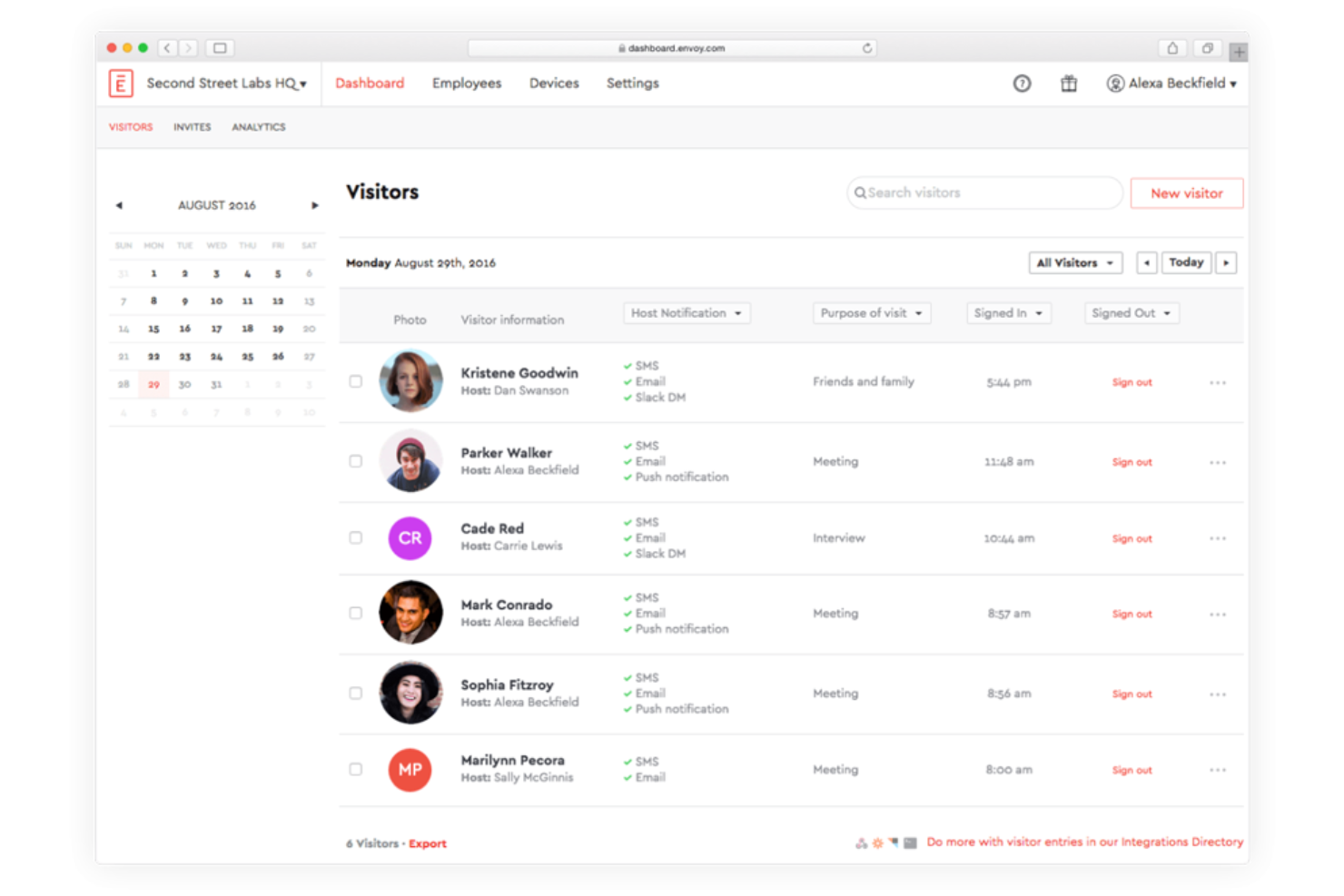
Envoy gives hybrid offices and facilities teams a platform to manage workplace bookings, occupancy, and employee flow with a flexible configuration for modern work patterns. If you need a solution that goes beyond simple desk booking, Envoy brings in tools for coordinating guest access, schedules, and workplace compliance.
Who Is Envoy Best For?
Envoy suits organizations with distributed teams who need to manage dynamic workplace attendance, on-site guest access, and real-time desk allocation across multiple locations.
Why Envoy Is a Good deskbird Alternative
I picked Envoy because its occupancy analytics go beyond just showing who booked a desk—they show whether employees actually showed up. I like that Envoy's real-time occupancy data lets my team see which floors, zones, and desks are actively being used, so we can make informed decisions about space allocation rather than relying on booking records alone. That means we can identify underutilized areas and adjust workplace policies accordingly. The employee scheduling features also let my team coordinate in-office days by seeing when colleagues plan to come in, which makes hybrid attendance planning much more deliberate.
Envoy Key Features
- Desk booking: Reserve specific desks or open workspaces directly from a mobile app or browser.
- Visitor management: Register guests, send arrival notifications, and manage check-ins at the front desk.
- Interactive maps: View a live floor plan showing available, occupied, and reserved spaces across your office.
- Workplace health and safety tools: Set capacity limits, collect health attestations, and control who can access specific areas.
Envoy Integrations
Envoy offers native integrations with Google Workspace, Microsoft 365, Okta, Slack, Zoom, Microsoft Teams, Box, Salesforce, and Aruba, with an API available for custom integrations.
Pros and Cons
Pros:
- Flexible desk and room assignment features
- Visitor and delivery management in one platform
- Custom office maps with live occupancy indicators
Cons:
- Desk analytics can lag during peak usage
- Neighborhood seating controls lack flexibility

Robin
Best for interactive office maps
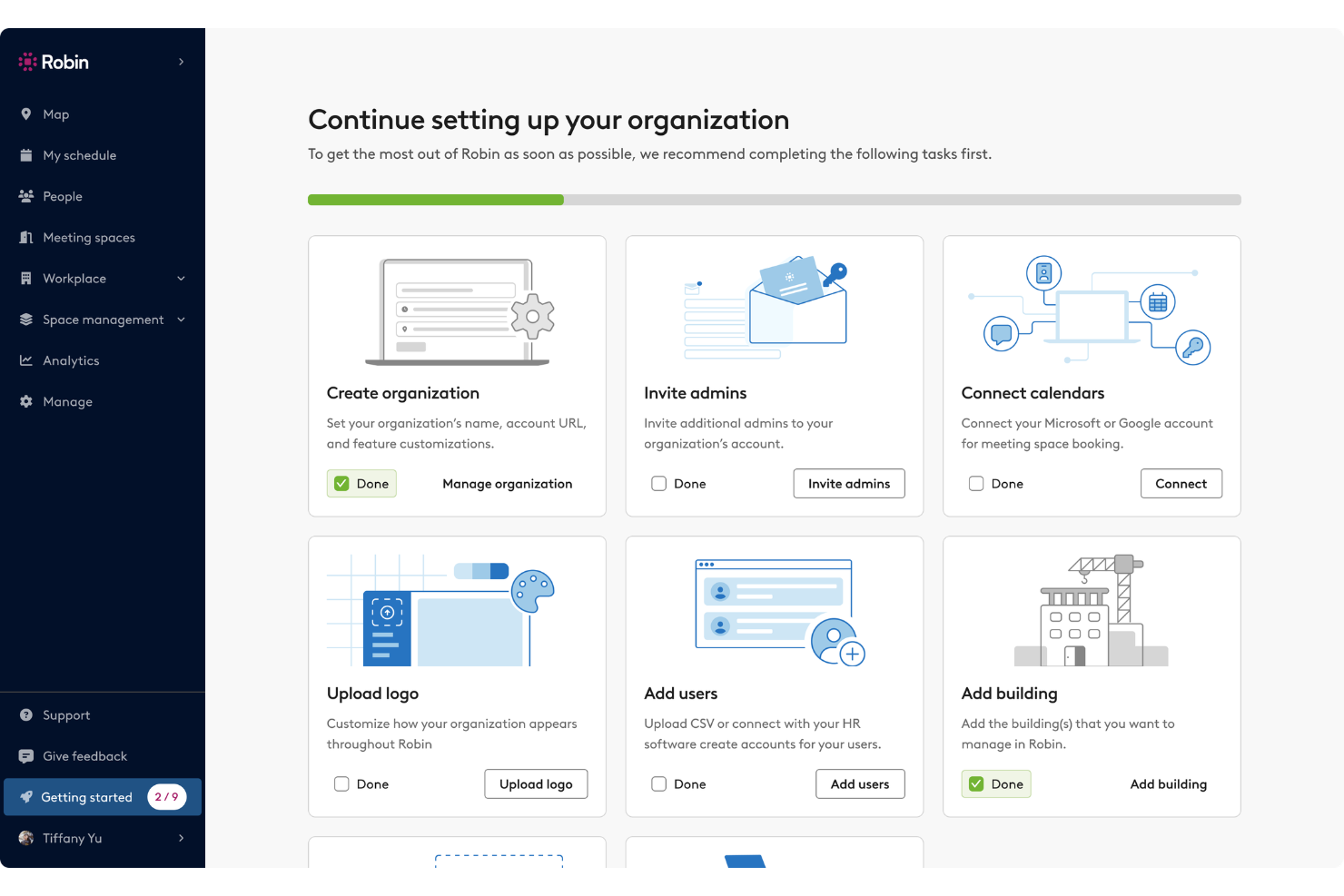
Robin is designed for organizations, HR teams, and office managers who need dynamic workspace coordination across hybrid and flex environments. If you want a solution that adapts easily as your office needs shift, you’ll appreciate Robin’s mix of booking options and space optimization features.
Who Is Robin Best For?
Robin suits midsize to large organizations looking for a dedicated desk and room booking tool to manage flexible office environments.
Why Robin Is a Good deskbird Alternative
I picked Robin because its interactive office maps make real-time desk and room booking feel intuitive in a way that static booking lists simply don't. I like that employees can visually see which desks are available, who's sitting where, and what meeting rooms are open—all from one view. My team is able to use Robin's neighborhood and zone features to organize seating by department or team, which helps coordinate in-person days without endless back-and-forth. In practice, that means we can plan hybrid schedules around actual office availability rather than guesswork.
Robin Key Features
- Visitor management: Pre-register guests, manage check-ins, and maintain a visitor log directly within Robin.
- Auto check-in: Automatically track employee office presence using mobile, network, or occupancy sensor data.
- In-office policy tracking: Communicate hybrid work policies and let employees monitor their own in-office attendance progress.
- Meeting services: Manage catering requests, room setup, and AV support through customizable pre-meeting workflows.
Robin Integrations
Robin offers native integrations with Google Workspace, Microsoft 365, Slack, Zoom, Okta, Condeco, and Envoy. An API is available for custom integrations.
Pros and Cons
Pros:
- Visitor management built into scheduling workflows
- Flexible desk and room assignment controls
- Custom office maps with live occupancy status
Cons:
- Analytics can be slow with large offices
- Neighborhoods feature lacks granular user controls

Best for advanced space booking for hybrid work
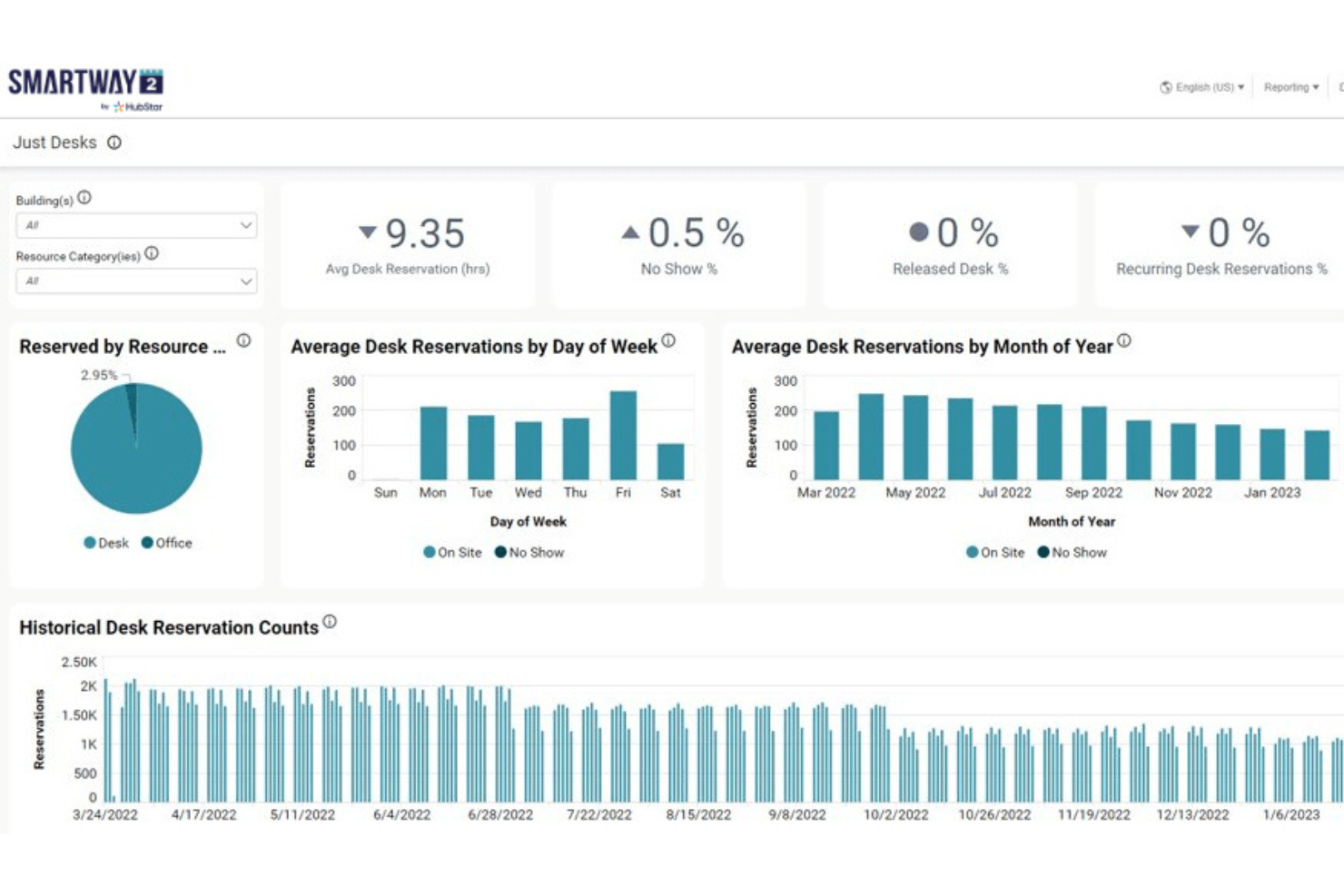
Smartway2 is a workplace management platform built for organizations looking to optimize space, resource booking, and collaboration in hybrid work environments. Teams who want advanced booking logic and extensive customization options will find Smartway2 especially useful when managing evolving office needs.
Who Is Smartway2 Best For?
Smartway2 is ideal for workplace managers and facilities teams at midsize to large businesses needing dynamic resource scheduling and booking automation.
Why Smartway2 Is a Good deskbird Alternative
I picked Smartway2 because its booking automation goes deeper than most tools in this space. What stands out to me is the digital concierge feature—it doesn't just show you available desks, it recommends the best day to come in based on who else is planning to be there, then books the desk for you. I also appreciate how Smartway2 lets you set flexible booking rules by desk type, zone, and team neighborhood, so your hybrid policies are actually enforced rather than just documented. For organizations navigating complex or frequently changing hybrid schedules, that kind of adaptable, rule-driven booking logic is hard to find elsewhere.
Smartway2 Key Features
- Interactive floor plans: View and book desks from a live visual map of your office layout.
- Meeting room scheduling: Reserve rooms with configurable rules for capacity, equipment, and access permissions.
- Visitor management: Register and track on-site visitors alongside your internal space bookings.
- Utilization reporting: Access occupancy data and booking trends to inform space planning decisions.
Smartway2 Integrations
Smartway2 offers native integrations with Microsoft 365, Microsoft Teams, Outlook, Google Workspace, and Zoom, and provides an API for custom integrations.
Pros and Cons
Pros:
- Built-in visitor and delivery management tools
- Visual floor plans make desk selection easy
- Advanced booking policies and customizable rules
Cons:
- Mobile app notifications can be inconsistent
- Analytics dashboard can feel limited

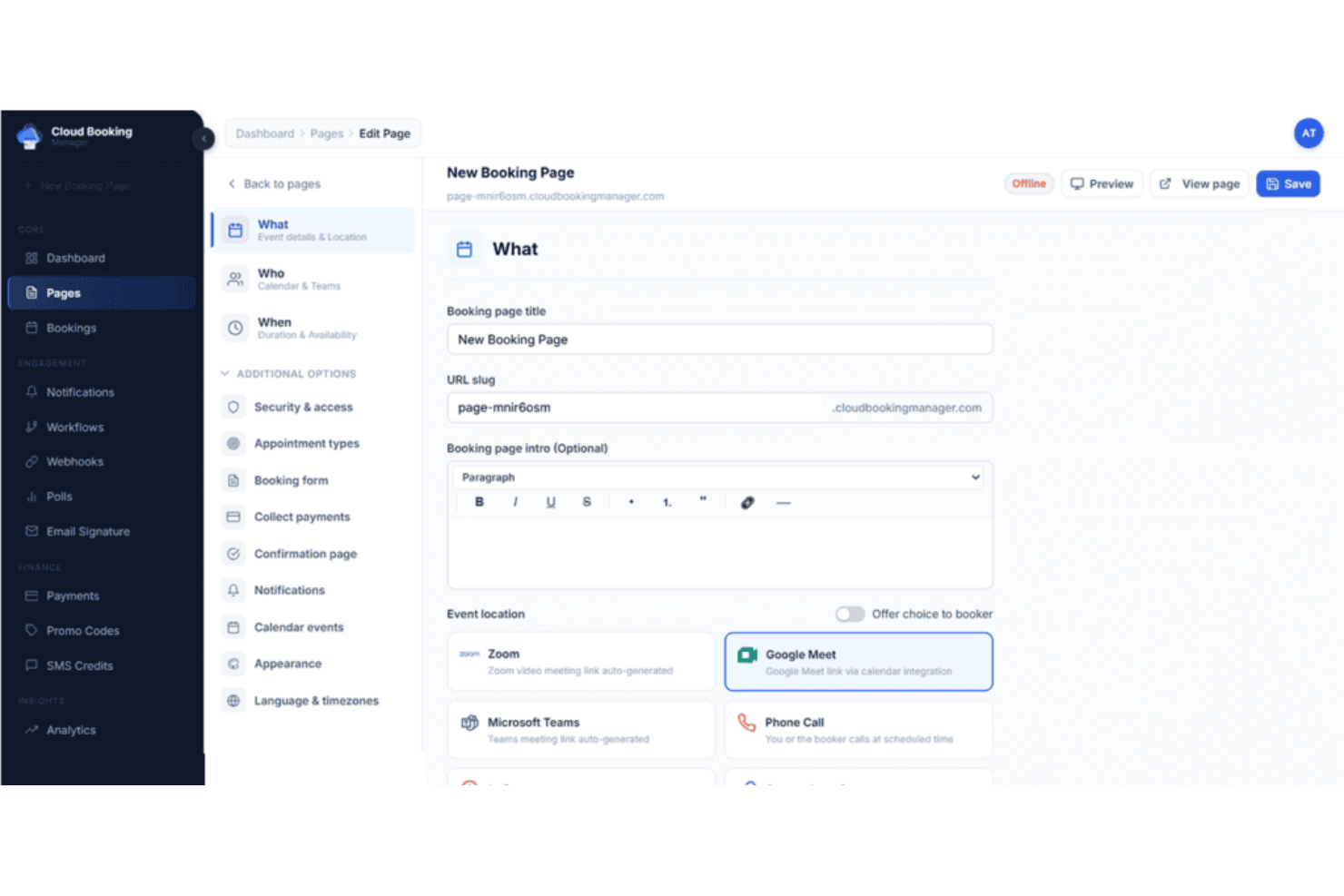
Cloudbooking is workplace management software built for organizations that have to navigate complex workplace regulations and policies. I think facilities teams and compliance-minded businesses will appreciate its focus on secure, auditable desk scheduling and real-time resource tracking.
Who Is Cloudbooking Best For?
Cloudbooking is a good fit for enterprises and public sector organizations that need strict compliance, audit trails, and advanced control over workspace reservations.
Why Cloudbooking Is a Good deskbird Alternative
For teams operating in regulated industries or high-security environments, Cloudbooking's compliance-first approach to desk scheduling sets it apart. I particularly appreciate its configurable approval workflows, which prevent any visitor or employee from accessing restricted areas without prior authorization—something I've found critical in government and defense settings where access control isn't optional.
The audit trail feature is equally valuable: it logs all visitor and booking events in real time, so compliance teams have a clear, timestamped record of who accessed what and when. In practice, that means my team isn't scrambling to reconstruct activity logs when a compliance review comes around.
Cloudbooking Key Features
- Interactive 3D floorplans: View live desk and room availability across your office via custom-built digital floorplans on mobile, web, or kiosks.
- Desk type configuration: Set up hot, fixed, or flexible desk types and make them filterable so employees can find the right space for their workstyle.
- Self-service visitor check-in: Visitors check in, print passes, and complete health and safety questions at a tablet or kiosk without front desk assistance.
- Car park booking: Reserve parking spaces alongside desk and room bookings through the same app or web interface.
Cloudbooking Integrations
Cloudbooking offers native integrations with Microsoft 365, Outlook, Azure Active Directory, and Google Workspace. An API is available for custom integrations.
Pros and Cons
Pros:
- Built-in parking and locker reservation tools
- Desk booking supports compliance approval flows
- Audit logs for workspace and visitor access
Cons:
- Setup may require IT involvement for custom needs
- Limited integrations beyond Microsoft and Google

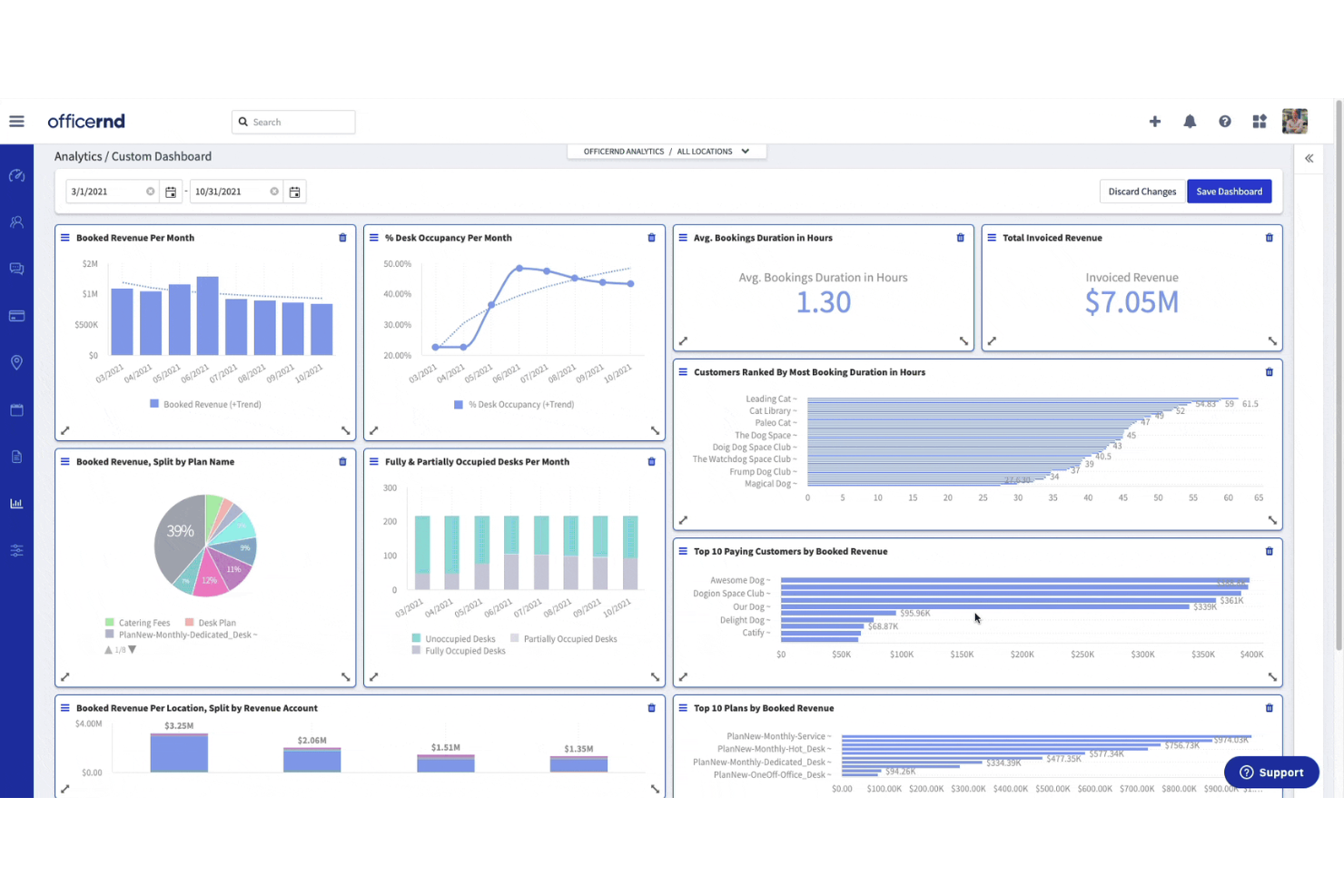
OfficeRnD offers a workspace management platform tailored for organizations navigating hybrid work and flexible office setups. I think you'll find it especially useful if you manage coworking spaces or multi-site office environments looking for advanced booking and resource visibility.
Who Is OfficeRnD Best For?
OfficeRnD is a strong fit for coworking operators and enterprise facility managers overseeing flexible and multi-location workspaces.
Why OfficeRnD Is a Good deskbird Alternative
I picked OfficeRnD because it's built around the realities of running a flexible workspace business, not just managing a few desks. Where deskbird focuses on employee-side desk booking, OfficeRnD goes much deeper on the operator side. Its automated billing and invoicing tools handle recurring memberships, one-off charges, and payment collection through Stripe with minimal manual input—so my team isn't chasing invoices or reconciling payments manually at the end of each month. I also appreciate the contract lifecycle management, which covers everything from custom membership templates to configurable approval workflows, giving operators tight control over how members are onboarded and charged.
OfficeRnD Key Features
- Interactive floorplan booking: Browse and reserve desks or rooms directly on a visual map of your office.
- Neighborhood and zone management: Assign teams to specific areas of the workspace and control desk availability by zone.
- Member web portal: Give members a self-service portal to manage their own bookings, plans, and account details.
- Space utilization reporting: Access occupancy and usage data across desks and rooms through the Data Hub analytics dashboard.
OfficeRnD Integrations
OfficeRnD offers native integrations with Google Workspace, Microsoft 365, Slack, HubSpot, Xero, Stripe, QuickBooks, Salto KS, Kisi, and Zapier. An API is available for custom integrations.
Pros and Cons
Pros:
- Hybrid policy management for team attendance tracking
- Visual desk booking via interactive floor plans
- Advanced occupancy analytics with exportable reports
Cons:
- Fewer customization options for booking workflows
- Limited real-time support for urgent issues

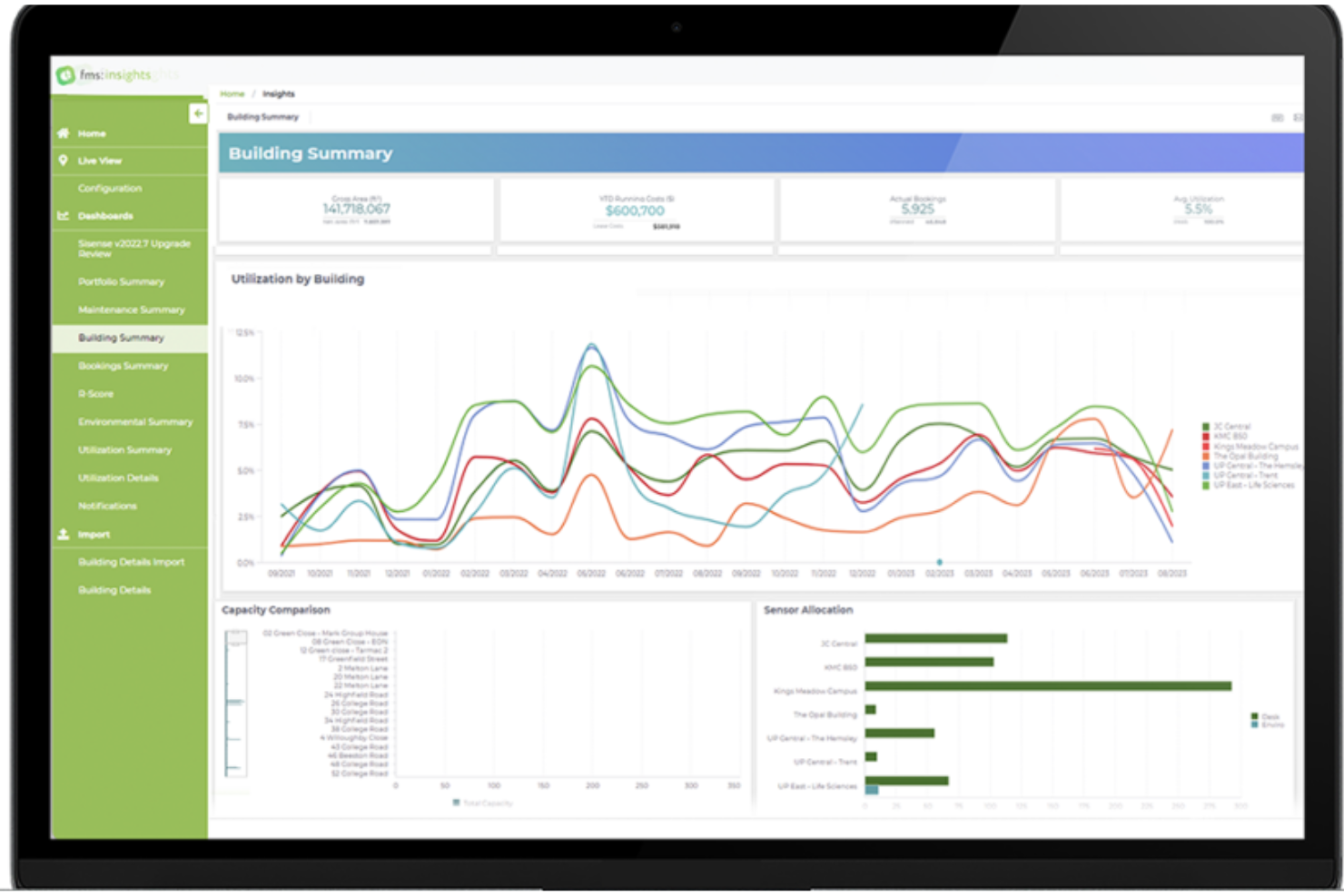
FM:Systems provides a unified workplace management platform designed for organizations managing complex office environments or large real estate portfolios. Teams looking to optimize desk utilization, space planning, and workplace experience across multiple locations should consider it.
Who Is FM:Systems Best For?
FM:Systems is a strong fit for enterprise facility managers and corporate real estate teams overseeing complex, multi-location workplaces.
I picked FM:Systems because the analytics depth goes well beyond what deskbird offers. The insights module aggregates data from IoT sensors, booking systems, lease data, and energy usage into a single dashboard—giving facility teams a multi-dimensional view of how space is actually performing. I particularly appreciate the performance scoring feature, which lets you weight up to eight KPIs and rank buildings against each other, something that's genuinely useful when managing a large portfolio. For teams with growing numbers back in the office or real estate consolidation, that level of data granularity makes a real difference.
FM:Systems Key Features
- Scenario planning: Model "what-if" space configurations to test different floor layouts before committing to changes.
- Move management: Automate and plan employee relocations across floors or buildings with built-in workflows.
- Catering and services ordering: Request catering, IT support, or facilities services directly when booking a room or workspace.
- Visitor management: Check in guests through self-service kiosks and manage the full visitor journey from invitation to departure.
FM:Systems Integrations
FM:Systems offers native integrations with Okta, Microsoft Power BI, ArcGIS, and AutoCAD, and provides an API for custom integrations.
Pros and Cons
Pros:
- Scalable for multi-location office portfolios
- Advanced analytics for space utilization tracking
- Interactive floorplan with drag-and-drop editing
Cons:
- Visitor management lacks single sign-on support
- Setup and configuration require IT expertise

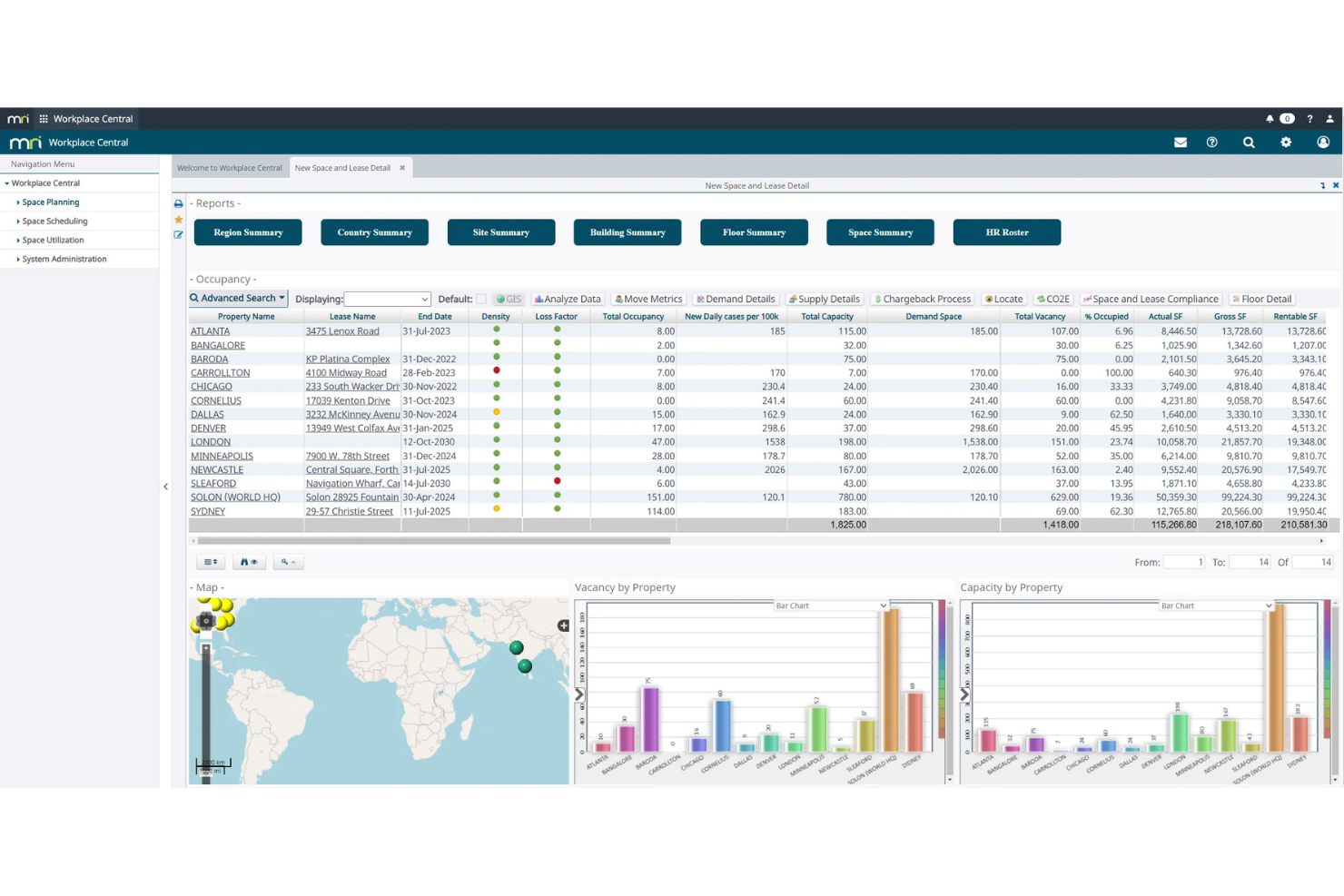
MRI Workplace Central is designed for organizations that want detailed oversight and management of their office spaces. Facility managers and operations teams can use it to coordinate desk assignments, meeting rooms, and occupancy in dynamic, fluid workplaces.
Who Is MRI Workplace Central Best For?
Facility and real estate managers at mid-size to large organizations that need unified oversight of desks, rooms, and shared workspaces.
Why MRI Workplace Central Is a Good deskbird Alternative
I picked MRI Workplace Central because it goes beyond desk booking to give facility teams a full picture of how office space is actually being used. What stands out to me is the space utilization reporting, which shows real occupancy data so I can make informed decisions about floor plan changes or desk-to-employee ratios. I also appreciate the move management feature, which lets me plan and track employee seat assignments across departments without relying on spreadsheets. For organizations managing large, multi-floor offices, that level of operational control is genuinely hard to find elsewhere.
MRI Workplace Central Key Features
- Seating scenario modeling: Model multiple floor plan configurations and auto-apply physical distancing rules to identify optimal desk arrangements.
- Zone and neighborhood access controls: Restrict or permit employee access to specific office zones, neighborhoods, or individual desks using configurable rules.
- IoT and badge-swipe data capture: Pull real-time occupancy data from badge swipes, WiFi signals, or IoT sensors to track how spaces are being used.
- Visitor movement monitoring: Track and manage visitor access through buildings and worksites using MRI's WhosOnLocation integration.
MRI Workplace Central Integrations
MRI Workplace Central offers native integrations across the Microsoft ecosystem, including Microsoft 365 and Azure, as well as integrations with Serraview, MRI WhosOnLocation, and an API for custom integrations.
Pros and Cons
Pros:
- Integrates natively with Microsoft ecosystem
- Supports extensive office move management
- Advanced reporting for occupancy and space usage
Cons:
- Limited mobile booking experience
- Desk reservation interface can feel dated
Other deskbird Alternatives
Here are some additional deskbird alternatives that didn’t make it onto my shortlist, but are still worth checking out:
- Flowscape Solutions
For finding desks, rooms, and colleagues
- Joan Desk Booking
For integration with existing workplace setups
- SharingCloud
For advanced solutions for smart offices
- Smart Spaces
For teams wanting IoT-powered control
- Roomzilla
For desk booking for growing teams
- Skedda
For integration with Microsoft Teams
- Eden
For workplace request management
- Tactic
For visual floor maps and automated desk assignments
- Archie
For all-in-one visitor and desk management
- Officely
For integration with Slack


How I Evaluate Deskbird Alternatives
I split my evaluation into baseline criteria—like interactive desk booking and hybrid scheduling—and differentiators that separate the best tools from the rest.
Core Functionality (Table Stakes For This List)
When I'm selecting tools for my list, I rank each one on a scale from 0 (does not offer the functionality) to 5 (excels in this area) for each core functionality listed below. Then, I calculate the tool's total score into a percentage. Each tool needs to achieve a minimum total score of 65% to be considered for inclusion.
- Desk Booking: I look for interactive floor plans where employees can pick a specific desk by zone or neighborhood, not just claim one from a drop-down list.
- Room & Resource Reservation: Beyond meeting rooms, I check whether teams can also book parking spots, lockers, or shared equipment through the same interface.
- Hybrid Scheduling: I evaluate how well each tool lets employees declare office vs. remote days and whether teammates can see who's coming in before booking.
- Office Analytics: Utilization dashboards matter here—I look for occupancy trends by floor, department, or time period that help facilities teams right-size space.
- Calendar & HRIS Integrations: Each tool should sync with Microsoft 365 or Google Workspace at minimum, plus connect to platforms like BambooHR or Personio for employee data.
- Mobile Accessibility: I check for native iOS and Android apps that let employees book a desk or check their schedule without needing to open a laptop first.
Once I have a list of tools that meet this criteria, I consider what sets each platform apart.
Differentiating Factors (What Sets Vendors Apart)
Here's how I compare and contrast different vendors:
Standout Features
Visitor management is a big differentiator—tools that handle guest registration, host alerts, and NDA signing alongside desk booking give workplace teams one less system to manage. I also look at sensor and IoT integration, since occupancy sensors that auto-release no-show bookings solve a real pain point for facilities managers tracking actual vs. booked usage. Sustainability reporting is increasingly relevant too, especially for organizations that need to tie office attendance data to ESG or carbon footprint goals.
Beyond Features
Security and compliance posture matters a lot in this space. I check for GDPR readiness, SOC 2 certification, and SSO support—especially for organizations managing sensitive workplace data across regions. Deployment scale is another consideration; a platform that works for a single office may struggle when you're managing bookings across dozens of locations with different rules. I also evaluate pricing transparency, looking at whether vendors offer per-user or per-desk models and whether they provide a free trial so HR teams can pilot before committing.
Why Look For a deskbird Alternative?
While deskbird is a good choice of hot desk software, there are a number of reasons why some users seek out alternative solutions. You might be looking for a deskbird alternative because…
- You need deeper workspace utilization analytics
- Your team wants more advanced visitor management
- You require native integration with core IT systems
- Your office layout or scale isn’t supported
- You need more automation for room or parking booking
- Your business requires enhanced access control settings
If any of these sound like you, you’ve come to the right place. My list contains several hot desk software options that are better suited for teams facing these challenges with deskbird and looking for alternative solutions.
deskbird Key Features
Here are some of the key features of deskbird, to help you contrast and compare what alternative solutions offer:
- Desk booking: Lets employees reserve desks in advance or on demand, view floor plans, and find workstations that meet their needs.
- Meeting room booking: Allows users to search and book available meeting rooms with real-time visibility and details on amenities.
- Interactive office map: Provides a visual, interactive map of the workspace to help users locate colleagues, open desks, and office resources.
- Team scheduling: Supports coordinated office attendance by allowing teams to plan and share in-office days together.
- Mobile app: Gives employees the ability to manage desk and room bookings, see occupancy, and access maps from their phones.
- Favorite spaces: Enables employees to bookmark and quickly find their preferred desks or rooms for repeated use.
- Office analytics: Offers data and insights on desk usage, occupancy trends, and office attendance patterns to inform workplace planning.
- Integrations: Connects with tools like Microsoft 365 and Google Workspace to sync calendars, reservations, and user data.
- Visitor management: Facilitates guest pre-registration, notification of host, and touchless check-in processes for office visitors.
- Hybrid work planning: Helps organizations manage flexible working policies and coordinate remote and in-office work schedules.