

10 Best Envoy Alternatives for Visitor Management in 2026

Best Envoy Alternatives Shortlist


The best Envoy alternatives give you flexible visitor management, easy space booking, and tools that fit your workplace’s unique needs. If you’re searching for Envoy alternatives, you’re probably looking for solutions that handle check-ins, room reservations, and compliance—without the limitations you’ve run into with Envoy. In this guide, you’ll find workplace management platforms that help you manage visitors, desks, and meeting spaces, so you can support your team and keep your office running smoothly.
What Is Envoy?
Envoy is a workplace management platform that helps businesses manage visitor check-ins, desk bookings, and meeting room reservations. It’s designed to simplify front desk operations, improve security, and support hybrid work environments. With features like digital sign-in, badge printing, and compliance tools, Envoy gives you a centralized way to manage who enters your workplace and how your spaces are used.
Best Envoy Alternatives Summary
This comparison chart summarizes pricing details for my top Envoy alternative selections to help you find the best one for your budget and business needs.
| Tool | Best For | Trial Info | Price | ||
|---|---|---|---|---|---|
| 1 | Best for English & French visitor registration | Free plan + free demo available | From $500/month | Website | |
| 2 | Best for rapid onboarding and migration support | Free demo available | Pricing upon request | Website | |
| 3 | Best for mobile-first employee scheduling | 7-day free trial + free demo available | From $1.79/user/month (billed annually) | Website | |
| 4 | Best for carbon footprint tracking | Free demo available | From $99/month | Website | |
| 5 | Best for meeting room display integration | 30-day free trial available | From $51/month | Website | |
| 6 | Best for Slack-based desk booking coordination | Free trial + free demo available | From $2.50/user/month (billed annually) | Website | |
| 7 | Best for workplace utilization analytics | Free demo available | Pricing upon request | Website | |
| 8 | Best for interactive floor plans | Free demo available | Pricing upon request | Website | |
| 9 | Best for personalized visitor badge printing | 15-day free trial available | From $630/site/year | Website | |
| 10 | Best for managing distributed teams | Free demo available | From $2.50/user/month | Website |

Why Trust Our Software Recommendations
Our team has been testing and reviewing software since 2012. As HR experts ourselves, we know how difficult—and important—it is to choose the right software.
For this guide, we evaluated tools using hands-on testing and independent research, scoring tools using our selection criteria. We also draw on insights from industry thought leaders and practicing HR experts.
Our reviews reflect our human editorial judgment, not a sales pitch.
Expert reviewers:
Envoy Alternatives Reviews
Below are my detailed summaries of the Envoy alternatives that made it onto my shortlist. My reviews offer a detailed look at the features, best use cases, and integrations of each platform to help you find the best one for you.
elia
Best for English & French visitor registration
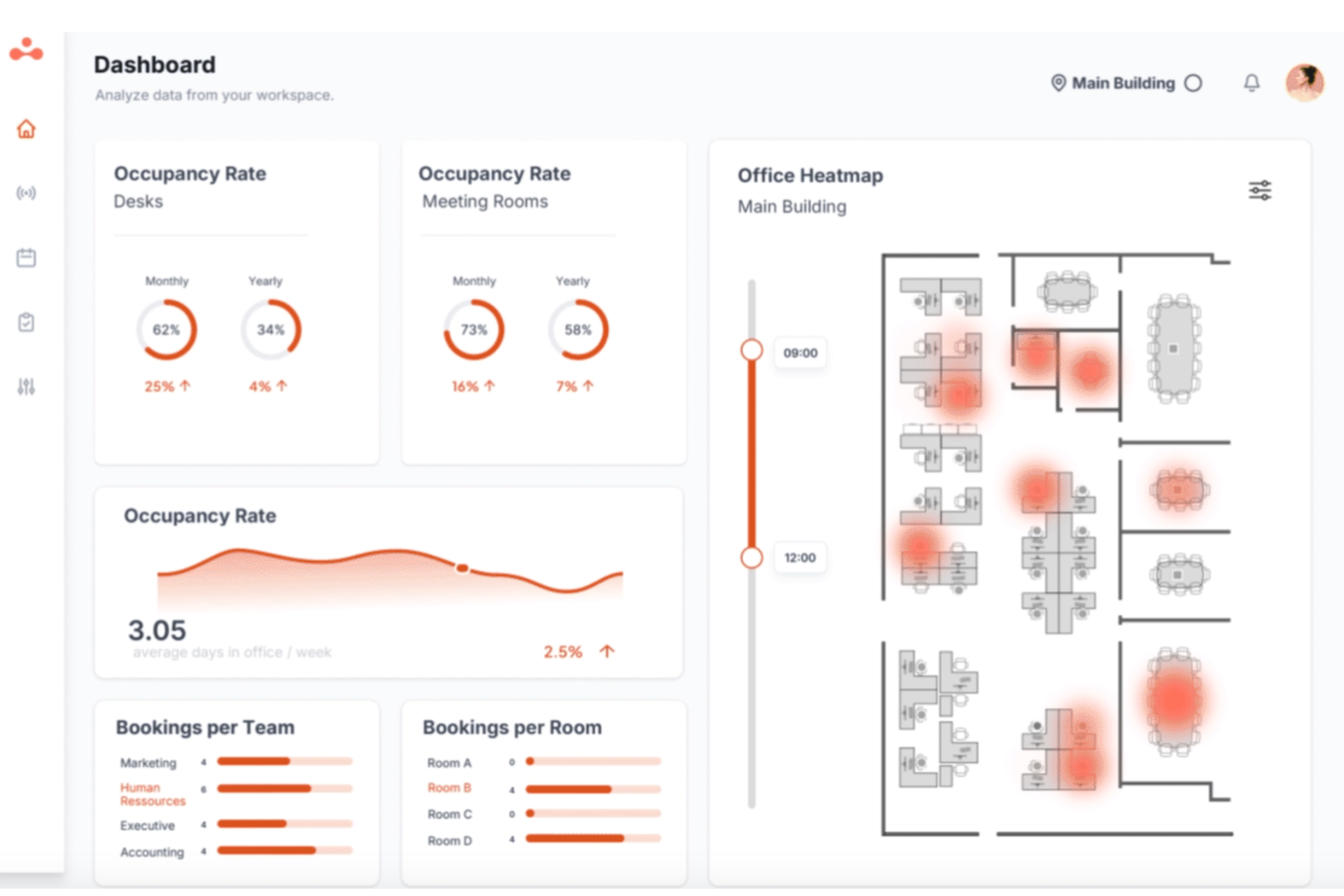
elia is a workplace operations platform for hybrid teams that bundles visitor management, desk booking, room scheduling, and occupancy tracking into one system—so your front desk, HR, and facilities teams share a single source of truth.
Who Is elia Best For?
elia is a strong fit for mid-sized to enterprise organizations managing hybrid workplaces where facilities, HR, and IT teams need shared visibility over office operations.
Why elia Is a Good Envoy Alternative
I picked elia as one of the best because its kiosk supports English and French languages natively, which means international visitors can self-register without needing front desk assistance to bridge the gap. I appreciate that the language support is built directly into the check-in flow, not bolted on as an afterthought.
elia Key Features
- Pre-registration: Send visitors a personalized invitation in advance so they arrive with a QR code ready to scan, reducing lobby wait times.
- NDA and document signing: Build document acknowledgment or NDA signing directly into the check-in flow before a visitor gains access to your space.
- Visitor badge printing: Automatically print a visitor badge upon check-in, giving on-site security teams a quick visual reference for identifying guests.
- Audit-ready visitor log: Access a timestamped log of every visit with CSV export for compliance reviews or security audits.
elia Integrations
elia offers native integrations with Microsoft 365, Google Workspace, Slack, and specific tools within those ecosystems, including Google Calendar, Microsoft Teams, and Microsoft Outlook.
Pros and Cons
Pros:
- Combines visitor and desk booking modules
- Features emergency first responder tracking
- Bundles native workplace hardware
Cons:
- Admin profile editing options are limited
- Occupancy statistics can be inaccurate
Best for rapid onboarding and migration support
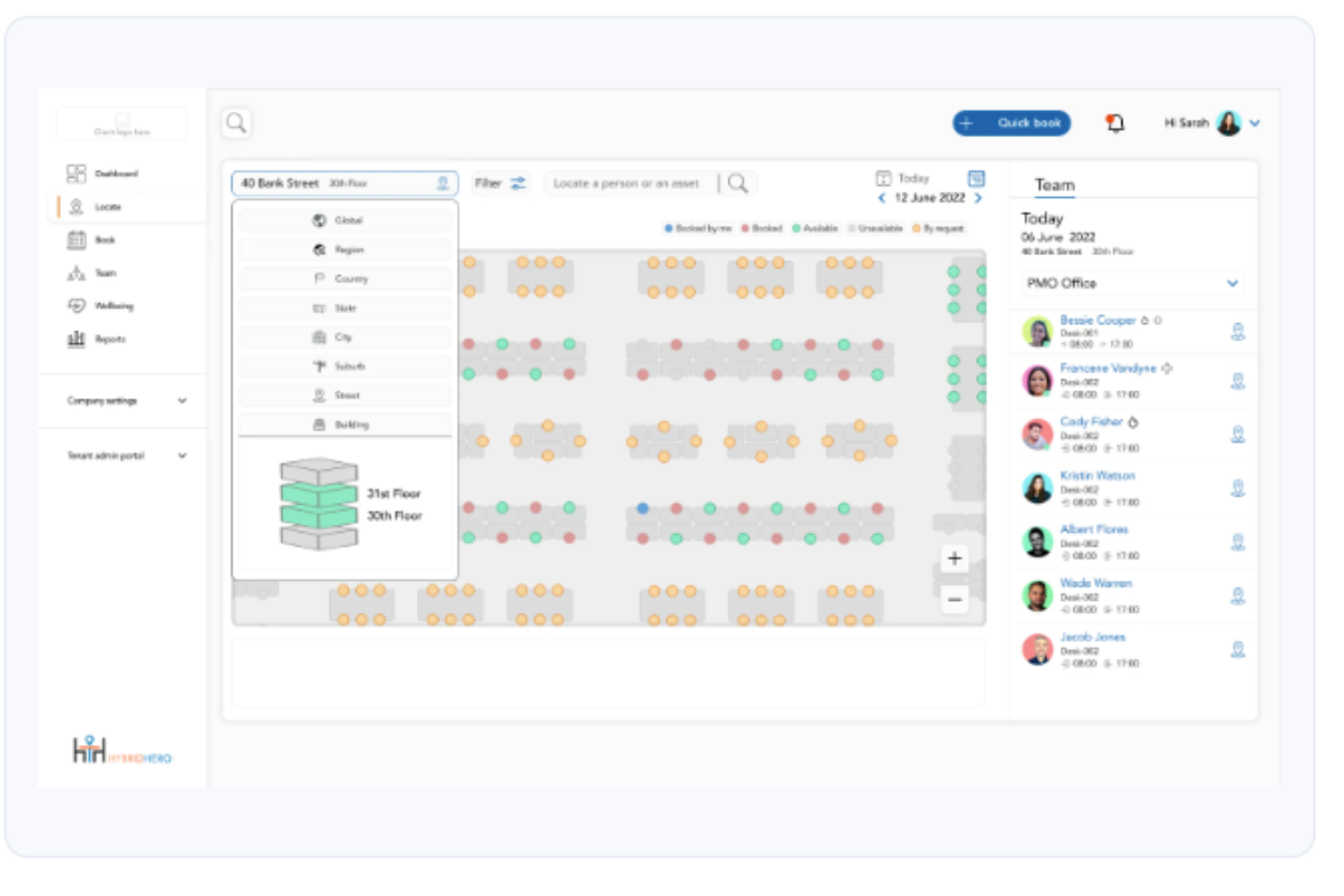
Hybrid Hero is a workplace management platform that helps HR and facilities teams coordinate desk booking, room reservations, visitor check-in, and hybrid work scheduling across single or multiple office locations.
Who Is Hybrid Hero Best For?
Hybrid Hero suits mid-market and enterprise organizations managing distributed office footprints, particularly those in regulated industries like finance, energy, or construction.
Why Hybrid Hero Is a Good Best Envoy Alternatives
I've included Hybrid Hero in my top picks because its Switch Programme is one of the most structured migration paths I've seen in this space. It includes a 15-minute assessment call, a one-page migration plan, and a 30-day guaranteed migration timeline. That kind of structured handoff means teams moving off Envoy can cut through implementation drag and actually get people booking desks and checking in visitors from day one.
Hybrid Hero Key Features
- Interactive floor plan builder: Quickly map workspaces and manage assigned and unassigned desks for any office layout.
- AI-powered natural language booking: Book desks or rooms using simple language queries directly in the app.
- Amenity-based search: Filter workspaces by features like dual monitors, standing desks, or quiet zones before reserving.
- Automated desk check-in and release: QR codes enable fast on-site check-in and automatically release unused desks.
Hybrid Hero Integrations
Hybrid Hero offers native integrations with Microsoft 365, Google Workspace, Slack, Azure Active Directory, Okta, and SAML SSO. An API is available for custom integrations.
Pros and Cons
Pros:
- Amenity-based filtering narrows desk searches quickly
- AI natural language booking speeds up reservations
- Structured Switch Programme simplifies migrating from Envoy
Cons:
- Sparse public user reviews make evaluation harder
- Visitor management features lag behind desk booking

Best for mobile-first employee scheduling
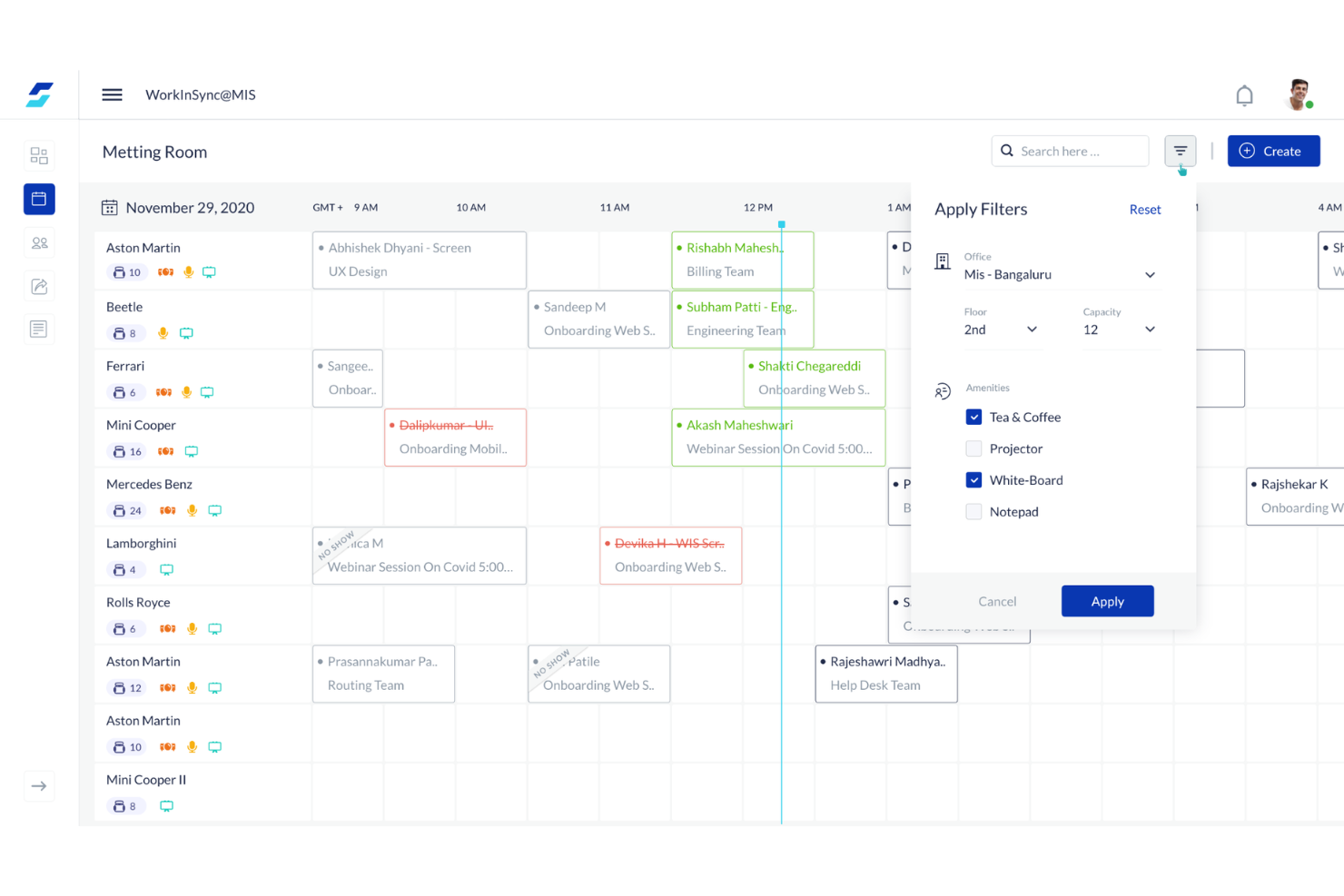
WorkInSync is a workplace management platform designed for teams that prioritize flexible scheduling and mobile access. It’s a strong fit for organizations looking to coordinate hybrid work, manage desk bookings, and improve employee commutes from a single app.
Who Is WorkInSync Best For?
HR teams and facilities managers at hybrid or distributed organizations who need mobile-first tools for employee scheduling and workspace coordination.
Why WorkInSync Is a Good Envoy Alternative
I picked WorkInSync because its mobile app puts scheduling control directly in employees' hands. From the app, employees can check real-time desk availability, book a workspace, and confirm their in-office day before they even leave home. I appreciate the team neighborhood feature set, which lets managers cluster team members in designated floor zones so that when people do come in, they're sitting near the colleagues they need to collaborate with. In practice, that means my team isn't just booking a desk at random—they're coordinating presence with purpose, which is something Envoy's visitor-first model doesn't prioritize in the same way.
WorkInSync Key Features
- Parking space booking: Employees reserve parking slots via mobile or web before arriving, with admins able to set zone rules, designate spots for specific vehicle types, and track real-time occupancy.
- Visitor management: Hosts invite guests through the app, visitors receive a QR code for contactless entry, and admins get a live view of all scheduled and checked-in visitors for the day.
- Workplace analytics dashboard: Admins access real-time reports on desk, room, and parking utilization to track occupancy patterns and inform space planning decisions.
- Meal management module: Employees log cafeteria orders in advance, giving facilities teams real-time visibility into demand and consumption data to reduce food waste.
WorkInSync Integrations
WorkInSync offers native integrations with Microsoft Teams, Google Workspace, Slack, Okta, and Active Directory, and provides an API for custom integrations.
Pros and Cons
Pros:
- Real-time office occupancy and analytics
- Desk and parking booking in one platform
- Mobile app supports all scheduling features
Cons:
- No kiosk hardware options provided
- Limited customization for visitor workflows
YAROOMS
Best for carbon footprint tracking
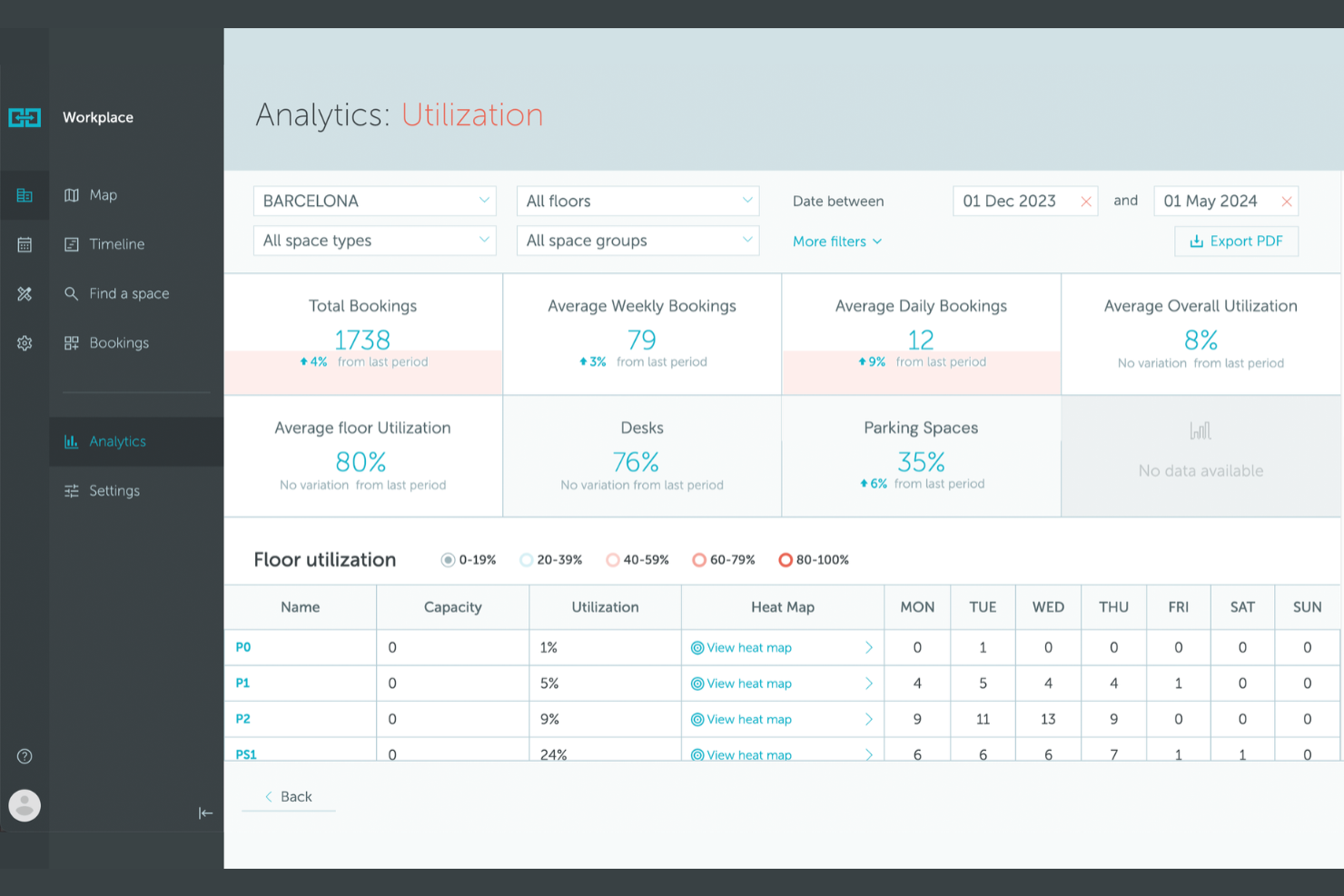
YAROOMS is a workplace management platform designed for organizations that want to coordinate room bookings, desk reservations, and hybrid work policies. It’s a good fit for companies seeking to centralize scheduling and optimize space usage across multiple locations.
Who Is YAROOMS Best For?
Facility managers and sustainability leads at mid-sized to large organizations aiming to track and reduce workplace carbon footprint.
Why YAROOMS Is a Good Envoy Alternative
Carbon footprint tracking is what sets YAROOMS apart from most Envoy alternatives, and it's the main reason I'd recommend it to sustainability-focused organizations. YAROOMS monitors Scope 2 and Scope 3 CO2 emissions from office equipment use, employee commutes, and remote work, giving facility managers actual data to act on. I also like that this sits alongside desk and room booking, hybrid work planning, and visitor management in one platform. For teams that need to report on environmental impact alongside day-to-day space management, that combination is hard to find elsewhere.
YAROOMS Key Features
- Interactive floor maps: Browse real-time desk and room availability on visual floor plans, with built-in wayfinding to locate colleagues and navigate the office.
- Hybrid work scheduling: Set work status, coordinate office days across teams, and see who's coming in on any given day.
- Visitor management system: Pre-register guests, send automated arrival notifications, and manage the full visitor check-in process.
- Yarvis AI assistant: Book spaces, find coworkers, and manage schedules through natural language prompts directly in Microsoft Teams or email.
YAROOMS Integrations
YAROOMS offers native integrations with Microsoft 365, Google Workspace, Okta, and Azure Active Directory, and provides an API for custom integrations.
Pros and Cons
Pros:
- Provides visitor management with pre-registration
- Offers interactive floor maps for bookings
- Tracks Scope 2 and Scope 3 emissions data
Cons:
- No built-in catering or service requests
- Lacks advanced access control integrations

Joan
Best for meeting room display integration
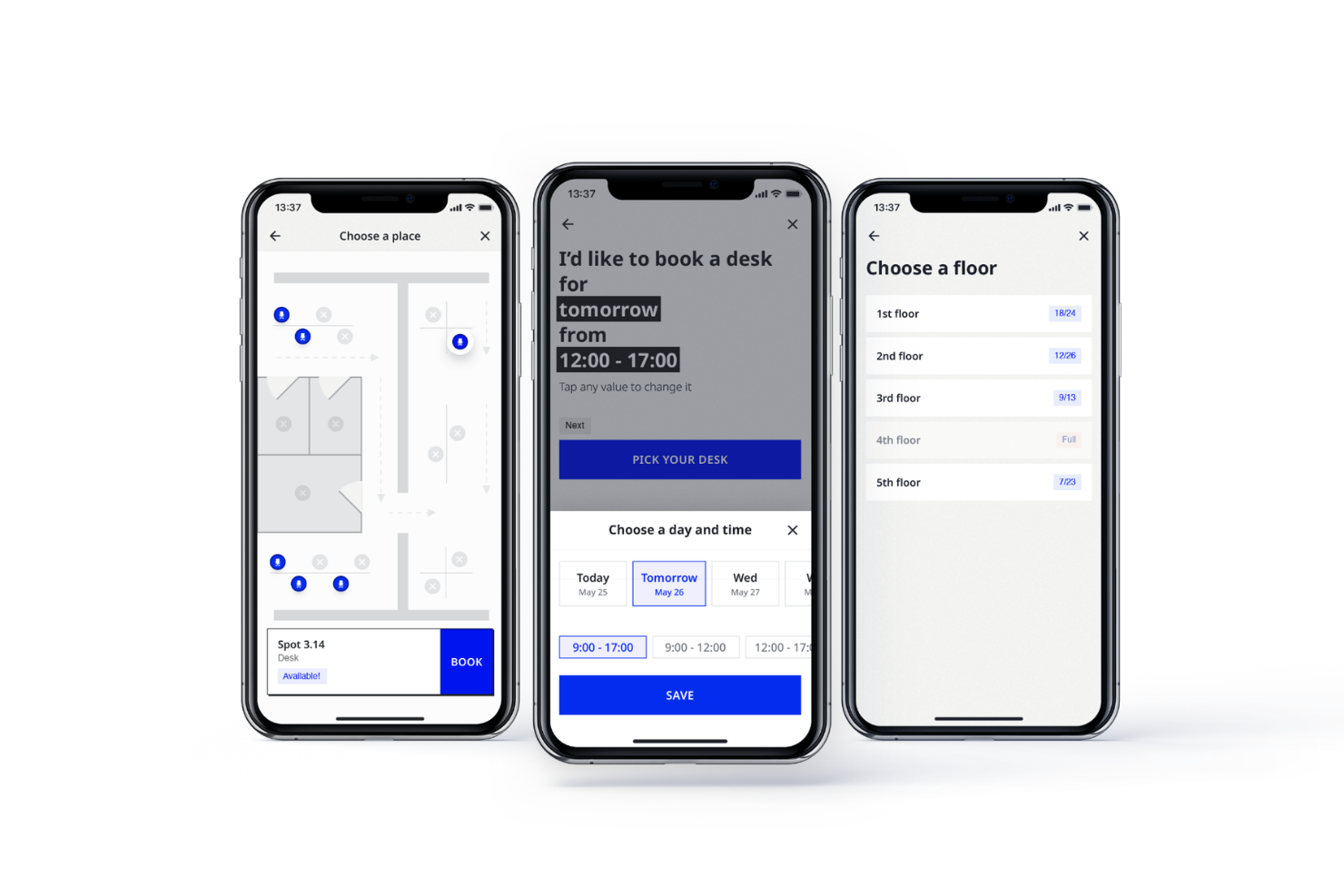
Joan is a workplace management platform designed for organizations that need to coordinate meeting room bookings and display real-time room availability. It’s a strong fit for office managers and IT teams who want to reduce scheduling conflicts and optimize shared space usage.
Who Is Joan Best For?
Office managers and IT teams in mid-sized to large organizations that need dedicated meeting room display solutions.
Why Joan Is a Good Envoy Alternative
Meeting room display integration is where I think Joan genuinely stands out. Joan's proprietary ePaper schedulers mount cable-free directly outside meeting rooms and sync in real time with Google Calendar, Outlook, and Microsoft Teams, so room status is always accurate at a glance. I also appreciate the ghost meeting prevention feature, which automatically releases rooms when no one checks in, cutting down on wasted space. For teams running multiple rooms, the per-device settings let you configure each display independently, which is something I find especially useful when managing rooms with different booking rules or capacities.
Joan Key Features
- Desk booking with floor plan view: Upload your office floor plan and let employees browse and reserve desks visually, filtering by amenities like standing desks or monitors.
- Workplace analytics: Track room occupancy, desk usage, booking frequency, and peak times from a single admin dashboard.
- Department booking rules: Assign desks to specific departments and set occupancy limits so only the right people can reserve certain spaces.
- Indoor air quality monitoring: Track temperature and humidity levels across your office directly from the Joan platform.
Joan Integrations
Joan offers native integrations with Google Workspace, Microsoft 365, Microsoft Teams, Slack, Zoom, and Cisco Webex, and provides an API for custom integrations.
Pros and Cons
Pros:
- Offers indoor air quality monitoring sensors
- Ghost meeting prevention automatically frees up rooms
- Wireless ePaper displays require no power cables
Cons:
- Hardware purchase required for full functionality
- No visitor management or check-in features

Officely
Best for Slack-based desk booking coordination
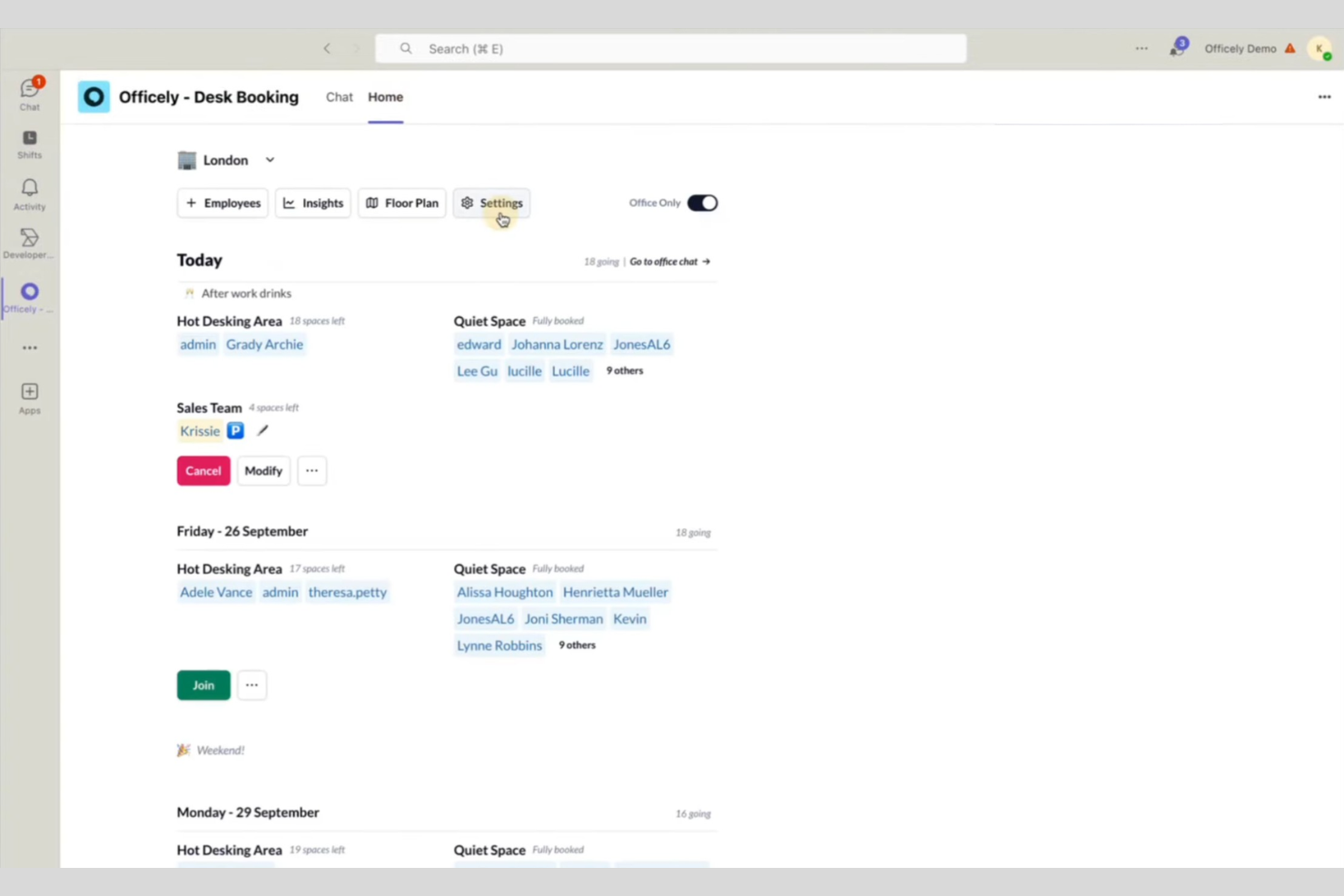
Officely is an all-in-one desk booking and office coordination tool built directly into Slack, making it easy for hybrid teams to manage workspace reservations. It’s a strong fit for businesses that want to coordinate in-office attendance without any add-ons.
Who Is Officely Best For?
Slack-based teams in hybrid or flexible work environments who need simple desk and office booking coordination.
Why Officely Is a Good Envoy Alternative
I picked Officely because it handles desk booking entirely inside Slack, which means my team doesn't need to open a separate app to reserve a workspace. The neighborhood feature lets teams group desks by department, so people can see where their colleagues are sitting and book nearby. I also like the office attendance visibility, which shows who's planning to come in on any given day directly in Slack, making it easy to coordinate in-person collaboration without extra back-and-forth.
Officely Key Features
- Hybrid policy compliance tracking: Compare actual office attendance against your hybrid work policy and surface compliance gaps automatically.
- Meeting room booking: Reserve meeting rooms directly in Slack or Microsoft Teams, with live availability to prevent double bookings.
- Parking and resource booking: Let employees book parking spaces, lunches, and other office resources alongside their desk reservation.
- Daily office broadcast: Automatically send a message to a Slack or Microsoft Teams channel showing who's coming into the office each day.
Officely Integrations
Officely offers native integrations with Google Calendar, Microsoft Outlook, and Slack, and provides an API for custom integrations.
Pros and Cons
Pros:
- Automated daily office attendance notifications
- Desk booking and attendance in one platform
- Fully integrated with Slack and Microsoft Teams
Cons:
- Meeting room booking only available on paid plans
- Limited analytics and reporting options

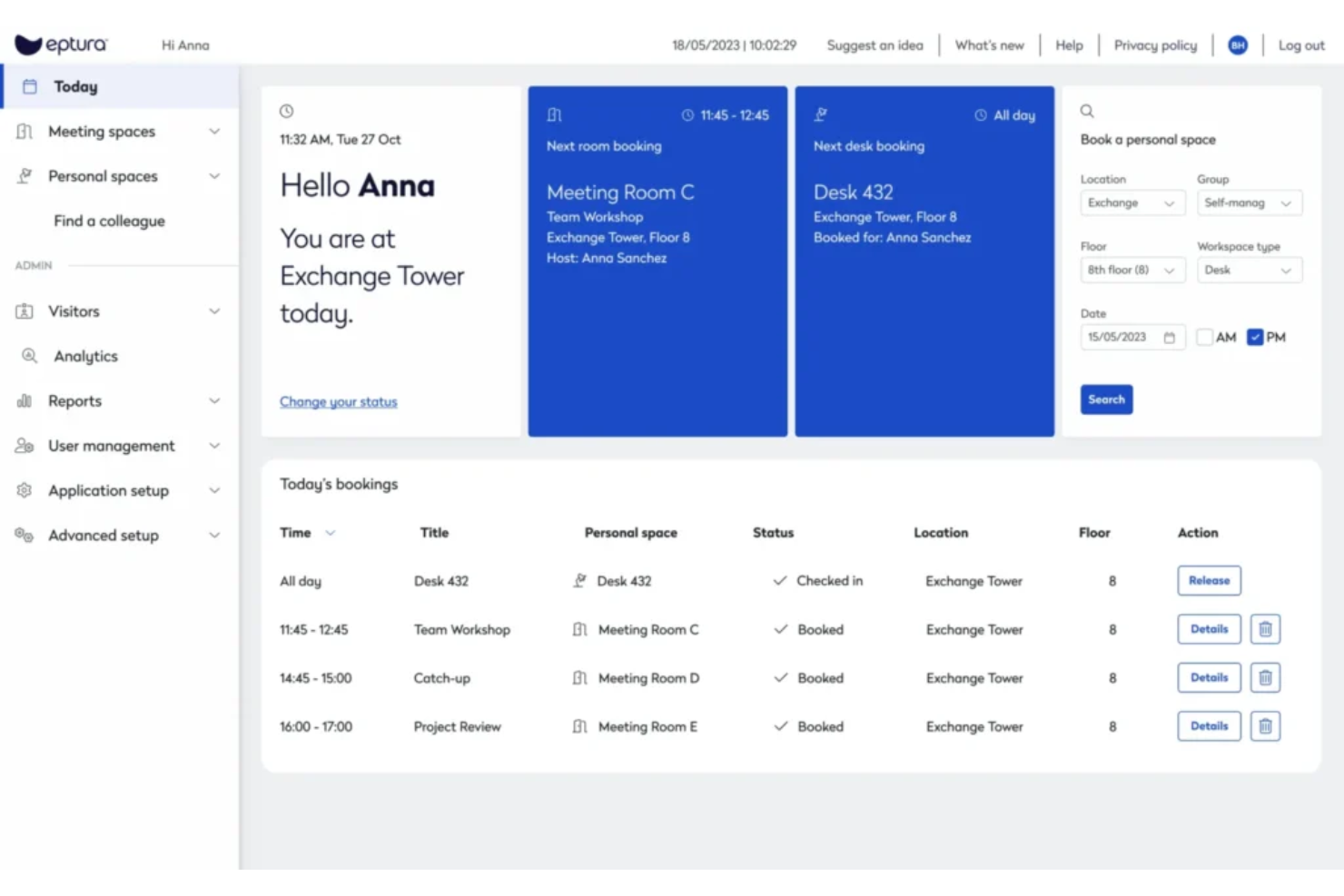
Eptura is a workplace management platform built for organizations that want to optimize space, resources, and user experience. Facility managers and workplace teams use it to coordinate desk booking, manage visitors, and gain actionable insights into how their offices are used.
Who Is Eptura Best For?
Facility managers and workplace leaders at large organizations who need advanced analytics to optimize office space and resource utilization.
Why Eptura Is a Good Envoy Alternative
What draws me to Eptura for workplace analytics is how it combines sensor data with booking data to give you a complete picture of how space is actually being used. The usage monitoring feature tracks peak utilization and frequency trends across your floor plan, so you can see not just which desks are booked but which ones employees actually show up to. I also use the real estate planning dashboard to track lease costs and expiration dates alongside occupancy data, which helps justify space decisions to leadership with hard numbers. In practice, that means my team can walk into a portfolio review with utilization evidence rather than estimates.
Eptura Key Features
- Conference room scheduling: Book and manage meeting rooms across your office, with visibility into availability and room capacity.
- Move management: Plan and execute employee moves end-to-end, from seat assignments to department relocations.
- Wayfinding: Help employees and visitors navigate the office using interactive maps and directional tools.
- Neighborhood and collaboration areas: Designate and manage team zones or shared spaces to support group work and flexible seating arrangements.
Eptura Integrations
Native integrations include Slack, Jira, Power BI, Dropbox, Google Drive, and Zoom. An API is available for custom integrations.
Pros and Cons
Pros:
- Customizable meeting services workflows
- Visitor management with pre-registration options
- Real-time desk and room availability updates
Cons:
- Fewer native integrations
- Occasional sync issues with calendar integrations
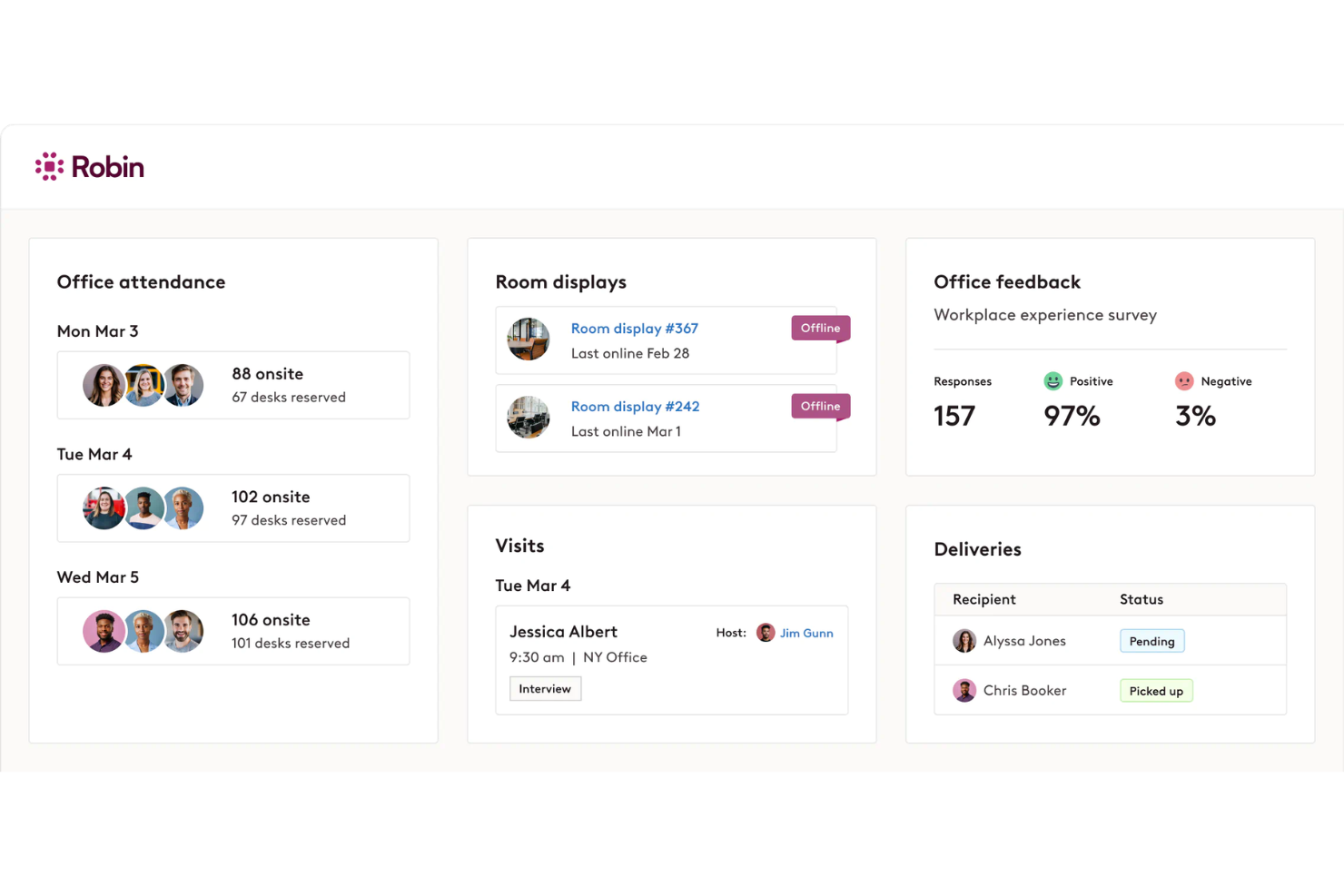
Robin is a workplace management platform built for teams that want to simplify desk booking, meeting room scheduling, and office coordination. If you need a flexible way to manage hybrid workspaces and keep your office organized, Robin gives you the tools to do it.
Who Is Robin Best For?
Office managers and workplace teams at mid-sized to large enterprises who need to coordinate flexible workspaces and visualize office layouts.
Why Robin Is a Good Envoy Alternative
Robin's interactive floor plans are what set it apart for me. The map editor lets admins draft, update, and publish office layouts as the workplace evolves, and employees can click directly on the floor plan to see which desks are available and book one in real time. I find the wayfinding feature especially useful for larger offices—employees and visitors can navigate to a specific desk, room, or point of interest without needing to ask anyone for directions. In practice, that means new hires and visiting colleagues can orient themselves on day one without any hand-holding, which is something Envoy's visitor-first model doesn't address in the same depth.
Robin Key Features
- Visitor management: Pre-register guests, manage check-ins, and access visit logs from a single dashboard.
- In-office policies: Set and communicate hybrid work policies, and let employees track their own in-office attendance.
- Meeting services: Create customizable workflows for catering requests, room setup, and AV support tied to meeting bookings.
- Workplace analytics: Build custom reports to track space utilization and monitor occupancy trends across your office.
Robin Integrations
Robin offers native integrations with Google Workspace, Microsoft 365, Slack, Zoom, Okta, and Azure Active Directory. An API is available for custom integrations.
Pros and Cons
Pros:
- Flexible support for hybrid work policies
- Real-time desk and room availability updates
- Interactive floor plans for visual booking
Cons:
- No built-in hardware for check-in kiosks
- Pricing not transparently listed online

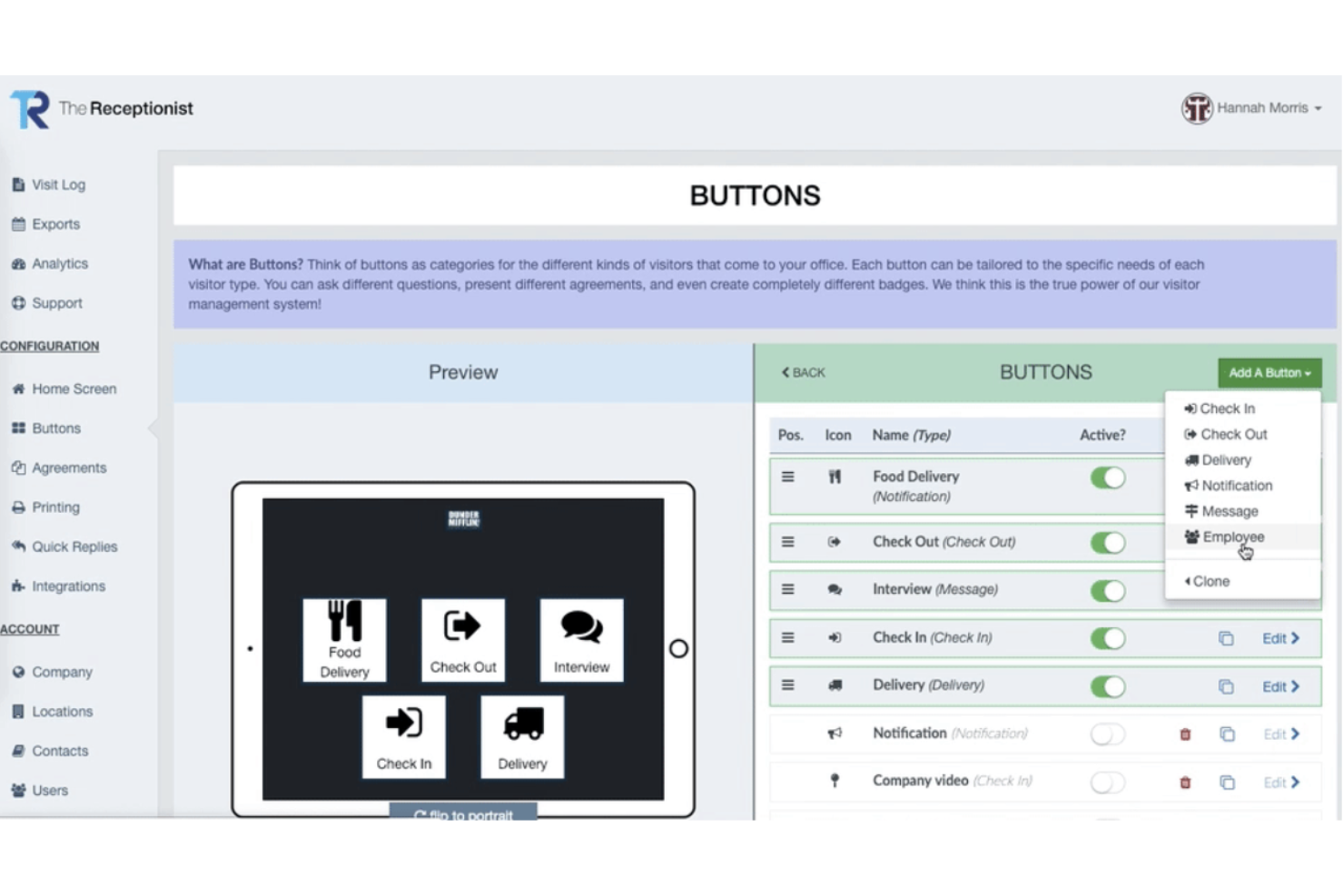
The Receptionist is a visitor management system built for offices, coworking spaces, and clinics that want to automate guest check-in and notifications. It’s a strong choice for teams who need to improve front desk operations and visitor tracking.
Who Is The Receptionist Best For?
Reception teams and office managers in professional services, healthcare, and coworking spaces who need secure, branded visitor check-in and badge printing.
Why The Receptionist Is a Good Envoy Alternative
Badge printing is something a lot of visitor management tools treat as an afterthought—The Receptionist doesn't. I appreciate that the badge designer lets you control exactly what prints: visitor photo, host name, visit purpose, expiration time, and custom logo, all configurable per visitor type. That level of control matters in environments where a contractor badge needs to look and communicate differently than a client badge. I also use the button-based check-in workflow to route different visitor types through entirely separate sign-in paths, so the badge output always matches the context of the visit.
The Receptionist Key Features
- Custom check-in workflows: Build separate check-in flows for different visitor types, like delivery drivers, clients, or contractors, each collecting different information.
- QR code and contactless sign-in: Let visitors check in without touching the iPad using a QR code scan from their phone.
- Emergency and evacuation list: Pull a real-time list of everyone currently checked in to support safe and fast evacuations.
- Visitor pre-registration notifications: Notify hosts automatically when an expected visitor checks in, via email, text, Slack, or Microsoft Teams.
The Receptionist Integrations
The Receptionist offers native integrations with Slack, Microsoft Teams, Google Workspace, and Active Directory, and provides an API for custom integrations.
Pros and Cons
Pros:
- Multiple check-in workflows for visitor types
- Instant host notifications via Slack or Teams
- Custom badge designer with logo and photo
Cons:
- Requires iPad hardware for check-in
- Lacks native integration with Salesforce

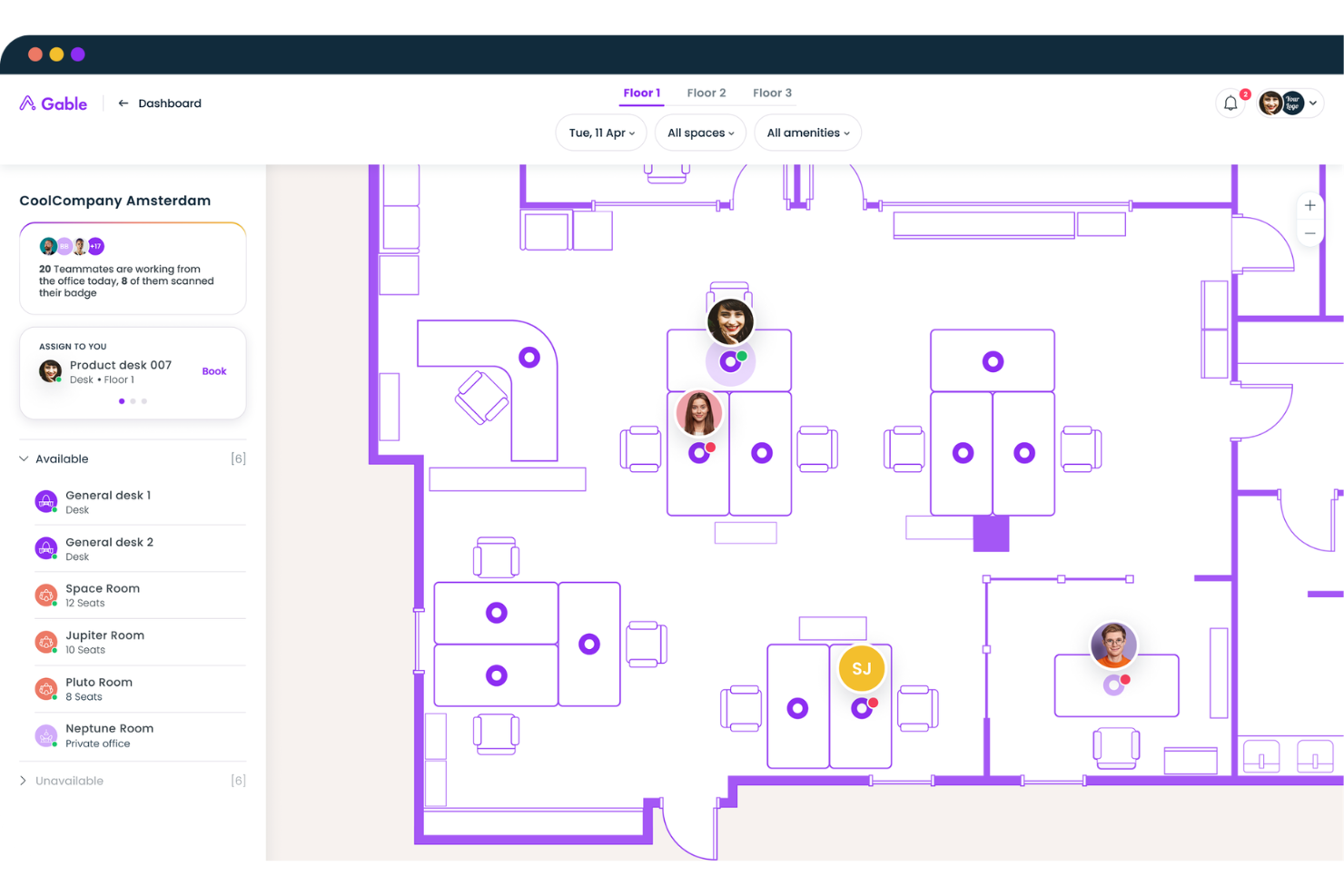
Gable is a workspace management platform designed for companies with distributed or hybrid teams who need to coordinate office access and flexible workspaces. It helps HR and operations leaders centralize workspace bookings, manage budgets, and support employee collaboration across locations.
Who Is Gable Best For?
HR and operations teams at distributed or hybrid companies managing workspace access and budgets across multiple locations.
Why Gable Is a Good Envoy Alternative
Gable takes a different angle than most workplace tools on this list—it's built specifically for teams that don't all work from the same office. The on-demand workspace network is what makes it stand out for distributed teams: employees can book hot desks, private offices, or meeting rooms across 20,000+ coworking spaces in 900+ cities worldwide, which is something Envoy simply doesn't offer. I also find the geo-fencing and budget controls genuinely useful for keeping distributed bookings within policy—admins can cap spending by department or restrict which cities employees can book in. In practice, that means a remote-first company can give employees real in-person workspace options without taking on new leases.
Gable Key Features
- Visitor management: Welcome guests with self-check-in via iPad kiosk or QR code, badge printing, NDA signing, and arrival notifications.
- Event orchestration: Create, promote, and track onsite or offsite events, including venue booking, RSVP tracking, and attendee feedback collection.
- Office utilization analytics: Access booking, space, and attendance data to inform real estate decisions and hybrid policy planning.
- Geo-fencing and permissions controls: Set location-based booking restrictions and approval workflows to manage where and how employees book workspace.
Gable Integrations
Gable offers native integrations with Slack, Google Workspace, and Okta, and provides an API for custom integrations.
Pros and Cons
Pros:
- Centralizes workspace usage analytics
- Offers budget controls for workspace spending
- Lets you manage distributed workspace bookings
Cons:
- Analytics dashboard is basic and lacks depth
- Lacks meeting room booking for private offices
Other Envoy Alternatives
Here are some additional Envoy alternatives that didn’t make it onto my shortlist, but are still worth checking out:
- OfficeSpace
For customizable space management
- Visitly
For multi-location visitor management
- Sign In Solutions
For compliance-driven visitor screening
- SwipedOn
For visitor check-in via QR codes
- Skedda
For customizable booking policies
- deskbird
For employee self-service booking
- Eden
For integrating facilities ticketing
- Kadence
For recurring desk reservation rules
- Tactic
For interactive office maps
- Archie
For coworking space automation
- DeskFlex
For hardware integration options


How I Evaluate Envoy Alternatives
I split every evaluation into two layers: the baseline capabilities—like visitor check-in and desk booking—a tool must have, and the differentiators that set one platform apart from another.
Core Functionality (Table Stakes For This List)
When I'm selecting tools for my list, I rank each one on a scale from 0 (does not offer the functionality) to 5 (excels in this area) for each core functionality listed below. Then, I calculate the tool's total score into a percentage. Each tool needs to achieve a minimum total score of 65% to be considered for inclusion.
- Visitor Management: I evaluate whether a tool handles the full visitor lifecycle—pre-registration, check-in, host alerts, and badge printing—across single and multi-site setups.
- Employee Sign-In & Scheduling: Teams running hybrid models need employees to signal when they'll be on-site, so I look for schedule coordination and attendance tracking.
- Desk & Room Booking: I check how each tool handles workspace reservations, whether through interactive maps, calendar integrations, or simple list-based booking.
- Health & Security Compliance: Screening questionnaires, NDA capture, watchlist checks, and ID scanning all factor in—especially for teams in regulated industries.
- Workplace Analytics: Good workplace tools surface occupancy trends and booking data in dashboards, so I look at what each platform reports on and how accessible insights are.
- HR & Workplace Integrations: I evaluate how each tool connects to the systems HR teams already use, from HRIS platforms and SSO providers to Slack, Teams, and access control hardware.
Once I have a list of tools that meet this criteria, I consider what sets each platform apart.
Differentiating Factors (What Sets Vendors Apart)
Here's how I compare and contrast different vendors:
Standout Features
Interactive floor plans make a real difference—employees can see who's in the office and where open desks are before they book, which cuts down on confusion in hybrid setups. I also look at emergency evacuation tools, since real-time headcounts and roll-call features matter when you're responsible for on-site safety. For organizations with offices in multiple cities, multi-location management with location-specific policies and centralized reporting is a major differentiator.
Beyond Features
Compliance and security standards carry real weight here—I check for certifications like SOC 2 Type II and GDPR readiness, especially when visitor data includes personal identification. Pricing structure matters too, since some vendors charge per location while others bill per employee, and modular plans let HR teams avoid paying for features they don't need. I also evaluate how well onboarding support covers hardware setup, like iPad kiosks and badge printers, which can stall a rollout if left to your internal IT team alone.
Why Look For an Envoy Alternative?
While Envoy is a good choice of workplace management solution, there are a number of reasons why some users seek out alternative solutions. You might be looking for an Envoy alternative because…
- You need more advanced desk booking features
- Your team relies on mobile-first scheduling
- You want integrated parking management
- You require deeper analytics and reporting
- Your organization needs GDPR-focused data privacy
- You need broader hardware integration options
If any of these sound like you, you’ve come to the right place. My list contains several workplace management solution options that are better suited for teams facing these challenges with Envoy and looking for alternative solutions.
Envoy Key Features
Here are some of the key features of Envoy, to help you contrast and compare what alternative solutions offer:
- Visitor sign-in management: Automates guest registration, badge printing, and notifications for hosts, improving the check-in process with security features.
- Desk booking: Lets employees reserve desks in advance or on the go, supporting flexible seating and hybrid work arrangements.
- Room scheduling: Enables users to book meeting rooms, view availability, and manage reservations from web or mobile devices.
- Delivery management: Tracks incoming packages, notifies recipients, and logs deliveries for secure pickup and reduced front desk workload.
- Health and safety screening: Offers customizable health questionnaires and touchless check-in to support workplace safety protocols.
- Employee sign-in: Allows staff to check in and out of the office, providing real-time occupancy data and attendance records.
- Space analytics: Delivers insights on workspace usage, visitor trends, and occupancy patterns to inform space planning decisions.
- Integrations: Connects with tools like Slack, Microsoft Teams, Google Workspace, and access control systems for your workflows.
- Mobile app: Provides employees and admins with on-the-go access to booking, check-in, and notifications.
- Access control integration: Syncs with badge systems and door hardware to automate secure entry for employees and visitors.