

10 Best Applicant Tracking Software for Home Service Professionals in 2026

Best Applicant Tracking Software for Home Service Professionals Shortlist


Applicant tracking software for home service professionals is a digital platform your team uses to organize, track, and communicate with job candidates for technician, field, or support roles. Choosing the right system is essential when you’re managing high applicant volumes, juggling on-site and remote scheduling, and needing fast, reliable communication with your workforce. In this guide, I’ll walk you through the best options suited for home service businesses, so you can find tools that actually match your hiring process and support staffing goals in 2026.
Why Trust Our Software Reviews
Our team has been testing and reviewing software since 2012. As HR experts ourselves, we know how difficult—and important—it is to choose the right software.
For this guide, we evaluated tools using hands-on testing and independent research, scoring tools using our selection criteria. We also draw on insights from industry thought leaders and and practicing HR experts.
Our reviews reflect our human editorial judgment, not a sales pitch.
Best Applicant Tracking Software for Home Service Professionals Summary
This comparison chart summarizes pricing details for my top applicant tracking software for home service professionals selections to help you find the best one for your budget and business needs.
| Tool | Best For | Trial Info | Price | ||
|---|---|---|---|---|---|
| 1 | Best for built-in AI for actionable HR insights | Free trial available | From $10/employee/month | Website | |
| 2 | Best for interview scheduling with automated reminders | 7-day free trial + free demo available | From $99/month (billed annually) | Website | |
| 3 | Best for job template customization | Free demo available | From $209/month (billed annually) | Website | |
| 4 | Best for customizable interview pipelines | 14-day free trial | From $157/month (billed annually) | Website | |
| 5 | Best for small business job posting management | Free demo available | From $350/month | Website | |
| 6 | Best for built-in collaborative hiring tools | Free demo available | From $14,995/year (billed annually) | Website | |
| 7 | Best for high-volume hourly workforce hiring | Free demo available | Pricing upon request | Website | |
| 8 | Best for multi-channel employee referral programs | Free demo available | Pricing upon request | Website | |
| 9 | Best for fast communication with field workers | Free demo available | From $500/month (billed annually) | Website | |
| 10 | Best for automated custom onboarding checklists | Free demo available | From $49/month + $6/month/user | Website |

Best Applicant Tracking Software for Home Service Professionals Reviews
Below are my detailed summaries of the best applicant-tracking software for home service professionals that made my shortlist. My reviews offer a detailed look at the features, best use cases, and integrations of each platform to help you find the best one for you.

Best for built-in AI for actionable HR insights
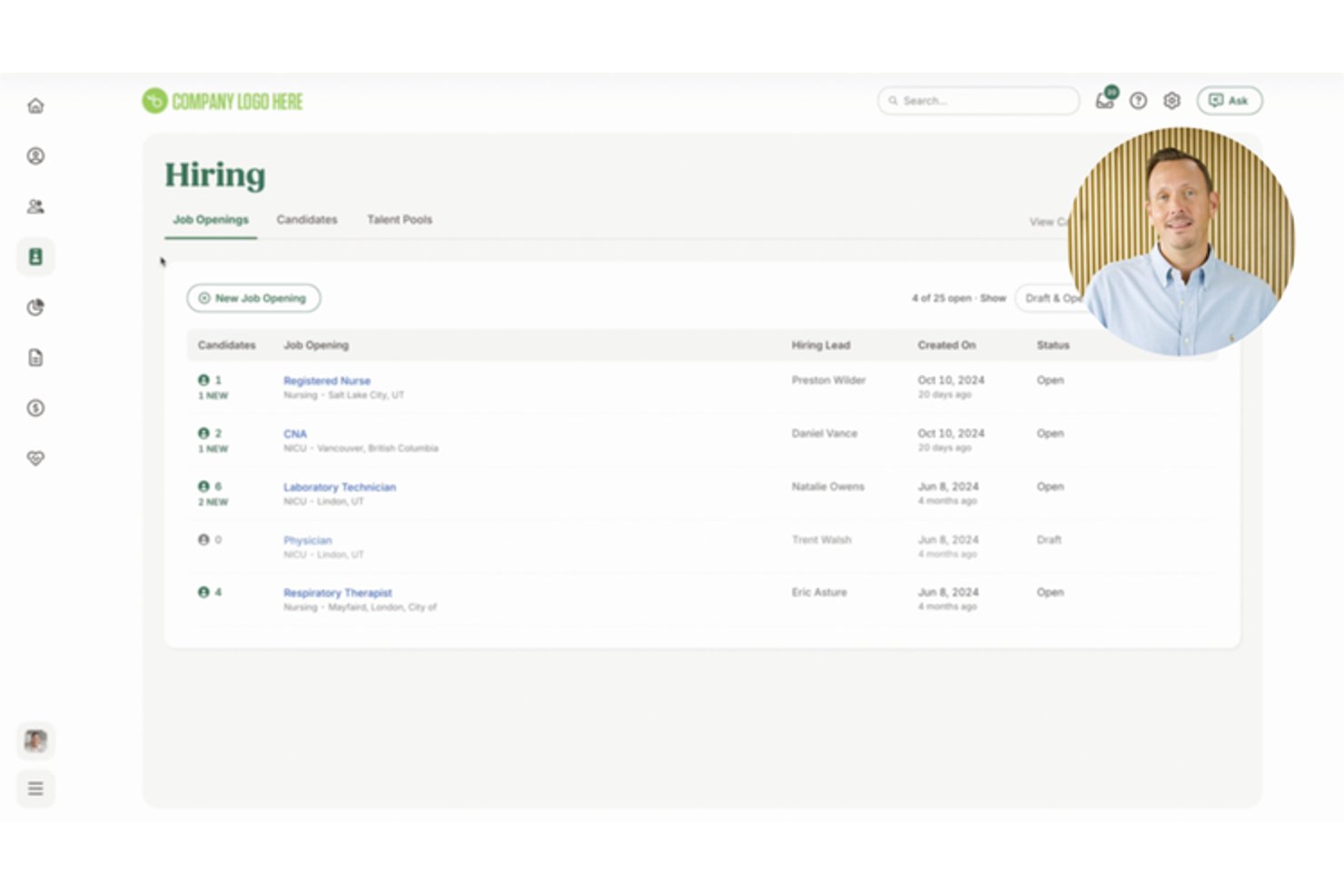
BambooHR is an HRIS platform for small and mid-sized businesses that combines applicant tracking, onboarding, employee records, and AI-powered HR analytics in one system.
Who Is BambooHR Best For?
BambooHR is a strong fit for HR managers at small to mid-sized businesses who need hiring, onboarding, and employee data management in one place.
Why I Picked BambooHR
I picked BambooHR as one of the best because of how its built-in AI Assistant turns HR data into something I can actually act on. I can ask it direct questions about my hiring pipeline or pull salary benchmarks powered by Mercer data, all without leaving the platform. The Candidate Sources Report also shows me which job boards are delivering qualified applicants, which matters when I'm trying to fill technician roles quickly.
BambooHR Key Features
- Hiring mobile app: Lets hiring managers review applicants, coordinate, and communicate with candidates on the go.
- Customizable offer letter templates: Enables you to create, send, and manage digital offer letters requiring e-signatures.
- Job board posting integration: Distributes job openings to major sites like Indeed, ZipRecruiter, and LinkedIn directly from the platform.
- Centralized candidate feedback: Allows team hiring with in-system communication, custom permissions, and organized recruiter notes for every applicant.
BambooHR Integrations
BambooHR offers 150+ native integrations, including Checkr, Remote, Slack, Cronofy, Zendesk, Paychex, QuickBooks, Microsoft 365, Google Workspace, Risotto, and more. An API is available for custom integrations.
Pros and Cons
Pros:
- Mobile hiring app for on-the-go managers
- Built-in salary benchmarking via Mercer data
- AI-powered candidate insights speed up hiring decisions
Cons:
- Limited trade-specific job board syndication options
- No native field service management tool integrations
New Product Updates from BambooHR®

BambooHR Adds Employee Navigator Integration
BambooHR adds an Employee Navigator integration that syncs employee demographic data and sends benefit deductions into BambooHR Payroll runs to cut duplicate entry and keep records aligned. For more information, visit BambooHR's official site.
 .
.
AvaHR
Best for interview scheduling with automated reminders

AvaHR is an applicant tracking system built for small and growing home service businesses that need to hire field and trade workers faster. It helps teams post jobs across multiple job boards, screen applicants with custom questionnaires, score candidates with AI, and manage hiring pipelines from one dashboard.
Who Is AvaHR Best For?
AvaHR is a good fit for small to mid-sized home service companies—like HVAC, pest control, and carpet cleaning businesses—that need a structured hiring process without a dedicated HR team.
Why I Picked AvaHR
I picked AvaHR because it helps home service businesses reduce interview no-shows with automated text reminders. This is useful when you’re hiring HVAC technicians, pest control workers, electricians, or other field staff who may be hard to reach by email. You can trigger SMS reminders based on pipeline stages, so candidates receive timely updates as they move toward interviews. I also like that AvaHR lets your team text candidates from a computer, keeping communication tied to the hiring workflow instead of scattered across personal phones.
AvaHR Key Features
- AI candidate scoring: Ranks applicants based on how well they match job criteria, helping you prioritize qualified candidates faster.
- One-click job board posting: Publishes job listings to 100+ job boards, including Indeed and LinkedIn, from one submission.
- Custom hiring pipelines: Lets you move candidates through visual hiring stages so your team can track every applicant’s status.
- Offer letter templates with eSignatures: Helps you create, send, and collect signed offer letters directly from the platform.
AvaHR Integrations
Integrations include Zapier, Slack, Asana, Google Sheets, Constant Contact, Google Calendar, Calendly, Microsoft Teams, Zoom, and Google Drive.
Pros and Cons
Pros:
- Custom pipelines organize applicants across multiple home service openings
- Posts trade roles across multiple job boards from one dashboard
- SMS reminders help reduce interview no-shows for field candidates
Cons:
- Some users report a learning curve during initial setup
- Reviews mention limited controls for repeat or unqualified applicants

Wizehire
Best for job template customization
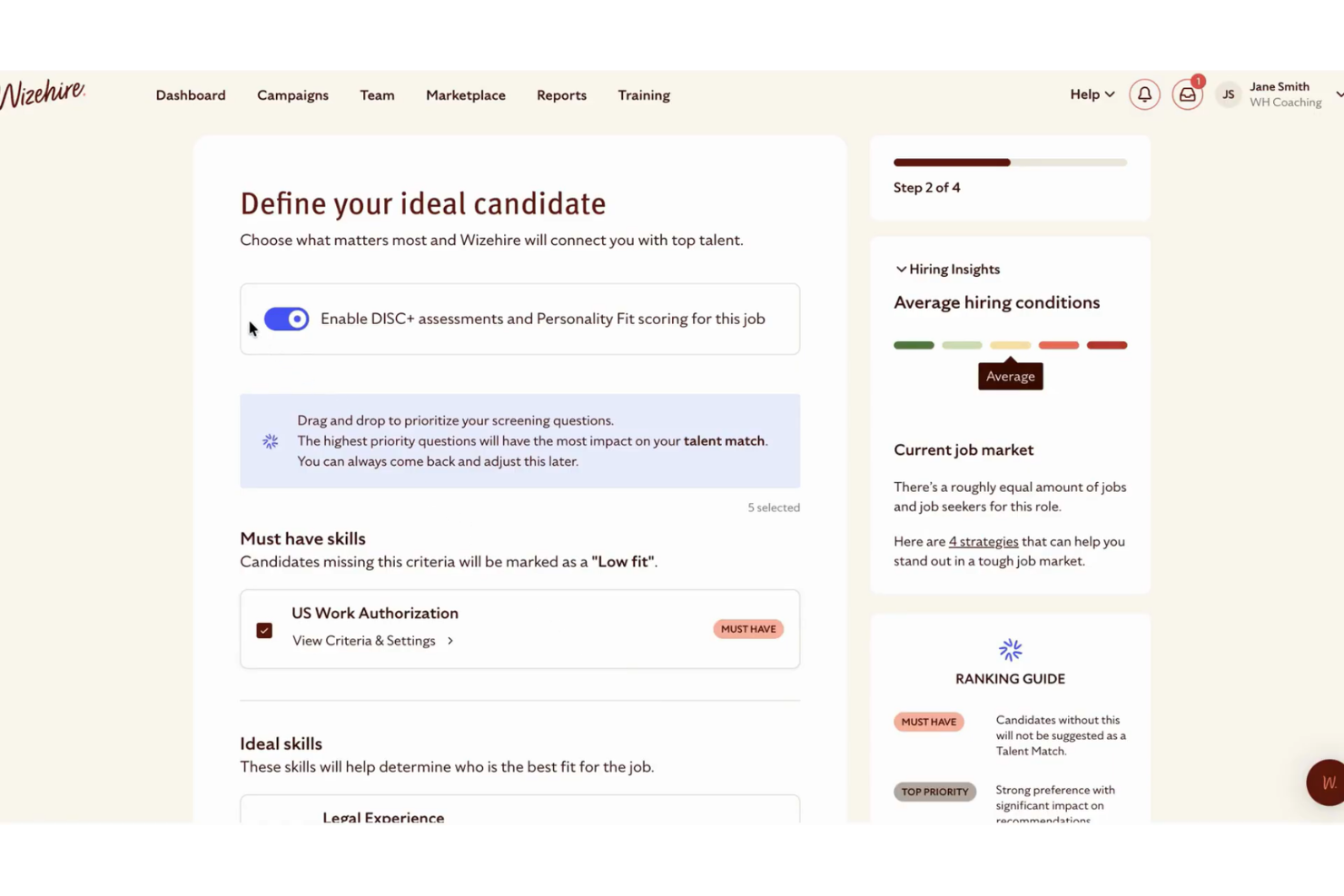
Wizehire is an applicant tracking software for home service professionals that provides customizable job ads, role-specific screening tools, centralized candidate communication, and integrated workflow features for hiring teams.
Who Is Wizehire Best For?
WizeHire is a strong fit for small to mid-sized home service businesses that need pre-built, customizable job templates and simplified hiring workflows.
Why I Picked Wizehire
I picked Wizehire because I can quickly build job ads using industry-specific templates, then adjust screening questions to match home service requirements. My team benefits from job description libraries vetted for trades and technician roles.
Wizehire Key Features
- Candidate messaging: Communicate with applicants directly within the platform and keep a complete message history.
- Collaborative hiring dashboards: Invite team members to review candidates and add feedback on one shared dashboard.
- Interview scheduling: Send calendar invites and coordinate interview times with built-in scheduling tools.
- Pipeline visualization: Track candidate progress using a drag-and-drop pipeline board.
Wizehire Integrations
Integrations include ADP Workforce Now®, Checkr, Dropbox Sign, Gusto, Indeed, LinkedIn, Paychex, Paycom, Paycor, and Paylocity.
Pros and Cons
Pros:
- Fast setup for managers with limited HR support
- Workflow built for multi-stage hiring processes
- Job ad templates tailored for skilled trades
Cons:
- No integrated offer letter function
- Limited reporting beyond basic hiring metrics
Best for customizable interview pipelines
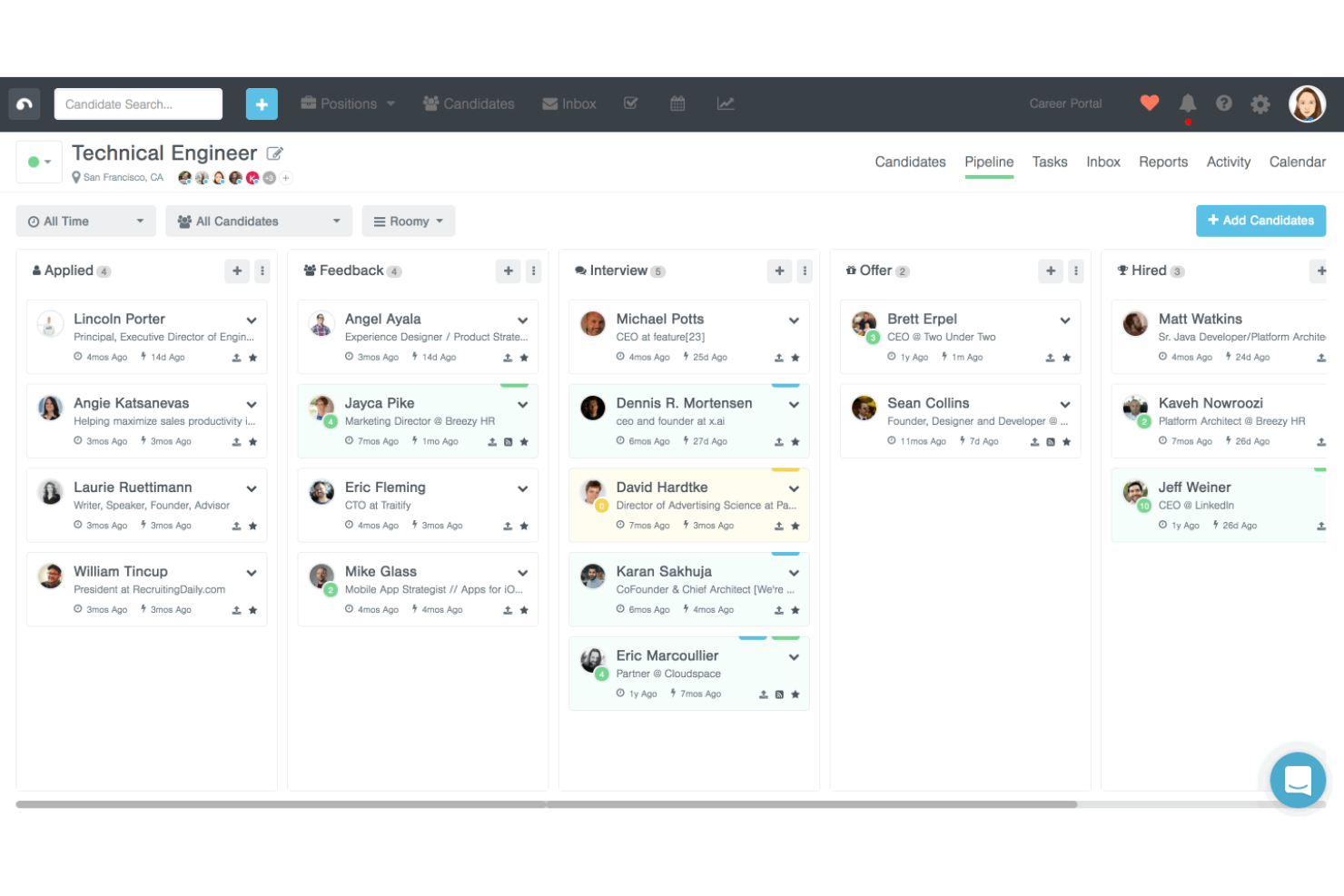
Breezy HR is a cloud-based applicant tracking system designed for home service providers to manage job postings, automate candidate sourcing, facilitate interview scheduling, and customize hiring workflows.
Who Is Breezy HR Best For?
Small to midsize home service businesses looking for an applicant tracking system that supports multi-stage, tailored interviewing processes.
Why I Picked Breezy HR
I picked Breezy HR as one of the best because I can drag and drop candidates through multiple, custom hiring stages, automate reminders and emails for each step, and build unique interview templates for every job type.
Breezy HR Key Features
- Candidate sourcing tools: Attract applicants from job boards and social media platforms.
- Video interviewing: Schedule and launch one-way or live video interviews within the platform.
- Team collaboration: Let multiple users leave feedback and ratings on candidate profiles.
- Offer management: Create, send, and track employment offers with built-in e-signatures.
Breezy HR Integrations
Integrations include Checkr, Gusto, Indeed, HackerRank, BambooHR, Rippling, Google Calendar, Office 365 Calendar, Slack, and Zoom.
Pros and Cons
Pros:
- Collaborative team scoring on candidate profiles
- Built-in interview scheduling with calendar sync
- Customizable hiring workflows for field positions
Cons:
- SMS messaging requires a higher-tier plan
- Limited reporting filters for location-based hiring

JazzHR
Best for small business job posting management
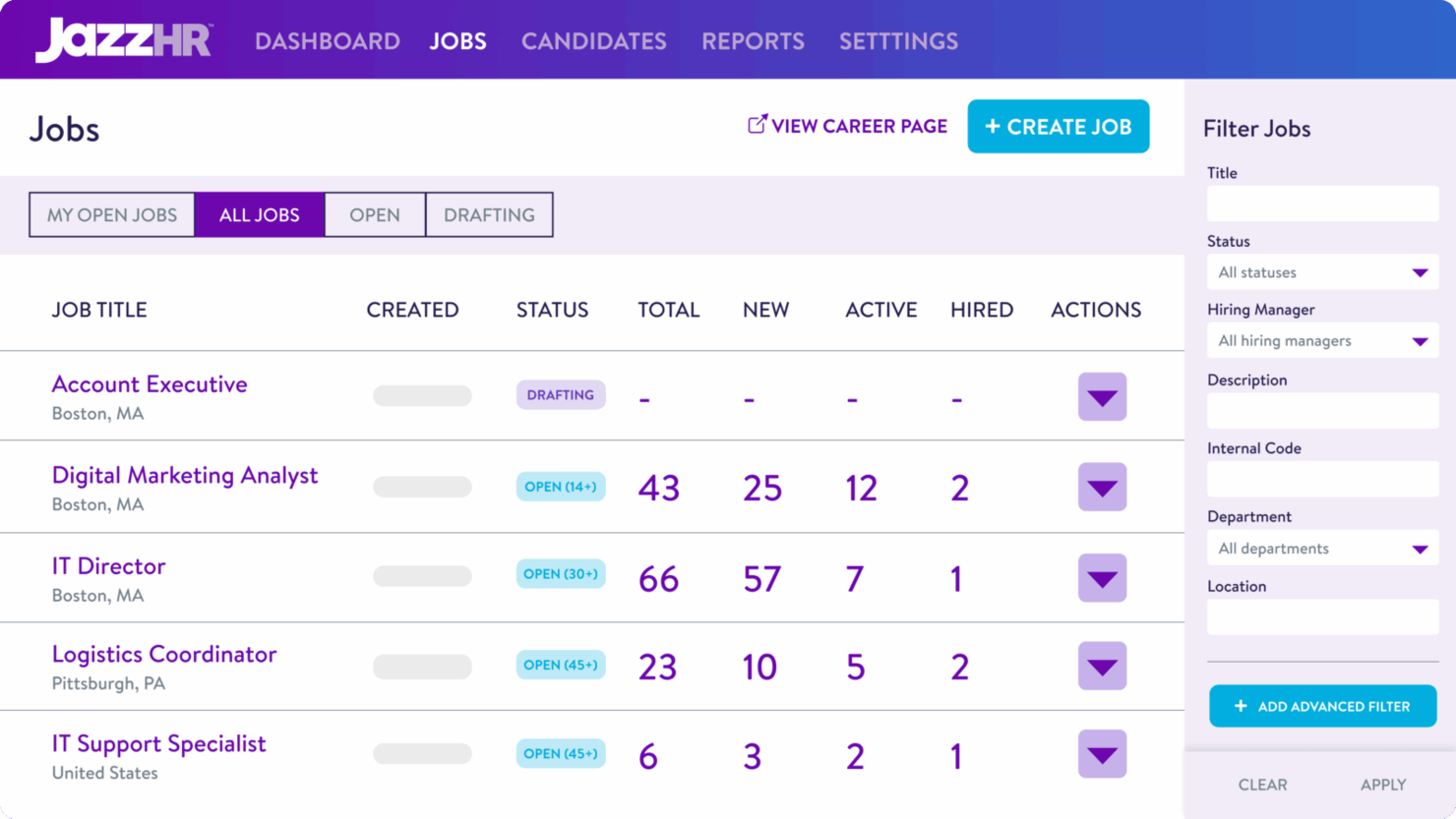
JazzHR is applicant tracking software for small businesses that helps you post jobs, manage candidate pipelines, and coordinate hiring tasks across multiple posting sites and channels.
Who Is JazzHR Best For?
JazzHR is a great fit for small businesses and owner-led companies that need to manage multiple job postings and track applicants in one organized place.
Why I Picked JazzHR
I picked JazzHR as one of the best because I can post job openings to dozens of job boards in just a few clicks, customize screening questions for different field roles, and automate candidate notifications so nothing falls through the cracks.
JazzHR Key Features
- Resume parsing: Extracts candidate data from resumes for quicker review.
- Interview self-scheduling: Let candidates pick interview times via a shared calendar link.
- Offer letter templates: Allows you to send branded digital offers for signatures.
- Team feedback tools: Let multiple staff members score candidates directly in the platform.
JazzHR Integrations
Integrations include LinkedIn RSC, Monster, ADP, BambooHR, Gusto, Criteria, Wonderlic, Checkr, Sterling, and SparkHire.
Pros and Cons
Pros:
- Customizable hiring pipelines for service roles
- Automated workflow for screening and routing candidates
- Job board syndication in just a few clicks
Cons:
- Limited SMS communication features on lower tiers
- Cannot create custom job scorecards

Best for built-in collaborative hiring tools
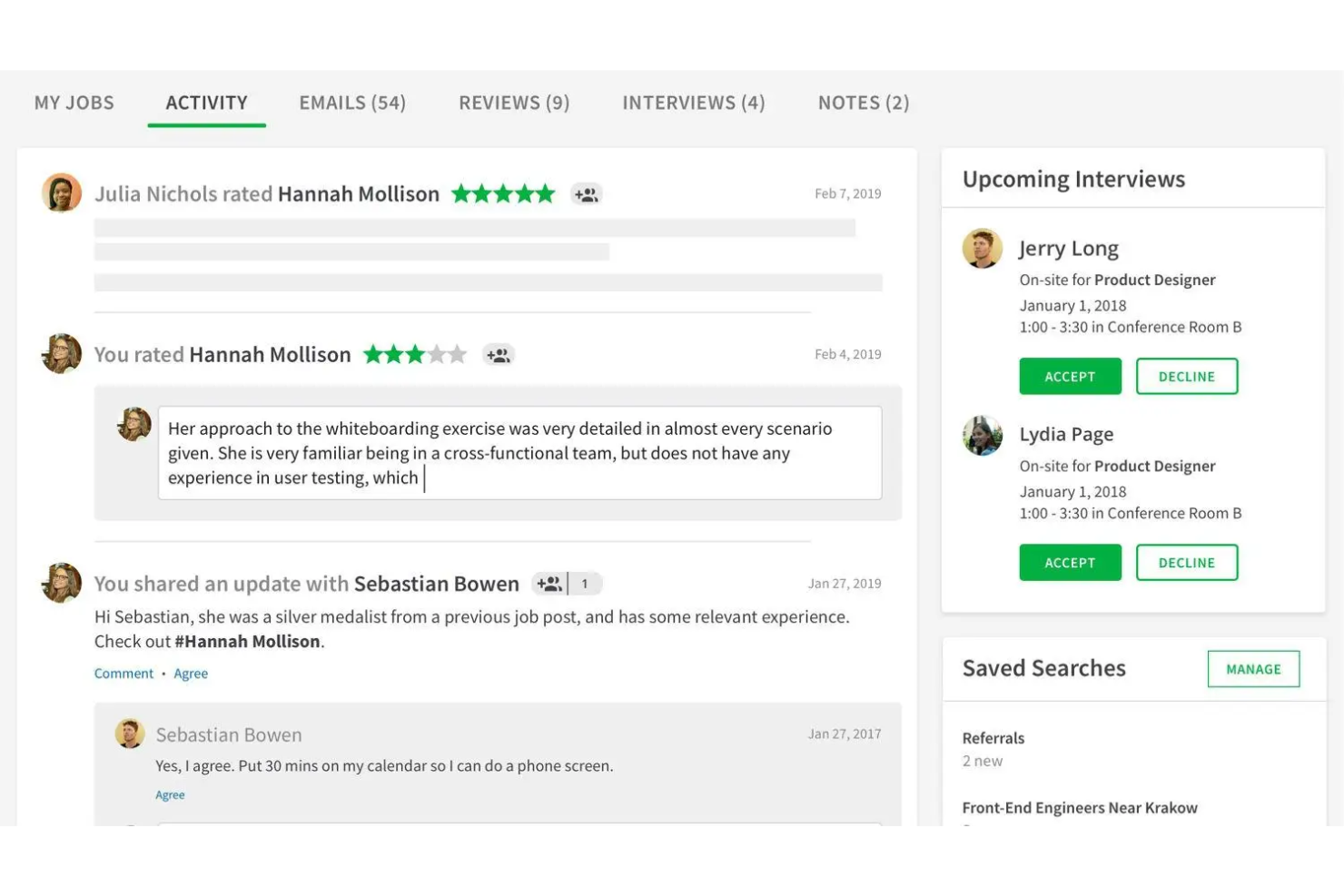
SmartRecruiters is an applicant tracking platform built for teams that need structured candidate management, approval workflows, and hiring team collaboration in the home service industry.
Who Is SmartRecruiters Best For?
SmartRecruiters is ideal for growing service companies with cross-functional hiring teams who need structured recruitment workflows and collaborative decision-making.
Why I Picked SmartRecruiters
I picked SmartRecruiters as one of the best because I can involve field managers, schedulers, and other stakeholders in hiring decisions with in-app messaging, shared candidate scorecards, and real-time feedback tools that simplify home service recruiting.
SmartRecruiters Key Features
- Mobile hiring app: Manage applicants and move candidates forward from your phone.
- Automated job postings: Distribute openings to multiple job boards at once.
- Offer management: Generate, send, and track digital job offers in the platform.
- Background check integrations: Order and review background checks within candidate profiles.
SmartRecruiters Integrations
Integrations include ADP, Zoom, HireVue, Xref, Tableau, LinkedIn, ServiceNow, and Square.
Pros and Cons
Pros:
- Custom hiring workflows for different service roles
- Automated job board publishing and applicant tracking
- Built-in team collaboration and feedback tools
Cons:
- SMS messaging functionality is limited
- Setup can require significant implementation support
Fountain
Best for high-volume hourly workforce hiring
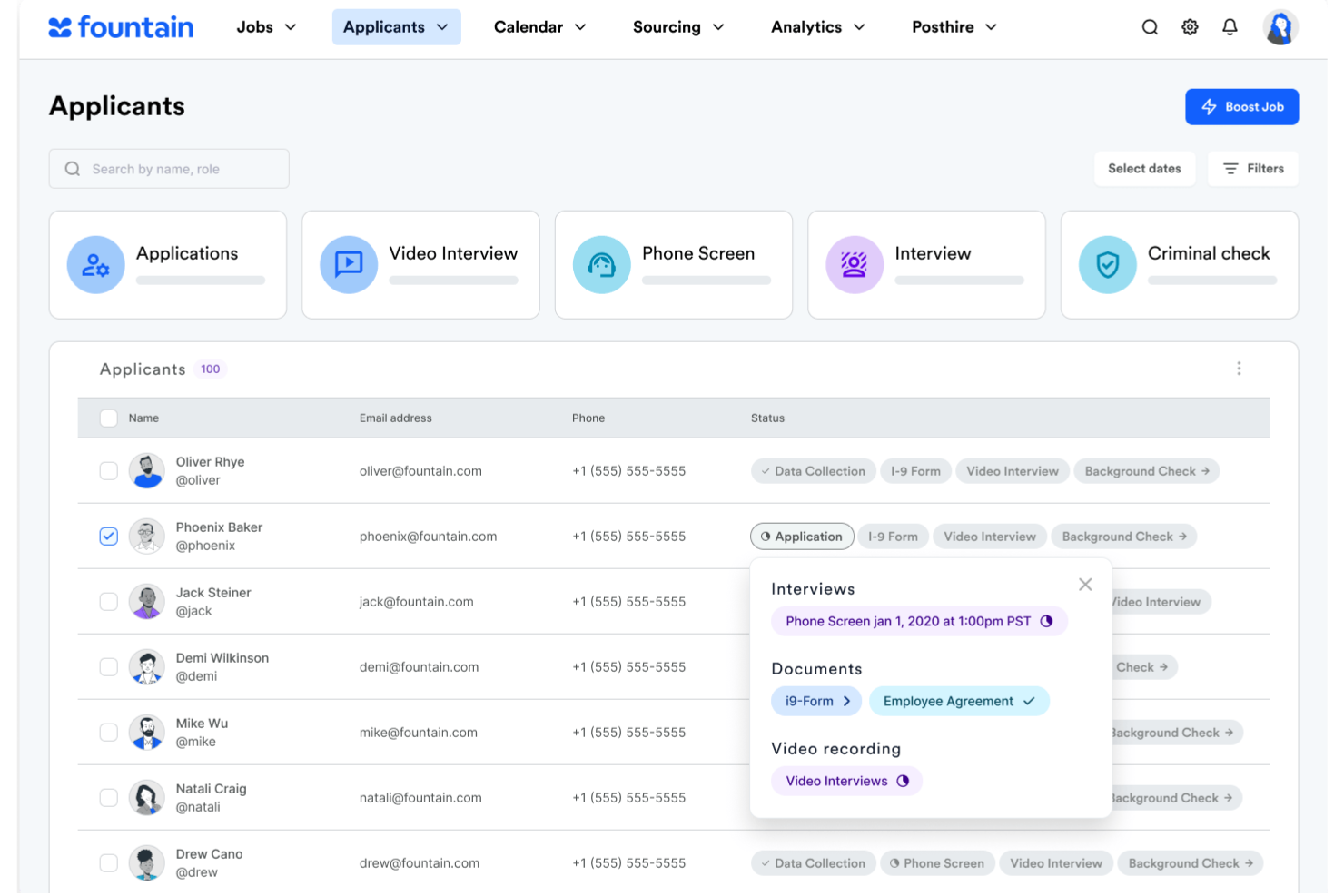
Fountain is an applicant tracking platform designed for businesses that need to source, screen, and onboard large numbers of hourly or high-volume workers through automated hiring workflows.
Who Is Fountain Best For?
High-volume employers and staffing teams in industries like home services, logistics, hospitality, and retail need to hire large hourly workforces quickly.
Why I Picked Fountain
I picked Fountain as one of the best because my team can automate hiring stages for large pools of hourly candidates, enable self-scheduling for interviews, and filter applicants quickly with customizable screening workflows.
Fountain Key Features
- Multi-location management: Manage hiring workflows across multiple branches or job sites from one account.
- Mobile-friendly candidate portal: Applicants can complete applications and screening from their phones.
- Automated document collection: Collect required documents digitally as part of the onboarding process.
- Real-time analytics dashboard: Track hiring funnel metrics and application statuses with up-to-date reporting.
Fountain Integrations
Integrations include SAP, Checkr, Indeed, DocuSign, HireRight, Yardstik, Accurate Background, Branch, Testlify, and Vetty.
Pros and Cons
Pros:
- Built-in digital onboarding for hourly hires
- Automated SMS and messaging outreach tools
- Tracks high-volume applicants across job sites
Cons:
- International compliance support is limited
- Lacks built-in skills testing

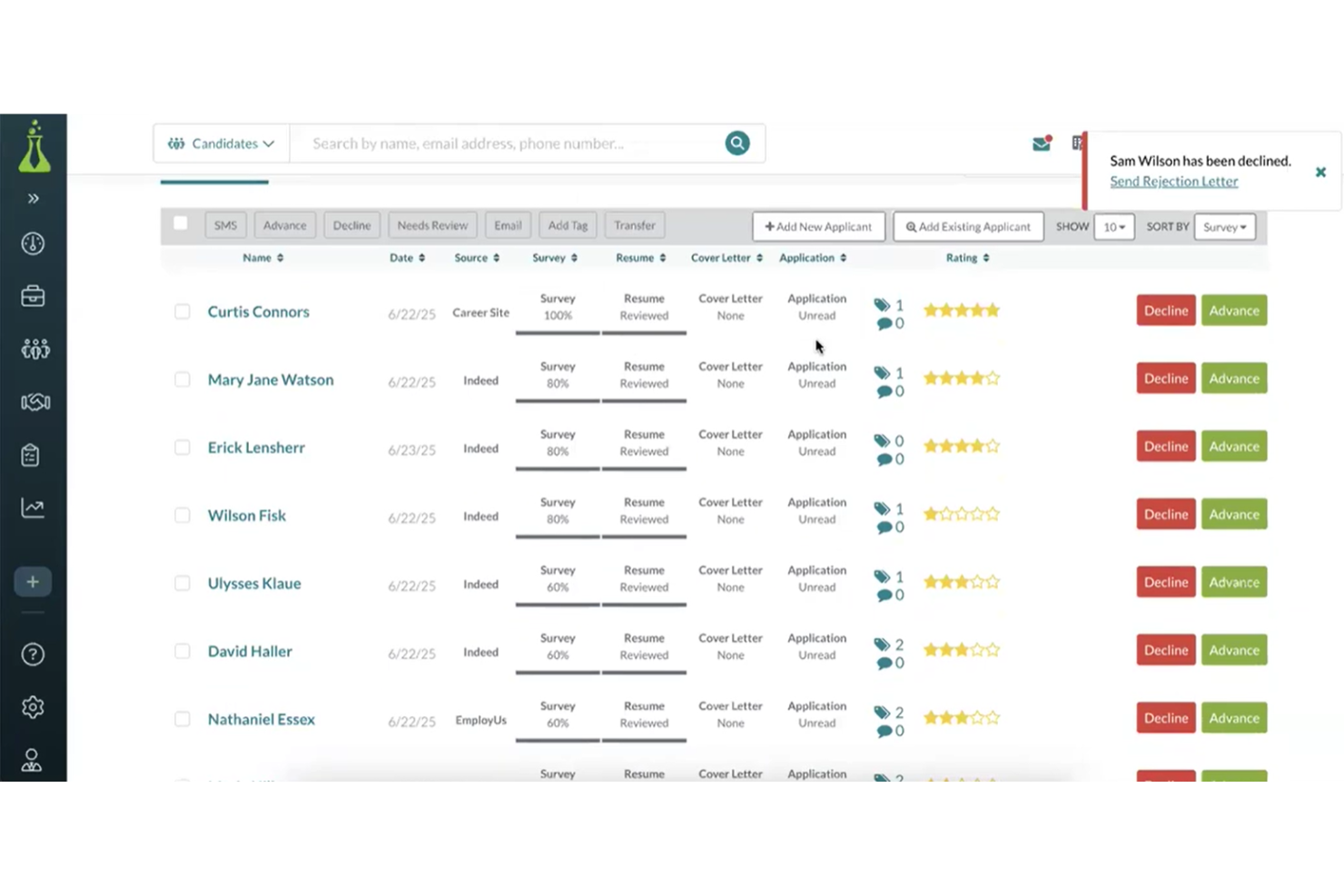
Hireology is an applicant tracking system built for home service businesses that centralizes job postings, automates candidate communications, handles interview scheduling, and offers integrated onboarding tools.
Who Is Hireology Best For?
Home service companies are looking to manage hiring across multiple locations or departments with a single platform.
Why I Picked Hireology
I picked Hireology as one of the best because I use its multi-channel employee referral programs to boost technician referrals and build hiring pipelines. It tracks source performance, manages internal campaigns, and makes it easy to highlight referral incentives.
Hireology Key Features
- Automated candidate communication: Send interview requests and reminders to candidates via SMS or email directly from within the platform.
- Custom hiring workflows: Configure hiring steps and approval chains to fit your business’s process.
- Integrated onboarding tools: Digitally collect tax, payroll, and policy documentation from new hires.
- Job board posting: Distribute open roles to multiple job boards from one dashboard.
Hireology Integrations
Integrations include ADP, Indeed, UKG, Bamboo HR, AlayaCare, and AxisCare.
Pros and Cons
Pros:
- Integrates with HRIS systems
- Built-in onboarding document management tools
- Uses behavioural science assessments
Cons:
- Lacks built-in scheduling calendar
- Reporting customization options are limited

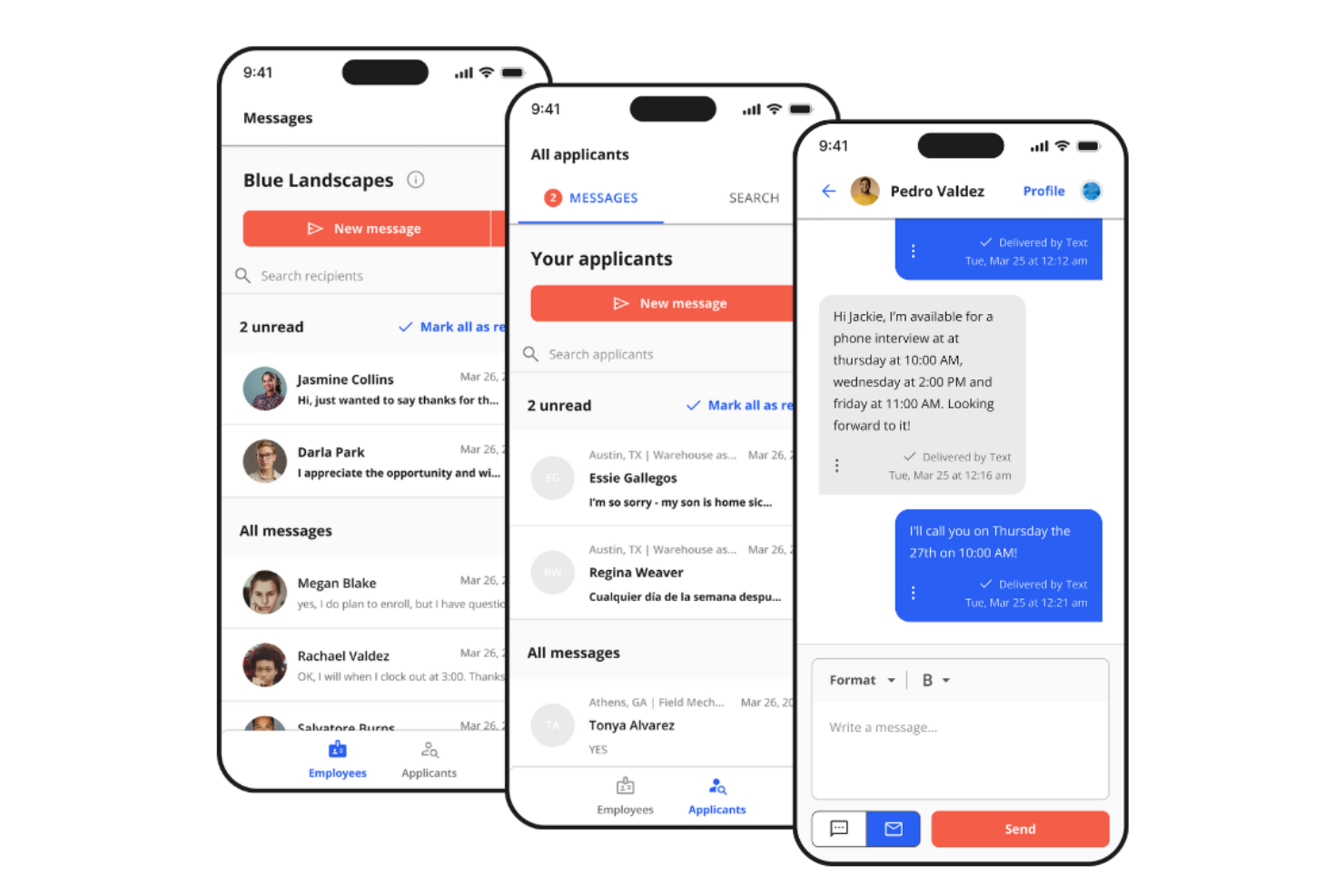
Team Engine is an applicant tracking system built for deskless and field service teams, offering job posting, candidate screening, interview scheduling, and onboarding in a single platform.
Who Is Team Engine Best For?
Field service businesses and skilled trades companies that need to hire, onboard, and communicate with dispersed or deskless staff.
Why I Picked Team Engine
I picked Team Engine as one of the best because my team can text job candidates and staff directly from the platform, use automated message workflows for reminders and updates, and quickly filter applicants with screening questions.
Team Engine Key Features
- Automated job board posting: Post open positions to multiple job boards from a single dashboard.
- Custom hiring workflows: Configure application, review, and interview steps to fit your hiring process.
- Employee referral management: Track and incentivize team-generated candidate referrals inside the software.
- Onboarding document collection: Digitally request and store new hire paperwork and compliance documents.
Team Engine Integrations
Integrations include ADP Workforce Now, BambooHR, Gusto, Paychex, Paylocity, Workday, Rippling, UKG, SAP, and Square.
Pros and Cons
Pros:
- Supports text messaging candidate communication
- Automated Spanish language messaging
- Tracks referral source effectiveness automatically
Cons:
- Lacks native time tracking system
- No automated phone screening or voice interviews

Gusto
Best for automated custom onboarding checklists
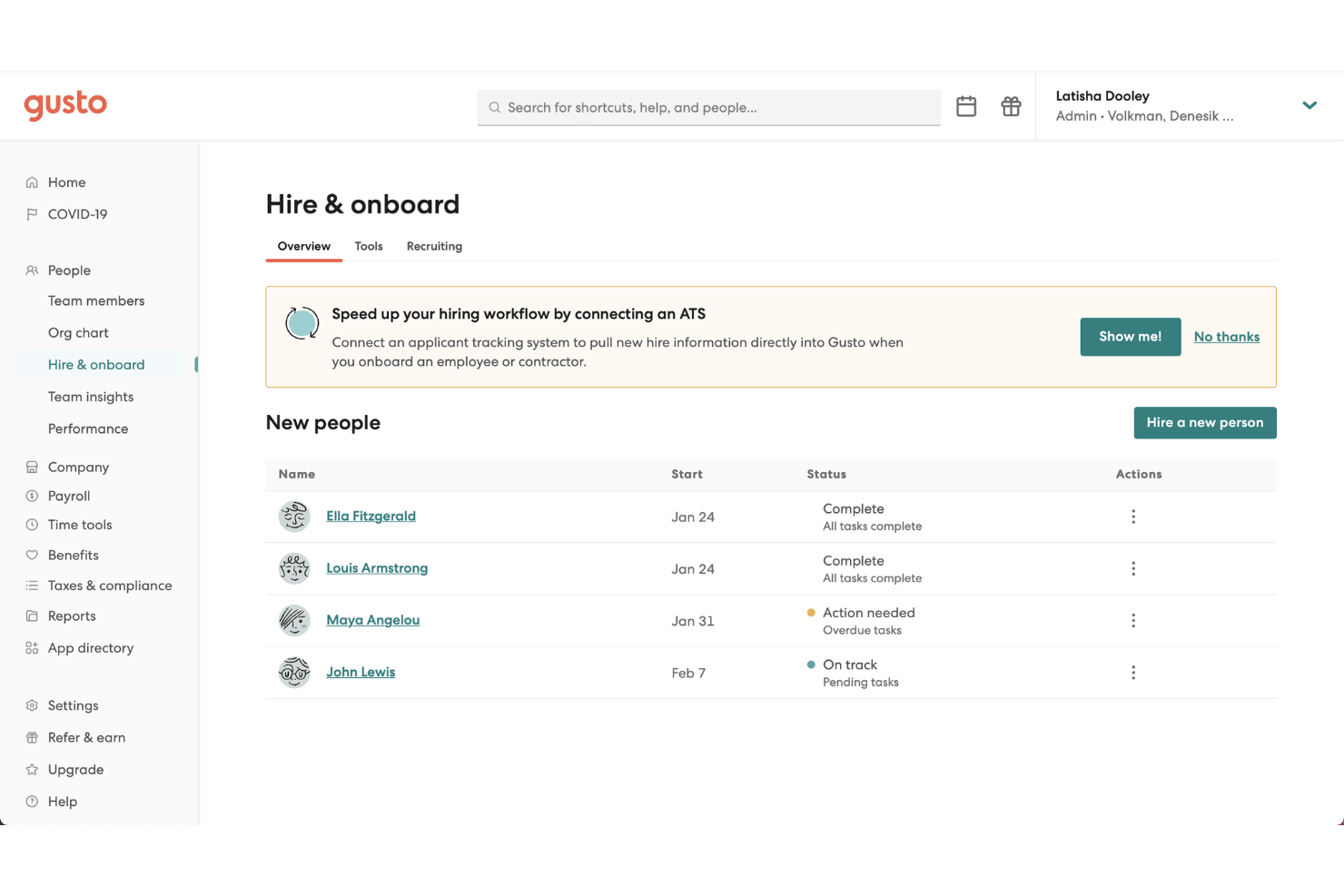
Gusto is a cloud-based HR and applicant tracking platform built for home service businesses that need tools for managing job postings, candidate pipelines, offer letters, and onboarding tasks in one place.
Who Is Gusto Best For?
Gusto suits home service businesses and multi-location teams that hire hourly staff and need integrated onboarding, payroll, and HR management in one system.
Why I Picked Gusto
I picked Gusto as one of the best because I can set up automated onboarding checklists for new hires, assign tasks to managers, and make sure every required step—from background checks to document collection—happens on time, every time.
Gusto Key Features
- Job posting management: Post open positions to multiple job boards directly from the platform.
- Offer letter templates: Generate compliant, customizable offer letters for each new hire.
- Applicant tracking dashboard: View applicant statuses and move candidates through hiring steps.
- E-signature collection: Send and collect signed documents electronically within the hiring workflow.
Gusto Integrations
Integrations include Microsoft 365, Okta, LastPass, Lattice, Lightspeed Restaurant U-Series, Lever, Jobber, Pave, Novo, and Jobcase.
Pros and Cons
Pros:
- Custom workflows for job postings and applicants
- Automated background check requests in the hiring flow
- Built-in onboarding document collection for new hires
Cons:
- No built-in candidate texting or SMS features
- Limited reporting customization for hiring analytics
New Product Updates from Gusto
Gusto Adds Solo Advisory Tools and Mobile Money Features
Gusto adds Solo S-Corp Advisory Tools and Gusto Money on Mobile for tax guidance, invoicing, and bill payments. These updates help accountants advise solopreneurs and let users manage business finances from their phones. For more information, visit Gusto’s official site.
Other Applicant Tracking Software for Home Service Professionals
Here are some additional applicant tracking software for home service professionals options that didn’t make it onto my shortlist, but are still worth checking out:
- Connecteam
For mobile-first onboarding for deskless teams
- Paylocity
For integrated payroll and compliance automation
- Rippling
For unified HR and IT management
- Workable
For built-in AI candidate sourcing
- ADP Workforce Now
For payroll compliance at scale
- Homebase
For hourly employee time tracking
- Zoho Recruit
For tailored recruitment workflows
- Teamtailor
For interactive candidate journeys
- Pinpoint
For advanced hiring analytics
- ClearCo
For goal tracking and alignment


How I Evaluate Applicant Tracking Software for Home Service Professionals
I evaluate every tool on two levels: the core functionality it must have—mobile apply, job board syndication, and compliance tools—and the factors that make it a genuine fit for trades hiring.
Core Functionality (Table Stakes For This List)
When I'm selecting tools for my list, I rank each one on a scale from 0 (does not offer the functionality) to 5 (excels in this area) for each core functionality listed below. Then, I calculate the tool's total score into a percentage. Each tool needs to achieve a minimum total score of 55% to be considered for inclusion.
- Mobile-First Application Experience: I check whether candidates can realistically complete an application from a phone—think a plumber between service calls tapping through a text-to-apply link on a yard sign.
- Job Board Distribution: Each tool should syndicate postings to major boards and, ideally, trade-specific channels so your HVAC tech opening reaches the right audience without manual reposting.
- High-Volume Pipeline Management: I look for bulk candidate actions, automated stage movement, and clear pipeline views that hold up when you're hiring dozens of seasonal techs at once.
- Automated Screening & Scheduling: Knockout questions, self-scheduling links, and two-way SMS keep things moving—I evaluate how well each tool filters unqualified applicants before they reach a hiring manager's desk.
- Compliance & Background Checks: Tools should support background screening, drug tests, and license verification through native features or tight partnerships with providers like Checkr or Sterling.
- Field Service Integrations: I evaluate connectivity with the platforms home service teams already run on—payroll systems like ADP or Gusto, and field service tools like ServiceTitan or Jobber.
Once I have a list of tools that meet this criteria, I consider what sets each platform apart.
Differentiating Factors (What Sets Vendors Apart)
Here's how I compare and contrast different vendors:
Standout Features
Text-to-apply campaigns are a big differentiator—tools that let you place QR codes on wrapped trucks or yard signs open a hiring channel right where candidates already are. I also look for built-in employee referral tracking, since word-of-mouth among trade crews is often the top source of quality hires. Recruiting analytics broken down by trade and branch matter too, helping you spot whether your plumbing team's time-to-fill is lagging behind your HVAC team so you can shift sourcing spend.
Beyond Features
Pricing transparency matters a lot in this space. Many home service companies run lean, so I check whether vendors charge per job posting—a model that punishes high-volume seasonal hiring. Time-to-value is another factor I weigh heavily; a 10-person HVAC shop doesn't have months for implementation, so I look for platforms with pre-built trade job templates and fast onboarding. Industry-specific fit rounds it out. Vendors with a proven home services customer base tend to understand the hiring rhythms and workflows these teams actually deal with day to day.
How to Choose Applicant Tracking Software for Home Service Professionals
It’s easy to get bogged down in long feature lists and complex pricing structures. To help you stay focused as you work through your unique software selection process, here’s a checklist of factors to keep in mind:
| Factor | What to Consider |
|---|---|
| Scalability | Will the solution meet your hiring needs as your team or business grows? Consider flexibility for multiple locations and seasonal spikes. |
| Integrations | Does it connect properly to your payroll, scheduling, or communication tools? Check for native, supported integrations, not just API options. |
| Customizability | Can you tailor job templates and workflows to fit your hiring process for different roles and locations? Test how easily you can adjust screening questions. |
| Ease of use | Can busy managers learn and use it quickly? Look for a clear interface and minimal training needs for teams without HR specialists. |
| Implementation and onboarding | How long does it take to get started and migrate existing data? Ask about onboarding support, training, and whether live assistance is offered. |
| Cost | Are all must-have features included in your plan, or are there add-on fees? Compare pricing models and check for hidden costs and contract terms. |
| Security safeguards | What data security practices and access controls are in place? Ensure compliance with local regulations and safe handling of candidate information. |
| Support availability | Will your team get fast, knowledgeable help when issues arise? Check hours of support, response channels, and whether you have a dedicated contact. |
What Are Applicant Tracking Software for Home Service Professionals?
Applicant tracking software for home service professionals is a digital system that helps businesses manage job postings, screen applications, track candidates, and organize hiring workflows for roles in trades, maintenance, or field services. These tools centralize hiring activities so owners and managers can efficiently find, evaluate, and communicate with potential employees across multiple job openings.
Features of Applicant Tracking Software for Home Service Professionals
When selecting applicant tracking software for home service professionals, keep an eye out for the following key features:
- Job board posting: Publish job listings across multiple job boards from a single dashboard, helping you reach more candidates without extra manual effort.
- Resume parsing: Automatically extract relevant information from resumes to fill candidate profiles, saving time on manual data entry and improving consistency.
- Applicant pipeline management: Visualize and move candidates through each hiring stage, from application to interview and offer, giving hiring teams clear oversight of open roles.
- Candidate communication tools: Send and receive messages, interview invites, and status updates directly from the platform to keep applicants engaged and informed.
- Interview scheduling: Coordinate interview times with candidates using integrated calendar invites, helping reduce scheduling headaches for managers and applicants.
- Customizable screening questions: Set role-specific questions that applicants must answer, making it easier to filter for certifications, experience, or availability early in the process.
- Reporting and analytics: Track metrics like applicant volume, time to hire, and source effectiveness to guide your recruitment strategy and identify process improvements.
- Mobile access: Use the platform from smartphones or tablets for on-the-go review of candidates, communications, and status updates—especially useful for field-based teams.
- Document management: Collect and store application materials and compliance documentation securely for easy access and review at any stage.
- Team collaboration: Allow multiple team members to provide feedback, leave comments, and share evaluations to ensure fair, informed hiring decisions.
Benefits of Applicant Tracking Software for Home Service Professionals
Implementing ATS software for home service professionals provides several benefits for your team and your business. Here are a few you can look forward to:
- Faster time to hire: Automated job posting, resume parsing, and organized workflows within your recruitment software help you quickly move candidates through each stage.
- Improved candidate quality: Customizable screening questions and pipeline management help you focus on applicants who fit your specific role requirements.
- Centralized communications: Messaging, interview coordination, and status updates all live in one place, making it easier to keep candidates informed and engaged.
- Better team collaboration: Multiple hiring managers can review, comment on, and rate candidates so hiring decisions consistently reflect everyone’s input.
- Easier compliance tracking: Secure document management and reporting features help you meet local labour requirements and store sensitive candidate information safely.
- Improved visibility into hiring: Analytics and reporting dashboards provide a data-driven approach with actionable insights into recruiting performance so you can prioritize areas for improvement.
- Greater scalability: Selecting a top ATS designed for multi-location or growing teams ensures your recruiting process keeps up as your business expands.
Costs and Pricing of Applicant Tracking Software for Home Service Professionals
Selecting applicant tracking software for home service professionals requires an understanding of the various pricing models and plans available. Costs vary based on features, team size, add-ons, and more. The table below summarizes common plans, their average prices, and typical features included in applicant tracking software for home service professional solutions:
Plan Comparison Table for Applicant Tracking Software for Home Service Professionals
| Plan Type | Average Price | Common Features |
|---|---|---|
| Free Plan | $0 | Post limited jobs, basic applicant tracking, simple pipeline management, and standard email alerts. |
| Personal Plan | $20-$50/user/month | Post to multiple boards, basic resume parsing, integrated messaging, and limited reporting features. |
| Business Plan | $50-$150/user/month | Multi-user access, advanced pipeline management, interview scheduling, analytics, and team collaboration tools. |
| Enterprise Plan | $150+/user/month | Custom workflows, onboarding integrations, API access, dedicated support, and enhanced security controls. |
Applicant Tracking Software for Home Service Professionals FAQs
Here are some answers to common questions about applicant tracking software for home service professionals:
How is applicant tracking software different for home service businesses?
Applicant tracking software for home service businesses addresses unique needs like high-volume hiring, field-based roles, and coordinating multiple locations. These platforms often include mobile-friendly interfaces and quick job posting to help busy managers fill positions faster. In specialized fields like home care, these modern recruiting tools are essential to help recruiters constantly optimize their pipeline, attract top talent, and hire the next qualified caregiver quickly.
Can I use applicant tracking software if I don’t have a dedicated HR department?
Yes, many applicant tracking solutions are built for managers or owners with limited HR backgrounds, including fast-growing startups. Look for user-friendly, AI-powered systems with intuitive dashboards, step-by-step setup, and accessible support so your team can easily manage hiring without specialized hr teams or formal human resource staff.
What integrations should I look for in applicant tracking software for home service teams?
You should look for integrations with payroll, scheduling, and background check tools, as well as a dedicated crm for managing talent pools. These connections help you move candidate data into your everyday systems and handle hiring tasks—like automated text follow-ups or onboarding—in a single all-in-one platform or in-one platform.
How secure is applicant tracking software for candidate data?
Most reputable ATS platforms use encryption, access controls, and compliance measures to protect sensitive job applicants’ information. Securing this data is a critical part of protecting the overall candidate experience and elevating your long-term talent acquisition strategy. It’s important to ask vendors about their security practices and confirm alignment with any local privacy or labour regulations.
What are the typical setup times for applicant tracking software?
Setup can range from an hour to several weeks, depending on the platform’s complexity and any data migration needs. Many of the best ATS options designed for home service teams offer robust core ATS features right out of the box, allowing you to connect your careers page, post your first job, and track applicants the same day.