

10 Best Enterprise Hot Desk Booking Software in 2026

Best Enterprise Hot Desk Booking Software Shortlist


Enterprise hot desk booking software helps large organizations manage flexible seating by letting employees reserve desks in advance or on the go. If you’re building a hybrid or activity-based workplace, the right platform can make a big difference—helping you improve space management, reduce scheduling stress, and keep everyone connected. This list shows you the best solutions for large teams, so you can compare leading vendors, see which features fit your needs, and confidently choose the right hot desk booking system for your dynamic office.
Why Trust Our Software Reviews
Our team has been testing and reviewing software since 2012. As HR experts ourselves, we know how difficult—and important—it is to choose the right software.
For this guide, we evaluated tools using hands-on testing and independent research, scoring tools using our selection criteria. We also draw on insights from industry thought leaders and practicing HR experts.
Our reviews reflect our human editorial judgment, not a sales pitch.
Expert reviewers:
Best Enterprise Hot Desk Booking Software Summary
This comparison chart summarizes pricing details for my top enterprise hot desk booking software selections to help you find the best one for your budget and business needs.
| Tool | Best For | Trial Info | Price | ||
|---|---|---|---|---|---|
| 1 | Best for connected workplace operations on one map | Free demo available | From $3000/year | Website | |
| 2 | Best for customizable booking permissions | Free plan + free trial + free demo available | From $4/resource/month (billed annually) | Website | |
| 3 | Best for integrated service request management | Free plan + free demo available | From $500/month | Website | |
| 4 | Best for workplace experience analytics | 7-day free trial + free demo available | From $1.79/user/month (billed annually) | Website | |
| 5 | Best for sensor-based occupancy insights | Free demo available | Pricing upon request | Website | |
| 6 | Best for employee-first desk booking | Free trial + free demo available | From $5/user/month (billed annually) | Website | |
| 7 | Best for managing dynamic team seating | Free demo available | Pricing upon request | Website | |
| 8 | Best for AI-powered workplace scheduling | Free demo available | From $99/month | Website | |
| 9 | Best for interactive floor plan booking | Free trial available | From $5/bookable resource/month (billed annually) | Website | |
| 10 | Best for enterprise workplace management | Free demo available | Pricing upon request | Website |


Best Enterprise Hot Desk Booking Software Reviews
Below are my detailed summaries of the best enterprise hot desk booking software that made it onto my shortlist. My reviews offer a detailed look at the features, integrations, and best use cases of each platform to help you find the best one for you.
Tactic
Best for connected workplace operations on one map
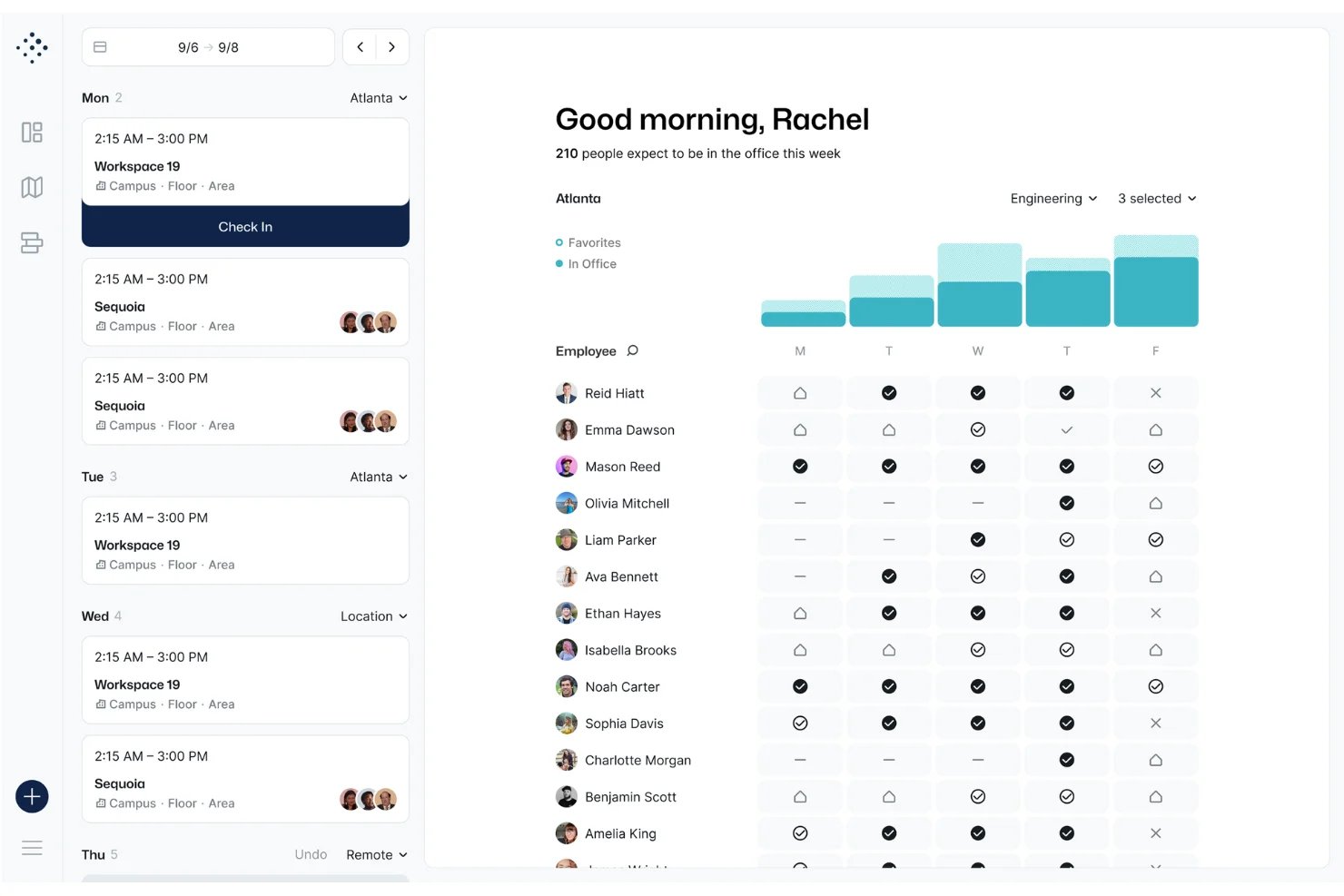
Tactic is a hybrid workplace management platform that combines interactive floor plan-based desk booking, room reservations, visitor management, and occupancy analytics with a built-in AI assistant for natural language booking across web, mobile, and collaboration tools.
Who Is Tactic Best For?
Tactic is a strong fit for workplace experience and facilities managers at midsize to enterprise organizations running hybrid work models across multiple office locations.
Why I Picked Tactic
Tactic earns its spot as one of the best on my shortlist because of how it centers all workplace operations on a single interactive live map. I love that I can see live desk availability, filter by team neighborhood, and locate where specific teammates are sitting without ever leaving the floor plan view. On top of that, Tessa AI handles booking through Slack or Teams in plain language, and auto-release kicks in automatically when someone skips a check-in, keeping the map accurate without any manual cleanup.
Tactic Key Features
- Admin-configurable booking windows: Lets workplace admins set advance windows and limits for desk reservations company-wide or by location.
- Role-based access controls: Manages who can book desks, rooms, or neighborhoods by role, department, or location.
- Automated desk check-in: Supports check-in via Wi-Fi, mobile app, QR code, and Slack or Teams prompt to confirm desk usage.
- Visual occupancy analytics dashboard: Shows desk utilization, booking trends, and peak occupancy stats in real time.
Tactic Integrations
Tactic offers native integrations with Slack, Microsoft Teams, Google Workspace, Outlook, and more, and it provides an API for custom integrations.
Pros and Cons
Pros:
- Broad native ecosystem for enterprise chat apps
- Multi-location management within a single platform
- Real-time spatial tracking on live floor maps
Cons:
- Advanced reporting locked behind higher-tier plans
- Lacks native advanced hardware sensor integrations

anny
Best for customizable booking permissions
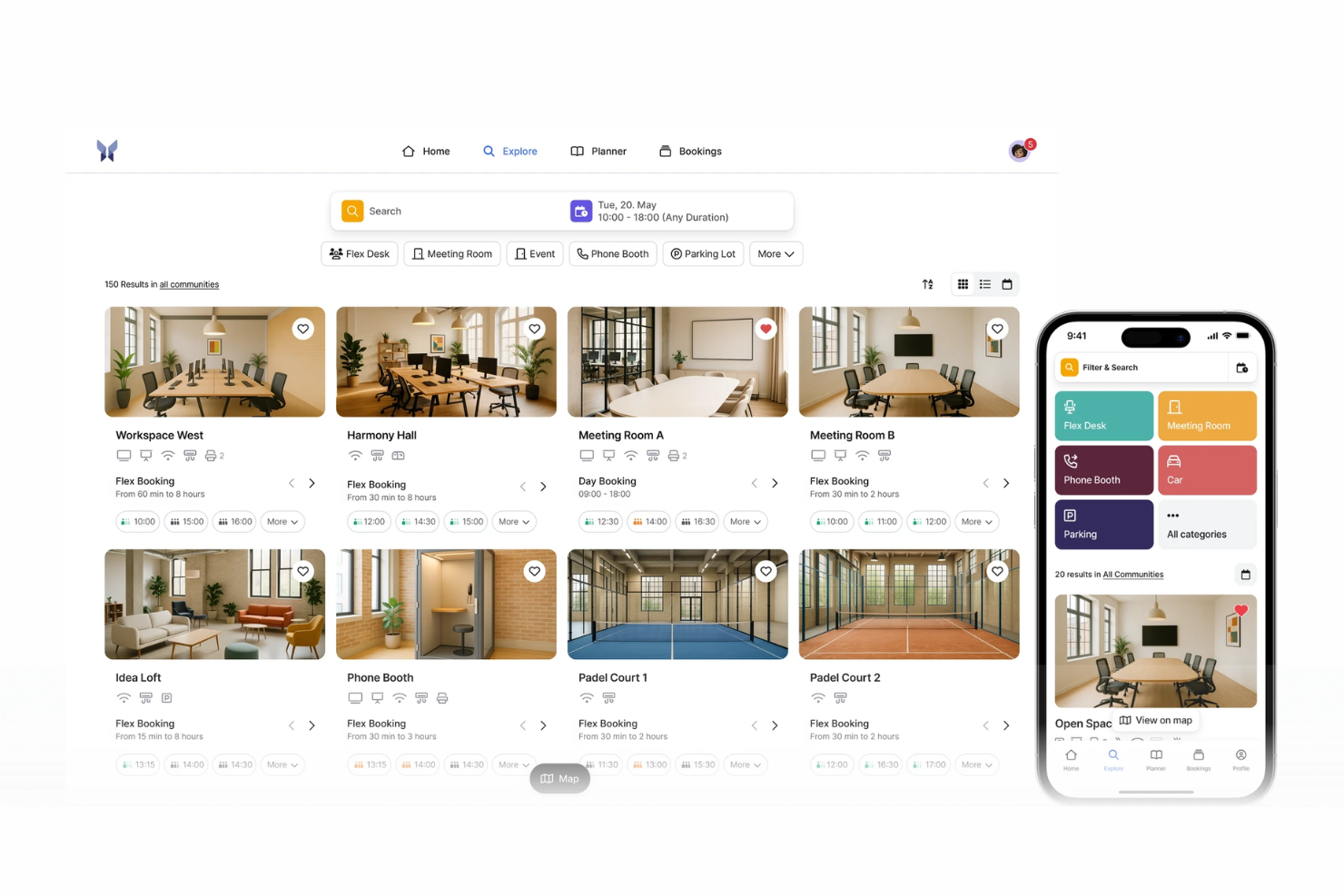
anny is an enterprise workspace booking platform that manages hot desking, room reservations, and office capacity planning with interactive 3D floor maps, SSO, community-based access controls, and a 29-language interface.
Who Is anny Best For?
anny is a good fit for enterprise organizations managing multi-location offices with complex access rules, mixed workspace types, and internationally distributed teams.
Why I Picked anny
anny earns its spot on my shortlist because of the granularity it gives admins over who can book what. Through its Communities feature, you can assign specific desks, floors, or resource types to defined groups, so the Legal team only sees their floor and the Engineering team only sees theirs. You can layer on booking contingents to cap how often a user or group can reserve a resource, giving you tight control without manual oversight.
anny Key Features
- SSO authentication: Connect anny to your existing identity provider so employees log in with their corporate credentials.
- Recurring bookings: Set repeating desk reservations on a daily or weekly basis, without re-booking each time.
- Multi-location management: Use a single admin account to manage bookable resources across multiple office sites.
- Mobile booking app: Reserve desks, check in, and view floor availability from a smartphone.
anny Integrations
anny offers native integrations with Microsoft 365, Outlook, MS Teams, Google Calendar, Google Workspace, Zoom, Personio, HRworks, Stripe, and PayPal, along with several smart lock integrations including Nuki, Salto KS, iLOQ, and dormakaba. It also connects with Make and n8n for no-code workflow automation and provides both an Admin API and a Customer API for custom integrations.
Pros and Cons
Pros:
- Built-in smart lock and access control
- Centralizes desks, rooms, and parking management
- 3D interactive maps for visual desk booking
Cons:
- Mobile app lacks some web features
- Setup requires custom workflows for complex maps
elia
Best for integrated service request management
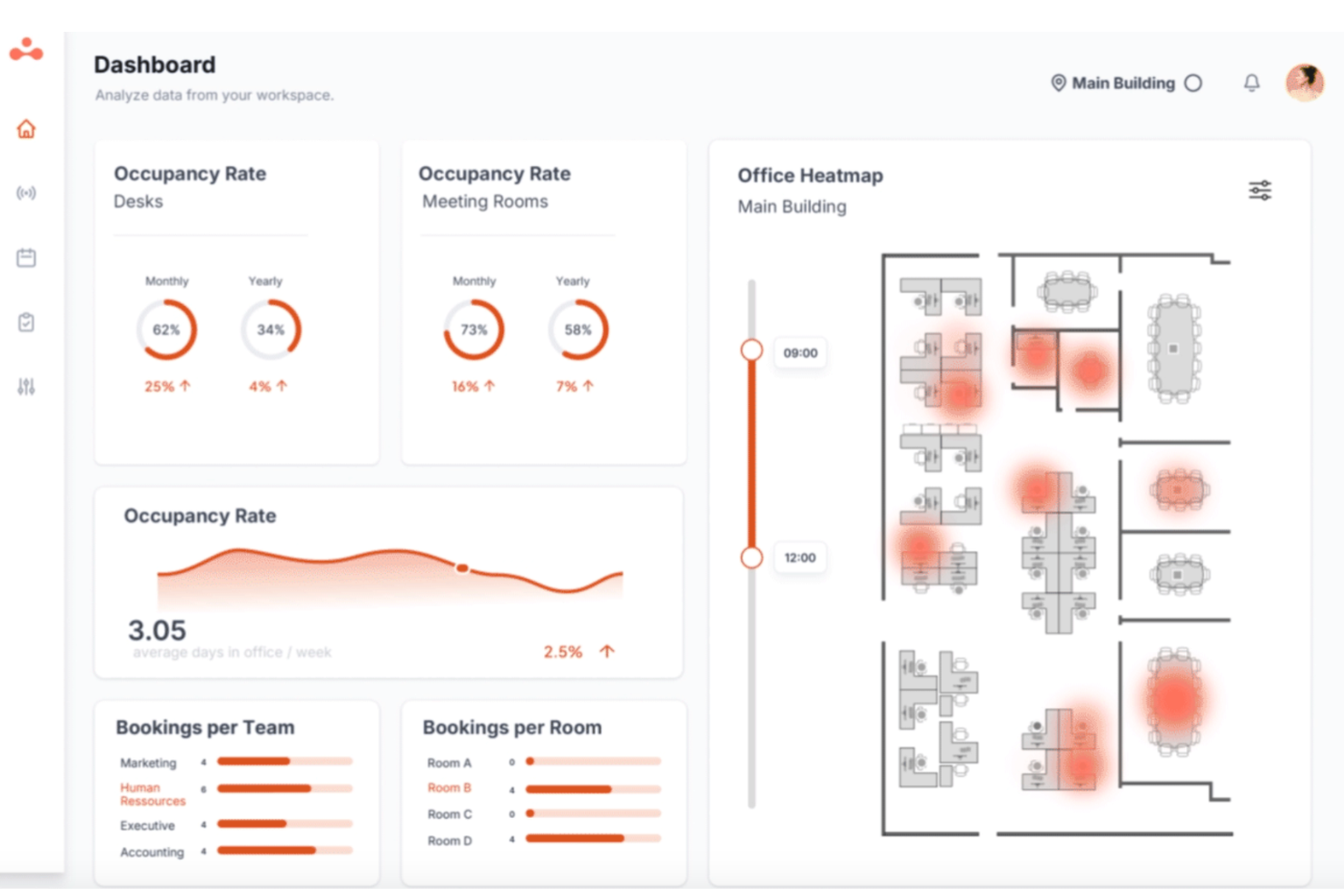
elia is an all-in-one workplace operations platform that brings together desk booking, meeting room reservations, interactive floor plans, visitor management, occupancy tracking, and service request management under a single interface.
Who Is elia Best For?
elia is a strong fit for mid-size to large organizations where facilities, IT, and HR teams share responsibility for managing a hybrid office environment.
Why I Picked elia
I picked elia as one of the best because its service request management is built directly into the floor plan, not bolted on as a separate module. When a team books a meeting room, any linked catering, IT setup, or maintenance requests automatically update if that booking changes. I also like that requests are tied to specific desks and zones, so facilities teams always know exactly where and when something is needed.
elia Key Features
- Interactive floor plans: Users can browse and book available desks and rooms on visual office maps, including filters for zone and location.
- Occupancy analytics dashboard: Facility teams can access real-time and historical data about desk usage and attendance trends.
- Native mobile app: Employees can book desks, check in, and manage reservations directly from their phones with QR code support.
- Microsoft 365 and Google Workspace integration: Sync bookings, calendar events, and user data with leading enterprise productivity platforms.
elia Integrations
elia offers native integrations with Microsoft 365, Google Workspace, Slack, Microsoft Teams, and Outlook. An API is available for custom integrations.
Pros and Cons
Pros:
- Visual floor plan builder with click-to-book
- Occupancy tracking leverages IoT sensor data
- Service request system integrated with bookings
Cons:
- No 3D wayfinding or interactive navigation
- HRIS integrations not natively available

Best for workplace experience analytics
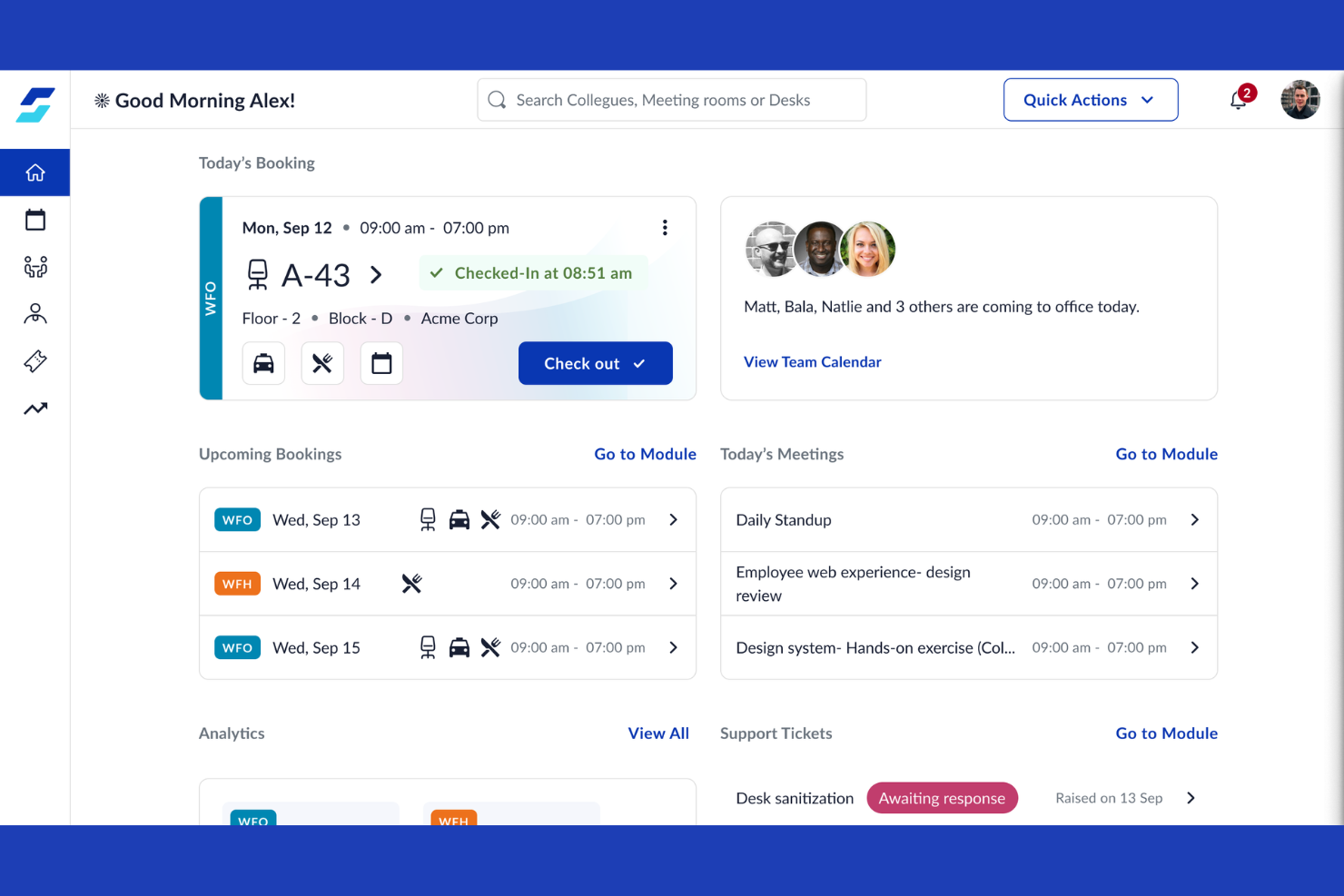
WorkInSync is enterprise desk booking software with automated scheduling, interactive floor plan views, and configurable approval workflows for managing hybrid workspaces and desk reservations.
Who Is WorkInSync Best For?
WorkInSync is ideal for facilities managers and workspace planners at large enterprises who need detailed analytics on desk and space utilization.
Why I Picked WorkInSync
I picked WorkInSync as one of the best because I rely on its advanced analytics and reporting to monitor real-time desk utilization, spot booking trends, and export custom space usage reports for large-location occupancy planning.
WorkInSync Key Features
- Interactive floor plans: View and select available desks directly from an office map.
- Mobile booking app: Reserve desks and manage bookings on the go.
- Approval workflow: Set up customizable approval steps for desk or space reservations.
- Contactless check-in options: Enable QR code-based or sensor-based desk check-ins.
WorkInSync Integrations
WorkInSync offers native integrations with Microsoft Teams, Microsoft Outlook, Microsoft Active Directory, Microsoft Intune, Google Workspace, Google Calendar, Okta, OneLogin, Cisco, and Oracle PeopleSoft.
Pros and Cons
Pros:
- Custom floor plans for office maps
- Auto check-in with Bluetooth sensors
- Real-time heatmaps of desk occupancy
Cons:
- Desk release may need manual intervention
- Overwhelming feature set for smaller teams
Best for sensor-based occupancy insights
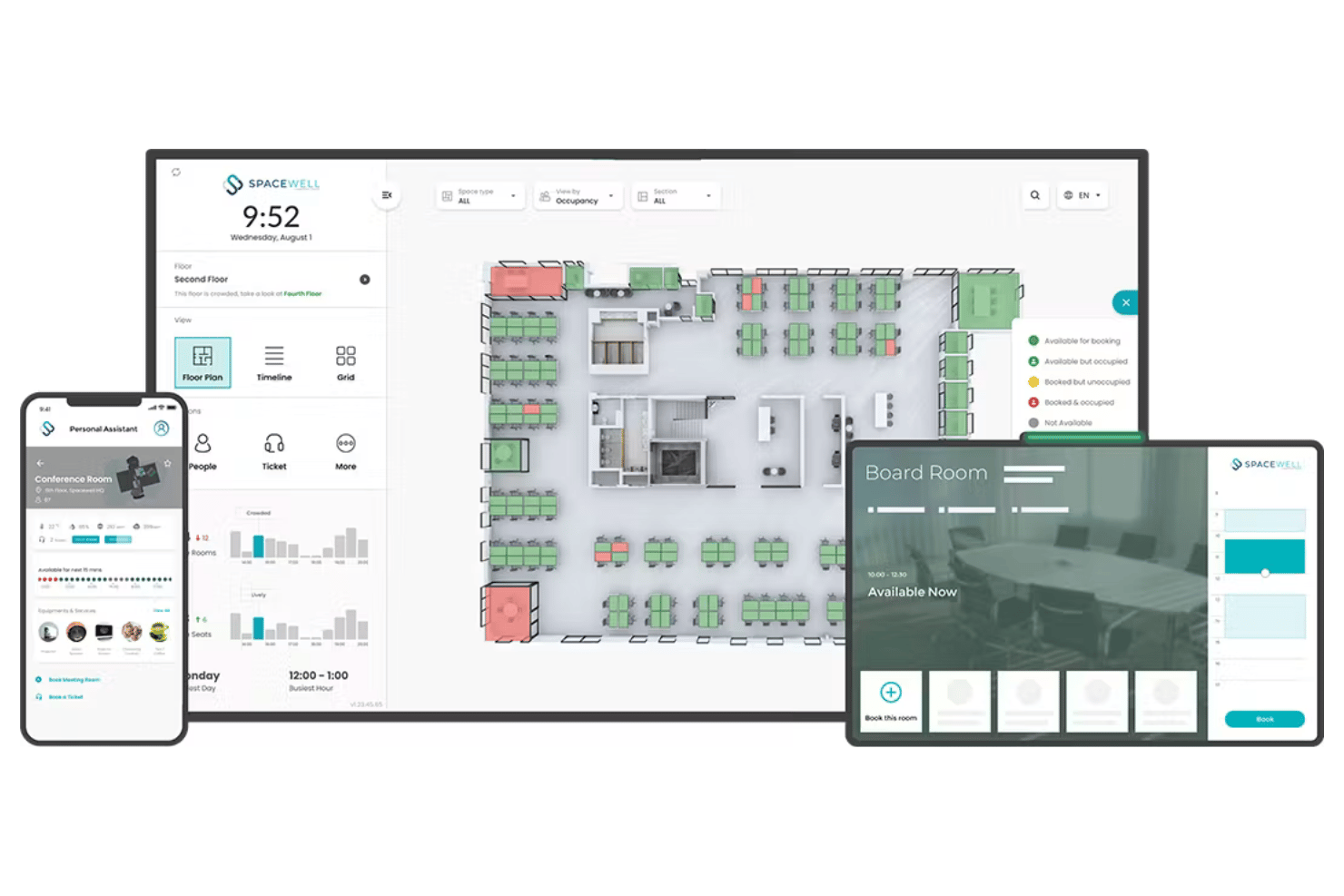
Spacewell is an enterprise hot desk booking platform that brings together real-time sensor data, interactive floor plans, occupancy analytics, and policy controls for managing large-scale flexible office environments.
Who Is Spacewell Best For?
Spacewell is a strong choice for facilities teams at large enterprises managing hybrid offices and multi-location real estate portfolios.
Why I Picked Spacewell
I picked Spacewell as one of the best because I see its sensor-based occupancy insights in action, translating real-time desk usage data into actionable office layouts. My team uses built-in sensor analytics to map actual attendance and eliminate guesswork from space planning.
Spacewell Key Features
- Interactive floor plan booking: Employees reserve desks or rooms directly from visual maps of each office location.
- Role-based booking controls: Admins set permissions, booking windows, and desk access based on job function.
- Multi-location management: Centralized administration for multiple sites, floors, and regions within one dashboard.
- Integration with Microsoft Teams and Outlook: Users can book desks and receive notifications inside existing communication platforms.
Spacewell Integrations
Spacewell offers native integrations with Outlook, Google Calendar, Microsoft Teams, Slack, Okta, Azure Active Directory, Workday, SAP SuccessFactors, and several IoT sensor brands. An open API is also available for custom integrations.
Pros and Cons
Pros:
- Role-based booking policy controls for enterprises
- Interactive booking from detailed floor maps
- Real-time occupancy insights with IoT sensors
Cons:
- Mobile app interface can feel cluttered
- Initial setup complexity for large environments

deskbird
Best for employee-first desk booking
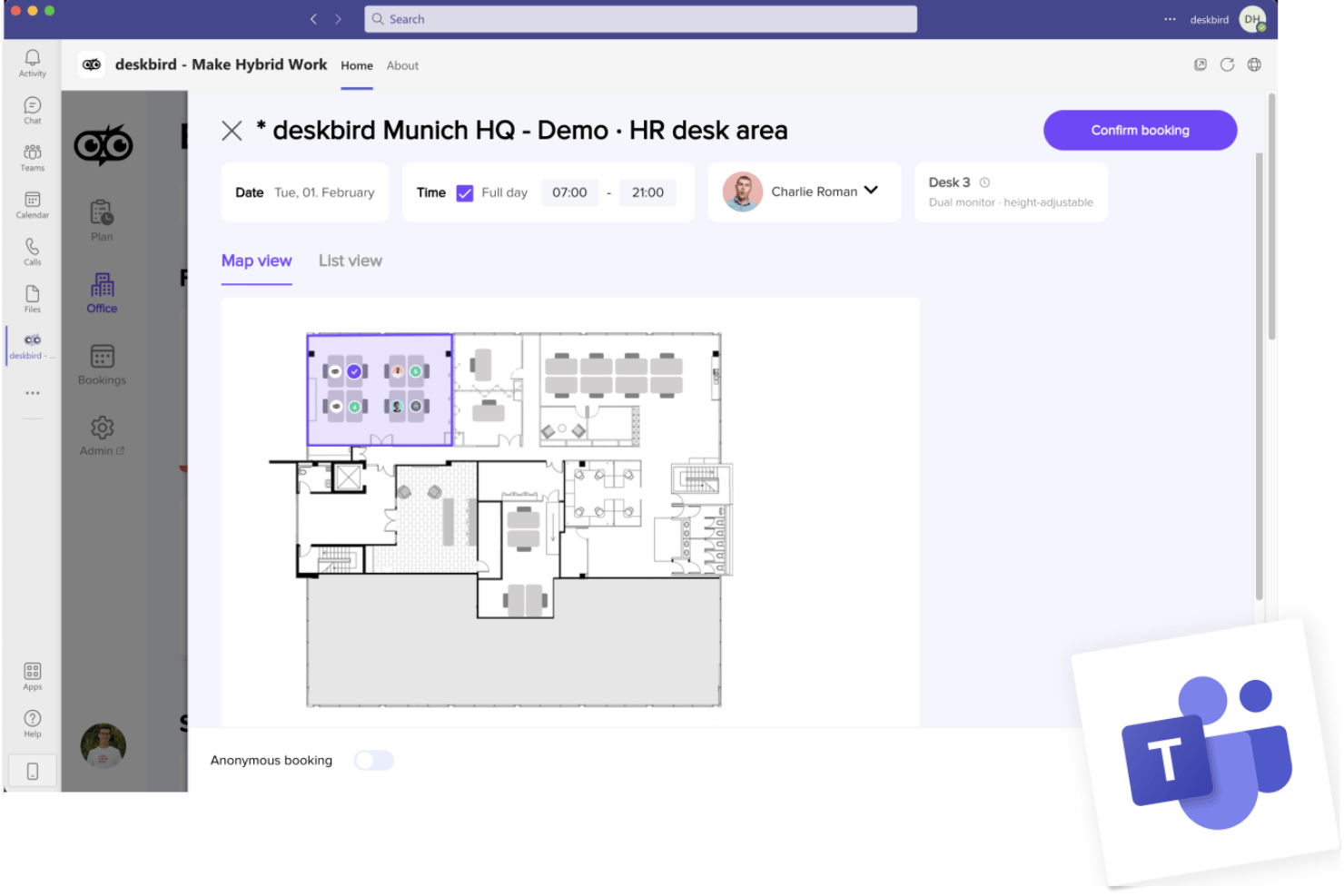
deskbird is an enterprise hot desk booking platform designed for hybrid workplaces, offering interactive floor plans, self-service desk reservations, real-time occupancy analytics, and scalable integration with collaboration and HR systems.
Who Is deskbird Best For?
Designed for large organizations with hybrid or flexible work models looking to manage desk bookings and space utilization across multiple locations.
Why I Picked deskbird
I picked deskbird as one of the best because it puts employee choice first with live interactive floor plans and quick booking from anywhere. I rely on it for point-and-click reservations, QR check-ins, and clear visibility across large hybrid offices.
deskbird Key Features
- Neighborhood zones: Set up work zones and control booking rules by department or team.
- Multi-location management: Configure and manage multiple offices, floors, and regions from a single admin interface.
- Role-based permissions: Set granular access controls for different user types, including guests, admins, and staff.
- Occupancy analytics dashboard: Track desk usage data and export custom reports for occupancy and attendance.
deskbird Integrations
deskbird offers native integrations with Google Workspace, Microsoft 365, Slack, Microsoft Teams, Okta, Azure Active Directory, Personio, Workday, SAP SuccessFactors, and has an API for custom integrations.
Pros and Cons
Pros:
- Customizable booking policies by location or team
- Supports QR-based desk check-in processes
- Interactive floor plans with real-time availability
Cons:
- Sensor integrations require custom setup
- No 3D floor plan visualizations

Robin
Best for managing dynamic team seating
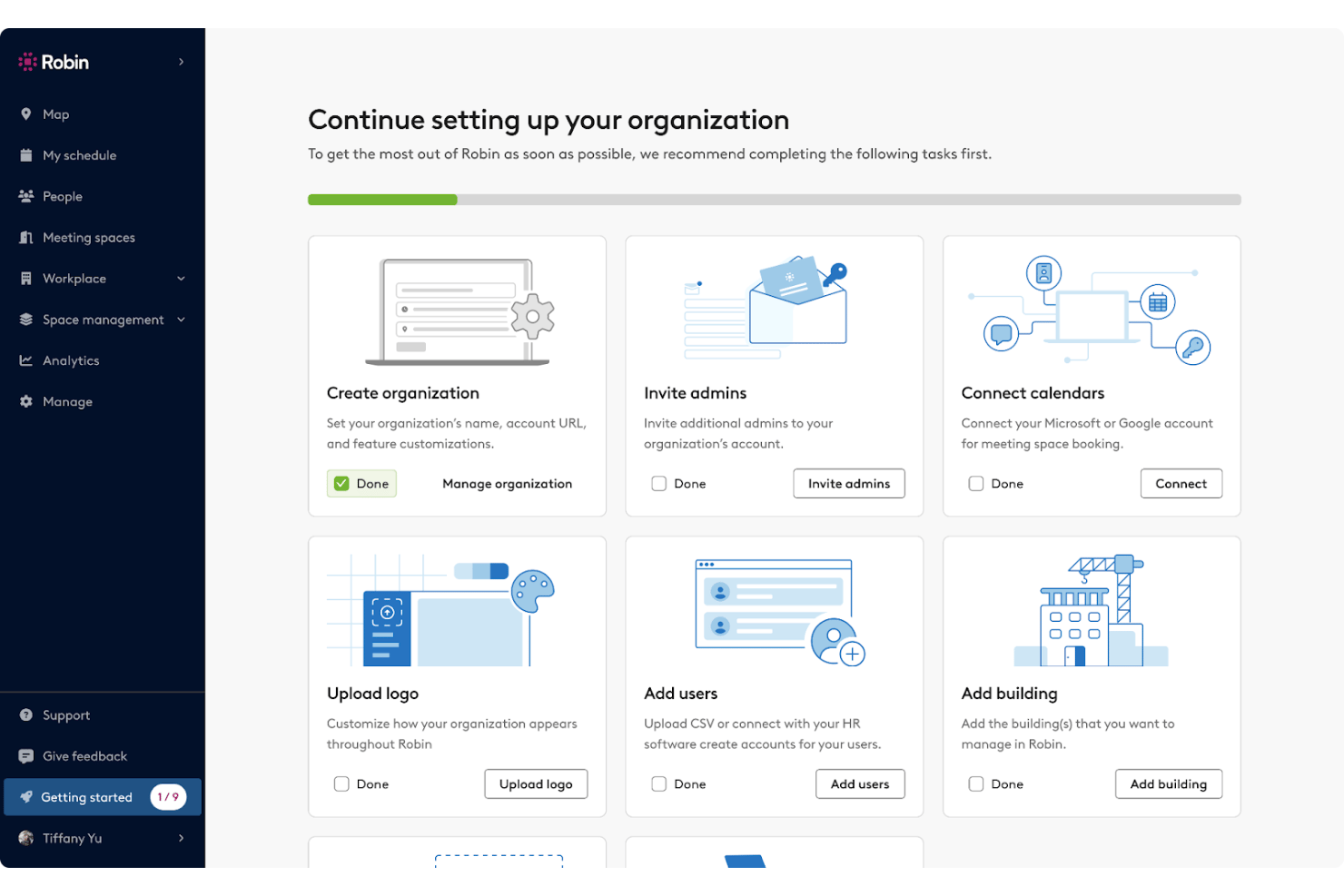
Robin is an enterprise hot desk booking software designed for managing distributed workspaces, offering interactive floor plans, advanced reservation rules, occupancy analytics, and robust integrations for organizations supporting flexible seating arrangements.
Who Is Robin Best For?
Workplace and facilities teams at large enterprises managing flexible, multi-location office environments.
Why I Picked Robin
I picked Robin as one of the best for enterprise hot desk booking because I can easily adjust team seating layouts in real time, assign neighborhoods, and let teams self-select spots using interactive floor plans that visually update as bookings change.
Robin Key Features
- Role-based access controls: Limit or grant booking permissions for users and groups based on role or department.
- Occupancy analytics dashboard: Track space usage trends, booking rates, and attendance data in real time.
- Calendar integrations: Sync desk bookings with Outlook and Google Calendar for unified scheduling.
- Sensor and badge system integrations: Connect with workplace hardware to monitor real occupancy and automate desk check-ins.
Robin Integrations
Robin offers native integrations with Google Workspace, Microsoft 365, Outlook, Slack, Microsoft Teams, Okta, Azure Active Directory, BambooHR, and Cisco Webex. An API is available for custom integrations.
Pros and Cons
Pros:
- Supports occupancy tracking with sensors and badges
- Advanced team and neighborhood seat assignments
- Interactive floor plans update in real time
Cons:
- Waitlist functionality not prominently featured
- Advanced reporting features require higher-tier plans
YAROOMS
Best for AI-powered workplace scheduling
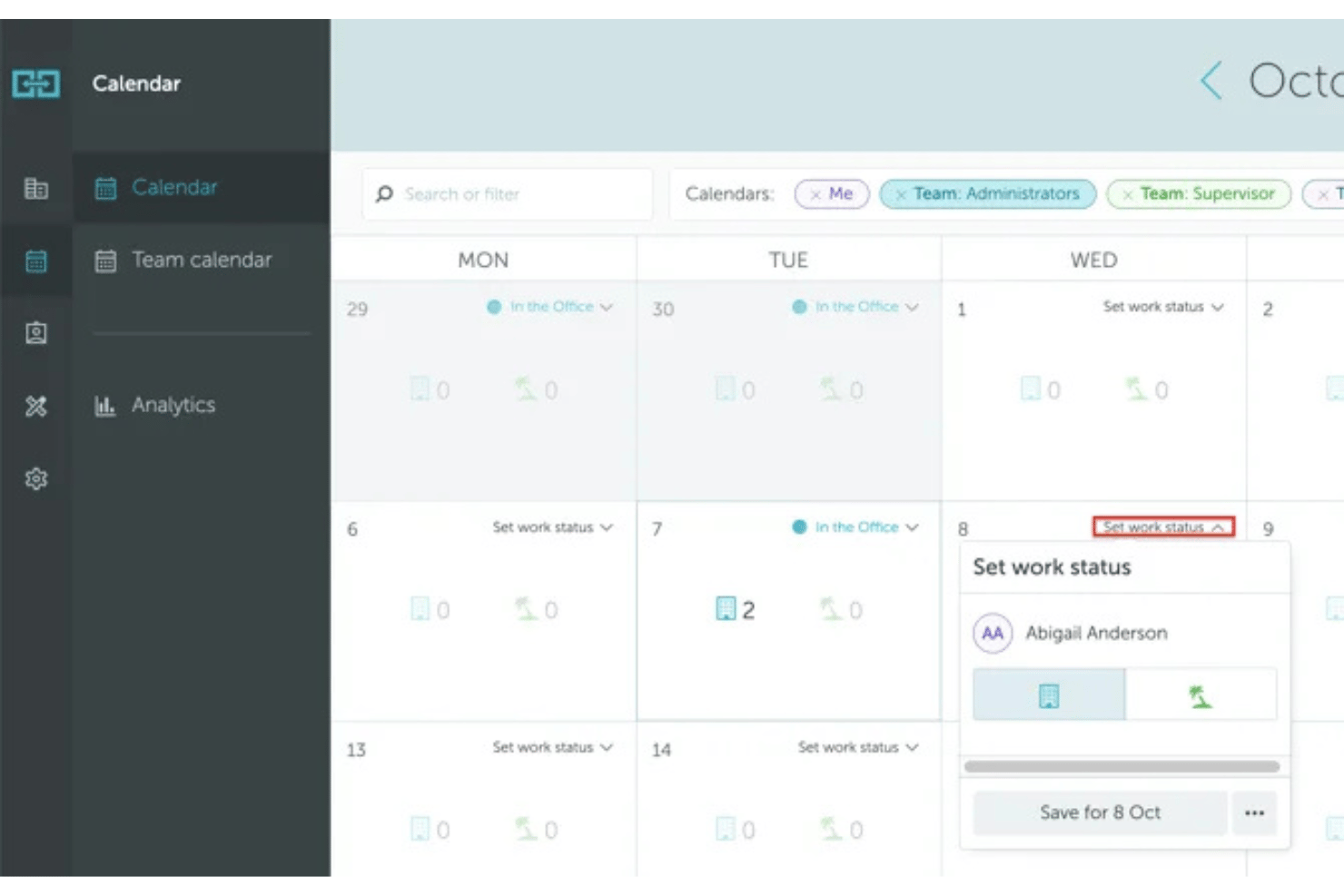
YAROOMS is an enterprise workplace management platform that combines desk booking, meeting room reservations, workplace policies, and occupancy analytics to support hybrid work across multiple office locations.
Who Is YAROOMS Best For?
Enterprises and large organizations managing flexible workspaces across multiple offices and regions.
Why I Picked YAROOMS
I picked YAROOMS because it combines desk booking and workplace management in one platform. I can create flexible booking policies, manage office resources across multiple locations, and monitor workspace utilization through built-in analytics.
YAROOMS Key Features
- Interactive floor plans: Users can view and book available desks directly from a visual office map.
- Role-based booking policies: Admins configure access, booking windows, and quotas by role or department.
- Calendar integrations: Connects with Outlook and Google Workspace for seamless booking and schedule sync.
- Occupancy analytics dashboard: Visualizes usage data and trends by floor, zone, or building.
YAROOMS Integrations
YAROOMS offers native integrations with Outlook, Google Workspace, Microsoft Teams, Slack, Okta, Azure Active Directory, Workday, and BambooHR, and provides an API for custom integrations.
Pros and Cons
Pros:
- Interactive floor plans for multi-location offices
- Built-in workplace occupancy analytics
- Advanced policy and permission management
Cons:
- Sensor integrations require specific hardware partners
- No 3D wayfinding or navigation features

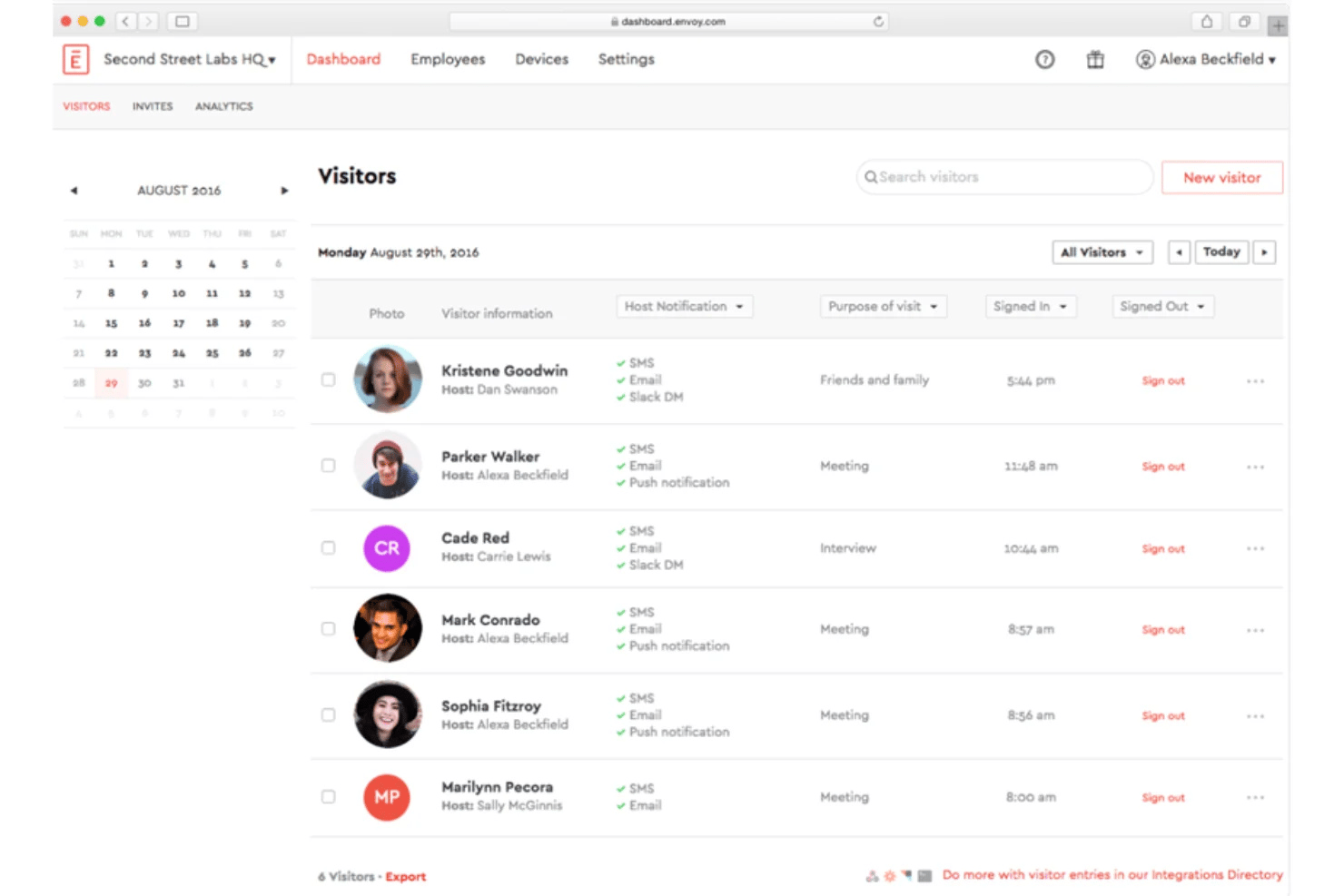
Envoy Workplace is an enterprise hot desk booking platform that enables organizations to manage desk reservations, interactive floor plans, workplace occupancy, and flexible office operations across multiple locations.
Who Is Envoy Workplace Best For?
Large organizations and facilities teams that need to coordinate desk bookings and occupancy data across multiple office locations.
Why I Picked Envoy Workplace
I picked Envoy Workplace as one of the best because its interactive floor plan booking lets my team visualize desk availability in real time, click directly on workspaces to book, and navigate multi-floor offices with detailed, customizable maps.
Envoy Workplace Key Features
- Granular booking policies: Set rules for desk access, time windows, and team or department restrictions.
- Occupancy analytics dashboard: Track real-time usage data and attendance patterns across all office locations.
- Enterprise calendar integration: Sync desk reservations with Google Workspace and Outlook calendars.
- Role-based permissions: Control admin and user access levels to customize who can book, manage, and view spaces.
Envoy Workplace Integrations
Envoy Workplace offers native integrations with Google Workspace, Microsoft 365, Slack, Microsoft Teams, Okta, Azure Active Directory, Workday, BambooHR, Rippling, ADP, and provides an API for custom integrations.
Pros and Cons
Pros:
- Occupancy analytics dashboard for multi-site offices
- Granular booking policies for different user groups
- Interactive floor plans with real-time desk status
Cons:
- Advanced features require higher-tier plans
- Initial setup for multi-location can be complex
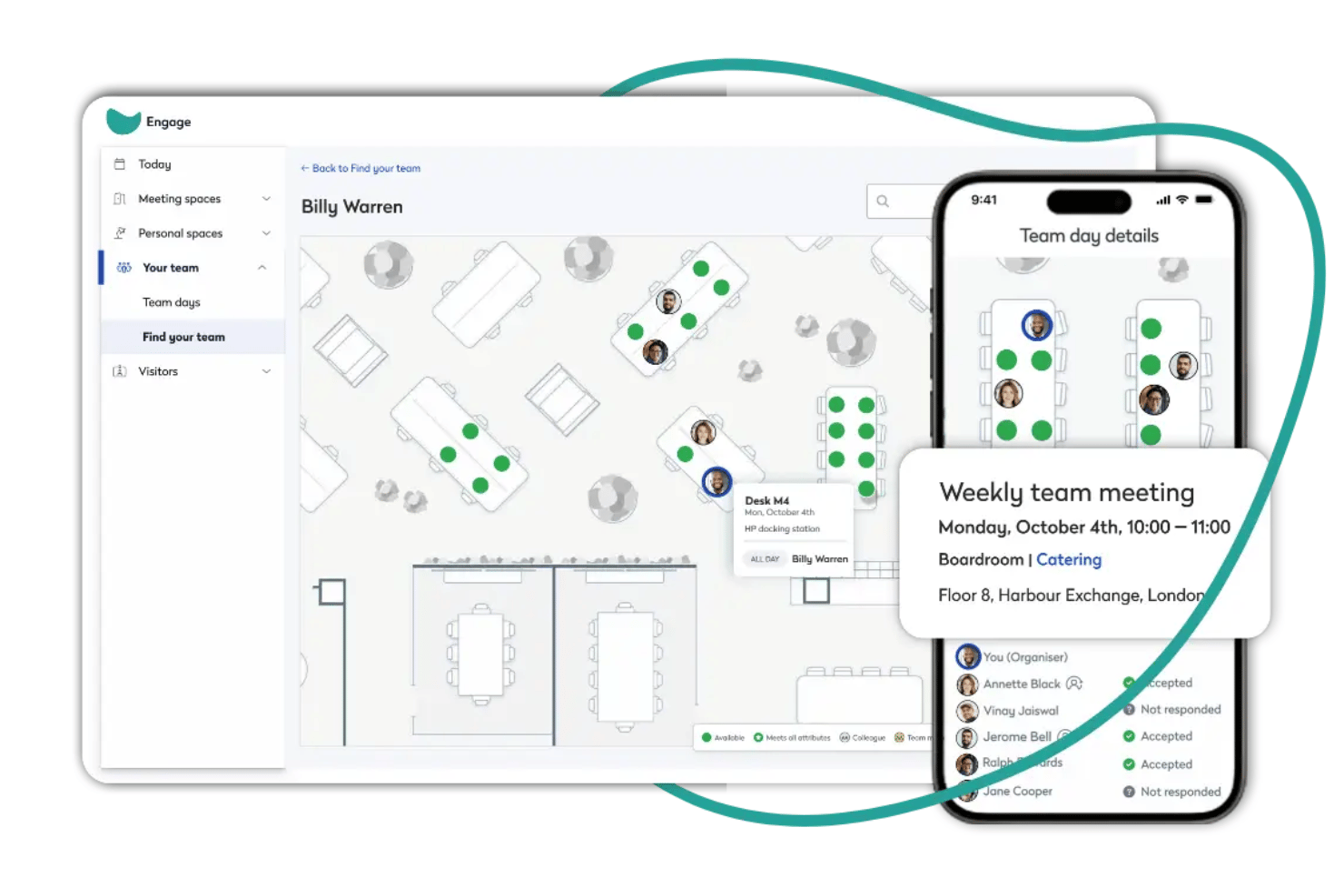
Eptura Workplace is an enterprise hot desk booking platform designed to manage desk reservations, interactive floor plans, policy controls, occupancy analytics, and large-scale workplace integrations across multiple locations.
Who Is Eptura Workplace Best For?
Eptura Workplace is a solid choice for enterprise facilities, HR, and real estate teams managing flexible workspaces across multiple locations.
Why I Picked Eptura Workplace
I picked Eptura Workplace because it lets me configure interactive floor plans, manage complex booking rules for multiple locations, and access deep utilization analytics for large organizations. It’s ideal for enterprise workplace management.
Eptura Workplace Key Features
- Neighborhood zoning: Assign specific desks to departments or teams using customizable workspace neighborhoods.
- Advanced access permissions: Set granular user roles and access levels for administrators, managers, and employees.
- Mobile desk check-in: Allow employees to check in to their reserved desk on arrival using the mobile app.
- Visitor management integration: Register and track workplace visitors directly within the same platform as desk bookings.
Eptura Workplace Integrations
Eptura Workplace offers native integrations with Microsoft 365, Google Workspace, Slack, Microsoft Teams, Okta, Azure Active Directory, and Workday. An API is available for custom integrations.
Pros and Cons
Pros:
- Handles multi-site enterprise deployments smoothly
- Supports advanced booking policy configuration
- Interactive floor plans update in real time
Cons:
- Custom reporting setup can be complex
- Desk sensors require separate system setup
Other Enterprise Hot Desk Booking Software
Here are some additional enterprise hot desk booking software options that didn’t make it onto my shortlist, but are still worth checking out:
- Envoy
For neighbourhood-based seating assignments
- Smartway2
For team neighborhood booking
- Eptura
For automating workspace check-ins
- GoBright
For occupancy tracking with hardware
- Mapiq
For AI-powered workspace planning
- Zoom Workspace Reservation
For integrating with Zoom environments
- Skedda
For rules-based booking controls
- OfficeSpace
For custom space utilization analytics
- Archie
For coworking space management
- Kadence
For simplifying hybrid work scheduling
- Eden
For all-in-one workplace operations
- Microsoft Places
For Microsoft 365 workplaces
- Officely
For booking directly in Slack or Teams
- DeskFlex
For touchscreen-enabled booking
- OfficeSpace
For AI-driven space planning


How I Evaluate Enterprise Hot Desk Booking Software
I split evaluation into two layers: the booking and policy basics every tool must cover, and differentiators like occupancy analytics and IoT sensor support that matter at enterprise scale.
Core Functionality (Table Stakes for This List)
When I'm selecting tools for my list, I rank each one on a scale from 0 (does not offer the functionality) to 5 (excels in this area) for each core functionality listed below. Then, I calculate the tool's total score into a percentage. Each tool needs to achieve a minimum total score of 65% to be considered for inclusion.
- Desk Reservation System: I look for self-service booking where employees can search, reserve, modify, and cancel desks on their own—including recurring reservations, permanent desk assignments, desk hoteling, and check-in options.
- Interactive Floor Plans: Visual maps that show real-time availability and let people click to book matter a lot, especially for offices with multiple floors and zones.
- Booking Policies & Permissions: I evaluate how well admins can define rules like booking windows, desk neighborhoods, role-based access, and approval workflows across locations.
- Occupancy Analytics: Dashboards that track desk utilization, attendance trends, and peak usage help facilities teams make informed decisions about space planning.
- Enterprise Integrations: Connects with calendars, SSO providers, HRIS platforms, and collaboration tools to streamline workplace management and user provisioning.
- Multi-Location & Scalability: Tools should support per-site configuration across multiple offices and regions, with enterprise-grade SLAs and the ability to handle large employee populations.
Once I have a list of tools that meet the criteria, I consider what sets each platform apart.
Differentiating Factors (What Sets Vendors Apart)
Here's how I compare and contrast different vendors:
Standout Features
Team coordination features are a key differentiator. I also look for room scheduling, meeting room booking, and desk hoteling capabilities that help employees plan office days while keeping teams together. IoT sensor integration matters too, since it validates actual occupancy against bookings and auto-releases no-shows. AI-powered desk recommendations round things out by suggesting spots based on team schedules and past preferences, reducing friction across large campuses.
Beyond Features
Enterprise security is something I always evaluate—SOC 2 Type II certification and SSO/SAML support through providers like Okta or Azure AD are table stakes when you're syncing employee directories across locations. Implementation support also matters more than most buyers expect. Rolling out a booking platform to thousands of employees requires floor plan digitization, admin training, and change management resources to drive adoption.
How to Choose Enterprise Hot Desk Booking Software
It’s easy to get bogged down in long feature lists and complex pricing structures. To help you stay focused as you work through your unique software selection process, here’s a checklist of factors to keep in mind:
| Factor | What to Consider |
|---|---|
| Scalability | Will the software handle more users, locations, or desk types if your business grows? Check user limits and volume-based pricing models. |
| Integrations | Does it connect with your existing calendaring, SSO, or HR systems, like Microsoft 365 or Google Workspace? Gaps can disrupt adoption and scheduling accuracy. |
| Customizability | Are booking rules, floor plans, and user permissions easily adjusted to fit your workplace guidelines and evolving policies? Avoid rigid systems if flexibility is vital. |
| Ease of use | Can employees book, reassign, or check desks without training? Interface complexity increases user frustration and support requests. |
| Implementation and onboarding | How quickly can you get the system live after signing? Look for import tools, training resources, and support during rollout to avoid months-long transitions. |
| Cost | Does total cost include configuration, support, and upgrades? Confirm whether tier limits or add-ons will drive up price as you scale. |
| Security safeguards | Are data privacy tools, admin controls, and user authentication standards (such as SSO, MFA) suitable for your organization’s risk profile and compliance requirements? |
| Support availability | Can you reach support through your preferred channels and time zones? Evaluate response times and any extra charges for priority support or global assistance. |
What Is an Enterprise Hot Desk Booking Software?
Enterprise hot desk booking software is a digital platforms that let organizations manage, reserve, and monitor unassigned workspaces across multiple locations. These solutions help HR teams support hybrid work models, track occupancy, and enforce booking policies. They’re vital for managing large, distributed workforces and ensuring efficient use of office space in complex environments with evolving capacity and compliance requirements.
Features of Enterprise Hot Desk Booking Software
When selecting enterprise hot desk booking software, keep an eye out for the following key features:
- Desk reservation system: Lets employees reserve available desks in advance or on demand, supporting both planned and spontaneous workspace needs.
- Interactive floor plans: Provide visual maps of office layouts so users can see and select specific desks, rooms, or zones.
- Mobile access: Enables employees to book, release, or modify reservations from smartphones or tablets while on the go.
- Real-time availability tracking: Shows up-to-date desk occupancy, preventing double bookings and helping teams find open workspaces efficiently.
- Booking policies and rules: Allows admins to set permissions, booking windows, restrictions, and approval workflows based on department or location needs.
- Group and recurring bookings: Supports booking blocks of desks for teams and setting up recurring reservations for regular schedules or meetings.
- Analytics and reporting: Delivers data on desk usage, occupancy trends, and adoption to inform space planning and drive workplace decisions.
- Automated notifications: Send email, SMS, or in-app reminders about upcoming bookings, cancellations, or changes in desk status.
- Integration with existing systems: Connects with company calendars, communication apps, identity providers, or HR systems for a seamless user experience.
- Health and safety tools: Manages distancing requirements, cleaning schedules, and capacity limits to support workplace compliance and employee well-being.
Benefits of Enterprise Hot Desk Booking Software
Implementing enterprise hot desk booking software provides several benefits for your team and your business. Here are a few you can look forward to:
- Efficient space utilization: Real-time desk management ensures workplaces stay adaptable and prevent underused or overcrowded office areas.
- Improved employee experience: Easy desk booking with visual floor plans and mobile access empowers staff to choose when and where they work.
- Actionable workplace insights: Built-in analytics and reporting reveal occupancy trends, helping HR teams make smart space planning decisions.
- Stronger compliance and safety: Automated booking rules and health tools support distancing, capacity limits, and cleaning protocols for safer environments.
- Simplified hybrid work logistics: Group booking and recurring reservations make it easy for teams to coordinate in-office days and collaborate smoothly.
- Reduced administrative overhead: Automated notifications, integrations, and policy controls minimize time spent managing seating assignments and resolving conflicts.
- Easier onboarding and support: Guided onboarding options, templates, and support resources help new users quickly adapt and keep issues to a minimum.
Costs and Pricing of Enterprise Hot Desk Booking Software
Selecting enterprise hot desk booking software requires an understanding of the various pricing models and plans available. Costs vary based on features, team size, add-ons, and more. The table below summarizes common plans, their average prices, and typical features included in enterprise hot desk booking software solutions:
Plan Comparison Table for Enterprise Hot Desk Booking Software
| Plan Type | Average Price | Common Features |
|---|---|---|
| Free Plan | $0 | Basic desk booking, limited users, simple floor map, and email support. |
| Personal Plan | $5–$10/user/month | Single-user booking, mobile access, calendar integration, and basic reporting. |
| Business Plan | $10–$25/user/month | Team bookings, admin controls, detailed analytics, mobile app, group scheduling, and standard support. |
| Enterprise Plan | $25–$50/user/month | Unlimited users, advanced security, API access, custom workflows, priority support, and onboarding assistance. |
Enterprise Hot Desk Booking Software FAQs
Here are some answers to common questions about enterprise hot desk booking software:
Can hot desk booking software support multiple office locations?
Yes, most enterprise hot desk booking software allows you to manage and book desks across multiple offices or regions. This centralizes workspace management, supports efficient real estate utilization, and helps organizations with distributed teams maintain consistency and visibility.
How does hot desk booking software help with hybrid work policies?
Enterprise solutions give employees the flexibility to reserve workspaces only when they need to be on-site, making them essential for a successful hybrid office. Admins can also use this hoteling software to set up booking rules, track occupancy, coordinate desk sharing, and ensure that flexible work schedules are well-documented.
What types of integrations should I look for?
Look for integrations with your HRIS, calendar systems (such as Google or Microsoft), authentication tools like SSO, and communication platforms like Slack or Teams. These integrations improve workflows, increase adoption, and allow team members to manage their meeting room booking or room scheduling from the tools they already use.
Is data privacy a concern with desk booking software?
Yes, privacy is a key consideration, especially for large organizations. You should confirm the software features enterprise-grade security with secure authentication, access control, data encryption, and compliance with relevant privacy standards such as GDPR or SOC 2.
How do these tools help manage health and safety compliance?
Many user-friendly desk hoteling solutions let admins set up distancing rules, limit office capacity, automate cleaning schedules, and provide contact tracing logs to support workplace health requirements across traditional offices and shared coworking spaces within the flexible workplace.
What onboarding and training resources are typically included?
Most vendors offer video tutorials, step-by-step guides, webinars, and in-app product tours that work across desktop and Android platforms. Some provide customer support chat or a dedicated specialist to make transitioning from a permanent desk setup as smooth as possible.