

10 Best Open-Source Employee Scheduling Software For 2026

10 Best Open-Source Employee Scheduling Software List


Managing employee schedules can be a real headache. You’ve got to juggle availability, shift swaps, and unexpected absences—all while keeping everyone happy. Open-source employee scheduling software can help ease these pains by offering flexibility and customization that fits your unique needs.
In my experience, diving into the world of open source solutions brings transparency and adaptability to your scheduling challenges. I’ve carefully tested and reviewed the best options out there, and I’m here to share my findings with you.
In this article, you'll discover top picks for open source scheduling tools that can make managing your team’s time a bit smoother. You'll gain insights into what each software offers and how it can benefit your team.
Why Trust Our Software Recommendations
Our team has been testing and reviewing software since 2012. As HR experts ourselves, we know how difficult—and important—it is to choose the right software.
For this guide, we evaluated tools using hands-on testing and independent research, scoring tools using our selection criteria. We also draw on insights from industry thought leaders and practicing HR experts.
Our reviews reflect our human editorial judgment, not a sales pitch.
Expert reviewers:
Open-Source Employee Scheduling Software Comparison Table
Compare pricing and free trial availability for my top open-source employee scheduling software in the table below.
| Tool | Best For | Trial Info | Price | ||
|---|---|---|---|---|---|
| 1 | Best for automating employee shift schedules | Not available | Free to use | Website | |
| 2 | Best for task scheduling with file-based triggers | Not available | Free to use | Website | |
| 3 | Best for field service scheduling | Free demo available | Pricing upon request | Website | |
| 4 | Best for clubs and non-profit organizations | 30-day free trial | From $10/month | Website | |
| 5 | Best WordPress-based solution | Not available | From $5.99/month | Website | |
| 6 | Best for event-driven job scheduling | Not available | Free to use | Website | |
| 7 | Best for IT employee scheduling | Not available | Free to use | Website | |
| 8 | Best for larger organizations | Not available | From $242.36/month (billed as €199/month) for up to 50 employees | Website | |
| 9 | Best for flexible scheduling needs | 30-day free trial + free demo available | From $50/user/month | Website | |
| 10 | Best for field service teams | Not available | From $169/user/month | Website |
Best Open-Source Employee Scheduling Software Reviews
Here are brief descriptions of the best open-source employee scheduling software on my list, showing what each does best—plus screenshots to show you their user interface too. Keep reading to find additional bonus picks at the bottom of the list.


Auto Shift Planner is a versatile, open-source app designed to automate the creation of employee shift schedules. It uses advanced heuristic and metaheuristic algorithms to ensure efficient and balanced rostering.
Suitable for various business sizes, it simplifies the scheduling process by accommodating specific constraints such as operating hours, required weekly hours, and mandatory breaks. Its ability to handle complex shift requirements while considering employee preferences makes it an invaluable tool for efficient workforce management.
Auto Shift Planner is free to use.

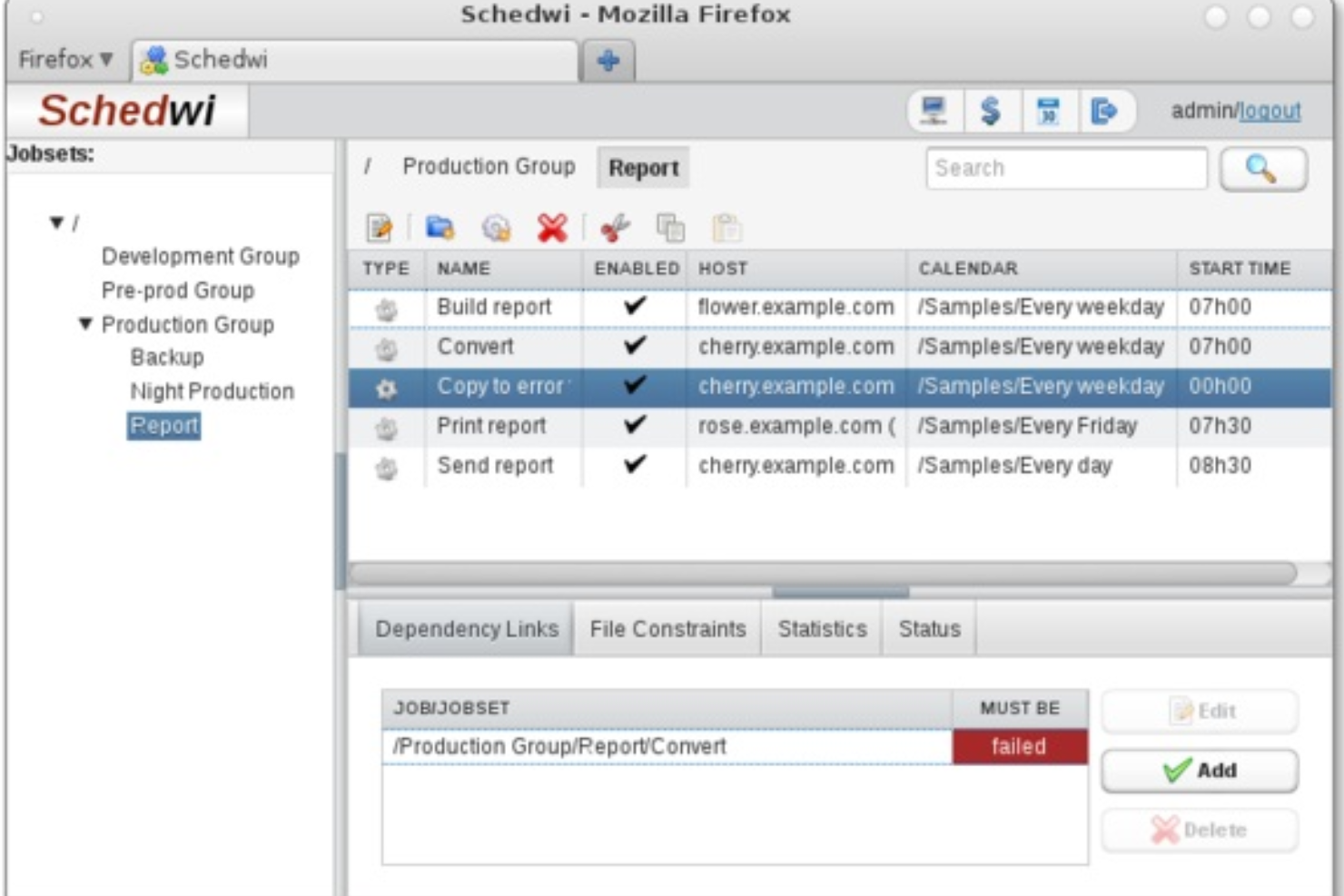
Schedwi is an open-source task scheduler designed to automate the execution of scripts and commands on remote clients at specified times. It allows administrators to set up complex sequences of tasks based on various triggers, such as the completion of prior tasks or the presence of specific files.
One of Schedwi's standout features is its ability to manage tasks across a wide range of operating systems, including Linux, Windows, and macOS, among others. This cross-platform compatibility is particularly beneficial for businesses with diverse IT environments. The web interface and command-line tools offer administrators real-time monitoring and configuration options
Schedwi is free to use.

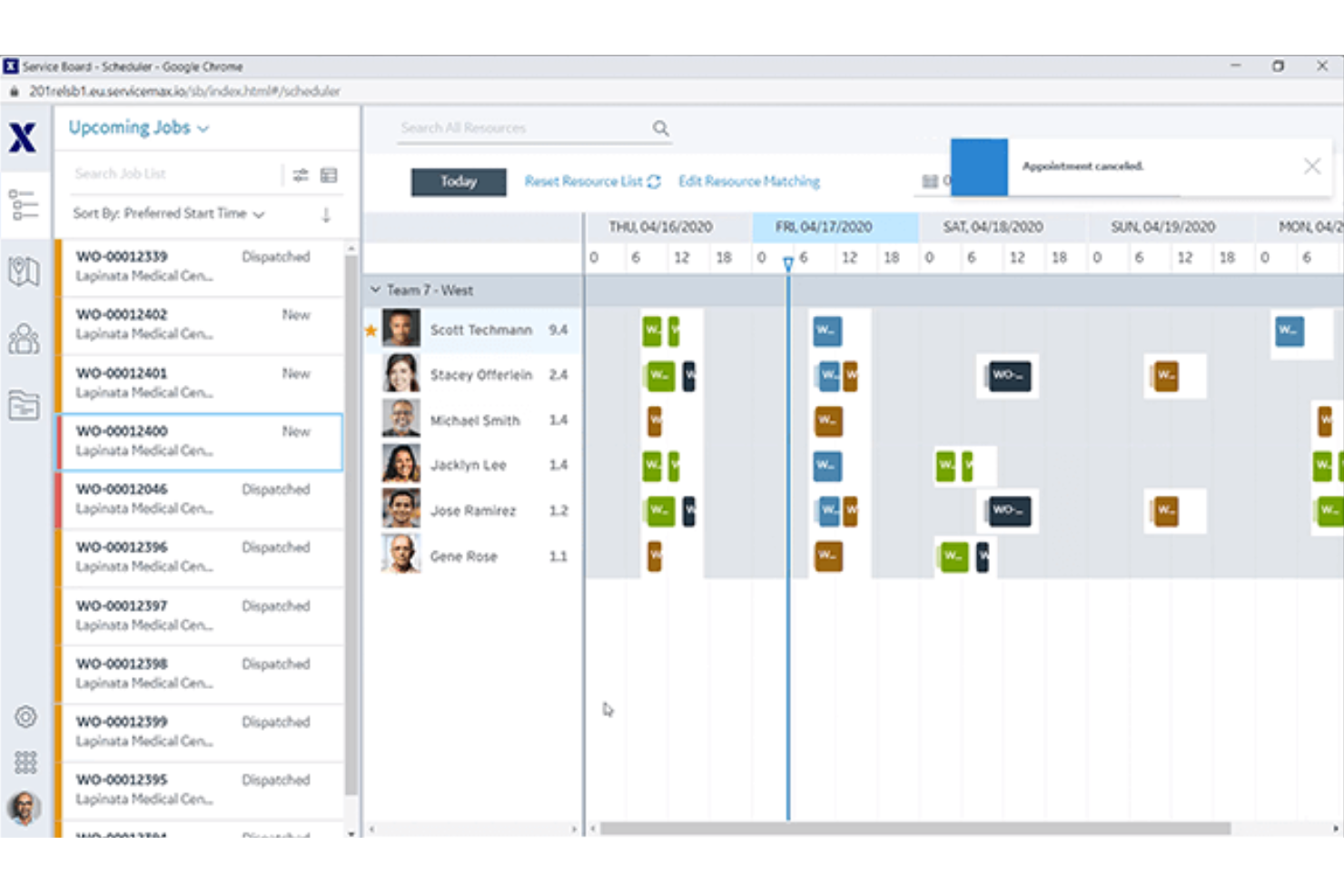
ServiceMax is a comprehensive field service management platform designed to enhance efficiency and productivity for businesses with field service operations.
ServiceMax excels as an employee scheduling software due to its advanced features like dynamic scheduling and dispatch, which ensure the right technician is assigned to the right job at the right time. Its mobile capabilities enable field workers to access work orders, update job statuses, and capture customer signatures in real time, ensuring seamless communication and operational efficiency.
Pricing for ServiceMax varies based on the specific needs and size of the business, with tailored solutions designed to provide the best value for their field service management requirements.

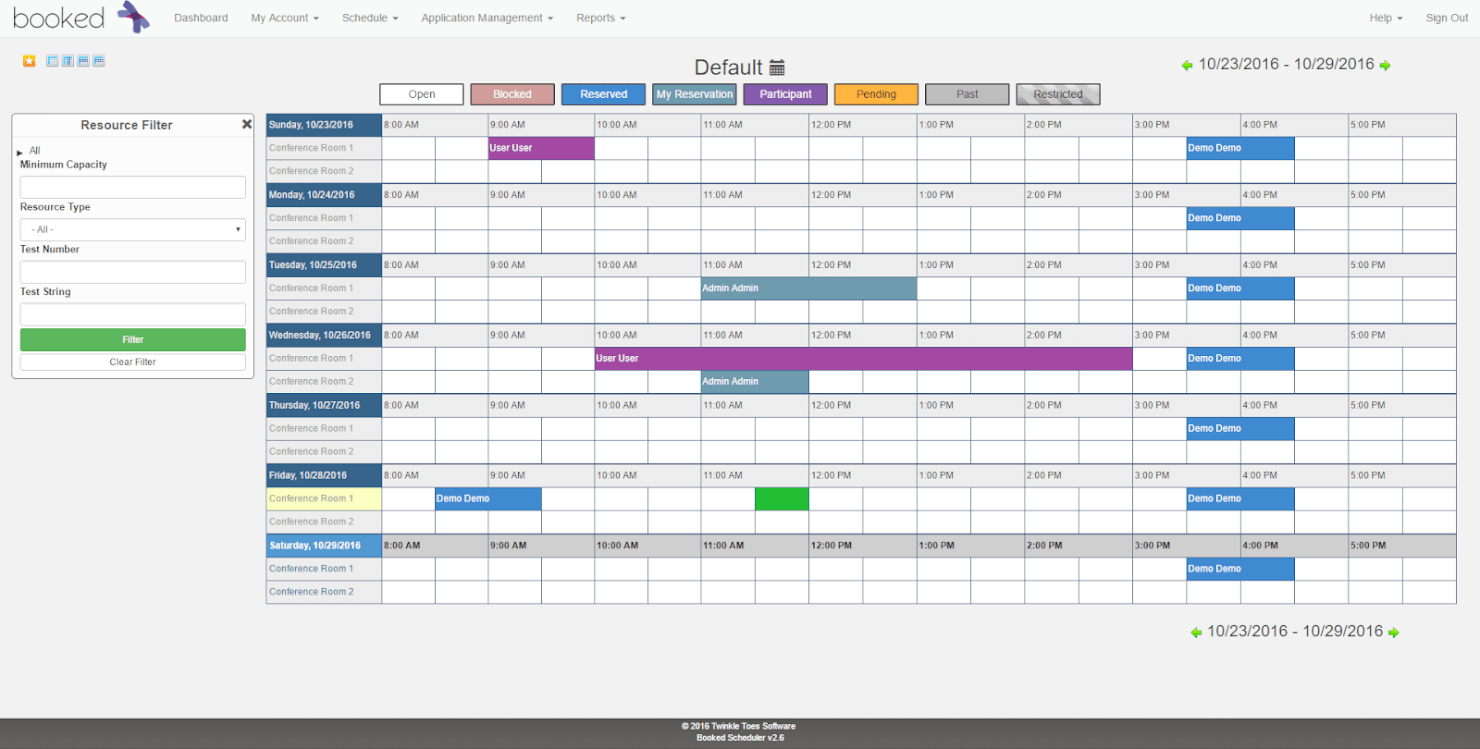
Booked Scheduler helps groups and organizations manage, book, and track resources. Multiple schedule views permit users to pinpoint time slots for the resources they need.
Simple calendar views allow everyone to see availability clearly, while administrators enjoy flexibility in how the software is configured and managed.
Booked Scheduler costs from $10/month and gets you full access for unlimited users. You can also sign up for a free 30-day trial.

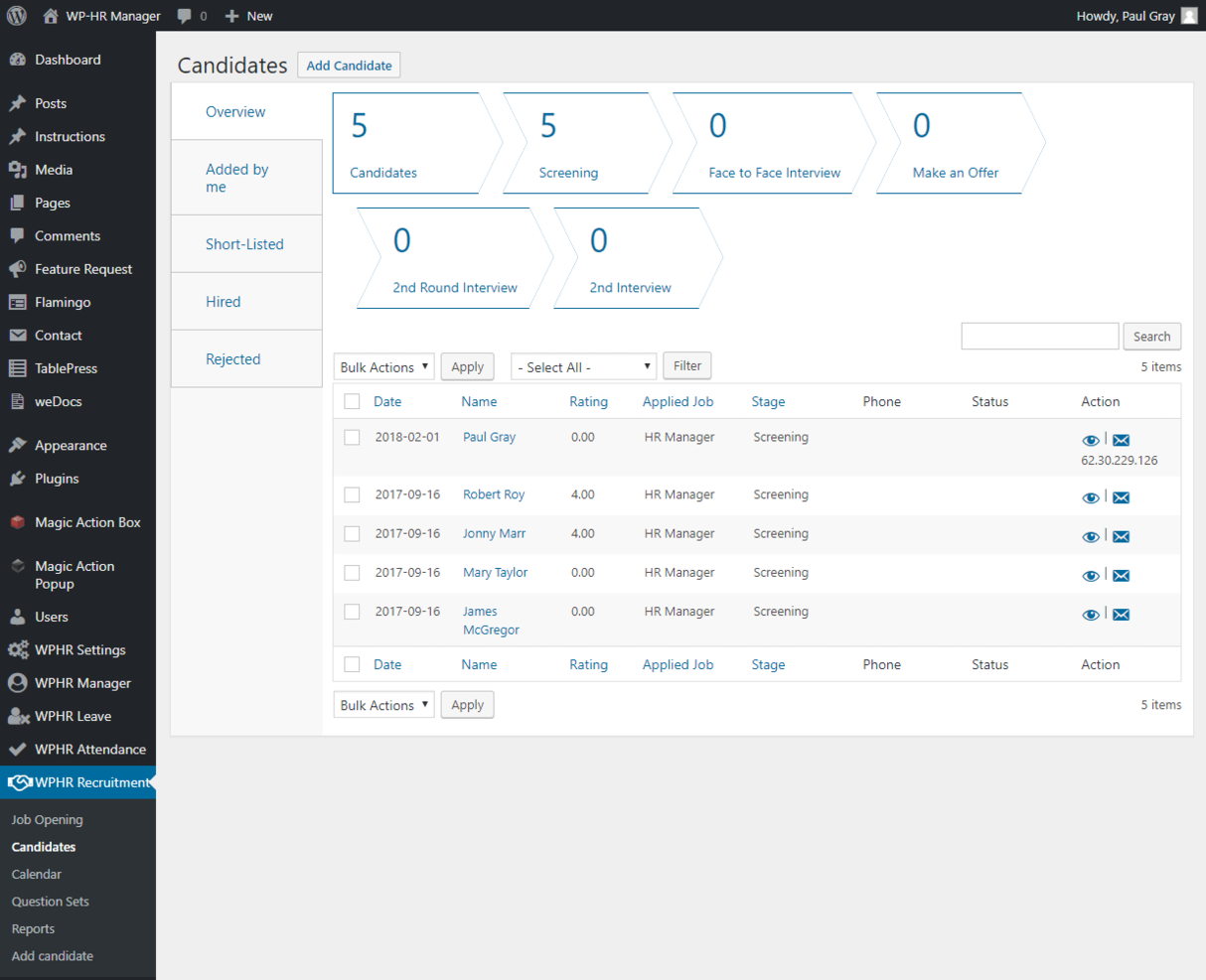
WP-HR Manager leverages the power of WordPress to provide employee management solutions right within the platform.
You can record and track a wide range of employee information, from attendance and salaries to timekeeping and leave records. Employees can use the self-service tools and templates to update their own data, check-in/out, and request leave. It’s also easy to add multiple locations and management roles.
The core WP-HR Manager plugin is free, but paid extensions are available from $5.99/month


evQueue is an open-source job scheduler and queueing engine designed for efficient task management and workflow execution.
One of the key reasons evQueue excels as an employee scheduling software is its event-driven engine, which ensures efficient task management without active waiting. This system allows for complex task chaining and conditional workflows, which can be essential for managing dynamic employee schedules.
The ReactJS control interface provides a user-friendly, drag-and-drop environment for creating and monitoring schedules in real-time.


Schedulix is an open-source workload automation software designed for automating and scheduling various IT processes. Initially developed for IT operations, Schedulix offers robust features that can be leveraged effectively for employee scheduling.
It provides dynamic scheduling capabilities, allowing businesses to adjust schedules based on real-time data and changing requirements. Its hierarchical automation design supports complex scheduling scenarios, ensuring that different employee shifts and roles are coordinated seamlessly.
Pricing starts at $169/user/month. There is no free version but you can contact the company for a free demo.
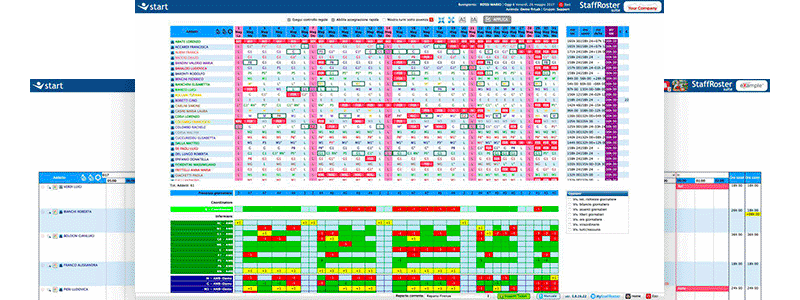
For organizations with complex shift schedules, StaffRoster is a natural choice for dynamic employee scheduling.
This all-in-one platform simplifies the management of all aspects of shift work. Companies using StaffRoster can share shift information in one centralized location, track scheduling for up to 5 stores or locations, and even navigate contract and roster constraints management right within the app.
StaffRoster pricing starts at $242.36/month (billed as €199/month) for up to 50 employees. There is no free trial option.

TimeTrex
Best for flexible scheduling needs

TimeTrex offers an open-source workforce management solution to help with employee scheduling, time tracking, payroll, and human resources management. Its Community Edition is available for free, providing essential features to help businesses efficiently manage their workforce operations.
TimeTrex's employee scheduling module allows you to create and manage various schedule types, including unique, recurring, rotating, and multi-week schedules. This flexibility ensures that you can tailor work shifts to meet your organization's specific needs. Additionally, employees can submit schedule requests, such as vacation or personal time, directly through the platform.
Integrations include ADP, Intuit QuickBooks, Sage, Paychex, Surepay, Ceridian, Meditech, Insync, Millennium, and CompuPay.
New Product Updates from TimeTrex
TimeTrex Adds Quick Punch App With Offline and QR Support
TimeTrex adds a new Quick Punch app, offline punching, QR code scanning, punch images, configurable messages, and punch warnings or lockouts to improve employee clock-ins across browsers and local computers. For more information, visit TimeTrex’s official site.
 .
.
mHelpDesk
Best for field service teams
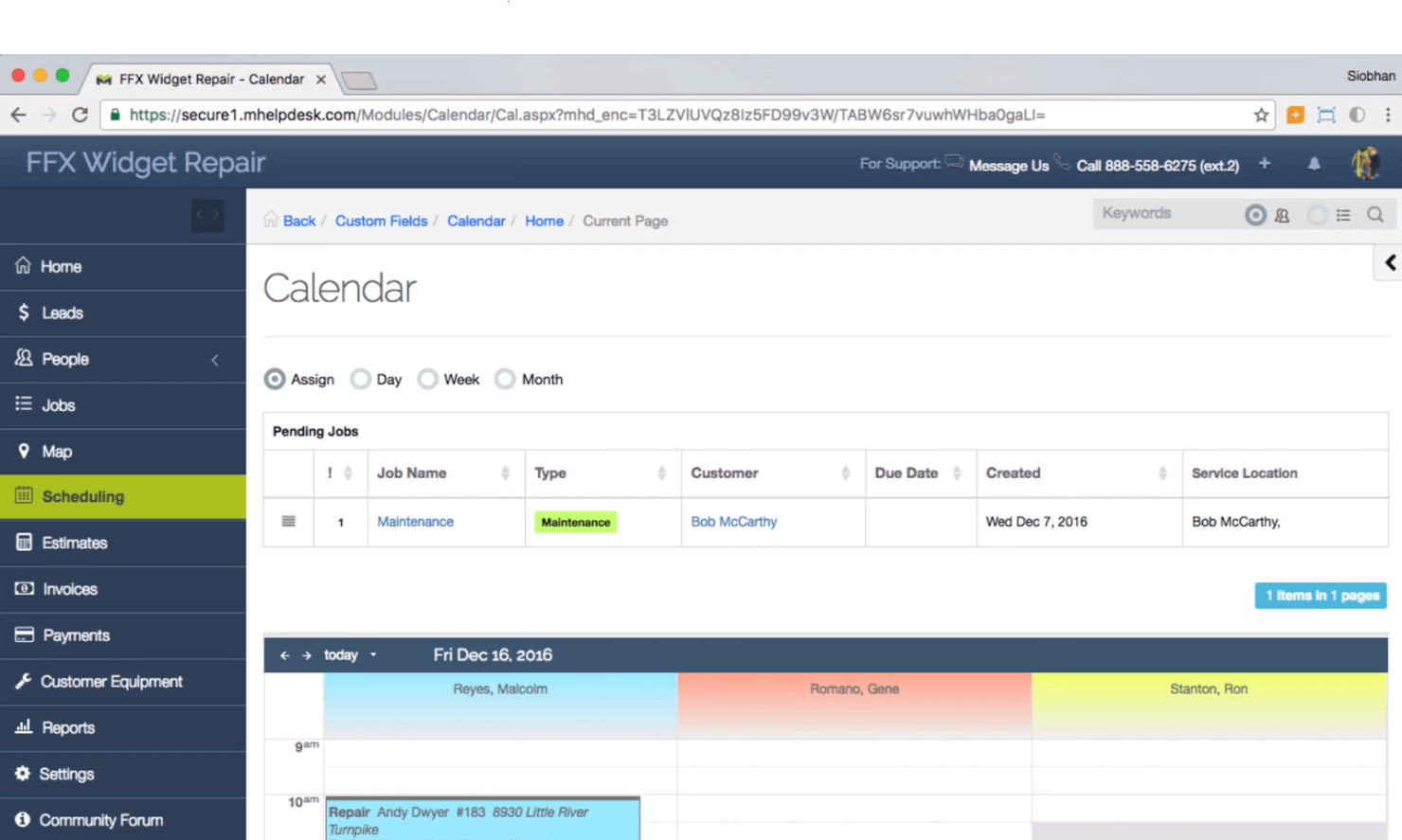
mHelpDesk is a high-performance software solution for service and repair businesses. The job management algorithms integrate field workers, dispatchers, schedules, and billing systems to keep everything organized.
Mobile (Android and iPhone) and web apps are available to streamline workflow, improve messaging, and allow access to information from anywhere.
Pricing starts at $169/user/month. There is no free version but you can contact the company for a free demo.
Other Open-Source Employee Scheduling Software
Here are a few more that didn’t make it into my top 10 list. I didn’t have room for a full review for each of these, but they are still worthy of consideration:


How I Evaluate Open Source Employee Scheduling Software
I split my evaluation into baseline requirements—like genuine OSI licensing and documented self-hosting—and differentiators like auto-scheduling logic and labour cost reporting.
Core Functionality (Table Stakes For This List)
When I'm selecting tools for my list, I rank each one on a scale from 0 (does not offer the functionality) to 5 (excels in this area) for each core functionality listed below. Then, I calculate the tool's total score as a percentage. Each tool needs to achieve a minimum total score of 65% to be considered for inclusion.
- Open Source Licensing: I check that the project uses an OSI-approved license and that the full source code is accessible in a public repository where teams can fork, modify, and contribute.
- Shift Scheduling Engine: Whether I'm looking at a retail team rotating weekend shifts or a hospital managing 24/7 coverage, I evaluate how each tool handles creating, assigning, and publishing shifts.
- Availability & Time-Off Management: I look for tools that let employees submit availability, request PTO, and initiate shift swaps—with clear manager approval workflows built in.
- Self-Hosting & Deployment: Good documentation matters here. I evaluate whether a tool provides clear setup guides for Docker, bare metal, or cloud deployment that an in-house admin can follow.
- Notifications & Employee Access: Schedules are only useful if staff can see them. I look at whether employees get real-time updates via web dashboards, mobile apps, or push and email alerts.
- Integrations & Extensibility: I evaluate the API surface—REST endpoints, webhooks, or plugin architecture—and whether it connects to common HRIS and payroll systems your team already uses.
Once I have a list of tools that meet the criteria, I consider what sets each platform apart.
Differentiating Factors (What Sets Vendors Apart)
Here's how I compare and contrast different vendors:
Standout Features
Auto-scheduling is a major differentiator. I look for engines that generate shift plans from rules like role requirements, availability, and maximum weekly hours rather than forcing managers to build every schedule manually. Labour law compliance matters too—configurable rules for break periods and overtime caps help HR teams adapt scheduling to their jurisdiction. For organizations running multiple sites, I check whether a tool supports location-specific views, permissions, and reporting so each site manager only sees what's relevant.
Beyond Features
Community activity is one of the first things I evaluate. A project with regular commits, recent releases, and responsive forums signals long-term viability—stale repos are a real risk with open source tools. Total cost of ownership also deserves close attention. Free licensing sounds appealing, but I factor in server costs, DevOps time, and whether paid support tiers exist for teams that lack internal technical resources. Data security rounds out my evaluation; I check for encryption support, role-based access controls, and audit logging so HR teams can store sensitive employee data with confidence.
How to Choose Open-Source Employee Scheduling Software
It’s easy to get bogged down in long feature lists and complex pricing structures. To help you stay focused as you work through your unique software selection process, here’s a checklist of factors to keep in mind:
| Factor | What to Consider |
|---|---|
| Scalability | Can the software grow with your team? Consider if it can handle more users or locations as needed without a big cost increase. |
| Integrations | Does it work with your other tools, like payroll or HR systems? Look for seamless data flow between platforms to avoid manual data entry. |
| Customizability | Can you tailor the software to fit your processes? Check if you can adjust settings, workflows, and permissions to match your specific needs. |
| Ease of use | Is it user-friendly for everyone on your team? Ensure the interface is intuitive and training time is minimal to get everyone up to speed quickly. |
| Implementation and onboarding | How long will it take to get started? Evaluate the setup process, available support, and resources to ensure a smooth transition for your team. |
| Cost | Is the pricing clear and within your budget? Compare the cost against features offered, and watch for hidden fees or limitations in lower-tier plans. |
| Security safeguards | Are your data and privacy protected? Verify the security measures and compliance with regulations to keep employee information safe and secure. |
What Is Open-Source Employee Scheduling Software?
Open-source employee scheduling software is a type of tool that helps businesses organize and manage employee work schedules. HR professionals, managers, and team leaders typically use these tools to ensure efficient workforce management. Shift scheduling, time-off tracking, and notifications help with keeping everyone informed and organized. Overall, these tools provide flexibility and control over employee scheduling processes.
Features
When selecting open-source employee scheduling software, keep an eye out for the following key features:
- Shift scheduling: Allows you to create and manage work schedules efficiently, ensuring coverage and balance.
- Time-off tracking: Helps manage employee leave requests and approvals, reducing scheduling conflicts.
- Notifications and alerts: Keeps employees informed of schedule changes and reminders, improving communication.
- Integration capabilities: Connects with other tools like payroll and HR systems for streamlined data flow.
- Customizability: Lets you tailor settings and workflows to fit your unique business needs.
- Mobile access: Enables employees to view and manage their schedules on the go, increasing flexibility.
- User-friendly interface: Ensures ease of use, reducing training time and improving adoption.
- Real-time analytics: Provides insights into scheduling patterns and workforce utilization for better planning.
- Multi-location support: Manages scheduling across different locations, ideal for businesses with multiple sites.
- Security safeguards: Protects sensitive employee data with robust security measures and compliance.
Benefits
Implementing open-source employee scheduling software provides several benefits for your team and your business. Here are a few you can look forward to:
- Improved efficiency: Automates scheduling tasks, saving time and reducing manual errors.
- Enhanced flexibility: Offers customization options to fit the specific needs of your business.
- Greater transparency: Provides clear visibility into schedules, helping to avoid conflicts and confusion.
- Cost savings: Reduces reliance on paper schedules and manual processes, cutting down on overhead.
- Better communication: Keeps everyone in the loop with notifications and alerts, fostering better teamwork.
- Scalability: Grows with your business, accommodating more users and locations as needed.
- Data-driven insights: Uses analytics to inform scheduling decisions, improving workforce planning.
Costs & Pricing
Selecting open-source employee scheduling software requires an understanding of the various pricing models and plans available. Costs vary based on features, team size, add-ons, and more. The table below summarizes common plans, their average prices, and typical features included in open source employee scheduling software solutions:
Plan Comparison Table for Open-Source Employee Scheduling Software
| Plan Type | Average Price | Common Features |
|---|---|---|
| Free Plan | $0 | Basic scheduling, notifications, and limited user access. |
| Personal Plan | $5-$15/user/month | Shift swaps, mobile access, and basic reporting. |
| Business Plan | $20-$40/user/month | Time-off tracking, integrations, and multi-location support. |
| Enterprise Plan | $50-$100/user/month | Advanced analytics, customizability, and priority customer support. |
People Also Ask
If you still have questions about open-source employee scheduling software and what it has to offer, these answers to frequently asked questions are a great place to start:
Can open source scheduling software integrate with existing systems?
Yes, many open source scheduling tools offer integration capabilities with existing systems. You’ll want to check for compatibility with your current HR, payroll, or communication platforms. Integration can streamline workflows and reduce manual data entry. Some tools provide API access, allowing for more customized connections, so consider your technical resources when evaluating integration capabilities.
Is open source scheduling software secure?
Yes, open source scheduling software can be secure, but it’s essential to assess the security measures in place. Look for tools that offer data encryption, regular security updates, and compliance with industry standards. Since the source code is available, the community often actively works on identifying and fixing vulnerabilities. However, you’ll need to stay proactive with updates and security practices.
Do I need technical skills to use open source scheduling software?
You don’t necessarily need technical skills to use open source scheduling software, but they can be helpful. Basic setups are usually user-friendly, but if you want to customize or integrate deeply, some coding or technical knowledge might be required. Many open source communities offer support and documentation, so you can seek help if needed. Consider the level of customization you require before deciding.