10 Best Employee Evaluation Software for Managers in 2026

10 Best Employee Evaluation Software Shortlist


The best employee evaluation software helps HR professionals streamline reviews, eliminate manual tracking, and deliver impactful feedback that supports employee development—all in one place.
Whether you’re using spreadsheets that slow things down, or stuck with outdated tools that frustrate both managers and staff, you’re not alone. Many HR teams struggle with inconsistency, time-consuming workflows, and confusion over which software actually solves these problems.
Employee evaluation software can automate review cycles, enable 360-degree feedback, support goal tracking, and provide real-time performance insights, so you can spend less time on admin and more time developing your people.
As a former HR administrator who’s prepared over 1,000 performance reviews, I know how transformative the right tool can be. In this guide, I’ll help you cut through the noise and find the best solution for your team’s needs.
Why Trust Our Software Recommendations
Our team has been testing and reviewing software since 2012. As HR experts ourselves, we know how difficult—and important—it is to choose the right software.
For this guide, we evaluated tools using hands-on testing and independent research, scoring tools using our selection criteria. We also draw on insights from industry thought leaders and practicing HR experts.
Our reviews reflect our human editorial judgment, not a sales pitch.
Expert reviewers:
Employee Evaluation Software Comparison Table
This comparison table summarizes pricing details for my top employee evaluation software selections:
| Tool | Best For | Trial Info | Price | ||
|---|---|---|---|---|---|
| 1 | Best for evaluating goals and competencies | Free demo available | From $2 to $7/employee/month | Website | |
| 2 | Best for streamlined performance management | Free demo available | From $5/user/month (billed annually) | Website | |
| 3 | Best for simple, comprehensive employee reviews | Free demo available | Pricing upon request | Website | |
| 4 | Best for intuitive employee reviews | Free 30-day trial | From $4/user/month | Website | |
| 5 | Best for evaluation analytics tools | 14-day free trial + free demo available | From $2/user/month | Website | |
| 6 | Best for integrated Microsoft Teams reviews | Free plan + 30-day free trial + free demo available | From $7/user/month | Website | |
| 7 | Best for government, small business, & non-profits | 30-day free trial + free demo available | From $2.50/user/month (billed annually) | Website | |
| 8 | Best for performance, engagement, and learning | Free demo available | Pricing upon request | Website | |
| 9 | Best for 1:1 mentoring | 30-day free trial + free demo available | From $3/user/month (billed annually) | Website | |
| 10 | Best for customizable review cycles | 15-day free trial + free demo available | From $299/month (billed annually) | Website |

Best Employee Evaluation Software Reviews
The right employee evaluation software can streamline performance reviews, enhance feedback, and support growth. I’ve reviewed my top picks, highlighting key features, pros and cons, integrations, and ideal use cases—so you can quickly find the best fit for your team.
Best for evaluating goals and competencies

Performance Pro gives HR teams and managers in small to mid-sized organizations a flexible platform to manage employee performance reviews, track progress, and support ongoing development with structured feedback and clear evaluation criteria.
Who Is Performance Pro Best For?
Performance Pro is a strong fit for HR professionals in small to mid-sized companies who need a structured, customizable approach to employee performance management.
Why I Picked Performance Pro
Performance Pro earns its spot on my shortlist because of how well it handles goal alignment and competency-based evaluation in a single platform. I like that you can set goals and link them directly to corporate strategies using a configurable goal library, which means individual performance reviews always connect back to what the business is working toward. I also use the competency assessment tools to build development plans tied to specific learning activities, so evaluations don't just measure past performance—they point toward what comes next. The multi-rater and 360 review support rounds this out by giving managers a fuller picture during review cycles.
Performance Pro Key Features
- Customizable weightings and ratings: Adjust rating scales, content definitions, and weightings to match your organization's review criteria.
- Pay for performance: Automate merit increases and allocate merit budgets based on employee performance outcomes.
- Real-time engagement analytics: Track employee engagement data through the integrated Microsoft Teams app add-on.
- Automated workflow management: Configure multiple workflows for check-ins, evaluations, and development processes with automated reminders and notifications.
Performance Pro Integrations
Integrations include Microsoft Teams and more.
Pros and Cons
Pros:
- 360-degree feedback support adds multiple input sources
- Weighted goal tracking aligns individual effort to company objectives
- Customisable review forms to match job-specific competencies
Cons:
- Integration with some third-party tools may need extra configuration
- Interface has a learning curve for first-time users

Best for streamlined performance management
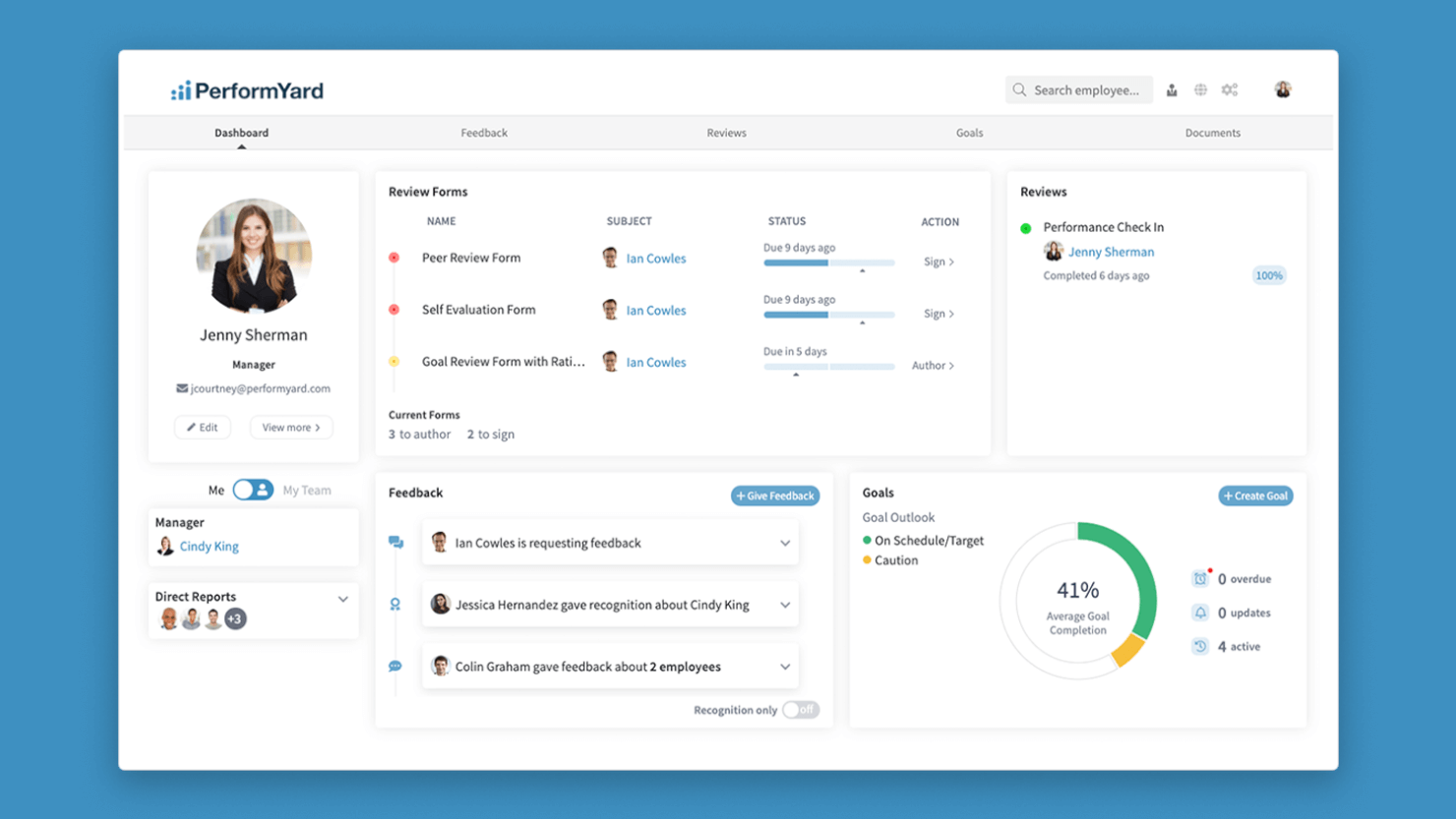
PerformYard gives HR teams and managers in growing organizations a centralized platform to run performance reviews, manage feedback, and track employee goals, helping you create a consistent and transparent evaluation process.
Who Is PerformYard Best For?
PerformYard is a good fit for HR teams at mid-sized companies that need a structured, repeatable approach to performance reviews and employee feedback.
Why I Picked PerformYard
PerformYard stands out because it simplifies performance management and reduces the burden on HR teams. I like how the platform lets you build fully customized review cycles—quarterly check-ins, annual reviews, project-based reviews—without rebuilding your process each time. The automated reminders and approval notifications mean I don't have to chase managers to complete forms. The AI review summaries pull key themes across multiple review forms, saving time when interpreting feedback at scale.
PerformYard Key Features
- 360-degree feedback: Collect structured input on employees from peers, direct reports, and managers within a single review cycle.
- Goal tracking: Set, monitor, and update individual or team goals directly within the platform and tie them to performance reviews.
- Continuous feedback: Share real-time recognition and feedback outside of formal review cycles to keep development ongoing.
- Performance reporting: Generate visual reports and dashboards that surface trends across teams, departments, or individuals.
PerformYard Integrations
Integrations include ADP, BambooHR, Gusto, Rippling, UKG, Workday, Paylocity, G Suite, Office 365, and Slack.
Pros and Cons
Pros:
- Bulk import options simplify employee onboarding
- Goal alignment tools connect objectives to reviews
- Flexible review cycles support multiple evaluation types
Cons:
- Limited options for customizing review workflows
- No built-in employee recognition features

Best for simple, comprehensive employee reviews
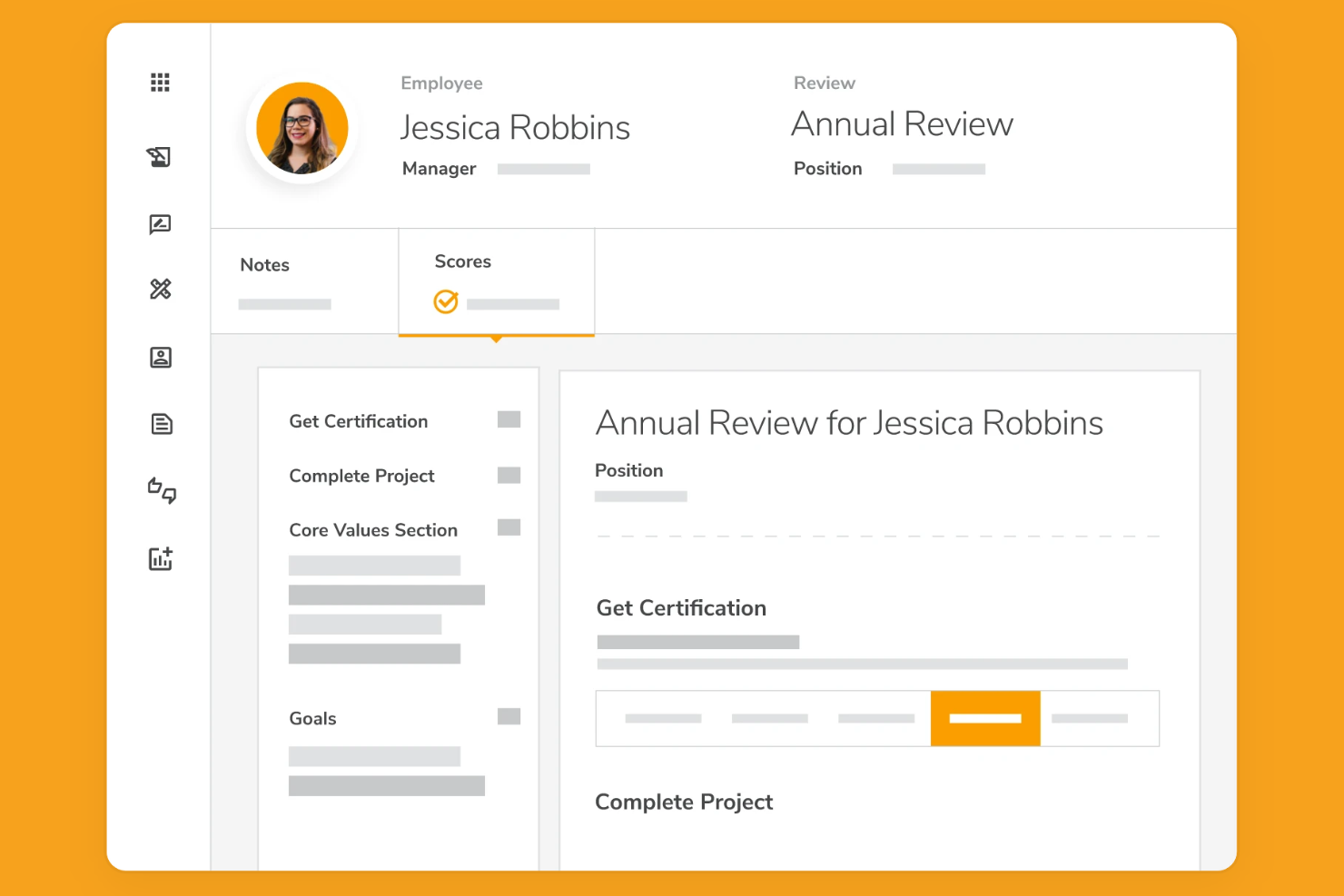
Mitratech Perform helps HR teams and managers in organizations of all sizes run structured employee performance reviews, track goals, and gather feedback to support ongoing employee development and recognition.
Who Is Mitratech Perform Best For?
Mitratech Perform is a good fit for mid-sized companies that want a straightforward way to manage performance reviews without a steep learning curve.
Why I Picked Mitratech Perform
Mitratech Perform earns its spot on my shortlist because it keeps the performance review process structured without overcomplicating it. I like how managers can build customizable review forms and set up automated review cycles, so nothing falls through the cracks when review season hits. My team is able to track goals alongside reviewing progress, which means performance conversations are grounded in actual data rather than gut feelings. The built-in recognition tools also make it easy to tie positive feedback directly to review outcomes.
Mitratech Perform Key Features
- 360-degree feedback: Collect performance input from peers, managers, and external contacts via a simple email invite, with configurable anonymity settings.
- Employee self-appraisals: Let employees reflect on and submit their own performance assessments as part of the formal review cycle.
- Engagement surveys: Send pulse surveys and polls to gauge workforce sentiment, with results broken down by department or question.
- Competency assessments: Assign role-specific competencies to employees so reviews are evaluated against defined expectations for each position.
Mitratech Perform Integrations
Integrations include ADP Workforce Now, Paylocity, BambooHR, SFTP, UKG Pro, Azure, Okta, Google Workspace, Slack, and Salesforce.
Pros and Cons
Pros:
- Managers get automated prompts and reminders for review tasks
- Review templates adapt to various cycles and job roles
- Lets you set cascading goals linked to business objectives
Cons:
- Some users find navigation less intuitive across modules
- Customisation scope is limited for very complex review workflows
Best for intuitive employee reviews

Primalogik is a performance management platform designed for HR teams and managers who want to simplify employee evaluations, gather 360-degree feedback, and support ongoing recognition and development in any organization.
Who Is Primalogik Best For?
Primalogik is a strong fit for small to mid-sized businesses looking for a straightforward way to run structured performance reviews without a steep learning curve.
Why I Picked Primalogik
Primalogik earns its spot on my shortlist because the review experience is clean and low-friction for both managers and employees. I particularly like the appraisal workflow builder, which lets you define the exact sequence of self-reviews and manager assessments before launching a cycle—so there's no confusion about who does what and when. The manager journal is another feature I find myself relying on: you can log private notes on team members throughout the year and pull them up directly while filling out a review, which makes evaluations more accurate and less dependent on recent memory. The built-in assessment bias report flags differences in how managers score across the organization, which is a useful check for HR teams trying to keep evaluations fair.
Primalogik Key Features
- Goal tracking in performance reviews: Primalogik automatically pulls each employee's active goals into their review form, displaying current status, deadlines, and completion percentages for direct evaluation.
- Anonymous employee surveys: Launch custom surveys across the full organization or targeted groups, with the option to collect anonymous responses to gather honest input on policies and workplace experience.
- Engagement analytics by segment: Break down survey results by location, team, and job type to identify engagement patterns across specific groups and compare results across cycles.
- 9-box grid visualization: Map employee performance against potential using a built-in 9-box grid to support talent planning and development conversations.
Primalogik Integrations
Integrations include Google Workspace, Microsoft Azure Active Directory, Okta, OneLogin, and Slack.
Pros and Cons
Pros:
- Goal tracking links performance to objectives
- Instant feedback tool encourages ongoing recognition
- Anonymous surveys support candid employee feedback
Cons:
- Limited options for customizing rating scales
- No built-in payroll or HRIS integration
Best for evaluation analytics tools

ThriveSparrow helps HR teams and managers in growing organizations run structured employee evaluations, gather actionable feedback, and recognize achievements, while improving tracking of performance trends and supporting ongoing development.
Who Is ThriveSparrow Best For?
ThriveSparrow is a strong fit for mid-sized companies that want a dedicated performance management platform with clear visibility into employee growth and review outcomes.
Why I Picked ThriveSparrow
ThriveSparrow earns its spot on my shortlist because of how much analytical depth it brings to the performance review process. I particularly like the heatmaps, which let you track performance trends across competencies and question-level scores in real time—so instead of waiting until the end of a review cycle to spot issues, you can see patterns as they develop. The organizational overview report pulls bell curves, performance summaries, and team-level data into a single view, improving how individual scores connect to broader workforce trends. The radar chart feature maps rater group insights against real workplace behaviors, helping you identify gaps between how employees see themselves and how others perceive them.
ThriveSparrow Key Features
- 360-degree feedback surveys: Collect structured input from peers, managers, and direct reports to build a full picture of each employee's performance.
- Personal development plans: Generate AI-powered growth plans tied to individual employee goals and review outcomes.
- One-on-one meeting tools: Set agendas, track action items, and link goals and feedback directly to recurring check-in conversations.
- Recognition and rewards (Vault): Send recognition tied to company values and automate reward delivery through a global gift card catalog.
ThriveSparrow Integrations
Integrations include BambooHR, ADP, Google, Microsoft Teams, and Bob.
Pros and Cons
Pros:
- Multilingual survey enables participation across regions
- Heat-map analytics help you spot engagement dips visually
- OKR tracker ties goals to business outcomes transparently
Cons:
- Interface simplicity may limit advanced customisation for large orgs
- Fewer integrations compared with large enterprise systems
Best for integrated Microsoft Teams reviews

Teamflect is built for organizations that rely on Microsoft Teams for daily collaboration and want to keep performance reviews within that same environment. It’s especially useful for HR teams and managers who need to run evaluations, feedback, and goal tracking without switching platforms. By embedding review workflows directly into Teams, Teamflect helps reduce friction and keeps employee evaluation processes visible and accessible.
Who is Teamflect Best For?
Department managers in organizations using Microsoft environments in mid-sized enterprises that run performance reviews within collaboration workflows.
Why I Picked Teamflect
For organizations that already use Microsoft Teams, Teamflect stands out by embedding employee evaluation tools directly into the Teams interface.
This integration means you can launch performance reviews, gather feedback, and set goals without leaving your main collaboration platform.
I like that Teamflect supports real-time feedback and recognition, making it easy to keep performance conversations ongoing.
This approach helps HR teams and managers keep evaluation processes visible and accessible right where work happens.
Teamflect Key Features
Some other features that make Teamflect useful for employee evaluation include:
- Customizable Review Templates: Create and modify review forms to match your organization’s evaluation criteria.
- 360-Degree Feedback Collection: Gather input from peers, direct reports, and managers within the same workflow.
- Automated Review Reminders: Schedule and send reminders to ensure reviews are completed on time.
- Analytics and Reporting Tools: Access dashboards and exportable reports to track performance trends and review completion rates.
Teamflect Integrations
Integrations include Microsoft Teams, Microsoft Outlook, Microsoft Power BI, Microsoft To Do, Microsoft Loop, Microsoft Power Automate, BambooHR, Gusto, HiBob, Paylocity, and QuickBooks Payroll.
Pros and Cons
Pros:
- Offers customizable review templates for different roles
- Supports 360-degree feedback from multiple sources
- Runs performance reviews directly inside Microsoft Teams
Cons:
- Lacks advanced calibration tools for review moderation
- Only works for organizations using Microsoft Teams


Express Evaluations is a performance review platform built for organizations that need structured, customizable employee evaluations and compliance-focused documentation to support ongoing performance management and recognition.
Who Is Express Evaluations Best For?
Express Evaluations is a strong fit for small businesses, government agencies, and non-profits that need a straightforward, affordable way to run structured employee performance reviews.
Why I Picked Express Evaluations
I picked Express Evaluations as one of the best because it's purpose-built for organizations where budgets are tight and HR teams are lean—exactly the reality for most small businesses, government agencies, and non-profits. I like that it covers the full evaluation cycle without overcomplicating things: custom evaluation templates, automated notifications, and digital signatures mean my team can run structured reviews without printing a single form or chasing people down manually. The performance improvement plan (PIP) tracking is also a feature I find genuinely useful, since documenting corrective action properly matters a lot in government and non-profit settings where accountability and recordkeeping are non-negotiable.
Express Evaluations Key Features
- Pulse surveys: Send short, recurring surveys to gauge employee sentiment and engagement between formal review cycles.
- Manager/employee check-ins: Conduct structured one-on-one meetings with optional ratings and notes logged directly in the platform.
- Employee goal tracking: Set, monitor, and align individual employee goals within the performance management workflow.
- 360-degree evaluation tool: Collect multi-rater feedback from peers, managers, and direct reports as part of the review process.
Express Evaluations Integrations
Integration includes Employee Navigator.
Pros and Cons
Pros:
- Supports document uploads within evaluation records
- Offers automated reminders for evaluation deadlines
- Designed for compliance with public sector standards
Cons:
- No mobile app for on-the-go access
- Limited native integrations with other HR systems
Leapsome
Best for performance, engagement, and learning

Leapsome brings together performance reviews, engagement surveys, and learning tools for HR teams and managers who want to drive employee growth, recognize achievements, and align development with business goals.
Who Is Leapsome Best For?
Leapsome is a strong fit for mid-size to enterprise HR teams that want a single platform to manage performance, run engagement surveys, and support employee learning.
Why I Picked Leapsome
Leapsome earns its spot on my shortlist because it ties performance, engagement, and learning together in a way that most standalone review tools simply don't. I like that when a review cycle surfaces a skill gap, I can immediately assign a targeted learning path from within the same platform—no switching tools or manually tracking follow-ups. The AI Review Assistant is also genuinely useful: it drafts evidence-based feedback using goal progress, peer input, and past review data, which helps managers write more consistent, less biased evaluations. Engagement surveys connect directly to performance data, so I can see if low engagement scores cluster around particular teams or performance levels.
Leapsome Key Features
- 360-degree feedback: Collect structured input from peers, direct reports, and managers as part of any review cycle.
- Goal and OKR tracking: Set, update, and monitor individual and team goals that feed directly into performance reviews.
- Recognition and praise: Send public or private recognition to colleagues, tied to company values.
- 1-on-1 meeting agendas: Create structured meeting templates that pull in goals, feedback, and action items automatically.
Leapsome Integrations
Integrations include Slack, Microsoft Teams, Jira, BambooHR, Workday, Greenhouse, ADP Workforce Now, Personio, HiBob, and Okta.
Pros and Cons
Pros:
- Review cycles are fully customizable by admins
- Feedback can be shared instantly across teams
- Competency frameworks support role-specific evaluations
Cons:
- No built-in compensation management features
- Calibration tools require manual setup each cycle

Best for 1:1 mentoring
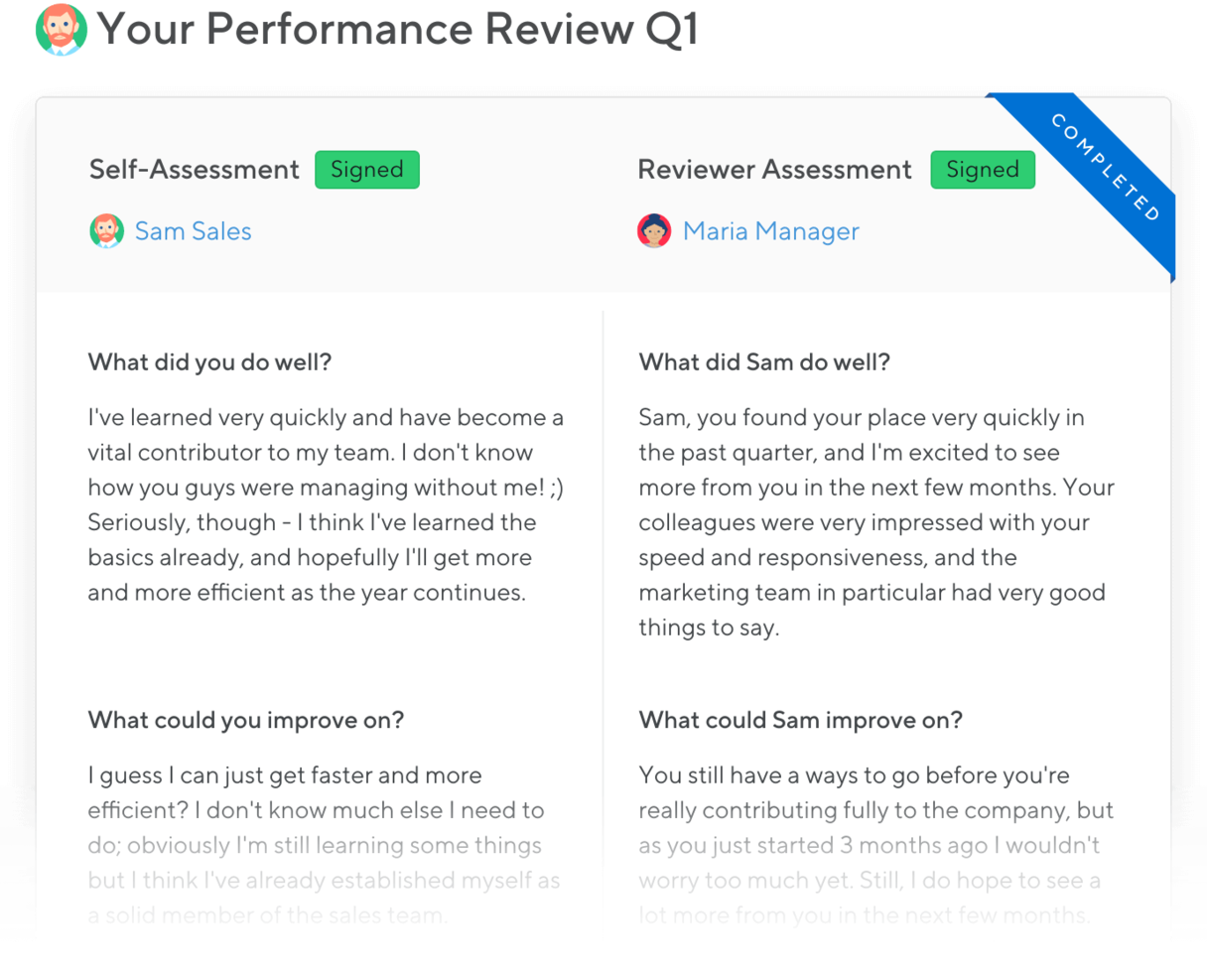
Small Improvements is a cloud-based performance management platform designed to help teams manage feedback, reviews, and goal-setting throughout the year. The platform supports functionality such as performance reviews, 360° feedback, objectives tracking and regular check-ins.
Why I picked Small Improvements: I picked Small Improvements because it places heavy emphasis on the one-to-one meeting process, making it easy for you and your team to manage mentor-style check-ins rather than purely formal reviews. For example, its “1:1 Meetings” module lets both manager and individual add talking points, record meeting notes and assign follow-up action items.
You’ll find its objectives tool links back to those meetings so you can track how goals are discussed over time. And its continuous feedback tools like “Praise” and pulse surveys support you in maintaining regular two-way dialogue, not just annual check-ins.
Small Improvements Standout Features and Integrations:
Features include a meeting agenda builder for your 1:1s that both parties can contribute to, a notes and action-item tracker for those meetings, and the ability to run lightweight pulse surveys to gauge how your team is feeling over time.
Integrations include BambooHR, Slack, Google Workspace, Okta, Personio, Rippling, OneLogin, Google Calendar and Sapling.

Workable HR
Best for customizable review cycles

Workable HR gives HR teams and managers a flexible platform to manage employee performance reviews, track progress, and gather feedback, helping organizations of all sizes create structured and transparent evaluation processes.
Who Is Workable HR Best For?
Workable HR is a strong fit for growing mid-sized companies that need a single platform to handle both hiring and employee performance management.
Why I Picked Workable HR
I picked Workable HR as one of the best because of how much control it gives you over the structure of your review cycles. You can build templates from scratch, use different question sets for different teams, customize rating scales, and even let managers tweak templates for their direct reports before a cycle kicks off. I like that you can define start and end dates for every stage of the process, so the system handles automated notifications through email, Slack, and mobile without any manual follow-up. The 360-degree review setup is also genuinely flexible—you choose which review types to include (self, peer, upward, or manager), and employees can nominate their own peers during the preparation phase.
Workable HR Key Features
- Goal tracking: Set and monitor individual or team goals directly within the platform, with progress visible to both employees and managers throughout the review cycle.
- Self-service employee portal: Employees can access their own HR data, review history, and company documents without needing to go through HR.
- Custom reporting: Build performance reports from any metric, filter by any field, and export or schedule them for stakeholder sharing.
- Digital document management: Store, distribute, and track review-related documents with e-signatures and automated reminders from a central hub.
Workable HR Integrations
Integrations include BambooHR, Indeed, Microsoft 365, and Xero.
Pros and Cons
Pros:
- Progress tracking shows real-time review completion
- Automated reminders help keep review cycles on track
- Review templates cover multiple evaluation scenarios
Cons:
- Lacks native integrations with HRIS platforms
- No built-in analytics for performance trends
Other Employee Evaluation Software
Here are a few more options that didn’t make into the best employee evaluation software shortlist, but are still worth taking a look at:
- Effy AI
For AI-first employee evaluations in SMBs
- LutherOne
For structured evaluations
- iSpring LMS
For skill-based competency assessments
- Kudos
Points-for-gifts recognition system
- Lattice
For consistent 360-degree feedback
- Culture Amp
For honest, anonymous surveys
- Workleap
For data-driven performance management
- eloomi
For ease of use
- Workleap
For flexible performance reviews
- Cornerstone OnDemand
For visual reports
- Synergita
Results-focused OKRs
- Sage HR
For quick feedback
- Trinet
For combined software and services
- AssessTEAM
For detailed performance reports
- Huckleberry
For voice-driven evaluations
- Deel HR
For performance reviews across time zones
- BambooHR®
For easy goal tracking
- Peoplebox.ai
For Slack and MS Teams
- Connecteam
For rewarding high performance
- ClearCo
For tracking feedback and engagement


Related HR Software Reviews
If you still haven't found what you're looking for here, check out these other related tools that we've tested and evaluated:
- HR Software
- Payroll Software
- Recruiting Software
- Employer of Record Services
- Applicant Tracking Systems
- Workforce Management Software
How I Evaluate Employee Evaluation Software
I split my evaluation into two layers: the baseline capabilities a tool must have—like configurable review cycles and 360 feedback—and the differentiators that separate good tools from great ones.
Core Functionality (Table Stakes For This List)
When I'm selecting tools for my list, I rank each one on a scale from 0 (does not offer the functionality) to 5 (excels in this area) for each core functionality listed below. Then, I calculate the tool's total score into a percentage. Each tool needs to achieve a minimum total score of 75% to be considered for inclusion.
- Performance Review Workflows: I evaluate whether you can configure review cycles, templates, and rating scales to match your cadence—whether that's quarterly check-ins or annual appraisals with multi-step approvals.
- 360-Degree Feedback: Collecting input from peers, managers, and direct reports matters, so I look for flexible reviewer nomination, anonymity controls, and custom question sets.
- Goal & OKR Management: I check whether the tool lets you cascade goals across teams, track progress in real time, and pull goal completion data directly into performance reviews.
- Competency & Skills Assessment: Strong tools offer role-based competency frameworks with defined proficiency levels, so managers can rate employees against clear expectations rather than gut feeling.
- Reporting & Performance Analytics: I look for dashboards that go beyond raw scores—things like 9-box grids, rating distribution views, and trend analysis that help HR leaders spot patterns across departments.
- Continuous Feedback & 1:1s: Between formal review cycles, I evaluate whether the platform supports structured 1:1 agendas, real-time feedback sharing, and coaching prompts that keep conversations going year-round.
Once I have a list of tools that meet the criteria, I consider what sets each platform apart.
Differentiating Factors (What Sets Vendors Apart)
Here's how I compare and contrast different vendors:
Standout Features
Calibration tools make a real difference. I look for platforms that let HR run calibration sessions with rating distribution views, so managers across departments apply consistent standards. AI-powered review assistance is another differentiator—tools that help managers draft summaries or flag biased language save hours during review season. I also evaluate whether a platform connects evaluation outcomes to individual development plans, linking identified competency gaps directly to learning paths or career progression frameworks.
Beyond Features
HRIS integration is a big one. I check whether the platform syncs employee data with systems like Workday, BambooHR, or ADP, since manual data entry during review season creates errors and delays. Compliance also matters—performance reviews contain sensitive information, so I evaluate whether vendors offer role-based access controls, audit logs, and SOC 2 compliance. Implementation support rounds things out. I consider onboarding timelines and whether the vendor provides prebuilt templates to help you launch your first review cycle quickly.
How to Choose Employee Evaluation Software
When selecting employee evaluation software, the right choice depends on your team's unique needs. Here are a few key considerations to guide your decision:
- What problems are you trying to solve?
Start by identifying the core challenges you're facing with employee evaluations. Are reviews inconsistent or time-consuming? Are feedback cycles unclear or untracked? Clarifying these pain points will help you zero in on features that offer the most impact—like automation, real-time feedback, or customizable templates. - Who will use the software?
Think about who needs access—and how they'll use the tool. Once you map out your users, rank their needs. What do managers need most? What features will help employees engage with the process? Prioritizing your user groups will ensure the tool works well across the board. - What is your budget?
To estimate costs, evaluate your current headcount and growth projections. Since most platforms charge per user per month, understanding your team size over time helps you anticipate long-term costs—and avoid surprises later. - What software integrations do you need?
Will this tool replace another, or work alongside your existing systems? Look for integrations with your HRIS, LMS, or communication tools like Slack or Microsoft Teams. Seamless connections save time and keep your workflows running smoothly. - What outcomes are important and how will you measure success?
It’s easy to get caught up comparing feature lists. But before diving into demos, define what success looks like. Do you want to streamline reviews? Improve employee engagement? Enable better data-driven decisions? Having a clear vision of your desired outcomes upfront will keep your selection process focused and productive. - Does it align with your tech stack and workflows?
Check compatibility with the systems you already use—like Google Workspace or Microsoft 365. Also consider whether the platform offers mobile performance review apps or self-service portals to keep the user experience simple for employees and managers alike.
At the end of the day, the best employee evaluation software is the one that fits your people, your processes, and your goals. Don’t be swayed by popularity—go with what works best for your organization.
AI is starting to make a big impact in HR, especially in things like talent acquisition and performance reviews, but you need to be careful about how much you rely on it.

Trends in Employee Evaluation Software
In recent years, the way businesses measure performance and conduct employee evaluations has changed significantly. With the emphasis shifting toward growth-centered, frequent, and holistic assessments, employee evaluation software has been evolving to keep pace.
Here are several key trends that are shaping employee evaluation tools currently:
- More Frequent and Flexible Performance Discussions: As businesses move away from annual reviews to continuous performance management, employee evaluation software increasingly supports frequent check-ins, 1-on-1 meeting management, and structured feedback cycles to provide timely, impactful feedback that drives rapid skill development and alignment with company goals.
- 360-Degree Feedback for Holistic Assessments: With the rise of 360-degree feedback, tools now offer expanded capabilities for gathering insights from various sources, including peers and clients, and templates for evaluating soft skills. This trend supports a more inclusive view of performance that values collaboration and reduces competitive behaviors.
- AI-Driven Predictive Analytics: AI-powered features in employee evaluation software now offer predictive insights that help managers proactively identify growth opportunities and anticipate performance trends.
- Strengths-Based Development: Moving beyond traditional performance management models, many organizations are adopting strengths-based evaluations that highlight employee skills and contributions. New software features, like skills mapping and recognition tools, help reinforce a positive feedback culture, shown to increase engagement and productivity.
- Integrated Learning Management Systems (LMS): To create a continuous growth ecosystem, more platforms now offer LMS integrations that connect evaluations with training resources, enabling seamless transitions between performance feedback and skill development.
- Gamification for Engagement and Skill Development: New gamification features, such as badges, leaderboards, and rewards, make skill-building more engaging and enjoyable, driving a culture of continuous improvement and motivation within the workplace.
- Decline of Traditional Annual Appraisals: As continuous feedback becomes the norm, annual appraisals are becoming less relevant, with many software platforms focusing on flexible performance tracking systems that better support real-time development needs in fast-paced business environments.
These trends reflect a shift towards agile, growth-oriented, and data-driven employee evaluation practices that are increasingly essential for today’s organizations.
Integrating these trends into your employee evaluation process—and tapping into the new feature suites that facilitate them—helps you not just conduct evaluations more effectively, but also provide more impactful feedback, drive engagement, and improve retention.
Some parts of the performance review that are data-driven can be assessed by AI, but interpersonal and soft skills require a human touch. Performance management is more than just the review itself—it’s about ongoing one-on-ones, managing relationships, and motivating employees.

What is Employee Evaluation Software?
Employee evaluation software is a performance management tool that helps HR teams assess, track, and improve employee performance through structured reviews and feedback.
It’s used by HR professionals and team leads to streamline performance appraisals, automate feedback collection, and align individual goals with company objectives—eliminating manual processes and reducing missed reviews.
Performance management creates a roadmap and helps align employee goals with organizational objectives. It’s a motivator and critical for career progression.
Features of Employee Evaluation Software
When selecting employee evaluation software, keep an eye out for the following key features:
- Customizable evaluation templates: These let you tailor performance review forms to match your company’s unique criteria and roles. By customizing templates, you make sure evaluations actually reflect what matters most to you and your team.
- 360-degree feedback: This feature gathers insights from colleagues, direct reports, and managers, so you get a more well-rounded picture of employee performance. It’s a handy way to catch strengths and opportunities from every angle, not just top-down.
- Goal and objective tracking: Here’s where you set, monitor, and measure employee goals in one spot. This helps everyone stay focused and maps progress over time, making it easier to spot if someone’s knocking it out of the park—or needs a helping hand.
- Automated reminders and notifications: No more chasing people down for reviews. These reminders prompt managers and employees when it’s time to complete evaluations, helping everyone keep things on schedule and stress-free.
- Reporting and analytics: Get clear, visual reports on performance trends, strengths, and growth areas. Analytics turn a pile of feedback into real insights, so you can actually act on what you learn.
- Integration capabilities: Connect the software with your existing HR systems, calendar tools, or communication platforms. Seamless integrations save everyone from double-entry headaches and keep all your people-data in sync.
- Self-assessment tools: Allow employees to reflect on their own performance as part of the review process. Self-assessments can spark more honest conversations and give managers fresh insights they might not have spotted.
Common Employee Evaluation Software AI Features
Beyond the standard employee evaluation software features listed above, many of these solutions are incorporating AI with features like:
- Automated bias detection: AI can flag inconsistencies or biased language in evaluations, helping you create fairer, more objective performance reviews for everyone.
- Automated performance analysis: AI can assess data from multiple sources and highlight key trends, strengths, and areas for improvement automatically. This means you spend less time crunching numbers and more time having meaningful conversations.
- Sentiment analysis: With this feature, AI interprets the tone and mood in feedback comments, helping you spot morale issues or emerging talent before they’re obvious to the human eye.
- Predictive talent management: AI looks ahead, identifying employees who might be ready for promotions or those at risk of disengagement based on performance patterns. It helps you get proactive with your people strategy.
- Personalized development recommendations: Based on an individual’s evaluation results, AI suggests tailored learning paths, resources, or coaching opportunities, giving each employee a nudge in the right direction.
Benefits of Employee Evaluation Software
Employee evaluation software offers a structured approach to assessing, tracking, and enhancing employee performance over time.
By automating and streamlining the evaluation process, organizations can focus more on strategic development and less on administrative tasks. Below are five primary benefits of leveraging employee evaluation software for users and organizations.
- Enhanced Performance Tracking: This software provides a systematic way to monitor and record employee performance continuously. It benefits the business by offering real-time insights into workforce productivity, enabling timely interventions and adjustments to meet organizational goals.
- Streamlined Evaluation Process: Automating the evaluation process reduces the administrative burden on HR and management teams. This efficiency allows for more frequent and consistent performance assessments, leading to a clearer understanding of employee capabilities and areas for improvement.
- Objective Feedback and Analysis: Employee evaluation software facilitates unbiased performance reviews by relying on data and established metrics. This objectivity helps in making fair and informed decisions regarding promotions, compensations, and development opportunities, ultimately benefiting the organization's culture and employee morale.
- Goal Alignment and Tracking: The software ensures individual employee goals are aligned with the organization's objectives. This alignment clarifies expectations for employees, driving engagement and productivity by providing a clear sense of direction and purpose.
- Personalized Development Plans: By identifying strengths and areas for improvement, the software enables the creation of tailored development plans for each employee. This personalized approach supports employee growth and retention, contributing to a skilled and motivated workforce.
Employee evaluation software represents a transformative investment for businesses keen on nurturing a high-performance culture. For organizations looking to thrive in competitive markets, adopting such a system could very well be the stepping stone to achieving outstanding workforce productivity and satisfaction.
Costs & Pricing for Employee Evaluation Software
These software solutions come in various plans and pricing to fit the diverse needs and budgets of different organizations. Understanding what each plan offers is key to selecting the right one for your business's specific requirements.
Plan Comparison Table for Employee Evaluation Software
Below is a table that outlines the pricing and plan structures for employee evaluation software, designed to help you compare your options at a glance.
| Plan Type | Average Price | Common Features |
|---|---|---|
| Free | $0 | Basic performance tracking, access for a limited number of users, and basic evaluations |
| Basic | $5-10 per user/month | Enhanced performance tracking, customizable evaluations, real-time feedback, and basic analytics |
| Professional | $10-20 per user/month | All Basic features plus goal setting and tracking, 360-degree feedback, advanced analytics, and basic software integrations |
| Enterprise | Custom pricing | All Professional features plus unlimited evaluations and users, priority support, and custom integrations |
When choosing a plan, consider both the immediate and long-term needs of your organization. The right plan should fit your current budget and support your company's growth and evolving performance evaluation requirements.
While it's understandable that you may want to start with a free or basic plan initially, there are several reasons why you may want to opt for a more advanced plan, including:
- Growth in Employee Numbers: Many basic plans limit the number of admin users and employee accounts you can have. However, a more advanced plan can accommodate higher staff numbers and handle a larger volume of evaluations.
- Advanced Evaluation Tools: More advanced plans typically offer more thorough tools for employee evaluations, including continuous feedback and 360-degree feedback tools. These are worth paying more for since richer evaluations will help you track and foster more meaningful employee development plans, contributing to higher engagement and improved retention rates.
- Enhanced Reporting Needs: Basic plans often offer limited reporting options and zero analytics, whereas advanced plans offer sophisticated reporting features, helping you identify trends and gain deeper insights into employee performance.
- Customization Requirements: A premium plan offers greater customization options, enabling you to tailor evaluation processes to better fit your company's unique needs and goals.
- Integration with Other Systems: Integration abilities are usually quite limited or nonexistent in free or basic plans. However, integrating your evaluation software with your HR management system does help improve data synchronization and reduce manual data entry — worth paying a little extra for, in my opinion!
Ultimately, it's important to secure a plan that offers the features you require to satisfy your current needs and solve your challenges without exceeding your budget.
FAQs About Employee Evaluations and Performance Reviews
Looking for more information about performance review software, and how to assess employee performance? Here are a few answers to common questions:
What integrations should I look for in employee evaluation software?
Look for integrations with your core HRIS (like Workday or BambooHR), payroll, and communication tools such as Slack or Microsoft Teams. These connections let you centralize employee data, automate notifications, and streamline workflows.
If you use separate systems for learning management or broader performance management, check that your evaluation software can sync data for seamless reporting. Open APIs are also useful if you want to build custom integrations for your team.
How does AI improve employee evaluation processes?
AI can streamline performance reviews by analyzing feedback, highlighting patterns in employee performance, and suggesting actionable insights. Many platforms now use AI to detect bias in reviews, automate reminders, and recommend training or development paths. When you use AI-powered tools, you save time and ensure a more data-driven, fair evaluation experience.
What reporting or analytics features should I expect from modern employee evaluation platforms?
Expect dashboards that track performance trends, goal completion rates, and feedback participation. Leading tools offer customizable, exportable reports and visual analytics that let you segment by department, manager, or role. These insights help you identify high performers, spot gaps in engagement, and make informed decisions to support growth and retention.
How often should you evaluate employees?
You should evaluate employees at least once a year, but many companies find quarterly or ongoing check-ins work better. More frequent reviews help you address issues early, keep employees aligned on goals, and foster stronger engagement. Look for software that can automate reminders and support flexible review cycles.
How can you ensure an employee review is unbiased?
You can reduce bias in performance reviews by using objective criteria, multi-rater feedback (like 360 reviews), and standardized forms. Many platforms include built-in tools to flag subjective language or recommend consistent rating scales. Training managers and using anonymized surveys can further help keep evaluations fair.
Additionally, focusing on data-driven insights—like performance metrics or goal completion rates—ensures reviews are based on tangible results rather than personal impressions.
Can employee evaluations improve employee engagement and retention?
Yes, regular and constructive employee evaluations help build trust, clarify expectations, and support employee growth. When you provide actionable feedback and connect evaluations with development plans, you boost engagement and increase your chances of retaining top talent. The right platform makes it easy to track progress and celebrate achievements.
In fact, research by Gallup shows that teams in which 90% of employees are aware of their strengths experience significantly higher engagement, resulting in 81% lower absenteeism, 18% higher sales, and 23% higher profitability.
These impressive results demonstrate why more businesses are adopting strengths-based evaluation models. These models go beyond traditional performance assessments to support practices like:
- Conducting employee skills evaluations for both hard skills and soft skills to better understand the strengths each person brings to the team.
- Mapping skills gaps across the organization to seek out new hires who possess essential strengths that will contribute to the success of the business.
- Implementing employee recognition platforms and rewards programs to encourage a culture of continuous appreciation.
By creating an environment where employees feel valued for their strengths and contributions, organizations can cultivate a loyal, motivated workforce that’s invested in the company’s long-term success, improving both engagement and retention.
How does employee evaluation software support holistic performance management?
Many solutions go beyond ratings by enabling ongoing feedback, coaching, and development tracking. These tools help managers recognize strengths and address areas for improvement with a whole-person approach. Features like continuous feedback, pulse surveys, and personal development plans support a more holistic view of each employee’s contributions.
Other elements of holistic performance management include personal strengths, alignment with company values, interpersonal skills, and potential for growth. This well-rounded view supports both professional development and personal well-being.
How can you use employee evaluations to connect individual goals with company-wide objectives?
Choose software that allows you to link personal goals to team or business objectives directly within the platform. Clear goal alignment helps employees see how their work ties to bigger outcomes. The best tools offer visual goal maps or OKR tracking to keep everyone focused and on the same page.
Another option is to use OKR software, which helps map out company-wide objectives and cascades them into actionable, measurable goals for teams and individuals.
During evaluations, managers can use the OKR framework to review progress against goals, identify areas of alignment or misalignment, and collaboratively plan next steps for development. This ensures that employees understand how their efforts contribute to larger business outcomes, boosting engagement and motivation.
What type of security measures do employee evaluation systems offer?
Most reputable platforms use data encryption (for data both in transit and at rest), role-based permissions, and regular security audits to protect sensitive employee information. Some also offer two-factor authentication and compliance with regulations like GDPR, SOC 2, or ISO 27001 to ensure data protection. Ask software vendors for details about how they keep your team’s data safe.
What’s the best way to conduct an employee evaluation?
The best way to conduct an employee evaluation is to use a structured, consistent process supported by software. Start by setting clear criteria and goals, gather feedback from relevant sources, and use standardized forms to reduce bias. Schedule regular one-on-one meetings to discuss results, highlight strengths, and address growth areas. Good software automates reminders, collects feedback, and tracks progress, making the process transparent and efficient for everyone involved.
What's the difference between an employee evaluation and a performance appraisal?
A performance appraisal and an employee evaluation are closely related but have distinct purposes and scopes in assessing an employee's work. Here’s a breakdown of their differences:
| Employee Evaluation | Performance Appraisal | |
| Purpose and Scope | A broader review that can cover performance, skills, behavior, and job fit. May occur more frequently and considers areas like teamwork and potential. | Reviews job performance over a set period (typically yearly). Focuses on achievements, goals, and KPIs for raises, promotions, or development. |
| Formality and Frequency | Can be formal or informal, with feedback more regularly to allow adjustments. | Formal, structured, usually annual or semi-annual with specific forms and scoring. |
| Main Focus | More focused on growth, identifying strengths and areas to improve, often used for personal development. | Emphasizes accountability, providing feedback on past goals to support decisions on salary or promotion. |
| Outcome and Use | Helps employees understand strengths and weaknesses, leading to training or mentoring rather than immediate role changes. | Impacts career path, including raises, bonuses, or corrective action. |
In short, performance appraisals are a specific type of employee evaluation focused on past performance and accountability, while employee evaluations are broader and can be more frequent, aiming to support growth and development.
How can you ensure smooth implementation for employee evaluation software?
Start by involving key stakeholders early and clarifying your goals for the new tool. Choose a platform that offers strong onboarding, training, and responsive customer support. Rolling out the software in phases and getting regular feedback from managers and employees can help you address any issues quickly and maximize adoption.
To make the transition smoother:
- Provide training and support – Offer onboarding sessions, tutorials, and user guides to help employees get comfortable with the system.
- Start with a pilot program – Test the software with a small group before a full rollout to identify potential challenges.
- Automate where possible – Leverage built-in workflows, reminders, and integrations to reduce manual effort.
- Monitor and adapt – Gather feedback from users and make adjustments as needed to optimize usage and engagement.
By taking a structured approach, you can ensure your team embraces the new system and maximizes its benefits.
The number one mistake in establishing a high-performance culture is failing to communicate adequately before implementing a new process. Employees often feel blindsided by unexpected evaluation criteria.

Improve Your Organization’s Culture With Employee Evaluation Software
Employee evaluations help your employees work better together. According to Sheila Heen, lecturer at Harvard Law School, feedback should communicate three things: “appreciation (I can see you — what you do matters), coaching (helping you get better through advice and mentoring), and evaluation (how you are rated or ranked against a set of standards).”
The software solutions I included on this list help you achieve these goals with ease. They enable you to run surveys, set goals, praise high-performing individuals, and coach team members who can improve different aspects of their work. I hope that, after reading this article, you found a tool that can help you improve your feedback processes so you can make your organization stronger.
Additional Resources
Interested in other ways you can ramp up your employee performance evaluations? Here are some other resources I also recommend:
What About Corporate Performance Evaluations?
If you're looking to address performance management at the enterprise level, we can help with that too. Take a look at our list of the best enterprise performance management (EPM) software. Or, for more information on managing project-specific resources, visit our Digital Project Manager site to learn more about the best resource management tools instead.