

10 Best Free HR Software of 2026 for SMBs on a Budget

Best Free HR Software Shortlist


The best free HR software helps you streamline core HR tasks—like recruiting, payroll, time tracking, and benefits management—without spending a dime or sacrificing quality.
Whether you're upgrading from clunky legacy tools or still relying on spreadsheets, free HR software can simplify your workload, reduce errors, and keep your team compliant and organized as you grow.
Many HR professionals struggle to find affordable tools that don’t cut corners or overload them with features they don’t need. That’s why I’ve created this guide—to help you find free platforms that actually work, support your workflows, and free up time to focus on what matters most: your people.
With years of experience testing and implementing HR solutions, I’ve reviewed dozens of platforms to pinpoint the best free HR software on the market today. Whether you’re a solo HR pro at a startup, or part of a lean team in a scaling company, this list will help you make confident, cost-conscious decisions, without compromising on performance or functionality.
Why Trust Our Software Recommendations
Our team has been testing and reviewing software since 2012. As HR experts ourselves, we know how difficult—and important—it is to choose the right software.
For this guide, we evaluated tools using hands-on testing and independent research, scoring tools using our selection criteria. We also draw on insights from industry thought leaders and practicing HR experts.
Our reviews reflect our human editorial judgment, not a sales pitch.
Expert reviewers:
Free HR Software Comparison Table
This comparison table summarizes basic details for my top HR software selections.
| Tool | Best For | Trial Info | Price | ||
|---|---|---|---|---|---|
| 1 | Best for HR, scheduling & time tracking | 14-day free trial | From $29/month (billed annually) | Website | |
| 2 | Best for customizable video interviewing | 30-day free trial | From $75/month | Website | |
| 3 | Best for automated performance review reminders | 30-day free trial + free demo available | From $2.50/user/month (billed annually) | Website | |
| 4 | Best for scalability | 30-day free trial | From $1.50/user/month | Website | |
| 5 | Best for customizable apps and workflows | 30-day free trial | From $15/user/month (billed annually) | Website | |
| 6 | Best for employee performance management | Free plan available OR 30-day free trial | Pricing upon request | Website | |
| 7 | Best for digital document management | Free plan for 6 months (up to 4 users) + 14-day free trial | From $6/employee/month | Website | |
| 8 | Best free open-source HR software | 15-day free trial + free demo available | From $49/month (billed annually) | Website | |
| 9 | Best for iOS and Android | Free plan available (up to 4 employees) | From $2/employee/month | Website | |
| 10 | Best for unified talent and skills data | 30-day free trial | Pricing upon request | Website |
Best Free HR Software Reviews
Below, you’ll find my top picks for free HR software, each one reviewed with a focus on standout features, ideal use cases, integrations, and exactly what’s included in the free plan. I’ve also explained why each tool made the list to help you quickly find the right fit for your team.

Best for HR, scheduling & time tracking
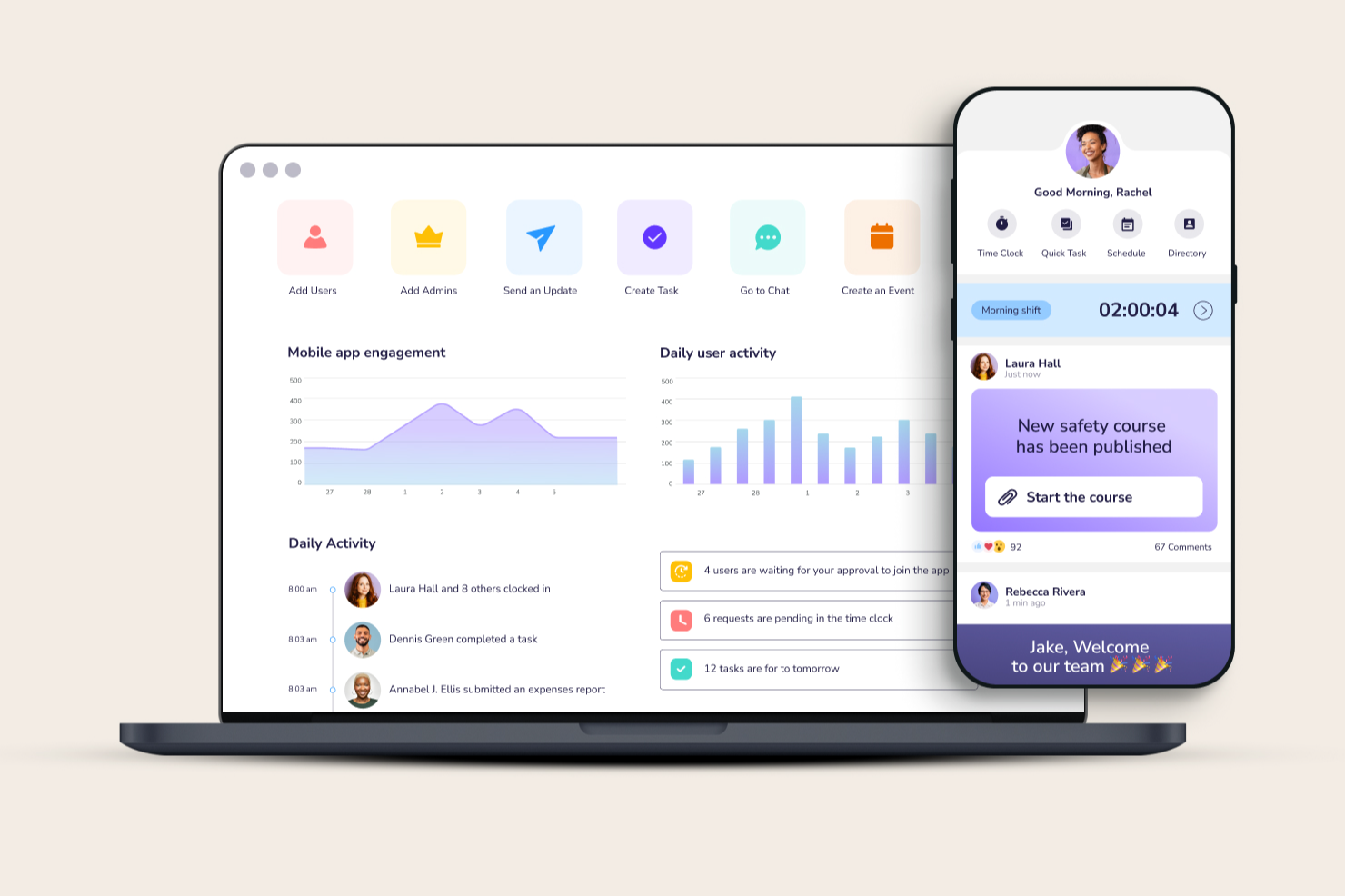
Connecteam is built for small to medium-sized businesses, especially those with remote or front-line teams who need a single app to track their time, manage tasks and docs, and stay connected. If your team is mobile, onsite or spread across locations, this tool gives you a hub to keep all your people aligned.
Why I Picked Connecteam
I picked Connecteam because it helps you bring your non-desk workforce into one place by combining mobile time-tracking, scheduling and communication features that are often scattered across multiple tools.
You can let your employees clock in via mobile (with geo-fencing if needed) while you monitor who’s working, where and for how long, so payroll is easier to handle. I like how you can build custom checklists and digital forms for tasks or compliance in the field, letting your team complete work and you review it on the go.
It keeps your core HR processes e.g. training, document storage and time-off requests in the same app, and it’s especially useful for teams that shift between jobsites or have many mobile workers, since everything happens on their phone.
Connecteam Key Features
Here are some standout features worth highlighting:
- Mobile Time Clock: Employees can clock in/out via smartphone with GPS or kiosk mode to ensure accurate hours and locations.
- Smart Scheduling: Build, edit and share shifts from one place while seeing availability, qualifications and swap requests.
- Digital Forms & Checklists: Create mobile forms, attach photos, e-signatures or checklists to tasks so work gets done and logged in real time.
- HR Hub: A unified space for training courses, document storage, recognition and time-off management so HR operations are centralized.
Connecteam Integrations
Integrations include Xero, QuickBooks, Gusto, Paychex, BambooHR, Square (POS), Zapier and Microsoft Azure AD/SSO.
Pros and Cons
Pros:
- Custom forms/checklists reduce paper and manual logs
- Scheduling works across locations and mobile devices
- Mobile time-tracking with geo-fencing suits field teams
Cons:
- Fewer deep customisation options compared to high-end HR systems
- Reporting and analytics capabilities less advanced than some competitors
New Product Updates from Connecteam

Connecteam Expands Break and Timesheet Controls
Connecteam adds flexible break thresholds, personalized policies, auto-end options, a centralized exceptions report, and improved timesheet issue visibility to help teams manage breaks and timesheets more effectively. For more information, visit Connecteam’s official site.
 .
.
Hireflix
Best for customizable video interviewing

Hireflix is built for teams that need to screen large applicant pools quickly using one-way video interviews. It helps you collect consistent candidate responses without the back-and-forth of scheduling, making it a strong fit for high-volume or time-pressed hiring teams.
Why I Picked Hireflix
I picked Hireflix because it gives you a simple way to run structured video interviews without coordinating live calls. You can create custom question sets, record or type your prompts, and let candidates respond whenever works for them, helping you compare applicants fairly while reducing early-stage admin work.
I also like that Hireflix lets you invite candidates in bulk, which is especially useful when you’re hiring for multiple roles or seasonal positions. Plus, the ability to share responses with teammates means your hiring decisions stay consistent across the process.
Hireflix Key Features
Here are some standout features worth highlighting:
- Automated Reminders: Sends follow-up prompts so candidates complete interviews on time.
- Team Review Sharing: Lets colleagues watch and rate responses in one place.
- Multi-Language Support: Accommodates candidates in different regions.
- Bulk Invitations: Helps you manage large applicant volumes efficiently.
Hireflix Integrations
Integrations include Lever, BambooHR, Teamtailor, Greenhouse, Zoho Recruit, JazzHR, SmartRecruiters, Ashby, Workable, Loxo, and Recruitee.
Pros and Cons
Pros:
- Customizable question sets support structured assessments
- Automated reminders lower candidate drop-off
- Bulk interview invites reduce early-stage scheduling work
Cons:
- No mobile app for conducting admin tasks
- No broader HR tools like payroll or workforce data

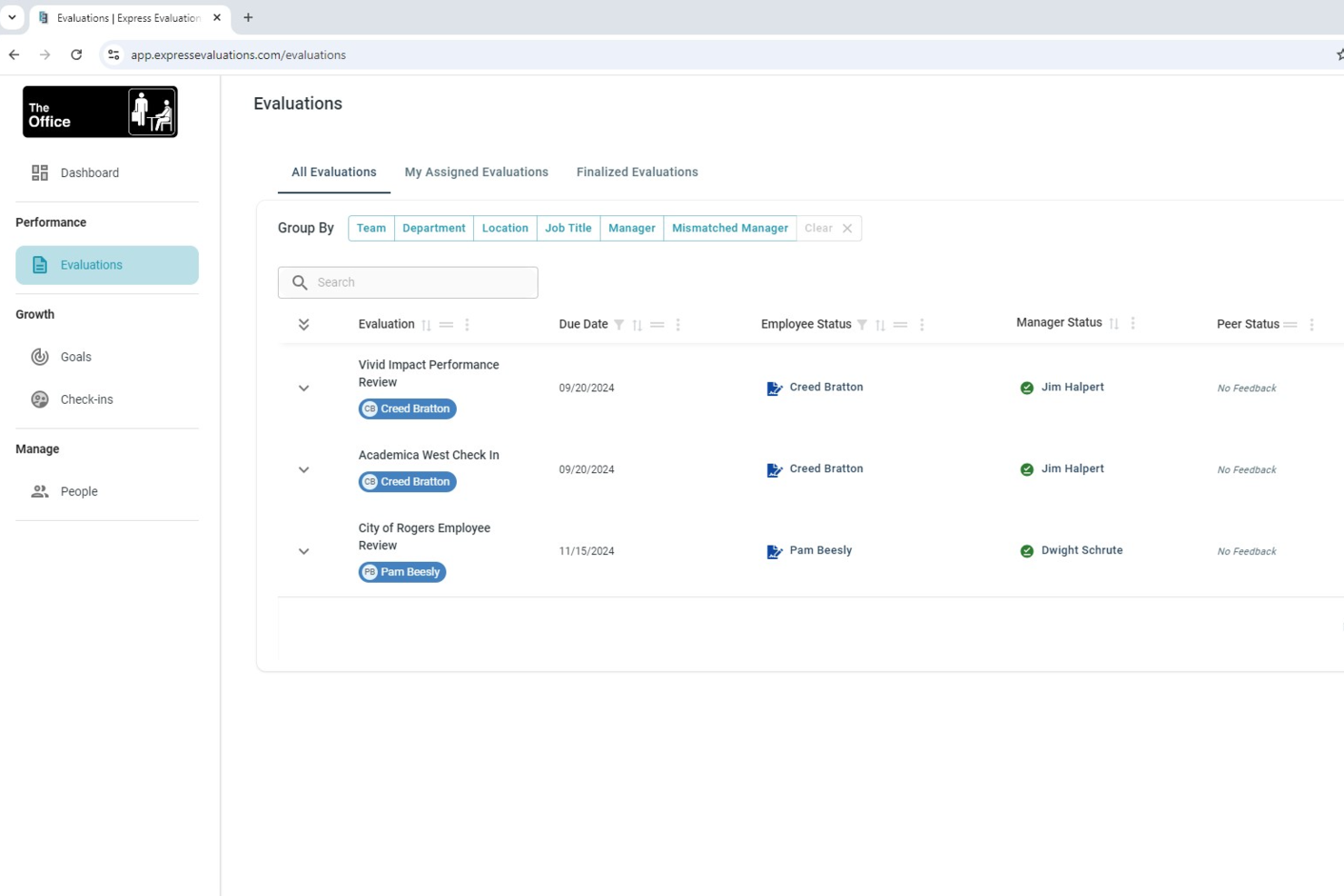
Express Evaluations is a performance management platform built for small organizations, covering employee evaluations, 360-degree feedback, goal tracking, pulse surveys, and automated review scheduling.
Who Is Express Evaluations Best For?
Express Evaluations is a good fit for small HR teams that need a dedicated performance review tool without the complexity of a full HR suite.
Why I Picked Express Evaluations
I've included Express Evaluations in my top picks because its automated reminder notifications genuinely take the administrative pressure off HR teams during review season. When an evaluation is scheduled, the system automatically notifies employees when feedback requests are ready and sends follow-up reminders before the due date, so you're not chasing people down manually. I also like that you can pair this with customizable evaluation schedules set up in advance, which means your whole review cycle runs on its own once it's configured.
Express Evaluations Key Features
- 360-degree feedback: Collect structured input from managers, peers, and direct reports within a single evaluation cycle.
- Employee goal tracking: Set, monitor, and update individual employee goals directly within the platform, tied to review records.
- Pulse surveys: Send short, recurring employee surveys to capture sentiment and engagement data between formal review cycles.
- Reporting dashboard: View completion rates, evaluation scores, and performance trends across your organization in one place.
Express Evaluations Integrations
Express Evaluations offers a small set of native integrations with BambooHR and Employee Navigator, both focused on syncing employee data automatically into the platform. With the Employee Navigator integration, employees are automatically added to the system and their evaluations are automatically scheduled. Zapier support and a public API are not clearly documented.
What's Free?
Express Evaluations offers a free trial, though the exact duration isn't specified on the website. Paid plans start at $2.50 per employee per month (billed annually), with a minimum pricing threshold that applies to all plans.
Pros and Cons
Pros:
- Performance improvement plan tracking included
- Templates tailored to specific roles
- Automated review cycle reminder notifications
- Built-in 360-degree feedback collection
Cons:
- Fewer native integrations than competitors
- No dedicated mobile app available

Best for scalability
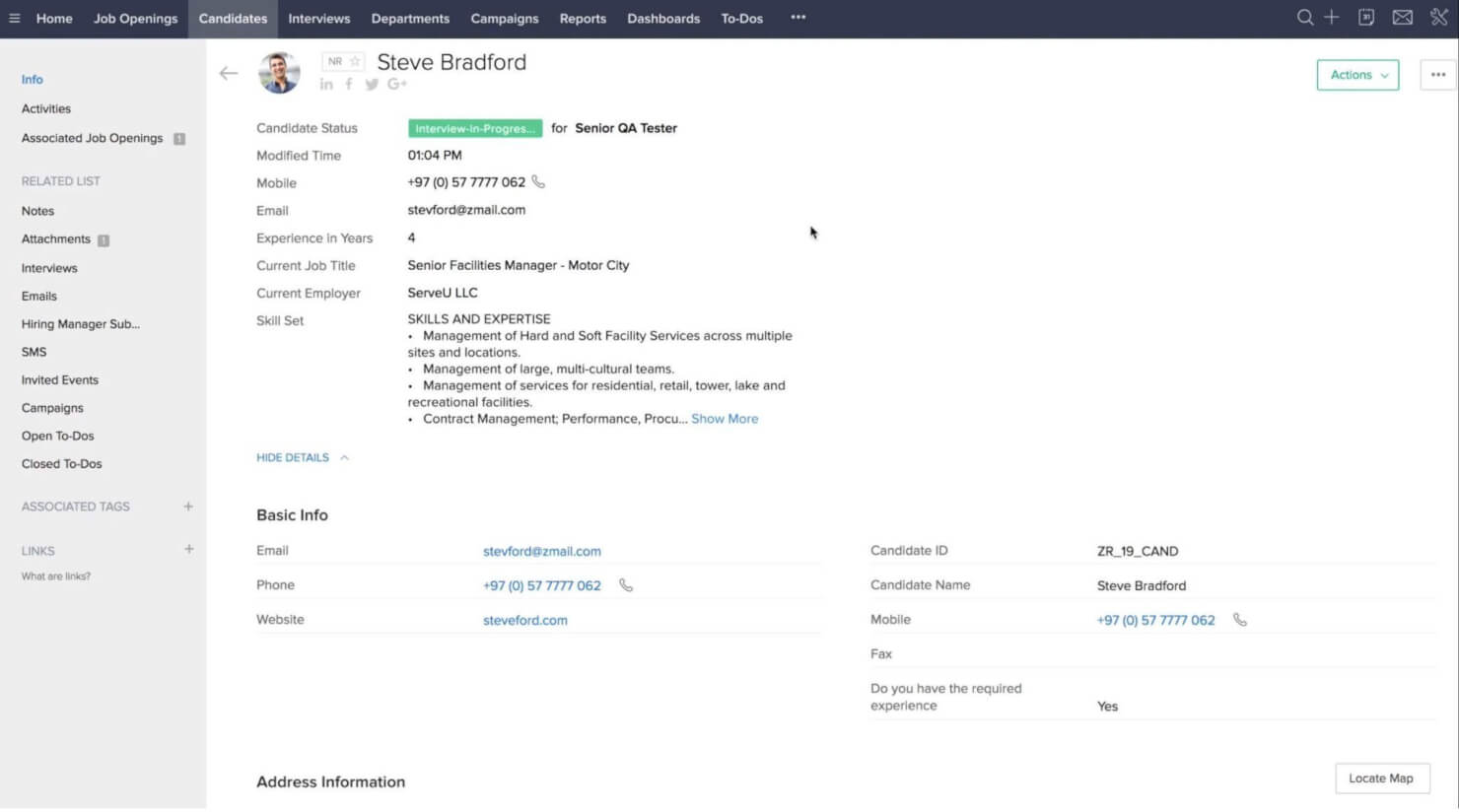
Zoho offers a free HR toolkit through Zoho People and Zoho Recruit, making it a strong fit for small teams that want to manage employee data and hiring in one place. Its tools support basic HR needs—like time off tracking and simple recruiting—while giving your team room to grow without switching systems.
Why I Picked Zoho People
I picked Zoho because it gives you two connected tools that cover your early HR needs without adding complexity. Zoho People helps your team manage employee records, track time off, and give staff access to update their own information, which keeps your data clean and up to date.
Zoho Recruit adds core hiring tools like resume parsing, job board posting, and interview scheduling to help you collect and evaluate candidates efficiently. Both tools share a familiar layout and simple setup, making them approachable even if you don’t have a formal HR system yet. I also like that you can grow into Zoho’s larger suite of business apps as your processes mature.
Zoho People Key Features
Here are some standout features worth highlighting:
- Custom Forms & Fields: Build tailored data fields to match your HR recordkeeping needs.
- Attendance Tracking: Use web check-ins or integrations with biometric systems to track daily attendance.
- Shift & Schedule Management: Assign shifts, manage work calendars, and handle basic scheduling needs.
- Mobile App Access: Employees can view schedules, request leave, or check in from iOS and Android devices.
Zoho People Integrations
Integrations include Zoho CRM, Zoho Projects, Zoho Books, Zoho Payroll (country availability varies), Slack, Microsoft 365, Google Workspace, QuickBooks, Xero, Zapier, and DocuSign.
Pros and Cons
Pros:
- Built-in applicant tracking supports resume parsing and job posting
- Employee self-service reduces admin time for simple updates
- Free plan covers core HR and hiring needs for small teams
Cons:
- Payroll integration availability varies significantly by country
- Reporting tools are basic unless you upgrade to higher plans
- Custom workflows require paid tiers to unlock automation
Apptivo
Best for customizable apps and workflows
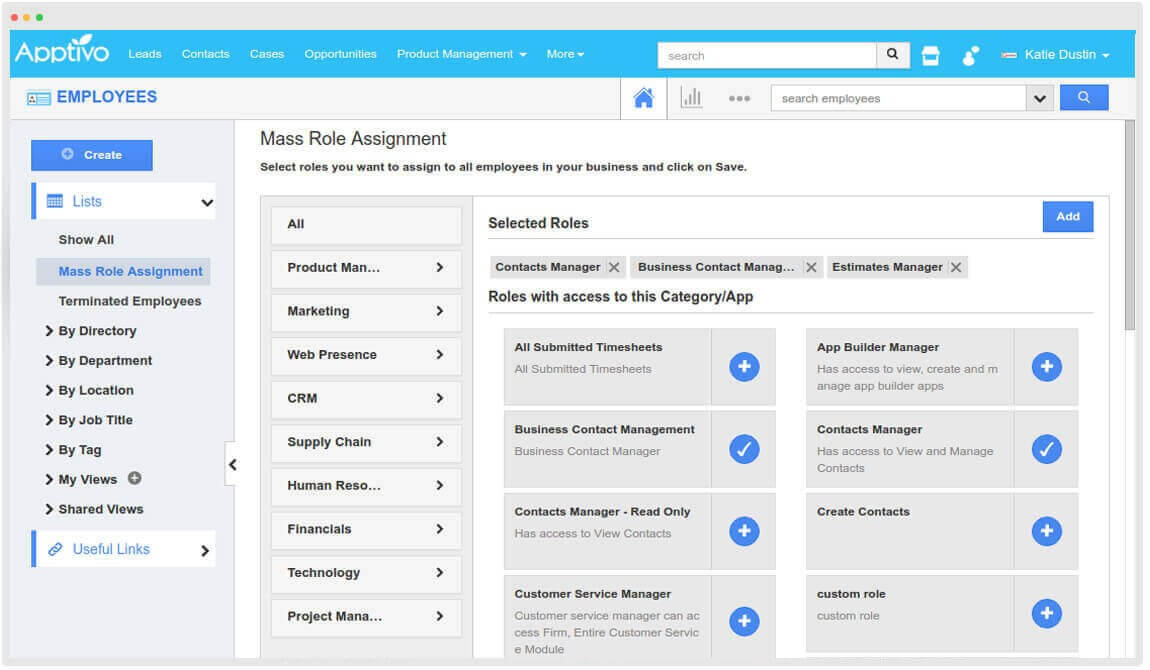
Apptivo is a good fit for small businesses that want an all-in-one system for managing HR tasks alongside CRM, projects, and other operational needs. Its modular apps let you tailor the platform to match your team’s processes without adding unnecessary complexity.
Why I Picked Apptivo
I picked Apptivo because its app-based structure lets you build an HR workflow that fits how your team actually works. For example, you can personalize fields, layouts, and approval steps, giving you control over how HR requests move through your organization.
I also like that HR functions sit directly alongside sales, support, and project modules, so employees don’t have to switch tools to get work done. For teams that rely on structured HR service delivery, Apptivo’s help desk features—like assignment automation and SLA tracking—offer clear accountability. Plus, its dashboards give you visibility into workloads and request volumes at a glance.
Apptivo Key Features
Here are some standout features worth highlighting:
- HR Help Desk Module: Centralizes employee requests with ticketing, routing rules, and workload visibility.
- Custom Dashboards: Lets you track HR metrics, SLA performance, and ticket volumes in real time.
- Task Assignments: Creates ownership by assigning HR tasks with deadlines and priority levels.
- SLA Management: Helps your team respond consistently with defined response and resolution timelines.
Apptivo Integrations
Integrations include Google Workspace, Microsoft Office 365, OneDrive, Dropbox, RingCentral, Slack, PayPal, Stripe, QuickBooks, and Xero.
Pros and Cons
Pros:
- Unified platform reduces switching between HR and other tools
- HR help desk improves request handling and accountability
- Customizable apps adapt well to unique HR workflows
Cons:
- Limited prebuilt HR templates
- Mobile app lacks some advanced admin capabilities
Best for employee performance management

OrangeHRM is a scalable HR solution for small to medium-sized businesses. The software manages the whole employment life cycle, from employee onboarding to termination or retirement.
Why I picked OrangeHRM: Their HRMS platform is available through cloud hosting or on-premise hosting, depending on your needs. The cloud version of their product called OrangeHRM Starter is available for free under an open-source license, making it an excellent choice for small businesses or startups.
Their performance management capabilities include 180° and 360° employee reviews, which give you a clear view of each team member's contribution. Review questions can be customized as required to suit a particular role. Goal-tracking features help to keep employees on track to succeed.
OrangeHRM Features & Integrations:
Features include core modules for managing employee information, a corporate directory, attendance & time management, PTO & leave management, candidate recruiting (including an applicant tracking system), performance reviews, benefits administration, and reporting & analytics. They also have a mobile app that supports PTO requests, employee attendance, and clocking in and out.
Integration details are not mentioned on their website. However, they do have an API that supports them.
What's Free: Their OrangeHRM Starter product is free to use through an open-source license, and includes the features described above. They also offer a free demo or a 30-day free trial through their website.

HRLocker
Best for digital document management

HRLocker is an integrated HRIS database that covers core human resources functionalities so companies can concentrate on strategic decisions and productivity.
Why I picked HRLocker: Their HR platform includes a digital document management system where you can publish an unlimited number of HR documents to create an easily accessible repository for your employees.
Within that module, HR teams can also request digital signatures on training documents, as needed, and send out reminders to anyone who hasn't read or signed off on required documentation.
HRLocker Features & Integrations:
Features include modules for holiday and absence management, timesheets, training development, employee data, remote and dual working, performance reviews, and recruitment and onboarding.
The HRLocker database also allows users to record employee training courses and upload certificates of completion. Tasks can be assigned to employees or departments, while managers can use the applicant tracking system for recruitment, candidate search, social referral, job boards, and screening.
Integrations are available with 20+ other software systems, including CareerJet, Glassdoor, Google Calendar, Indeed, LinkedIn, Microsoft Office 365, Sage, SimplyHired, Trovit,
What's Free: HRLocker is free to use for 6 months for up to 4 employees. Their free plan includes all the features mentioned above. If you scale up to their first-level paid plan, you can also access customer support and a dedicated account manager.

Bitrix24
Best free open-source HR software
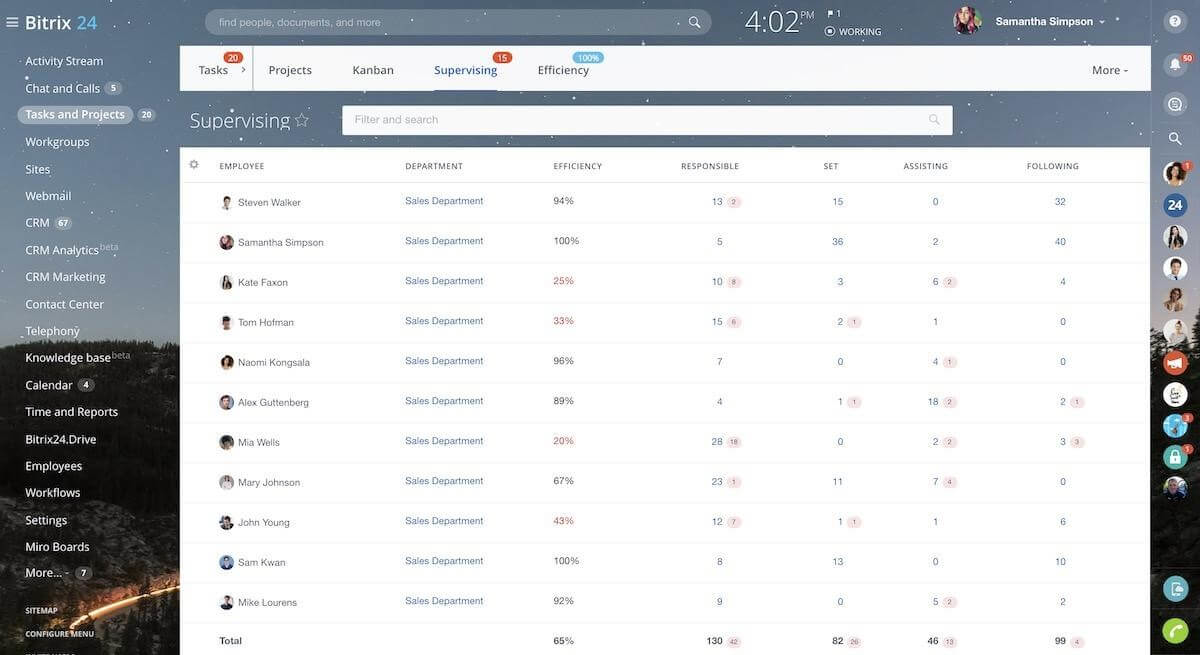
Bitrix24 is a web-based HR system for small businesses. If you are looking for an open-source HR software solution, Bitrix24 is likely to be top of your list. The software packs in plenty of features useful for companies without a large HR team.
Why I picked Bitrix24: Their HR platform includes many human resources tools, plus a wide range of additional CRM and project management features. One of my favorite features is the self-service HR portal. Employees can use this to access basic HR functions without needing to speak to someone from HR. For example, you set up workflows for vacation requests and business trip permissions.
Their HR platform also includes everything you need to collaborate and communicate across your HR team. Each team member can access all company messages, documents, and calendars. You can also set permissions for specific content to ensure each team member only sees what they need to see.
You’ll get the most out of Bitrix24 with some additional tech/coding knowledge on your side, as the public source code access allows for near limitless customization and integration.
Bitrix24 Features & Integrations:
Features include core HR functions such as an employee directory, company structure, a company knowledge base, document management, and time & attendance features, which are included in the free version. An unlimited number of users can use these. However, some essential functions such as leave management and time tracking are only available with a paid subscription.
Integrations with numerous apps are available through their App Marketplace, or by taking advantage of their REST API.
What's Free: You can use Bitrix24’s core features for free, which may be all that small businesses need. If you need additional HR features, you can scale up to one of their paid plans easily.

WebHR
Best for iOS and Android
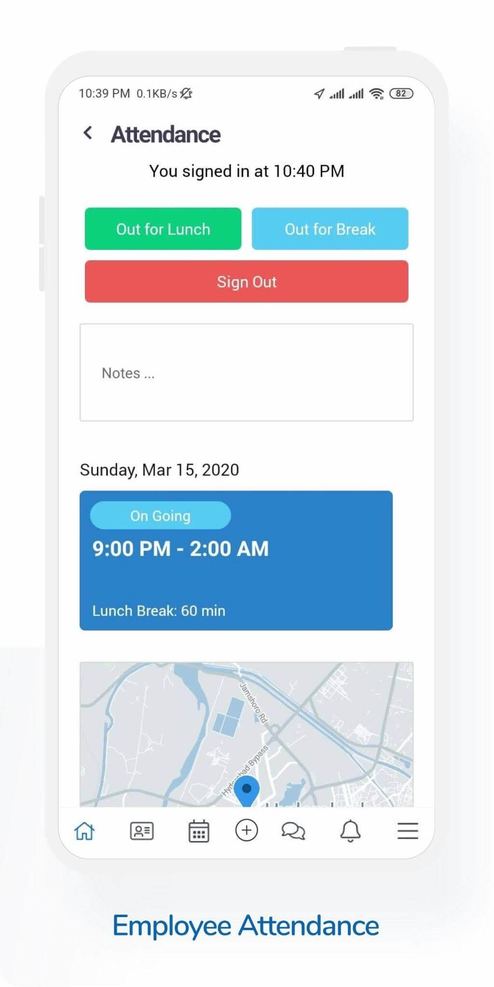
WebHR helps HR departments manage the employee lifecycle, from the initial hiring process through to retirement.
Why I picked WebHR: Their all-in-one HR software includes core HR, payroll, recruitment, performance, and time & attendance modules, and is available in 30 languages.
Mobile apps are available for both iOS and Android devices so that employees can quickly log time worked with geo-tracking. Managers can monitor employee hours using the time and attendance features.
In addition, the software integrates with biometric devices such as card readers and finger scanners.
WebHR Features & Integrations:
Features include personnel tracking, payroll, benefits administration, an applicant tracking system (ATS), a learning management system (LMS), employee performance, goal management, onboarding, forms & surveys, background checking tools, and asset tracking tools.
Integrations are available with 24+ popular HR tools, including Asana, Bonusly, FreshBooks, Indeed, LinkedIn, Slack, Xero, Quickbooks, Zapier, Zip Recruiter, and others.
What's Free: Teams with less than 5 employees can use WebHR's software for free. For larger teams, they offer very affordable module-based pricing starting at $3/employee/month.
Best for unified talent and skills data

SAP SuccessFactors is a cloud-based human capital management (HCM) suite that puts you and your people at the centre of your HR tech. It supports the full employee lifecycle—from hiring and onboarding to development, performance, and payroll.
Why I picked SAP SuccessFactors: I picked SAP SuccessFactors as a strong HR software option because it gives you a global core HR and payroll foundation—so you can manage people data, time tracking, payroll processing and compliance in more than 100 countries.
On top of that, its unified skills foundation helps you connect recruiting, learning, performance and succession planning through one source of skills data—helping your team identify gaps, build talent, and move people into roles more effectively.
Standout features & integrations:
Features include AI-enabled people analytics and workforce planning, offering dashboards, scenario modelling, predictive insights and what-if analysis so that HR decisions are grounded in data. It also includes global benefits administration, talent acquisition and recruiting automation, and onboarding workflows.
Integrations include ADP, Workday, BambooHR, Kronos, UKG, Oracle Cloud HCM, Greenhouse, Microsoft Entra ID, Okta, and Google Workspace.
What's Free: SAP SuccessFactors offers a 30-day basic trial in English only. They do not offer a free plan.
Other Free HR Software
Here are a few more worthwhile options that didn’t make my shortlist for the best free HR software, but are still worth checking out:
- HR.my
For multilingual organizations
- Huckleberry
For voice-based feedback
- Deel HR
For all-in-one HR management
- Workable
For candidate sourcing and hiring
- TalentHR
With built-in AI tools for HR automation
- Factorial
For employee well-being and feedback
- Oyster HR
For global employment
- RemoFirst
For contractor management
- Homebase
Employee management for hourly teams
- Sentrifugo
Free HR software for an employee self-service portal


Related HR Software Reviews
If you still haven't found what you're looking for here, check out these other related tools that we've tested and evaluated:
- HR Software
- Payroll Software
- Recruiting Software
- Employer of Record Services
- Applicant Tracking Systems
- Workforce Management Software
Other Affordable Software Systems for HR Teams
Don't worry if your budget for new software barely exists. The good news is, there are other no-cost or low-cost HR systems out there. To save you time, here are some links to our other software round-ups for small business owners working with tight budgets.
These lists contain reviews of software providers that actually offer free versions:
And these lists offer a blend of software systems with pricing plans specifically tailored to small business needs:
- Applicant Tracking Systems for Small Businesses
- ERP Systems for Small Businesses
- HRMS for Small Business
- HR Software for Small Business
- Learning Management Systems (LMS) for Small Businesses
- Payroll Software for Small Businesses
- Scheduling Software for Small Business
If you're looking for more support than just a low price-tag, a payroll service might be a better fit.
How I Evaluate Free HR Software
I look at free HR tools through two lenses: the baseline requirements—like a real free plan, an employee database, and leave approvals—and the differentiators that make one tool a better fit.
Core Functionality (Table Stakes For This List)
When I'm selecting tools for my list, I rank each one on a scale from 0 (does not offer the functionality) to 5 (excels in this area) for each core functionality listed below. Then, I calculate the tool's total score into a percentage. Each tool needs to achieve a minimum total score of 65% to be considered for inclusion.
- Employee Database: I check whether you can store custom fields, search and filter records, and maintain a full profile history—not just a basic spreadsheet-style name list.
- Genuinely Free Plan: I look for a permanently free tier with enough user capacity and feature access to actually run day-to-day HR tasks, not a time-limited trial.
- Time-Off Management: The platform should handle leave requests, approval workflows, and balance tracking across multiple leave types like vacation, sick, and parental leave.
- Onboarding Workflows: I evaluate whether new-hire onboarding goes beyond a welcome email—things like task assignments, document collection, and form or e-signature steps.
- Org Chart & Directory: A searchable employee directory paired with a visual org chart helps teams see reporting lines and find colleagues fast, especially in growing companies.
- Compliance Document Storage: I look at how each tool handles sensitive files like contracts and tax forms, including role-based access controls and centralized, organized storage.
Once I have a list of tools that meet this criteria, I consider what sets each platform apart.
Differentiating Factors (What Sets Vendors Apart)
Here's how I compare and contrast different vendors:
Standout Features
An employee self-service portal makes a real difference for solo HR practitioners—when staff can update their own addresses or download documents, it cuts out constant back-and-forth. I also look for mobile app access, since distributed teams need to submit time-off requests or check the directory from anywhere. Built-in e-signatures are worth evaluating too because they let you handle offer letters and policy acknowledgments without paying for a separate signing tool.
Beyond Features
How generous the free plan actually is matters a lot. I evaluate whether user caps and feature restrictions let you realistically manage a small team's HR—or just scratch the surface. Integrations are another big factor, since most small teams already rely on tools like Google Workspace, Slack, or a payroll provider like Gusto or QuickBooks. A free HR tool that connects to your existing stack saves hours of manual data entry. I also consider setup effort, because a solo HR practitioner shouldn't need an implementation consultant to get started.
How to Choose Free HR Software
As you work through your own unique tool selection process, keep the following points in mind:
- What HR challenges are you trying to solve? Identifying your current challenges will help you understand the features and functionalities your new HR software needs to provide.
- What outcomes are important and how will you measure success? Being clear on your desired outcomes upfront is crucial to avoid wasting valuable time. For example, you may want a tool to automate portions of your payroll, scheduling, or performance management processes, so nothing slips through the cracks.
- Who are your main users? Consider your different user groups — power users, administrators, managers, employees, etc. — and their unique needs, to ensure they're all met. For free HR software, you'll likely want employee-level access for your entire workforce, with special access for your HR administrators and managers.
- What is your budget? Are you truly limited to a 100% free tool, or do you have any wiggle room for a low-cost HR system that still meets your needs? Determining a realistic budget for your new HR software up-front is crucial, so you don't waste time considering software that's out of your price range.
- Do you require specific software integrations? Clarify whether your new HR software will replace any existing tools or need to integrate with them, such as time tracking systems, learning management systems, or project management tools.
- Does the software satisfy your technical requirements? Consider the software selection alongside your existing workflows and systems. Evaluate what's working well, and any problem areas that need to be addressed.
Remember, every business is different — don’t assume that free HR software will work for your organization just because it's popular.
Trends in Free HR Software
Free HR software is rapidly evolving to keep pace with modern workplace demands and advances in technology. Many tools now follow a product-led growth model, offering freemium plans and extended trials to attract users with immediate value—no budget approval required.
Here are the top trends shaping today’s free HR tools:
- AI & Machine Learning Integration: More platforms are embedding AI and ML to support smarter HR decisions—like auto-matching candidates, forecasting turnover, or delivering personalized insights through predictive analytics.
- Smarter Employee Self-Service Portals: Employees can now access pay stubs, request leave, or track performance metrics on their own. These portals reduce HR’s administrative load and give employees more control.
- Less Manual Data Entry: Thanks to automation and integrations, manual input fields are being phased out. This shift helps eliminate errors and speeds up routine HR tasks.
- Stronger Focus on Compliance & Security: Built-in compliance tracking, security audits, and data encryption are becoming standard to meet evolving privacy regulations and build trust.
Together, these trends reflect a shift toward smarter, streamlined, and more secure HR tools—proving that even free software can deliver powerful value.
HR has access to enough personal information to duplicate an employee three times over… It’s a lot of trust, and companies need to take data security seriously. You can’t sacrifice security for efficiency.

What is Free HR Software?
Free HR software is a digital tool that helps HR teams manage tasks like hiring, payroll, and employee data—at no cost. It’s typically offered as a freemium plan or an extended free trial with limited features.
HR professionals in startups and small businesses use free HR software to save time, reduce manual work, and avoid the cost of expensive enterprise tools while still handling core HR functions efficiently.
Features of Free HR Software
Free HR software provides a range of features and functionalities that can help small to medium-sized businesses streamline various elements of their HR processes. This might include hiring, payroll, performance management, and benefits administration. Because of the broad scope of what these tools may support, I have a wide range of features I look for when evaluating them.
Free HR Software Features
When evaluating free HR software, keep an eye out for the following key features you can typically expect at no cost:
- User-friendly interface: Free HR tools often come with simple, intuitive layouts that make it easy for HR teams and employees to navigate the system without a steep learning curve. A clean interface helps streamline daily HR tasks.
- Employee self-service portal: Employees can update personal information, request time off, view pay data, or access documents on their own. This reduces repetitive questions and saves valuable administrative time for HR teams.
- Time and attendance tracking: Basic tools for logging work hours, tracking attendance, and monitoring leave are usually included. These features support accurate payroll processing and help ensure compliance with labor standards.
- Mobile accessibility: Free systems are typically mobile-friendly, allowing employees and managers to perform essential tasks from their phones or tablets — especially useful for distributed or hybrid teams.
- Basic data security and compliance: Even free HR software includes foundational security measures to protect sensitive employee data and support compliance with labor laws and privacy requirements.
Security is often overlooked when choosing HR tools… You’re handling employees’ sensitive personal information, so you need to ensure the platform is secure and can protect that data from breaches.
Paid Features
More advanced HR capabilities normally require upgrading to a paid plan. These features expand functionality, reduce manual work, and support growing HR needs:
- Advanced payroll management: Paid versions automate payroll calculations, integrate tax withholdings, and manage multi-state or multi-country compliance, ensuring accurate and timely payments.
- Benefits administration: Paid plans often include tools to manage health insurance, retirement plans, allowances, and other benefits, with automated deduction syncing and employee enrollment workflows.
- Performance management: This includes goal tracking, 360° feedback, performance reviews, and analytics that help managers support employee growth and align performance with organizational priorities.
- Recruiting and applicant tracking: Paid HR software typically offers applicant tracking systems (ATS), job postings, candidate screening, and automated communication to streamline hiring.
- Onboarding workflows: Built-in onboarding modules guide new employees through required steps, documents, and training, helping them ramp up faster and improving their early experience.
- Training & learning management: Paid plans may include tools to assign training, track certification expirations, provide internal content libraries, and measure learning outcomes.
- Advanced reporting & workforce analytics: More robust analytics help HR teams understand trends in turnover, attendance, compensation, and employee performance at a deeper strategic level.
- Custom permissions and role-based access controls: These support larger teams by ensuring managers and HR personnel only access the data relevant to their responsibilities.
Common Free HR Software AI Features
Even free or low-cost HR tools increasingly include AI-powered features designed to enhance efficiency and accuracy, for example:
- AI-assisted data entry and validation: AI helps clean up employee data, flag inconsistencies, and ensure required fields are complete — reducing human error and improving data quality.
- Smart scheduling and attendance alerts: AI detects attendance anomalies such as repeated tardiness, excessive overtime, or unusual time-off patterns, helping managers intervene early.
- Basic candidate pre-screening: Some free tools use AI to scan resumes or match keywords to job descriptions, helping HR teams filter applicants faster.
- AI-powered self-service chatbots: Light AI chatbots can answer common employee questions about policies, leave balances, and onboarding steps at any time, reducing repetitive inquiries to HR.
- Predictive insights (light version): Simplified AI tools may surface basic trends — such as attendance declines or potential overtime spikes — giving small businesses helpful indicators without the full analytics suite of paid plans.
Benefits of Free HR Software
Free HR software is a valuable tool for businesses looking to optimize their human resources management without incurring additional costs. Here are five primary benefits of leveraging free HR software for users and organizations:
- Cost Efficiency: Significantly reduces the financial burden on businesses. By adopting free HR software, organizations can allocate their resources to other critical areas, enhancing overall operational efficiency without compromising on HR functionality.
- Improved Data Management: Centralizes and simplifies employee information storage and access. This software provides a single repository for all HR-related data, making it easier to manage, update, and retrieve employee information, leading to better decision-making and compliance management.
- Enhanced Productivity: Automates routine administrative tasks. By automating processes such as payroll, leave management, and employee onboarding, HR departments can focus on strategic tasks, thereby increasing productivity and improving employee satisfaction.
- Scalability: Easily adapts to the growing needs of a business. Free HR software often comes with scalable features that can be customized to fit the evolving requirements of an organization, ensuring that the HR system grows in tandem with the business.
- Accessibility and Flexibility: Offers remote access to HR functions. With features that support mobile access, employees and HR professionals can perform HR-related tasks from anywhere, providing flexibility and ensuring continuous operation, regardless of location.
These benefits not only enhance the operational capabilities of the HR department but also contribute to the overall success and growth of an organization. By choosing the right free HR software, businesses can enjoy the advantages of advanced HR management tools without incurring significant expenses.
There’s always room for negotiation on HR software pricing. Ask for a volume discount! I always recommend trying to get a better deal based on your needs.

Costs & Pricing for HR Software
Believe it or not, free HR software does exist, and many systems offer the basic tools required to manage certain human resources tasks effectively. However, these free plans, also known as freemium plans, always come with limitations. To access more advanced features and functionalities, you'll need to sign up for a paid software subscription.
To help you understand the pricing landscape for HR software, I've compiled the average price ranges for each plan level in the table below, or you can dive deeper by reading our pricing guide to HR software next.
By understanding the different available options, you'll be able to select the most suitable package for your organization's specific needs and budget.
Plan Comparison Table for HR Software
| Plan Type | Average Price Per Month | Common Features |
|---|---|---|
| Free | $0 | Employee self-service, basic reporting, and leave & attendance tracking |
| Basic | $2-7 per employee | Enhanced reporting, email support, payroll integration, and additional storage |
| Standard | $7-14 per employee | Performance management, onboarding tools, advanced security features, and 24/7 customer support |
| Premium | $14-30 per employee | Customizable reports, API access, dedicated account manager, and advanced analytics & forecasting tools |
Each plan offers a different set of features and functionalities tailored to various business sizes and needs. When selecting a plan, consider both the current and future needs of your organization, ensuring the chosen software can scale with your business.
Keep in mind that investing in a plan that aligns closely with your HR management requirements can significantly impact the efficiency and effectiveness of your HR operations.
New & Noteworthy Product Updates
Below, I've summarized the most recent release notes and product updates for my top HR software recommendations. Discover what’s now possible through new service improvements, software features, and other company updates, and why it matters for HR software.
Q3 2025: HR Software Updates
Factorial Update Notes
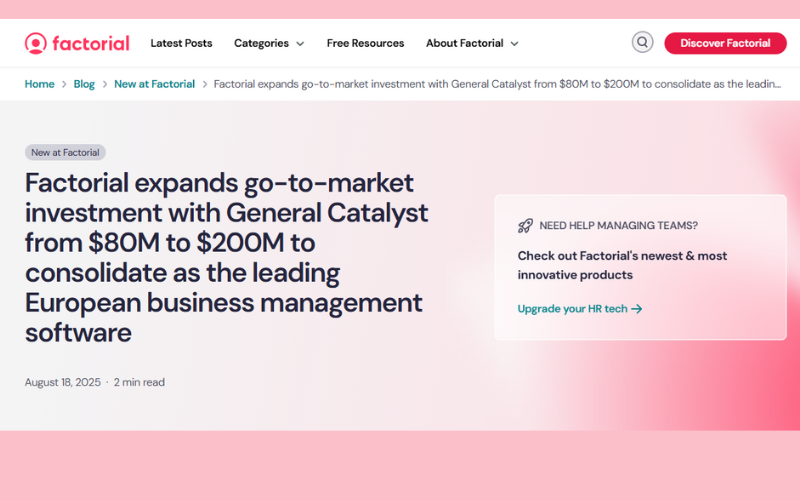
Factorial has secured a major boost in backing from General Catalyst. The firm increased its go-to-market investment from $80 million to $200 million, showing strong confidence in Factorial’s growth plans.
The money will fund rapid expansion in Germany, France, and Italy. Factorial plans to hire up to 50 people each week, growing its team from 900 to 1,300. Alongside hiring, the company is pushing beyond HR to deliver an all-in-one platform with tools for projects, training, and expenses.
For users, this means a broader, more capable product backed by faster support and feature development. As Factorial expands, customers in Europe should see stronger local service and quicker rollout of new tools that tie HR and business management into one system.
Verdict: Factorial’s expansion is a positive step that delivers both scale and sharper tools to its customers.
HRLocker Update Notes
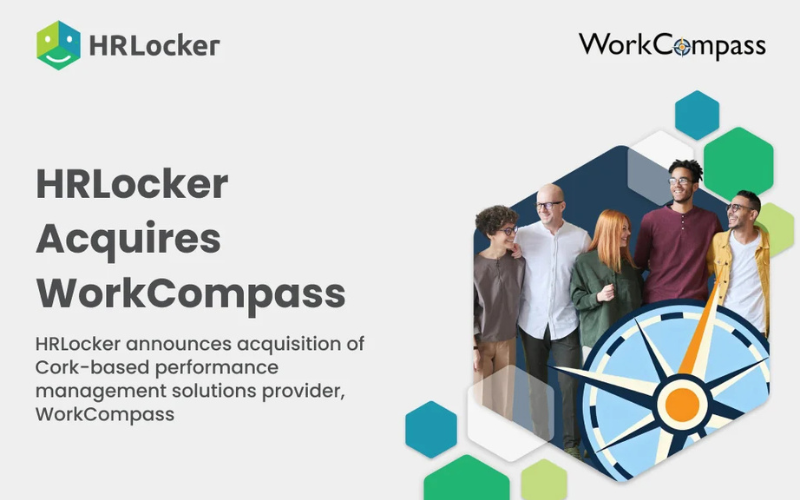
HRLocker recently announced it has acquired WorkCompass, a Cork-based performance management software company. HRLocker is Ireland’s leading HR platform for SMEs, and this deal follows its earlier merger with HireHive. Together, under Invincible Software Holdings, the goal is to build one unified HR system.
WorkCompass tools are now part of HRLocker. This means users can manage HR tasks like time tracking, absence, and compliance alongside goal-setting, feedback, reviews, and surveys—all in one place. No more switching between platforms or juggling spreadsheets. Managers get a clear way to set targets, track progress, and run reviews.
WorkCompass customers keep their familiar tools but gain access to HRLocker’s wider features. HRLocker users now get modern performance management built in. Everyone benefits from a single system, faster updates, and stronger reliability and security as the combined team builds new features for SMEs.
Verdict: This is a good update that not only broadens HRLocker’s toolkit but also shows real commitment to simplifying HR for growing businesses.
Workable Recruiting Update Notes
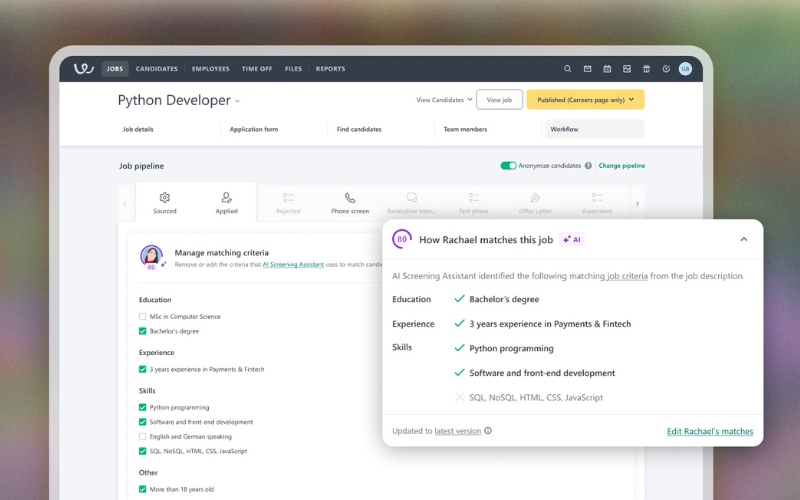
Workable has added a new feature to its AI Screening Assistant within it's Recruiting product. Users can now choose the criteria the tool uses when matching candidates. This gives hiring teams more control over the screening process.
Anyone with job-editing rights can adjust the screening criteria in the Job Editor under the Workflow tab, in the Sourced & Applied stages. Users can turn criteria on or off and save their changes. The Screening Assistant then rescans and updates all candidate scores for that job. If the Screening Assistant is disabled at the account level, this option is not available.
The update makes candidate scoring more relevant. Teams can align the AI with the actual needs of the role, making results sharper and easier to use. This saves time, improves accuracy, and keeps human judgment and AI support in sync.
Verdict: By letting teams set the criteria, Workable ensures its AI supports real hiring needs, not just default assumptions.
Frequently Asked Questions
Here are some answers to frequently asked questions you may have about free HR software:
What are the limitations of free HR software for small businesses?
Free HR software often comes with restrictions on the number of employees, users, or admins you can add. Some platforms only provide core features, like an employee database or basic time-off tracking, but limit access to advanced tools like onboarding workflows, performance tracking, or advanced reporting. Support options may be minimal or rely on community forums instead of live chat or phone help.
If you have more than 10–25 employees or need robust integrations, you may quickly hit these limits and need to consider upgrading or switching tools.
Can I upgrade from a free HR software plan as my team grows?
Yes, most free HR software vendors design their tools with easy upgrade paths. As your business hires more people or you need more features, you can move to a higher tier without transferring data or switching platforms. Paid plans typically expand your employee limit, unlock tools like onboarding, custom reports, or integrations with payroll, and provide better customer support.
Before you begin, it’s a good idea to review what’s included in each paid tier and how pricing changes based on your headcount.
Do free HR software plans include payroll features?
No, full-service payroll is rarely included in free HR software plans. While basic plans might let you track employee attendance or download timesheets, processing payroll—such as calculating deductions or filing payroll taxes—usually requires a paid add-on or separate payroll provider. Some HR tools integrate with free or affordable payroll solutions, but you’ll often need to export data manually.
If payroll is a must-have, check if the software you’re considering offers an affordable upgrade or integration with popular payroll platforms like Gusto or ADP.
Which free HR software is best for remote or hybrid teams?
For remote or hybrid teams, look for free HR tools with cloud access, a mobile-friendly interface, and self-service functionality. Options like Homebase or Zoho People let staff clock in remotely, request time off, and view schedules from any device. Communication features—such as built-in chat, announcements, or employee directories—are also helpful.
Cloud-based HR systems are ideal since they don’t require installation or on-site servers, making it easier to manage HR from anywhere and keep remote employees engaged.
Are employee self-service portals important, and should I pay extra if they’re not free?
Yes, employee self-service portals are very helpful, especially for small teams with limited HR staff. They let employees update their own contact info, view pay stubs, or request leave, which reduces your administrative workload and keeps records accurate. While some free HR tools include basic self-service, advanced options or more customization may require a paid plan.
If you find that managing routine employee requests takes up too much of your time—or if your staff often needs quick access to their HR info—it’s usually worth investing in this feature.
Does HR software offer different deployment options?
Almost all free HR software is cloud-based, so you just log in from any computer or mobile device with internet—no IT setup required. Desktop or on-premise options are rare for free tools, though a few providers may offer downloadable apps for offline access. Cloud deployment means you can manage HR tasks, store files, and access employee info anywhere. This is usually best for small businesses, letting you avoid upfront hardware and software costs and easily scale as your needs grow.
Does free HR software offer enough security features to protect sensitive employee data?
Most free HR software provides baseline security like SSL encryption, secure account logins, and data backups. However, advanced protections—such as two-factor authentication, IP whitelisting, data access logs, or custom user permissions—are more common in paid versions.
Before entering sensitive data, review each tool’s privacy policy and security documentation. If you need to meet stricter requirements (like GDPR) or want more control over who can view HR data, you may need to upgrade to a paid plan or use additional security tools.