

10 Best ATS For Small Businesses In 2026

10 Best Applicant Tracking Systems for Small Businesses Shortlist


With so many different applicant tracking systems tailored to the needs of small businesses, finding the right system for you can be challenging. You want cost-effective software to help you analyze your candidate applications quickly, but you need to figure out which software is best.
In this post, I'll help you make this choice simpler by sharing my insights on the best applicant tracking systems for small businesses based on my personal recruiting experience with a small company that experienced rapid growth.
Why Trust Our Software Reviews
Our team has been testing and reviewing software since 2012. As HR experts ourselves, we know how difficult—and important—it is to choose the right software.
For this guide, we evaluated tools using hands-on testing and independent research, scoring tools using our selection criteria. We also draw on insights from industry thought leaders and practicing HR experts.
Our reviews reflect our human editorial judgment, not a sales pitch.
Expert reviewers:
Best Applicant Tracking System for Small Business Summary
This comparison chart summarizes pricing details for my top applicant tracking system for small business selections to help you find the best one for your budget and business needs.
| Tool | Best For | Trial Info | Price | ||
|---|---|---|---|---|---|
| 1 | Best with AI-driven HR process automation | Free demo available | From $8/user/month | Website | |
| 2 | Best with built-in immigration support | Free demo available | From $5/employee/month | Website | |
| 3 | Best for sourcing many qualified candidates | Free demo available | Pricing upon request | Website | |
| 4 | Best for ease of use | 15-day free trial | From $299/month (billed annually) | Website | |
| 5 | Best for hiring within an all-in-one HR system | Free plan + free demo available | From $2/user/month (billed annually) | Website | |
| 6 | Best for in-house talent acquisition teams | Free demo available | Pricing upon request | Website | |
| 7 | Best for automated offers and analytics | Free trial available | From $10/employee/month | Website | |
| 8 | Best for integrating hiring with team management | Free plan available | From $30/location/month | Website | |
| 9 | Best for AI recruitment and candidate sourcing | 14-day free trial + free demo available | From $15/user/month (billed annually) | Website | |
| 10 | Best for streamlined hiring automation | Free demo available | Pricing upon request | Website |




Best Applicant Tracking System for Small Business Review
Below are my detailed summaries of the best applicant tracking system for small business that made it onto my shortlist. My reviews offer a detailed look at the key features, pros & cons, integrations, and ideal use cases of each tool to help you find the best one for you.

Homebase
Best with integrated payroll and time tracking
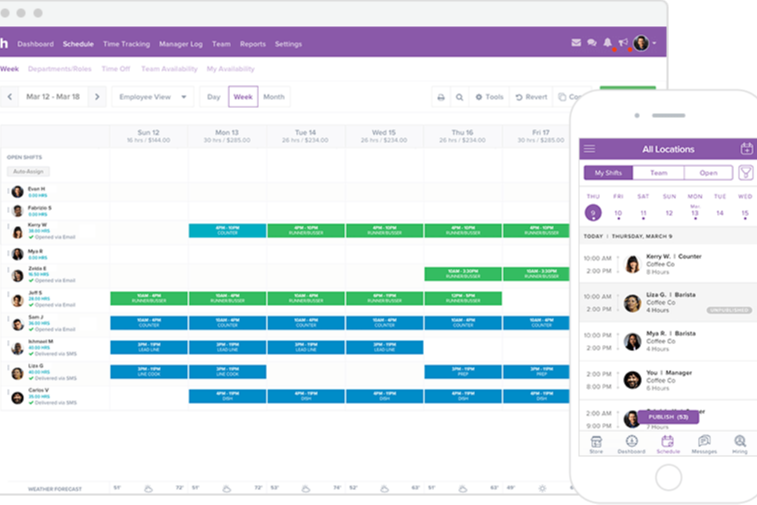
Homebase is an applicant tracking system for small businesses that combines hiring tools, employee scheduling, time tracking, payroll, and team communication in one platform.
Who Is Homebase Best For?
Homebase is a good fit for small businesses with hourly teams that need to manage hiring, scheduling, and payroll in one place.
Why I Picked Homebase
I picked Homebase as one of the best because I can manage applicant tracking, payroll, and time tracking all in one place. My team uses the built-in time clock to track hours and syncs that data directly with payroll, which saves us from manual entry. I also like that I can onboard new hires and run payroll without switching between different systems.
Homebase Key Features
- Job posting distribution: Post open positions to multiple job boards directly from the platform.
- Applicant messaging: Communicate with candidates through built-in messaging tools.
- Interview scheduling: Set up and manage interview times with candidates inside the system.
- Document storage: Store and organize candidate documents and onboarding paperwork securely.
Homebase Integrations
Homebase offers native integrations with Square, Clover, Toast, Shopify, PayAnywhere, Talech, Lightspeed, Revel, ADP RUN, Gusto, QuickBooks Online Plus, Paychex, Rippling, Wells Fargo, Bank of America, Heartland, Millennium, SurePayroll, TipHaus, and GoDaddy. It also posts jobs directly to Indeed, Google Jobs, ZipRecruiter, Glassdoor, and Craigslist. An API is available for custom integrations.
Pros and Cons
Pros:
- Shift scheduling links directly to hiring
- Built-in time tracking for hourly roles
- Direct job posting to major job boards
Cons:
- Reporting features are basic for hiring analytics
- No built-in video interview functionality

Best for hiring with onboarding and HR admin
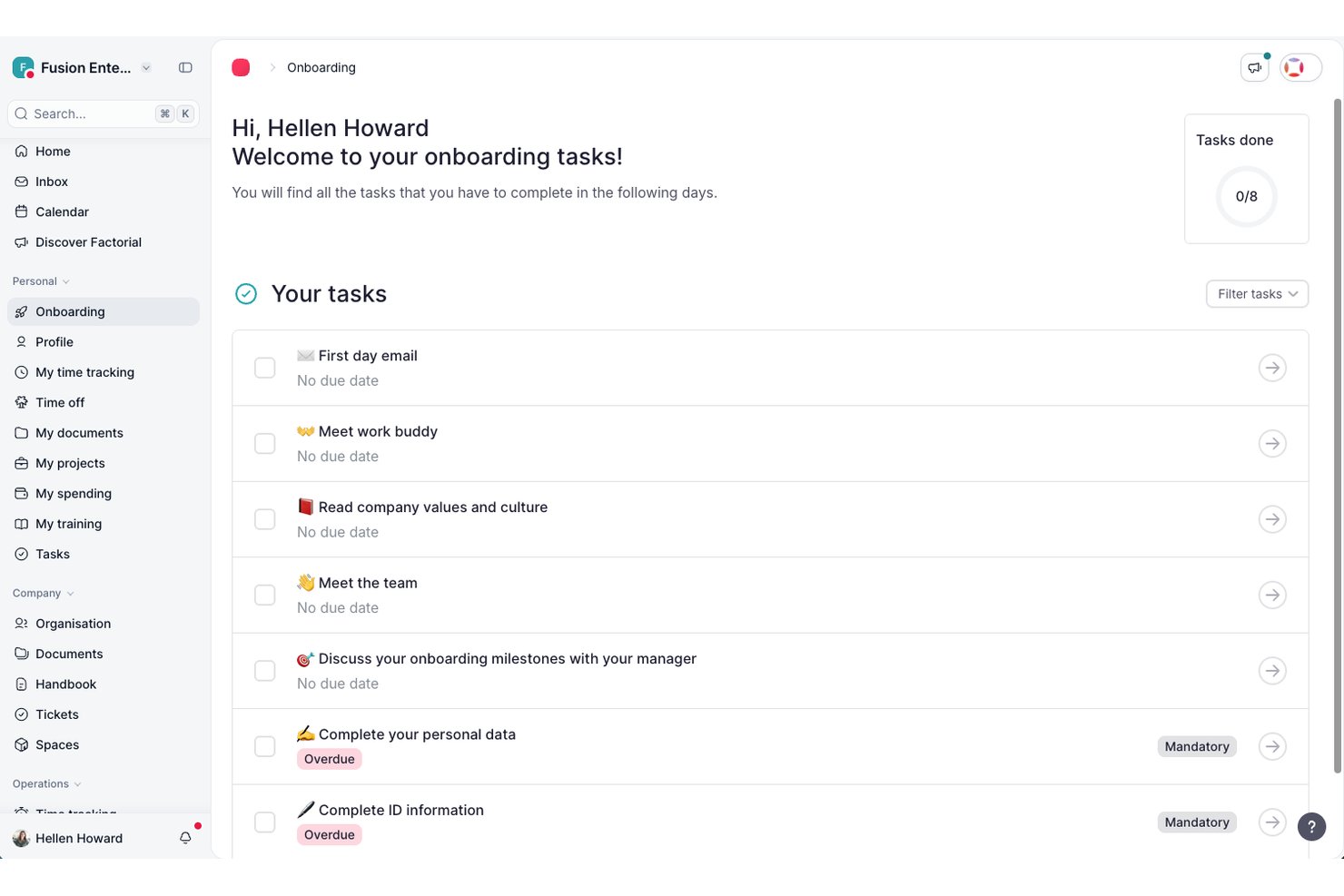
Factorial is an HR software suite with applicant tracking capabilities, offering job posting, candidate management, workflow automation, and integration-friendly tools built for small business hiring needs.
Who Is Factorial Best For?
Small businesses and HR teams looking for an all-in-one platform with accessible applicant tracking and integration options.
Why I Picked Factorial
I picked Factorial because it combines applicant tracking with onboarding and core HR functions, making it easier for small businesses to manage the entire employee lifecycle in one system. Rather than focusing on advanced sourcing or recruitment marketing, it supports the day-to-day hiring operations and helps reduce manual administrative work.
Factorial Key Features
- Candidate scorecards: Standardize candidate evaluations with customizable, collaborative scoring tools.
- Automated interview scheduling: Sync interviews with team calendars to save time and prevent conflicts.
- Branded career pages: Build custom, mobile-friendly careers sites to promote open positions and company values.
- Document management: Collect, organize, and store candidate and employee documents in a secure, centralized hub.
Factorial Integrations
Factorial offers native integrations with Slack, Google Calendar, Microsoft 365, Zapier, and BambooHR. An API is available for custom integrations.
Pros and Cons
Pros:
- Mobile app access for all recruiting tasks
- Customizable pipeline and workflow stages
- Automates job posting and applicant screening
Cons:
- Not designed for high-volume or enterprise hiring
- Less advanced candidate sourcing than dedicated ATS platforms

Manatal
Intuitive applicant tracking system with AI-driven recommendations and social media recruitment tools

Manatal’s applicant tracking system simplifies the hiring process, helping hiring teams of any size manage their talent pools and strengthen their team collaboration. Their system creates individual talent pipelines for each vacant position, making it easy to track and share progress with other hiring managers. To boost the number of candidate applications, Manatal feeds job postings to thousands of free and premium job posting boards following the parameters of your job ad campaigns.
Recruiters dealing with high-volume hiring will appreciate Manatal’s built-in artificial intelligence, which includes AI-driven recommendations for which candidates are the best fit based on extensive candidate scorecards and comparisons of their direct skills against your detailed job descriptions. Rich candidate profiles also capture a candidate’s entire digital presence including their LinkedIn, Twitter, Instagram and Facebook accounts, all within their profile, making social media recruitment simple.
Manatal’s cloud-based SaaS software is fully accessible from their mobile app as well, making it easy to stay on top of activity when you’re away from your desk too. The system also includes integrations with LinkedIn, Gmail, Outlook, Mailchimp and other platforms. Access to their API and Zapier integration are available for customized system configurations too.
Pricing for Manatal starts at $15 USD/user/month. A free demo and a 14-day free trial can also be requested via their website.
New Product Updates from Manatal

Manatal Adds Candidate Login and Employee Portal to Career Pages
Manatal has added Candidate Login, Internal Employee Portal, and internal job visibility controls for Career Pages. These features help teams simplify applications, support employee mobility, and manage internal hiring workflows. For more information, visit Manatal’s official site.
 .
.
Folks HR
Best for AI-driven candidate matching

Folks HR's ATS is an all-in-one applicant tracking system designed to help small and medium-sized businesses manage their recruitment processes more efficiently. You can use it to centralize applications, post to job boards, and simplify how you source, screen, and hire candidates.
I included Folks HR's ATS in this list because it offers an intuitive ATS designed specifically for smaller businesses that may not have a dedicated recruitment team. You can manage applications through a centralized CV library, automate interview communications, and customize your hiring workflows—all from one platform. It also helps you create branded career pages quickly, making it easier to present a polished image to prospective candidates without relying on extra marketing resources.
Other standout features include AI-powered resume parsing to help identify the most qualified applicants faster, detailed recruitment analytics to track time-to-hire and other key metrics, and direct sourcing through LinkedIn to expand your reach. Folks HR's ATS also makes it simple to connect with candidates through automated updates and organized communication tools, keeping your hiring process on track without extra effort.
Integrations are available with platforms like Integrations include ADP, Agendrix, Applauz, Employeur D, Emprez, Evolia, Merinio, Nethris, and Payworks. These integrations support payroll, time tracking, and other ATS processes, helping you manage more of your ATS ecosystem in one place.
TalentHR
Best with built-in onboarding automations
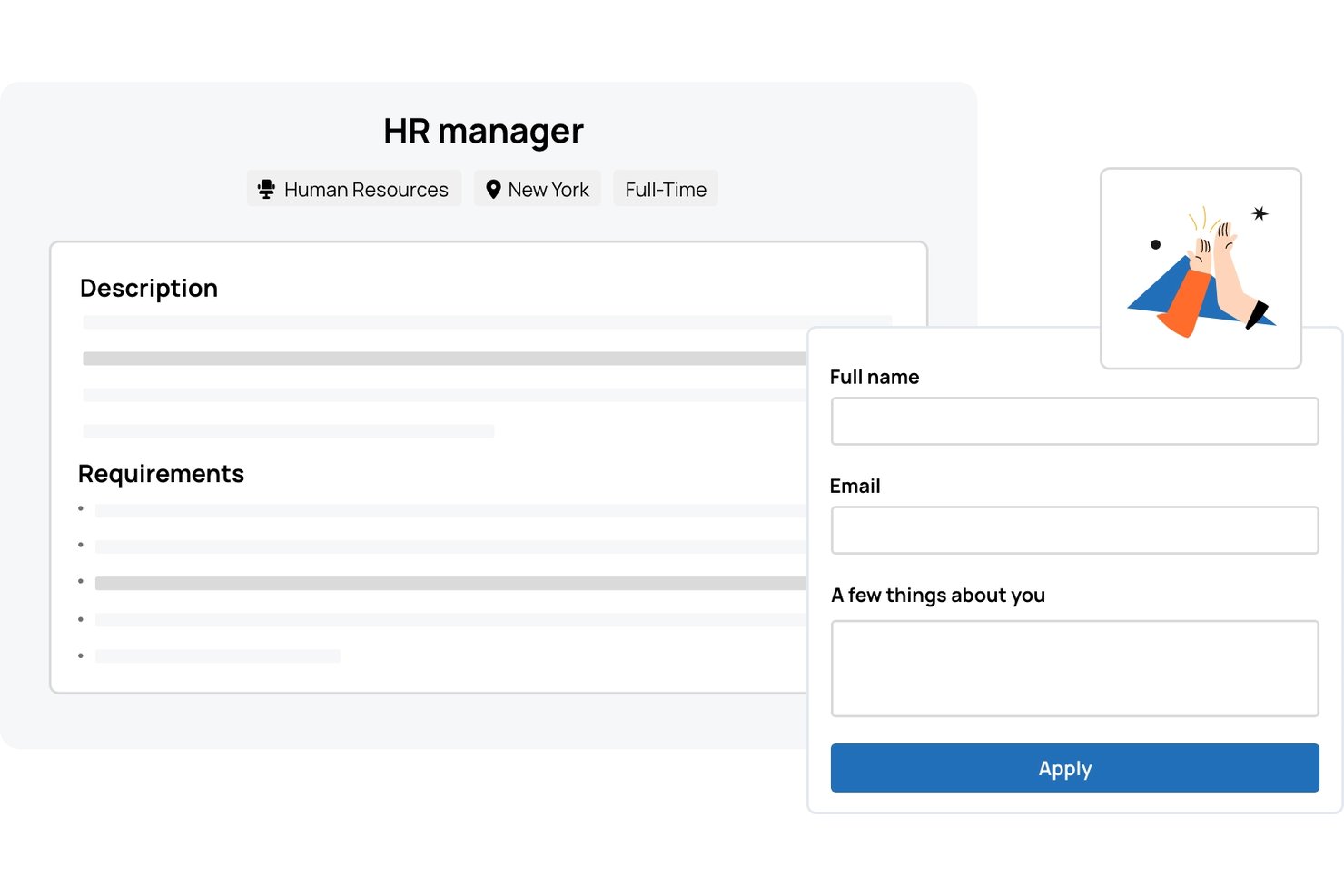
TalentHR is an applicant tracking and HR management platform designed for small businesses, offering digital recruitment workflows, onboarding tools, and built-in HR records management.
Who Is TalentHR Best For?
TalentHR suits small businesses and startups looking for HR software that handles hiring, onboarding, and employee management in one place.
Why I Picked TalentHR
I picked TalentHR as one of the best because the built-in onboarding automation for new hires really speeds up document collection and training assignments. I can set up onboarding workflows that automatically trigger the right forms and tasks for every new starter.
TalentHR Key Features
- Customizable recruitment pipeline: Tailor each hiring stage to match your team's unique workflow.
- Careers page builder: Create and update branded job listings directly from the platform.
- Interview notes tracking: Store and access feedback and evaluations for every candidate.
- Employee records management: Keep all employee documents and information organized in one platform.
TalentHR Integrations
TalentHR offers native integrations with Google Workspace, Microsoft 365, and Slack, and provides an API for custom integrations.
Pros and Cons
Pros:
- Built-in applicant and employee document management
- Customizable recruitment pipeline stages
- Automated onboarding workflows for new hires
Cons:
- Limited candidate sourcing features compared to peers
- No native job board posting support

Workable
Best for tracking candidate progress through the hiring pipeline

Workable is a recruitment software platform designed to improve the hiring process for businesses of all sizes. With its comprehensive suite of tools, Workable simplifies job posting, candidate sourcing, and applicant tracking, making it easier for HR teams to manage their recruitment efforts.
One of the standout features of Workable is its job posting and sourcing capabilities. Workable allows users to post job listings to hundreds of job boards and social media platforms with just a few clicks, which is useful for small businesses with limited time for manual effort. Additionally, Workable’s advanced candidate sourcing tools enable recruiters to search for potential candidates across multiple channels. This extensive reach ensures that companies can attract a diverse pool of qualified candidates
Workable's ATS allows recruiters to manage candidate applications from a single, intuitive dashboard, tracking their progress through each stage of the hiring pipeline. It also includes powerful automation features, such as resume parsing and candidate scoring.
The platform also offers a range of tools that facilitate team collaboration, allowing hiring managers and team members to share feedback and evaluation.
Workable integrates with a wide range of popular tools and platforms, including LinkedIn, Indeed, Google Calendar, Slack, Microsoft Outlook, Zapier, BambooHR, Greenhouse, Zoom, Asana, Trello, DocuSign, G Suite, Office 365, Monster, Facebook, Twitter, Glassdoor, and more.
New Product Updates from Workable
Workable Recruiting Enables Direct LinkedIn Job Promotion
Workable Recruiting lets teams purchase and manage paid LinkedIn job promotion directly in Workable. This gives recruiters more control over campaign spend and performance. For more information, visit Workable’s official site.
Best for compliant global hiring and payroll management
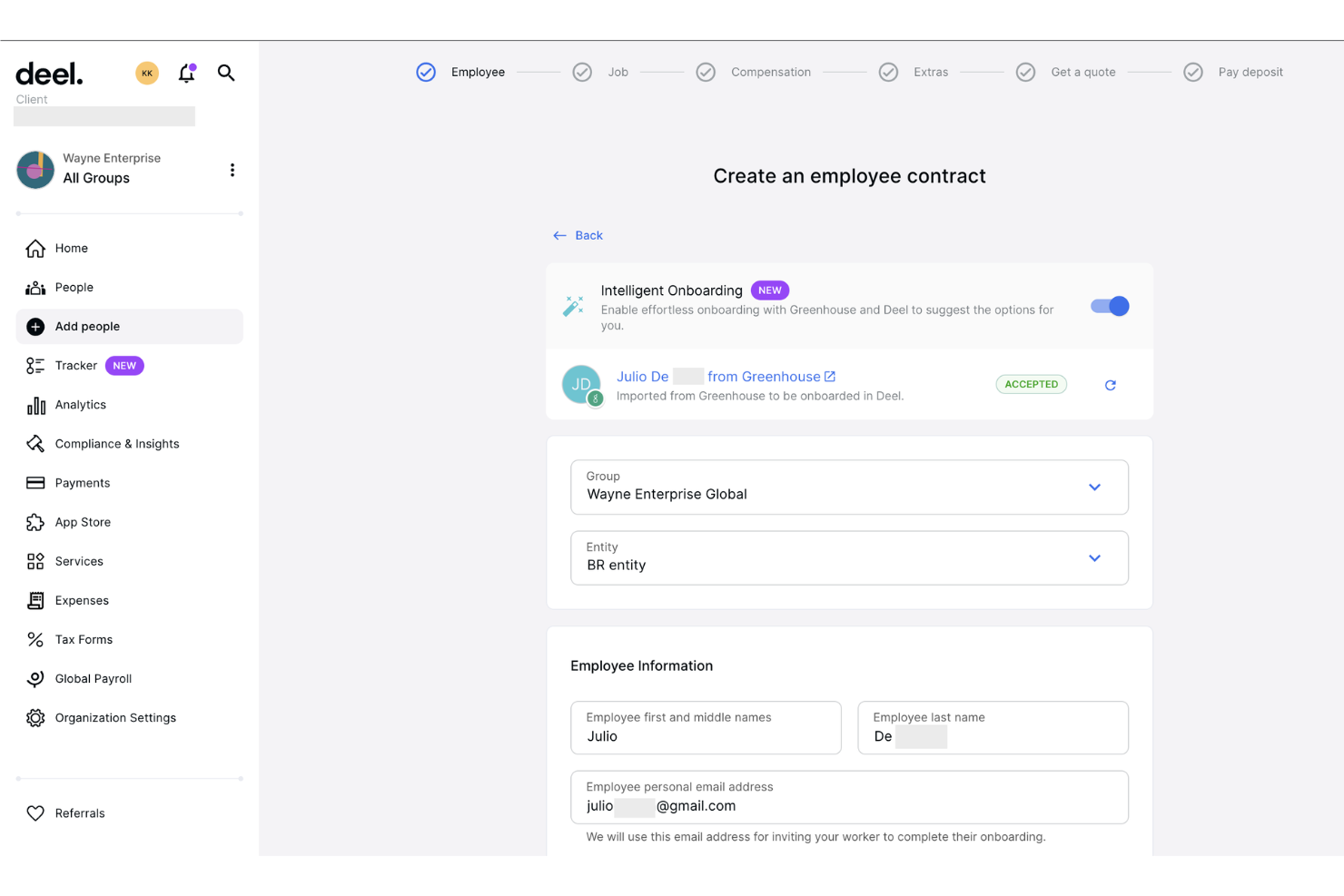
Deel Hire is an AI-powered applicant tracking system that combines job board distribution, automated candidate screening, interview scheduling, and built-in compliance tools within Deel's broader HR and payroll platform.
Who Is Deel Hire Best For?
Deel Hire is a strong fit for startups and small businesses hiring across multiple countries who need compliance built directly into their recruiting process.
Why I Picked Deel Hire
Deel Hire earns its spot on my shortlist because compliance is woven into every step of the recruiting workflow, not bolted on afterward. When I use Deel, candidate data flows automatically from the ATS into onboarding and payroll. That matters most when hiring across countries with different legal requirements. The AI screening tools handle first-round candidate reviews based on role criteria, so my team can focus entirely on final-stage decisions.
Deel Hire Key Features
- AI-assisted job posting: Create and post job listings to over 1,000 boards with automated role and compensation suggestions.
- Google Workspace and Microsoft Teams integration: Schedule interviews and sync candidate activities within your existing workflow tools.
- Analytics dashboard: Track hiring metrics such as time-to-hire and pipeline conversion rates in real time.
- Global compliance controls: Manage applicant permissions, data privacy, and hiring documentation tailored to local laws in over 150 countries.
Deel Hire Integrations
Deel Hire offers native integrations with Google Workspace and Microsoft Teams. An API is available for custom integrations.
Pros and Cons
Pros:
- AI screening reduces manual candidate review time
- ATS and payroll housed in one platform
- Built-in compliance across 150+ countries
Cons:
- Reporting less developed than dedicated ATSs
- Overkill for domestic-only small business hiring

Best for flexible workflow visualization
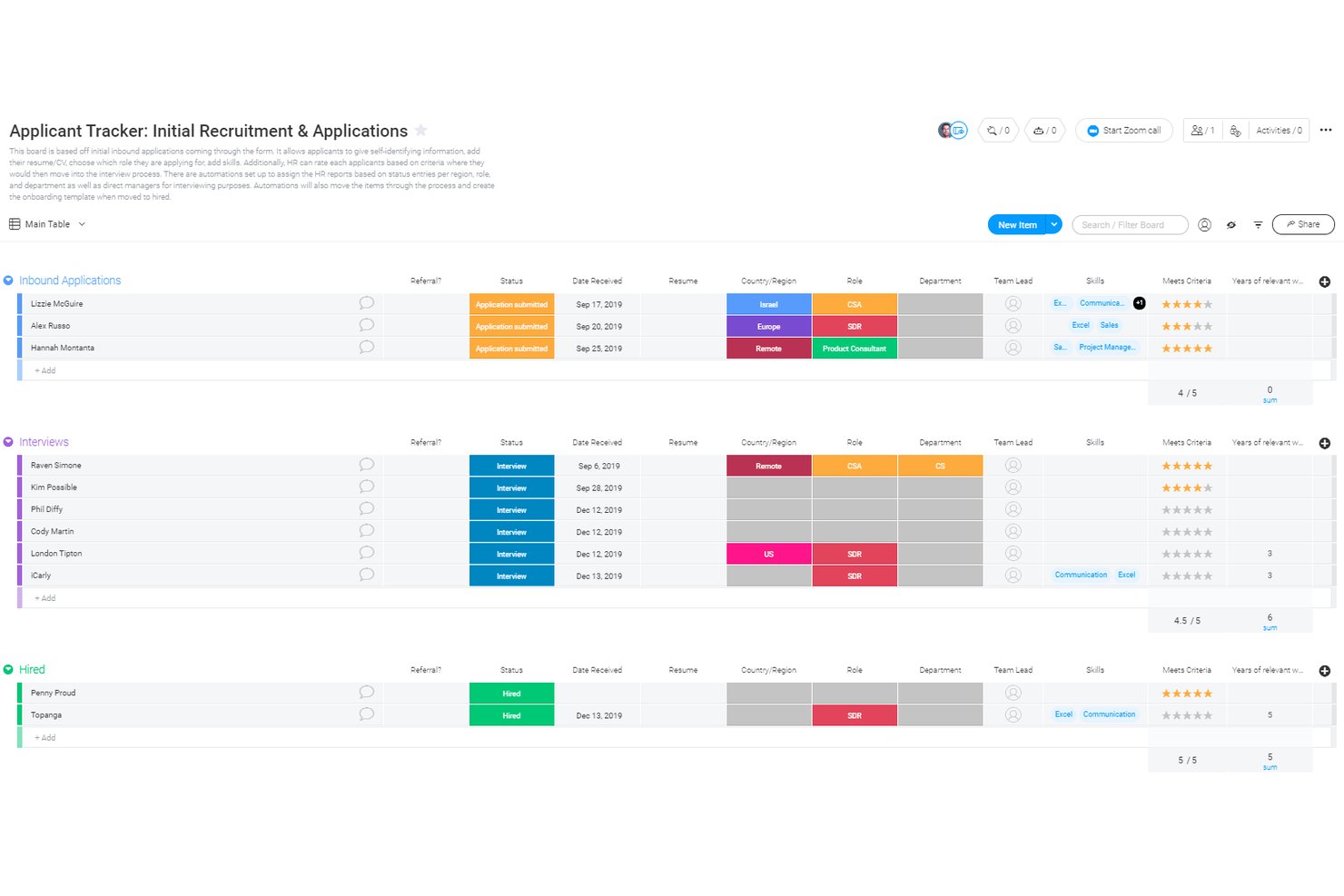
monday AI Workspace is a general-purpose work management platform that small businesses can configure as an ATS using customizable boards, WorkForms, automations, and AI-powered workflow tools.
Who Is monday AI Workspace Best For?
It's a strong fit for small business owners and office managers who want to build a custom hiring workflow inside a platform they're already using for broader operations.
Why I Picked monday AI Workspace
I picked monday AI Workspace because no other tool on my shortlist lets you build and visualize a hiring pipeline in as many ways. I can switch between Kanban, Timeline, and Calendar views on the same candidate board, and set automation triggers that move candidates and fire status emails when a stage changes. The Vibe app builder even lets me spin up a custom AI agent to handle initial screening questions.
monday AI Workspace Key Features
- WorkForms: Collect candidate details and applications through customized forms shared via public links.
- AI-powered columns: Use AI columns to extract and summarize information from candidate resumes or application notes.
- Role-based permissions: Control access to boards, automations, and candidate pipelines for different hiring stakeholders.
- Automated email triggers: Send emails automatically to candidates when their pipeline status changes.
monday AI Workspace Integrations
monday AI Workspace offers hundreds of native integrations through its built-in integrations and marketplace, including Slack, Google Workspace, Microsoft 365, Jira, Dropbox, Zoom, HubSpot, Salesforce, GitHub, and Outlook. It also supports Zapier and provides an API for custom integrations.
Pros and Cons
Pros:
- AI tools speed up application review
- Automations reduce repetitive candidate communication tasks
- Highly visual pipeline with multiple board views
Cons:
- Recruiting setup requires significant manual configuration
- No native resume parsing or job posting
New Product Updates from monday AI Workspace
monday AI Workspace Adds Human Approval Routing
monday AI Workspace adds a human-in-the-loop approval block to AI Workflows, sending approval requests and routing workflow paths based on responses. For more information, visit monday AI Workspace's official site.
 .
.
Efficient ATS with auto-populated offer letters and insightful applicant analytics
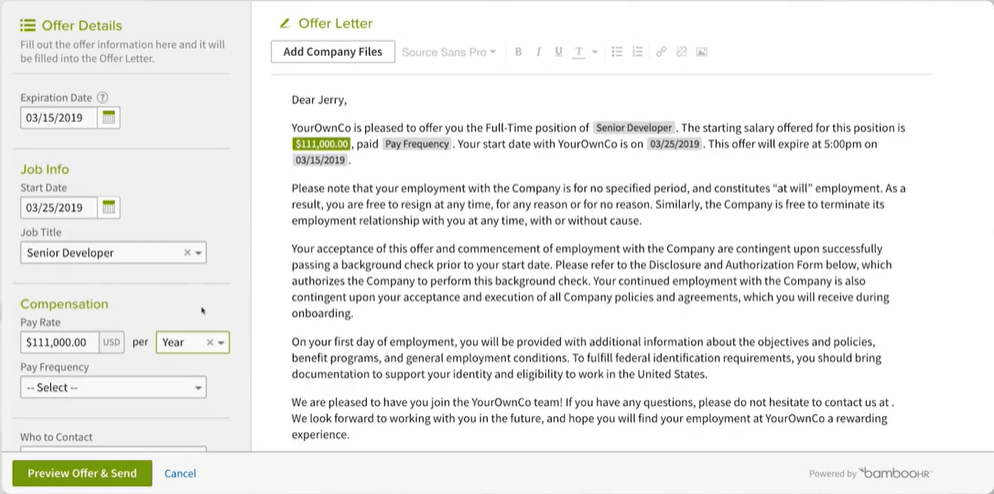
Efficiency and speed are two core elements of BambooHR’s applicant tracking system, which includes time-saving features like sending multiple email template responses at once, and branded digital offer letters that auto-populate candidate and job details. To improve the candidate experience, electronic signatures also make it fast and easy to accept a new position. Automated reminders also ensure hiring managers communicate with applicants in a timely fashion, ensuring they feel acknowledged and informed throughout the hiring process.
To help with your overall recruitment process, BambooHR also includes useful birds-eye-view applicant information. Their Applicant Sources Report parses out your candidate data to show you where the majority of your applicants are coming from, helping you to either focus your resources on what’s working the best, or address any shortcomings directly. As well, their Applicant Funnel Report digs deeper into your recruitment timeline to pinpoint the slower portions of your process so you can look at ways to speed up those steps.
BambooHR integrates directly with 60+ common HR software solutions including job posting boards like Indeed, Glassdoor, and ZipRecruiter, as well as social media sites like LinkedIn, Twitter and Facebook. They also have a full-feature mobile app so you can stay in touch with candidates from anywhere.
Pricing details for BambooHR are available upon request. A free trial and free demo can also be requested via their website.
New Product Updates from BambooHR®

BambooHR Adds Employee Navigator Integration
BambooHR adds an Employee Navigator integration that syncs employee demographic data and sends benefit deductions into BambooHR Payroll runs to cut duplicate entry and keep records aligned. For more information, visit BambooHR's official site.
 .
.
Greenhouse
Best for reaching a broader range of candidates
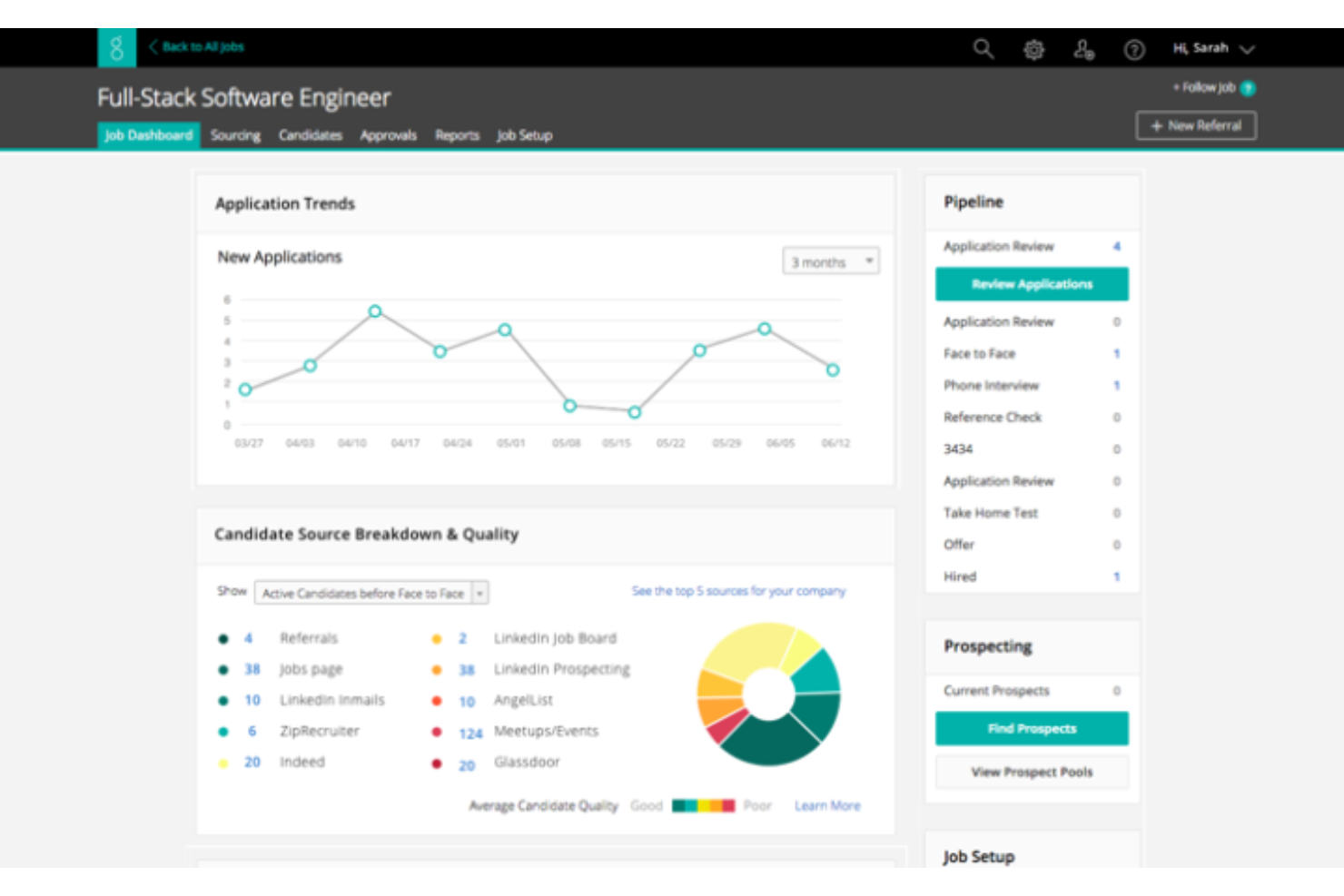
Greenhouse is a recruiting software that offers an 'essential' plan that's well-suited to the needs of small businesses. The platform helps you reach, classify, and nurture talent, and build a robust candidate pipeline and find the best candidates for each available position.
When you're ready to advertise a job opening, you can post on over 1,000 job boards through the software. This includes both niche sites and major job marketplaces, and the software makes recommendations of where you should post based on historical and industry performance. By casting a wider net, you're more likely to find the best people for the role.
A contact database is included in the system, making it easier to keep track of applicant contact information and send personalized follow ups and communications. You can also automate your messaging to reduce your manual workload.
The software allows you to screen candidates anonymously using scorecards you can set up. This helps you both mitigate unconscious bias and ensure you're evaluating people fairly and consistently.
You can connect the platform to other tools including Broadbean, Canditech, Cord, Docusign, Dropbox, FlexJobs, Google Meet, Indeed, Microsoft Teams, Paradox, and Seek. A free demo is available, and pricing information is available upon request.
New Product Updates from Greenhouse

Greenhouse Opens Candidate Insights and Talent Matching Assistants to Beta
Greenhouse opens Candidate Insights and Talent Matching assistants to beta for candidate questions and natural-language search. This helps recruiters review candidates and build searches faster. For more information, visit Greenhouse’s official site.
 .
.Other Applicant Tracking System for Small Business
Here are some additional applicant tracking system for small business options that didn’t make it onto my shortlist, but are still worth checking out:
- Recruit CRM
ATS for recruitment agencies
- Mitratech Perform
For teams looking for an end-to-end solution
- SparkHire
For hiring manager self-service workflow
- AvaHR
For small businesses with fewer than 100 employees
- Wizehire
For human-powered hiring support
- Eddy
Collaborative candidate tracking tools within a core HR framework
- Recruitee
Straightforward recruiting platform with smart campaigns and custom landing pages
- JazzHR
Full-feature applicant tracking system with enhanced candidate experience functions
- Mitratech TalentReef
Applicant tracking system for hiring hourly workers
- Unnanu Hire
For AI/ML powered resume scoring feature


How I Evaluate Applicant Tracking Systems for Small Business
I split my evaluation into baseline must-haves—like multi-board job posting and candidate pipeline tracking—and the differentiators that separate a good ATS from the right one for a small team.
Core Functionality (Table Stakes For This List)
When I'm selecting tools for my list, I rank each one on a scale from 0 (does not offer the functionality) to 5 (excels in this area) for each core functionality listed below. Then, I calculate the tool's total score into a percentage. Each tool needs to achieve a minimum total score of 65% to be considered for inclusion.
- Job Posting Distribution: I check how many job boards a tool pushes to in a single click—think Indeed, LinkedIn, ZipRecruiter—and whether it supports both free and sponsored listings.
- Candidate Pipeline Management: A clear, visual pipeline where you can drag candidates between stages like "Phone Screen" and "Offer" makes a real difference when you're juggling multiple open roles.
- Resume Parsing & Storage: I evaluate whether the tool reliably extracts candidate details from uploaded resumes and lets you search your talent pool later using filters or keywords.
- Careers Page Builder: I look for a branded, embeddable careers page your team can launch without a developer—something that matches your site and works well on mobile devices.
- Hiring Team Collaboration: Tools like scorecards, @mentions, and role-based permissions matter here, especially when a store manager and an HR lead both need input on the same hire.
- Small Business Pricing & Scalability: I evaluate whether transparent, published pricing exists for teams under 200 employees, including free tiers or per-job plans that fit seasonal hiring patterns.
Once I have a list of tools that meet the criteria, I consider what sets each platform apart.
Differentiating Factors (What Sets Vendors Apart)
Here's how I compare and contrast different vendors:
Standout Features
Interview scheduling automation saves hours when you're coordinating between candidates and busy hiring managers—I look for tools with two-way calendar sync and self-scheduling links. Built-in SMS outreach is another feature I evaluate closely, since texting tends to get faster responses from candidates in hourly or retail roles. I also check whether a platform includes native offer letters with e-signature, which lets small teams close candidates without paying for a separate signing tool.
Beyond Features
Integrations with payroll and HRIS tools like Gusto, BambooHR, or Rippling matter a lot—I evaluate whether candidate data flows into your existing stack without manual re-entry. Time-to-value is another factor I weigh, since most small businesses need to post their first job within a day, not after a weeks-long implementation. Mobile experience counts too. Hiring managers reviewing candidates between meetings need a native app with push notifications, not a clunky mobile browser workaround.
How to Choose Applicant Tracking System for Small Business
It’s easy to get bogged down in long feature lists and complex pricing structures. To help you stay focused as you work through your unique software selection process, here’s a checklist of factors to keep in mind:
| Factor | What to Consider |
|---|---|
| Scalability | Will the system grow with your business? Ensure it can handle more users or job postings as your team expands, without significant costs or technical limitations. |
| Integrations | Does it work with your existing tools? Check compatibility with HR software, email, and calendars to keep everything connected and reduce manual data entry. |
| Customizability | Can you tailor the system to fit your workflows? Look for options to adjust fields, processes, and dashboards to suit your team’s unique needs. |
| Ease of use | Is the system intuitive for all users? Ensure a straightforward interface that minimizes training time and allows quick adoption by your entire team. |
| Implementation and onboarding | How quickly can you get started? Evaluate the setup process, available support, and resources like tutorials or guides to facilitate smooth onboarding. |
| Cost | What’s the total cost of ownership? Look beyond initial pricing; consider maintenance fees, add-ons, and any hidden costs that might affect your budget. |
| Security safeguards | Are your data and candidates’ information protected? Check for data encryption, compliance with data protection laws, and user access controls. |
| Support availability | How accessible is customer support? You’ll want reliable help via multiple channels, especially during critical hiring periods or when facing technical issues. |
What Is an Applicant Tracking System for Small Business?
An applicant tracking system for small business is software designed to help manage and organize the hiring process. HR professionals and recruiters typically use these tools to simplify tracking applications, scheduling interviews, and storing candidate data. Features like job posting management, candidate tracking, and interview scheduling help with efficiency and organization. These tools ultimately save time and reduce the complexity of hiring for small businesses.
Features
When selecting an applicant tracking system for small business, keep an eye out for the following key features:
- Job posting management: Allows you to create and manage job listings across multiple platforms, saving time and reaching a wider audience.
- Candidate tracking: Helps you monitor applicant progress through the hiring pipeline, ensuring no steps are missed.
- Interview scheduling: Facilitates setting up interviews with candidates and team members, reducing back-and-forth communication.
- Customizable workflows: Lets you tailor hiring processes to fit your team's unique needs, improving efficiency and organization.
- Integration capabilities: Connects with existing tools like email and calendars to streamline communication and data entry.
- Data security: Ensures candidate information is protected with encryption and compliance with data protection laws.
- Reporting and analytics: Provides insights into hiring metrics and trends, helping you make informed decisions.
- Mobile access: Offers the ability to manage hiring tasks on the go, increasing flexibility for busy HR professionals.
- User-friendly interface: Features an intuitive design that minimizes training time and encourages adoption by the entire team.
- Training resources: Includes tutorials and guides to help new users quickly learn and effectively use the system.
Benefits
Implementing an applicant tracking system for small business provides several benefits for your team and your business. Here are a few you can look forward to:
- Time savings: Automates repetitive tasks like posting jobs and tracking candidates, freeing up time for more strategic activities.
- Improved organization: Keeps all candidate information and hiring data in one place, reducing the risk of losing important details.
- Enhanced collaboration: Allows team members to access and update candidate information easily, improving communication and decision-making.
- Better candidate experience: Provides timely updates and communication to applicants, enhancing their overall experience with your company.
- Data-driven insights: Offers reports and analytics on hiring processes, helping you make informed decisions and improve future recruitment strategies.
- Scalability: Grows with your business, accommodating more users and job postings as your hiring needs increase.
- Cost efficiency: Reduces the need for manual processes and external recruitment services, saving money in the long run.
Costs & Pricing
Selecting an applicant tracking system for small business requires an understanding of the various pricing models and plans available. Costs vary based on features, team size, add-ons, and more. Teams with limited budgets can also compare free ATS options before deciding whether they need a paid plan.
The table below summarizes common plans, their average prices, and typical features included in applicant tracking system for small business solutions:
Plan Comparison Table for Applicant Tracking System for Small Business
| Plan Type | Average Price | Common Features |
|---|---|---|
| Free Plan | $0 | Basic job posting, candidate tracking, and limited reporting. |
| Personal Plan | $5-$25/user/month | Job posting, resume parsing, email integration, and basic analytics. |
| Business Plan | $30-$75/user/month | Advanced analytics, customizable workflows, integrations with HR tools, and mobile access. |
| Enterprise Plan | $80-$150/user/month | Full customization, dedicated support, multi-language support, and enhanced security. |
Applicant Tracking System for Small Business FAQs
Here are some answers to common questions about applicant tracking system for small business:
What is the implementation time for an applicant tracking system?
Implementation time varies, but most applicant tracking systems can be set up within a few days to a few weeks. The duration depends on the complexity of your existing processes and the level of customization you require. To speed up the process, gather all necessary information and resources beforehand, such as job descriptions, team roles, and current workflows. Some vendors offer support to help guide you through the setup, ensuring a smooth transition for your team.
Can applicant tracking systems integrate with other HR tools?
Yes, most applicant tracking systems offer integration capabilities with other HR tools like payroll, performance management, and employee engagement platforms. By integrating these tools, you can create a more cohesive HR ecosystem that reduces manual data entry and enhances communication between different functions. Before purchasing, check if the system supports the specific tools your team already uses.
Is data migration possible when switching applicant tracking systems?
Yes, data migration is usually possible when switching systems, but it requires careful planning. You’ll want to ensure that all candidate data, job postings, and historical records are transferred without loss. Many vendors provide migration assistance or tools to help with this process. It’s a good idea to back up your data before starting the migration to safeguard against potential issues.
How secure are applicant tracking systems?
Applicant tracking systems generally offer strong security measures, including data encryption, secure user access, and compliance with data protection laws. When evaluating a system, ask about their security protocols and any certifications they hold. It’s important to ensure that your candidates’ information is handled securely and that the system complies with relevant regulations in your region.
What’s Next:
If you're in the process of researching applicant tracking system for small business, connect with a SoftwareSelect advisor for free recommendations.
You fill out a form and have a quick chat where they get into the specifics of your needs. Then you'll get a shortlist of software to review. They'll even support you through the entire buying process, including price negotiations.