
30 Best Payroll Software of 2026: Reviewed and Compared

20 Best Payroll Software Shortlist
Here's my pick of the 20 best software from the 30 tools reviewed.


The best payroll software help organizations pay employees and contractors accurately, stay compliant with changing tax laws, and automate tedious payroll tasks so you can focus on people—not paperwork.
If you’re stuck with clunky systems, juggling manual calculations, or worried about errors and late filings, the right platform can eliminate those headaches. Modern solutions handle wage calculations, direct deposits, multi-state or international payroll, benefits deductions, and detailed reporting—all in one place.
As someone with 9 years of hands-on experience managing payroll operations and 3+ years of testing and researching payroll and HR tools, I’ve put together this guide to help you cut through the noise, compare your top options, and confidently choose a system that saves time, reduces risk, and makes payday effortless. Let's jump in to help you find the right fit!
You Can Trust Our Software Reviews
We've been testing and reviewing HR software since 2019. As HR professionals ourselves, we know how critical and difficult it is to make the right decision when selecting software.
We invest in deep research to help our audience make better software purchasing decisions. We've tested more than 2,000 tools for different HR use cases and written over 1,000 comprehensive software reviews. Learn how we stay transparent, and take a look at our software review methodology.
Best Payroll Software: Comparison Chart
This comparison chart summarizes pricing, trial, and demo details for my top payroll software selections to help you find the best software for your budget and business needs.
| Tool | Best For | Trial Info | Price | ||
|---|---|---|---|---|---|
| 1 | Best for compliant payroll in 150+ countries | Free demo available | From $5/employee/month | Website | |
| 2 | Best for 24/5 dedicated support | Free demo available | Pricing upon request | Website | |
| 3 | Best for automating payroll tasks | 30-day free trial available | Pricing upon request | Website | |
| 4 | Best for HR, payroll, and integrations in one | Free demo available | Pricing upon request | Website | |
| 5 | Best for Canadian SMBs | Free demo available | Pricing upon request | Website | |
| 6 | Best for hands-off tax filing | Free demo available | From $49/month + $6/user/month (billed annually) | Website | |
| 7 | Best for automated complex pay calculations | Free demo available | Pricing upon request | Website | |
| 8 | Best for small businesses | 90-day free trial available | Pricing upon request | Website | |
| 9 | Best for mixed workforce payroll | Not available | From $8/employee/month + $50/month base fee | Website | |
| 10 | Best for global payroll management | Not available | From $199/month | Website | |
| 11 | Best for real-time payroll data access | Free demo available | Pricing upon request | Website | |
| 12 | Best for global teams in 170+ countries | Free plan + free demo available | From $199/person/month | Website | |
| 13 | Best for niche industries | 30-day free trial available | From $49/base/month + $6/worker/month | Website | |
| 14 | Best for accurate payroll processing | Free demo available | Pricing upon request | Website | |
| 15 | Best for expert guidance | Free demo available | From $99/month | Website | |
| 16 | Best for managing hourly teams | 14-day free trial + free plan + free demo available | From $30/location/month (billed annually) | Website | |
| 17 | Best for US companies | 30-day free trial available | From $8.50/month + $2 per employee/month | Website | |
| 18 | Best for syncing with the QuickBooks ecosystem | 30-day free trial available | From $38/user/month | Website | |
| 19 | Best for flexible payroll systems | Free demo available | Pricing upon request | Website | |
| 20 | Best international and local payroll consolidation | Free trial available | From $29/user/month | Website |


-

Checkr
Visit WebsiteThis is an aggregated rating for this tool including ratings from Crozdesk users and ratings from other sites.4.5 -
Kudoboard
Visit WebsiteThis is an aggregated rating for this tool including ratings from Crozdesk users and ratings from other sites.4.8 -
Native Teams
Visit WebsiteThis is an aggregated rating for this tool including ratings from Crozdesk users and ratings from other sites.4.9





Best Payroll Software Reviews
Here you’ll find my detailed overviews of the 20 best payroll solutions I’ve featured. Each overview has information about the platform’s best use case, standout features, and integrations. Plus, there are additional options included below if you’d like even more choices to consider.


Deel is built for companies that need to run payroll and hire employees or contractors across multiple countries without setting up local entities. It’s especially useful for HR and finance teams managing global compliance, tax regulations, and international payments. With Deel, you can onboard global talent, automate payroll, and handle localized benefits while staying compliant with country-specific labor laws.
Who is Deel Best For?
HR, finance, and global mobility leaders at mid-sized to enterprise organizations that manage international hiring and payroll compliance. It suits companies operating across multiple countries that require centralized oversight of localized employment, payments, and regulatory adherence.
Why I Picked Deel
I picked Deel because it gives your team one platform to manage payroll, contractor payments and compliance across 150 + countries, so you don’t have to juggle local vendors in every market.
For example, with Deel, you can produce and submit your payroll report, track off-cycle payments, and handle onboarding/terminations from the same dashboard. Its compliance-hub checks local tax laws, labor rules and filings automatically, saving you from manual country-by-country research.
I also like that it supports multiple payment methods and currencies, so your global team can get paid locally while you manage centrally. Finally, the dedicated support and in-house local experts mean you won’t be stranded in a complex jurisdiction without guidance.
Deel Key Features
Here are some standout features worth highlighting:
- Global payroll coverage: Pay employees and contractors in over 130 countries with local-currency support and legal entity options.
- Automated compliance engine: Tracks local labor laws, tax changes and filings, and alerts you when something requires attention.
- Off-cycle payment support: Enables you to run payroll corrections or bonus payments outside the regular cycle directly from the dashboard.
- Unified reporting & dashboards: Let you consolidate gross-to-net costs, taxes, benefits and deductions from multiple countries into one view.
Deel Integrations
Integrations include Workday, SAP SuccessFactors, UKG, HiBob, BambooHR, QuickBooks, Xero, and Payoneer.
Pros and Cons
Pros:
- Allows off-cycle payments and flexibility for global payroll scenarios
- Built-in compliance monitoring
- Supports payroll in 130 + countries
Cons:
- Limited invoice customization
- Contract templates could be simplified

If you need to manage payroll across multiple countries, TopSource offers a solution designed for global teams. This platform is a strong fit for businesses expanding internationally or handling complex, multi-country payroll compliance. It helps you centralize payroll processes and navigate local regulations without juggling multiple vendors.
Who is TopSource Best For?
HR, payroll, and finance leaders at mid-sized to enterprise organizations that require ongoing operational support for global employment and payroll administration. It suits companies managing multi-country workforces that need consistent service coverage and centralized coordination across regions.
Why I Picked TopSource
I chose TopSource because it specializes in global payroll management for businesses with teams in multiple countries. The platform handles local tax compliance and currency conversions, which is essential for organizations operating internationally. I like that TopSource centralizes payroll data, making it easier to manage and report on payroll activities across different regions. Its ability to adapt to local employment laws helps reduce compliance risks for global employers.
TopSource Key Features
Some other features that make TopSource stand out for payroll management include:
- Employee Self-Service Portal: Employees can access their payslips, tax documents, and personal payroll information online.
- Automated Payroll Calculations: The system automatically calculates salaries, deductions, and statutory contributions for each country.
- Document Management: Store and manage payroll-related documents securely within the platform.
- Customizable Reporting: Generate detailed payroll reports tailored to your organization’s needs.
TopSource Integrations
Integrations are not publicly listed.
Pros and Cons
Pros:
- Legal employer of record in each location
- Includes global payroll and tax management
- Salary estimator tool helps plan ahead
Cons:
- No public list of software integrations
- Pricing not publicly listed


If you’re looking for payroll software that can scale with your organization, Paycor offers a platform designed for growing businesses and mid-sized companies. It’s especially useful for HR teams that need to manage payroll, time, and workforce analytics in one place. Paycor’s customizable workflows and compliance tools help address the challenges of multi-state payroll and complex organizational structures.
Who is Paycor Best For?
Payroll administrators, HR teams, and finance leaders at small to mid-sized organizations that want to reduce manual effort through automated payroll processes. It suits companies managing multi-state or multi-location workforces that require consistent payroll administration and compliance oversight.
Why I Picked Paycor
Paycor caught my attention for its ability to support organizations as they grow and their payroll needs become more complex. The platform offers scalable payroll processing that adapts to different business sizes and structures, making it a strong fit for companies with expanding teams or multiple locations. I appreciate how Paycor’s compliance management tools help HR teams stay on top of changing regulations across states. Its customizable workflows also let you tailor payroll processes to fit unique organizational requirements, which is especially valuable for businesses in transition.
Paycor Key Features
Some other features that make Paycor useful for payroll management include:
- On-Demand Pay: Give employees access to earned wages before payday.
- Mobile Payroll App: Run payroll and access reports from a mobile device.
- Tax Filing Services: Automate federal, state, and local tax filings.
- Employee Self-Service Portal: Let employees view pay stubs, update information, and manage tax forms online.
Paycor Integrations
Integrations are not publicly listed.
Pros and Cons
Pros:
- Direct deposit setup for multiple employee accounts
- Payroll analytics with customizable reporting options
- Automated new hire reporting for compliance
Cons:
- Time cards are a bit simplistic
- UX can be a little clunky at times


Paylocity is designed for businesses that want to manage payroll, HR, and workforce operations within a single unified platform. It’s especially useful for HR teams and business leaders looking to streamline payroll processing, employee engagement, and talent management. With Paylocity, you can automate payroll tasks, manage benefits, and access real-time workforce data to support operational decisions.
Who is Paylocity Best For?
HR leaders, payroll administrators, and IT stakeholders at mid-sized organizations that want to manage HR, payroll, and system integrations within a unified platform. It suits companies operating across multiple departments or locations that require centralized workforce data and connected people operations workflows.
Why I Picked Paylocity
I picked Paylocity because it helps you handle payroll and HR in one place. You remain confident that paychecks go out accurately while also managing hiring, benefits and employee workflows, and it automates tax calculations, garnishments and multi-state payroll so you don’t manually track each deduction.
You also get employee self-service, so your team can view pay stubs, request time off or update personal info—freeing HR from repetitive tasks. And because the platform links payroll, time and labor, and benefits modules, you avoid disjointed systems and duplicate data entry.
Paylocity Key Features
Here are some standout features worth highlighting:
- Automated payroll & tax services: Handles gross-to-net calculations and filings across states.
- Time & labor tracking: Lets employees clock in/out, request time-off, and managers approve, linking directly into payroll.
- Employee self-service portal: Employees access pay stubs, benefit elections and personal data from mobile or desktop.
- Onboarding, performance & talent workflows: Supports applicant tracking, reviews and development within the same system.
Paylocity Integrations
Integrations include Sage Intacct, QuickBooks, Oracle EBS, Clover, ADP data feeds, benefits carrier connections, time-clock hardware vendors, and general ledger posting systems.
Pros and Cons
Pros:
- Talent-management tools included
- Time and labor module ties directly into payroll to reduce errors
- Automates payroll and tax filings for multi-state businesses
Cons:
- Setup can be time consuming
- Lacks support for independent contractor payments


Employment Hero brings together HR, payroll, and employee benefits in a single platform designed for growing businesses. It’s especially useful for organizations that want to automate payroll while also managing onboarding, contracts, and compliance from one place. If you’re looking to reduce manual admin and keep HR and payroll tightly connected, this tool offers a unified approach.
Who is Employment Hero Best For?
HR leaders, payroll administrators, and business owners at small to mid-sized organizations that want an integrated platform for managing people operations. It suits Canadian SMBs that need localized HR, payroll, and compliance workflows aligned to regional employment requirements.
Why I Picked Employment Hero
What sets Employment Hero apart is its all-in-one approach to HR and payroll, which is especially valuable for growing businesses that want to keep everything connected. The platform lets you automate payroll runs, manage employee records, and handle leave requests without switching between different systems. I appreciate how Employment Hero links payroll directly to onboarding and contract management, so you can keep employee data consistent from day one. This unified setup helps reduce errors and saves time for teams managing both HR and payroll tasks.
Employment Hero Key Features
Some other features that make Employment Hero useful for payroll management include:
- Automated Tax Filing: The platform automatically calculates and files payroll taxes based on current regulations.
- Employee Self-Service App: Employees can view payslips, submit leave requests, and update personal details from their mobile devices.
- Timesheet Management: Track employee hours and approve timesheets directly within the system.
- Customizable Pay Run Schedules: Set up pay runs to match your business’s preferred payroll frequency and timing.
Employment Hero Integrations
Integrations include QuickBooks, Ameego, Go1, Slack, Google Workspace, and Microsoft 365.
Pros and Cons
Pros:
- Supports single touch payroll submissions
- Integrated timesheets sync with payroll runs
- Automated award interpretation for compliance
Cons:
- Some payroll reports lack export options
- Limited global payroll coverage outside Australia


Gusto offers a modern payroll platform that combines payroll, HR, and benefits in one place. It’s a strong fit for small and midsize businesses that want to automate payroll while also managing hiring, onboarding, and compliance. If you need a solution that handles payroll taxes, benefits administration, and employee self-service together, Gusto brings these features under a single roof.
Who is Gusto Best For?
Payroll administrators, HR teams, and finance leads at small to mid-sized organizations that want to automate tax filing within their payroll operations. It suits companies operating primarily in the U.S. that need streamlined compliance and reporting without extensive in-house payroll infrastructure.
Why I Picked Gusto
Gusto stands out for its modern approach to payroll, with built-in HR and benefits that go beyond basic pay runs. The platform lets you automate payroll processing, manage benefits enrollment, and handle new hire onboarding from a single dashboard. I like that Gusto automatically calculates and files payroll taxes, which helps reduce compliance headaches for busy teams. This combination of payroll, HR, and benefits management makes Gusto a strong choice for businesses that want everything in one place.
Gusto Key Features
Some other features that make Gusto appealing for payroll management include:
- Contractor Payments: Pay domestic and international contractors directly through the platform.
- Time Tracking Integration: Sync employee hours and attendance with payroll calculations.
- Garnishment Processing: Manage wage garnishments and deductions automatically within payroll runs.
- Customizable Pay Schedules: Set up multiple pay schedules to fit different employee groups or roles.
Gusto Integrations
Integrations include QuickBooks Online, Xero, FreshBooks, 7shifts, Deputy, TSheets, Clover, Expensify, Trainual, and JazzHR.
Pros and Cons
Pros:
- Automatic federal, state, and local tax filing
- Direct deposit with multiple pay schedule options
- Built-in benefits administration for multiple states
Cons:
- Health benefits limited to certain states
- No native support for tip reporting
New Product Updates from Gusto

Gusto Enhances Benefits Renewals with Personalized Insights
Gusto introduces a smarter benefits renewal process with personalized insights and benchmarking. This update helps businesses make more informed decisions when renewing coverage. For more information, visit Gusto’s official site.

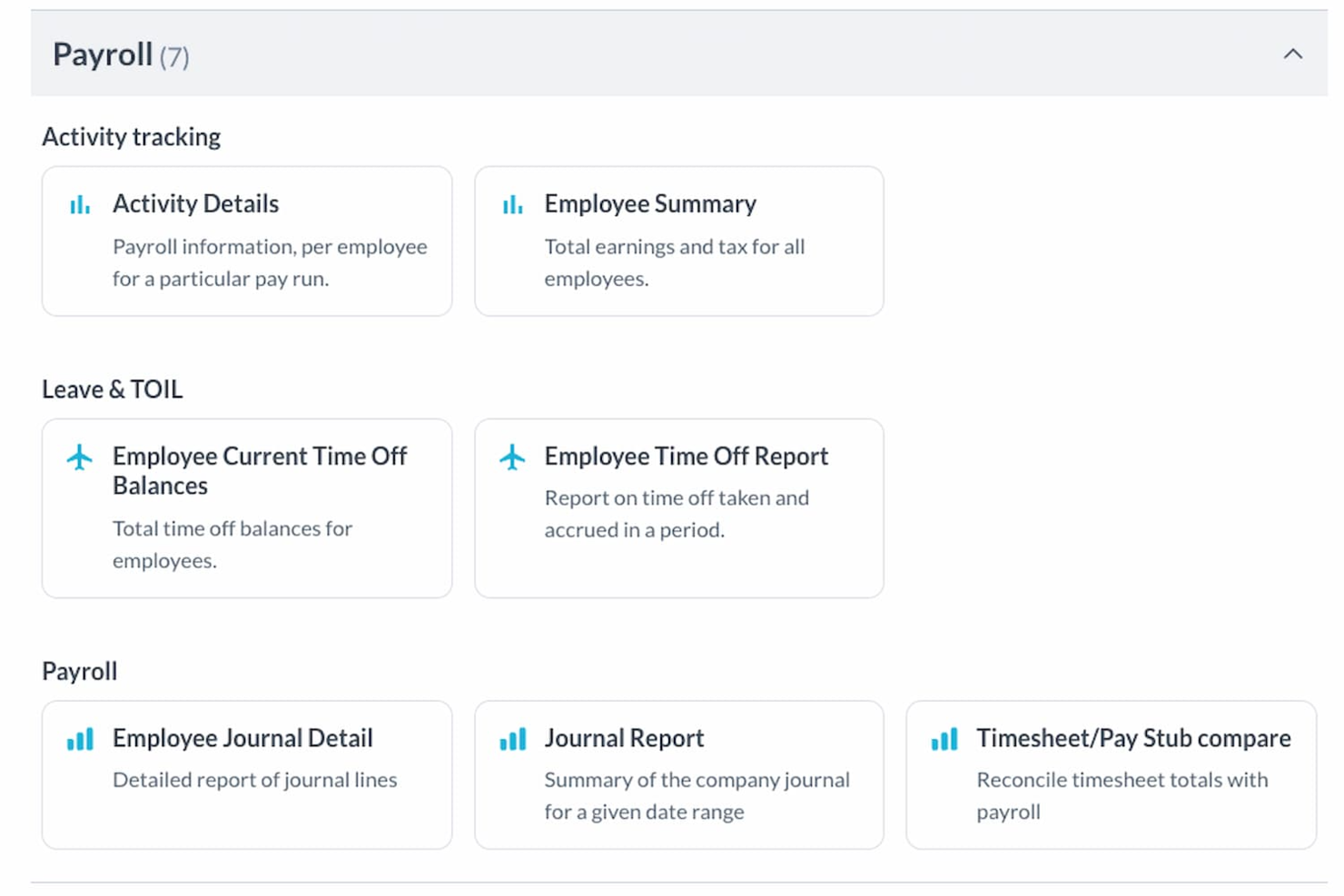
Workforce.com is a workforce management platform that caters to industries with shift and hourly workers, such as retail, hospitality, and healthcare. By integrating scheduling, HR, and payroll functionalities, it addresses the complexities of managing large teams, ensuring accurate payroll processing, and compliance with labor laws.
Why I Picked Workforce.com
I picked Workforce.com because its payroll engine connects directly with scheduling, attendance, and employee records, creating a setup where most payroll cleanup happens before payday. You can rely on automated handling of complex rules—like weighted overtime, multiple rates, and tip pooling—without manual formulas or last-minute edits. I also appreciate how the platform reminds employees and managers about missing timesheets, which keeps hours accurate and prevents delays. For teams with hourly staff, this combination helps you run payroll faster, with fewer mistakes and far less backtracking.
Workforce.com Key Features
In addition to its payroll processing capabilities, Workforce.com offers several features that enhance workforce management:
- AI-Driven Scheduling: Leverage artificial intelligence to optimize staff schedules and manage labor costs effectively.
- Centralized HRIS: Maintain all employee records in a centralized system, simplifying data management and accessibility.
- Performance Management: Track and evaluate employee performance, supporting continuous improvement and development.
- Compliance Solutions: Ensure adherence to labor laws and regulations with built-in compliance tools.
Workforce.com Integrations
Integrations include QuickBooks, Xero, ADP, Gusto, BambooHR, Deputy, Tanda, Sage, and Square.
Pros and Cons
Pros:
- Daily manager approvals improve payroll accuracy throughout each pay cycle
- Automated weighted overtime eliminates manual rate calculations and adjustments
- Accurate payroll driven by synced schedules, attendance, and employee records
Cons:
- Not ideal for companies without hourly or shift-based payroll needs
- Some industries may require integrations not listed

RUN Powered by ADP® is built to give small business owners a straightforward platform to pay employees, file taxes, and access basic HR tools.
Who is RUN Powered by ADP® Best For?
Business owners, office managers, and payroll administrators at small businesses that need straightforward payroll and basic HR support. It suits early-stage and growing companies operating primarily in the U.S. that require compliant payroll processing without complex enterprise configurations.
Why I Picked RUN Powered by ADP®
I picked RUN Powered by ADP® because it’s designed specifically for small businesses that need payroll done right but don’t want to manage a full-scale HR system.
You’ll benefit from automatic tax calculations and filings that reduce the risk of costly errors, and the mobile and web apps let you run payroll on the go and give your employees access to pay stubs and tax forms.
I also like the “RUN & DONE®” feature that lets you automate recurring payroll with review built in, so you spend less time on admin. And because it comes from ADP—a trusted payroll provider—you gain confidence in the compliance support, even as your business grows.
RUN Powered by ADP® Key Features
Here are some standout features worth highlighting:
- Automatic Tax Filing: Calculates and submits federal, state and local payroll taxes so you stay compliant.
- Mobile & Web Access: Lets you and your employees access payroll, pay stubs and personal details from any device.
- Multi-Jurisdiction Payroll: Supports payroll across different states with varying tax rules—useful if you have remote employees.
- Employee Self-Service Portal: Let staff review pay stubs, update personal info, and request time-off, reducing HR follow-up.
RUN Powered by ADP® Integrations
Integrations include QuickBooks, Xero, Wave, ClockShark, JazzHR, 7Shifts, Absorb LMS, and SmartRecruiters.
Pros and Cons
Pros:
- Employee self-service portal reduces manual HR work
- Mobile app gives access to payroll on the go
- Automatically handles tax calculations and filings
Cons:
- Contractor/1099 payment features may require add-ons
- Basic HR functionality only

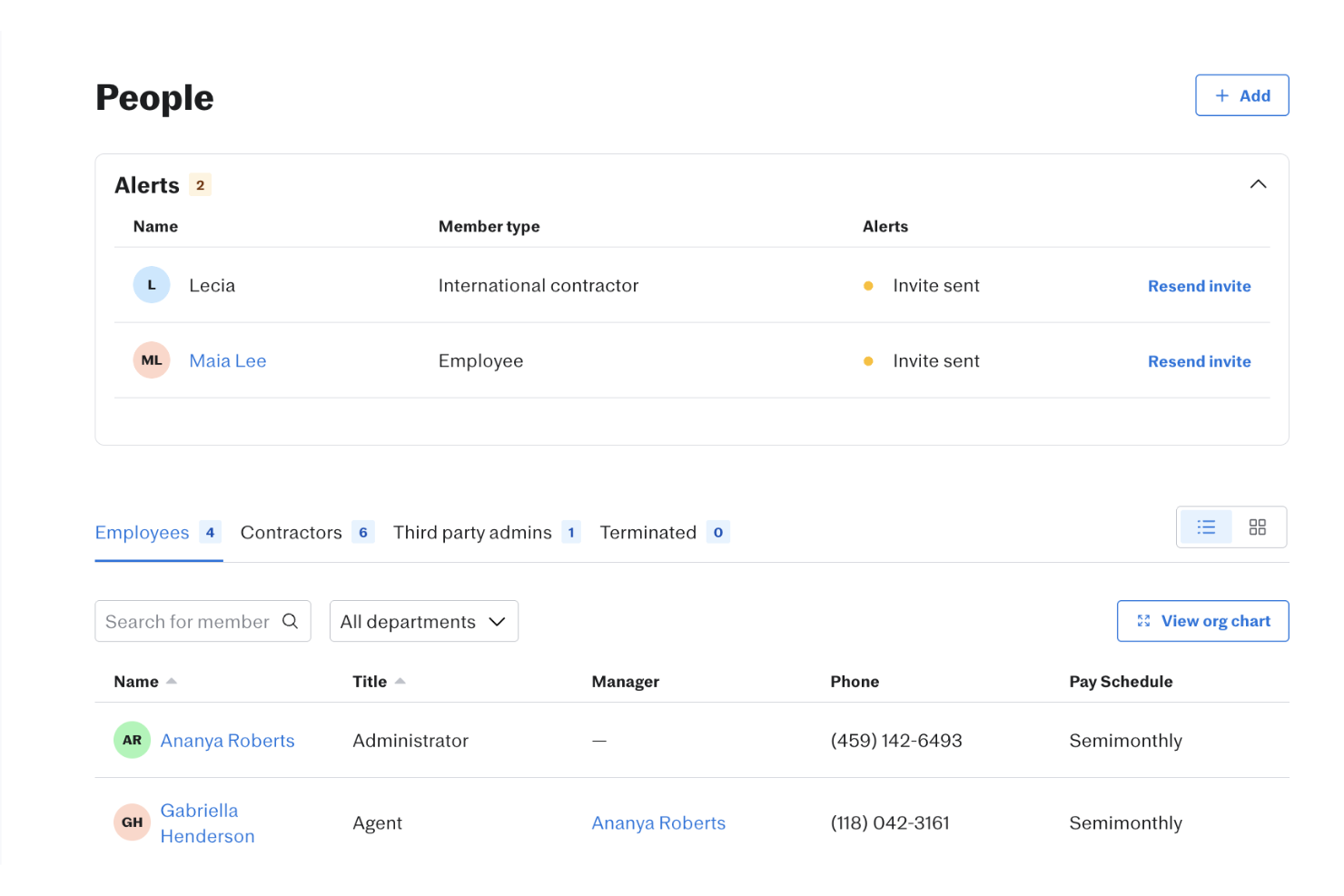
Justworks is an appealing choice for small to medium-sized businesses in the U.S. seeking to simplify their payroll and HR processes. It supports mixed-workforce payroll, helping companies manage both salaried and hourly employees in a single system. With tools for payroll automation, tax filing, and time tracking, it offers a practical way to handle employee lifecycles while maintaining compliance.
Why I Picked Justworks
I picked Justworks for its support for mixed-workforce payroll, allowing businesses to manage both salaried and hourly employees on one platform. The system calculates wages based on fixed salaries or tracked hours, helping teams process payroll accurately across different pay structures. It also handles tax calculations and filings automatically, reducing manual work while keeping payroll operations consistent and organized.
Justworks Key Features
Aside from mixed workforce payroll, Justworks offers:
- Direct Deposit and Pay Cards: Offers flexibility in how employees receive their payments, whether through direct deposit or pay cards.
- Online Employee Access: Employees can access pay stubs and tax forms, such as W-2s, online, providing convenience and transparency.
- Compliance Management: Includes features to help manage compliance with labor laws and tax regulations, reducing the risk of penalties.
- Benefits Administration: Facilitates the management of employee benefits, including health insurance deductions and other perks.
Justworks Integrations
Integrations include QuickBooks, NetSuite, Xero, Sage Intacct, 15Five, Culture Amp, JazzHR, Leapsome, Electric AI, and other HR and accounting tools, with options to build custom connections via API or integration platforms.
Pros and Cons
Pros:
- Centralizes payroll, HR, and health insurance administration
- Straightforward onboarding workflow for new hires
- Clear employee dashboard for benefits and pay information
Cons:
- Reporting tools offer limited in-depth business insights
- Fewer advanced HR features than larger enterprise platforms


Remote People is designed for organizations managing payroll across multiple countries and currencies. It’s a strong fit for HR and finance teams that need to pay distributed workforces while staying compliant with local regulations. The platform’s global payroll services help simplify cross-border payments and reduce administrative complexity for international businesses.
Who is Remote People Best For?
HR, payroll, and global mobility leaders at mid-sized to enterprise organizations that manage payroll for internationally distributed teams. It suits companies expanding into new markets that require centralized oversight of cross-border payments, employment administration, and compliance coordination.
Why I Picked Remote People
What stands out about Remote People is its focus on global payroll services for distributed teams. The platform handles multi-currency payroll processing and automates local tax compliance, which is essential for companies with employees in different countries. I appreciate that Remote People offers consolidated payroll reporting, so HR and finance teams can track payments and compliance from a single dashboard. These features make it a strong choice for businesses looking to simplify international payroll management.
Remote People Key Features
In addition to its global payroll coverage and compliance support, I also found these features worth noting:
- Dedicated Country Specialists: Get guidance from in-country payroll experts who understand local tax and employment laws.
- One-Click Bulk Payments: Pay employees in multiple countries and currencies with a single action.
- Built-In Benefits Administration: Manage statutory and supplemental benefits, like health insurance and retirement plans, directly within the platform.
- Custom Payroll Reporting: Access gross-to-net breakdowns, employer cost summaries, and exportable reports for multi-country payroll analysis.
Remote People Integrations
Integrations include Workday, SAP SuccessFactors, BambooHR, HiBob, NetSuite, QuickBooks, and more.
Pros and Cons
Pros:
- Dedicated client support contact
- Provides global payroll, contractor, and relocation support
- Includes Employer of Record and PEO services
Cons:
- Some services available only in certain regions
- No publicly listed integrations

HiBob stands out for companies managing global teams and looking for a unified HR and payroll platform. It’s especially useful for HR leaders who need to handle multi-country payroll, local compliance, and employee data in one place. HiBob’s flexible workflows and localized features help simplify complex payroll processes for modern, distributed organizations.
Who is HiBob Best For?
HR leaders, payroll teams, and finance stakeholders at mid-sized organizations that need timely visibility into payroll and workforce data. It suits companies operating across multiple regions that require centralized reporting and real-time access to people operations insights.
Why I Picked HiBob
What drew me to HiBob is its focus on supporting global HR and payroll needs for modern businesses. The platform offers multi-country payroll management, letting you process payroll in different currencies and stay compliant with local regulations. I appreciate how HiBob centralizes employee data and payroll information, making it easier for HR teams to manage distributed workforces. Its localized workflows and compliance tools are especially helpful for organizations operating across several regions.
HiBob Key Features
Some other features that make HiBob useful for payroll management include:
- Automated Time and Attendance Tracking: Capture employee hours and attendance data directly within the platform.
- Customizable Compensation Cycles: Set up and manage different pay cycles for various employee groups.
- Employee Self-Service Portal: Allow employees to access payslips, update personal details, and manage tax documents online.
- Document Management: Store, organize, and share payroll-related documents securely with your team.
HiBob Integrations
Integrations include ADP, Deel, Greenhouse, Jira Cloud, Microsoft Teams, Okta, Paylocity, Slack, Xero, and Zoom.
Pros and Cons
Pros:
- Built-in compensation tools
- Flexible payroll cycle options
- Real-time payroll data hub
Cons:
- Implementation fee required
- Limited to US and UK payroll


RemoFirst is built for companies that need to manage payroll and compliance for remote employees in multiple countries. It’s especially useful for HR and finance teams looking to centralize payments, contracts, and local tax handling for a distributed workforce. The platform’s focus on global payroll and compliance helps businesses reduce risk and administrative overhead as they scale internationally.
Who is RemoteFirst Best For?
HR, talent acquisition, and global mobility leaders at small to mid-sized organizations that hire and manage employees across multiple countries. It suits companies building internationally distributed teams that require centralized employment administration and localized compliance support across jurisdictions.
Why I Picked RemoFirst
RemoFirst stands out for its focus on global payroll and compliance for remote teams. The platform lets you onboard employees in over 180 countries and automates local tax calculations, which is essential for businesses hiring internationally. I appreciate that RemoFirst manages employment contracts and statutory benefits in each country, helping HR teams stay compliant with local laws. These features make it a strong choice for companies that want to pay remote employees accurately and on time, no matter where they’re located.
RemoFirst Key Features
Some other features that make RemoFirst appealing for payroll management include:
- Multi-Currency Payment Processing: Pay employees and contractors in their local currencies directly from the platform.
- Automated Payslip Generation: Generate and distribute digital payslips for every pay cycle.
- Expense Reimbursement Management: Track, approve, and pay out employee expenses alongside regular payroll.
- Centralized Document Storage: Store contracts, tax forms, and compliance documents securely in one place.
RemoFirst Integrations
Integrations include BambooHR, GoCardless, and ADP Workforce Now.
Pros and Cons
Pros:
- Dedicated account managers
- Customizable dashboards
- Multi-currency abilities within a single payroll run
Cons:
- Lacks extensive integrations
- No mobile app available

OnPay is designed for small businesses that want a single platform for payroll, HR, and benefits administration. It’s a strong fit for owners and managers who need to run payroll, handle tax filings, and manage employee benefits without juggling multiple systems. The tool’s all-in-one approach helps simplify compliance and day-to-day people management for growing teams.
Who is OnPay Besy For?
Payroll administrators, HR teams, and business owners at small to mid-sized organizations operating in specialized or regulated industries. It suits companies that need payroll and basic HR workflows tailored to sector-specific requirements while maintaining centralized compliance oversight.
Why I Picked OnPay
What sets OnPay apart is its focus on delivering full-service payroll alongside HR and benefits management, all tailored for small businesses. The platform handles payroll processing, tax filings, and year-end forms, so you can manage compliance without extra tools. I like that OnPay also lets you administer employee benefits, such as health insurance and retirement plans, directly from the same dashboard. This combination makes it a practical choice for small business owners who want to keep payroll and HR tasks in one place.
OnPay Key Features
Some other features that make OnPay useful for payroll management include:
- Multi-State Payroll Processing: Run payroll for employees working in multiple states without manual calculations.
- Custom Pay Types: Set up and manage custom pay types like bonuses, commissions, and reimbursements.
- Garnishment and Withholding Management: Automatically calculate and process wage garnishments and tax withholdings.
- Employee Self-Service Portal: Give employees access to their pay stubs, tax forms, and personal information online.
OnPay Integrations
Integrations include QuickBooks Online, Xero, JazzHR, ERGO NEXT Insurance, TurboTax, Middesk, Traliant, MainStreet, Vestwell, and Guideline.
Pros and Cons
Pros:
- QSEHRA payments can be made
- Clean, intuitive user interface
- A team of specialists come with the cost
Cons:
- Employee files can be a bit complex
- Integrations can be a bit tricky to set up
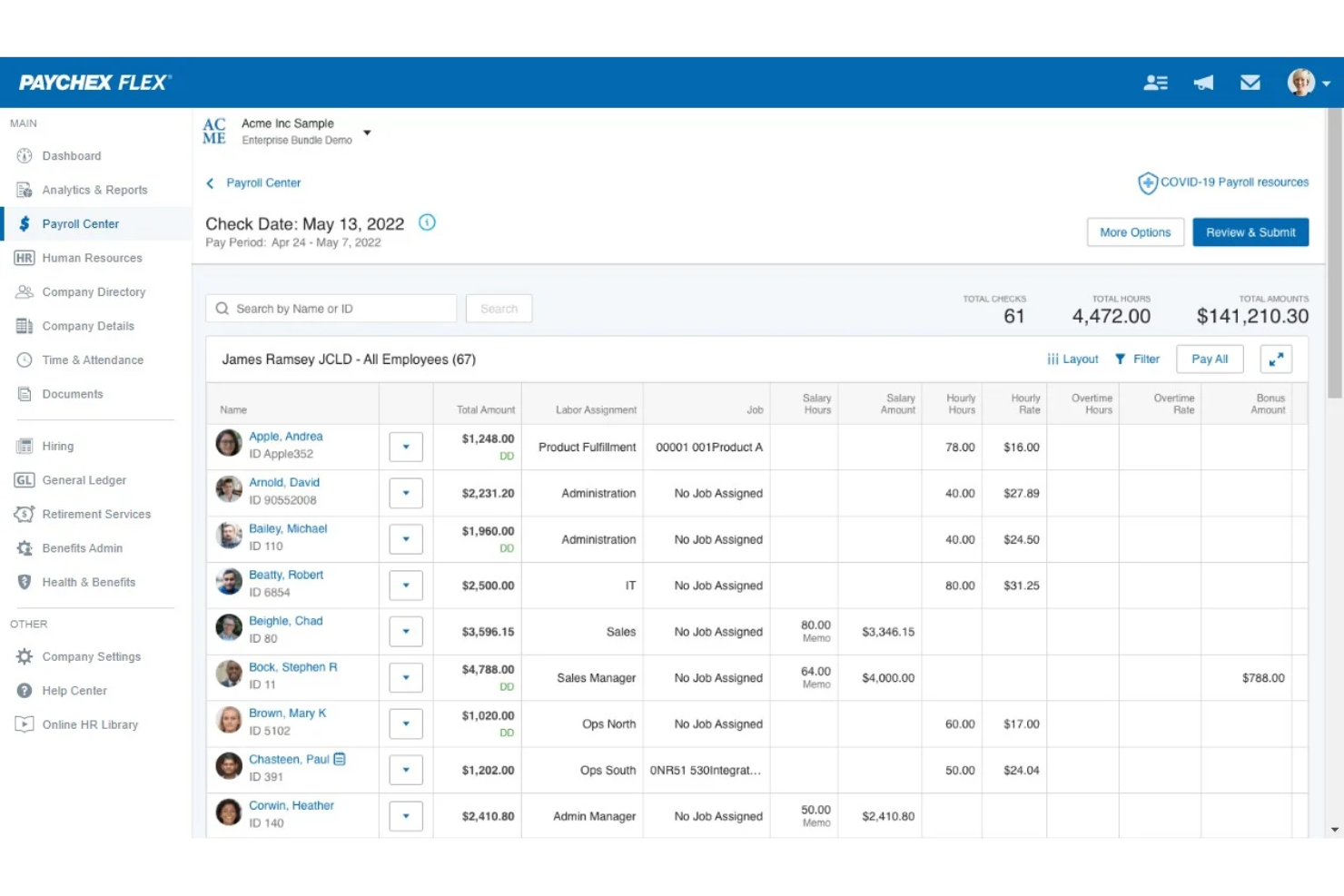
Paychex Flex offers a scalable payroll and HR platform that adapts to businesses as they grow or change. It’s especially useful for organizations that want to manage payroll, benefits, and compliance from a single system, whether they have a handful of employees or a large, distributed workforce. The platform’s flexibility and range of HR tools help teams handle complex payroll needs and evolving regulations with less manual effort.
Who is Paychex Flex Best For?
Payroll administrators, HR leaders, and finance teams at small to mid-sized organizations that require dependable payroll processing within a broader HR framework. It suits companies operating across multiple locations or pay groups that need centralized oversight of payroll accuracy and compliance workflows.
Why I Picked Paychex Flex
I chose Paychex Flex because it’s built to support businesses at every stage, from startups to large enterprises. Its scalable payroll engine lets you process payroll for any team size, while also handling tax calculations and filings as your needs evolve. I appreciate that Paychex Flex includes HR tools like employee onboarding and benefits administration, so you can manage more than just payroll as your organization grows. This flexibility makes it a strong fit for companies that expect their payroll and HR requirements to change over time.
Paychex Flex Key Features
Some other features that make Paychex Flex stand out for payroll management include:
- Paychex Prepaid Cards: Offer employees the option to receive wages on a prepaid card instead of direct deposit or check.
- General Ledger Integration: Sync payroll data directly with popular accounting software to simplify bookkeeping.
- Customizable Payroll Reports: Generate detailed payroll and tax reports tailored to your organization’s needs.
- Mobile Payroll App: Run payroll, view reports, and manage employee information from a dedicated mobile app.
Paychex Flex Integrations
Integrations include Gifted.co, Timeero, Beekeeper, Connecteam, Engagedly, Names & Faces, OrgChart, OurPeople, Quantum Workplace, and Reward Builder.
Pros and Cons
Pros:
- 24/7 specialized service for US clients
- Knowledgeable representatives
- Helps you save time with payroll filters and saved views
Cons:
- No transparent pricing listed on website
- Adding pay categories could be easier


Bambee connects small businesses with a dedicated HR manager who can handle payroll, compliance, and employee relations. This service is especially helpful for owners who want expert HR guidance without hiring a full-time specialist. With Bambee, you can address payroll questions and compliance issues quickly, all with support tailored to your business’s unique needs.
Who is Bambee Best For?
Business owners, operations leaders, and HR generalists at small to mid-sized organizations that need ongoing access to HR expertise alongside core people operations support. It suits companies building foundational HR processes that require guided compliance, policy management, and employee relations oversight.
Why I Picked Bambee
What sets Bambee apart is its focus on pairing each client with a dedicated HR manager, which is rare among payroll solutions for small businesses. This approach means you get direct access to an HR professional who can answer payroll questions, help with compliance, and guide you through sensitive employee issues. I like that Bambee’s HR managers can also create and update custom HR policies, so your payroll practices stay aligned with current regulations. For small business owners who want hands-on support without building an in-house HR team, Bambee offers a unique and practical solution.
Bambee Key Features
In addition to dedicated HR manager support, Bambee offers several other features that help small businesses manage payroll and HR tasks
- Automated Payroll Processing: Run payroll automatically on a set schedule with tax calculations included.
- Employee Document Storage: Store and organize employee files, contracts, and compliance documents in one secure location.
- E-signature Collection: Collect legally binding electronic signatures for HR and payroll documents.
- Customizable Employee Handbook Builder: Create and update a digital employee handbook tailored to your business policies.
Bambee Integrations
Integrations are not publicly listed.
Pros and Cons
Pros:
- Personalized support
- Great mobile experience
- A guided payroll service is also available
Cons:
- For US organizations only
- Customer support is only available Monday to Friday


If you manage hourly teams in retail, hospitality, or service industries, Homebase brings payroll and team management together in one platform. The tool is designed for businesses that need to track hours, handle shift scheduling, and pay employees accurately without juggling multiple systems. Homebase stands out by connecting time tracking, scheduling, and payroll, so you can run payroll directly from timesheets and reduce manual entry errors.
Who is Homebase Best For?
Operations managers, store managers, and HR administrators at small to mid-sized businesses that manage hourly or shift-based employees. It suits companies in retail, hospitality, and service industries that require centralized scheduling, time tracking, and team communication across locations.
Why I Picked Homebase
Homebase is built specifically for businesses with hourly workforces, which makes it a strong fit for payroll needs in industries like retail, restaurants, and hospitality. The platform connects time tracking, scheduling, and payroll, so you can run payroll directly from employee timesheets without manual calculations. I appreciate that Homebase automatically calculates wages, overtime, and taxes based on real-time clock-ins and outs. For teams that rely on shift work and need accurate payroll tied to hours worked, Homebase offers a focused solution that addresses those challenges head-on.
Homebase Key Features
Some other features in Homebase help round out its payroll capabilities:
- Direct Deposit and Paper Check Options: Pay employees through direct deposit or print paper checks as needed.
- Automated Tax Filings: Homebase automatically files federal, state, and local payroll taxes for you.
- Employee Self-Service Portal: Employees can access pay stubs, tax forms, and update personal information online.
- Wage Garnishment Processing: Manage and process wage garnishments directly within the payroll system.
Homebase Integrations
Integrations include Square, Restaurant365, Wells Fargo, Paychex, Clover, Rippling, Toast, Shopify, ADP RUN, and QuickBooks Online.
Pros and Cons
Pros:
- Automated payroll and tax processes
- Offers direct deposit into bank accounts or printable checks
- Time tracking for accurate payroll
Cons:
- Payroll functions are only available as an add-on
- No details on customization for specific business needs


Patriot Payroll is designed for small businesses that want affordable, straightforward payroll with flexible tax filing options. The platform appeals to owners and payroll administrators who need to run payroll quickly and choose between handling taxes themselves or letting the software do it. With Patriot Payroll, you can manage payroll in-house while still having the option to automate tax filings as your needs change.
Who is Patriot Payroll Best For?
Payroll administrators, finance leads, and business owners at small to mid-sized organizations operating in the United States. It suits companies that want straightforward, domestically focused payroll processing aligned with U.S. tax and compliance requirements.
Why I Picked Patriot Payroll
What sets Patriot Payroll apart is its focus on affordability and flexible tax filing options, which is especially valuable for small businesses managing tight budgets. You can choose between running payroll with or without Patriot handling your tax filings, so you’re not locked into a single approach as your business grows. I like that the software lets you switch between basic and full-service payroll, giving you control over how much support you need. This flexibility makes Patriot Payroll a practical choice for businesses that want to keep costs down while still having the option to automate tax compliance.
Patriot Payroll Key Features
Some other features in Patriot Payroll help round out its payroll offering:
- Multiple Pay Schedules: Set up and manage different pay frequencies for various employee groups.
- Direct Deposit and Printable Checks: Pay employees via direct deposit or print checks directly from the platform.
- Employee Self-Service Portal: Give employees access to their pay stubs, tax forms, and personal details online.
- Custom Deductions and Contributions: Create and manage custom deductions for benefits, garnishments, or other withholdings.
Patriot Payroll Integrations
Integrations are not publicly listed.
Pros and Cons
Pros:
- Offers an affordable option for DIY payroll taxes
- Customizable hours, money, and deduction options
- Tax filing accuracy guaranteed (any penalties and interest will be covered)
Cons:
- Tax filings are only for US regulations
- Inability to retroactively change a pay date


If you already use QuickBooks for accounting, QuickBooks Payroll offers a direct way to connect payroll and bookkeeping in one place. This solution is especially useful for small and midsize businesses that want to automate payroll, tax filings, and benefits while keeping everything synced with their financial records. With QuickBooks Payroll, you can reduce manual data entry and keep payroll and accounting tightly aligned.
Who is QuickBooks Best For?
Finance leaders, payroll administrators, and small business owners at small to mid-sized organizations that already operate within the QuickBooks accounting ecosystem. It suits companies that want payroll and financial data synchronized within a unified bookkeeping and reporting environment.
Why I Picked QuickBooks
QuickBooks Payroll stands out because it offers direct integration with QuickBooks accounting, which is a major advantage for businesses that want to keep payroll and bookkeeping in sync. You can run payroll and have all wage, tax, and benefit data automatically flow into your accounting records, reducing manual entry and reconciliation work. I appreciate that QuickBooks Payroll also handles payroll tax calculations and filings, so you can stay compliant without extra steps. This tight connection between payroll and accounting makes it a strong fit for businesses that already rely on QuickBooks for their financial management.
QuickBooks Key Features
Some other features in QuickBooks Payroll help support a full payroll workflow:
- Automatic Payroll Runs: Schedule payroll to run automatically for salaried employees.
- Employee Self-Service Access: Let employees view pay stubs, tax forms, and update personal details online.
- Same-Day Direct Deposit: Pay employees quickly with same-day direct deposit options.
- HR Support Center: Access HR resources, templates, and expert guidance directly from the platform.
QuickBooks Integrations
Integrations include QuickBooks Time, Amazon Business Purchases, PayPal, Square, Etsy, Amazon Seller, eBay, Shopify, SOS Inventory, and Method:CRM.
Pros and Cons
Pros:
- Syncs payroll data directly with QuickBooks accounting
- Includes automatic payroll tax calculation and filing
- Offers same-day direct deposit for employees
Cons:
- Customer support response times can be inconsistent
- Charges extra fees for year-end tax forms


GoCo brings HR, benefits, and payroll together in one flexible platform designed for growing teams that want to manage everything in a single place. It’s especially useful for HR professionals who need to automate onboarding, benefits administration, and payroll without switching between multiple systems. With GoCo, you can customize workflows and keep all employee data connected across HR and payroll tasks.
Who is GoCo Best For?
HR leaders, payroll administrators, and operations managers at small to mid-sized organizations that want adaptable payroll configurations within a broader HR system. It suits companies with evolving workforce structures that require flexible workflows and centralized oversight of people operations processes.
Why I Picked GoCo
GoCo stands out for its ability to unify HR, benefits, and payroll in a single, highly customizable platform. This approach is especially valuable for teams that want to manage onboarding, benefits enrollment, and payroll processing without juggling multiple systems or data silos. I like that GoCo lets you build custom workflows for HR and payroll tasks, so you can adapt the platform to your organization’s unique processes. The platform’s centralized employee records also help keep everything connected, making it easier to ensure accuracy across HR and payroll functions.
GoCo Key Features
In addition to its unified approach, GoCo offers several other features that support payroll and HR management:
- Time Tracking Integration: Sync employee hours directly with payroll for accurate wage calculations.
- Document Management: Store, organize, and e-sign HR and payroll documents within the platform.
- Compliance Alerts: Receive notifications about upcoming compliance deadlines and regulatory changes.
- Customizable PTO Policies: Set up and manage paid time off policies tailored to your organization’s needs.
GoCo Integrations
Integrations include Gusto and QuickBooks.
Pros and Cons
Pros:
- Strong onboarding and benefits administration
- Automates various HR processes
- Flexible payroll integration options
Cons:
- Limited customization options
- May not be ideal for large enterprises

Remote is built for companies that need to pay employees and contractors across multiple countries while staying compliant with local laws. It’s especially useful for HR teams and business leaders managing global payroll, benefits, and tax requirements from a single platform. With Remote, you can onboard, pay, and support international talent without setting up local entities.
Who is Remote Best For?
HR, payroll, and global mobility leaders at mid-sized to enterprise organizations that want to consolidate international and local payroll operations within a single framework. It suits companies managing distributed workforces that require centralized oversight of cross-border payments, employment administration, and compliance.
Why I Picked Remote
What sets Remote apart is its focus on global payroll, compliance, and contractor management in one platform. For businesses hiring internationally, Remote handles payroll calculations, tax withholdings, and benefits administration for employees and contractors in over 75 countries. I appreciate that the platform manages local compliance and employment regulations, so you don’t have to set up your own legal entities abroad. This makes it much easier to pay and support a distributed workforce while reducing risk and administrative overhead.
Remote Key Features
Some other features that make Remote useful for payroll management include:
- Multi-currency payroll processing: Run payroll and pay employees in their local currencies without manual conversions.
- Automated payslip generation: Generate and distribute digital payslips to employees each pay period.
- Employee self-service portal: Give employees access to view pay history, tax documents, and personal details.
- Expense management tools: Allow employees to submit expenses for approval and reimbursement directly through the platform.
Remote Integrations
Integrations include Workday, QuickBooks, NetSuite, Gusto, BambooHR, Greenhouse, Slack, Hibob, Personio, and Xero.
Pros and Cons
Pros:
- Great for international compliance
- Superior IP protection
- Offers lots of HR features
Cons:
- Pricing can be difficult to understand
- Support can feel impersonal
Other Payroll Software
Here are a few more options that didn’t make the best online payroll software shortlist. If you need additional suggestions for software to help you process payroll, check these out:
- Papaya Global
End-to-end workforce management
- Paycom
For employee‑driven error prevention
- Dayforce
For continuous pay calculation
- UZIO
For integrated benefits
- PrimePay
For early wage access through paycards
- Namely
For SMBs
- Trinet
For integrated compensation benchmarking
- Insperity
For combined software and services
- Wagepoint
For Canadian-based small businesses
- FinancePal
For payroll outsourcing


Related HR Software Reviews
If you still haven't found what you're looking for here, check out these other related tools that we've tested and evaluated:
- HR Software
- Recruiting Software
- Employer of Record Services
- Applicant Tracking Systems
- Workforce Management Software
- Learning Management Systems
Selection Criteria for Payroll Software
To find the best payroll software, I focused on tools that directly solve the common pain points HR professionals face, like time-consuming data entry, error-prone calculations, and complex compliance requirements.
My recommendations are based on in-depth research, recent market trends, and my firsthand experience managing payroll through a human capital management system over the years.
Here’s what I looked for when evaluating each payroll platform:
Core Payroll Software Functionalities (25% of total score): To be considered for inclusion in my list of the best payroll software, each solution had to offer the following functionalities first:
- Automated calculations for wages and taxes
- Payment processing including direct deposit for employee paychecks
- Compliance with federal, state, and local tax laws
- Tools to generate and distribute employee pay stubs and tax forms
- Digital pay stubs that are accessible to employees through a self-service portal
- Integration capabilities to sync data with time tracking and other HR systems to reduce manual data entry
Additional Standout Features (25% of total score): To help me uncover the best payroll software out of the numerous options available, I also took note of any unique features, including:
- Sophisticated features, such as pay-on-demand or earned-wage-access
- Advanced analytics and reporting capabilities
- Customizable payroll workflows
- Enhanced security features, such as multi-factor authentication
- Additional integrations with a broader range of HR and financial systems, including bookkeeping systems and benefits administration systems for health insurance
Usability (10% of total score): To evaluate the usability of each payroll system, I considered the following:
- An intuitive design and user-friendly interface that simplifies complex processes and requires minimal training to master
- Quick access to essential features without overwhelming users
- A user-friendly mobile experience or dedicated mobile apps for Android and iOS mobile devices
- Role-based access control that's straightforward to configure
Customer Onboarding (10% of total score): To get a sense of each software provider's customer onboarding process, I considered the following factors:
- Quick setup processes and clear guidance for first-time users, including customizable templates
- Multimedia training materials such as videos or interactive tutorials
- Support systems like chatbots and webinars to guide new users through the initial learning curve
- Support for migrating historical employee data into the new platform
Good customer support is essential, especially when dealing with things like payroll and benefits. You need to know that if something goes wrong, you’ll have quick access to help.

Customer Support (10% of total score): To evaluate the level of customer support each vendor offered, I considered the following:
- The availability of multiple support channels, including email, phone, and chat
- The existence of a self-service knowledge base, FAQ repository, or other self-help resources to speed up troubleshooting
- The overall quality, responsiveness, and helpfulness of the support team during customer onboarding and post-purchase, as inferred from customer reviews
- The existence of dedicated account managers
- Whether the company offers full-service payroll services, or any additional HR support services
Value for Price (10% of total score): To gauge the value of each software, I considered the following factors:
- The availability of free trials or demos to test the software before purchasing
- Transparent pricing models that clearly explain which payroll features are included at each level, with no additional hidden costs for training or set-up
- Tiered pricing plans that cater to different business sizes, from small to medium-sized businesses (SMBs) up to large businesses and enterprise-level organizations
Customer Reviews (10% of total score): Evaluating customer reviews is the final element of my selection process, which helps me understand how well a product performs in the hands of real users. Here are the factors I considered:
- Whether a product has consistently high user ratings across multiple review platforms, indicating a broad level of user satisfaction
- Specific praises, criticisms, or trends in customer feedback that indicate the software's strengths or areas for improvement
- Whether customer feedback specifically mentions issues with ease of use, customer support responsiveness, or lacking features
- Any testimonials that highlight how a platform solved a particular challenge or adapted to changing payroll needs
Using this assessment framework helped me identify the payroll software that goes beyond basic requirements to offer additional value through unique features, intuitive usability, smooth onboarding, effective support, and overall value for price.
When selecting a system, it’s important to first map out what your core needs are. Think about things like payroll, compliance, and employee management—if these aren’t handled properly, it’ll cause a lot of headaches down the line.

How to Choose Payroll Software
Payroll software can eliminate manual data entry and help you pay employees or contractors with ease. To help you figure out which payroll software best fits your needs, keep the following points in mind:
- What payroll challenges are you trying to solve? Identifying your current payroll challenges will help you understand the specific payroll features and functionalities you want in your new payroll system.
- Common challenges may include: Timesheet data that isn't integrated, an inability to process payroll in multiple currencies, or too many manual steps within your payroll process.
- What outcomes are important and how will you measure success? Being clear on your desired outcomes upfront is crucial to avoid wasting valuable time. For example, you may want to provide more flexible payment options for your employees, such as on-demand pay.
- Who are your main users? Consider your different user groups — power users, administrators, managers, employees, etc. — and their unique needs, to ensure they're all met. You'll need to evaluate if it'll just be your HR professionals, select accounting staff, or your entire finance and HR departments that need access.
- What is your budget? Determining a realistic budget for your new payroll system up-front is crucial, so you don't waste time considering software that's too expensive.
- Do you require specific software integrations? Clarify whether your new payroll platform will replace any existing tools or need to integrate with them, such as accounting, time-tracking, HR, or PEO software. Can you replace multiple tools with one consolidated HR and payroll platform?
- Does the payroll software satisfy your technical requirements? Consider the software selection alongside your existing workflows and operating systems. Evaluate what's working well, and any problem areas that need to be addressed.
Remember, every business is different — don’t assume that a payroll system will work for your organization just because it's popular. Instead, focus on your specific challenges and the features your new system will need to address them.
Trends in Payroll Software for 2026
When it comes to people management, nothing matters more than ensuring payroll runs smoothly. That’s why keeping up with payroll software trends is essential, not just for efficiency, but also to stay compliant and meet evolving employee expectations.
The latest trends are reshaping how HR teams manage payroll, address legal complexities, and deliver a better employee experience.
Here are five key developments to watch:
- AI-powered automation: Modern payroll tools use artificial intelligence (AI) to automate repetitive tasks, catch anomalies, flag compliance issues, and minimize costly errors. These smart systems streamline workflows and handle increasingly complex payroll regulations with greater accuracy.
- Global payroll management capabilities: As companies expand internationally, tools like Deel and Papaya Global offer seamless multi-country payroll, currency conversion, and compliance management in one platform.
- Stronger data security: With rising cybersecurity threats, payroll systems are reinforcing protections with features like two-factor authentication, encryption, and biometric login options to safeguard sensitive data.
- Mobile access: With remote and hybrid work here to stay, mobile-optimized payroll software ensures that both employees and HR teams can access key payroll features anytime, anywhere.
- Financial wellness integrations: Many platforms now offer features that help employees track income, plan finances, and access real-time pay insights, supporting both retention and financial well-being.
These trends reflect a growing focus on automation, security, global scalability, and employee empowerment—all essential for modern payroll management.
What is Payroll Software?
Payroll software is a digital tool that automates employee wage calculations, tax deductions, and direct deposits.
It helps HR and finance teams pay employees accurately and on time while staying compliant with tax laws.
Used by businesses of all sizes, payroll software reduces manual work, prevents costly errors, and simplifies complex payroll processes, saving time and ensuring peace of mind.
Features of Payroll Software
When selecting payroll software, keep an eye out for the following key features:
- Automated calculations: Automate the math for wages, deductions, overtime, and taxes so you never have to worry about manual errors or time-consuming spreadsheets. This means you can process payroll efficiently without second-guessing the numbers.
- Tax filing and compliance: Handle state, federal, and local tax filings with up-to-date regulations built in. You can relax knowing the software stays on top of changing laws and deadlines, helping you avoid expensive fines or penalties.
- Direct deposit support: Pay your team members directly to their bank accounts, removing the hassles of paper checks. This not only saves on printing costs but also keeps everyone happy with faster payments.
- Employee self-service portal: Give employees access to their pay stubs, tax forms, and personal details. When your team can make updates on their own and grab documents when needed, you’ll spend way less time on simple questions.
- Time and attendance tracking: Sync hours and attendance directly to payroll so you never have to chase down timesheets or risk over- or under-paying someone. This feature is especially valuable for hourly teams who clock in and out.
- Integration capabilities: Connect seamlessly with your accounting, HR, or benefits systems. This minimizes data entry, keeps your records tidy, and ensures different parts of your business stay in sync.
- Customizable reporting: Generate reports on wages, taxes, or benefits with just a few clicks. Use these insights for audits, planning, or just to keep tabs on where your money goes.
- Multi-state payroll support: Confidently run payroll for employees in different states by keeping up with unique tax rules and compliance requirements. This is a game-changer as you expand and bring on remote team members.
- Garnishment handling: Effortlessly manage wage garnishments and other withholdings, ensuring legal compliance and accurate payments.
Common Payroll Software AI Features
Beyond the standard payroll software features listed above, many of these solutions are incorporating AI with features like:
- Data-driven compliance monitoring: Leverage AI to alert you when compliance risks are detected, such as evolving wage laws or reporting requirements, helping you avoid penalties and maintain peace of mind.ive your team greater confidence that payroll is being handled correctly—every time.
- Automated anomaly detection: Identify unusual pay differences, missed punches, or inconsistencies before payroll goes out. The AI runs behind the scenes to make sure nothing slips through, saving you from costly mistakes.
- Predictive payroll analytics: Forecast labor costs, overtime trends, or potential payroll spikes based on past patterns. This lets you plan ahead and respond quickly to unexpected changes in expenses.
- Smart document recognition: Use AI to scan and extract data from forms, invoices, or employee documents automatically. You can upload paperwork and let the software fill in the blanks, cutting down on manual entry.
- Chatbot assistance: Offer instant, AI-powered help for both you and your team with payroll questions or navigation tips. No need to dig through manuals—just ask your software and get quick, straightforward answers.
Benefits of Payroll Software
Payroll software offers several benefits for organizations as a whole, and for those who use the software regularly to manage payroll processes. As you're evaluating the different options for payroll software, understanding these main benefits is key to making an informed decision.
Payroll software delivers major advantages for both HR teams and the wider organization. If you’re comparing options, here are the several benefits to help guide your decision:
- Saves time and reduces costs: By automating time-consuming tasks like tax calculations, direct deposits, and timesheet processing, payroll software dramatically cuts down on manual work. This efficiency translates into labor cost savings and fewer errors across pay runs.
- Boosts compliance and accuracy: With built-in tax updates and automatic regulatory changes, cloud-based payroll tools help reduce the risk of costly compliance mistakes. You stay ahead of changing laws—without needing to track every update yourself.

- Protects sensitive data: Modern systems use encryption, secure storage, and role-based permissions to keep employee data safe. This is a significant upgrade from spreadsheets or paper records, helping you meet data protection standards with ease.
- Provides integrated reporting and insights: Many payroll tools connect with broader HR or finance systems, allowing you to generate reports on payroll, budgets, headcount, and more. These insights support smarter workforce planning and financial forecasting.
- Empowers employees with self-service tools: With employee portals, staff can view pay stubs, update personal details, and download tax forms on their own—cutting down on admin requests and improving the employee experience.
Together, these features help payroll software streamline complex processes, boost compliance, and make life easier for both payroll administrators and employees.
Costs & Pricing for Payroll Software
As you explore the different payroll options on the market, it's important to understand the full range of plans and pricing structures that are available.
Payroll software varies in price depending on the type of payroll services and features that are included. Often, you’ll pay a monthly base fee and an additional fee for every active employee on your payroll register.
To give you a general sense of what you can expect to pay for different payroll software packages, I've compiled the most common plan levels into this table:
Plan Comparison Table for Payroll Software
| Plan Type | Average Monthly Fee | Average Price per Employee | Common Features |
| Free | $0 | $0 | Basic payroll processing for a limited number of employees, basic tax calculation, and limited reports. |
| Basic | $10 - $25 per month | $2 - 4 per employee, per month | Payroll processing for a limited number of employees, basic tax filing, standard reports, employee self-service portal |
| Professional | $25 - $40 per month | $4 - $6 per employee, per month | Multi-state or province payroll, additional reports, HR features, compliance report + all the features in Basic. |
| Advanced | $40 - $60 per month | $5 - $8 per employee, per month | Customizable reports, advanced HR tools, integrations, enhanced security + all the features in Professional. |
| Enterprise | Custom pricing | Custom pricing | Scalable for a large number of employees, dedicated support, advanced analytics, custom integrations + all features in Advanced. |
| Global Payroll | Usually priced per employee | $199 - $500 per employee, per month | Ability to pay employees in multiple currencies, international direct deposit, international compliance monitoring, dedicated support + required Basic features or higher. |
In addition to the prices above, some payroll vendors may also charge a one-time set-up fee for complex software implementations.
If you only have a small number of employees, you can likely get started with a free or basic plan initially. However, there are several reasons why you may want to opt for a more advanced plan, including:
- Growth in Employee Numbers: As your company expands, your payroll processing needs will also increase. Advanced plans can handle higher volumes of payroll transactions and offer better tools for managing a larger workforce.
- Need for Additional Features: You may find you need more advanced payroll software that offers features like automated tax filings, direct deposit, benefits management, compliance tracking, and detailed financial reporting, which aren't included in your current plan.
- Increased Complexity in Payroll Requirements: If your business has complex payroll requirements (e.g., new employees in multiple states or countries) you might need software with more sophisticated capabilities to handle varying tax laws, regulations, and multi-currency payments.
- Enhanced Customer Support: More comprehensive plans often come with better customer support, including dedicated support teams, quicker response times, and more personalized assistance, giving you additional peace of mind.
- Integration with Other Systems: If your current payroll software or plan doesn't integrate seamlessly with the other systems your business uses (such as human resources management systems, accounting software, or time tracking tools), then it's time to find a better fit.
Ultimately, it's important to secure a plan that offers the features you need to serve your current needs and solve your challenges without exceeding your budget.
New & Noteworthy Product Updates Q4 2025
Deel

Deel’s November 2025 update introduces key improvements across onboarding, payroll, finance, and IT, all aimed at making global HR operations more seamless. The redesigned onboarding experience now includes a home-screen Product Activation Tracker for clients and a unified guided flow for new hires—contractors and employees alike—resulting in smoother launches and fewer drop-offs during setup.
Hiring and offer management are faster and cleaner with the ability to generate offer letters directly from EOR quotes, reducing friction and delay when closing candidates. For contractors, recurring items like bonuses or reimbursements can now be scheduled, and expense workflows have been unified across worker types, making it easier to process claims and run off-cycle payroll when needed.
Finance teams benefit from new features like real-time control over EOR card spending and live accounting entries via integration with Puzzle—offering instant insight into payroll costs without manual reconciliation. On the IT side, role-based policy assignment, 2FA status tracking, and granular SSO controls help companies stay compliant while scaling securely.
Verdict: Hot! This update is a well-executed step forward for companies managing distributed teams. By automating previously manual steps across HR, finance, and IT, Deel makes it easier to onboard, pay, and secure a global workforce—all without adding headcount.
Rippling

Rippling’s November 2025 update delivers refinements across payroll and financial workflows, continuing its push toward a fully integrated workforce management platform.
Payroll remains deeply embedded in Rippling’s unified data model — changes in employee status, benefits, or location are automatically reflected across payroll calculations. The system handles both domestic and global payroll, automates tax and deduction updates, and supports direct deposit and paper checks with minimal manual input.
What stands out is how Rippling continues to link payroll with other functions: changes to benefits flow into deductions, expense data syncs directly with payroll, and live finance reporting is powered by real-time accounting integration. This means HR and finance teams can track workforce costs across systems without toggling between tools or running separate reconciliations.
Verdict: Warm! While this update doesn’t introduce new payroll features, it strengthens the end-to-end reliability of Rippling’s integrated system. For finance and payroll teams looking for visibility, automation, and accuracy at scale — particularly across global teams — this is a steady and meaningful evolution.
Gusto

Gusto’s recent updates add a series of payroll and HR‑payroll‑adjacent improvements aimed at giving small and mid‑size businesses more flexibility and control. New features include built‑in 401(k) retirement planning (via Guideline), mobile time tracking and time‑off approvals, automated contractor payments, a Business Insurance Hub to manage company insurance from within the platform, and support for including unpaid or non‑payroll team members (such as founders or outside collaborators) in the org chart and HR workflows.
Functionally, these changes let payroll and HR teams: run payroll for both employees and contractors with less manual overhead (thanks to automated deductions, contractor payment scheduling, and benefit/retirement deductions), approve timesheets and time‑off from mobile devices, and manage retirement plans and business insurance in the same platform — simplifying benefits administration. The ability to include non‑payroll personnel in org charts and HR tools also makes it easier to reflect full organizational structure, even when not everyone is on payroll.
Verdict: Hot! Gusto’s update is a strong move toward consolidating payroll, benefits, HR, and compliance in one platform — a real benefit for lean teams that want comprehensive coverage with minimal fragmentation.
Payroll Software Frequently Asked Questions
Do you have general questions about how payroll software works or how to choose the right system for you? Take a look through these answers to frequently asked questions to get yourself oriented.
What is same-day payroll?
Same-day payroll lets employees access their earned wages the same day you process them, rather than waiting until the traditional payday. This feature is especially popular with hourly workers or contractors who value immediate payment for completed work. To implement this, your payroll platform must partner with banks or third-party providers that support instant transfers and allow you to run off-cycle payrolls quickly.
Same day payroll helpful for attracting talent in competitive markets as it provides financial flexibility for staff. Before using same-day payroll, check if there are extra processing fees and ensure your timesheet approvals and data entry can happen on tight deadlines.
This type of payroll set up is also known as pay-on-demand, on-demand pay, or real-time pay. It rose to popularity during the COVID-19 pandemic as millions of workers suddenly needed access to their earnings in order to cover their basic household expenses.
What's the difference between cloud-based and on-premise payroll software?
Cloud-based payroll systems run online and don’t require you to install anything locally. This gives you and your team access from any device, supports automatic software updates, and offers vendor-managed data security. You pay a subscription, and there’s usually quicker setup.
On-premise software, installed on your own servers, lets you control updates and security yourself but can be costly and less flexible, since upgrades, backups, and support fall on your IT team. Most growing companies now choose cloud payroll because it scales easily, supports distributed teams, and minimizes downtime. However, on-premise payroll software may be a better fit for organizations with strict data control policies and large in-house IT teams (such as government agencies).
Tip: If your company runs on Macs, look for cloud-based payroll software compatible with macOS.
What data security features are included in payroll software?
Top-tier payroll solutions encrypt data both in transit and at rest, use multi-factor authentication (MFA), have granular role-based access control (RBAC) and permissions, and perform regular vulnerability scans. You’ll want audit logs to see who accessed or changed payroll details. Good vendors also comply with standards like GDPR, SOC 2, or ISO 27001.
For best results, review permissions on a regular schedule and require strong password policies. Ask your provider if they offer single sign-on (SSO) integration and how they handle security breaches or attempted logins from unknown IP addresses.
Payroll software houses a lot of personal identifying information (PII), including your employees’ names, addresses, contact information, social security or SIN numbers, and personal bank accounts so robust security features are essential.
What compliance monitoring features are built into payroll software?
Payroll software often includes automatic tax table updates, flagging of errors in wage or tax calculation, and alerts for approaching filing deadlines. Many platforms can identify missing employee data, track required documentation (like I-9s or W-4s), and help monitor overtime compliance. Some offer built-in checks for minimum wage, benefits eligibility, or automatically generate government reports (e.g., 941s, W-2s).
For HR professionals, these features reduce audit risks and make it easier to onboard employees or expand into new regions without missing compliance steps. They also work together to automate compliance requirements, saving you time and stress.
Can payroll software handle multiple currencies for global teams?
Yes, many payroll platforms now support multi-currency payroll, letting you pay employees and contractors in different countries in their local currency. The software should calculate currency conversions, track exchange rates, and handle differing local tax regulations automatically.
For example, you might pay a UK employee in GBP and a Canadian one in CAD, with the platform handling tax calculations and deadlines for each country. Be sure to check if the software covers all your target countries, and whether it can generate country-specific reports and filings.
Global payroll features are essential for businesses wanting to expand globally as they help companies ensure their payroll operations are compliant and efficient across various jurisdictions.
How can I ensure a smooth transition to new payroll software?
To transition smoothly, follow this process:
- Start with a clear timeline and map out your current payroll processes.
- Gather accurate employee and tax data and check for discrepancies before migration.
- Choose a payroll provider with strong onboarding and migration support, and request staff training workshops.
- Run parallel payrolls for at least a month to catch any issues without affecting pay.
- Assign an internal project lead and communicate with all stakeholders about the go-live date and changes to expect.
- Keep your legacy system active as a backup during your first cycles.
What are common payroll software implementation challenges?
Challenges include data migration errors, overlooked or misconfigured integrations, and resistance from staff used to old processes. It’s common for permissions to be set incorrectly, resulting in unauthorized access or missed payroll runs.
To avoid these issues, double-check imported data, run test payrolls, and invest in staff training. Get stakeholder buy-in early and create clear documentation on the new processes. Keep IT and HR involved throughout, and set up vendor support for go-live day and the first few payroll cycles.
How often should I update or audit payroll system permissions?
Review your payroll software permissions quarterly and immediately after staff changes, promotions, or departures. Removing old user accounts right away helps prevent accidental or malicious access.
For stricter oversight, enable alerts for suspicious activity, such as payroll edits outside normal hours. Include audits as part of routine compliance checks and when preparing for third-party audits. Restrict admin-level access to only those who absolutely need it—typically, just key HR or finance personnel.
What reporting capabilities should I expect from payroll software?
Modern payroll systems offer standard reports like pay registers, deductions, benefits tracking, and tax liability summaries. Look for custom reporting tools that let you filter by department, location, or pay type.
Robust payroll software should also provide dashboards for overtime, turnover, and labor cost analysis, helping you spot patterns and budgets more accurately.
The best solutions allow you to schedule regular exports to Excel, PDF, or even integrate reports with your BI tools—making payroll insights easy to share with leadership.
What integrations are the most important for payroll software?
Key integrations for payroll software include your HRIS (for employee data sync), time and attendance tracking (to automate wage calculations), accounting software (for simplified reconciliation), and benefits management platforms. If your workflow involves expense reimbursement, shift scheduling, or compliance management, make sure those systems connect as well.
Good integrations eliminate double entry, reduce manual data errors, and improve audit trails. Here are several detailed examples, speaking from my own experience:
- HR Management Systems (HRIS/HRMS/HCM): If your payroll software is separate from your HR system, you’ll want to sync employee data like salary changes automatically so updates flow directly from HR to payroll without duplication.
- Time Tracking Tools: Seamless integration with timesheets is essential. Without it, you’ll spend hours manually reconciling hours worked before each payroll run—trust me, I’ve been there!
- Benefits Administration Software: Connect benefit deductions to payroll to reflect changes in real-time and avoid manual cross-checking. (I’ve also experienced a world without this integration, and wow, it was painful.)
- Expense Reporting Software: If your team files frequent reimbursements, this integration streamlines adding them to payroll, saving time and avoiding errors.
These integrations help eliminate repetitive tasks and reduce the risk of payroll errors caused by disconnected systems.
How do payroll systems support remote or hybrid teams?
Payroll platforms support remote or hybrid teams by offering cloud access for approvals, data entry, and reporting from any location. Employees can enter hours or update details via mobile apps or online portals, speeding up payroll cycles.
The software can account for varying tax jurisdictions based on employee addresses and sometimes automate location-based compliance. Integration with attendance apps helps accurately track in-office versus remote work, and some platforms offer geofencing or IP monitoring to further validate entries by remote staff.
What are PEO payroll services?
PEO payroll services are offered by Professional Employer Organizations (PEOs) that manage payroll processing, tax filings, and compliance for businesses by acting as a co-employer.
They handle employee wages, deductions, and benefits, reducing the administrative burden on businesses. This allows companies to focus on core activities while ensuring payroll accuracy and compliance with labor laws.
Additional Payroll Software Reviews
Want to check out our other reviews related to payroll software? Here are a few more:
- Automated Payroll Software
- Payroll Software for CAD Businesses
- Payroll Services for Small Businesses
- Free Payroll Software
- Payroll Software for Contractors
- Payroll Software for Construction
Modernize Your Payroll Process
There are plenty of payroll software options available, and each one is a bit different from the next. That's why understanding the core functionality of these platforms equips you to pick the right one for your business needs.
Invest in advanced payroll software that satisfies all your business needs, including compensation and salary benchmarking features.
Stay in Touch
Before you go, stay in touch by subscribing to our People Managing People newsletter. We cover everything from how to master your payroll challenges, to how to develop modern compensation packages to retain your top talent. Plus, it's delivered to your inbox for free each week.